NutriScan 7-Day Trial: What Happens After It Ends (and How to Downgrade)
 ChatGPT
  Claude
  AI Mode
  Perplexity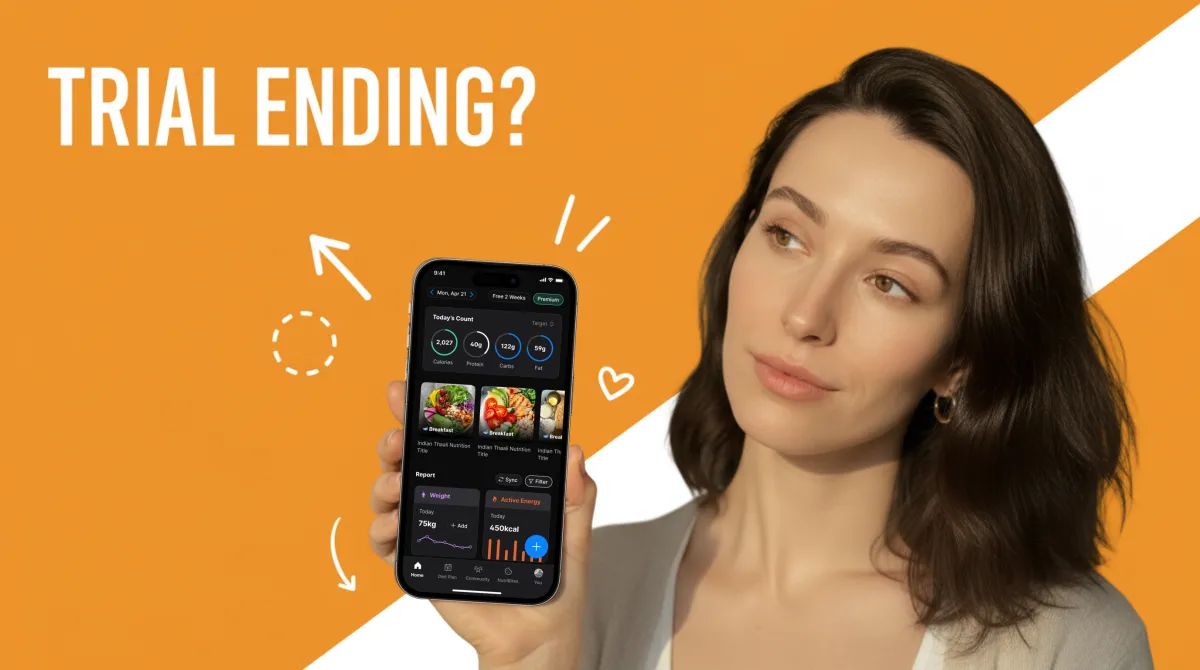
Your NutriScan trial is ending and you are not sure what to do next? You are not alone.
A 2024 study found that over 60% of health app users abandon apps within two weeks of downloading them, often because they did not understand their subscription options (JMIR, 2024). This guide covers exactly what happens on day 8, how to cancel on iPhone and Android, what you keep on the free plan, and how to decide if Premium is right for you.
IMPORTANT
Your NutriScan trial action plan at a glance.
A quick roadmap so you can act fast.
⏱️ Progress 0/4 - ~0 minutes in - Keep going
⏳ What happens on Day 8 (auto-charge details)
⏳ How to cancel on iPhone, Android, and in-app
⏳ What you keep vs lose on the free plan
🔍 The referral trick that unlocks free Premium without paying (revealed near the end)
TL;DR - NutriScan Trial Guide
- Day 8 auto-charges your selected plan unless you cancel first
- Cancel through Apple Settings or Google Play, not just the app
- Free plan keeps 15 scans/week, basic analysis, NutriBites AI, and 7-day meal history
- Your data is never deleted even if you downgrade or uninstall
- Refer friends to earn free Premium weeks without paying
What You Get During the 7-Day Trial
When you first sign up for NutriScan, a "Start 7 Days Free Trial" screen appears on your home page. Tap Start, complete the payment setup, and you unlock every Premium feature for a full week. No charge hits your card during those seven days.
| Feature | Free Plan | Premium (Trial) |
|---|---|---|
| Meal Scanning | 15 per week | Unlimited |
| Nutrition Analysis | Basic | Comprehensive |
| NutriBites AI Assistant | Yes | Yes |
| Meal History | 7 days | Unlimited |
| Insights and Analytics | Basic | Advanced |
| Monika - Voice AI Nutritionist | 4 calls/week | Unlimited |
| Personalized Diet Plans | No | Yes |
| Supplement Recommendations | No | Yes |
| Lifestyle Guidance | No | Yes |
The trial exists so you can test everything: scan as many meals as you want, build a diet plan, talk to Monika, and explore the full insights dashboard. You get the real Premium experience, not a limited preview.
 That moment when you realize your trial is ending tomorrow
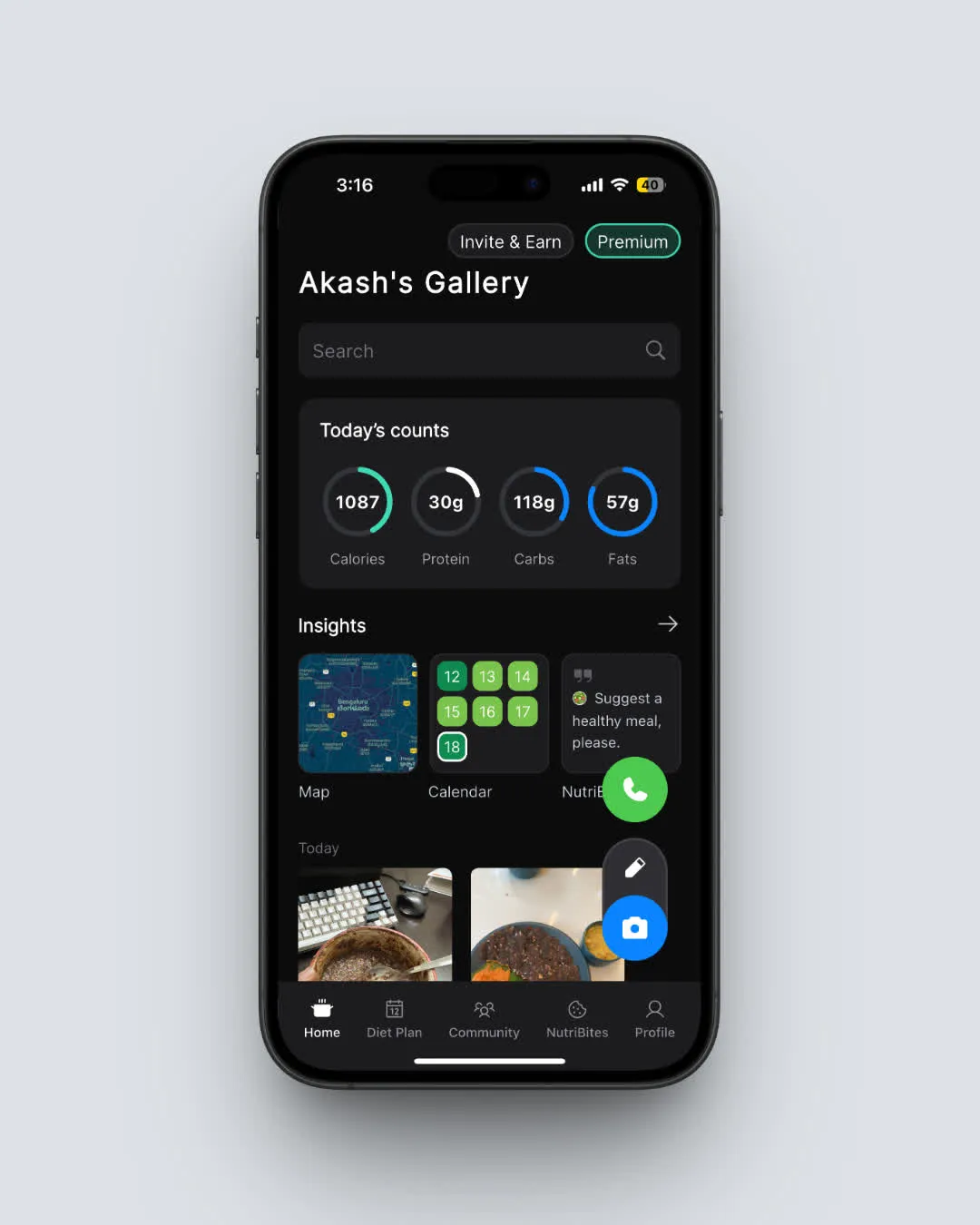 NutriScan home page: your daily nutrition breakdown at a glance (Home > Nutrition Card)
What Happens on Day 8 (When the Trial Ends)
Here is the short answer: if you do not cancel before your trial period ends, your selected plan starts billing automatically.
- Auto-renewal kicks in. Your card or payment method gets charged for the plan you selected at signup (monthly or yearly).
- Premium continues without interruption. You keep every feature. Nothing changes in the app.
- You get a reminder first. NutriScan sends a notification before the trial ends so you are not surprised by a charge.
The billing goes through your Apple App Store or Google Play account. NutriScan never stores your card details directly. Your bank statement will show the charge from Apple or Google, not from NutriScan.
WARNING
Cancel at least 24 hours before the trial ends. Some users report that canceling on the last day still triggered a charge because the payment system had already queued the renewal.
Current NutriScan Pricing (US App Store, March 2026)
| Plan | Price | Per Day Cost |
|---|---|---|
| Premium Monthly | $7.49/mo | $0.25/day |
| Premium Yearly | $59.99/yr | $0.16/day |
| Premium Yearly (Offer) | $49.99/yr | $0.14/day |
Pricing varies by country. Users in India, Europe, and other regions may see different amounts in their local currency.
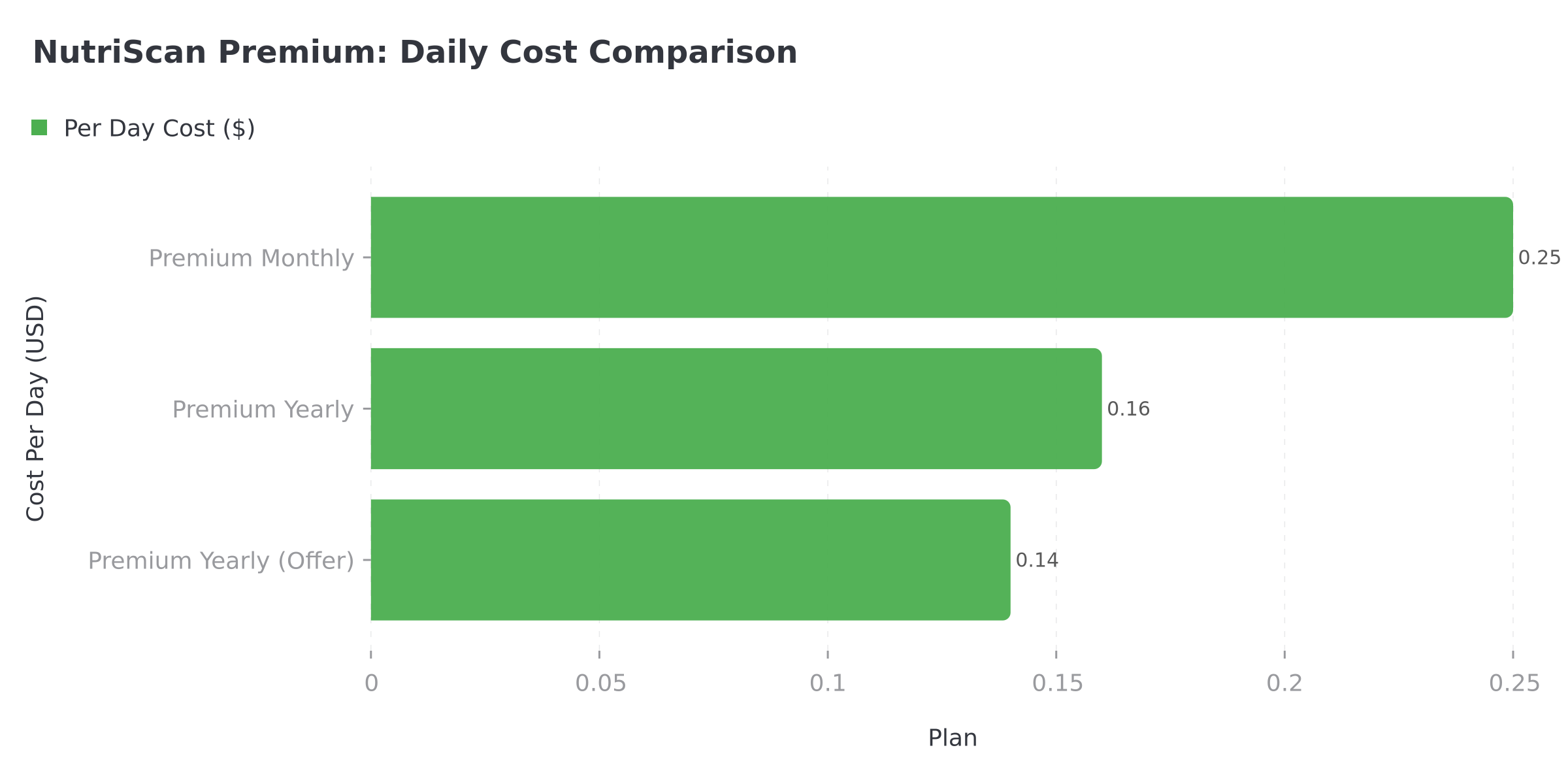 Figure 1: Daily cost comparison across NutriScan Premium plans. The yearly offer saves you 44% over monthly billing.
IMPORTANT
Checkpoint: here's where you are right now.
Quick status update so you always know the next best move.
⏱️ Progress 1/4 - ~1 minute in - Keep going
✅ What happens on Day 8 (done)
👉 How to cancel on iPhone, Android, and in-app (you're here)
⏳ What you keep vs lose on the free plan
🧩 The referral trick for free Premium (coming soon)

How to Cancel Before the Trial Ends
If you want to stop before the charge, you need to cancel through your device's subscription settings, not inside the NutriScan app alone. This is the most common mistake people make with any app trial.
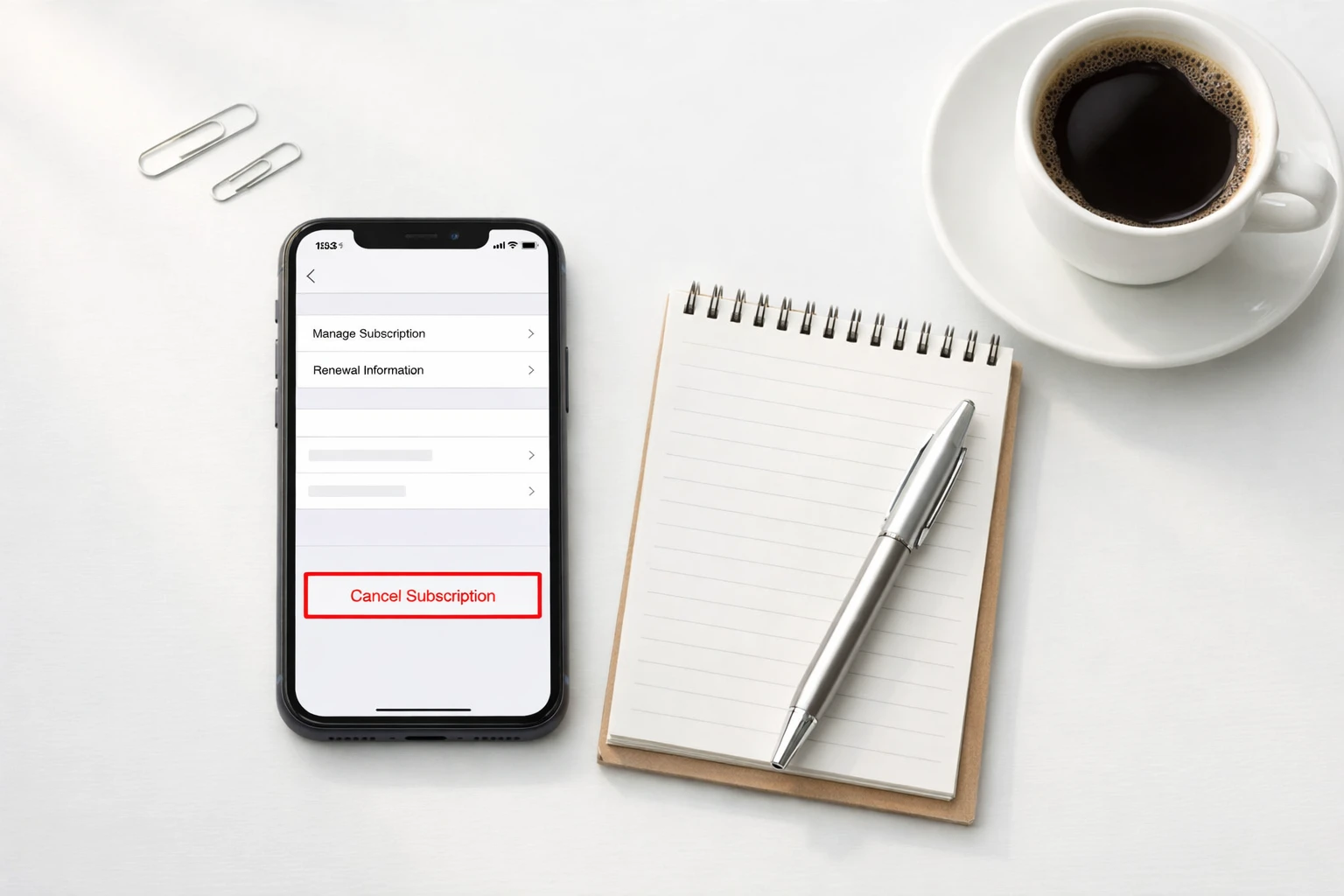 Getting ready to manage your subscription takes less than a minute
Cancel on iPhone or iPad
- Open the Settings app on your device
- Tap your name at the top (Apple Account)
- Tap Subscriptions
- Find NutriScan in the list
- Tap Cancel Subscription
- Confirm the cancellation
Your Premium access stays active until the end of the trial period. You will not lose features early (Apple Support).
Cancel on Android
- Open the Google Play Store app
- Tap your profile icon in the top right
- Tap Payments and subscriptions
- Tap Subscriptions
- Find NutriScan and tap it
- Tap Cancel subscription
- Follow the confirmation steps
Same as Apple: your Premium features continue until the trial period runs out (Google Play Help).
Cancel From Inside NutriScan
You can also start the cancel process from within the app:
- Go to the Home screen and tap on your current plan name
- Select Cancel Subscription
- Complete a brief survey about your reason for leaving
- The app redirects you to your device's subscription management page
- Complete the cancellation there
TIP
The in-app route is the fastest. It takes you directly to the right settings page so you do not have to hunt through your device settings.
IMPORTANT
Checkpoint: midway progress update.
You're halfway - decisions get easier here.
⏱️ Progress 2/4 - ~2 minutes in - Keep going
✅ What happens on Day 8 (done)
✅ How to cancel on iPhone, Android, and in-app (done)
👉 What you keep vs lose on the free plan (current)
⏳ The referral trick for free Premium (next)
What You Keep on the Free Plan (After Downgrade)
Canceling does not delete your account or your data. You simply move to the free plan once your billing period ends. Here is exactly what stays and what goes.
What You Keep
- 15 meal scans per week. Enough for about 2 meals per day. Many users find this covers their main meals.
- Basic nutrition analysis. You still see calories, protein, carbs, and fat for every scan.
- NutriBites AI Assistant. You can still ask questions about your meal timeline.
- 7 days of meal history. Your recent meals stay visible on the home screen.
- Basic insights and analytics. The calendar widget, city map, and NutriBites question widget still work.
- All your historical data. Every meal you ever scanned is saved in the cloud. If you upgrade again later, your full history comes back.
What You Lose
- Unlimited meal scanning. You go from unlimited to 15 per week.
- Monika - Voice AI Nutritionist. Free users get 4 calls per week instead of unlimited.
- Personalized diet plans. Your existing diet plan becomes inaccessible until you upgrade again.
- Supplement and lifestyle recommendations. These are Premium-only features.
- Advanced insights and analytics. Some deeper report views require Premium.
- Unlimited meal history. Your view is limited to the most recent 7 days, though older data is preserved.
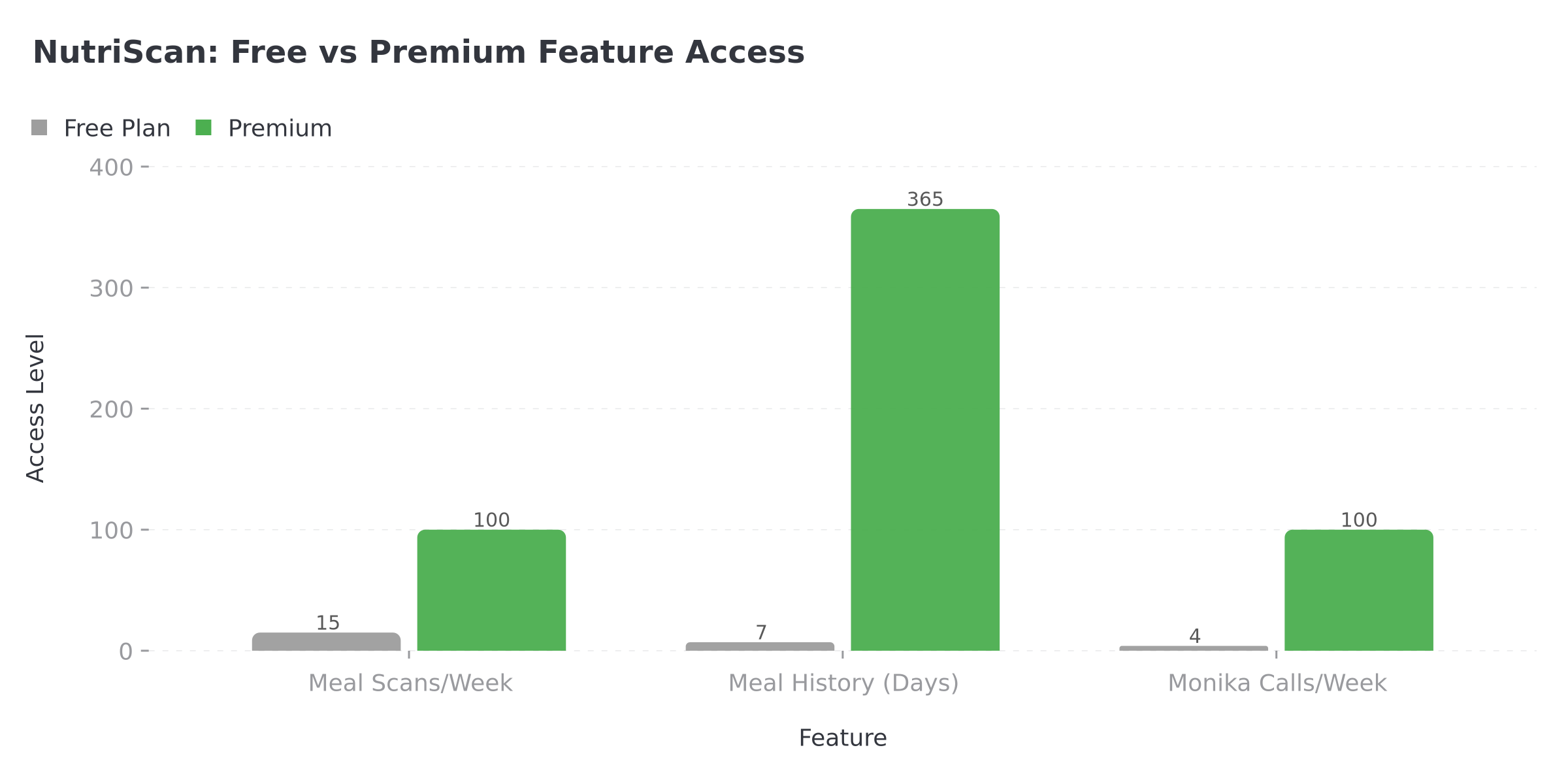 Figure 2: Free vs Premium access levels. Premium unlocks significantly more scans, history, and Monika calls.
 The free plan still gives you solid nutrition tracking for your main meals
A 2024 study on mHealth app engagement found that users who understood what their free tier included were 40% more likely to continue using the app long-term, even without a paid plan (Monachelli et al., 2024, PMC).
5 Tips to Decide Before Your Trial Ends
Not sure if Premium is right for you? Here is how to evaluate during your trial week.
Tip 1: Count Your Daily Scans
Open your home screen and count how many meals you scanned today. If you regularly scan 3 or more meals plus snacks, the 15-per-week free limit will feel tight. If you scan 1-2 meals on most days, the free plan may work fine.
Tip 2: Check If You Use the Diet Plan
Go to the Diet Plan tab. Did you create a plan? Are you following it? If the diet plan is a core part of your routine, you need Premium. If you never opened it, you probably will not miss it. Learn more about how NutriScan diet plans work.
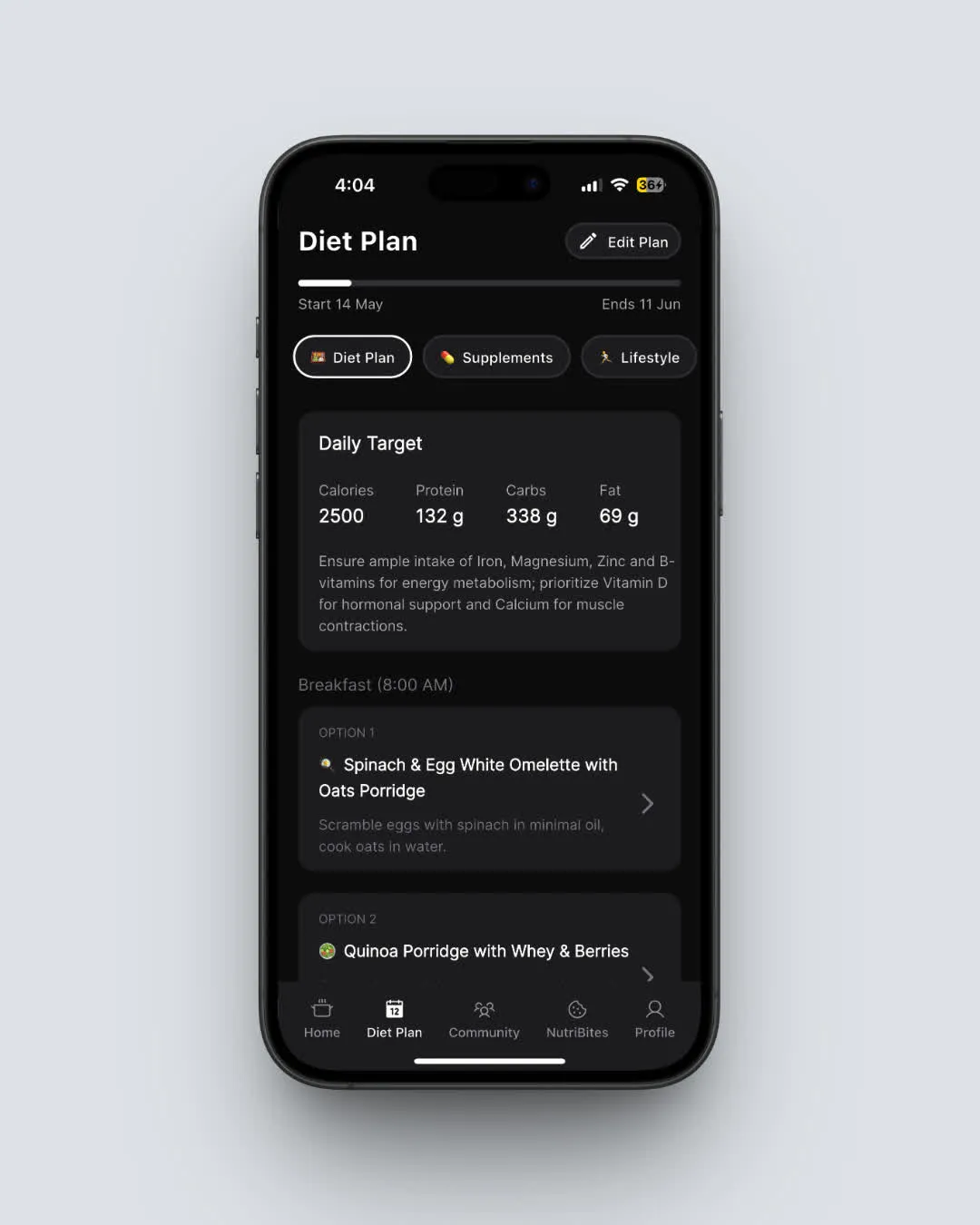 NutriScan Diet Plan tab: check if you created and follow a personalized plan (Home > Diet Plan)
Tip 3: Test Monika Before Time Runs Out
Tap the call button on the home screen and ask Monika a nutrition question. Some users love having a voice AI nutritionist available anytime. Others prefer the text-based NutriBites feature, which stays free. Try both and see which one you actually use.
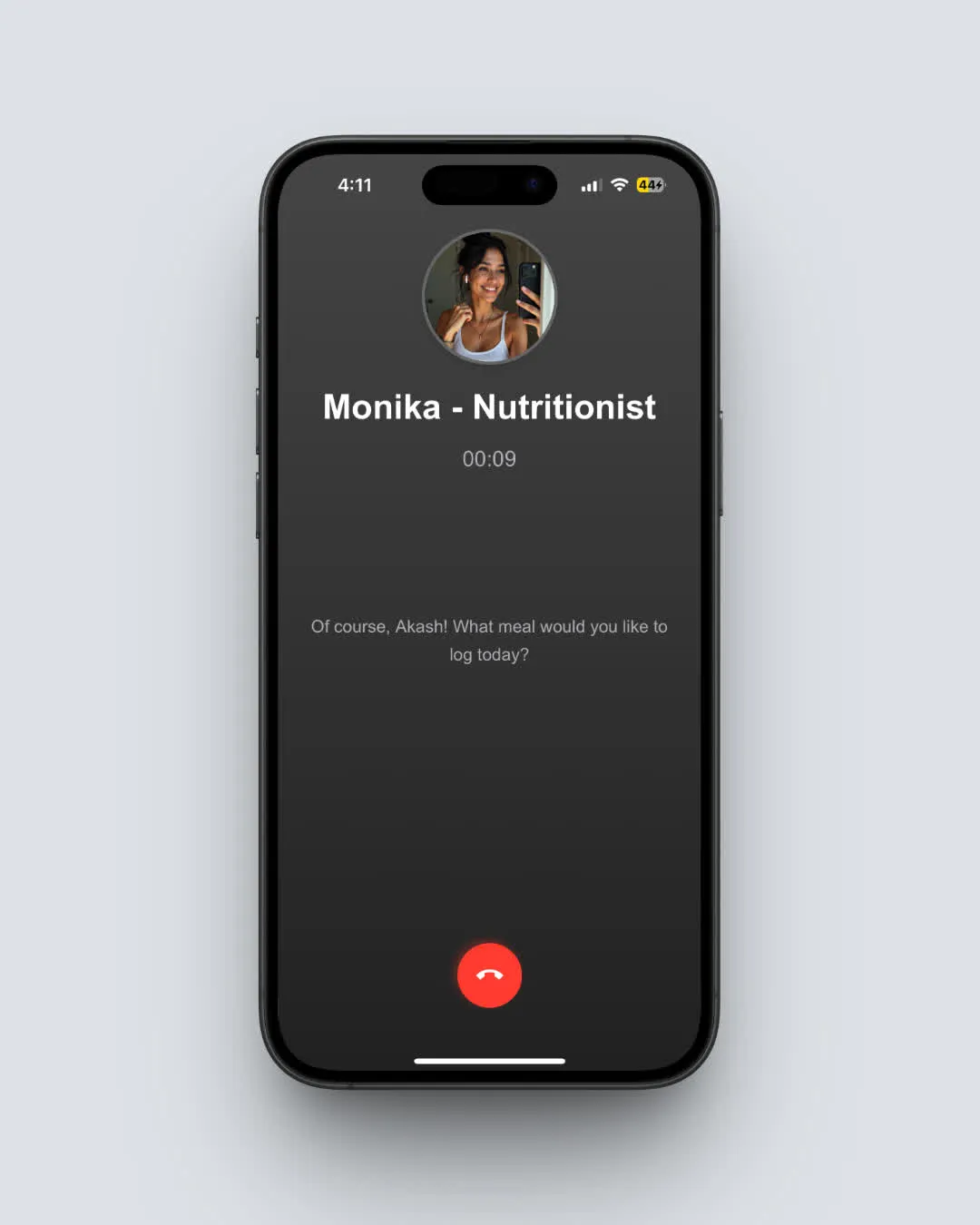 Monika: your voice AI nutritionist. Free users get 4 calls per week (Home > Call Button)
Tip 4: Look at Your Insights Dashboard
Spend 5 minutes in the Reports section. Check the weekly trends for weight, steps, sleep, and macros. If you rely on these charts to make food decisions, Premium is worth it. If you mostly just glance at the daily calorie count, the free plan covers that. For a deeper look at what the insights dashboard offers, check our guide.
Tip 5: Compare the Math
Premium Monthly costs $7.49/mo ($0.25/day). Premium Yearly costs $49.99-$59.99/yr ($0.14-$0.16/day). That is less than a cup of coffee. But if you are not using the Premium features, any price is too much. Research shows that subscription app users who actively track their usage before deciding are significantly more likely to stay satisfied with their choice (PMC, 2025).
How to Upgrade Again After Downgrading
Changed your mind after a few weeks on the free plan? Upgrading is simple:
- Open NutriScan and go to the Home screen
- Tap the Upgrade button (it shows your current plan status)
- Select Premium Monthly or Premium Yearly (yearly is the recommended choice and shows savings)
- Complete the payment through App Store or Google Play
- A confirmation screen appears once payment succeeds
Your full meal history, preferences, and diet plan data are all preserved. Nothing is lost during the time you were on the free plan. The app picks up right where you left off.
Switch Between Monthly and Yearly Anytime
Already on Premium Monthly but want to save money? You can switch billing cycles without canceling first:
- Tap your current plan name on the Home screen
- Select Change Subscription billing cycle
- Choose your new billing frequency
- Complete the payment process
Switching to yearly from monthly can save you up to 33% depending on the offer available in your region.
IMPORTANT
Checkpoint: final stretch before the reveal.
One last nudge - the referral trick is next.
⏱️ Progress 3/4 - ~3 minutes in - Keep going
✅ What happens on Day 8
✅ How to cancel on iPhone, Android, and in-app
✅ What you keep vs lose on the free plan
✨ The referral trick for free Premium (about to reveal)
The Refer and Earn Alternative
Not ready to pay but want more Premium time? NutriScan has a referral program that gives you free Premium weeks:
| Referrals | You Get | Your Friend Gets |
|---|---|---|
| 1 friend signs up | 1 week Premium | 1 week Premium |
| 5 friends sign up | 1 month Premium | 1 week each |
| 10 friends sign up | 3 months Premium | 1 week each |
There is no limit to how many people you can refer. Go to Home > Invite and Earn to get your unique link. This is a genuine way to extend your Premium access without paying, something most competitor apps do not offer.
IMPORTANT
Recap: everything you completed this round.
You finished the run - save this for next time.
⏱️ Progress 4/4 - ~4 minutes in - Nicely done
✅ What happens on Day 8
✅ How to cancel on iPhone, Android, and in-app
✅ What you keep vs lose on the free plan
✅ The referral trick for free Premium (revealed)
 That sweet relief when you know exactly what your subscription options are
How NutriScan's Trial Compares to Other Apps
Not every nutrition app handles free trials the same way. Here is how NutriScan stacks up:
| App | Trial Length | Auto-Charge? | Free Plan After? | Cancel Path |
|---|---|---|---|---|
| NutriScan | 7 days | Yes | Yes (15 scans/week) | App Store / Play Store |
| MyFitnessPal | 30 days (varies) | Yes | Yes (limited) | App Store / Play Store |
| MacroFactor | 7 days | Yes | No free plan | App Store / Play Store |
| Lose It | 7 days | Yes | Yes (basic logging) | App Store / Play Store / Web |
| YAZIO | 7 days (web only) | Yes | Yes (limited) | App Store / Play Store / Web |
| Fastic | 14 days (pay first) | Refund model | Yes (limited) | App Store / Play Store / Email |
| Cal AI | Varies | Yes | No free plan | App Store / Play Store |
Two things stand out. First, NutriScan's free plan after trial is more generous than most: 15 scans per week plus NutriBites AI is a real functional tier, not a stripped-down placeholder. Second, the cancel process follows the same Apple/Google pattern as every other app. There is nothing unusual or tricky about how NutriScan handles it.
For more detailed pricing comparisons, check out our NutriScan pricing guide and see how other apps like Lose It, Fastic, and MacroFactor handle their trials.
A 2024 study on digital weight loss interventions found that users who canceled within the 7-day trial period and later returned to paid plans showed higher long-term engagement than users who stayed subscribed but stopped logging meals (Predicting Early User Churn, ACM CHI 2024). In other words, downgrading when you are not ready is better than paying and not using the app.

Common Mistakes to Avoid
Mistake 1: Thinking Uninstalling the App Cancels the Trial
It does not. Deleting NutriScan from your phone does not cancel the subscription. The billing agreement lives in your Apple or Google account, not in the app itself. You must cancel through Settings (iPhone) or Google Play (Android).
Mistake 2: Canceling on the Wrong Platform
If you signed up on your iPhone, you must cancel through Apple. If you signed up on Android, you must cancel through Google Play. Canceling on the wrong platform will not work because the subscription does not exist there.
Mistake 3: Waiting Until the Last Minute
Apple and Google process cancellations differently. Cancel at least 24 hours before the trial ends to be safe.
DANGER
Uninstalling the app does NOT cancel your subscription. You must cancel through your device's subscription settings (Apple Settings or Google Play Store).
Mistake 4: Assuming You Lose Everything
Your meal data, scan history, and account information stay intact after canceling. You are not deleting your account. You are changing your plan. Many users downgrade for a month, then come back to Premium when they are ready.
Mistake 5: Not Checking for a Better Price
NutriScan occasionally shows promotional yearly pricing ($49.99/yr instead of $59.99/yr). If you declined the annual offer during signup, check the Upgrade screen again. The offer may still be available, or a new one may appear.
Step-by-Step: What to Do Right Now
Here is your action plan depending on where you are in your trial:
If your trial ends tomorrow:
- Decide: do you want Premium? Check your scan count and feature usage.
- If yes, do nothing. Your plan will continue automatically.
- If no, open Settings > Subscriptions (iPhone) or Google Play > Subscriptions (Android) and cancel now.
If your trial ended and you were charged:
- On Apple: visit reportaproblem.apple.com to request a refund.
- On Google Play: open the app > Payments and subscriptions > Budget and history > find the charge > Request a refund.
- Both platforms have refund windows. Apple typically grants refunds within 14 days of purchase. Google's policy varies by region.
If you want to stay on the free plan long-term:
- Cancel through your device's subscription settings.
- Use the Refer and Earn program to get occasional Premium weeks.
- Stay within the 15 scans/week limit by scanning your main meals only.
If you want to understand your nutritional needs better before deciding, try our macro calculator to plan a sustainable eating strategy.
Conclusion
Your NutriScan trial ending is not a deadline to panic about. It is a checkpoint. If Premium helps you hit your nutrition goals, keep it. If you are not using the advanced features, downgrade to the free plan and keep tracking your main meals with 15 scans per week. Your data stays safe either way, and you can always upgrade again later or use the Refer and Earn program for free Premium weeks. The best choice is the one that matches how you actually use the app today.
Frequently Asked Questions
Will I get a warning before the trial charge?
Yes. NutriScan sends a reminder notification before your free trial ends and before any renewal charge. Check your notification settings to make sure NutriScan notifications are enabled on your device.
Can I restart the free trial on a new account?
The 7-day free trial is available once per Apple ID or Google account. Creating a new NutriScan account on the same device with the same Apple ID or Google account will not grant a new trial. Apple and Google track trial eligibility at the account level, not the app level.
What happens to my diet plan if I downgrade?
Your diet plan data is saved but becomes inaccessible on the free plan. If you upgrade again later, your existing diet plan will be available. You will not need to fill out the questionnaire again unless you want to update your information.
Can I switch from monthly to yearly during the trial?
The trial is tied to the plan you selected at signup. To switch billing cycles, you would need to wait until the trial converts to a paid subscription, then change your billing cycle through the Manage Subscription screen.
Is my data safe if I cancel?
Yes. All your meal scanning history, nutritional data, and account information are stored securely in the cloud. Canceling your subscription does not delete any data. Even if you uninstall the app, your data remains linked to your account and will sync when you sign back in.
How do I know which platform I subscribed through?
Check your email for a receipt from Apple or Google. You can also check Settings > Subscriptions on iPhone or Google Play > Payments and subscriptions on Android. The subscription will only appear on the platform you originally used to sign up.
Can I get a refund after the trial ends?
Refund policies are managed by Apple and Google, not by NutriScan directly. Apple typically processes refund requests through reportaproblem.apple.com. Google Play handles refunds through the Payments and subscriptions section. Both platforms have time limits for refund eligibility, so act quickly if you were charged unexpectedly.