How to Cancel MacroFactor (2026 Step-by-Step)
 ChatGPT
  Claude
  AI Mode
  Perplexity
Paying $11.99/month for MacroFactor but barely opening the app? You are not alone. Here is exactly how to cancel, get a refund, and keep your data safe.
IMPORTANT
Your MacroFactor cancel plan at a glance.
A quick roadmap so you can act fast.
⏱️ Progress 0/4 - ~0 minutes in - Keep going
⏳ Step 1: Understand what happens when you cancel
⏳ Step 2: Cancel on iPhone or Android
⏳ Step 3: Request a refund if needed
🔍 The free alternative that replaces MacroFactor's dynamic coaching (revealed near the end)
TL;DR - Cancel MacroFactor in 2 Minutes
- iPhone: Settings ➡️ Your Name ➡️ Subscriptions ➡️ MacroFactor ➡️ Cancel Subscription
- Android: Play Store ➡️ Profile ➡️ Payments & subscriptions ➡️ Subscriptions ➡️ MacroFactor ➡️ Cancel
- Key rule: You must cancel through your phone's app store, not through the MacroFactor app
- After canceling: You keep all features until the end of your current billing period
- Your data stays: Food logs, weight history, and progress data remain in your account
What You Need to Know Before Canceling
As a NutriScan nutritionist who has helped hundreds of users manage their app subscriptions, I want to make sure you understand exactly what happens when you cancel MacroFactor.
MacroFactor is a paid-only app built by Stronger By Science Technologies LLC. Unlike MyFitnessPal or Cronometer, there is no free tier. Once your subscription expires, you lose access to everything: food logging, macro coaching, dynamic adjustments, and progress tracking.
A 2023 study published in JMIR mHealth and uHealth found that high time investment is one of the most common reasons users stop using nutrition apps at an early stage (PMC10337335). If MacroFactor feels like more than you need, that is a well-documented and valid reason to move on.
Here is how MacroFactor pricing works in 2026:
| Plan | Price | Per Month |
|---|---|---|
| Monthly | $11.99/mo | $11.99 |
| 6-Month | $47.99/6mo | $8.00 |
| Annual | $71.99/yr | $5.99 |
| Bundle (Nutrition + Workouts) | $89.99/yr | $7.50 |
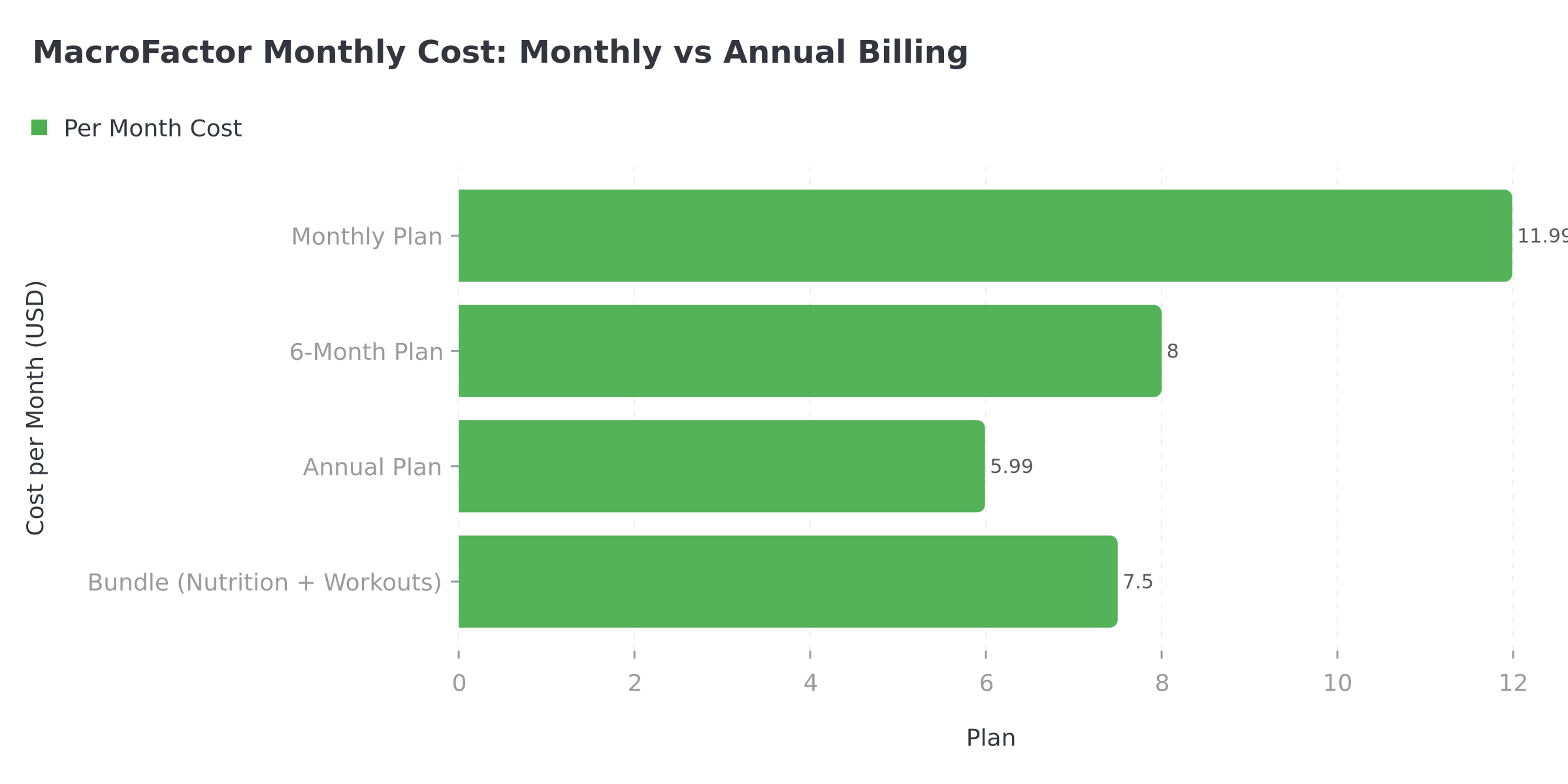 Figure 1: Annual billing cuts your per-month cost by 50% compared to monthly billing
WARNING
MacroFactor does not process payments directly. All payments go through Apple or Google. You cannot cancel through the MacroFactor app or their website. You must cancel through your phone's app store.
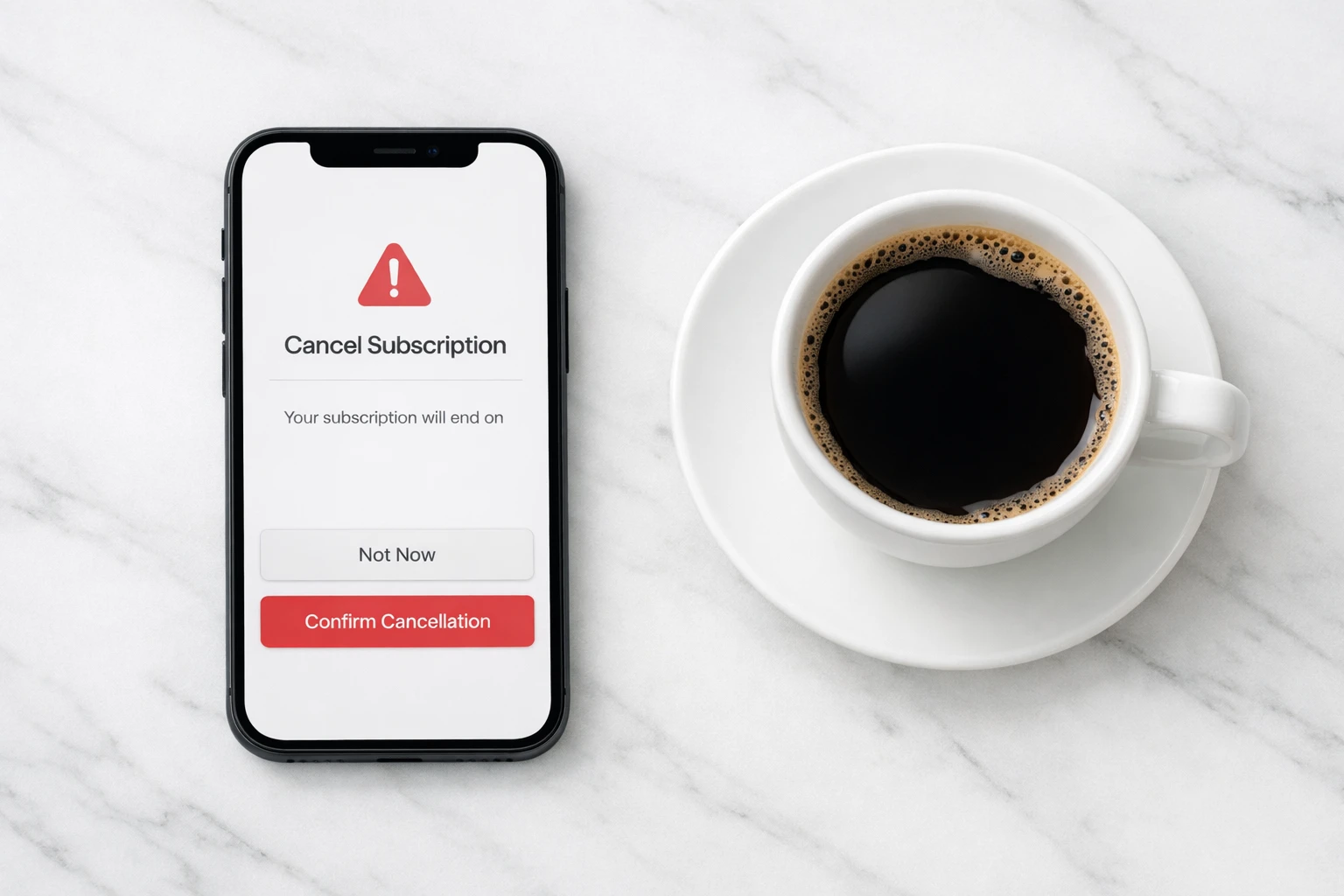
 That feeling when you finally find where to cancel your subscription
7 Tips Before You Cancel MacroFactor
These tips can save you money or help you make a better decision.
1. Export your data first. Go to More ➡️ Data Management ➡️ Export Your Data. MacroFactor sends you a CSV file with all your food logs, weight entries, and macro targets. Once your subscription ends, you cannot access this data inside the app.
2. Check your renewal date. In the MacroFactor app, go to More ➡️ Subscriptions. Your renewal date is shown there. You must cancel at least 24 hours before this date to avoid being charged for the next period.
3. Consider switching to annual. If you like MacroFactor but find it expensive, switching from monthly ($11.99/mo) to annual ($71.99/yr or $5.99/mo) saves you 50% per month. You can switch plans inside the app at More ➡️ Subscriptions.
4. Try the Workouts bundle. If you also use a separate workout tracker, the $89.99/yr bundle includes both MacroFactor Nutrition and MacroFactor Workouts. That is just $18 more per year than nutrition alone.
5. Check if you are still in the trial. If you are within your 7-day free trial, cancel now and you will not be charged at all.
DANGER
6. Do not just delete the app. Deleting MacroFactor from your phone does not cancel your subscription. You will continue to be charged until you cancel through your app store. A 2025 survey on mHealth app usage found that user engagement diminishes over time, often leading to "forgotten" subscriptions that keep billing (PMC12004308).
7. Screenshot your settings. If you plan to switch to another macro tracker, screenshot your current macro targets, calorie goals, and expenditure settings. This makes setup faster in your new app.
IMPORTANT
Checkpoint: here's where you are right now.
Quick status update so you always know the next best move.
⏱️ Progress 1/4 - ~1 minute in - Keep going
✅ Step 1: Understand what happens when you cancel (done)
👉 Step 2: Cancel on iPhone or Android (you're here)
⏳ Step 3: Request a refund if needed
🧩 The free dynamic coaching alternative (coming soon)
How to Cancel MacroFactor on iPhone (iOS)
If you signed up through the App Store, follow these steps:
Step 1: Open the Settings app on your iPhone (the gray gear icon on your home screen).
Step 2: Tap your name at the top of the Settings screen. This opens your Apple ID page.
Step 3: Tap Subscriptions. You will see a list of all active and expired subscriptions.
Step 4: Find and tap MacroFactor in the list.
Step 5: Tap Cancel Subscription (or Cancel Free Trial if you are still in the trial period).
Step 6: Confirm the cancellation when prompted.
Your subscription stays active until the end of your current billing period. After that, you lose access to all MacroFactor features.
TIP
Alternative method: Open the App Store app ➡️ tap your profile icon (top right) ➡️ tap Subscriptions ➡️ find MacroFactor ➡️ Cancel.
Bank statement identifiers: Look for charges from APPLE.COM/BILL on your bank or credit card statement. If you see this charge and are not sure which app it is for, check Settings ➡️ Subscriptions to see all active subscriptions.
How to Cancel MacroFactor on Android
If you signed up through the Google Play Store, follow these steps:
Step 1: Open the Google Play Store app.
Step 2: Tap your profile icon (top right).
Step 3: Tap Payments & subscriptions.
Step 4: Tap Subscriptions.
Step 5: Find and tap MacroFactor in the list.
Step 6: Tap Cancel subscription.
Step 7: Follow the on-screen prompts and confirm.
Your subscription remains active until the end of the billing period. Google will send a confirmation email.
Bank statement identifiers: Look for GOOGLEMACROFACT or GOOGLESTRONGERBY on your bank statement.
Cancel via iPad or Family Sharing
If you originally subscribed on an iPad or through Family Sharing:
- Open Settings on the device where you subscribed.
- Tap your Apple ID ➡️ Subscriptions.
- Find and cancel MacroFactor.
The cancel must happen on the same Apple ID that purchased the subscription. If you have multiple Apple IDs, check each one.
IMPORTANT
Checkpoint: midway progress update.
You're halfway - decisions get easier here.
⏱️ Progress 2/4 - ~2 minutes in - Keep going
✅ Step 1: Understand what happens when you cancel (done)
✅ Step 2: Cancel on iPhone or Android (done)
👉 Step 3: Request a refund if needed (current)
⏳ The free dynamic coaching alternative (next)
Common Mistakes That Keep You Subscribed
These errors are more common than you think:
Deleting the app instead of canceling. This is the number one mistake. The app is gone from your phone, but Apple or Google keeps charging you every billing cycle.
Canceling on the wrong platform. If you signed up on an iPhone, you cannot cancel through Google Play (and vice versa). Always cancel on the same platform where you subscribed.
Canceling too late. You must cancel at least 24 hours before your renewal date. If your renewal is March 15, cancel by March 13 to be safe.
Forgetting about Family Sharing. If someone in your family group subscribed, only the account holder who purchased it can cancel.
How to Get a Refund from MacroFactor
Refund rules differ between Apple and Google.
Apple App Store Refunds
MacroFactor cannot issue refunds for Apple purchases directly. All refund requests go through Apple.
- Visit Apple's support portal.
- Tap iPhone.
- Tap Subscriptions and purchases.
- Tap Request a refund.
- Select the MacroFactor charge you want refunded.
- Submit your request.
Apple generally processes refunds within 60 days of the original payment. After 60 days, refunds become unlikely (MacroFactor Help Center).
TIP
Alternative: You can also visit reportaproblem.apple.com to request a refund for any recent App Store purchase.
Google Play Store Refunds
Google Play is more flexible. You have two options:
Option 1: Contact Google directly. If it is within 48 hours of purchase, Google Play will process a refund automatically.
Option 2: Contact MacroFactor support. Unlike Apple, MacroFactor can issue refunds for Google Play purchases directly. Contact them via:
- In-app: More ➡️ Community & Support ➡️ Support ➡️ Talk with MF Support
- Email: [email protected]
MacroFactor's support team will process the refund, though it may take a few days for Google Play to complete the transaction (MacroFactor Help Center).
Users on r/MacroFactor report that the team is generally responsive and offers refunds within 60 days of payment. After 60 days, partial refunds are not available.
What Happens After You Cancel
Once your subscription ends, here is what happens:
Your data stays safe. MacroFactor keeps your food logs, weight history, and progress data in your account. If you resubscribe months later, everything is still there.
You cannot log food. Without an active subscription, you cannot add meals, scan barcodes, or use the dynamic coaching features.
You are completely locked out. Unlike apps with free tiers, MacroFactor gives you zero access after your subscription expires. You cannot view your data, your progress charts, or your expenditure history.
A 2023 scoping review examined 46 studies on nutrition app behavior change and found that only 15% showed sustained health behavior change. About 9% showed a clear decline in app usage over time (PMC9883741). Cycling through different apps until you find the right fit is completely normal.
Delete your account (optional). If you want to permanently remove your data, go to More ➡️ Account & Data Deletion ➡️ toggle on "Delete Your MacroFactor Account and All Associated Data" ➡️ tap confirm. This is irreversible.
 You after successfully canceling and saving $11.99/month
IMPORTANT
Checkpoint: final stretch before the reveal.
One last nudge - the reveal is next.
⏱️ Progress 3/4 - ~3 minutes in - Keep going
✅ Step 1: Understand what happens when you cancel
✅ Step 2: Cancel on iPhone or Android
✅ Step 3: Request a refund if needed
✨ The free dynamic coaching alternative (about to reveal)

How MacroFactor Compares to Other Apps After Canceling
How does MacroFactor's cancellation compare to other macro tracking apps?
| App | Cancel Path | Free Tier After Cancel | Refund Window | Trial Length |
|---|---|---|---|---|
| MacroFactor | App store only | No | 60 days (Apple) / 48h-60d (Google) | 7 days |
| MyFitnessPal | App store or web | Yes (limited) | 60 days (Apple) | 7-30 days |
| Cronometer | App store only | Yes (Basic) | 60 days (Apple) | 7 days |
| Carbon | App store only | No | 60 days (Apple) | None |
| Lose It | App store or web | Yes (basic) | 60 days (Apple) | 7 days |
| NutriScan | App store only | Yes (15 scans/week) | 60 days (Apple) | 7 days |
| YAZIO | App store or web | Yes (limited) | 14 days (EU) | 7 days (web only) |
MacroFactor and Carbon are the only major macro trackers with no free tier at all. If you cancel, you are locked out completely until you resubscribe.
Free Alternatives Worth Trying After MacroFactor
If budget is your main reason for leaving, several apps offer generous free tiers:
| App | Free Plan Highlights | Annual Paid Price |
|---|---|---|
| NutriScan | 15 AI scans/week, NutriBites AI, no ads | $49.99/yr |
| FatSecret | Full barcode scanner, community, meal plans | $59.99/yr |
| MyFitnessPal | Basic logging, large food database | $79.99/yr |
| Cronometer | Unlimited logging, 7-day reports | $49.99/yr |
| Lose It | Basic calorie tracking, weight log | $39.99/yr |
If you want an app that combines AI photo scanning with simple macro tracking, NutriScan offers 15 free scans per week and a NutriBites AI assistant that suggests what to eat next. No subscription required for basic use. Use the NutriScan Macro Calculator to set your personalized calorie and macro targets before switching.
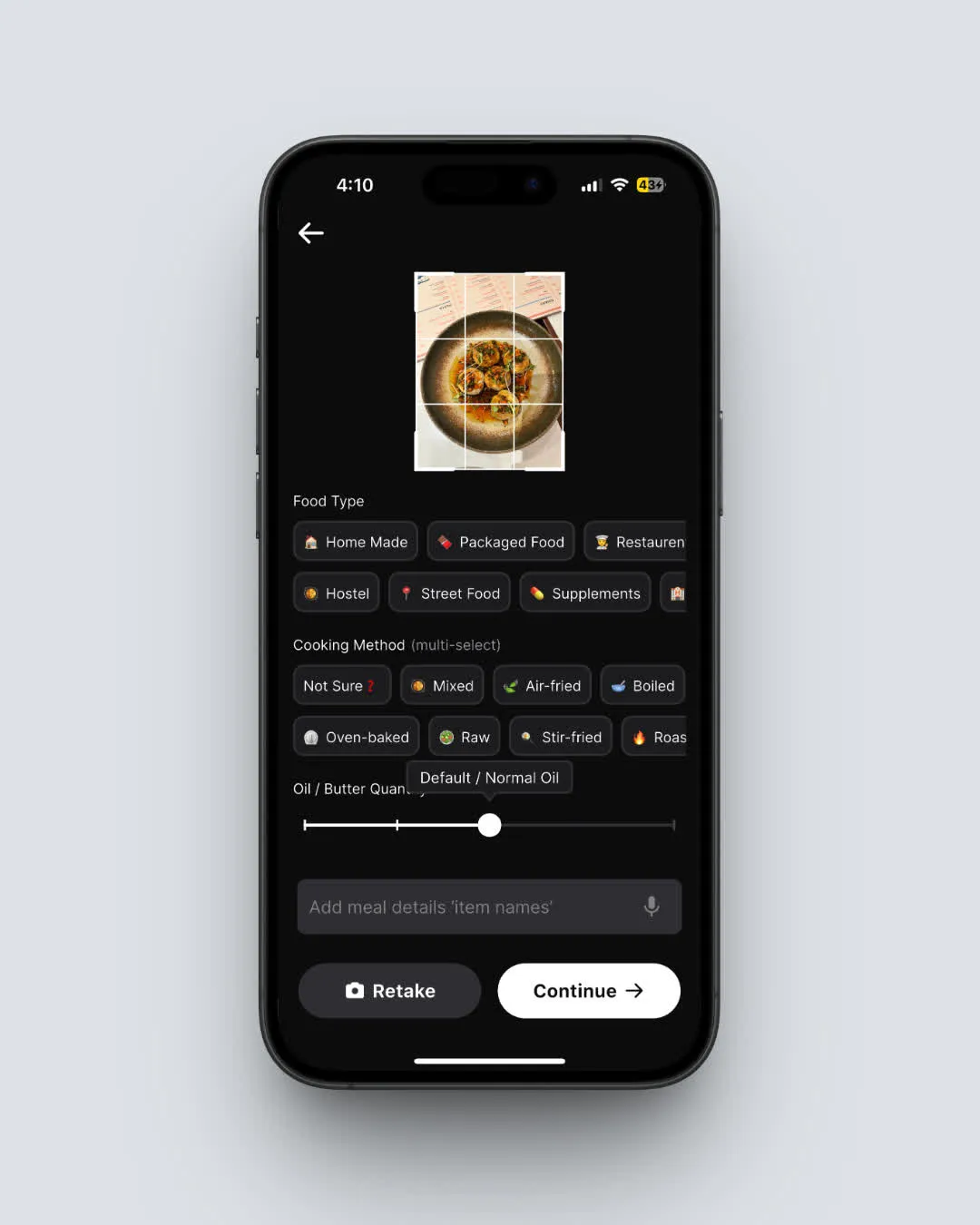 NutriScan AI meal scanning: snap a photo and get instant nutrition data (Home > Camera Icon > Click Picture)
FAQ
Does deleting the MacroFactor app cancel my subscription?
No. Deleting the app only removes it from your phone. Your subscription continues billing through Apple or Google until you explicitly cancel it in your phone's subscription settings. Always cancel through Settings ➡️ Subscriptions on iPhone or Play Store ➡️ Subscriptions on Android.
Can I cancel MacroFactor through their website?
No. MacroFactor does not offer web-based subscription management. All cancellations must go through the Apple App Store or Google Play Store. This is because MacroFactor does not sell subscriptions through a website, unlike apps like MyFitnessPal or YAZIO.
What happens to my data if I cancel?
Your food logs, weight entries, and progress data remain in your account. If you resubscribe later, everything is restored. However, you cannot view or access this data without an active subscription. Before canceling, export your data via More ➡️ Data Management ➡️ Export Your Data.
Can I get a refund after canceling?
For Apple: Submit a refund request through reportaproblem.apple.com or Apple Support. Refunds are typically processed within 60 days of the original charge. For Google: Contact MacroFactor support directly at [email protected], or request through Google Play within 48 hours.
Can I pause my MacroFactor subscription instead of canceling?
No. MacroFactor does not offer a pause option. Your choices are to keep subscribing or cancel entirely. If you cancel, you lose access at the end of your billing period but can resubscribe anytime and get your data back.
Can I switch to a cheaper MacroFactor plan instead of canceling?
Yes. Go to More ➡️ Subscriptions in the MacroFactor app and select a different plan. Switching from monthly ($11.99) to annual ($71.99/yr) cuts your cost by 50%. You can also switch plans through your phone's app store subscription settings.
Is MacroFactor Workouts a separate subscription?
Yes, MacroFactor Workouts is a separate app with its own subscription ($11.99/mo, $47.99/6mo, $71.99/yr). A bundle plan is available at $89.99/yr that includes both Nutrition and Workouts. If you cancel MacroFactor Nutrition, you must also cancel Workouts separately if you have both.
How do I contact MacroFactor support?
In the app: More ➡️ Community & Support ➡️ Support ➡️ Talk with MF Support. Or email [email protected]. The team is known for responsive support, especially for refund and billing questions.
Your Next Step After Canceling
Canceling a subscription should be simple, and with MacroFactor it mostly is. You just need to know that it happens in your phone's settings, not in the app itself.
If you are looking for a macro tracker with a generous free tier and AI-powered food scanning, NutriScan lets you track your nutrition without committing to a paid plan. The free tier includes 15 AI meal scans per week, and the NutriBites AI assistant helps you decide what to eat next based on your remaining macros.
Before you switch, use the NutriScan Macro Calculator to set personalized targets. If you have specific health goals, check out the PCOS Macro Calculator or the Diabetes Macro Calculator for condition-specific recommendations.
IMPORTANT
Recap: everything you completed this round.
You finished the run - save this for next time.
⏱️ Progress 4/4 - ~4 minutes in - Nicely done
✅ Step 1: Understand what happens when you cancel
✅ Step 2: Cancel on iPhone or Android
✅ Step 3: Request a refund if needed
✅ The free dynamic coaching alternative: NutriScan AI scanning with 15 free scans/week (revealed)