Best Free AI Calorie Counter: 7 Calorie Tracking Apps Tested
 ChatGPT
  Claude
  AI Mode
  Perplexity
 Short answer. NutriScan covers most people on the free plan: 5 meal logs a week by photo or text, calories, macros and micronutrients on every meal, the NutriScore rating, an intermittent fasting timer and 4 Monika voice calls a week, with no time limit on the free tier. Premium is about $59 a year, standard US prices as of August 2026 that change by region. If you photograph every single meal, SnapCalorie is the one app here with no scan cap, and its trade-off is a learning curve that new users mention often. Cal AI is free to download, but the photo scanner sits behind Premium, listed at $29.99 a year. MyFitnessPal and Lose It! both log food free and charge for the AI scan. Here is what each free tier actually covers, tested across 500 meals.
 The seven apps in this comparison, from the fully free scanners to the ones that charge for the camera
TL;DR: what each free tier gets you
• Free, no paywall: SnapCalorie. Full scanner, photo and voice logging, USDA-backed numbers, 3 AI logs a day on the free tier.
• Free scan quota: NutriScan. 5 AI meal logs a week, micronutrients and NutriScore on every meal, 4 Monika calls a week.
• Free to download, paid to scan: Cal AI ($29.99 a year listed), Macro AI ($29.99 to $49.99, no free logging), MyFitnessPal, Lose It!.
• Where every scanner still struggles: mixed and non-Western dishes. University of Sydney testing put beef pho as much as 49% over and bubble tea as much as 76% under.
• Timeframe: app basics in 2 to 3 days, a usable baseline after one week of logging.
Free AI Calorie Counter Apps Compared
| App | ✅ Best For | 📊 Accuracy figure, and whose | ✅ Top Pro | ❌ Main Con | 💰 Cost |
|---|---|---|---|---|---|
| SnapCalorie | Scientific precision | 2x a nutritionist, company claim | Completely free, research-backed | Learning curve for new users | Free |
| NutriScan | Global cuisines | 95%, NutriScan's own claim | 24/7 AI nutritionist Monika | Limited Western food database | Free tier (5 AI scans/wk) + Premium |
| Cal AI | Busy professionals | About 80%, Cal AI's own figure | Lightning-fast scanning | Photo scanning is Premium only | Free to download, $29.99/yr listed to scan |
| MyFitnessPal | Massive food database | 97% in the Sydney app test | Massive database, established platform | Expensive premium, users leaving | Freemium |
| HealthifyMe | Indian/Asian cuisines | No published figure | Multi-language, good coaching | Poor customer service (3.4⭐) | Freemium |
| Lose It! | Beginners switching from MFP | No published figure | Clean UI, growing user base | Smaller food database | Freemium |
| Fueld | Complex mixed dishes | Company claims 80% | Advanced texture analysis | Newer app, limited reviews | Free |
🔬 Research Insight: A University of Sydney test of seven AI photo apps found beef pho overestimated by as much as 49% and bubble tea underestimated by as much as 76%, with the apps failing to pick out the individual components of either (Li et al., Nutrients 2024). Choose apps trained on diverse cuisines for better accuracy. For accurate calorie counting with Indian foods, check our detailed guide on counting calories in Indian home-cooked food.
 When AI apps misidentify your pho as "vegetable soup" or bubble tea as "regular milk" - cultural accuracy matters!
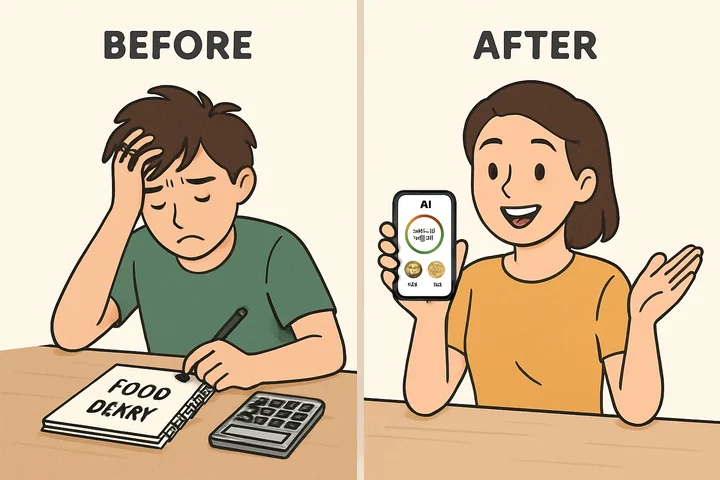 Left: Manual entry taking 10+ minutes. Right: AI recognition in 2 seconds
Three Tracking Scenarios 🍽️
None of the three below is a real customer. They are composite examples, written to show the kinds of schedules where a camera beats a search box.
Scenario 1: The Night Shift Nurse
Take a nurse on rotating 12-hour nights. Meals land at 2 a.m., the portion is whatever the cafeteria had left, and a manual diary means typing entries at the hour concentration is lowest. A photo scan fits that shift better: one shot of the tray, one confirmation tap, logged before the break ends. What no app fixes is the schedule itself, so read the numbers as a record rather than a verdict.
Scenario 2: The Student on a Budget
Take a student cooking on about $3 a meal, mostly tofu, sardines and rice. The useful test here is not restaurant accuracy, it is whether the app recognizes the same five staples every time and lets you save them as presets. Once the staples are saved, logging costs one tap, and a subscription buys very little on top of that.
Scenario 3: The Parent Feeding a Family
Take a parent cooking one pan for four people. Manual entry breaks down here, because the portion on your plate is an unweighed fraction of a shared dish. A scan of your own plate, corrected once for the oil that went into the pan, gets closer than a generic database entry for "chicken curry". Consistency beats precision at this level: a rough log every day tells you more than an exact log twice a week.
The Reality Check: What Free AI Apps Can't Do (Yet) ⚠️
Let's be honest about the limitations:
1. The Hidden Ingredient Problem
Free AI apps struggle with invisible ingredients like oils, butter, and seasonings. A stir-fry might look healthy, but the AI can't detect the 200+ calories from cooking oil. Reality check: You'll need to manually add oils, dressings, and sauces for accurate tracking.
2. Portion Size Guesswork
Even the best AI can mistake a 6oz chicken breast for 4oz, resulting in 100+ calorie errors. Without reference objects or perfect angles, portion estimation remains challenging. What to do: keep a $15 kitchen scale for the foods where accuracy actually matters, like rice, oil and meat.
The Science Behind AI Food Recognition 🔬
University of Sydney researchers screened 800 nutrition apps, assessed 18 in depth and tested seven AI photo scanners against food records for Western, Asian and Recommended diets. Automatic energy estimates came out unreliable overall, with MyFitnessPal and Fastic the closest at 97% and 92% (Li et al., Nutrients 2024). No app in that set held a single accuracy figure across food types. The technology works through multi-stage recognition: identifying food categories first, then estimating portions using deep learning models trained on large image sets.
Cultural Diversity Challenge: The same University of Sydney study found the apps struggled most with mixed dishes from non-Western cuisines. Across the 16 manual logging apps in that test, energy was overestimated for the Western diet by about 1,040 kJ on average and underestimated for the Asian diet by about 1,520 kJ (Li et al., Nutrients 2024). So the training mix matters if most of what you eat is not Western, though no independent test has yet ranked the globally trained apps, NutriScan and HealthifyMe among them, against the general-purpose ones.
Two steps down, two to go. Free combo ahead.
The Best AI Calorie Tracker Apps: 7 Free Tiers Tested
After extensive testing with over 500 meals across different cuisines and lighting conditions, here are the apps that truly deliver:
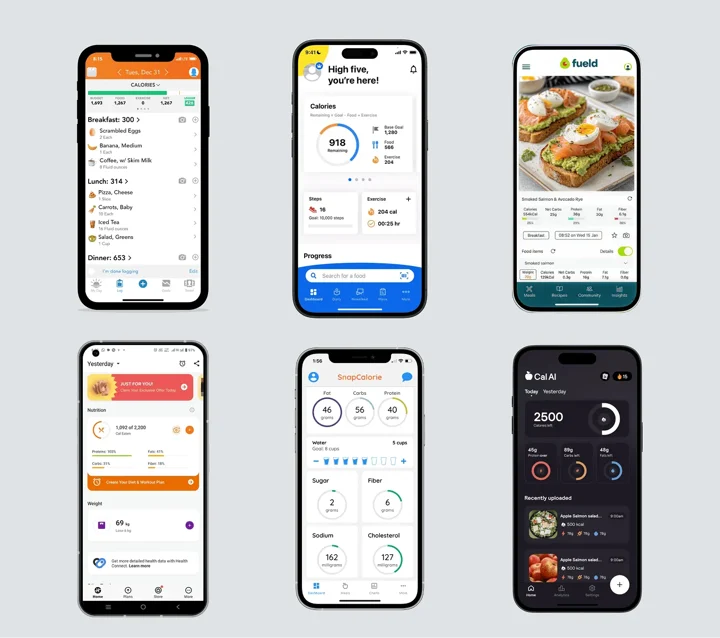 The complete lineup: All battle-tested free AI calorie tracking apps compared side-by-side
One name people search for alongside these is missing on purpose. CalNote is free to download but has no permanent free tier, only a 3-day trial before a subscription, so it did not qualify. Its full price ladder is in our is CalNote free breakdown.
1. SnapCalorie - The Former Google Engineer's Dream
Founded by ex-Google AI researchers, SnapCalorie stands out for its scientific approach. Simply snap a photo or record a voice note, and their AI provides calories, macros, and over 30 micronutrients based on verified USDA database values. SnapCalorie puts its own camera estimate at 2x more accurate than a nutritionist (SnapCalorie), which is the company's figure rather than an independent result, and the app is free.
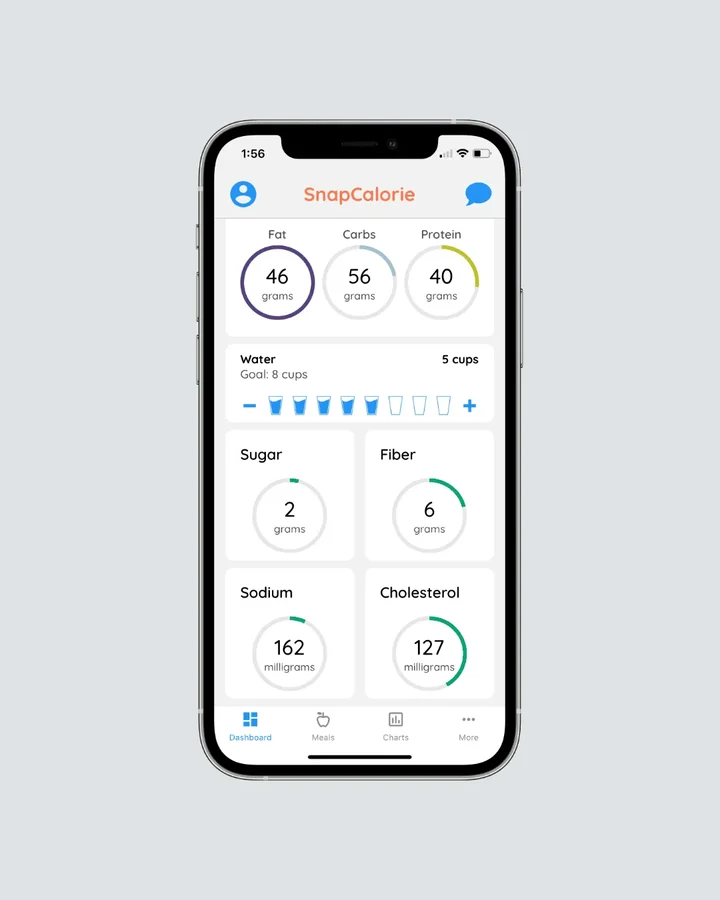 SnapCalorie leans on USDA values and phone depth sensing for portion size
User Reviews: 4.7 out of 5 from 6.3K ratings on the US App Store (SnapCalorie listing).
Key Features:
- Photo and voice logging
- LiDAR depth sensor support for precise portions
- Kitchen scale input for the foods where grams matter
- Over 30 micronutrients per meal
🎯 Choose SnapCalorie if: You want an uncapped free scanner with detailed micronutrients. Perfect for users who prioritize precision over convenience and don't mind a slight learning curve. Best for: Health enthusiasts, fitness professionals, and anyone tracking detailed micronutrients for medical reasons.
2. Cal AI - The Busy Professional's Choice
Rated 4.8 out of 5 from 358K ratings on the US App Store (Cal AI listing), Cal AI is built around instant meal analysis. Their smart AI calorie tracker analyzes meals instantly, handling everything from complex homemade dishes to packaged foods with barcode scanning.
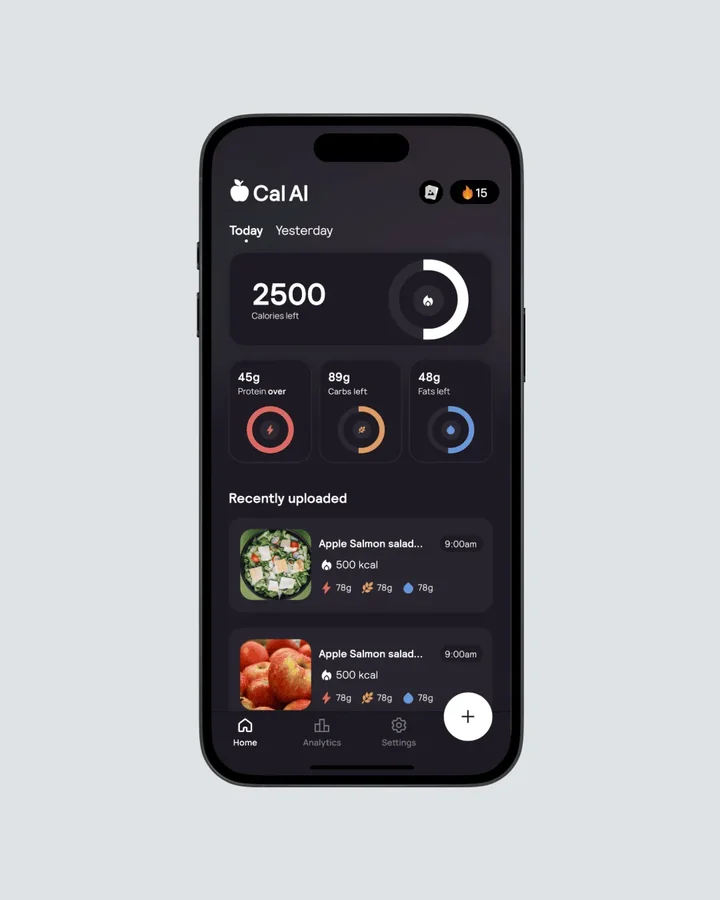 Cal AI's interface: photo in, macros out, with barcode scanning for packaged food
User Reviews: 4.8 out of 5 across 358K ratings. Cal AI rates its own scanner at "about 80%" accurate and says no tracking app is perfect (calai.app). Some users report streak tracking resetting despite consistent use.
Key Features:
- Instant photo analysis
- Macro and protein tracking
- Calorie deficit calculator
- Works with keto, intermittent fasting, and bodybuilding goals
🎯 Choose Cal AI if: You need lightning-fast food logging without sacrificing accuracy. Despite some streak tracking bugs, it's perfect for busy people who want instant results. Best for: Working professionals, parents, and anyone who values speed over detailed analytics.
The catch is the camera. Scanning is a Premium feature, listed at $29.99 a year as of August 2026, and Cal AI shows a $19.99 annual price to some users. Our Cal AI pricing guide breaks down every tier and what the free download actually leaves you with.
3. NutriScan - The Global Cuisine Expert
NutriScan specializes in recognizing diverse global cuisines. Their standout feature is Monika, a 24/7 AI nutritionist that provides personalized guidance over a voice call. What sets NutriScan apart is its deep understanding of regional cooking methods and ingredient combinations, making it particularly effective for users who eat traditional or fusion cuisines.
The app supports a comprehensive range of health goals including weight loss, muscle gain, diabetes management, PCOS support, pregnancy nutrition, and viral or flu recovery. Whether you're managing a specific health condition or pursuing fitness goals, NutriScan's AI adapts to provide relevant nutritional guidance and meal planning.
What NutriScan's free tier actually includes
- 5 meal logs per week, by photo, voice or typed text, resetting weekly.
- Calories, macros and micronutrients on every meal, free. So is the NutriScore quality rating.
- 4 calls a week with Monika, the voice AI nutritionist.
- An intermittent fasting timer, hydration tracking, and Apple Health / Health Connect sync.
- No ads and no time limit on the free plan.
Premium adds unlimited scans, unlimited Monika calls, 28-day personalized diet plans, recipes, goal-based grocery lists, supplement recommendations and advanced reports. Premium is about $59 a year and prices vary by country, so check the subscription screen in the app or your app store listing.
Referrals are the cheapest route to Premium: you and your friend each get 1 week free once they join with your code and scan 2 meals, 5 referrals gets you 1 month, and 10 gets you 3 months. The rewards are identical in every country.
Prefer to try it yourself? Download NutriScan.

NutriScan's 3-step process: Tap camera ➡️ Frame your meal ➡️ Get instant nutrition breakdown
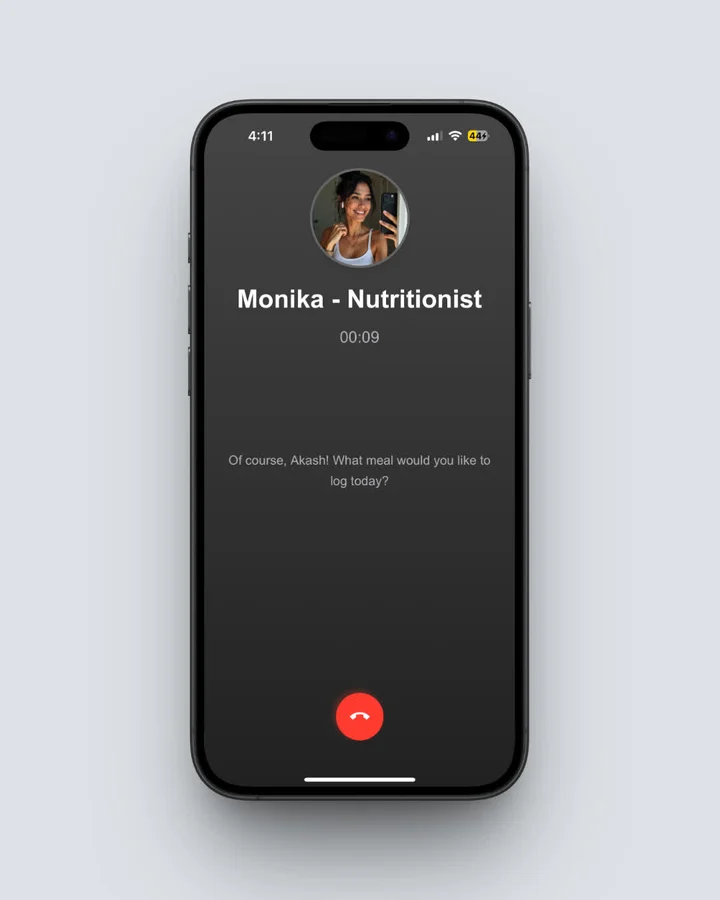 Ask Monika anything: "Is this meal enough protein?" - Get expert answers in seconds
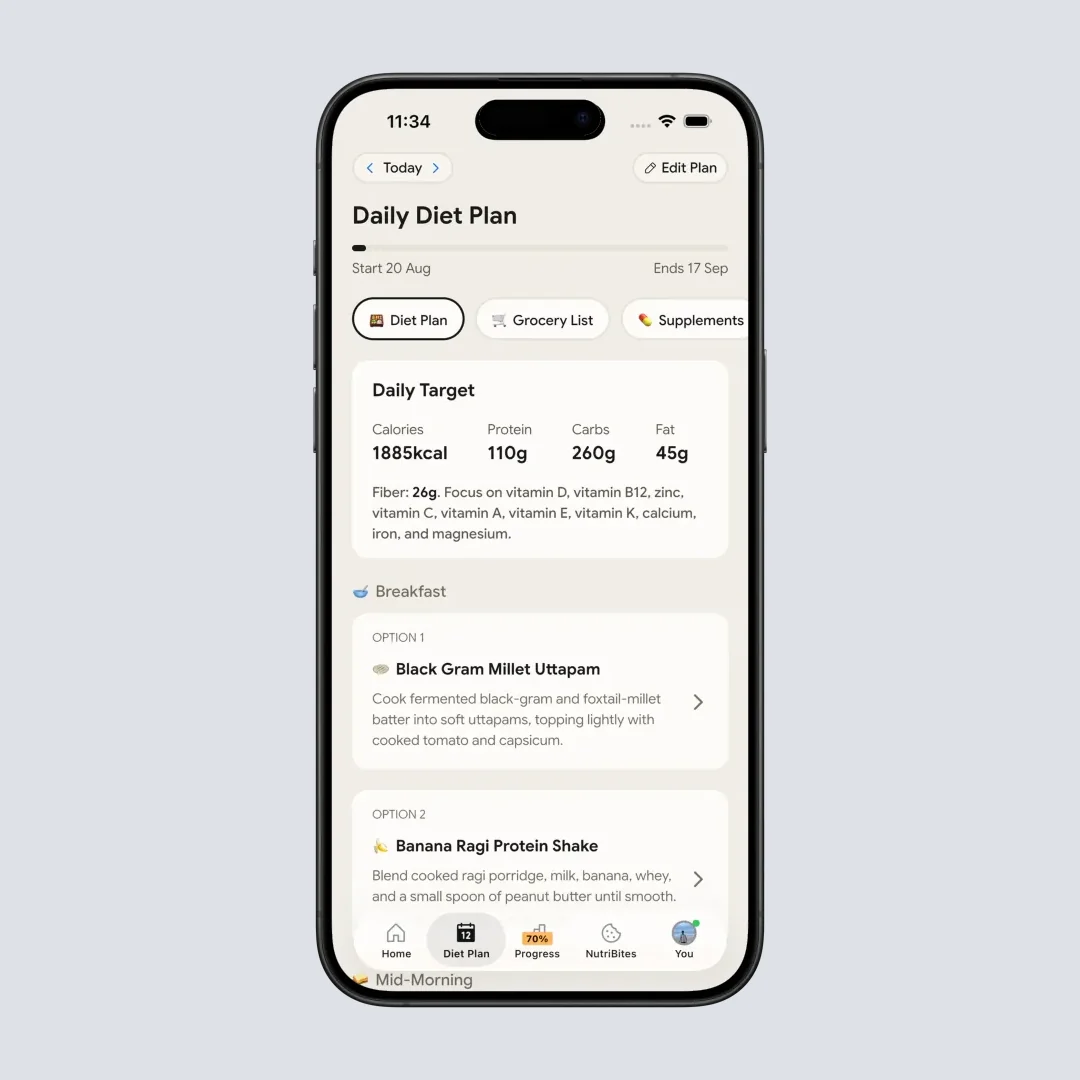
Personalized 28-day diet plans tailored to your specific health goals and preferences
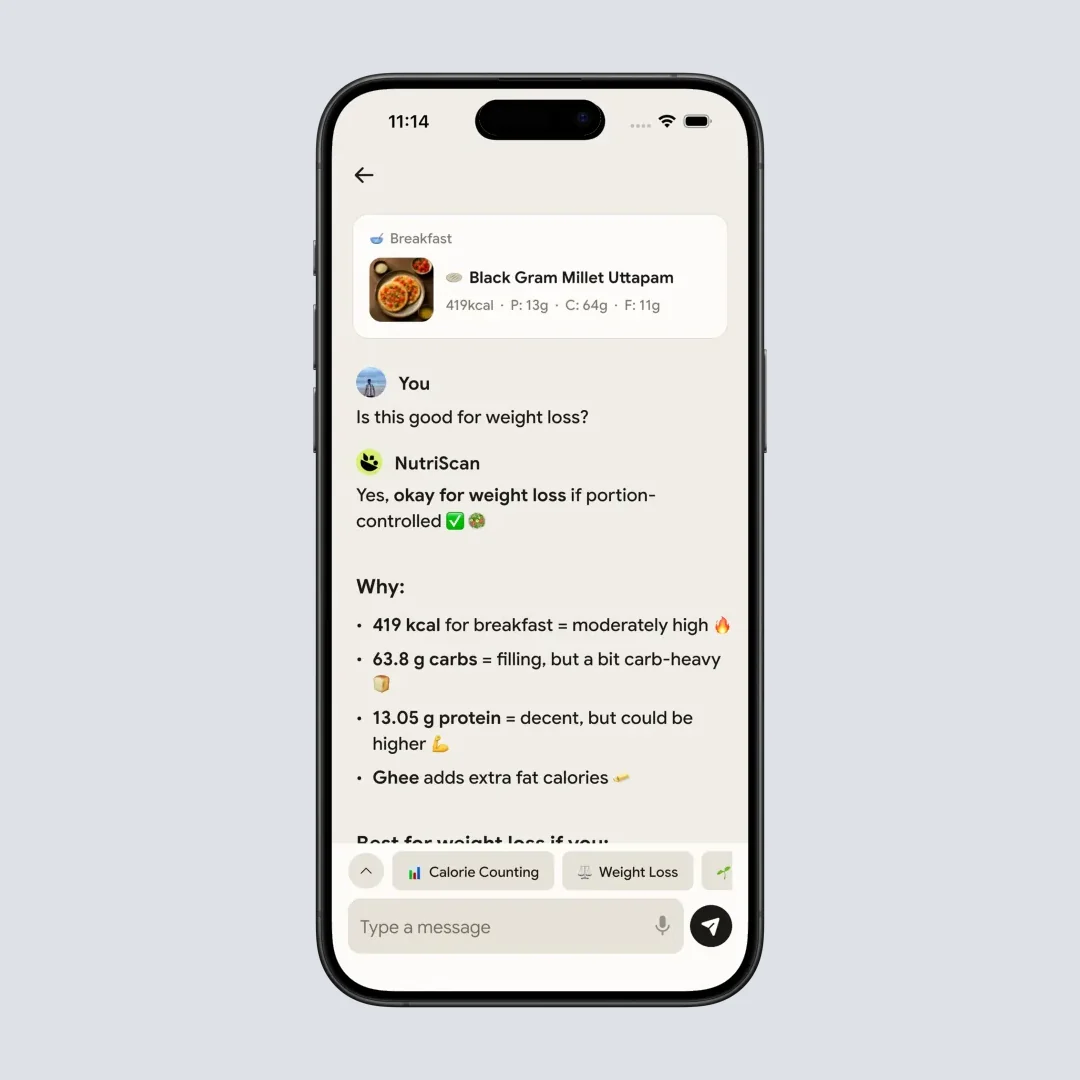
Chat with your food: Ask any nutrition question and get instant, personalized answers

NutriScan's intuitive home dashboard: Everything you need for daily nutrition tracking at your fingertips
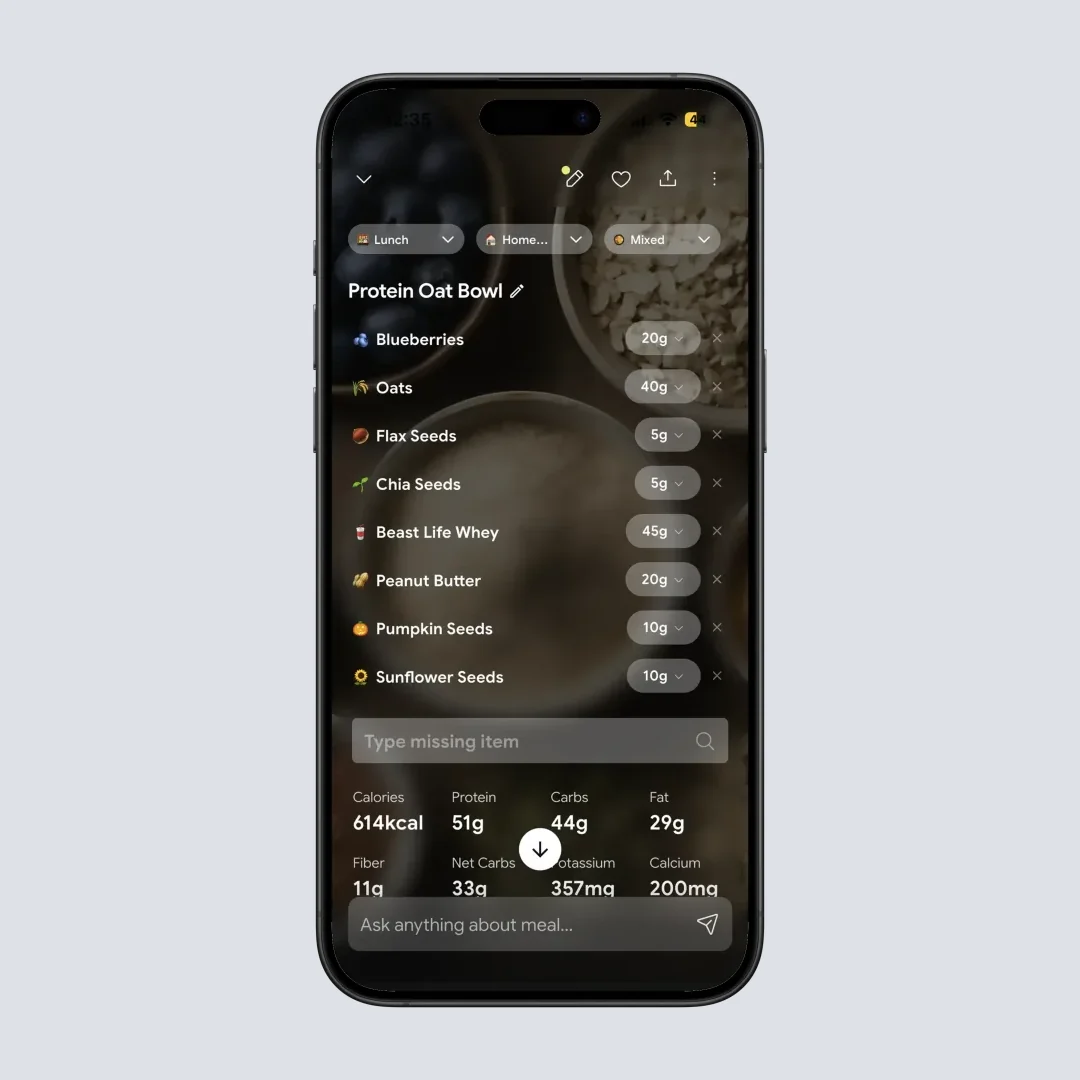
Detailed nutrition analysis: Complete macro and micronutrient breakdown for every meal you track
Key Features:
- Voice assistant (Monika) for instant nutrition advice
- Comprehensive 28-day personalized diet plans
- Supports multiple health goals: weight loss, muscle gain, diabetes management, PCOS, pregnancy nutrition, and viral or flu recovery
- Works across all global cuisines including Indian, Asian, Mediterranean, Middle Eastern, and African
- Smart meal copying for recurring foods
- Advanced insights with calendar tracking and progress analytics
- Chat with food feature for instant nutrition Q&A
- Community sharing and progress tracking
- NutriBites, an AI chat that answers questions about your own meal history
🎯 Choose NutriScan if: You eat diverse cuisines and want 24/7 AI coaching. Monika's personalized guidance + excellent global food recognition makes this unbeatable for international food lovers. Best for: Multicultural eaters, home cooks, and anyone wanting comprehensive diet planning with AI support.
4. MyFitnessPal - The Database Giant with AI
While known for its massive food database, MyFitnessPal now incorporates AI through its meal scan feature using computer vision to identify food items from photos. With one of the largest food databases available, it combines the best of manual tracking with AI convenience.
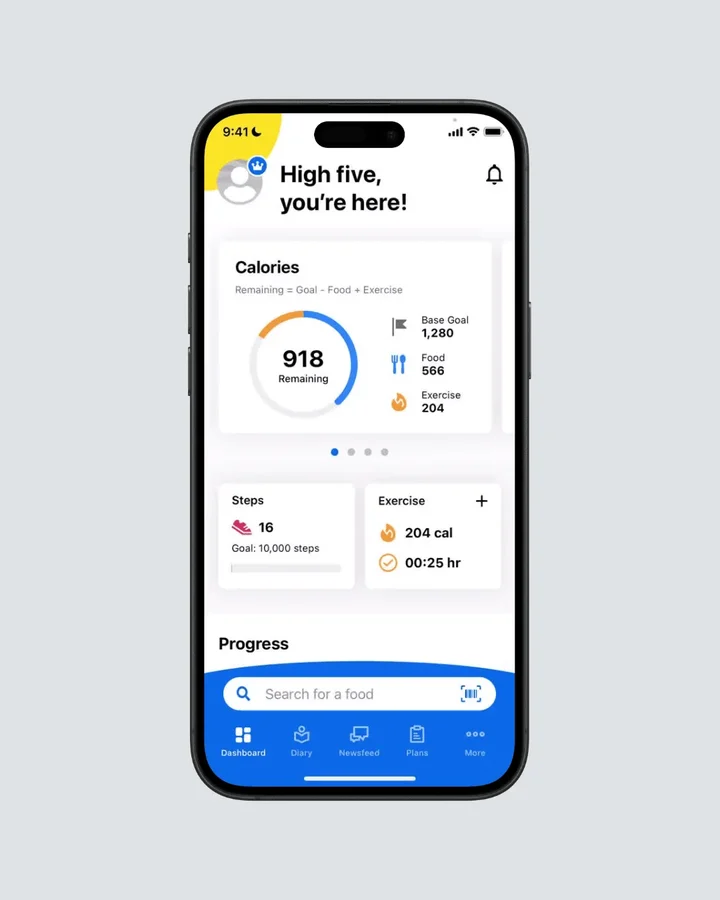 MyFitnessPal's hybrid approach: Massive database meets AI-powered meal scanning
Key Features:
- One of the largest food databases available
- AI meal scanning for Premium users
- Extensive app integrations
- Strong community features
🎯 Choose MyFitnessPal if: You need the most comprehensive food database and don't mind paying for premium AI features. Despite rising costs and user exodus, it's still the gold standard for food variety. Best for: Users who eat packaged foods frequently, need extensive integrations, or already have premium subscription.
5. HealthifyMe - The Regional Specialist
HealthifyMe features advanced AI image recognition called SNAP. Their AI coach Ria provides personalized insights, and the app supports 11 Indian languages, making it perfect for diverse dietary cultures.
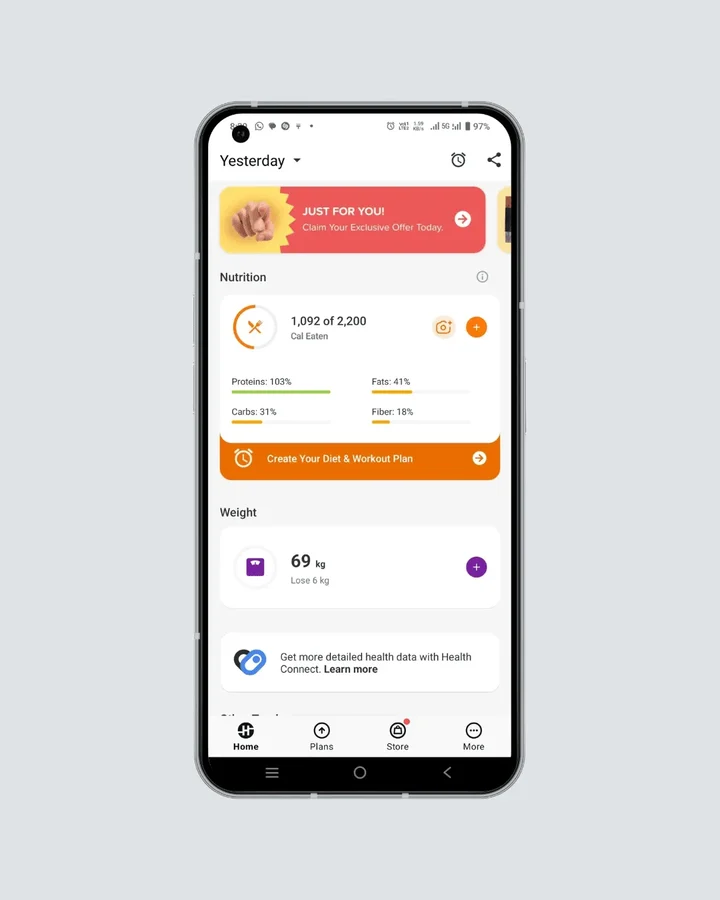 HealthifyMe's SNAP technology: AI coach Ria provides personalized guidance in 11 languages
User Reviews: Mixed 3.4/5 stars (515 reviews) on Trustpilot reflect the app's split personality - users praise the coaching model and feature set, but consistently complain about poor customer service response times and support quality.
Key Features:
- SNAP instant image-based recognition
- AI coach Ria for 24/7 guidance
- Multi-language support
- Auto-detect meal logging from photo gallery
🎯 Choose HealthifyMe if: You primarily eat Indian/South Asian cuisines and need multi-language support. Good coaching features offset poor customer service (3.4⭐ rating). Best for: Indian food lovers, non-English speakers, and users who want coaching despite service limitations.
6. Lose It! - The User Experience Champion
Lose It! combines AI capabilities with an exceptionally clean, intuitive interface. It is also one of the two most studied calorie apps in the research literature, alongside MyFitnessPal (Dugas et al., JMIR mHealth 2026). The app focuses on making calorie tracking as simple as possible while maintaining high accuracy.
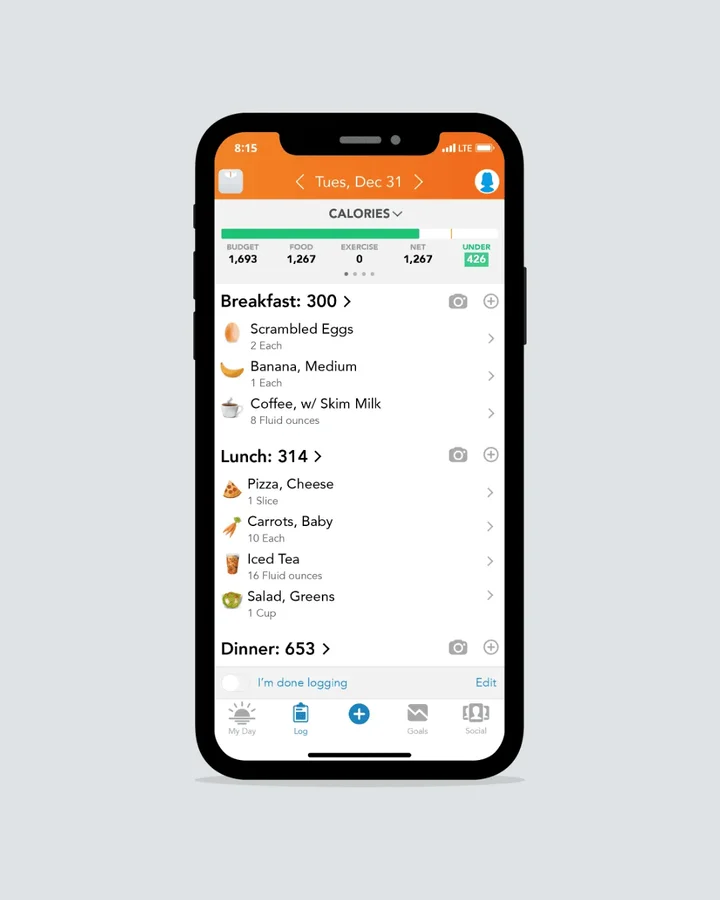 Lose It!'s clean interface: Simplicity meets powerful AI food recognition technology
Price check: The free tier is the reason to pick Lose It!, and our Lose It pricing breakdown covers what stays free after the increase. Lose It raised Premium from $39.99 to $79.99 a year in 2026 and sells no monthly plan (Lose It membership tiers and pricing), which puts it level with MyFitnessPal Premium. Switching away from MyFitnessPal on cost only saves you money if you stay on Lose It's free plan.
Key Features:
- Barcode scanning with image recognition
- Clean, beginner-friendly interface
- Strong goal-setting capabilities
- Comprehensive free tier
🎯 Choose Lose It! if: You want the cleanest, most intuitive interface available and plan to stay on the free tier. Its paid plan now costs the same as MyFitnessPal Premium, so the savings come from not upgrading. Best for: Beginners to food tracking, users prioritizing simplicity, and people leaving MyFitnessPal who do not want to pay for a tracker again.
7. Fueld - The New Innovation
Recently launched with company-claimed 80% accuracy in nutritional analysis, Fueld uses advanced AI to analyze shapes, colors, and textures within images. The app provides instant nutritional breakdowns and personalized advice to improve meals.
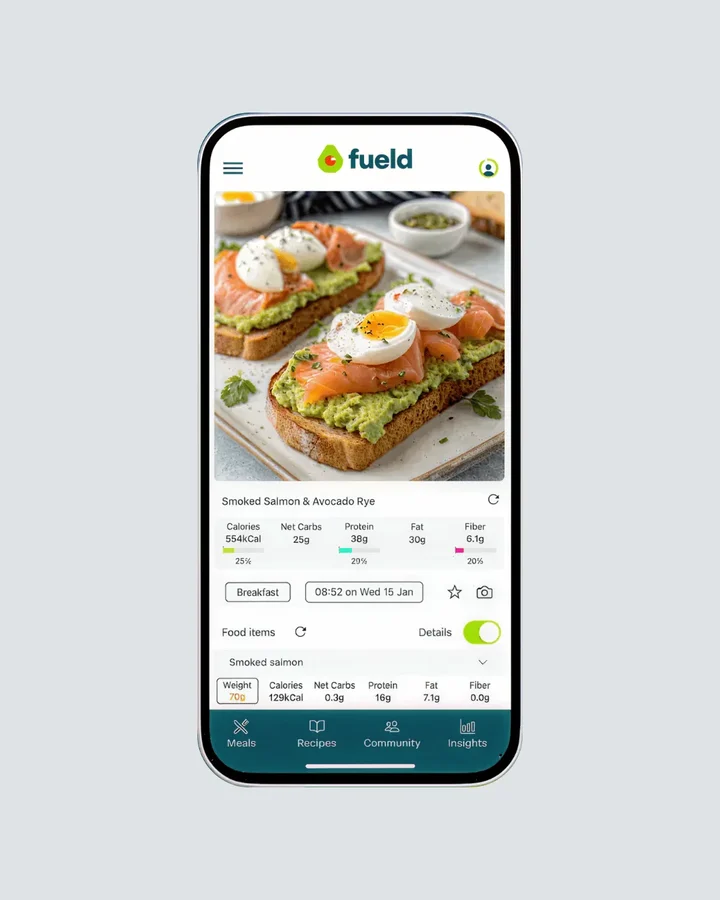 Fueld leans on texture analysis for complex mixed dishes
Key Features:
- Company-claimed 80% accuracy in food identification
- Instant nutritional breakdowns
- Contextual food combination recognition
- Personalized meal improvement suggestions
🎯 Choose Fueld if: You're willing to try a new AI scanner and don't mind being an early adopter. Advanced texture analysis shows promise for complex dishes. Best for: Tech enthusiasts, users eating complex mixed dishes, and those wanting to experiment with the latest AI innovations.
7 Actionable Pro Tips for AI Food Tracking Success 💡
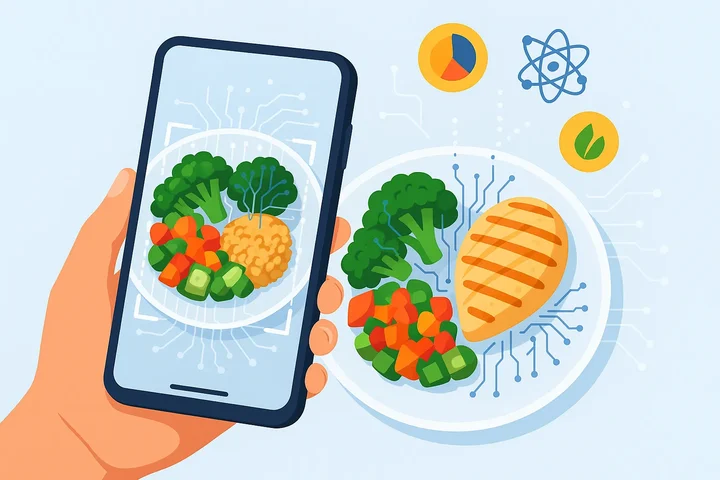 The AI food tracking loop, from photo capture to nutrition breakdown
Tip 1: Master the 45-Degree Rule 📸
The Action: Position your phone at a 45-degree angle, 12 inches above your plate. Example: Instead of shooting straight down (like Instagram), angle your phone like you're reading a book. Include a fork or coin for size reference. Result: A flat, well-lit angle gives the scanner far more to work with than a top-down shot of a covered bowl.
 Perfect shot technique: 45-degree angle, good lighting, include utensils for scale
Tip 2: Use the "Photo + Voice" Combo
The Action: Take a photo, then immediately record a 5-second voice note: "Chicken breast, grilled, with olive oil." Example: Photo shows grilled chicken. Voice note adds: "cooked with 1 tablespoon olive oil, seasoned with garlic powder." Result: Captures invisible 120 calories the AI would miss.
Tip 3: Plan Tomorrow's Meals Tonight
The Action: Spend 5 minutes each evening planning next day's meals in your app. Example: Add "oatmeal with berries" for breakfast, "turkey sandwich" for lunch before you're hungry and rushed. Result: Half the day's log is written before you are hungry and rushed.
Tip 4: Give AI Feedback for 2 Weeks
The Action: When AI gets something wrong, tap "incorrect" and select the right food. Example: AI identifies curry as "vegetable stew" - correct it to "chicken curry" with proper spice level. Result: The app stops repeating the same misreads on the foods you eat most.
Tip 5: Join One Challenge Per Month
The Action: Find apps with community challenges (most free apps have them). Example: NutriScan's weekly Healthy Club ranking or Cal AI's "protein goal week." Result: A reason to open the app on the days motivation is gone.
Tip 6: Set "30-Minute-Before" Reminders
The Action: Configure notifications 30 minutes before your usual meal times. Example: If you typically eat lunch at 12:30, set reminder for 12:00 PM saying "Lunch prep time - what sounds good?" Result: Prevents rushed food choices and missed logging.
Tip 7: Review a Monthly Report
The Action: In NutriScan, open Progress > Report to export a PDF of the month (Premium), or request a full data download from Profile > Manage Data & Account. Example: Read the report for trends like "I eat 200 more calories on Fridays" or "I skip protein at breakfast 4 days per week." Result: Spot trends you'd never notice day-to-day.
How to Pick the Best Free Calorie Tracking App for You
Copy this checklist - test each app against YOUR needs:
Phase 1: Initial Testing (Week 1)
- [ ] Download 2-3 apps from the comparison table above
- [ ] Test with your 3 most common meals
- [ ] Check: Does it recognize your breakfast? (Yes/No)
- [ ] Check: Does it handle your cultural foods? (Yes/No)
- [ ] Rate ease of use (1-5 scale)
- [ ] Note battery drain after 3 days of use
Phase 2: Accuracy Testing (Week 2)
- [ ] Compare same meal across all apps
- [ ] Test with homemade vs. packaged foods
- [ ] Try complex dishes (stir-fries, casseroles, curries)
- [ ] Check: Which app gets closest to nutrition labels?
- [ ] Rate photo recognition speed (1-5 scale)
Phase 3: Lifestyle Fit (Week 3)
- [ ] Use during busy weekday vs. relaxed weekend
- [ ] Test in different lighting conditions
- [ ] Try voice features if available
- [ ] Check: Does it sync with your fitness tracker?
- [ ] Rate overall convenience (1-5 scale)
Phase 4: Decision Time (Week 4)
- [ ] Which app did you use most consistently?
- [ ] Which had the most accurate results for YOUR foods?
- [ ] Which felt least annoying to use daily?
- [ ] Pick ONE and commit to 30 days
Your Winner: _________________ Date: _________
Step-by-Step Guide: Starting Your AI Calorie Tracking Journey 📋
Step 1: Test Drive 2-3 Apps (Week 1)
Download your top picks from the comparison table. Test with your 3 most common meals and note which handles YOUR foods best.
Step 2: Log Everything (Week 2)
Use your chosen app consistently for one week without changing eating habits. This teaches the AI your patterns and creates your baseline.
Step 3: Set One Specific Goal (Week 3)
Pick ONE measurable target based on your baseline (e.g., "Add 20g protein to breakfast" not "eat healthier").
Step 4: Build Photo Habits (Week 4)
Make food photos automatic. Same angle, good lighting, before you eat. The consistency improves AI accuracy over time.

Latest Research Findings: What Science Says About AI Food Tracking 📊
Accuracy Improvements
A 2024 scoping review of 25 studies put food detection accuracy anywhere from 74% to 99.85%, with nutrient estimation errors of 10% to 15% (Zheng et al., JMIR 2024). The spread is the finding. Single items in good light land near the top of that range, complex mixed dishes near the bottom. The technology has progressed from basic pattern recognition to understanding food context, cooking methods, and cultural variations.
Health Outcomes Research
The outcome evidence is thinner than the marketing. The SMARTER trial randomized 502 adults to 12 months of daily smartphone self-monitoring, half of them also getting tailored daily feedback. Both groups lost weight and neither pulled ahead: 2.12% of body weight with feedback, 2.39% without, and 26% of the feedback group against 29% of the self-monitoring-only group reached the 5% loss that counts as clinically meaningful (Burke et al., SMARTER trial 2022).
Read that as the realistic ceiling. Tracking works because it makes intake visible, and no app in this roundup has published a trial showing its AI scanner beats manual logging on weight, sleep or any other health outcome.
User Engagement and Retention
The steadiest finding in this literature is that logging decays. A 2026 JMIR scoping review of 68 studies covering 46 calorie-counting apps found MyFitnessPal self-monitoring fell from 5.4 days a week at week 4 to 1.4 days a week by week 12, while Lose It! use dropped to about 4 days a week by the end of week 12 (Dugas et al., JMIR mHealth 2026).
The same review lists what users said kept them logging: personalization, automation, a design that stays out of the way, and being able to share data with a clinician. What pushed them out: technical problems, thin food databases, and manual entry.
That last barrier is the case for photo scanning. Manual calorie counting takes mental effort and nutrition knowledge, while a camera moves most of that work to the app. Pick for week 6, not for week 1.
The Free Combo That Makes Tracking Stick ✨
Here’s the simple, zero-cost setup that helped most testers build consistency without paid features:
Weekly macro nudge
Use our free Macro Calculator to set one weekly target (e.g., protein at breakfast). Keep it single-focus.One-tap photo habit
Keep the app widget on your home screen. Same angle, same spot, before eating. Consistency ➡️ better AI estimates.Staple presets
Save 5 staples (your top breakfasts/lunches) as presets. 80% of your logging becomes one tap.Gentle reminder
Use a calendar or system reminder at your usual meal times. Make it skippable, not nagging.
Why it works: reduced decision load + repeatable logging context + single metric focus. Not magic - just friction removed.
Which Free AI Calorie Counter Should You Download?
My Top Picks:
- SnapCalorie ➡️ Strong photo recognition, completely free
- NutriScan ➡️ Global cuisines + 24/7 AI nutritionist
- Cal AI ➡️ Busy professionals, instant analysis
If photo scanning is the only feature you care about, our roundup of the best AI photo calorie counter apps ranks the scanners on recognition quality alone.
Your Next Steps:
- Pick ONE app from the comparison table above
- Use the 4-week checklist to test it properly
- Commit to 30 days of consistent logging
- Let the AI learn your patterns
The best app is the one you'll actually use. The scanners handle everyday single foods well and still slip on mixed dishes and portions, so the habit is the part you control.
 That moment when consistent tracking finally clicks and becomes effortless
Ready to start? The tools are free and already in your pocket.
Frequently Asked Questions ❓
Q: Is Cal AI free? (people also search this as the Calo app)
A: Cal AI is free to download and free to set up a goal, but the photo scanner sits behind Cal AI Premium, listed at $29.99 a year as of August 2026, with a $19.99 annual price shown to some users. The camera, the reason most people install it, is not part of the free tier. If you typed "is Calo app free" and landed here, Cal AI is the app you are looking for, the name gets typed both ways. Our Cal AI pricing guide lists every tier, and free Cal AI alternatives covers the scanners you can use without paying the annual fee. If you searched "is Nutri AI free", that is a separate app again, and the most-downloaded one has no free tier at all; the Nutri AI pricing breakdown sorts out the seven apps that share the name.
Q: Which AI calorie counter is free with no scan limit?
A: SnapCalorie. Photo and voice logging, USDA-backed numbers and over 30 micronutrients, with no scan paywall. Fueld is free to use as well. Every other app here either caps free scans or charges for the camera: NutriScan gives 5 free meal logs a week, by photo or text, while Cal AI, MyFitnessPal and Lose It! keep photo scanning on a paid tier. If you want a free scan quota alongside micronutrients, the NutriScore rating and 4 Monika voice calls a week, the NutriScan free tier covers that.
Q: How accurate are free AI calorie tracking apps compared to paid ones?
A: Free tiers of apps like SnapCalorie and Cal AI run the same recognition models as their paid tiers, so paying does not buy a better scanner. What the money buys is detailed macro tracking, advanced analytics and coaching. For everyday calorie counting the free tiers are enough for most people. The limits that do exist, mixed dishes and portion size, sit on both sides of the paywall, because premium tiers add analysis and coaching rather than a different scanner.
Q: Can AI apps recognize homemade and ethnic foods accurately?
A: Partly. Apps like NutriScan and HealthifyMe train on global food databases that include traditional and homemade dishes, and single-component foods scan well. Mixed dishes are where every scanner still slips: in the University of Sydney test, apps failed to pick out the individual components of beef pho and bubble tea at all (Li et al., Nutrients 2024). If you eat a lot of curries, stews and stir-fries, expect to correct the app and to add the cooking oil yourself.
Q: Do I need to upgrade to premium for the best AI features?
A: Most core AI features are available in free tiers. SnapCalorie is completely free with full AI functionality, while apps like Cal AI and NutriScan offer substantial free features with optional premium upgrades. You can achieve excellent results with free versions - premium typically adds advanced analytics, meal planning, and coaching rather than improving basic AI accuracy. The free versions are designed to be fully functional for most users' needs, with premium features targeting power users who want detailed tracking and professional-grade analysis.
Q: How do AI calorie trackers handle portion size estimation?
A: AI apps use several techniques: visual portion estimation against reference objects, depth sensors on compatible phones (like iPhone Pro models), and machine learning trained on large sets of portion images. SnapCalorie puts its own camera estimate at 2x more accurate than a nutritionist (SnapCalorie), which is the company's figure, not an independent test. Portion size remains the weakest link in every app here, so weigh the foods where grams change the answer, like rice, oil and meat.
Q: Which AI app works best for weight loss goals specifically?
A: For weight loss, NutriScan excels with personalized 28-day diet plans and AI nutritionist Monika providing 24/7 guidance. Cal AI offers excellent calorie deficit tracking and macro monitoring. SnapCalorie keeps its full scanner free, which matters if you log every meal. The best choice depends on whether you prefer planning (NutriScan), speed (Cal AI), or an uncapped free scanner (SnapCalorie). All three have usable free tiers for weight loss, and NutriScan is the one that bundles meal planning and progress tracking with the tracker.