Pretty good app honestly. Logging meals is fast and the macro breakdown is easy to read. Photo scan gets confused on some Indian dishes though, fix that and it's 5 stars for sure.
AI Diet Plan App and AI Meal Planner with 28 Day Meal Plans
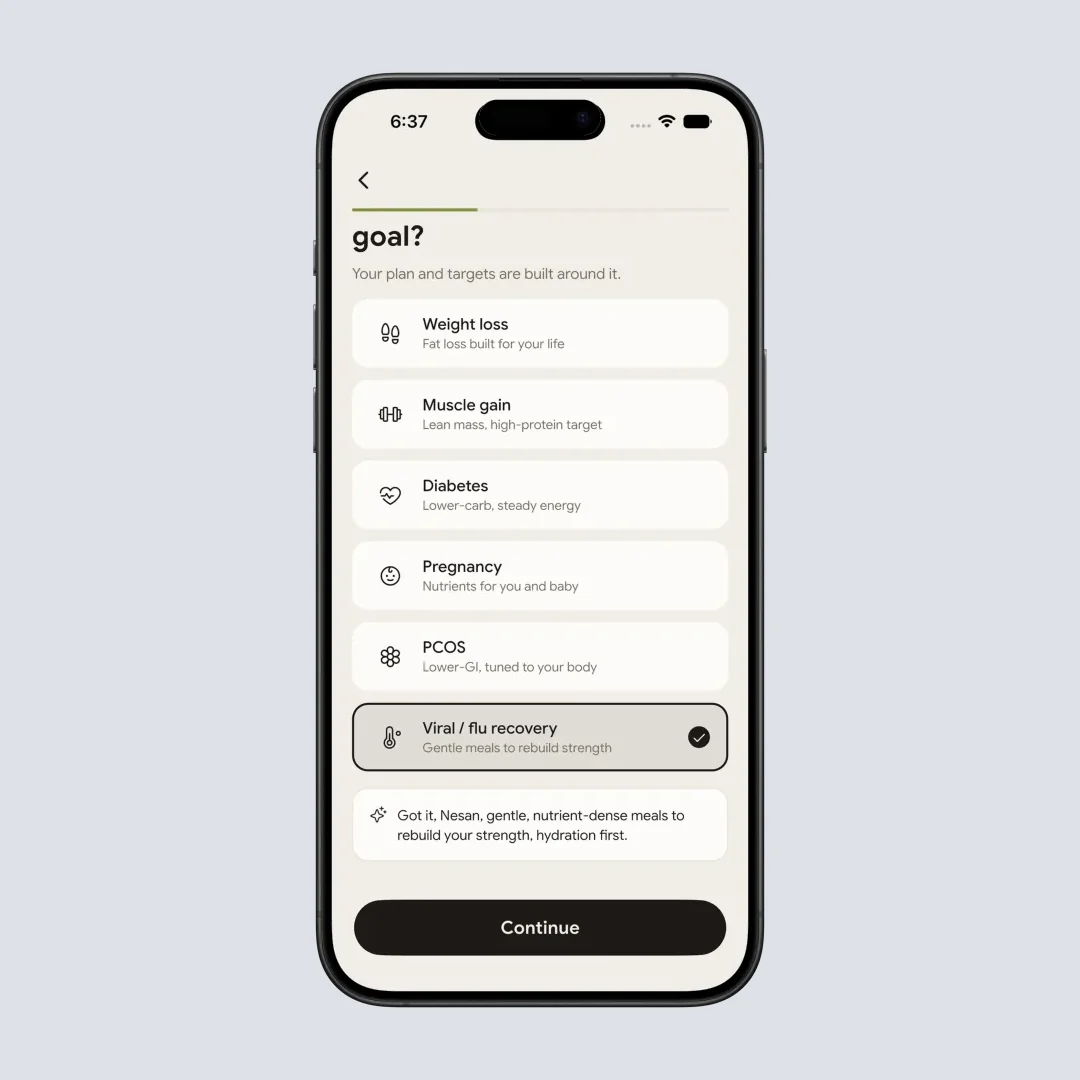
You pick a goal when you set up NutriScan, weight loss, muscle gain, type 2 diabetes, PCOS or pregnancy, and the app writes 28 days of meals against that goal, built from the cuisines you actually cook. The grocery list comes with the plan and every meal logs by photo, voice or text.

Go Premium to build the plan, or stay on the free account. Either way, every meal you logged stays yours.
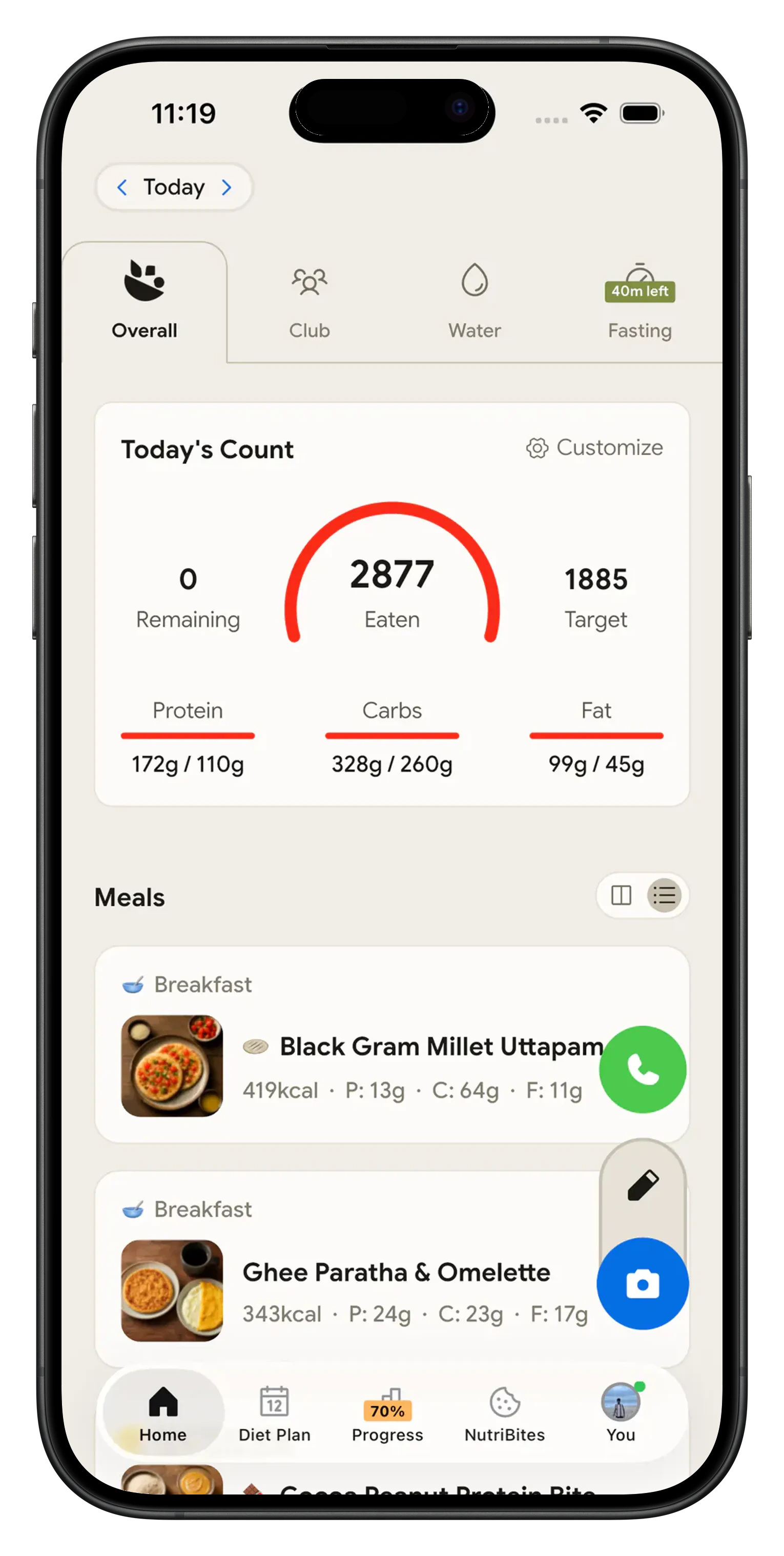
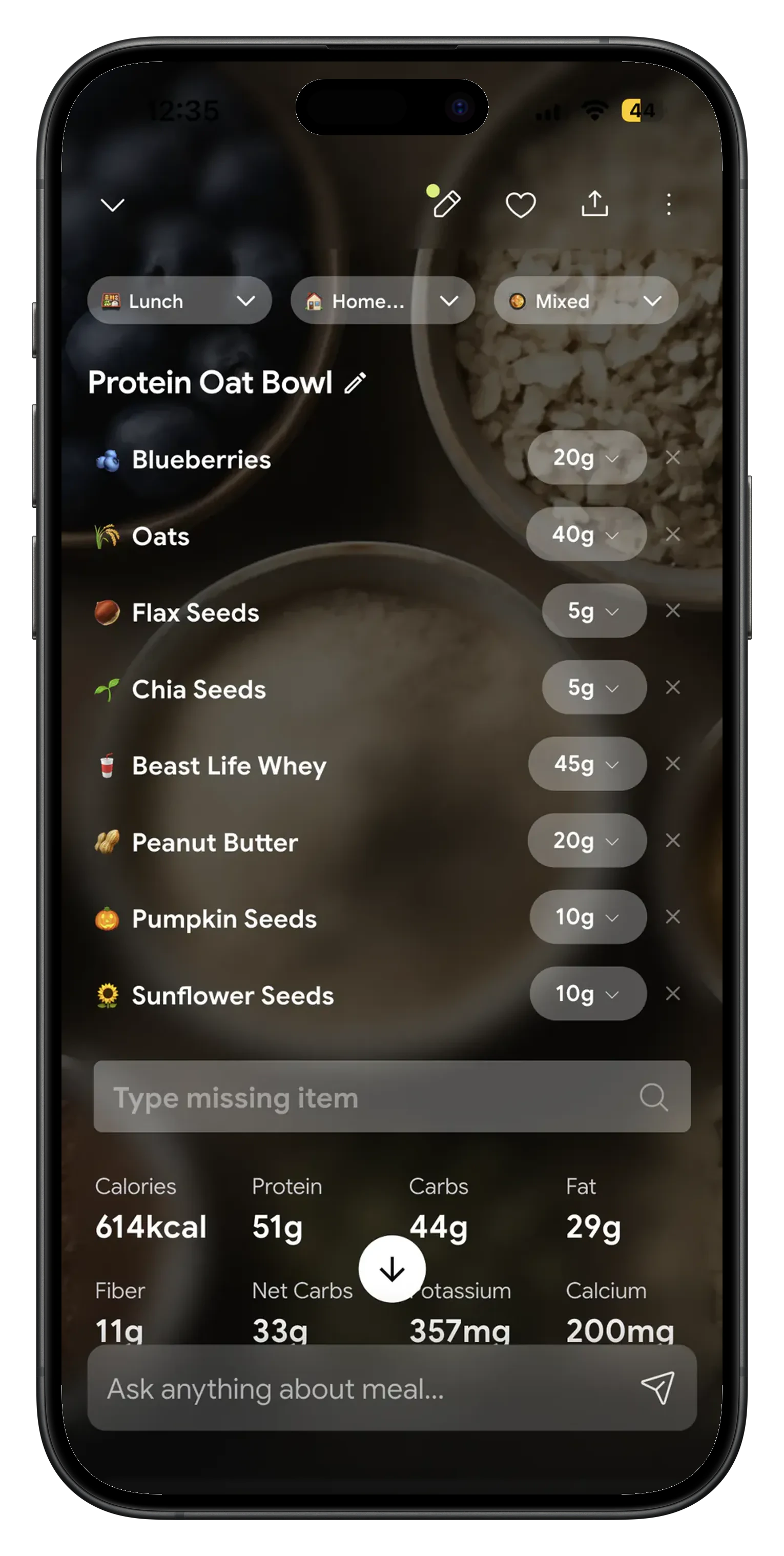
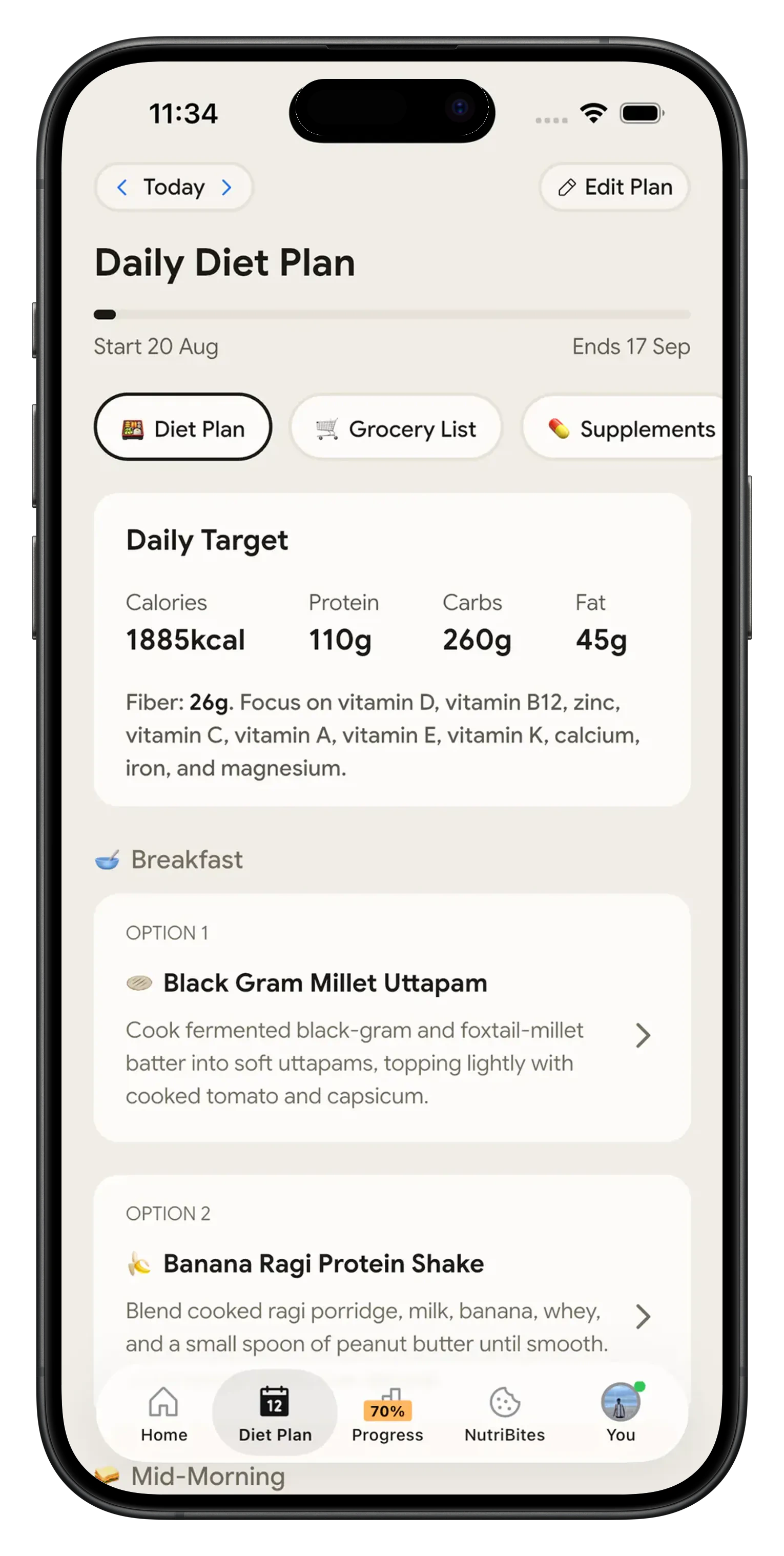
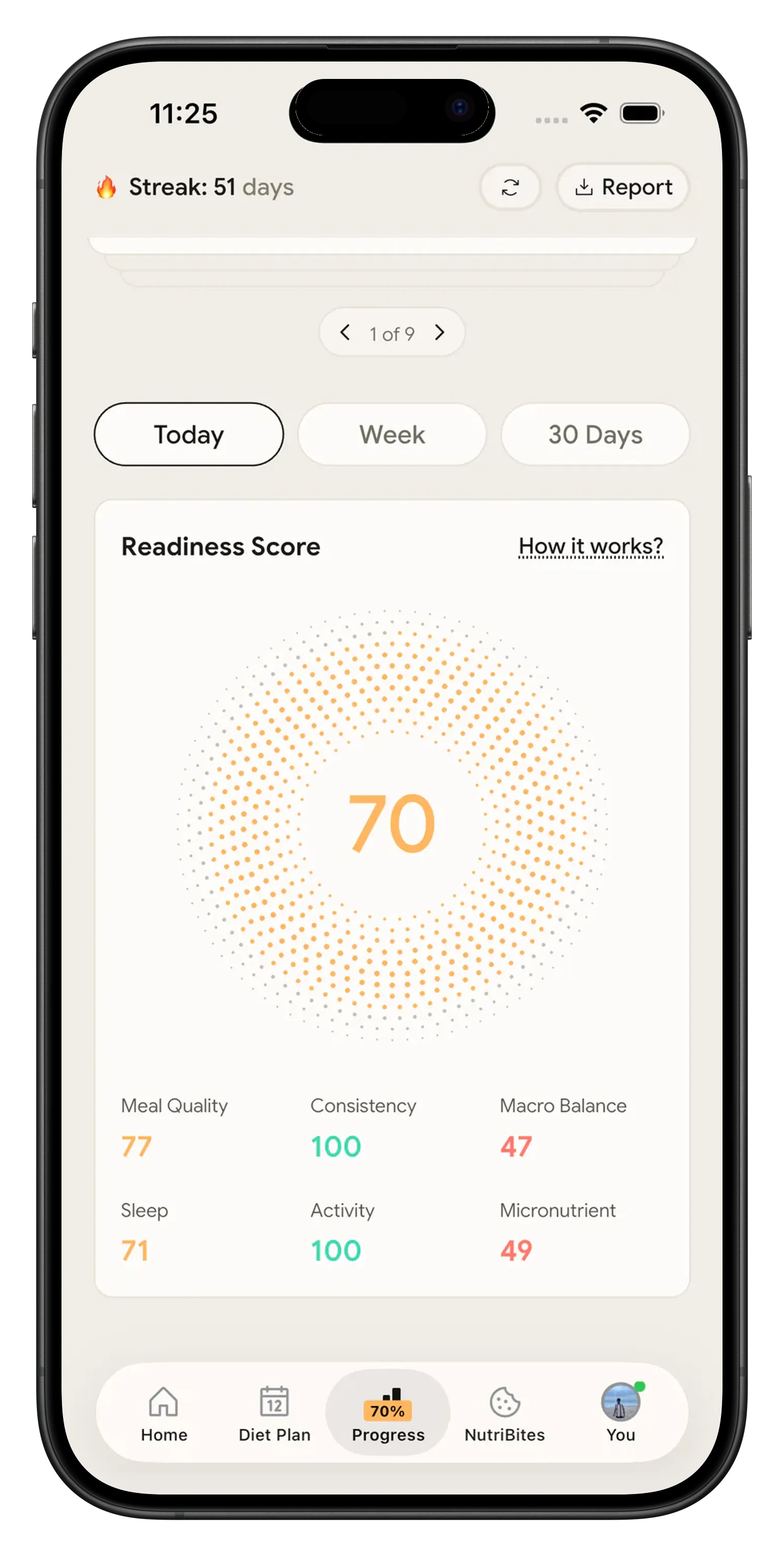
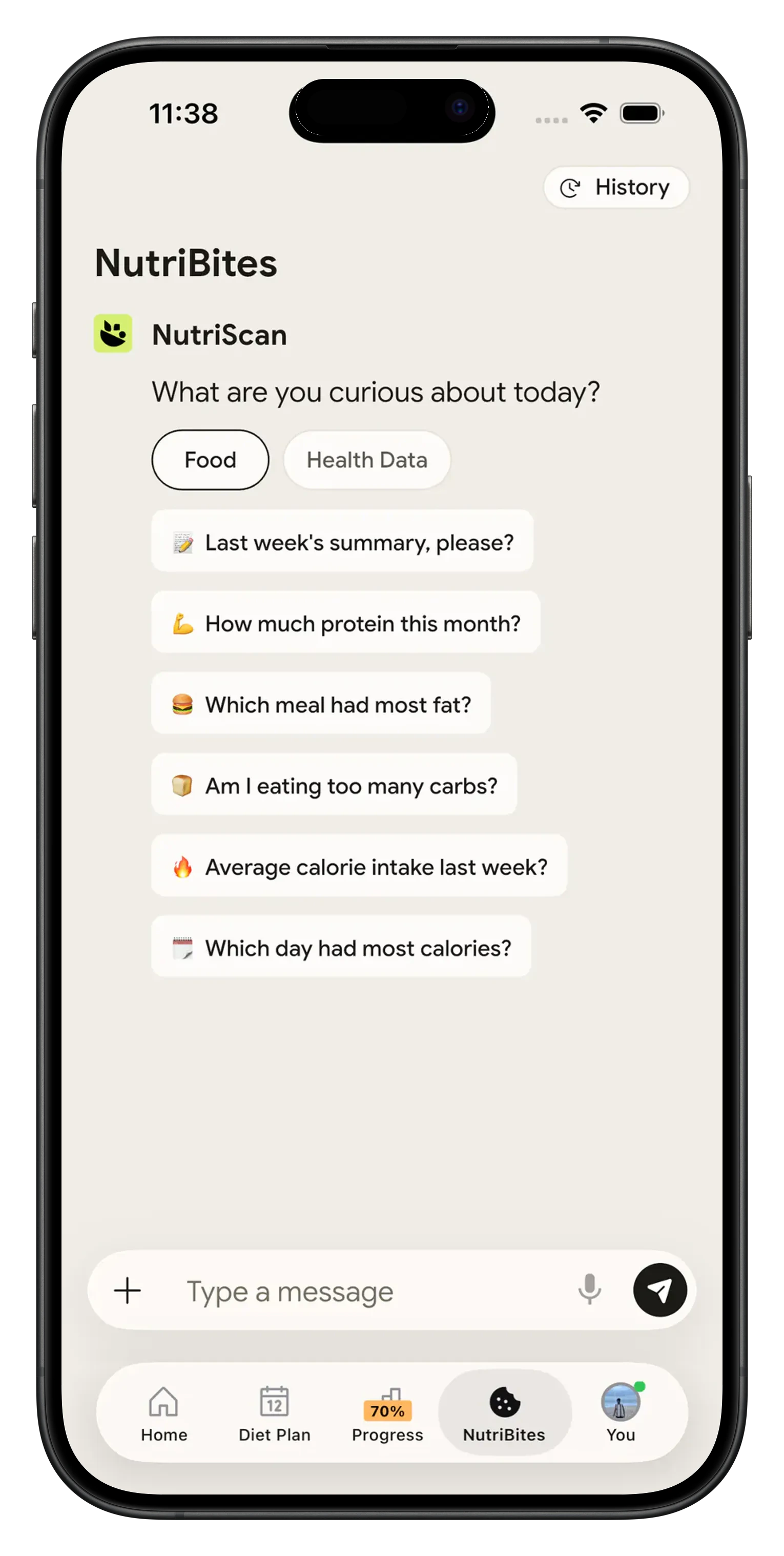
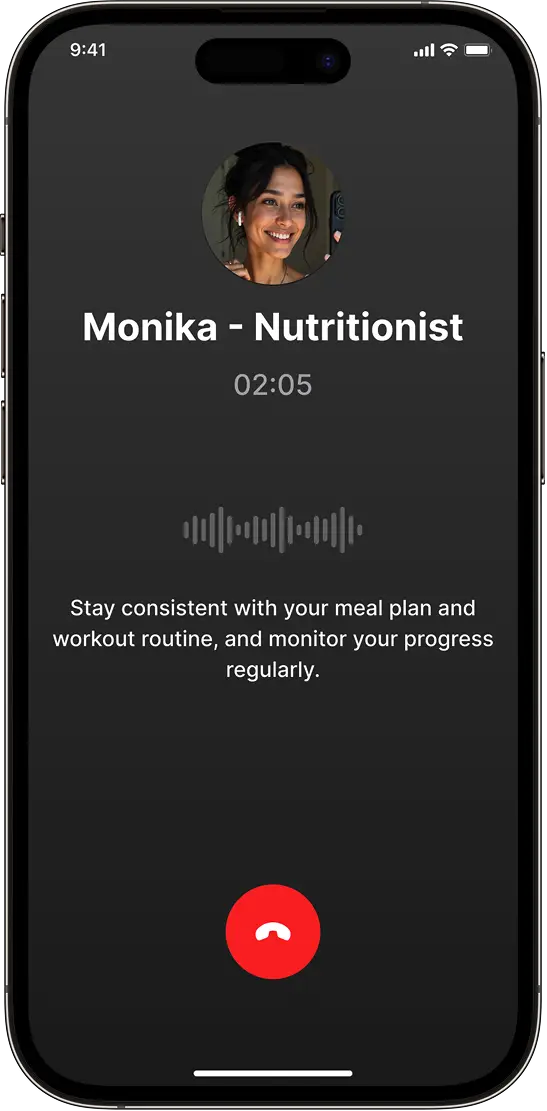
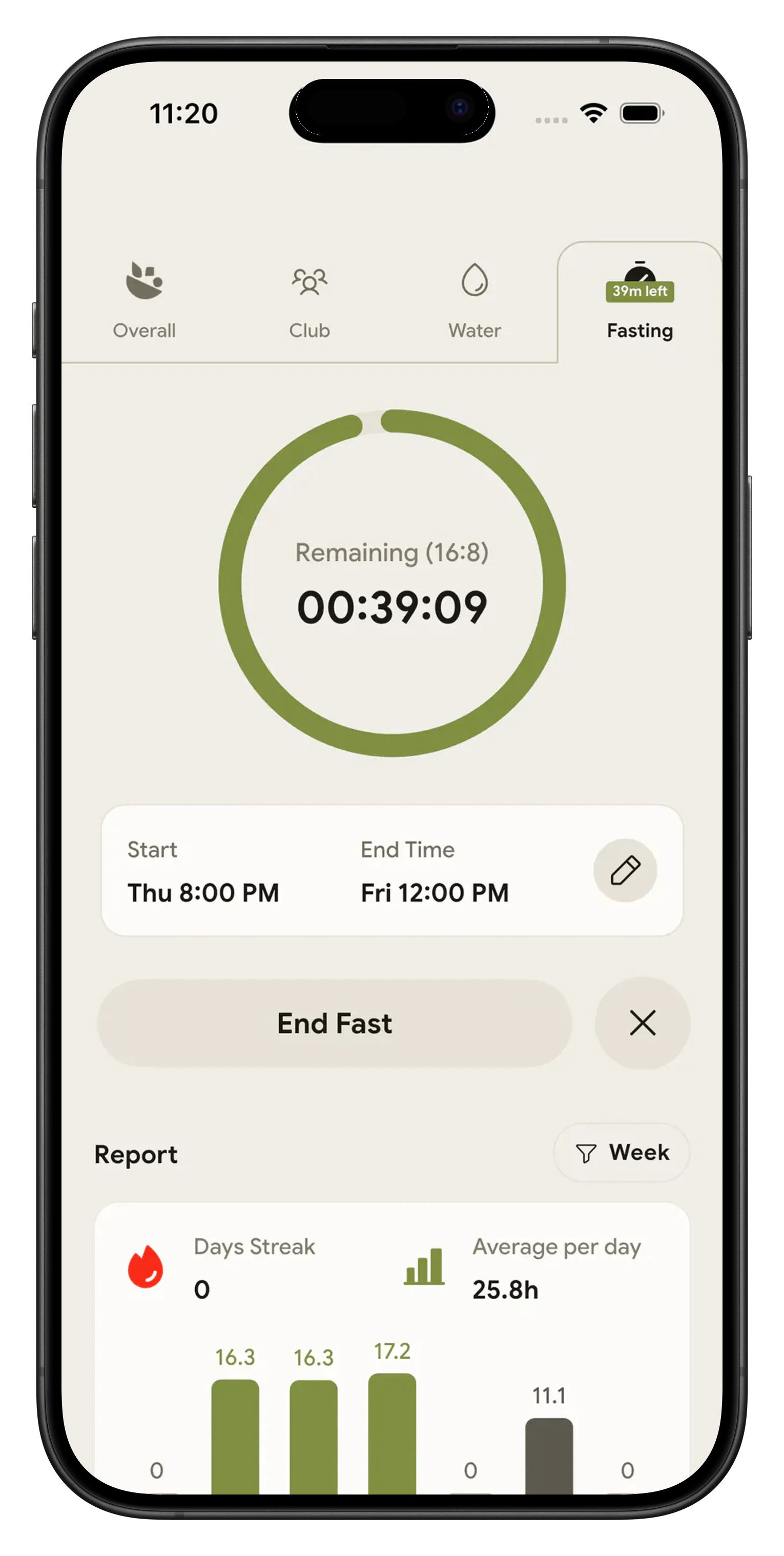
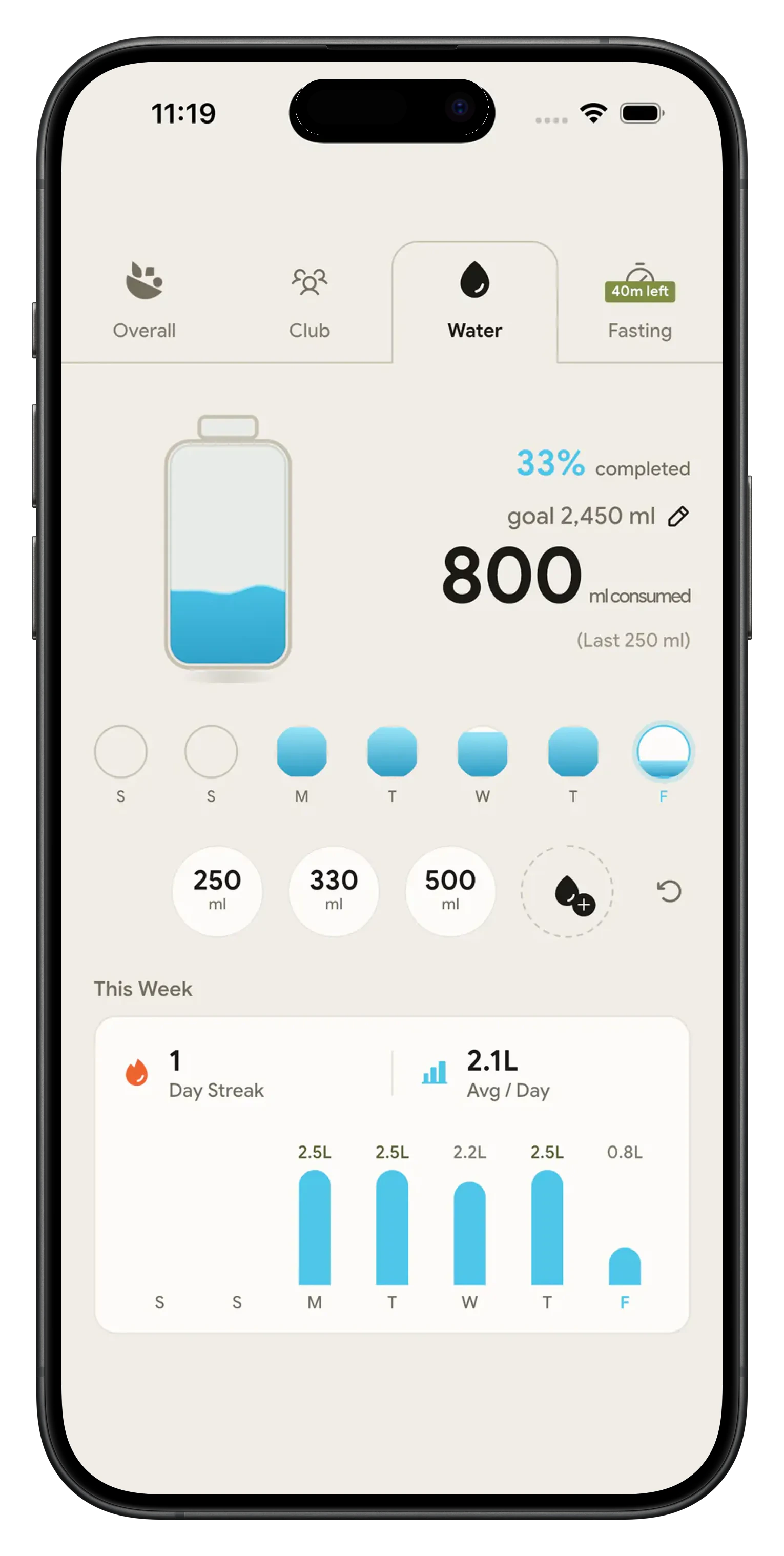
What Premium adds and what stays free 📋
Two plans, Free and Premium, nothing in between. The free side is not a demo, it has no end date, and it keeps working after a Premium subscription stops.
| What you get | Free | Premium |
|---|---|---|
| AI meal scans | 5 a week, resets every week | Unlimited |
| Voice calls with Monika | 4 a week | Unlimited |
| NutriScore on every meal | Yes | Yes |
| Micronutrient breakdown | Yes | Yes |
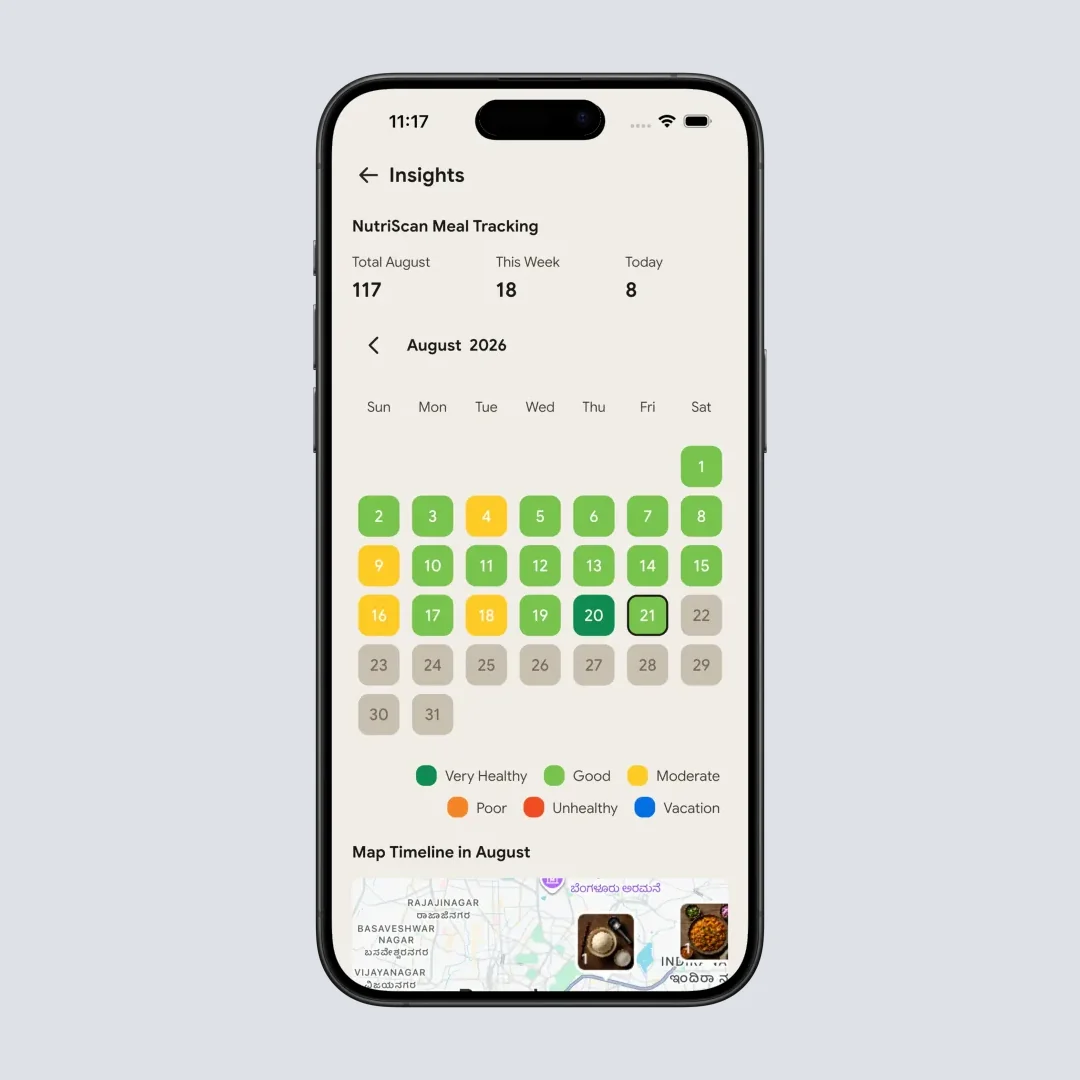
| Meal history and NutriScore calendar | Kept, no limit | Kept, no limit |
| Intermittent fasting timer | Yes | Yes |
| Water tracking and reminders | Yes | Yes |
| 28 day personalized diet plan | Not included | Yes |
| Grocery list and recipes | Not included | Yes |
| Progress tab with weekly and monthly reports | ❌ | ✅ |
The goal you picked shapes the plan 🎯
Weight loss
Your calorie and macro targets come from your age, gender, height, weight and activity level, and you can move the protein, carb and fat sliders yourself before the plan is built. The 28 days of meals are written against the targets you accepted, not a stock calorie number.
Muscle gain
Set a higher protein split on the macro step and the plan is built around it. The Progress tab reports your protein hit rate week by week.
Type 2 diabetes
Pick it as your goal, add anything you avoid under Food Restrictions, and the 28 days are written inside those answers.
PCOS
Same form, same rule. The goal you set and the restrictions you list are what the plan is built from, and you can change either one and rebuild.
Pregnancy
Choose pregnancy as the goal and the plan follows it, with daily micronutrient targets shown next to the macro targets. Every meal in the plan opens a quick recipe, portion size, benefits, things to avoid and the full nutrition breakdown, so you can see what is in a meal before you cook it.
Where to find free diet plans, and where the paid line sits 🆓
Search for where to find free diet plans and most of what comes back is a PDF of somebody else's week. NutriScan's free half is narrower and more useful. Finish the onboarding form and the app works out your daily calories, protein, carbs, fat, fiber and water from your goal, age, gender, height, weight and activity level, then shows you that breakdown before any payment screen. It stays yours on a free account, along with 5 AI meal scans a week, 4 voice calls a week with Monika, NutriScore and micronutrients on every logged meal, the fasting timer and water tracking.
The 28 days of meals is the Premium half. That is the whole difference between the free diet planner apps people search for and this one. Free gives you the numbers, Premium writes the meals against them.
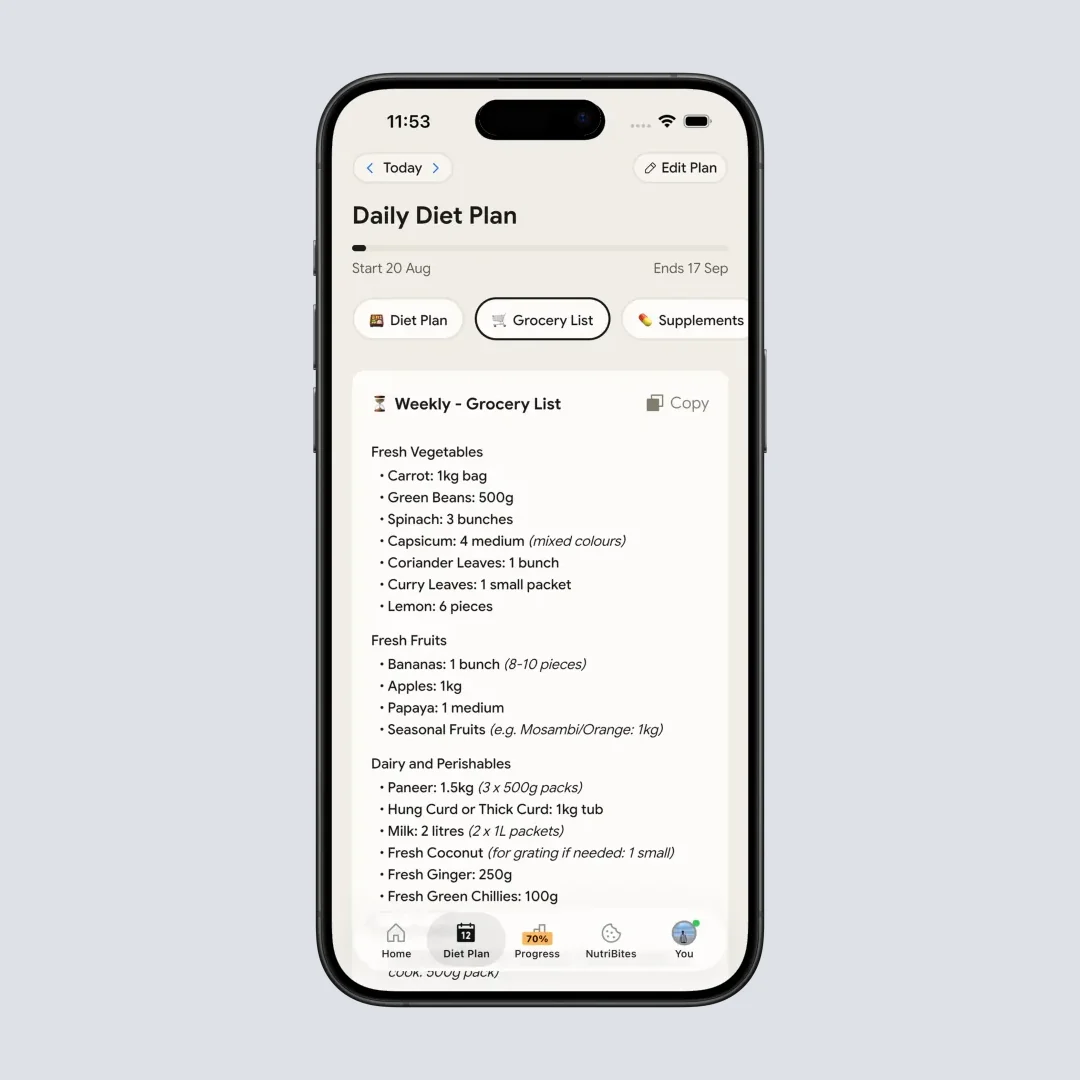
An automated diet plan here means the Diet Plan tab reads your form answers, your food restrictions and up to five cuisines, then hands back two meal options for every eating slot, each one opening a quick recipe, portion size and nutrition breakdown, plus a weekly or monthly grocery list you can copy in one tap.
How the NutriScan diet planner works 🛠️
Fill in the diet plan form
Open the Diet Plan tab and answer the form: age, gender, height, weight, health goal, food restrictions, eating schedule and daily activity. Pick 1 to 5 cuisines from Indian, Mediterranean, East Asian, Latin American, Continental, Middle Eastern, American and African. The last step shows your protein, carb and fat sliders with calories calculated live, so you can adjust the split before the plan is built.
Get the 28 day plan and the grocery list
NutriScan returns a plan with start and end dates, a progress bar and daily targets for macros and micronutrients. Every eating slot gives you two meal options, and tapping a meal opens a quick recipe, portion size, benefits, things to avoid and the nutrition breakdown. The Grocery List tab turns the same plan into a weekly or monthly shopping list you can copy in one tap.
Log what you actually ate and adjust
Log meals by photo, voice or text. NutriScan's own accuracy checks put food recognition at 95% for foods our database covers. Set the cooking method from 11 tags and the oil level across four steps so the numbers match your kitchen. Renew the plan after 28 days, or refill the form whenever your routine changes.
Want to set your numbers before you fill the form? Compare them with the macro calculator first.
Cancelling does not take your log away 🗂️
We read 4,091 one to four star reviews of four rival nutrition apps before writing this page. Depending on the app, 24% to 44% of those reviews are about money rather than nutrition: charged before anything worked, a cancel path that looped, a refund refused. That is a bigger complaint cluster than scan accuracy in every one of the four.
So here is the plain version for NutriScan. Everything you logged stays free, forever. Your meal history, the NutriScore calendar, the micronutrient breakdown on every meal and 5 AI scans a week are yours on a free account with no end date, whether you subscribe or not. What a Premium subscription adds is the 28 day plan, the grocery list and recipes, the Progress tab, and the unlimited scan and Monika counts.
Cancelling runs through the store, and the app does not stand in the way. Tap your plan name on the Home screen, choose Cancel Subscription, answer a short survey about why you are leaving, and NutriScan sends you to the App Store or Google Play manage subscriptions page to finish. Premium keeps working until the end of the period you already paid for.
What people are saying
Real reviews from people tracking their meals with NutriScan.
Finally sticking to a diet plan because of this app 👍🏻
Surprisingly fun to use? Lost 1 kg in 4 days just by logging stuff and keeping my NutriScore green. Still on the free side, will probably grab Premium soon.
You take a photo and seconds later you have your macros and micronutrients. That's basically why I stuck with it.
Translated review
Did some homework before installing and yeah, the photo scan accuracy is legit. NutriScore is solid too. Keep building, this is great.
Translated review
Just started but it looks promising. Big plus that you can try it for free.
Translated review
Finally a calorie counter without ads or upsells every two screens. Photograph the meal, done. Free, simple, exactly what I needed.
Translated review
Found it right when I needed help fixing my eating. Really glad I did.
Solid pick if you want to track calories and stay on a diet plan without overthinking it.
Lost weight using this. The diet plan kept me honest on bad days. People sleep on how much diet actually matters.
Tracks calories, macros, and even the small stuff like micronutrients. If you're trying to build muscle, this is the app to get.
150k+ downloads and a 4.6 star average across the app stores.
Keep the plan you started 📱
Open the Diet Plan tab, answer the form, and the 28 days are on the other side. Then log the meals you actually eat against it and see where your week and the plan disagree.
🚀 What Premium adds
The 28 day diet plan
Built from your form answers and up to five cuisines, renewable every 28 days.
Grocery list and recipes
Weekly or monthly shopping list from the plan, plus a supplements and lifestyle tab.
Unlimited meal scans
Free accounts get 5 scans a week. Premium removes the cap.
Progress reports
Weekly and monthly reads on NutriScore, weight change, protein hit rate and streak.
Go Premium, cancel anytime. The free plan stays free.
Frequently Asked Questions ❓
Is the diet plan free?
The 28 day plan is a Premium feature. A free account is still worth keeping on its own: 5 AI meal scans a week, 4 voice calls a week with Monika, NutriScore and micronutrients on every meal, the calendar, the fasting timer and water tracking. There are two plans, Free and Premium, nothing in between.
How does NutriScan build my plan?
From the form you fill in, not from a template. Goal, more detail about that goal, lifestyle, food preference, restrictions, eating schedule, prep time, cuisines, activity level, eating patterns, supplement openness and what is already in your kitchen all go into the plan. Change any of those answers and the meals change with them.
What happens to my meals if I cancel Premium?
Nothing you logged goes away. Your meal history, NutriScore calendar and micronutrient breakdowns stay on the free account, along with 5 AI scans a week and 4 calls a week with Monika. To cancel, tap your plan name on the Home screen, choose Cancel Subscription, answer a short survey about why, then finish on the App Store or Google Play manage subscriptions page. Premium runs to the end of the period you already paid for.
Which AI is best for diet plan?
Judge an AI diet plan by whether it holds your constraints and turns into something you can shop for. NutriScan sends your whole form to the model: goal, food preference, restrictions, eating schedule, prep time, up to five cuisines, activity level and what is already in your kitchen. What comes back is 28 days with two options per eating slot, each meal opening a quick recipe, portion size and nutrition breakdown, and the Grocery List tab turns the same plan into a weekly or monthly list. The AI meal planner sits in the same app as the photo scanner, so the meals you actually eat land next to the plan instead of in a separate chat window.
Does the plan work for Indian food, or only Western meals?
Both, because you choose the cuisines. The list covers Indian, Mediterranean, East Asian, Latin American, Continental, Middle Eastern, American, African and a free text box for anything missing, and you can select up to five at once. Pick Indian on its own and the plan comes back as dal, sabzi and roti. Pick Indian plus Mediterranean and you get both in the same week.
Discover More Nutrition Tracking Tools
AI Calorie Counter App - Snap a Photo, Get Macros
AI Nutritionist App That Reads Your Logged Meals
Best Protein Supplements for Women
Bulking Meal Plan App That Sets Your Surplus
ChatGPT Calorie Counter Alternative That Keeps the Total
ChatGPT Diet Plan Alternative That Tracks What You Eat
ChatGPT Weight Loss Coach Alternative With a Food Log
Fast Food Calorie Counter App That Reads the Tray
Free Calorie Tracker App with AI Photo Scans | NutriScan
Indian Diet Plan App With Veg and Non Veg Meals
Indian Food Calorie Calculator - Get Instant Nutrition Facts for Desi Meals — 2026
Intermittent Fasting for Women, Timer and Meal Log App
Intermittent Fasting Tracker App - Free Fasting Timer
Macro Tracker App That Fills the Numbers From a Photo
Mediterranean Diet Meal Plan App That Counts the Oil
Micronutrient Tracker App for Vitamins and Minerals
MyFitnessPal Alternative That Stays Free | NutriScan
NutriScore App: A Free Grade on Every Meal | NutriScan
Nutrition Label Scanner App for the Amount You Ate
Second Trimester Protein Guide
Vegetarian Meal Plan App With a Protein Target
Voice Calorie Counter - Speak to Track Meals Hands-Free
Water and Calorie Tracker App - Free Water Log