Pretty good app honestly. Logging meals is fast and the macro breakdown is easy to read. Photo scan gets confused on some Indian dishes though, fix that and it's 5 stars for sure.
Intermittent Fasting for Women Without a Blind Eating Window
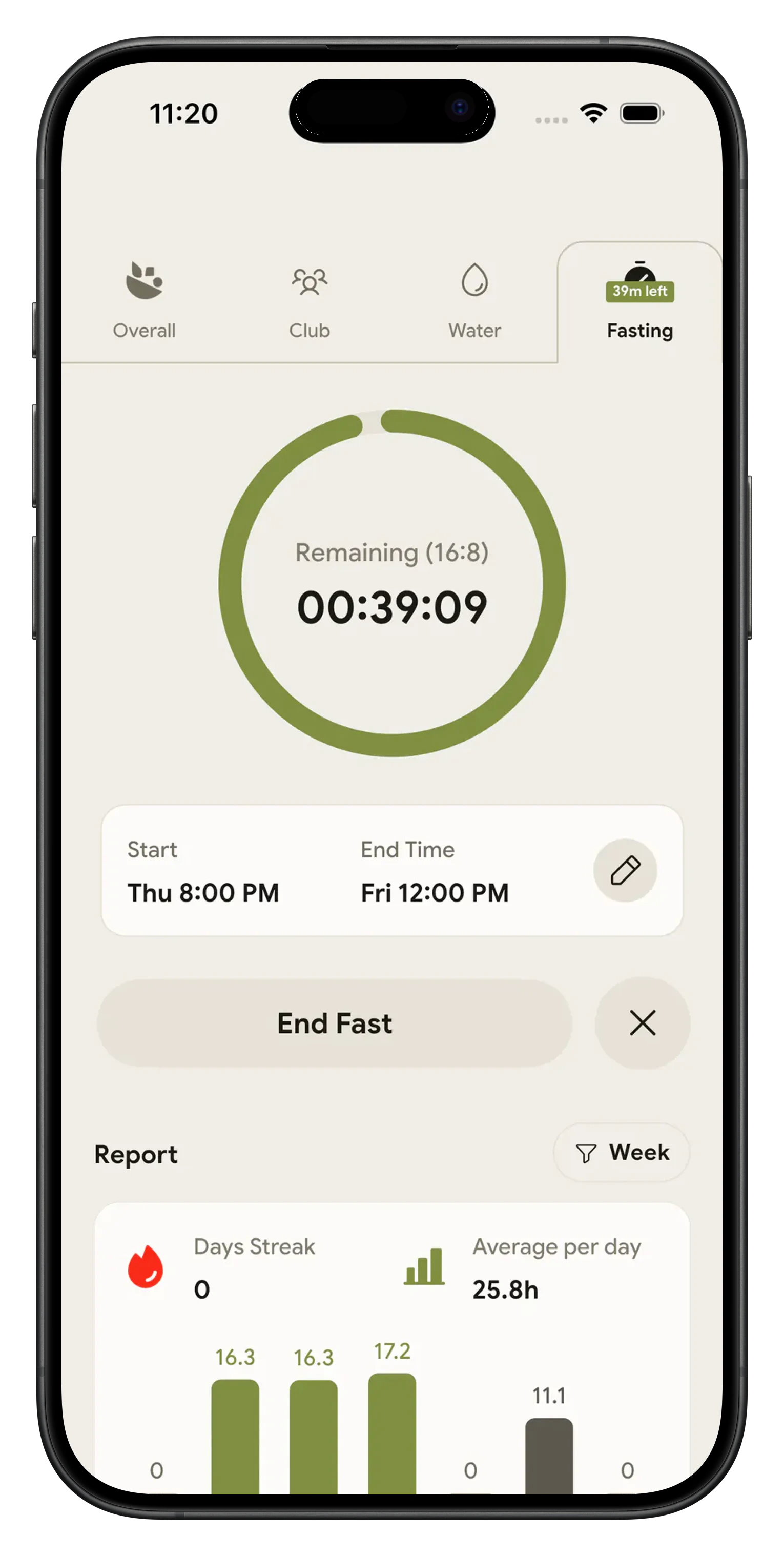
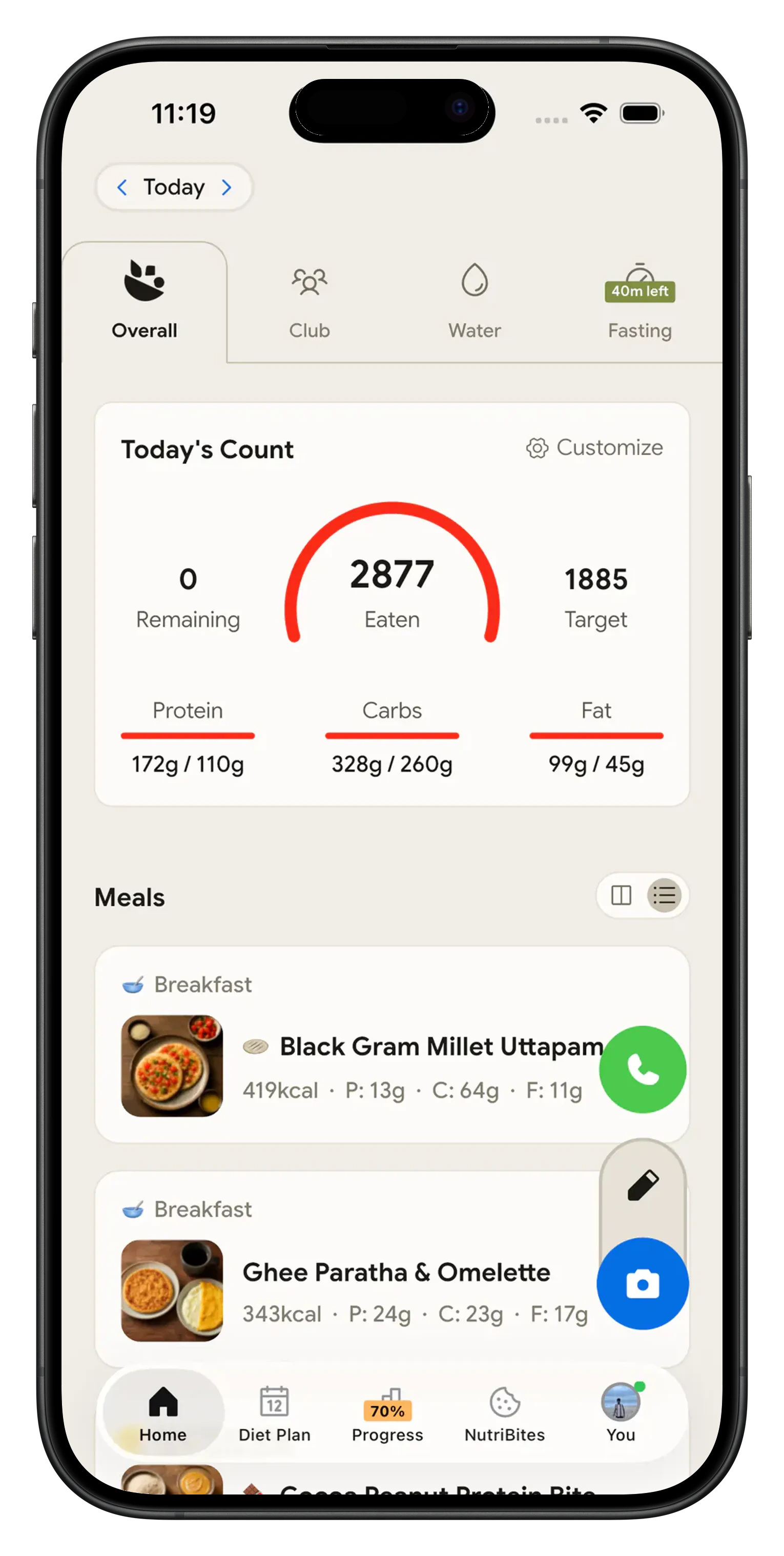
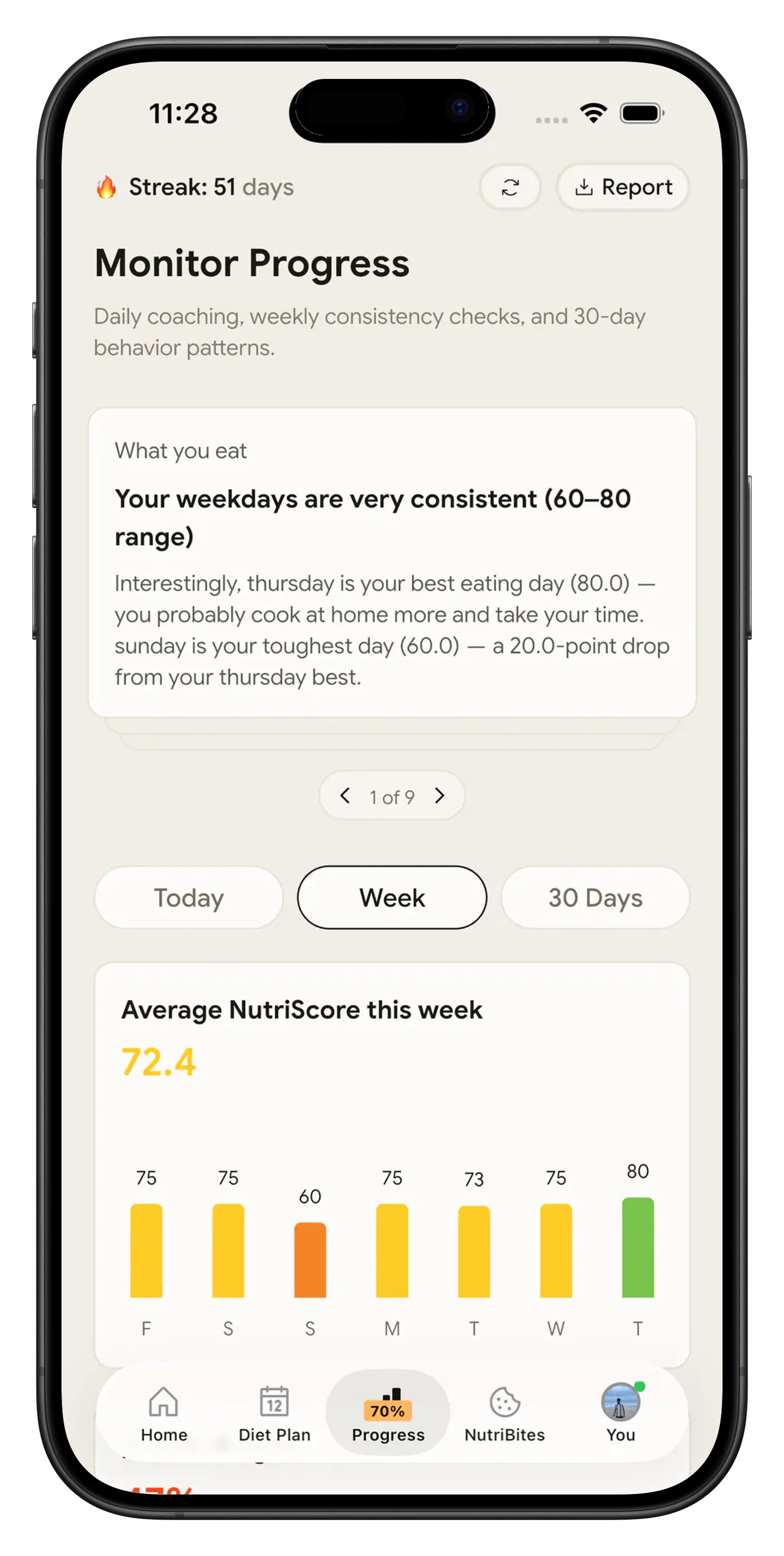
Every guide to intermittent fasting for women ends in the same place: pick a shorter window, watch how you feel, eat well when the window opens. Then it stops, right before the part that decides the result. NutriScan runs the clock and the food log together. Pick 14:10, 16:8, 18:6, 20:4 or any window from 1 to 23 hours, tap start, and photograph the plate when the window opens, so the hours you do eat are not a blank space in your own record.

Intermittent fasting for women over 40, perimenopause and menopause 🌗
The advice changes by life stage, and the research says so in both directions. Michelle Harvie and colleagues, in the Proceedings of the Nutrition Society in 2025, reviewed intermittent energy restriction in women and found adherence and weight loss are lower among younger women than among older women and men. Read that again if you are 52 and have been told fasting gets harder with age.
The same review is careful where the evidence is thin. It found no signal that fasting harms reproductive or bone health, disturbs sleep or raises eating disorder symptoms in women with overweight or obesity, and little evidence either way for women at a healthy weight.
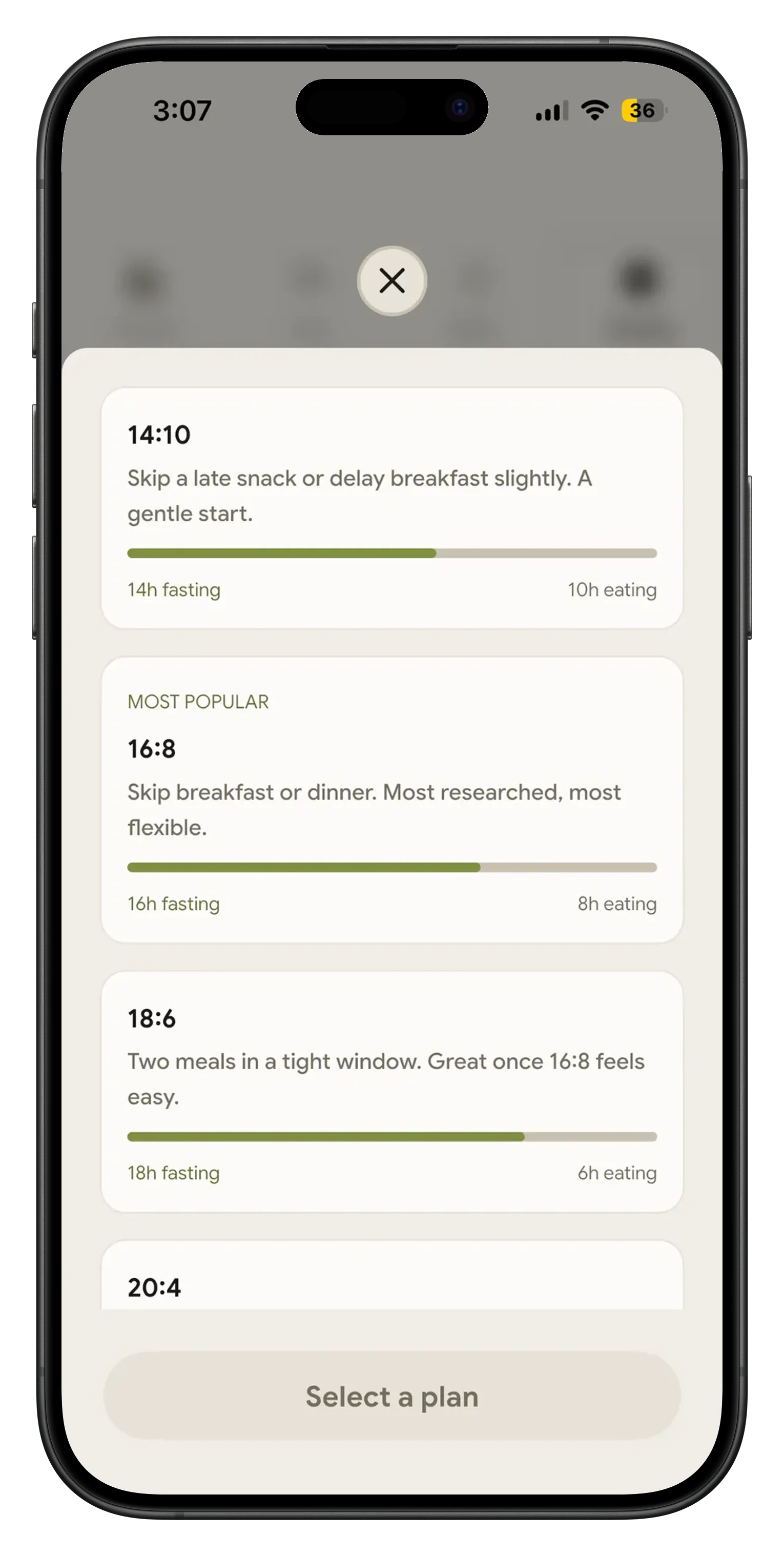
Healthline, medically reviewed by dietitian Jerlyn Jones and updated in August 2026, adds the practical version: start at a 14 hour fast and build to 16. NutriScan matches that. The plan list opens with 14:10, labelled a gentle start, and the custom slider drops to one hour, so a shorter window during a hard cycle week or a rough patch of perimenopause is a slider move, not a broken streak.
The eating window is the half most fasting apps never see 🍽️
Sixteen hours of nothing does not undo six hours of anything. A 16:8 window with 2,600 calories inside it is still 2,600 calories, and most fasting apps show a perfect green ring on that day because they never asked what you ate.
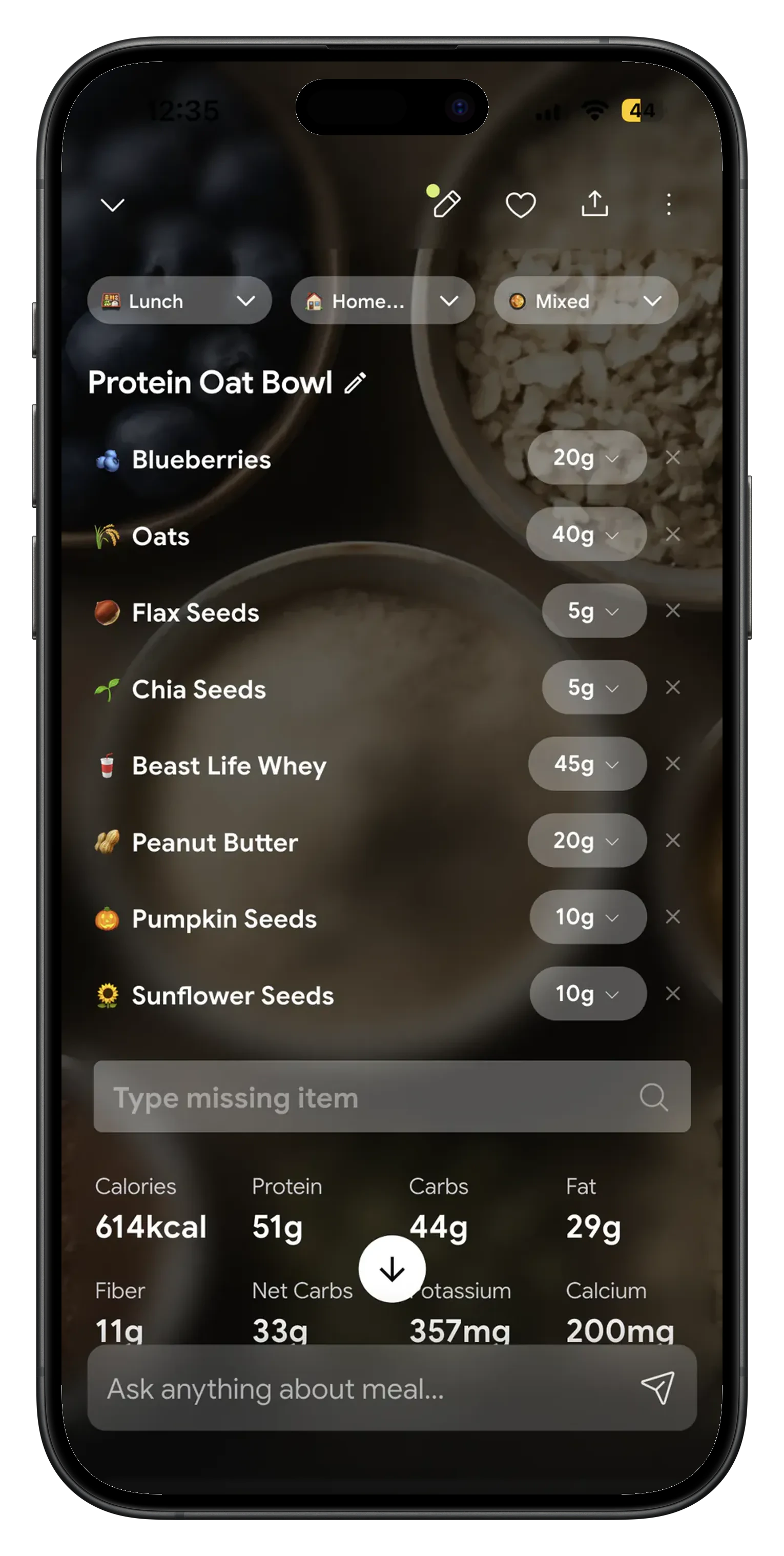
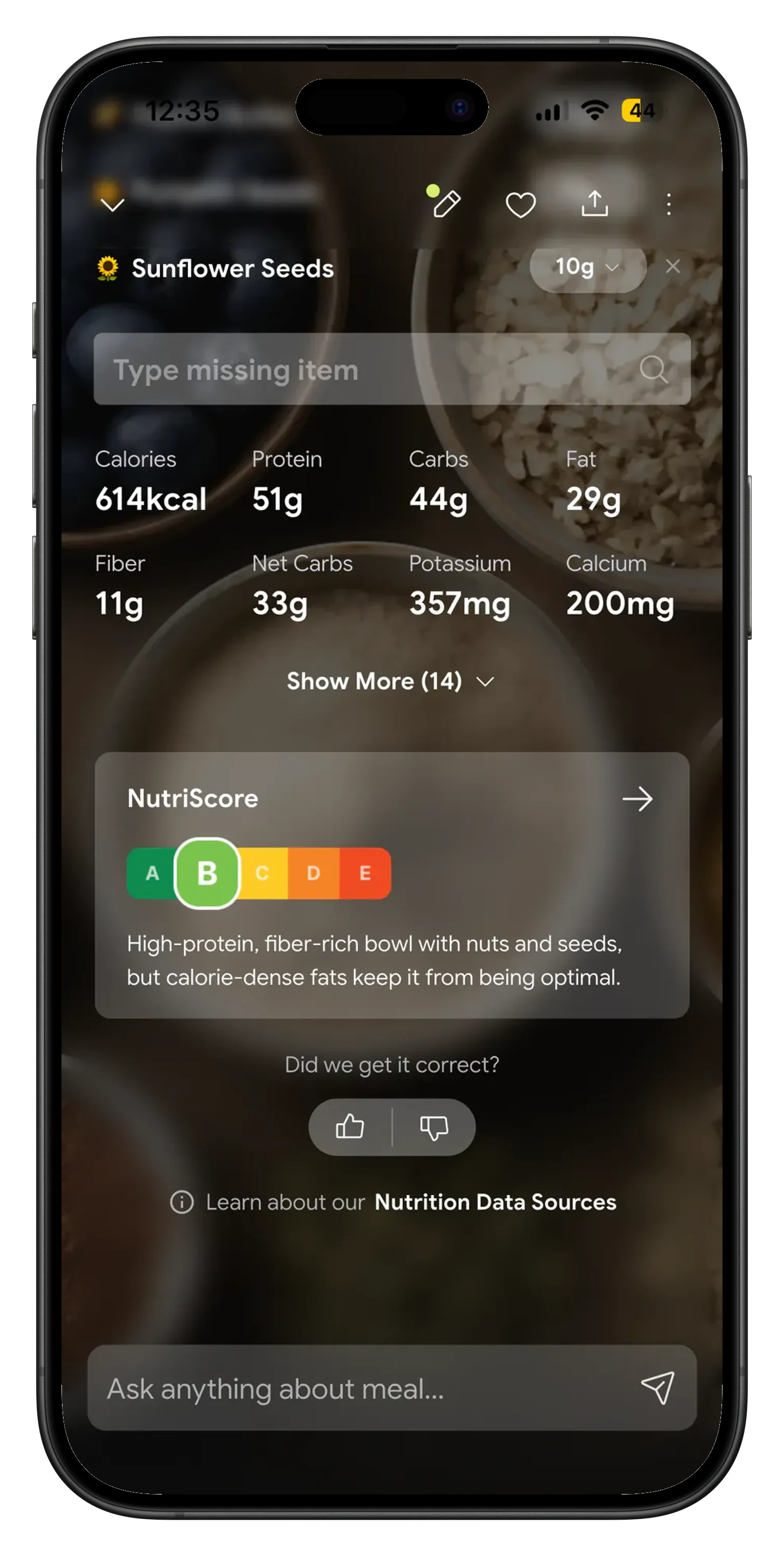
NutriScan tracks both halves. Photograph the meal, fix the grams on any item the app got wrong, and it returns calories, protein, carbs, fat, fiber and micronutrients. Set the targets it measures against with the macro calculator, then let the Fasting tab handle the clock. For the timer and streaks alone, the fasting timer page covers that side.
What the app gives women specifically 🌸
Pick a 16:8 fasting schedule or build your own
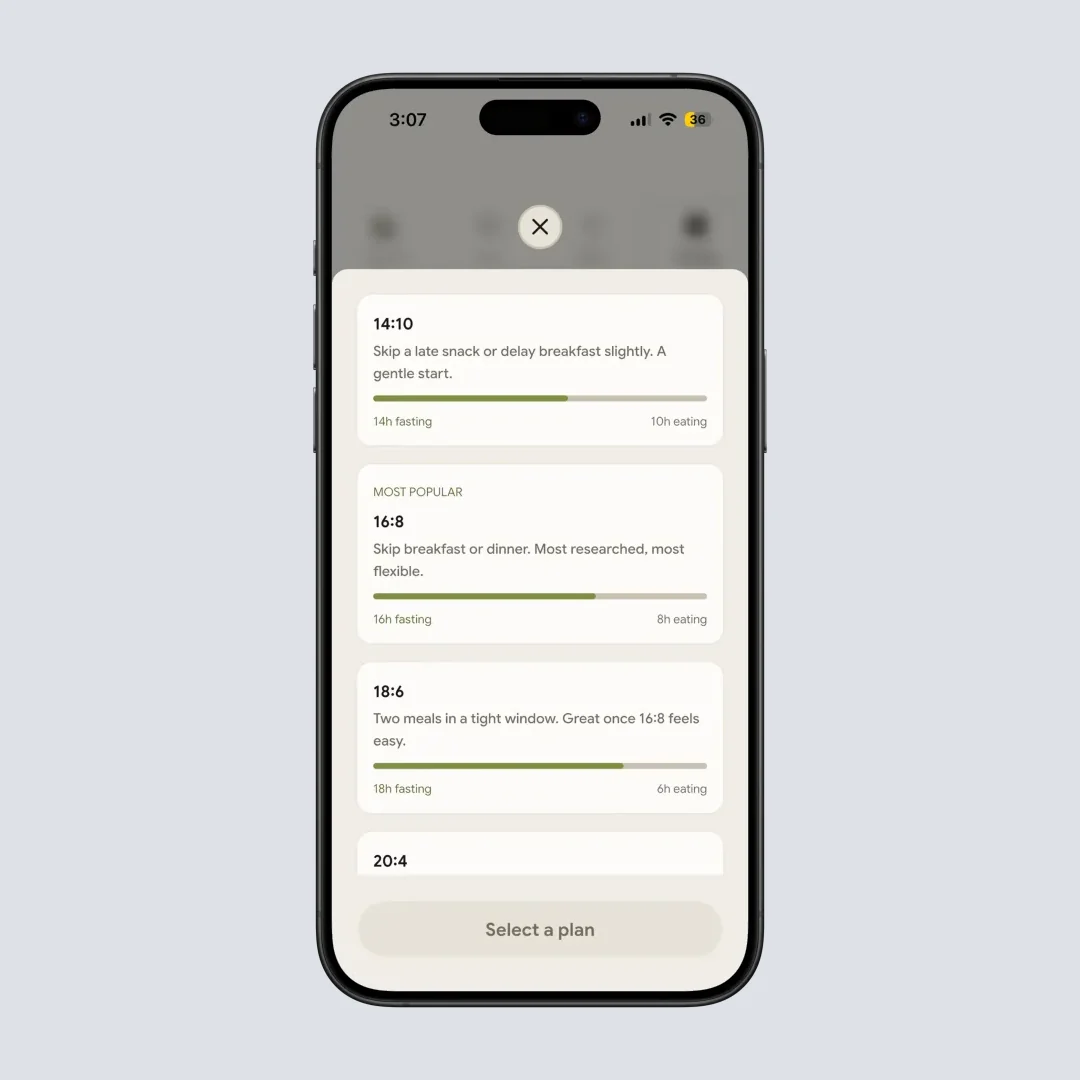
14:10, 16:8, 18:6 and 20:4 come ready made, each card showing its split. The custom slider runs 1 to 23 hours and keeps 3 named plans, so a 14 hour weekend window sits beside a 16 hour weekday one. Change plan whenever you like, mid fast included.
PCOS and pregnancy goals at signup
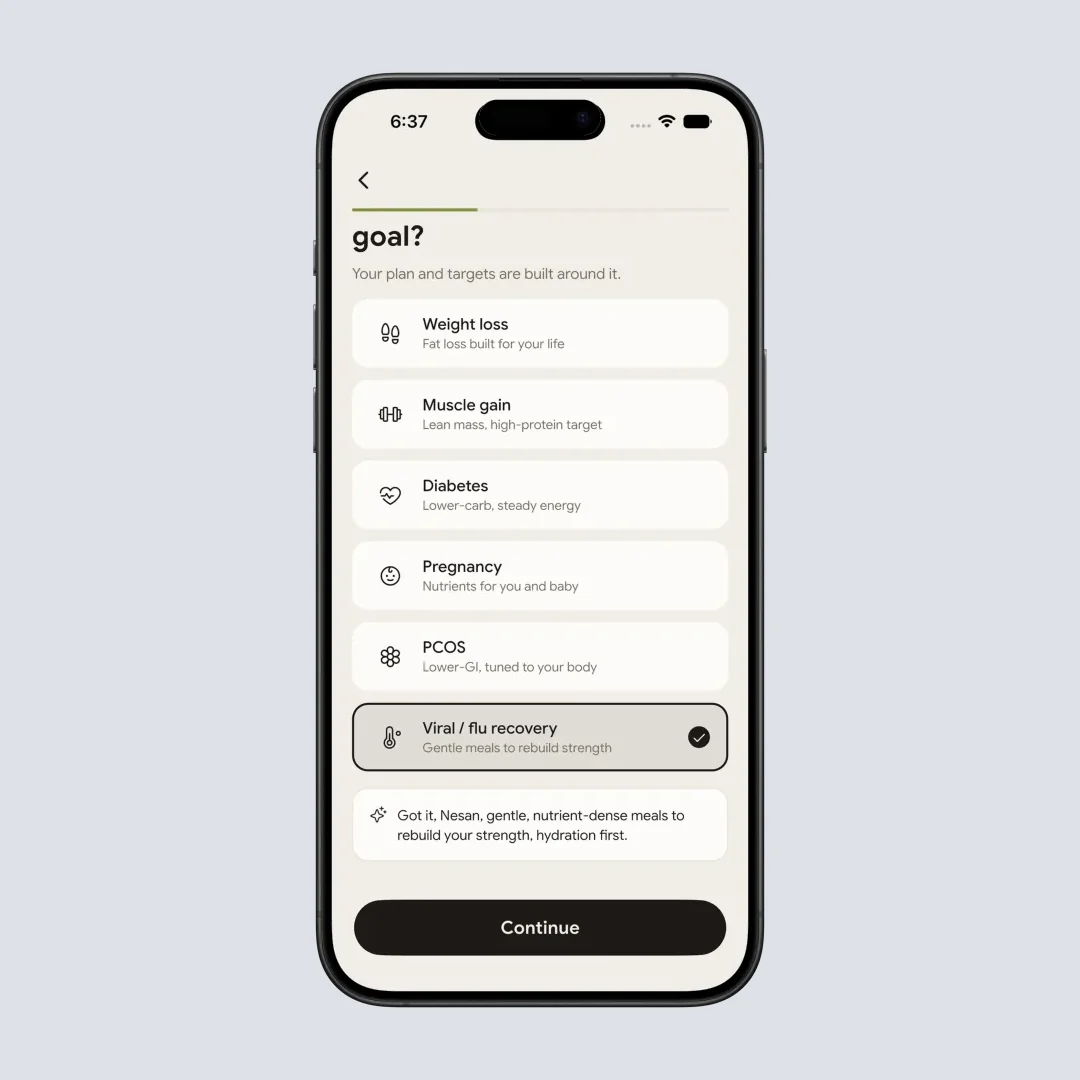
One goal from Weight loss, Muscle gain, Diabetes, Pregnancy, PCOS and Viral or flu recovery sets your calorie and macro targets. Pregnancy builds a nutrient plan, not a fasting plan.
OMAD and 20:4 without losing the food record
One meal a day makes every gram count more. Scan it and see whether it carried the protein and micronutrients the rest of the day will not supply.
Streaks that survive a short day
Reach 80% of your target and the day still counts. The Monday to Sunday bar chart shows hours fasted next to your streak, average and weekly total, so one 13 hour day is not a failure.
Fasts and food in one history
Sessions write to Apple Health and Google Fit, fasting days show as an orange ring on your NutriScore calendar, and the whole record exports as CSV.
How to start, in about two minutes 🛠️
Pick the goal your body is actually working on
Onboarding asks for one goal from Weight loss, Muscle gain, Diabetes, Pregnancy, PCOS and Viral or flu recovery, and sets your calorie and macro targets from it before you go near a timer. Pick PCOS and the targets come out lower on the glycemic side. Pick Pregnancy and NutriScan builds a nutrient plan instead, the answer for anyone whose real question was whether to fast at all.
Choose a window you can hold on a bad week
Open the Fasting tab and pick 14:10, 16:8, 18:6, 20:4 or Custom. Each card shows the split, so 16:8 reads 16h fasting and 8h eating. The custom slider runs 1 to 23 hours and saves up to 3 named plans, so a 14 hour weekday window and a 12 hour weekend one both stay saved. Tap Start Fasting and the ring counts down.
Log the meals inside the window
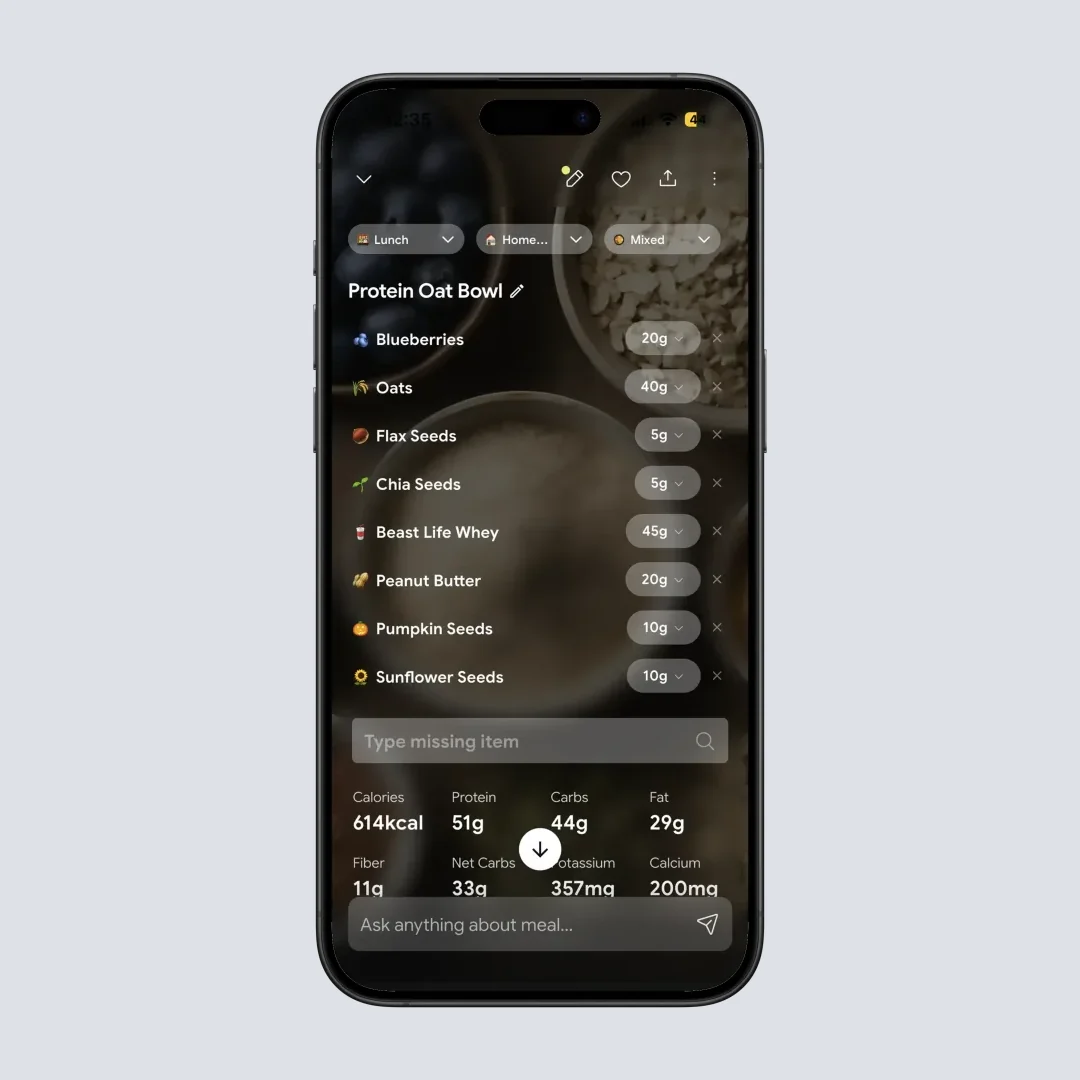
When the window opens, photograph the plate, speak it or type it. NutriScan breaks the meal into items you can correct gram by gram, then shows calories, protein, carbs, fat, fiber and micronutrients. Free accounts get 5 photo scans a week. NutriScan measures food recognition at 95% in its own testing on foods in our database.
What people are saying
Real reviews from people tracking their meals with NutriScan.
Finally sticking to a diet plan because of this app 👍🏻
Surprisingly fun to use? Lost 1 kg in 4 days just by logging stuff and keeping my NutriScore green. Still on the free side, will probably grab Premium soon.
You take a photo and seconds later you have your macros and micronutrients. That's basically why I stuck with it.
Translated review
Did some homework before installing and yeah, the photo scan accuracy is legit. NutriScore is solid too. Keep building, this is great.
Translated review
Just started but it looks promising. Big plus that you can try it for free.
Translated review
Finally a calorie counter without ads or upsells every two screens. Photograph the meal, done. Free, simple, exactly what I needed.
Translated review
Found it right when I needed help fixing my eating. Really glad I did.
Solid pick if you want to track calories and stay on a diet plan without overthinking it.
Lost weight using this. The diet plan kept me honest on bad days. People sleep on how much diet actually matters.
Tracks calories, macros, and even the small stuff like micronutrients. If you're trying to build muscle, this is the app to get.
Before you start, the safety part 🩺
Johns Hopkins Medicine, reviewed by neuroscientist Mark Mattson and updated in April 2026, names who should not fast at all: under 18s, women who are pregnant or breastfeeding, people with type 1 diabetes who take insulin, and anyone with a history of eating disorders. If your period stops or turns irregular after you start, stop and see a doctor. NutriScan is a tracker, not medical advice.
🚀 What you get on day one
Free timer, every plan
14:10 through 20:4 and a slider from 1 to 23 hours, no card.
The window, logged
5 photo scans a week free, with macros and micronutrients per meal.
Goals for PCOS and pregnancy
Targets come from the goal, so the plan is not one size for every woman.
One weekly picture
Hours fasted next to what you ate, with Health sync and CSV export.
⭐ 150k+ downloads, 4.6 stars. The fasting timer costs nothing.
NutriScan vs BodyFast vs Simple 📊
Every BodyFast and Simple claim below comes from their own websites, read in September 2026.
| What you get | NutriScan | BodyFast | Simple |
|---|---|---|---|
| Fasting plans | 14:10, 16:8, 18:6, 20:4 and Custom | A weekly Coach plan, list not published | A schedule recommended to suit your goal |
| Custom fasting window | Slider from 1 to 23 hours, 3 saved plans, change mid fast | Not stated on their site | Not stated on their site |
| Food logging | Photo, voice or text. 5 scans a week free | 100+ recipes, site says no calorie counting | Food scanner, FAQ says no calorie counting |
| Calories and macros | Protein, carbs, fat, fiber and micronutrients per meal | Not offered, by their own description | Nutrition Scores only |
| Life stage goals at signup | Pregnancy, PCOS, Diabetes, Weight loss, Muscle gain | Not stated on their site | Not stated on their site |
| Cost of the timer | Free for everyone, Premium about $59 a year | Price not published on their homepage | Free tier in their FAQ, Premium price not published |
For the food side of a PCOS diagnosis, the PCOS nutrition page goes deeper than a window can. If the goal behind the window is the scale, read weight loss tracking next.
Frequently Asked Questions ❓
Is there a free intermittent fasting app for women?
NutriScan is one. The whole Fasting tab is free with no card: the ring timer, all five plans, the custom slider, streaks, the weekly hours chart, the history and CSV export. Meal logging is free at 5 photo scans a week, and Premium lifts that to unlimited and adds a 28 day diet plan, a grocery list and Monika, the voice nutritionist, for about $59 a year. Your fast keeps working if you never pay.
How many hours should a woman do intermittent fasting?
Healthline, reviewed by dietitian Jerlyn Jones and updated in August 2026, tells women to start at a 14 hour fast and build up to 16 rather than opening with 16:8. That is why NutriScan lists 14:10 first and calls it a gentle start. No single number is correct for every woman, so start at the shortest window you can hold daily and lengthen it only while sleep, periods and energy stay normal.
Is intermittent fasting safe for women with PCOS?
The Proceedings of the Nutrition Society review by Michelle Harvie and colleagues, published in 2025, found that weight loss on alternate day fasting improved PCOS symptoms, and found no evidence the schedule adds anything on top of the weight loss itself. The weight loss is doing the work, which puts the food inside the window ahead of the window itself. NutriScan carries PCOS as an onboarding goal that sets lower glycemic targets. Talk to your doctor first, especially with insulin resistance or a thyroid condition in the picture.
Does coffee break a fast?
Johns Hopkins Medicine lists water and zero calorie drinks such as black coffee and tea as fine during the fasting hours. Milk, sugar, oat milk and a protein coffee are food, so they belong in the eating window. NutriScan does not police this: the ring keeps running whatever you drink. Scan the latte if you want to know what it cost you, and it lands in the day total like any other item.
What is a good plan for intermittent fasting for women over 50?
The Harvie review reports that adherence and weight loss on intermittent energy restriction are higher in older women than in younger women, so the odds are on your side after 50. A workable setup: 14:10 for two weeks, then 16:8 on weekdays with a saved 14:10 plan for weekends, protein at every meal, and the weekly chart as your scoreboard. NutriScan holds 3 saved custom plans, so both windows stay one tap away.
Discover More Nutrition Tracking Tools
AI Calorie Counter App - Snap a Photo, Get Macros
AI Nutritionist App That Reads Your Logged Meals
Best Protein Supplements for Women
Bulking Meal Plan App That Sets Your Surplus
ChatGPT Calorie Counter Alternative That Keeps the Total
ChatGPT Diet Plan Alternative That Tracks What You Eat
ChatGPT Weight Loss Coach Alternative With a Food Log
Fast Food Calorie Counter App That Reads the Tray
Free Calorie Tracker App with AI Photo Scans | NutriScan
Indian Diet Plan App With Veg and Non Veg Meals
Indian Food Calorie Calculator - Get Instant Nutrition Facts for Desi Meals (2026)
Intermittent Fasting for Women, Timer and Meal Log App
Intermittent Fasting Tracker App - Free Fasting Timer
Macro Tracker App That Fills the Numbers From a Photo
Mediterranean Diet Meal Plan App That Counts the Oil
Micronutrient Tracker App for Vitamins and Minerals
MyFitnessPal Alternative That Stays Free | NutriScan
NutriScore App: A Free Grade on Every Meal | NutriScan
Nutrition Label Scanner App for the Amount You Ate
Second Trimester Protein Guide
Vegetarian Meal Plan App With a Protein Target
Voice Calorie Counter - Speak to Track Meals Hands-Free
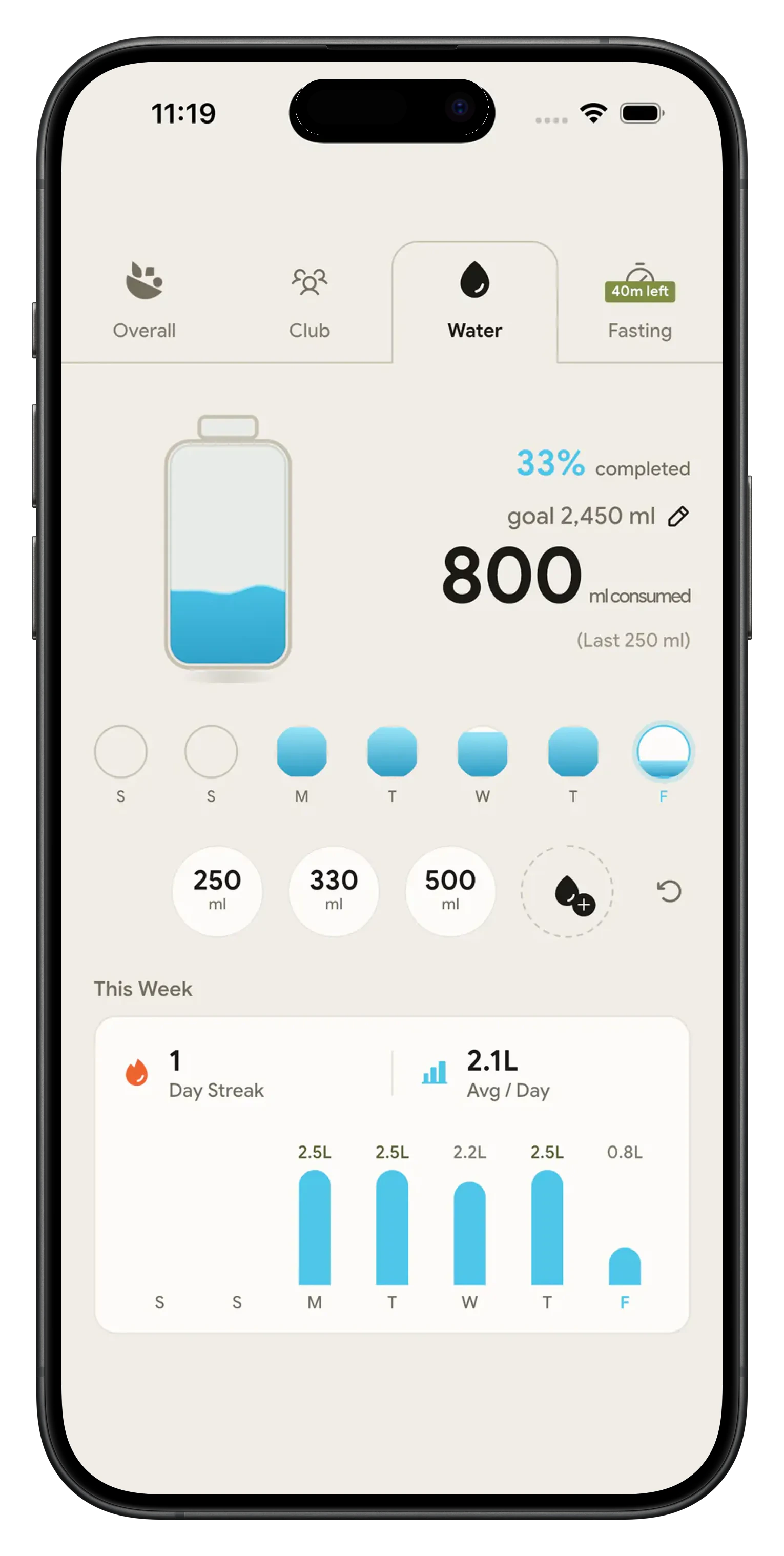
Water and Calorie Tracker App - Free Water Log