Pretty good app honestly. Logging meals is fast and the macro breakdown is easy to read. Photo scan gets confused on some Indian dishes though, fix that and it's 5 stars for sure.
Nutrition Label Scanner App for the Amount You Ate
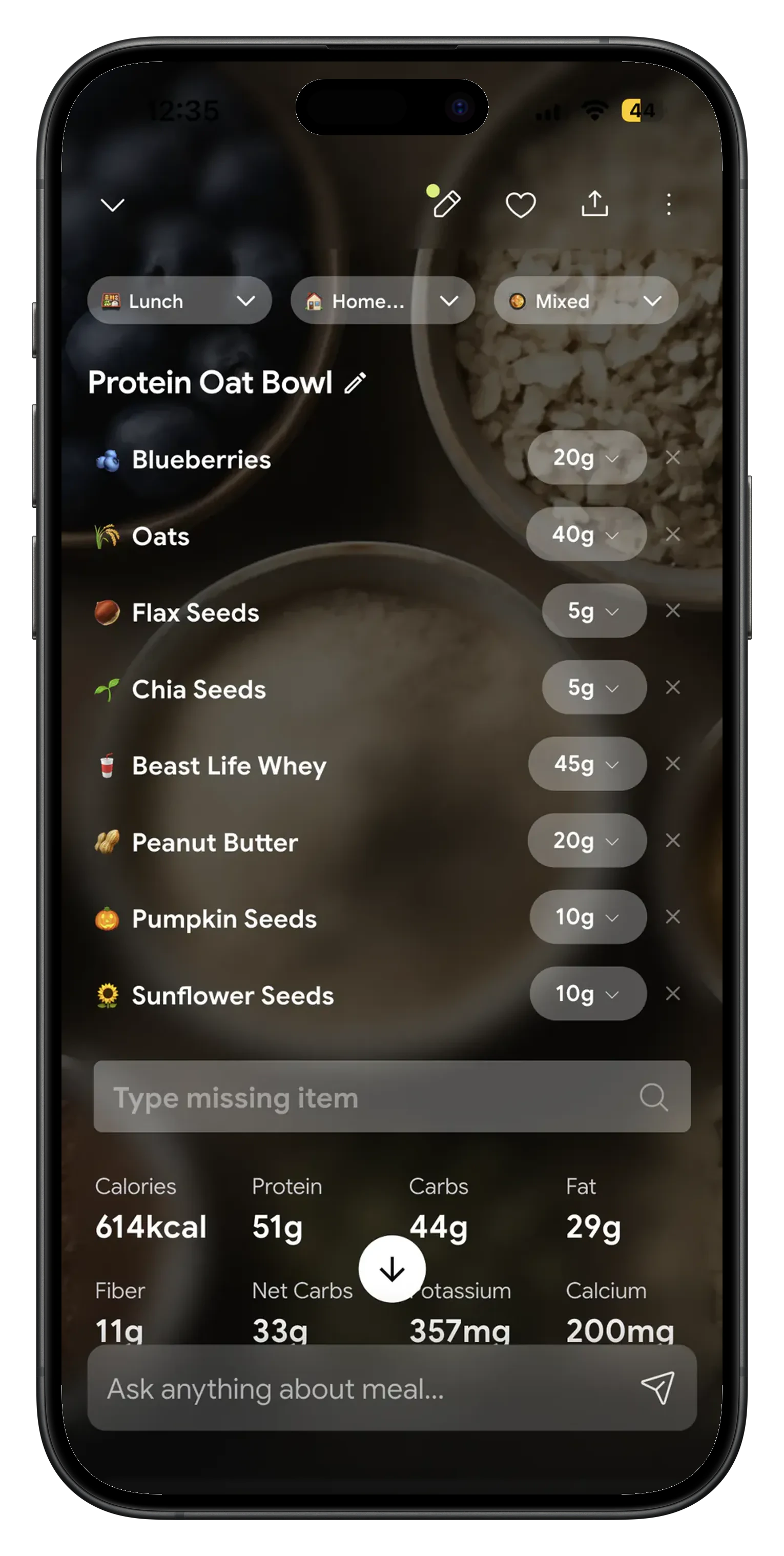
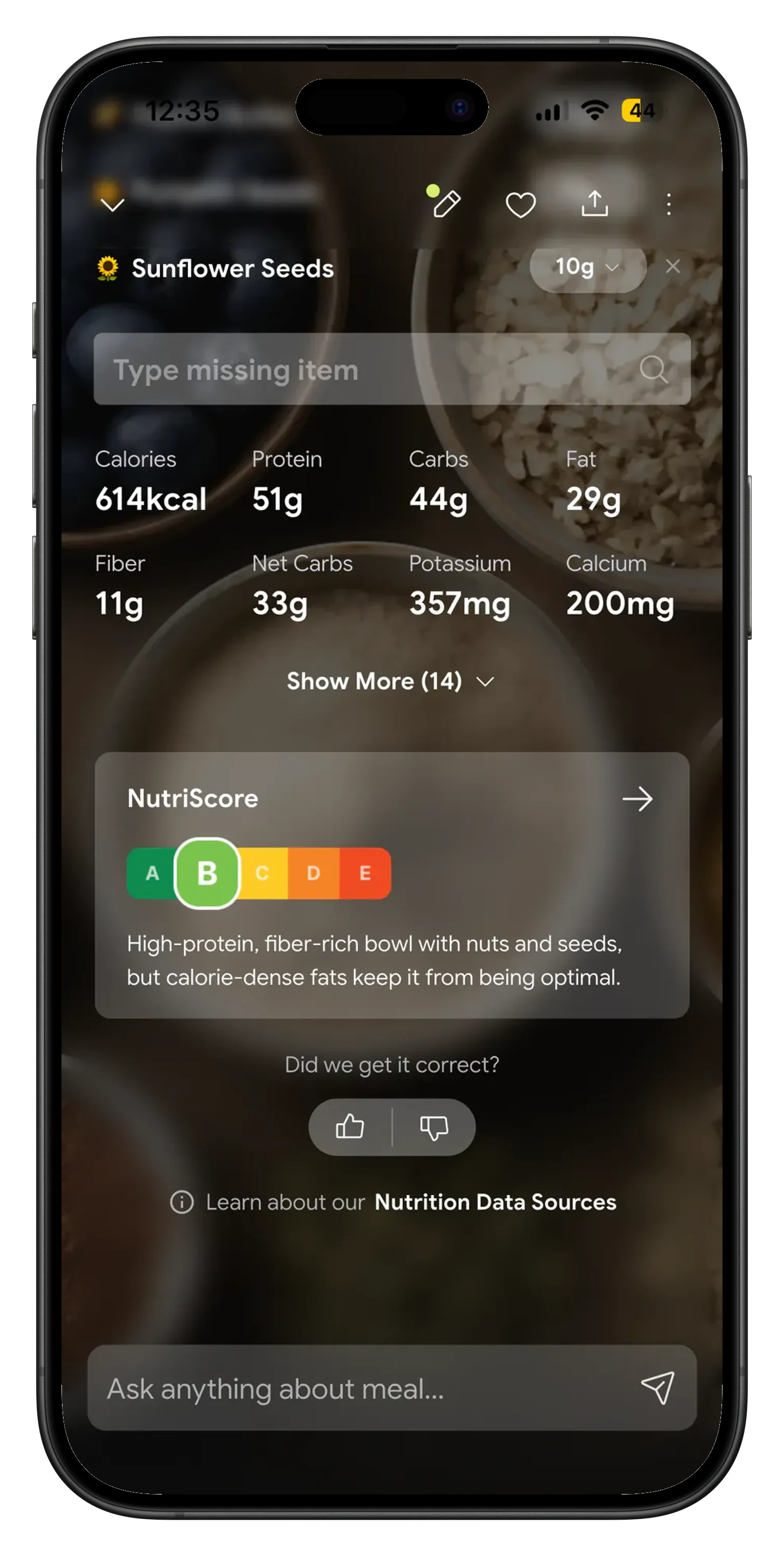
A nutrition label scanner app has one job worth paying for: answering what is in the amount you ate, not what is in the serving a manufacturer picked. The panel on the back of the pack is written per serving, and that serving is a comparison unit, not your bowl. NutriScan photographs the pack or the label, returns calories, protein, carbs, fat, fiber, net carbs and micronutrients, lets you push the portion up or down until it matches what you finished, and adds the corrected number to today's total.

The serving on the label is almost never your serving 🔍
The FDA says it plainly in its guide to the Nutrition Facts label: the serving size "reflects the amount that people typically eat or drink" and "is not a recommendation of how much you should eat or drink." Its sample label for frozen lasagna makes the gap concrete. One cup is 280 calories. The container holds four servings, so the person who eats the tray has had 1,120 calories, 3,400 mg of sodium and 136 g of carbs, none of which appear on the panel.
People know this and still get it wrong, because the arithmetic happens while you are hungry. A survey of 401 college students in Pune, published in Discover Public Health in August 2026, found 93.5 percent were aware of food labels, only 21.7 percent scored as having good comprehension, and 54.4 percent said they had trouble interpreting serving size information.
What a nutrition label scanner app should do with those numbers 📱
Per serving becomes what you ate
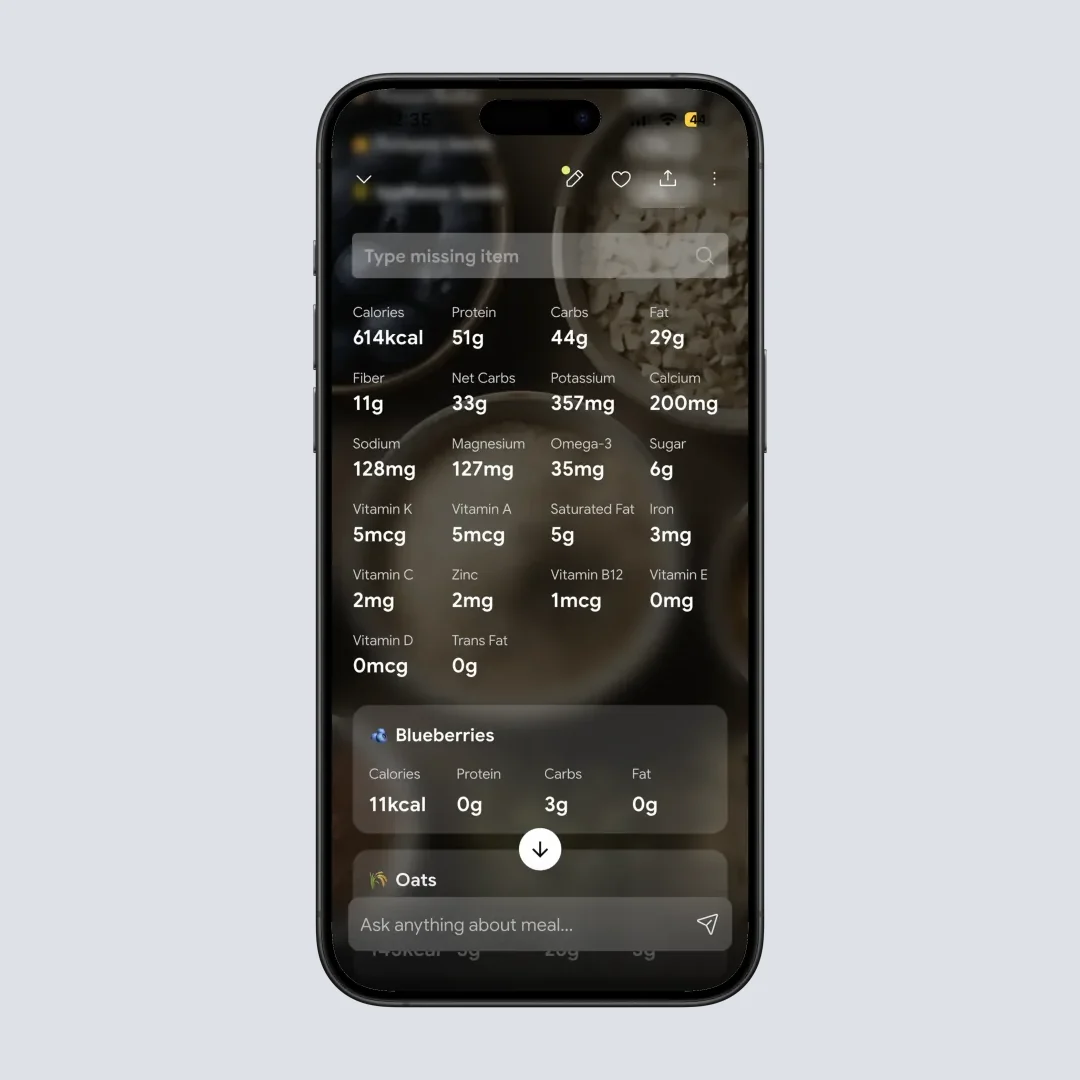
Scan the pack, then move the portion with plus and minus or tap the number and type the grams. Calories, every macro, fiber, net carbs, sodium and the vitamins move with it. Two thirds of a bag of chips logs as two thirds, not as one serving rounded down or a whole bag rounded up.
A packaged food scanner tag
Packaged Food is one of the 8 food type tags on the crop screen, so a cereal box is not read like a home cooked plate.
Net carbs already worked out
Net Carbs sits in the breakdown grid beside Fiber and Sugar. No subtracting fiber from total carbs at the shelf.
Micronutrients past the big four
Sodium, potassium, calcium, magnesium, iron, omega 3 and the vitamins a food carries, on the free plan.
A grade on the item and a total on the day
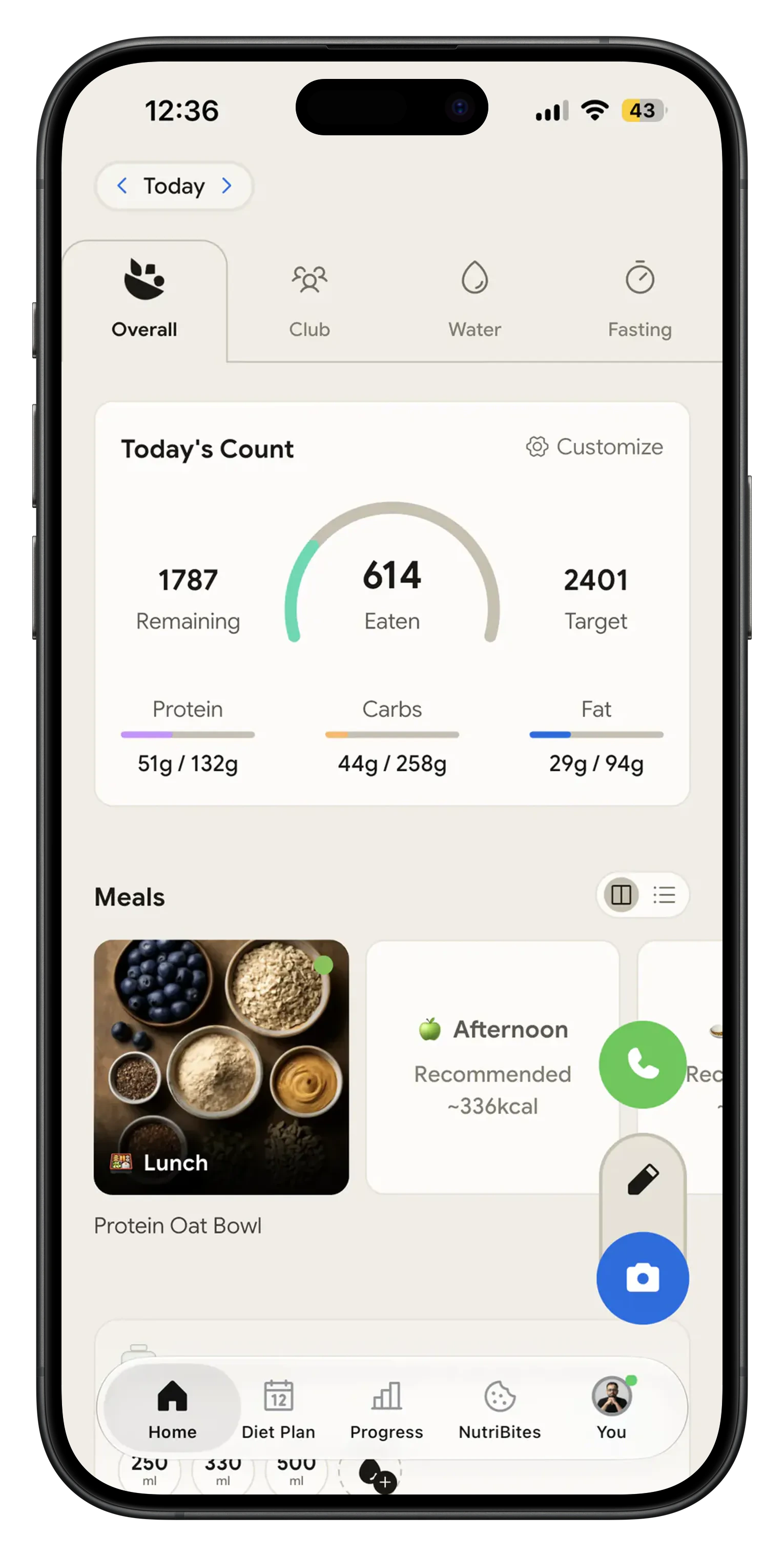
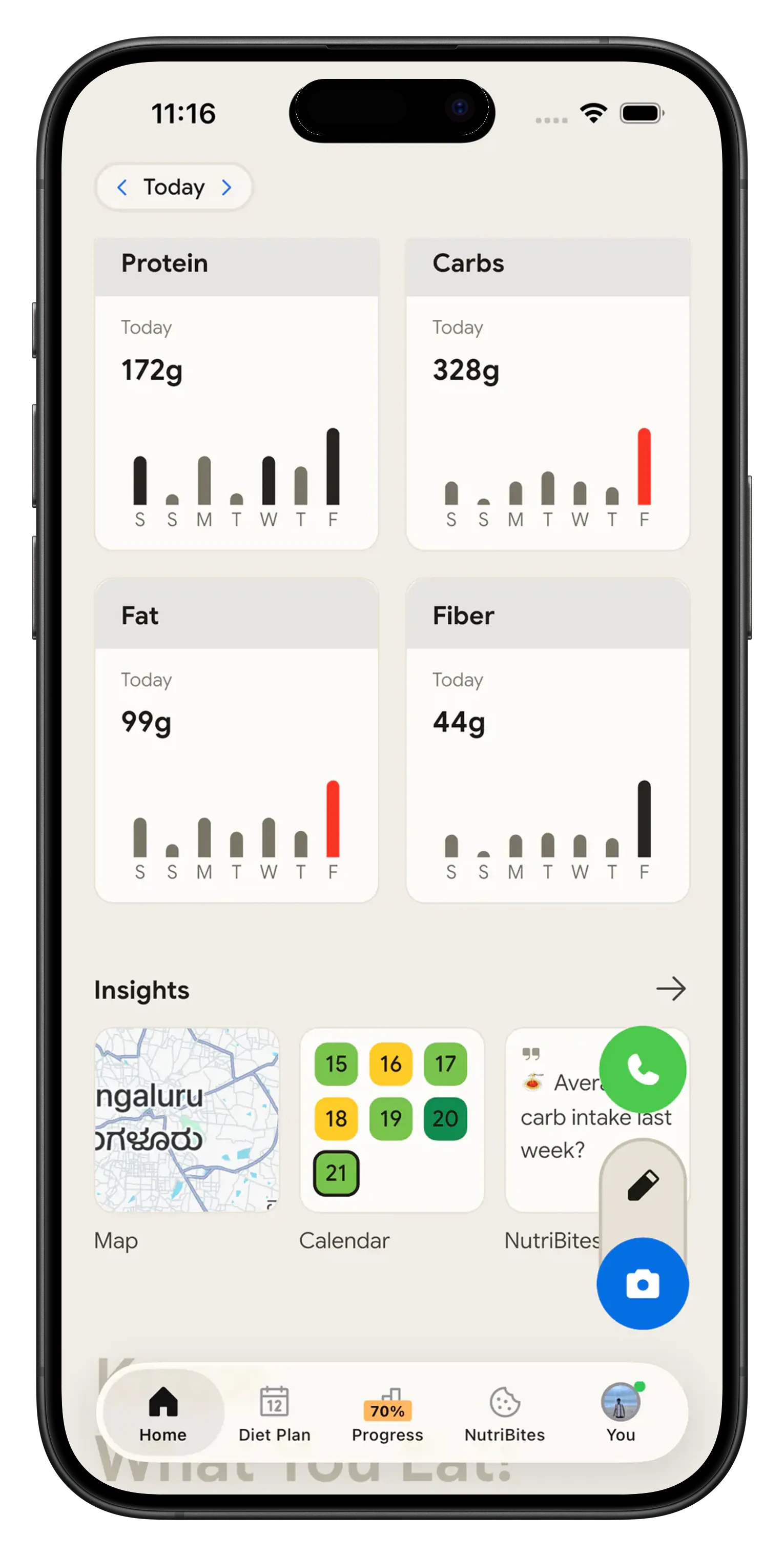
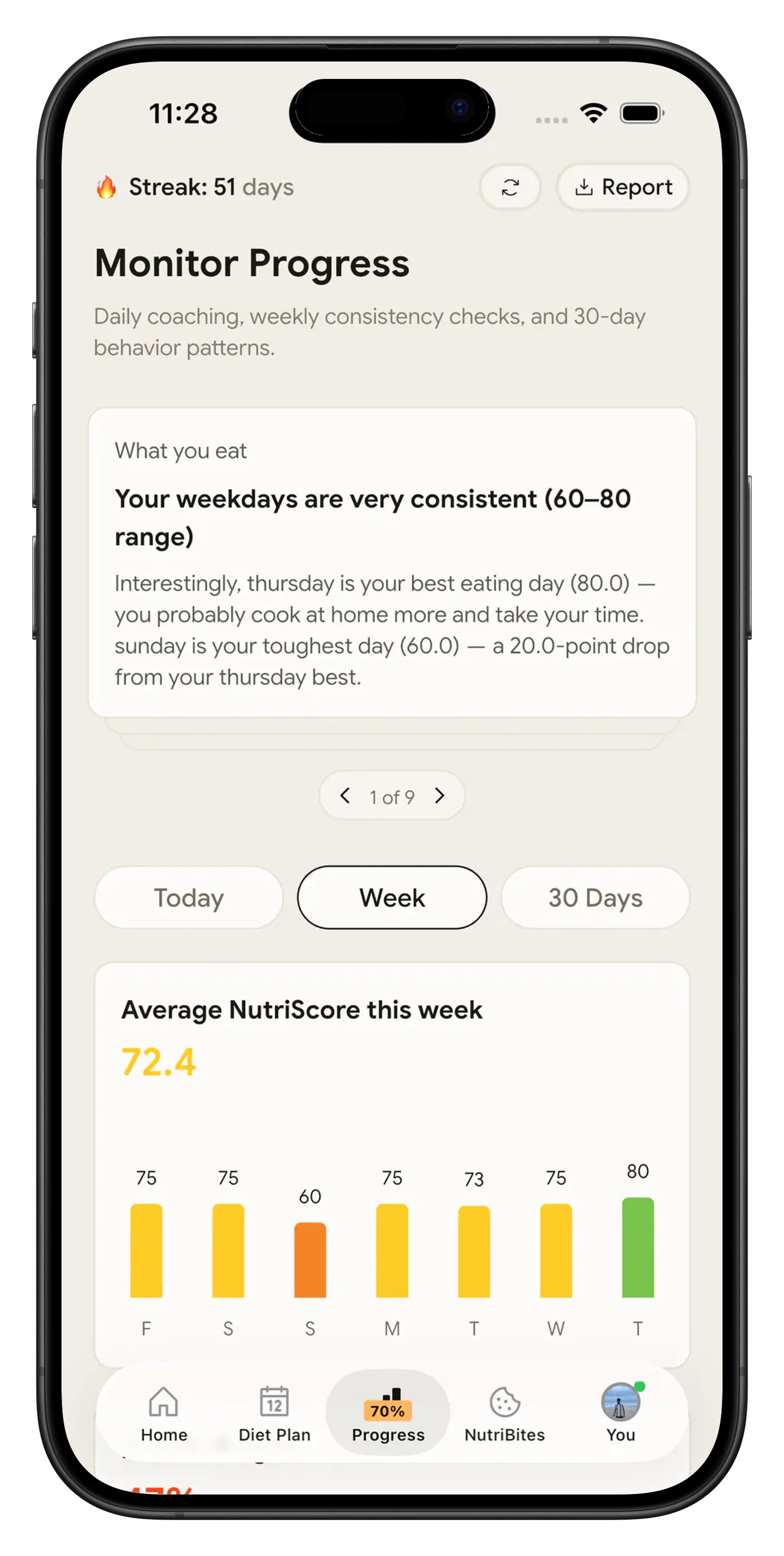
Every logged item gets a NutriScore with a written reason, and every item adds to the Home screen total for calories and the four macros. The monthly calendar keeps one score per day, so a week of high sodium snacks shows up as a pattern instead of as five forgotten labels. Meals sync out to Apple Health or Google Fit.
How to read nutrition labels without an app in your hand 🧾
Per serving or per 100 g. US labels lead with per serving. UK, European, Australian and Indian labels print per 100 g, often with a per serving column beside it. Compare two products on the per 100 g column, because it is the only one where both are measured the same way. Read the per serving column only after checking how many servings you are holding.
Percent Daily Value. The FDA's general guide takes two seconds at the shelf: 5 percent DV or less of a nutrient per serving is low, 20 percent DV or more is high. The column is built on a 2,000 calorie day and does not add up to 100 down the page.
Total sugars and added sugars. The word "includes" before Added Sugars means the added grams are already counted inside the total. A yogurt showing 15 g total sugars and 7 g added sugars has 8 g that came from the milk and fruit.
How the scan works, step by step 🛠️
Photograph the pack and tag it as packaged food
Open NutriScan, tap the camera and shoot the front of the pack or the Nutrition Facts panel itself. On the crop screen pick Packaged Food from the 8 food type tags, and type or speak anything the picture cannot show, such as how many biscuits came out of the sleeve. Those tags are what tell the scan it is reading a label rather than a plate.

Set the portion you ate, not the one on the label
The result comes back as items with calories, protein, carbs and fat, and the full breakdown adds fiber, net carbs, sugar, sodium, potassium, calcium, magnesium, iron and the vitamins the food carries. Tap plus or minus to change the portion, or tap the number and type the grams you ate. Every value moves with it, so half a sleeve is half a sleeve.
Let the day add itself up
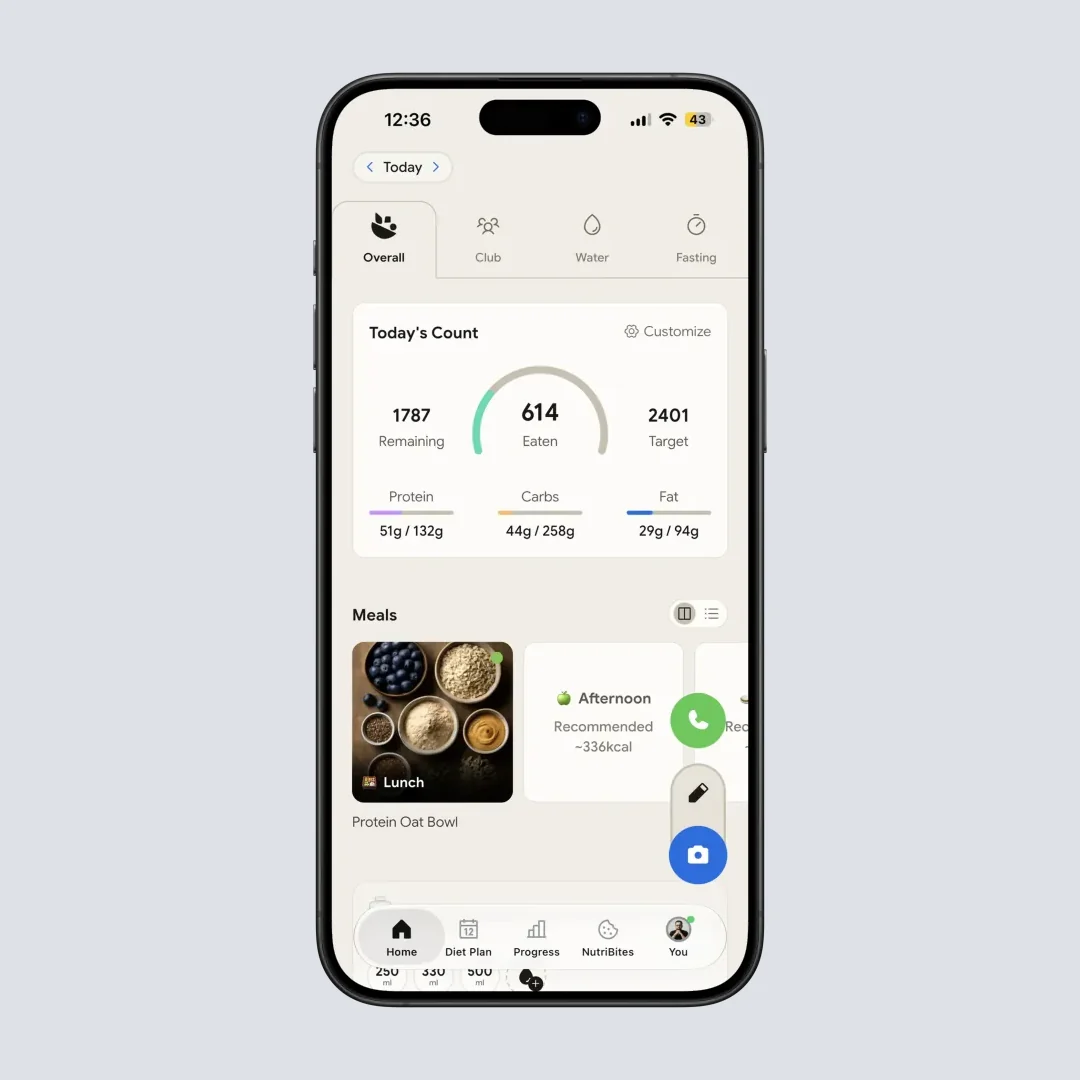
Saving the item adds it to today. The Home screen shows calories and the four macros against your target, each meal carries a NutriScore, and the monthly calendar keeps one score per day. Nothing has to be added up on the back of a receipt.
NutriScan, Yuka and the NHS Food Scanner side by side 🔍
| Yuka | NHS Food Scanner | NutriScan | |
|---|---|---|---|
| How a product goes in | Barcode | Barcode | Photo of the pack or the panel |
| Works with no barcode match | No | No | Yes, it reads the food itself |
| Converts the label to your portion | No | No | Plus and minus, or type the grams |
| Net carbs shown | No | No | Yes, in the breakdown grid |
| Micronutrients per item | Nutrition summary only | Sugar, salt and fat | Fiber, sodium, potassium, calcium, iron and vitamins |
| Adds to a daily calorie total | No | No | Yes, on the Home screen |
| Verdict on the product | Score out of 100 | Traffic lights and a swap suggestion | NutriScore grade with a written reason |
| Coverage and cost | Global product database, free | UK products, free | Free plan with 5 photo scans a week; Premium about 59 dollars a year |
Yuka and the NHS app answer "should I buy this," and they answer it well at the shelf. Once the pack is open the question changes to how much of it you ate, and a barcode lookup has nothing to say about that.
If you want the numbers before you buy anything, run them through the calorie calculator. The food scanner app page covers photographing a plate of cooked food, and the NutriScore app page explains how the grade on each item is worked out.
What people are saying
Real reviews from people tracking their meals with NutriScan.
Finally sticking to a diet plan because of this app 👍🏻
Surprisingly fun to use? Lost 1 kg in 4 days just by logging stuff and keeping my NutriScore green. Still on the free side, will probably grab Premium soon.
You take a photo and seconds later you have your macros and micronutrients. That's basically why I stuck with it.
Translated review
Did some homework before installing and yeah, the photo scan accuracy is legit. NutriScore is solid too. Keep building, this is great.
Translated review
Just started but it looks promising. Big plus that you can try it for free.
Translated review
Finally a calorie counter without ads or upsells every two screens. Photograph the meal, done. Free, simple, exactly what I needed.
Translated review
Found it right when I needed help fixing my eating. Really glad I did.
Solid pick if you want to track calories and stay on a diet plan without overthinking it.
Lost weight using this. The diet plan kept me honest on bad days. People sleep on how much diet actually matters.
Tracks calories, macros, and even the small stuff like micronutrients. If you're trying to build muscle, this is the app to get.
150k+ downloads and a 4.6 star average across the app stores.
Scan one label tonight 📱
Pick something in the cupboard with a panel you have never really read, scan it, and set the portion to what you normally eat.
🚀 What you get
5 photo scans a week, free
Plus unlimited typing and voice logging. Premium makes scans unlimited.
Portion you set
Plus and minus or an exact weight, and every number on the item follows.
Net carbs and micronutrients
Fiber, net carbs, sugar, sodium and the vitamins, on every item you log.
A total that keeps itself
Calories and macros against target on Home, a NutriScore per day on the calendar.
Start on the free plan, 5 photo scans a week with no card. Upgrade to Premium when you want unlimited scans.
Frequently Asked Questions ❓
What does calories per serving mean?
It means the calories in one serving as the manufacturer defined it, not in the pack. In the FDA sample label for frozen lasagna, one cup is 280 calories and the container holds four servings, so finishing it is 1,120 calories. So 150 calories per serving means 150 calories only if you ate exactly one serving. Check servings per container first, then decide how many of them ended up in your bowl.
Net carbs vs total carbs, which one goes on the label?
Total carbs is the number the label prints, and it already contains the fiber and the sugar listed under it. Net carbs is a calculation nobody is required to print: total carbs minus fiber, and minus sugar alcohols if the product has them. People counting for keto or watching blood sugar want the net figure; everyone else can use total carbs. NutriScan does the subtraction. Net Carbs sits in the breakdown grid next to Fiber and Sugar, recalculated whenever you change the portion.
Calories vs kcal, are they the same number?
On a food label, yes. One food calorie is one kilocalorie, which is why US labels say Calories and European, UK, Australian and Indian labels say kcal for the same value. A 250 kcal bar and a 250 calorie bar are the same bar. The kJ number printed beside kcal on European labels is the same energy in kilojoules, and one kcal is about 4.2 kJ, so a 250 kcal bar is roughly 1,046 kJ. NutriScan logs in kcal and calls it calories, so nothing needs converting.
Is there an app to read nutrition labels for me?
That is what NutriScan does with a packaged food. Photograph the pack or the Nutrition Facts panel, tag it as packaged food, and the numbers come back as items you can edit rather than a picture you still have to interpret. Portion moves with plus and minus or an exact weight in grams, net carbs and micronutrients come with it, and the total lands on the Home screen. Free accounts get 5 photo scans a week; typing or speaking what you ate stays unlimited.
Does NutriScan scan barcodes?
No. NutriScan reads the food itself from a photo, so it works on a pack whose barcode is missing from every database, on a bakery item with a sticker instead of a panel, and on a plate that never had a barcode. If barcode lookup is the only way you want to log, an app built around a product database will suit you better.
Discover More Nutrition Tracking Tools
AI Calorie Counter App - Snap a Photo, Get Macros
AI Nutritionist App That Reads Your Logged Meals
Best Protein Supplements for Women
Bulking Meal Plan App That Sets Your Surplus
ChatGPT Calorie Counter Alternative That Keeps the Total
ChatGPT Diet Plan Alternative That Tracks What You Eat
ChatGPT Weight Loss Coach Alternative With a Food Log
Fast Food Calorie Counter App That Reads the Tray
Free Calorie Tracker App with AI Photo Scans | NutriScan
Indian Diet Plan App With Veg and Non Veg Meals
Indian Food Calorie Calculator - Get Instant Nutrition Facts for Desi Meals (2026)
Intermittent Fasting for Women, Timer and Meal Log App
Intermittent Fasting Tracker App - Free Fasting Timer
Macro Tracker App That Fills the Numbers From a Photo
Mediterranean Diet Meal Plan App That Counts the Oil
Micronutrient Tracker App for Vitamins and Minerals
MyFitnessPal Alternative That Stays Free | NutriScan
NutriScore App: A Free Grade on Every Meal | NutriScan
Nutrition Label Scanner App for the Amount You Ate
Second Trimester Protein Guide
Vegetarian Meal Plan App With a Protein Target
Voice Calorie Counter - Speak to Track Meals Hands-Free
Water and Calorie Tracker App - Free Water Log