Pretty good app honestly. Logging meals is fast and the macro breakdown is easy to read. Photo scan gets confused on some Indian dishes though, fix that and it's 5 stars for sure.
Need a hands-free way to track calories without typing?
NutriScan solves this with intelligent voice recognition that instantly logs any meal you speak - whether you're driving to work, cooking dinner, or walking after lunch. If you want a hands free food diary or a voice nutrition assistant, this talk to log meals app is built for natural, everyday use. Tap the mic and speak to track food in seconds. The app understands speech patterns, captures accurate nutrition data, and syncs everything automatically to your daily tracking dashboard.

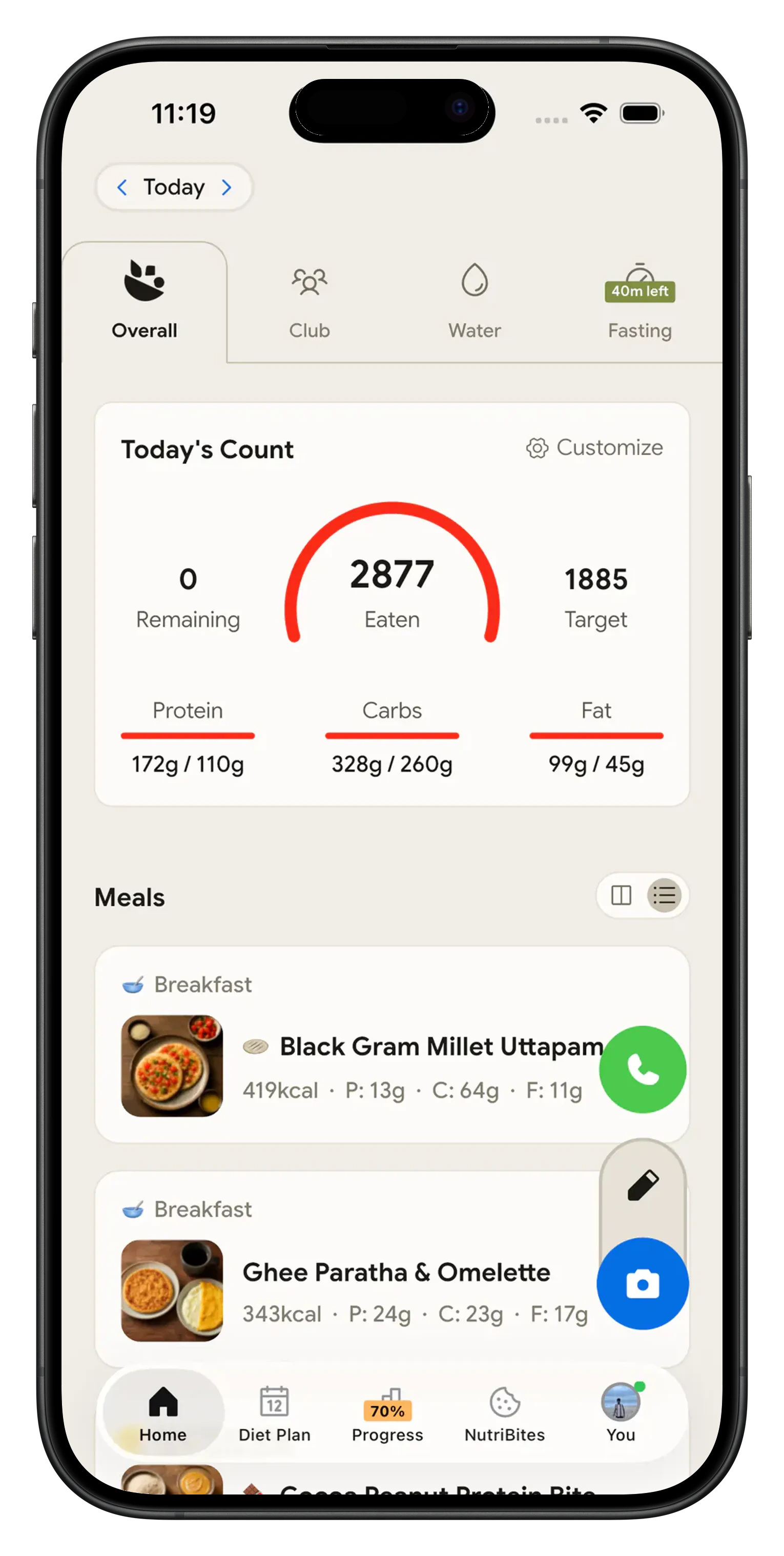
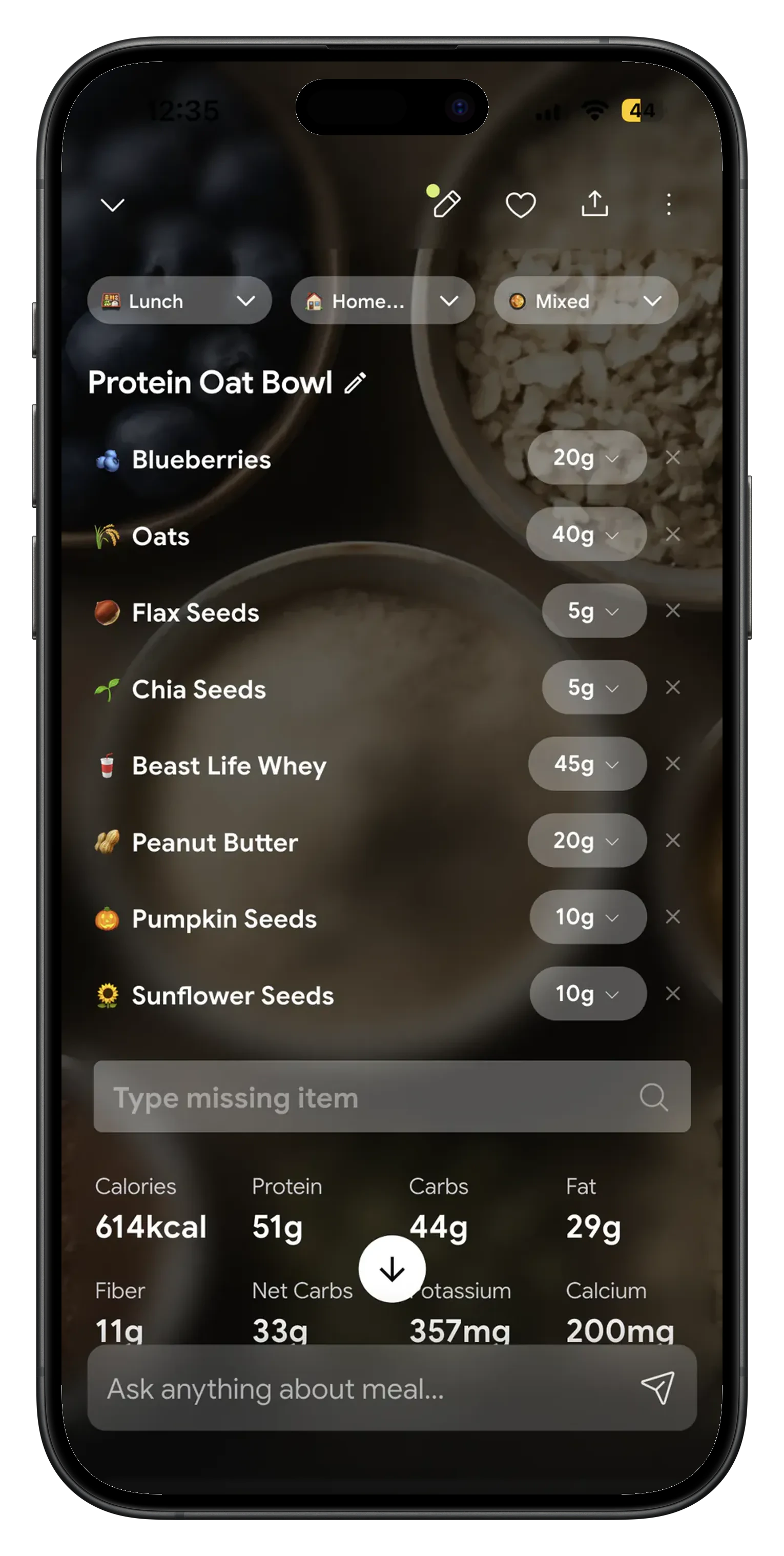
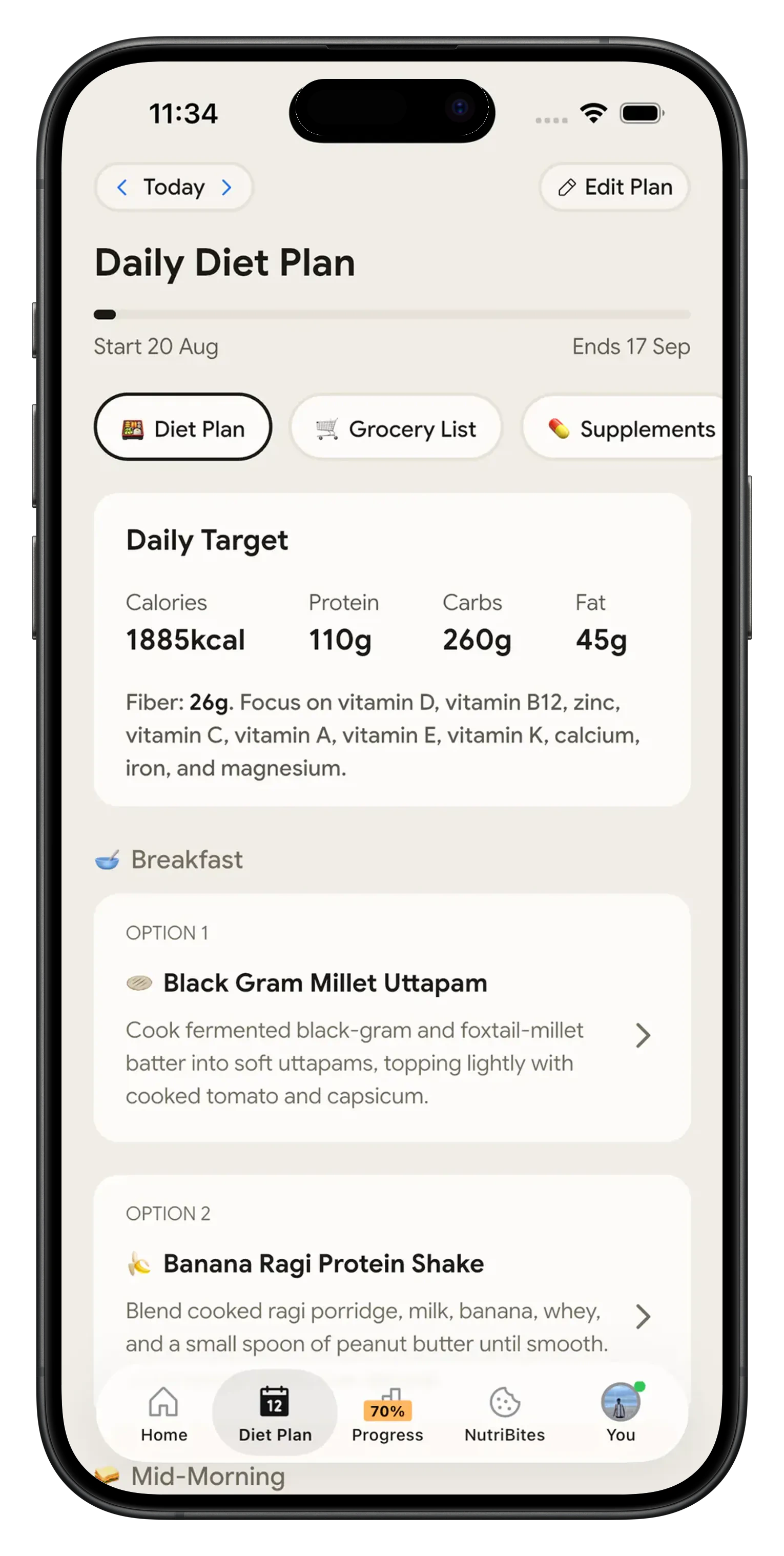
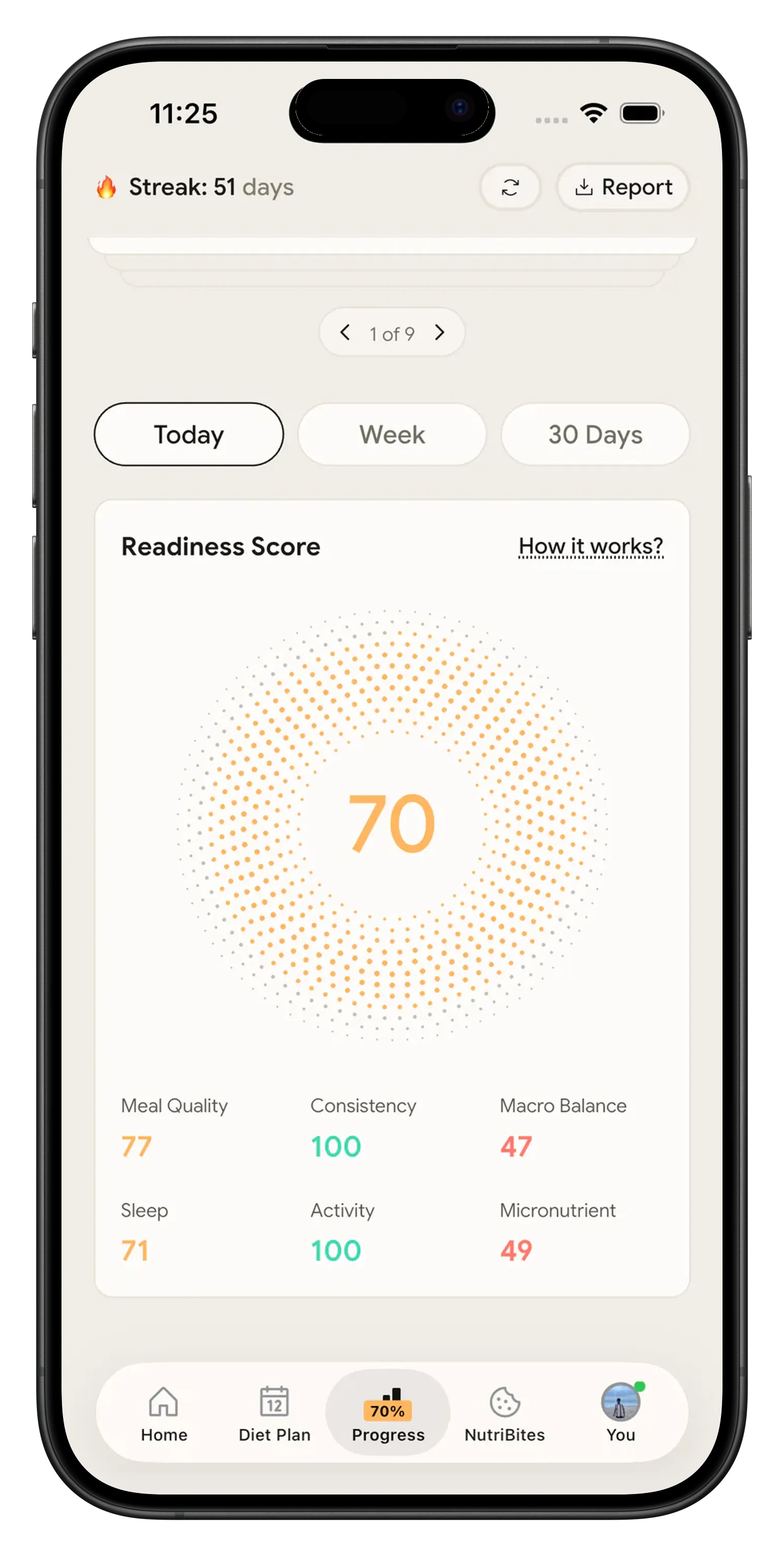
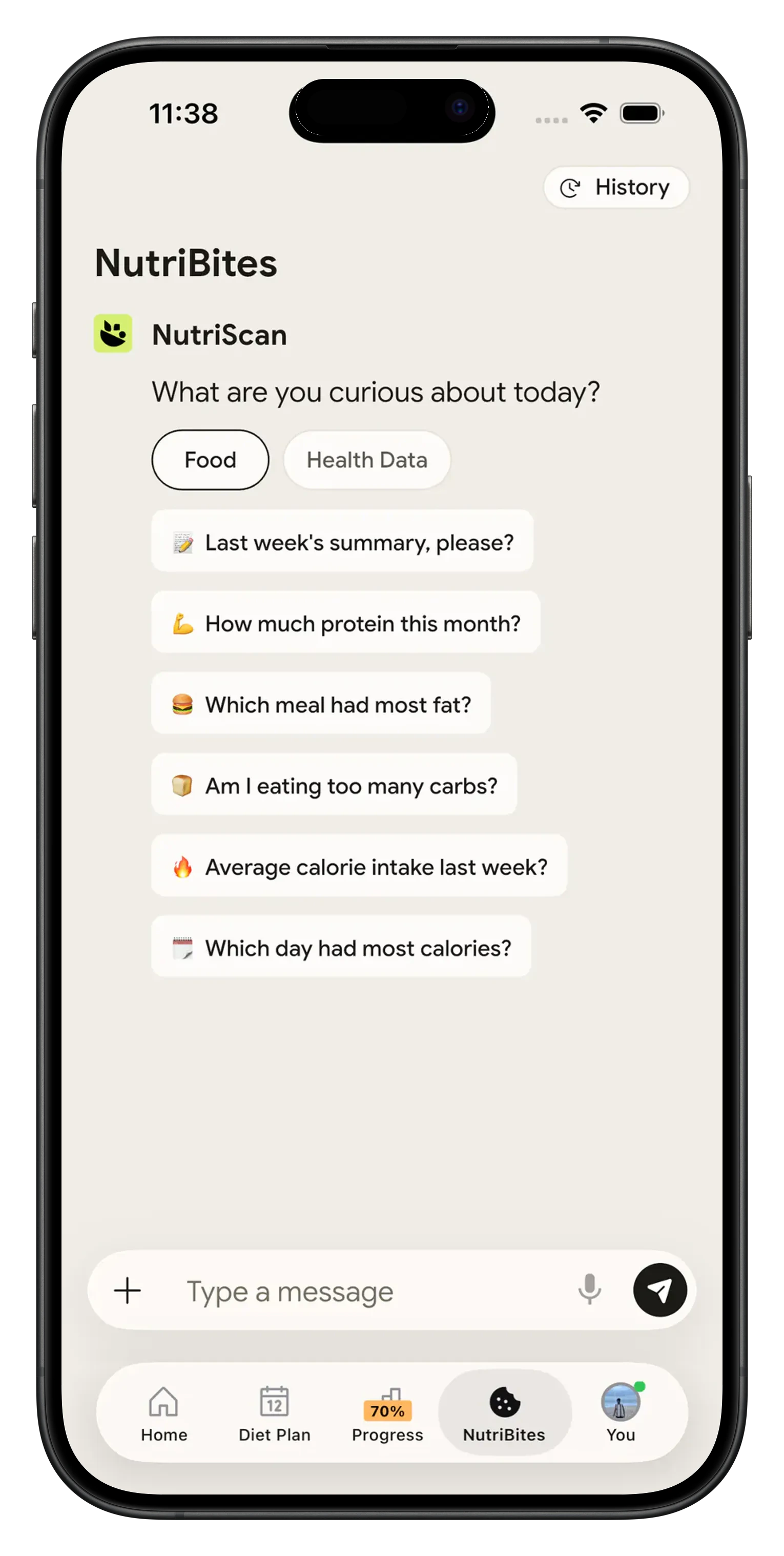
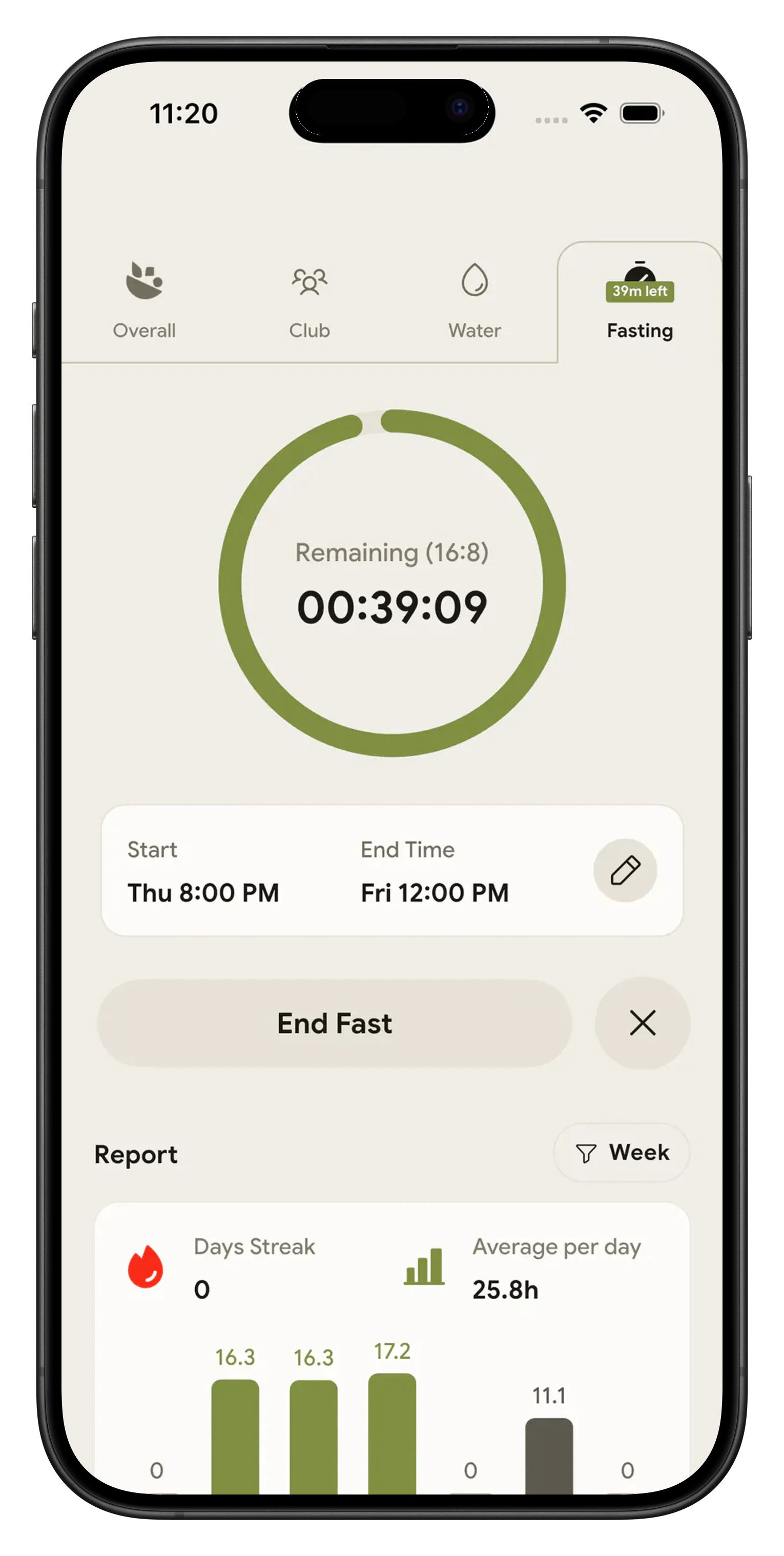
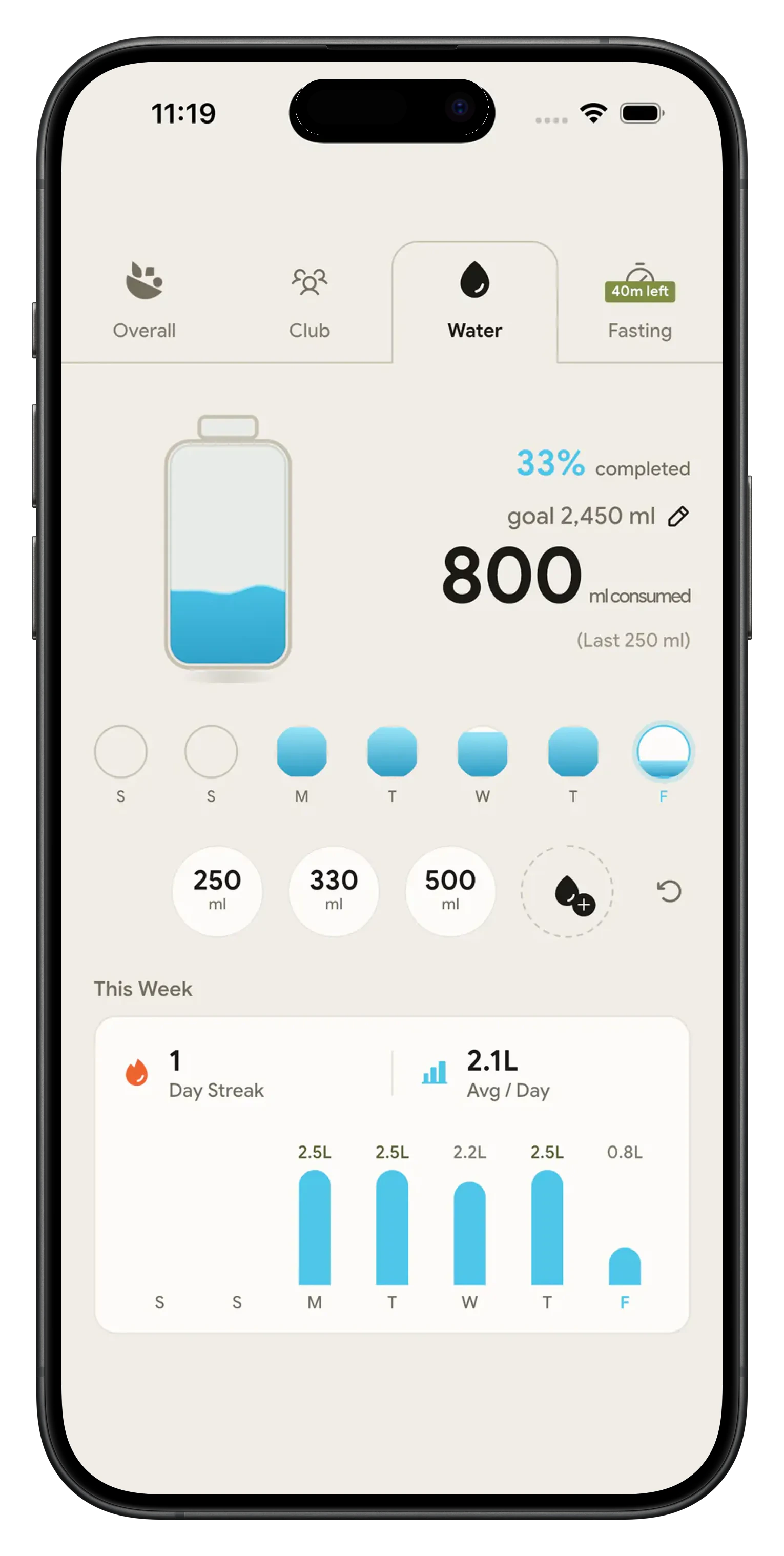
NutriScan: Voice-Activated Calorie Counter 🎤📊
Tired of typing every meal detail or taking photos when your hands are full? NutriScan introduces the world's most advanced voice-activated calorie counting system, designed for busy people who want accurate nutrition tracking without the hassle. Whether your goal is weight loss, muscle gain, diabetes management, or healthy living, NutriScan understands your spoken words and instantly calculates calories, macros, and nutrients.
No more manual entry or interrupting your day. NutriScan gives you lightning-fast voice logging, real-time nutrition analysis, and smart AI assistance to make healthy eating effortless while you're on the move.
Why Choose Voice-Activated Calorie Counter? 🎯
Looking for an app where you can talk to log meals? Want a hands free food diary that actually works? NutriScan's voice-powered tracking makes nutrition logging quick:
Hands-Free Voice Logging
Simply speak what you ate - while driving, cooking, or multitasking. No typing, no photos needed
Instant AI Processing
Advanced AI converts speech to detailed nutrition data in seconds
Natural Language Understanding
Speak naturally - the app understands casual descriptions and food names from any culture
Complete Nutrition Analysis
Get calories, protein, carbs, fats, and micronutrients from voice input alone
Voice AI Nutritionist
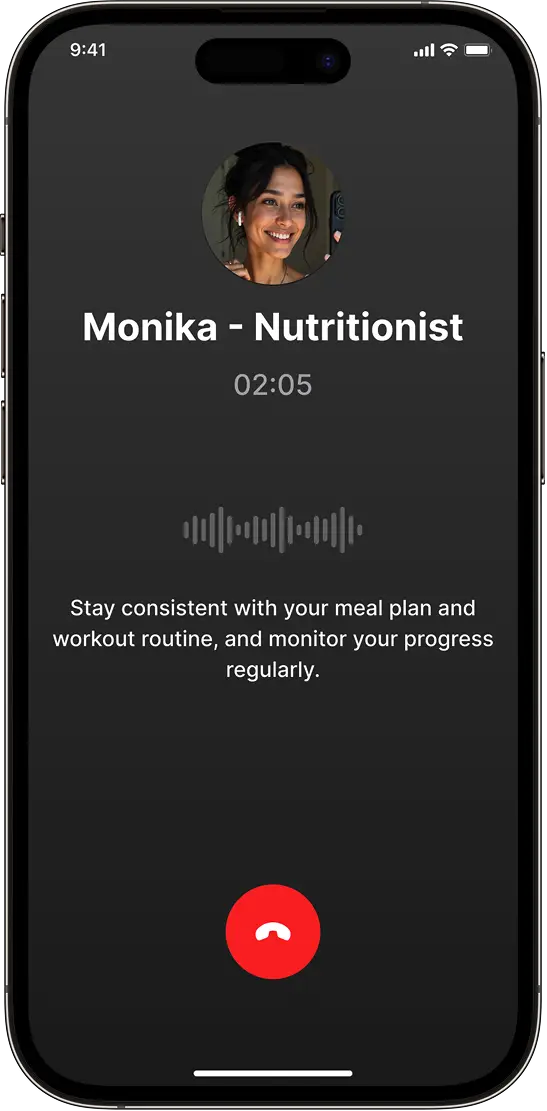
Ask Monika questions about your meals and get instant voice responses
Key Features of Voice-Activated Calorie Counter
Smart Voice Recognition
Advanced AI understands your natural speech patterns and converts them to accurate nutrition logs instantly
Multi-Modal Flexibility
Switch between voice, photo, or text logging based on your situation
Context-Aware Logging
AI automatically fills meal times, food types, and cooking methods from your voice description
Real-Time Tracking Dashboard
See calories and macros update instantly as you speak your meals throughout the day
Before and After Voice-Activated Calorie Tracking 📉➡️📈
| Experience | Before Voice Tracking | With NutriScan Voice Counter |
|---|---|---|
| Meal Logging Speed | ❌ 3-5 minutes typing/searching | ✅ 15 seconds speaking |
| Convenience While Busy | ❌ Must stop activities | ✅ Log while driving, cooking, walking |
| Accuracy of Details | ❌ Forget portions, ingredients | ✅ Speak naturally, AI captures all |
| Consistency | ❌ Skipped meals due to hassle | ✅ Never miss logging - too easy |
| Multitasking | ❌ Impossible | ✅ Full hands-free operation |
How Voice-Activated Calorie Counter Works 🛠️
Tap the Microphone & Grant Permission
Open NutriScan and tap the microphone button. Grant one-time microphone permission to enable voice logging. Your privacy is protected - we only listen when you activate the feature

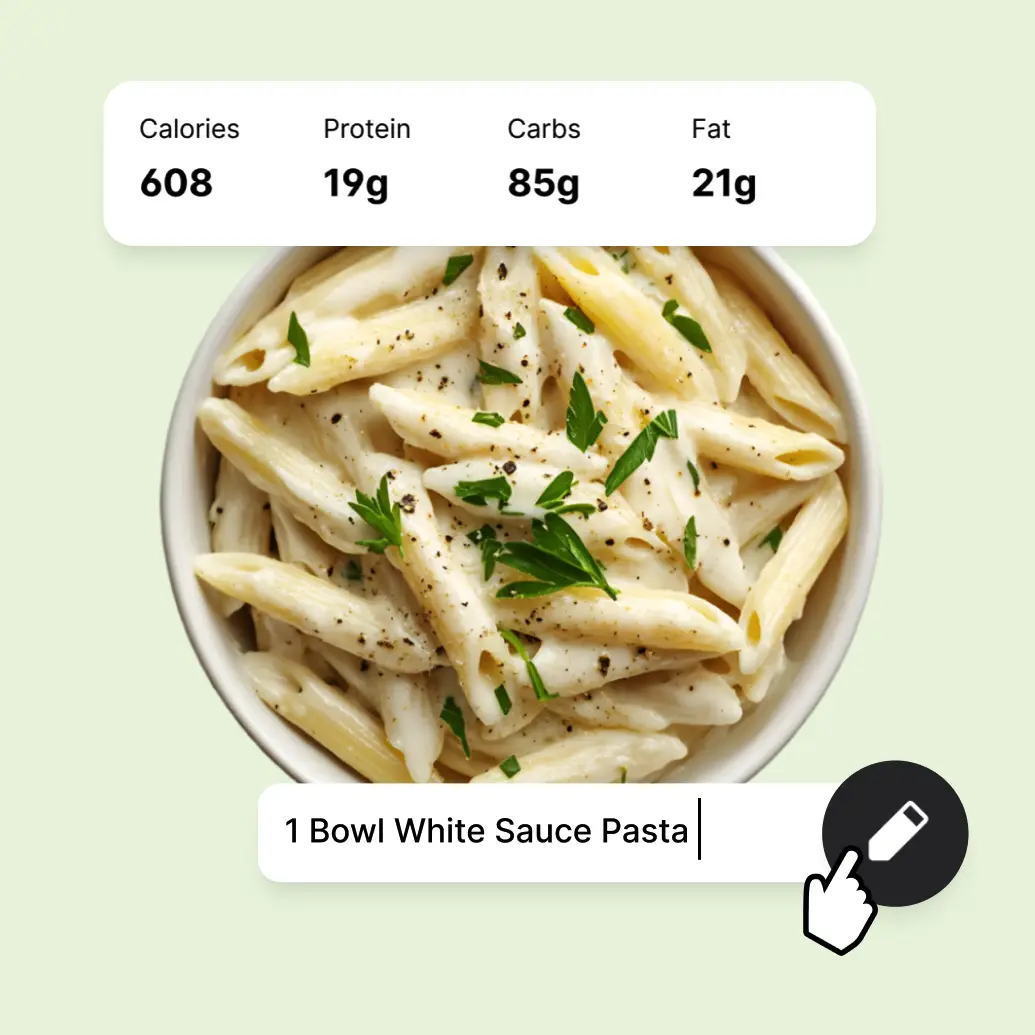
Speak Your Meals Naturally
Just say what you ate: "Two slices of whole wheat toast with peanut butter and banana" or "Grilled chicken salad with olive oil dressing." The AI understands natural language and captures all details
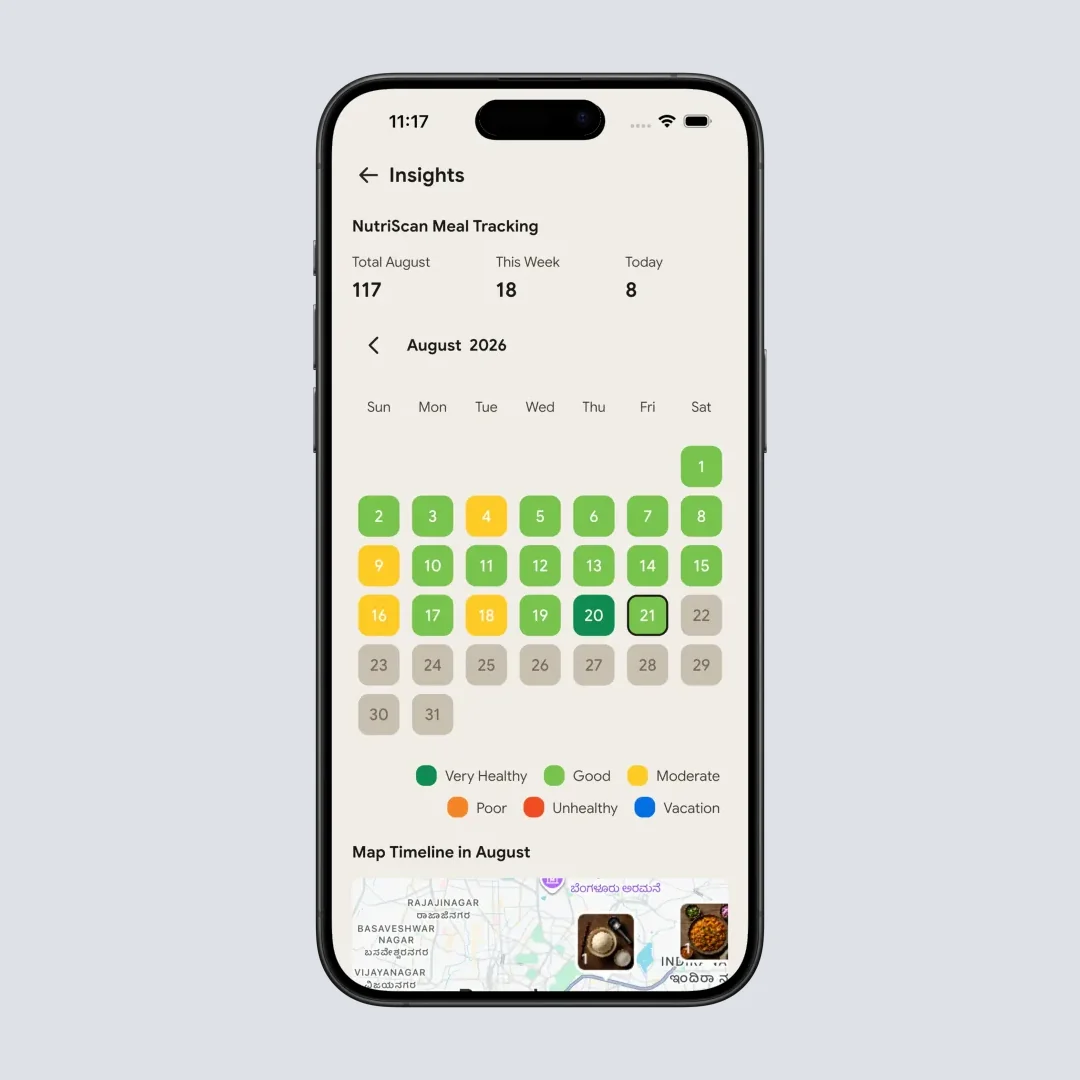
AI Processes & Displays Results
NutriScan's AI instantly converts your speech to text, identifies food items, estimates portions, and calculates complete nutrition - calories, protein, carbs, fats, and micronutrients. Review and adjust on your dashboard
Real-World Use Cases for Voice Calorie Counting 🌟
Voice-activated calorie counting transforms how you track nutrition in everyday situations:
For Busy Professionals:
- During Commute - Log breakfast while driving to work, no hands needed for phone typing
- Between Meetings - Quickly speak your lunch during a walking break, save 5 minutes
- While Cooking - Log dinner ingredients as you prepare meals, hands are free to cook
- Evening Routine - Speak snacks while watching TV or doing household chores
For Active Lifestyles:
- At the Gym - Log pre-workout meals while warming up or post-workout protein while stretching
- During Runs - Track water and energy gel intake mid-run without stopping
- Sports Practice - Athletes can log meals between drills without interrupting training
- Outdoor Activities - Hikers and cyclists log trail snacks while moving
For Parents and Caregivers:
- Hands-Full Moments - Log meals while holding kids, carrying groceries, or doing laundry
- Feeding Time - Track your food while feeding young children or helping with homework
- Kitchen Chaos - Log cooking portions while managing multiple pots and hungry family members
- Bedtime Routine - Quick voice log of evening snacks while settling kids down
For Health Management:
- Diabetes Tracking - Instant carb counting by voice for faster insulin calculations
- Weight Loss Journey - Never skip logging because typing felt too tedious
- Pregnancy Nutrition - Track meals easily when mobility and multitasking are challenging
- PCOS Management - Consistent logging without the friction of manual entry
For Restaurant and Social Dining:
- Discreet Logging - Speak your meal into the app instead of awkwardly typing at dinner table
- Fast Food Runs - Log drive-through orders while driving away
- Office Lunch - Track restaurant meals during conversation with colleagues
- Social Gatherings - Quick voice note about party food without seeming antisocial
Benefits of Voice-Activated Calorie Tracking 💪
For Your Health:
- Better Consistency - Voice logging is so easy you'll never skip meals again
- Time Savings - Log meals 10x faster than manual typing or searching databases
- Reduced Friction - No cognitive load from typing means better tracking compliance
- Accurate Recall - Speak immediately after eating for more accurate portion memory
For Lifestyle Integration:
- True Multitasking - Track nutrition while doing anything else - work, exercise, chores
- Accessibility - Perfect for people who find typing difficult or have limited mobility
- Natural Experience - Talking feels more intuitive than searching food databases
- Privacy in Public - Discreetly log meals by speaking quietly instead of obvious photo-taking
Related NutriScan Features:
Enhance your voice calorie tracking experience with these powerful tools:
- AI Food Tracker - Combine voice logging with photo scanning for complete meal tracking
- Macro Calculator - Calculate your personalized macro targets for better nutrition planning
- Nutrition Tracker - Track complete micronutrient intake alongside calories and macros
- Diet Plan Generator - Get personalized 28-day meal plans based on your health goals
- Getting Started Guide - Learn how to set up NutriScan for optimal voice tracking results
- Support Center - Get help with voice recognition troubleshooting and app features
What people are saying
Real reviews from people tracking their meals with NutriScan.
Finally sticking to a diet plan because of this app 👍🏻
Surprisingly fun to use? Lost 1 kg in 4 days just by logging stuff and keeping my NutriScore green. Still on the free side, will probably grab Premium soon.
You take a photo and seconds later you have your macros and micronutrients. That's basically why I stuck with it.
Translated review
Did some homework before installing and yeah, the photo scan accuracy is legit. NutriScore is solid too. Keep building, this is great.
Translated review
Just started but it looks promising. Big plus that you can try it for free.
Translated review
Finally a calorie counter without ads or upsells every two screens. Photograph the meal, done. Free, simple, exactly what I needed.
Translated review
Found it right when I needed help fixing my eating. Really glad I did.
Solid pick if you want to track calories and stay on a diet plan without overthinking it.
Lost weight using this. The diet plan kept me honest on bad days. People sleep on how much diet actually matters.
Tracks calories, macros, and even the small stuff like micronutrients. If you're trying to build muscle, this is the app to get.
Get Voice-Activated Calorie Tracking with NutriScan App 📱
While basic calorie counting advice is helpful, NutriScan App transforms your nutrition tracking with voice-powered AI technology.
🚀 Why Upgrade to NutriScan Voice Premium?
Voice Meal Logging
Speak your meals for instant calorie and macro tracking. Save 20+ minutes daily with hands-free logging.
Voice AI Assistant (Monika)
Have voice conversations with AI nutritionist about meals, goals, and health questions.
Real-Time Voice Analytics
Watch calories, macros, and nutrients update as you speak. Instant feedback keeps you on track.
Smart Voice Commands
Ask "What did I eat today?" or "Copy yesterday's lunch" - AI understands and executes instantly.
⭐ Free to start, voice logging included, no card required
What's the Difference? 📊
See how NutriScan's voice-activated system transforms calorie tracking:
| Feature | Traditional Apps | NutriScan Voice Calorie Counter |
|---|---|---|
| Logging Speed | ❌ 3-5 minutes per meal | ✅ 15 seconds with voice |
| Hands-Free Operation | ❌ Requires phone in hand | ✅ Complete voice control |
| Natural Language | ❌ Search exact food names | ✅ Speak naturally, AI understands |
| Multi-Modal Input | ❌ One method only | ✅ Voice, photo, or text - your choice |
| Real-Time AI Processing | ❌ Manual database search | ✅ Instant AI conversion to nutrition data |
| Voice AI Assistant | ❌ Text-based chatbot | ✅ Monika AI with voice conversations |
| Busy Lifestyle Friendly | ❌ Requires stopping activity | ✅ Track while doing anything else |
Frequently Asked Questions ❓
Q: How accurate is voice calorie counting compared to manual entry?
A: Voice logging with NutriScan is as accurate as manual entry because it uses the same AI nutrition database. The app converts your speech to text, identifies foods, estimates portions from your description, and calculates complete nutrition data. You can always review and adjust portions on the nutrition details page if needed. The accuracy depends on how clearly you describe your meal - more details lead to better estimates.
Q: Can the app understand different accents and languages?
A: Yes! NutriScan's voice recognition works with various English accents including American, British, Indian, Australian, and more. The app also supports voice input in multiple languages including Hindi, Spanish, German, and French. The AI is trained on diverse speech patterns and regional food names, so it understands both "chips" (UK) and "fries" (US), or "dal" and "lentil soup" equally well.
Q: What if I'm in a noisy environment or can't speak clearly?
A: NutriScan offers multiple logging options for flexibility. If voice isn't convenient, you can instantly switch to photo scanning by tapping the camera icon, or use manual text entry with the pencil icon. The app also has noise filtering technology that works reasonably well in moderate background noise like cafes or offices. For very noisy places like gyms or streets, we recommend using photo or text logging instead.
Q: Does voice logging work with meal repeats and favorite meals?
A: Absolutely! After voice logging a meal, you can mark it as a favorite by tapping the heart icon on the nutrition details page. Later, you can copy that meal to today with one tap - no need to speak it again. You can also set up daily repeats for regular meals like breakfast. Just voice log once, then use the repeat feature to automatically log it on selected weekdays. This combines voice convenience with smart automation.
Q: How does voice logging handle complex meals with multiple items?
A: NutriScan's AI is trained to understand multi-item meals. You can say "Grilled chicken breast, brown rice, steamed broccoli with butter" and the AI will separate each item, calculate individual nutrition values, and give you a complete meal breakdown. You can speak up to 100+ words per voice input to describe elaborate meals with sides, sauces, and cooking methods. The nutrition details page shows each item separately so you can adjust portions individually if needed.
Discover More Nutrition Tracking Tools
AI Calorie Counter App - Snap a Photo, Get Macros
AI Nutritionist App That Reads Your Logged Meals
Best Protein Supplements for Women
Bulking Meal Plan App That Sets Your Surplus
ChatGPT Calorie Counter Alternative That Keeps the Total
ChatGPT Diet Plan Alternative That Tracks What You Eat
ChatGPT Weight Loss Coach Alternative With a Food Log
Fast Food Calorie Counter App That Reads the Tray
Free Calorie Tracker App with AI Photo Scans | NutriScan
Indian Diet Plan App With Veg and Non Veg Meals
Indian Food Calorie Calculator - Get Instant Nutrition Facts for Desi Meals — 2026
Intermittent Fasting for Women, Timer and Meal Log App
Intermittent Fasting Tracker App - Free Fasting Timer
Macro Tracker App That Fills the Numbers From a Photo
Mediterranean Diet Meal Plan App That Counts the Oil
Micronutrient Tracker App for Vitamins and Minerals
MyFitnessPal Alternative That Stays Free | NutriScan
NutriScore App: A Free Grade on Every Meal | NutriScan
Nutrition Label Scanner App for the Amount You Ate
Second Trimester Protein Guide
Vegetarian Meal Plan App With a Protein Target
Voice Calorie Counter - Speak to Track Meals Hands-Free
Water and Calorie Tracker App - Free Water Log