Pretty good app honestly. Logging meals is fast and the macro breakdown is easy to read. Photo scan gets confused on some Indian dishes though, fix that and it's 5 stars for sure.
Water and Calorie Tracker App for One Daily Log
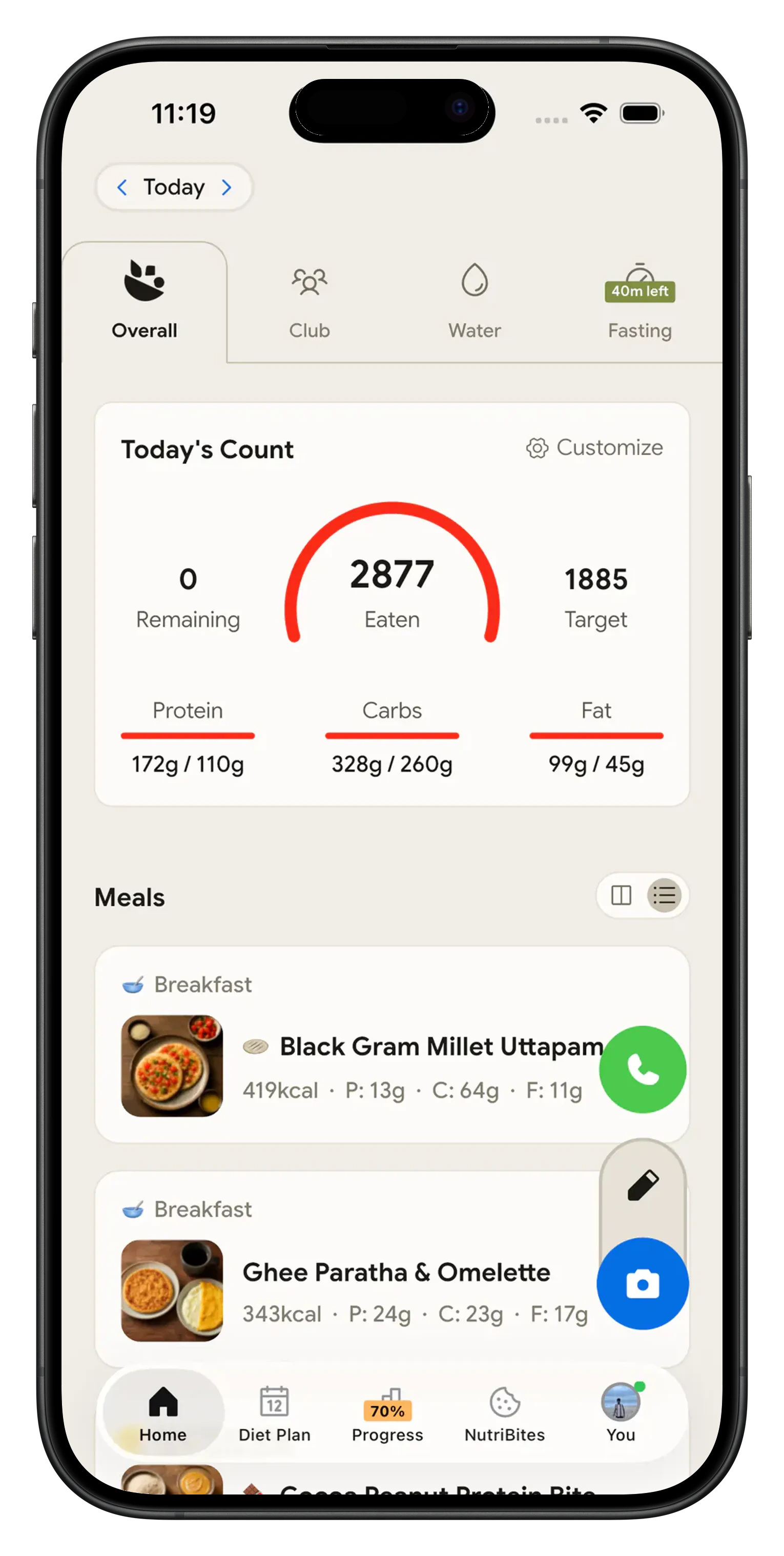
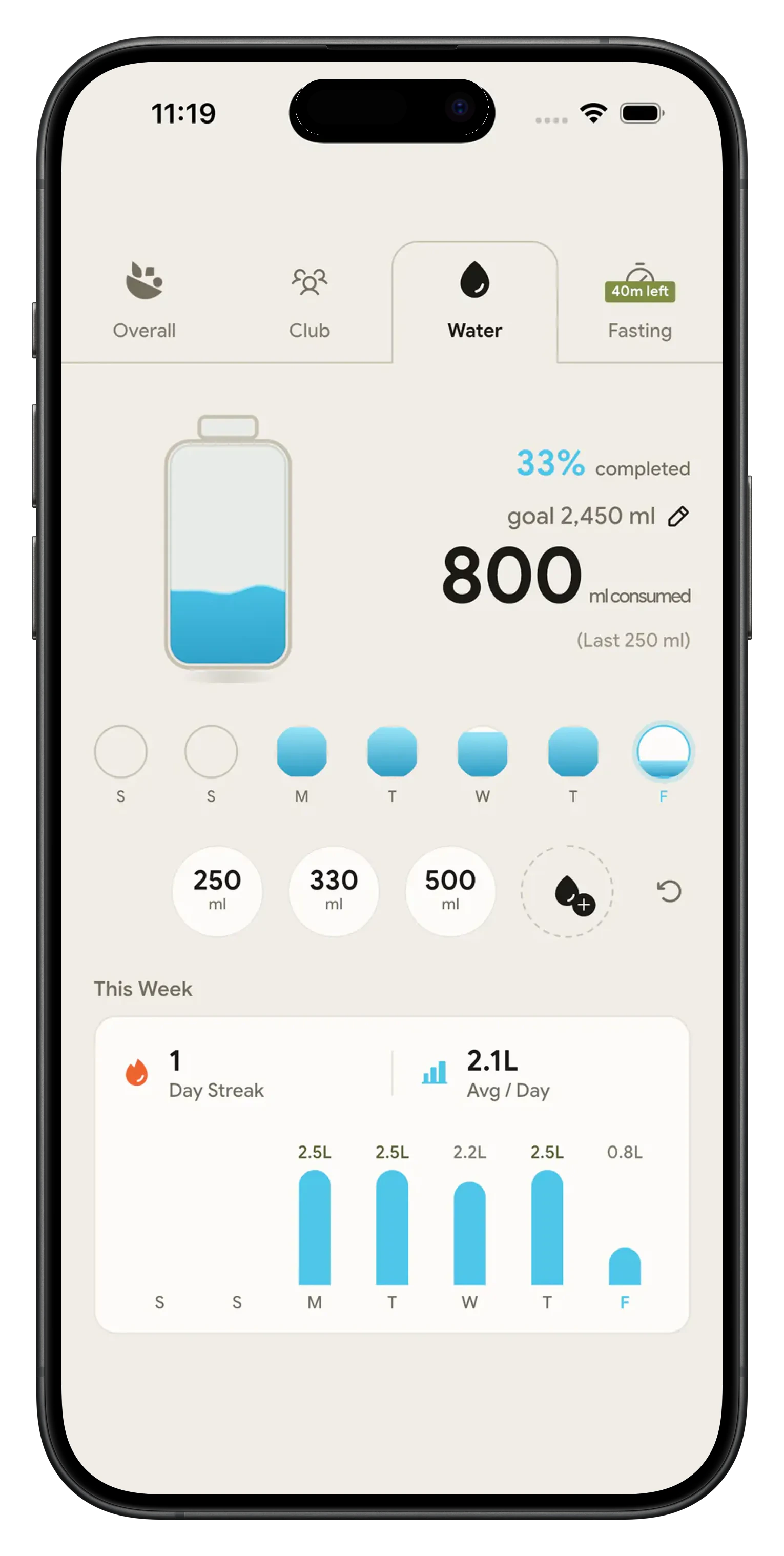
NutriScan logs your water and your food on the same home screen. Tap 250 ml, 330 ml or 500 ml to log a glass, and the bottle fills. Point the camera at your plate and the calories land in the same day. The water tracker is free, with no cap.

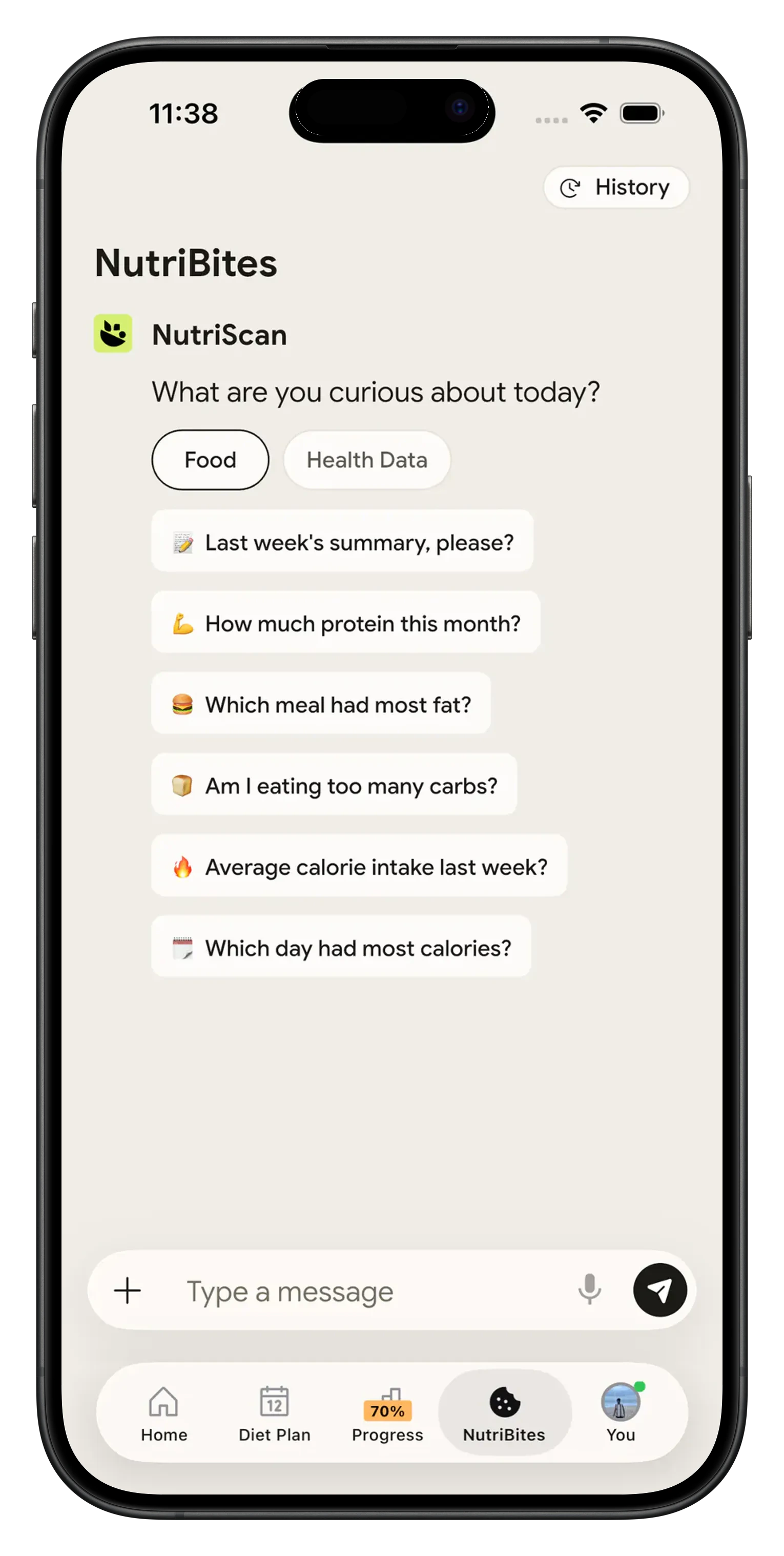
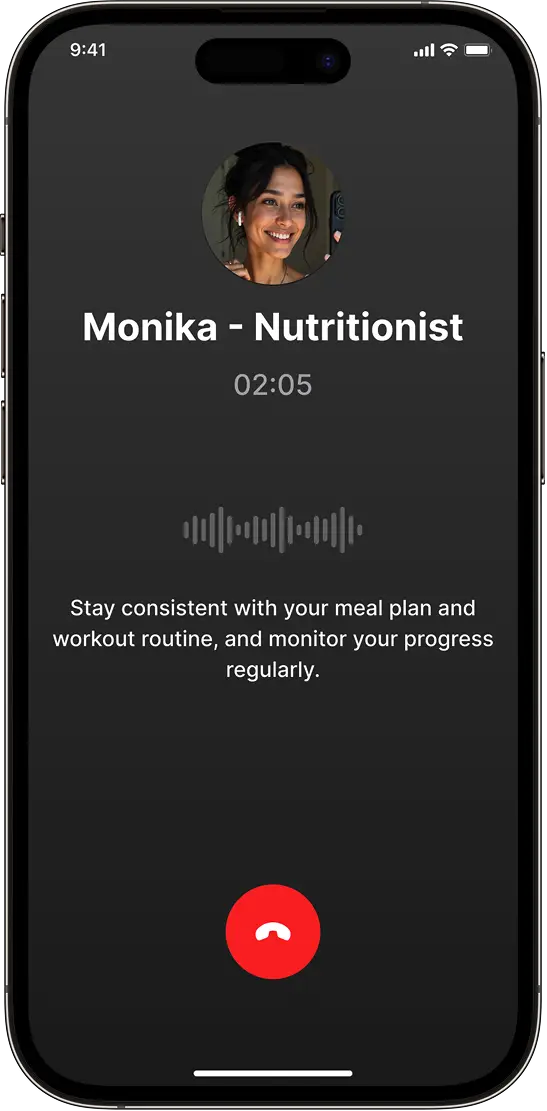
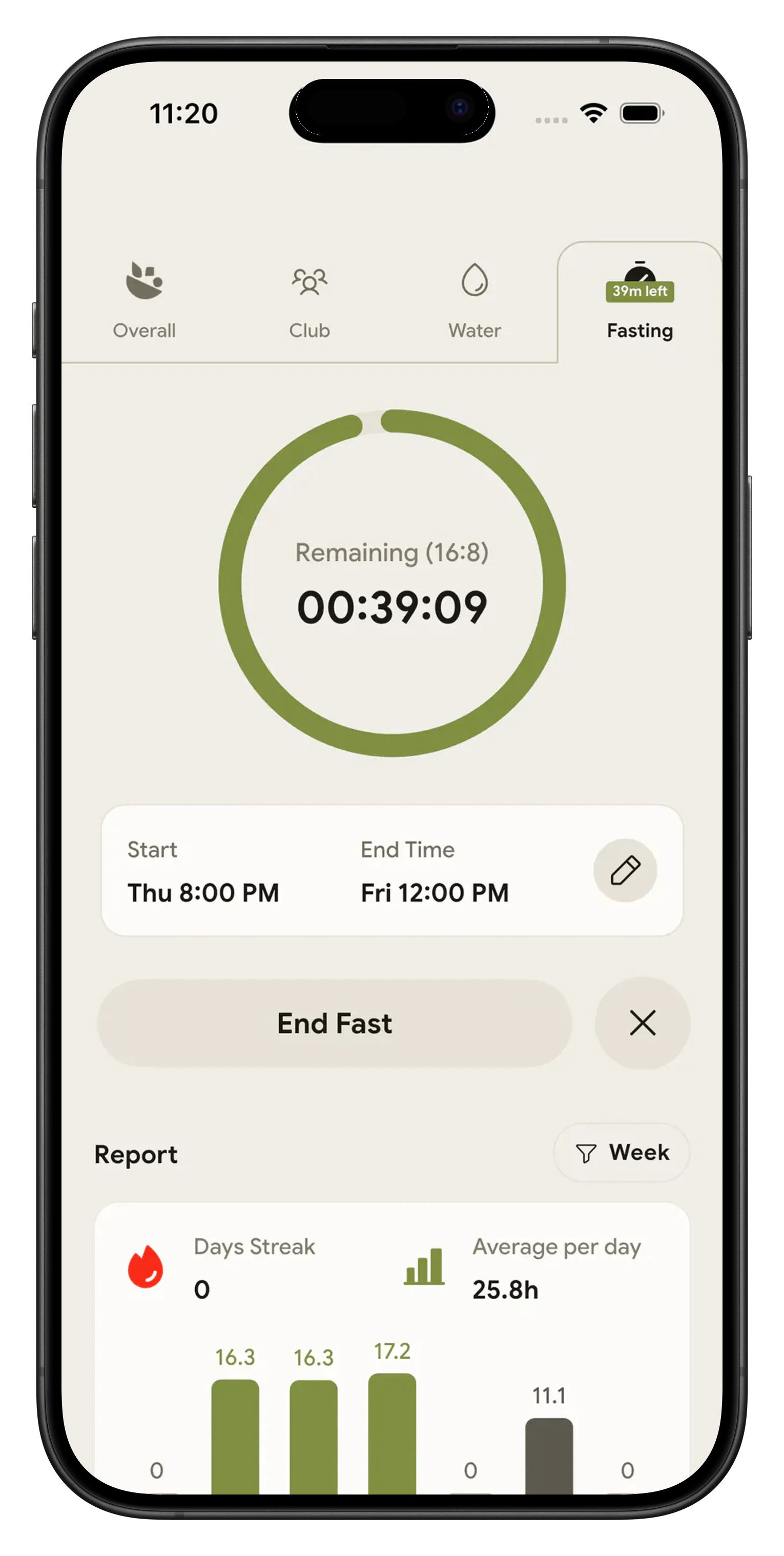
One app for the water log and the food log 💧
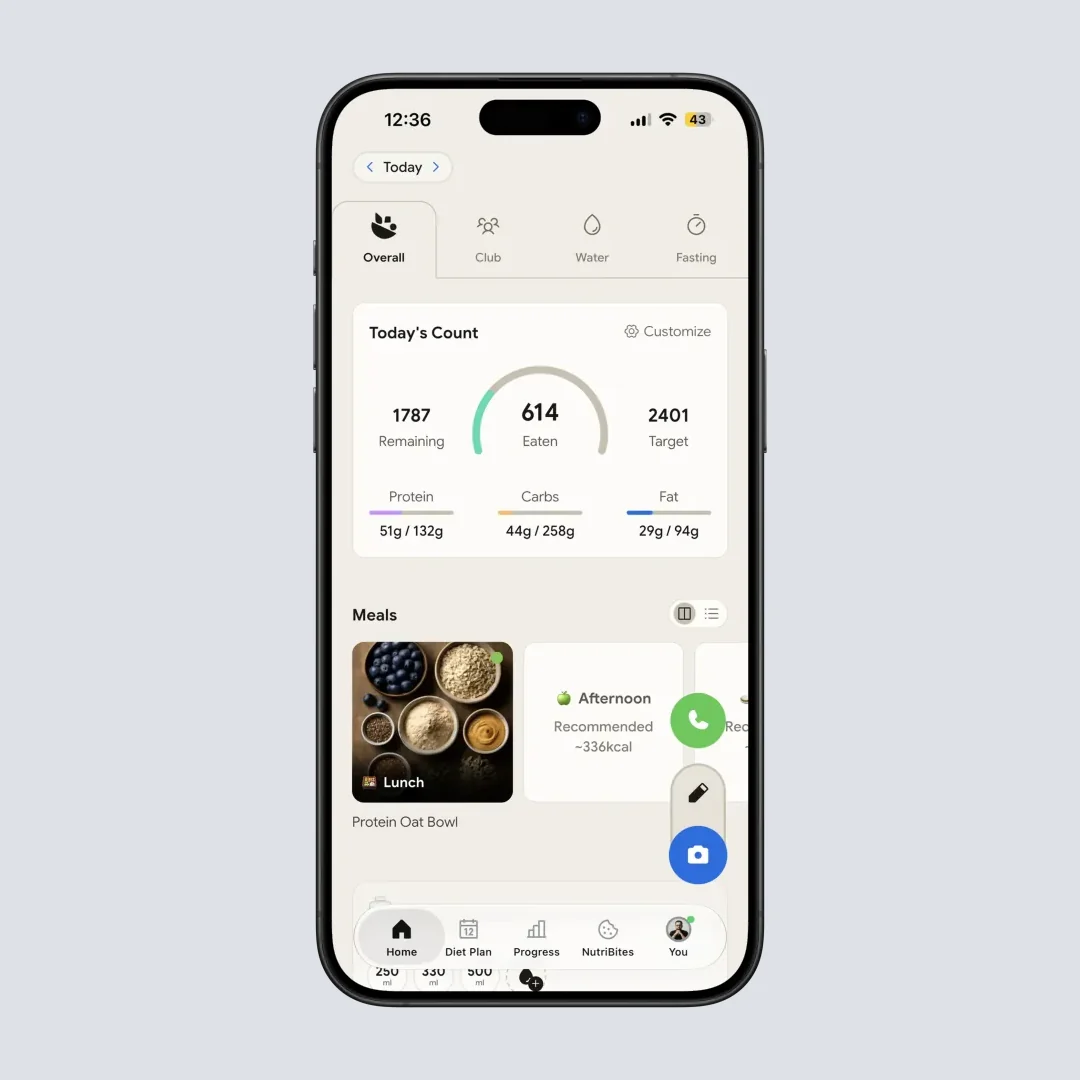
Most people end up with a water tracker on one home screen and a calorie counter on another. Two goals, two histories, two sets of reminders, none of it lined up. NutriScan puts a Water tab right next to Overall, Club and Fasting, and drops a compact water card onto the Overall tab so today's amount sits under today's calories and macros. Set your calorie and macro targets first with the macro calculator, then let the Water tab handle the glasses.
Harvard Health notes that food carries a real share of your daily water. Soup, fruit and vegetables count, which is one more reason to keep the drinking log and the eating log together.
Why people stop using water apps 😤
Most water apps are free to install, then charge for editable history, more cup sizes or extra drinks. NutriScan's water tracking is free with no cap. The other two reasons people quit are the goal and the nudge. Eight glasses is a rule of thumb that ignores your size, so NutriScan starts you at 35 ml per kilogram of your body weight. And if nothing reminds you, you remember the bottle at 9pm, so Profile then Set Reminders gives you up to six slots with Water as one of the types.
What the water tracker does 🚰
Log a glass in one tap
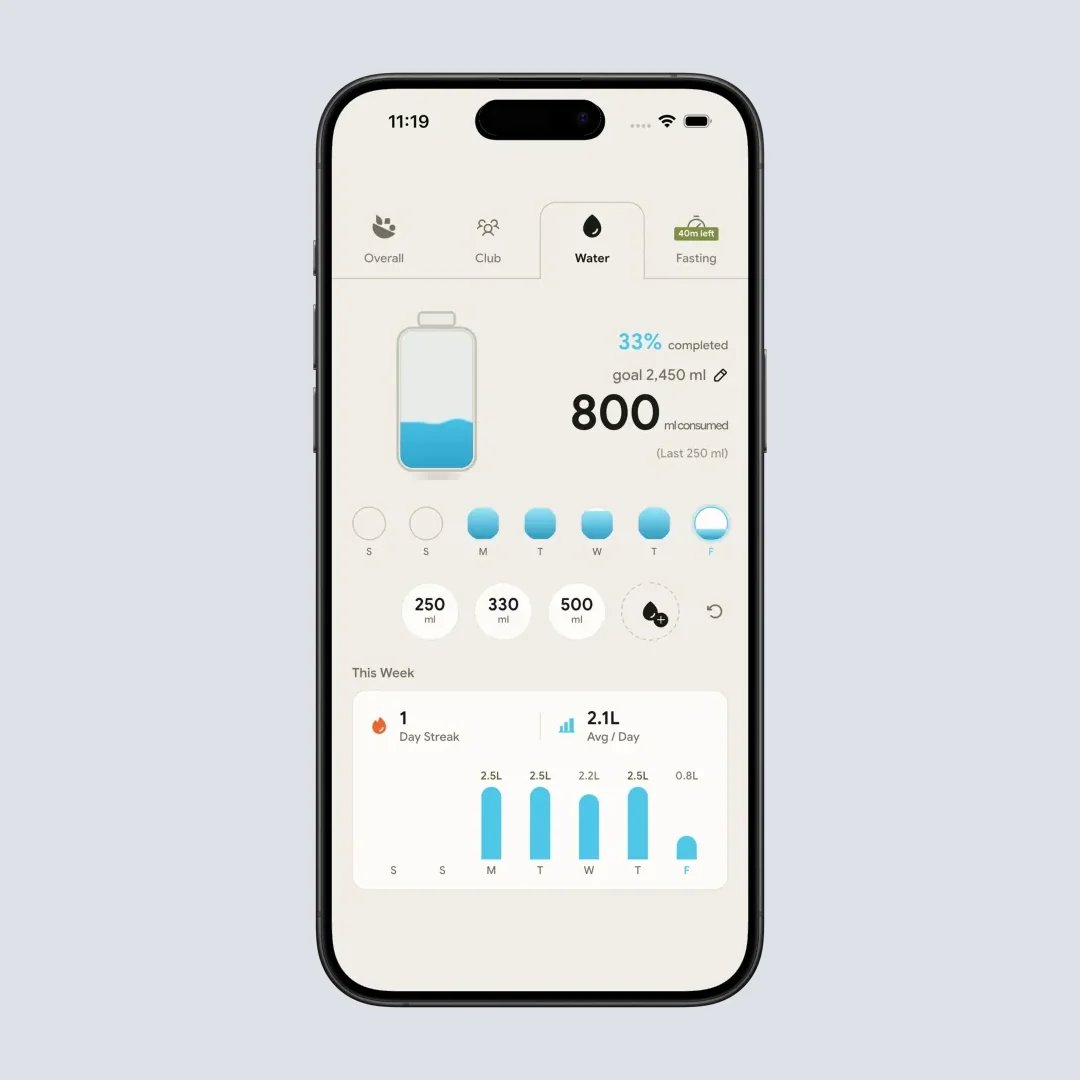
Three quick chips sit under the bottle: 250 ml, 330 ml and 500 ml. The droplet chip opens a custom amount up to 3,000 ml in one entry. Tapped the wrong chip? The undo icon sits next to them and removes the last entry.
A goal from your body weight
Your target starts at 35 ml per kilogram of the weight you entered during setup, with 2,000 ml as the fallback. Tap the pencil next to "goal" to change it, anywhere from 500 ml to 10,000 ml.
Streak, average and weekly bars
The This Week card shows your day streak, every day in a row you hit the goal, your average per day in liters, and a bar chart of daily totals with today highlighted.
Water on the same screen as calories
The Overall tab carries a compact water card with the amount, the goal and the percent, plus the same chips and undo. You never leave the meal list to log a glass.
A bottle you can read in a second
The Water tab opens on a bottle that fills as the day goes, with "N% completed", a large "N ml consumed" numeral and the size of your last entry. Under it, a seven-day strip fills each day to its own percentage, with a ring around today.
How the water and calorie tracker works 🛠️
Open the Water tab and set your goal
Water is a top tab on the home screen, between Club and Fasting. The first time you open it, a two-step intro shows a grid of glasses at 200 ml each so you can picture the target. NutriScan suggests 35 ml per kilogram of your body weight, and you can change that number from the pencil next to the goal.
Turn on water reminders
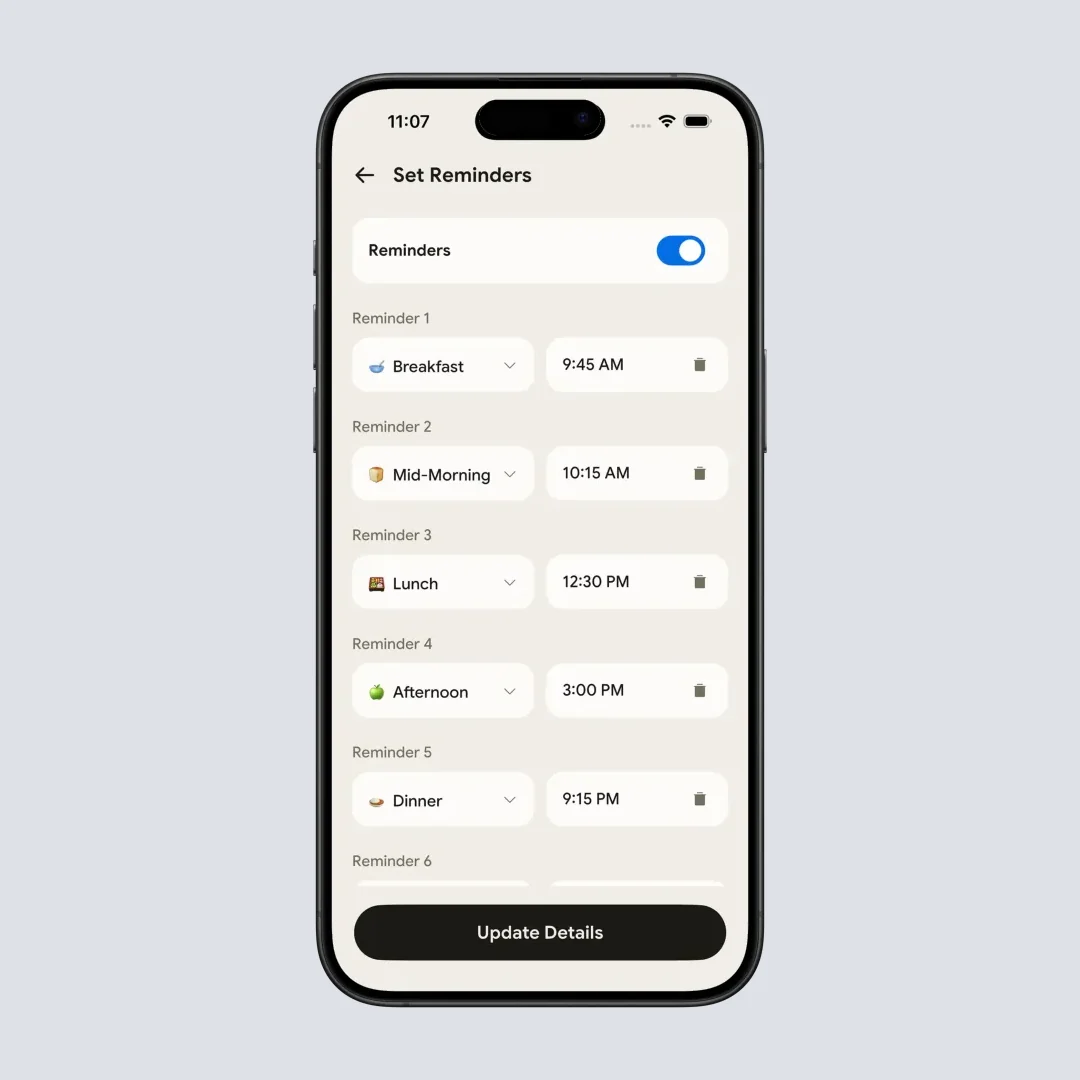
Go to Profile then Set Reminders. Switch the master toggle on, add a slot, pick Water from the type dropdown and set the time. You get up to six slots in total, shared with your meal reminders. Tap Update Details to save, and pick the hours you know you skip, such as mid-morning and late afternoon.
Log the food in the same app
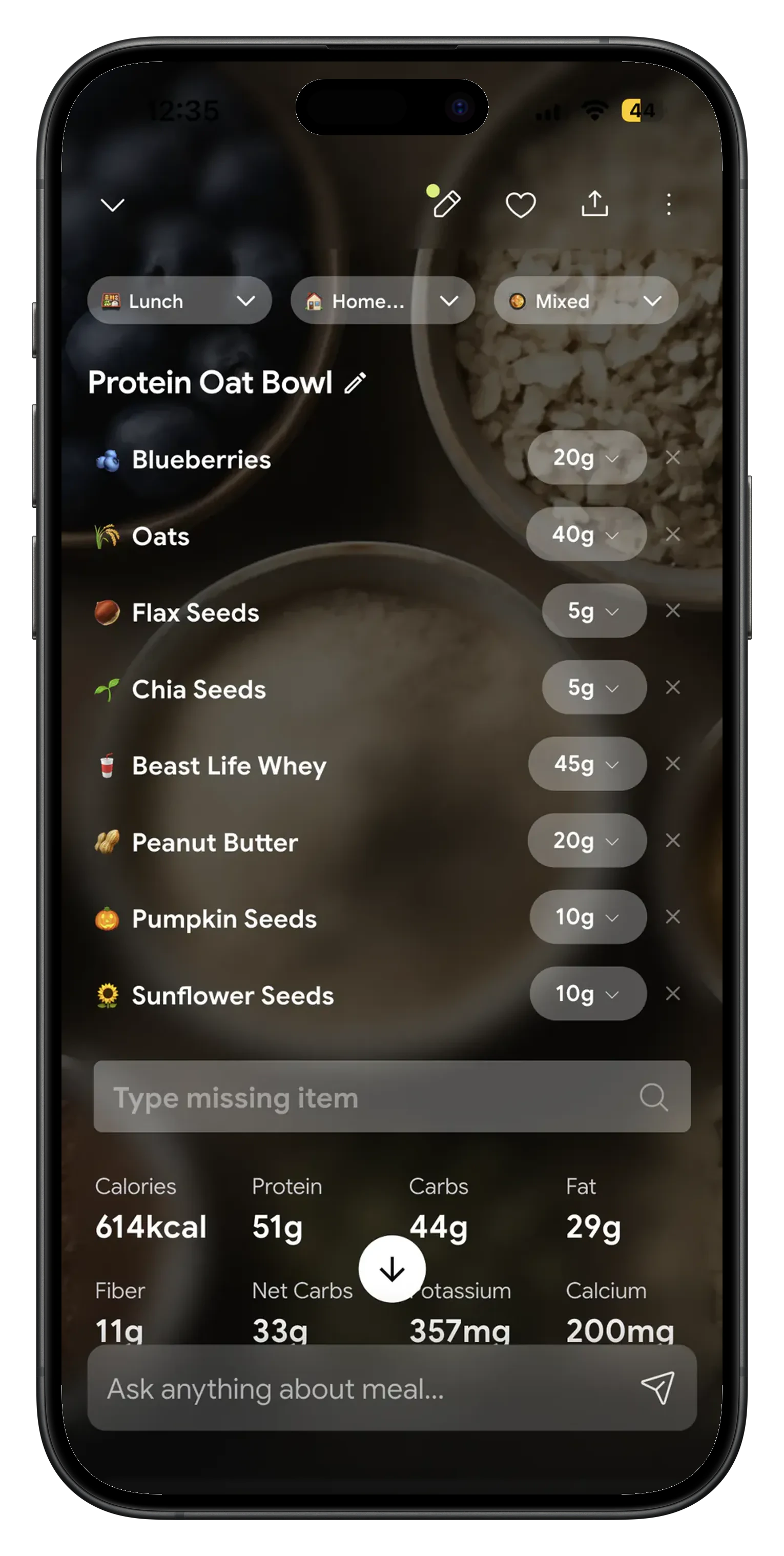
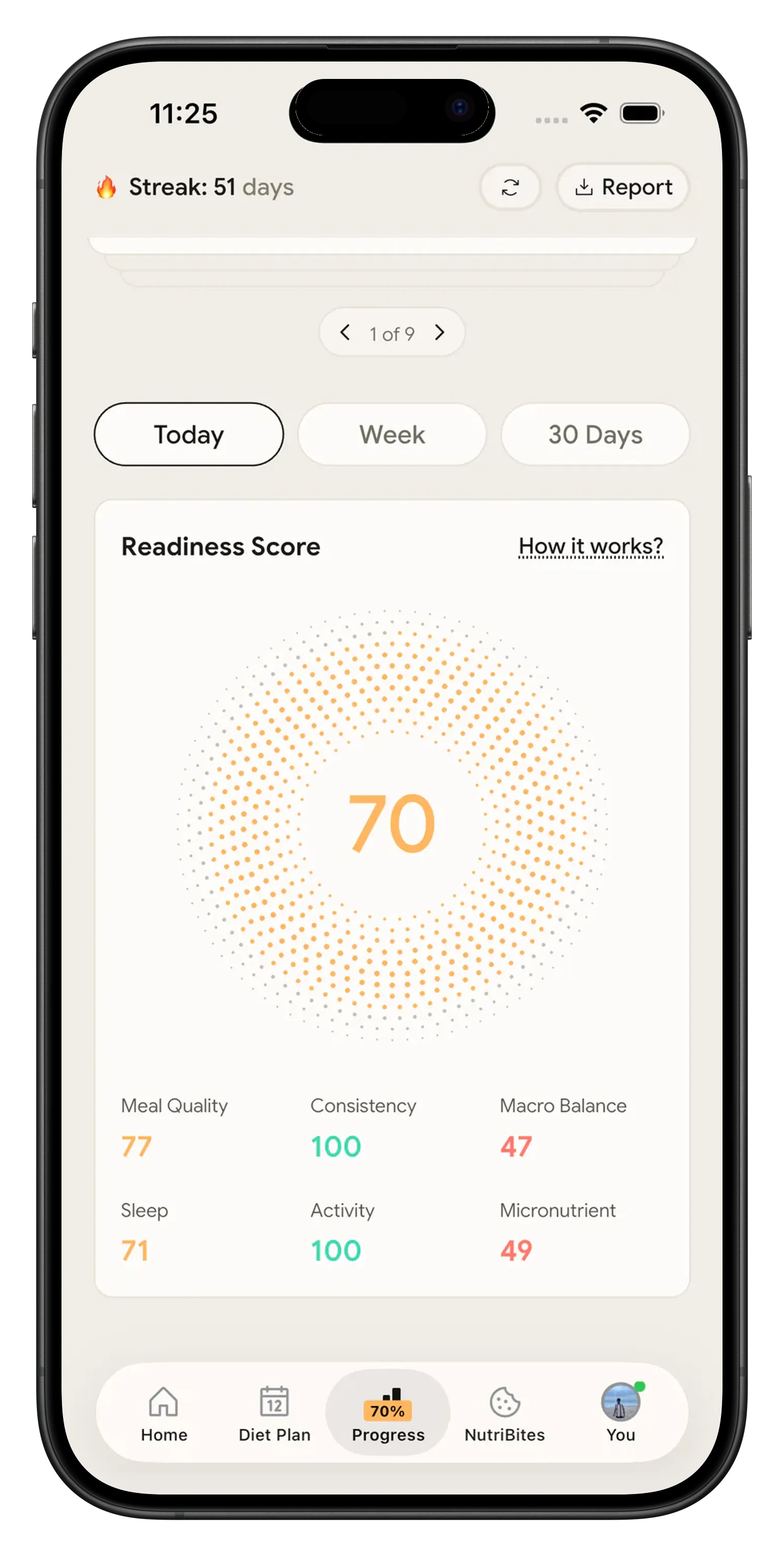
Point the camera at your plate, speak the meal or type it, and NutriScan returns calories, protein, carbs, fat and a NutriScore for the meal. Free accounts get 5 meal scans a week and Premium is unlimited. NutriScan's own accuracy checks put food recognition at 95% for foods our database covers. Your water total sits on the same day, so one screen answers both questions.
NutriScan vs WaterMinder vs Waterllama 📊
Claims about WaterMinder and Waterllama come from their own sites and store listings, checked in August 2026.
| What you get | NutriScan | WaterMinder | Waterllama |
|---|---|---|---|
| Water logging | Free, no cap, 250 / 330 / 500 ml chips plus a custom amount up to 3,000 ml | Free to install, listed as "try every feature free for 7 days" | Free to install with in-app purchases |
| Food and calorie logging in the same app | Photo, voice or text. 5 scans a week free, unlimited on Premium | Not listed | Not listed |
| Daily goal | 35 ml per kg of your weight, editable from 500 ml to 10,000 ml | Site says it calculates from body weight or a personal goal | Calculator uses body measurements, sex, activity and weather |
| Reminders | Up to 6 custom time slots in Profile, Water is one of the types | Advanced reminders listed as a main feature | Smart reminders that fire when you have not logged |
| Extra drinks | Water entries only | Log and create other drink types | 40+ beverages with hydration ratios |
WaterMinder and Waterllama beat NutriScan at one job, counting many kinds of drinks with character art and a watch app. NutriScan is the pick when hydration is one line in a day that also holds calories, macros, a fasting timer and a diet plan.
What people are saying
Real reviews from people tracking their meals with NutriScan.
Finally sticking to a diet plan because of this app 👍🏻
Surprisingly fun to use? Lost 1 kg in 4 days just by logging stuff and keeping my NutriScore green. Still on the free side, will probably grab Premium soon.
You take a photo and seconds later you have your macros and micronutrients. That's basically why I stuck with it.
Translated review
Did some homework before installing and yeah, the photo scan accuracy is legit. NutriScore is solid too. Keep building, this is great.
Translated review
Just started but it looks promising. Big plus that you can try it for free.
Translated review
Finally a calorie counter without ads or upsells every two screens. Photograph the meal, done. Free, simple, exactly what I needed.
Translated review
Found it right when I needed help fixing my eating. Really glad I did.
Solid pick if you want to track calories and stay on a diet plan without overthinking it.
Lost weight using this. The diet plan kept me honest on bad days. People sleep on how much diet actually matters.
Tracks calories, macros, and even the small stuff like micronutrients. If you're trying to build muscle, this is the app to get.
Start logging water and food today 📱
Download NutriScan, open the Water tab and tap 250 ml. That is the whole setup. The goal is already sized to your weight, and the next meal you scan lands on the same day as your water.
🚀 What you get on the Water tab
One-tap chips and undo
250 ml, 330 ml, 500 ml or a custom amount up to 3,000 ml, with undo next to them.
A goal sized to you
35 ml per kilogram of your weight, editable between 500 ml and 10,000 ml.
Water reminders you set
Up to six custom time slots in Profile, with Water as a reminder type.
Calories on the same day
Scan a meal by photo, voice or text, next to your water total.
⭐ Free water tracking, no cap and no card required
Frequently Asked Questions ❓
Is the water tracker in NutriScan free?
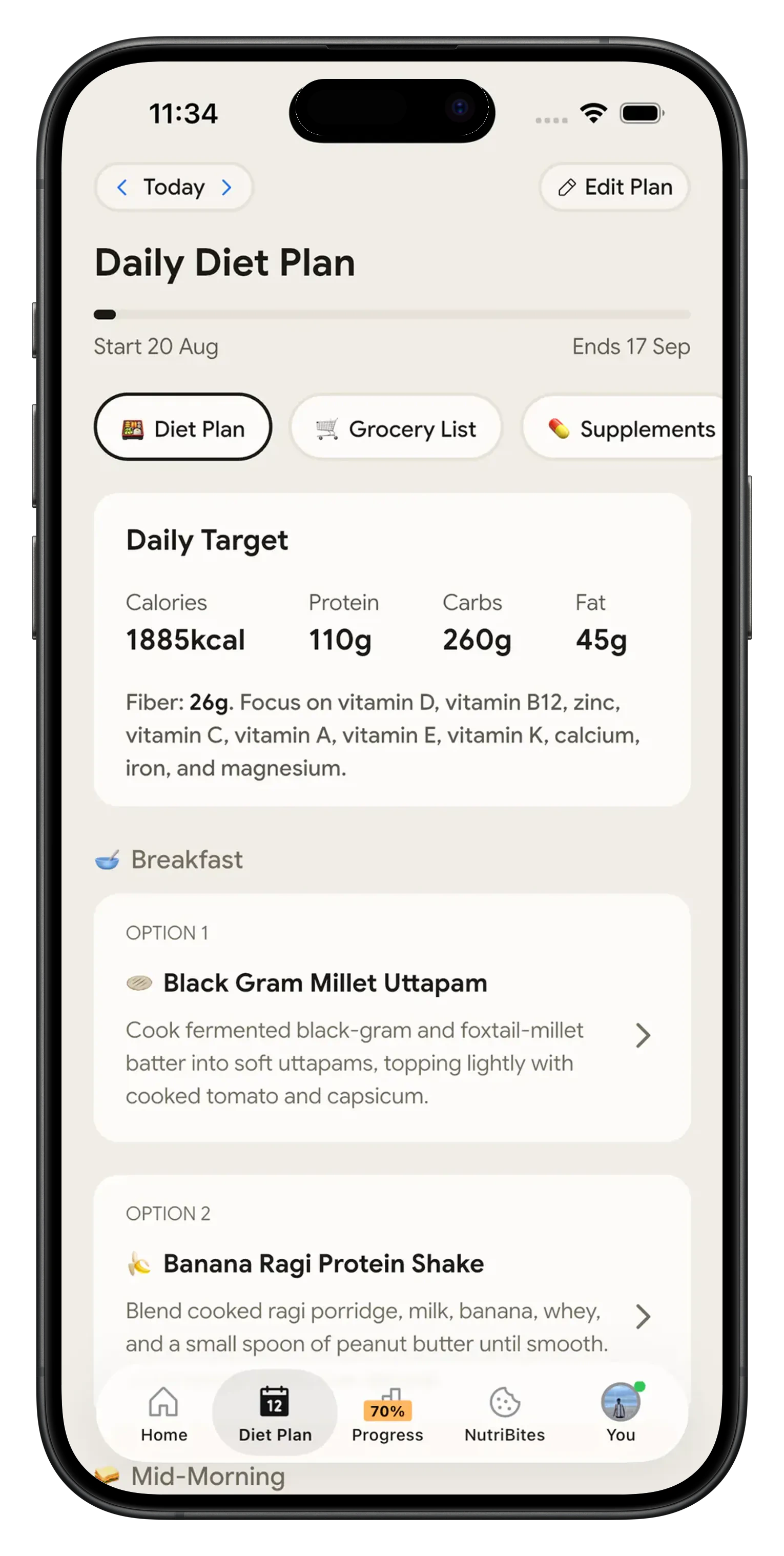
Yes, and there is no cap on it. The Water tab, the quick-log chips, the custom amount, the goal editor, undo, the seven-day strip, the day streak and the weekly bar chart are all free, with no card. Premium covers other parts of the app, mainly unlimited meal scans, since free accounts get 5 a week, and personalized diet plans.
How does NutriScan decide how much water I should drink?
Your starting goal is 35 ml per kilogram of the body weight you entered during setup, falling back to 2,000 ml if NutriScan has no weight for you. The intro screen shows that target as a grid of glasses at 200 ml each. Change it any time from the pencil next to "goal N ml" on the Water tab, in 50 ml steps or 250 ml jumps, anywhere from 500 ml to 10,000 ml. Harvard Health reports the National Academy of Medicine figure of roughly 11 cups a day for women and 15 for men across all fluids and food.
Can I get reminders to drink water?
Yes. Open Profile, tap Set Reminders and turn the master Reminders toggle on. Each slot has a type dropdown and a time picker, and Water sits in that dropdown next to Breakfast, Mid-Morning, Lunch, Afternoon and Dinner. You get up to six slots, each with its own delete icon, so four water pings and two meal pings works, or any mix you like. Times are fully custom. Tap Update Details to save.
What if I log the wrong amount or forget a day?
Tap undo. The undo icon sits on the chip row on both the Water tab and the home screen card, and it removes your last entry straight away. A toast confirms every log, undo and goal change. The day rolls over at local midnight, and logging on a future date is blocked, so a stray tap cannot inflate tomorrow. A missed day shows as a short bar in the weekly chart and breaks the day streak, which restarts the next time you hit your goal.
Does water tracking connect to my meals, my fasting and my diet plan?
Water tracking runs on its own, so it keeps working if you stop scanning meals, skip a fast or never open the diet plan. What it shares is the day. The Overall tab shows today's water card under today's calories and macros, so one screen tells you what you ate and what you drank. The Water tab also sits beside the Fasting tab, handy when water is the only thing you are logging.
Discover More Nutrition Tracking Tools
AI Calorie Counter App - Snap a Photo, Get Macros
AI Nutritionist App That Reads Your Logged Meals
Best Protein Supplements for Women
Bulking Meal Plan App That Sets Your Surplus
ChatGPT Calorie Counter Alternative That Keeps the Total
ChatGPT Diet Plan Alternative That Tracks What You Eat
ChatGPT Weight Loss Coach Alternative With a Food Log
Fast Food Calorie Counter App That Reads the Tray
Free Calorie Tracker App with AI Photo Scans | NutriScan
Indian Diet Plan App With Veg and Non Veg Meals
Indian Food Calorie Calculator - Get Instant Nutrition Facts for Desi Meals — 2026
Intermittent Fasting for Women, Timer and Meal Log App
Intermittent Fasting Tracker App - Free Fasting Timer
Macro Tracker App That Fills the Numbers From a Photo
Mediterranean Diet Meal Plan App That Counts the Oil
Micronutrient Tracker App for Vitamins and Minerals
MyFitnessPal Alternative That Stays Free | NutriScan
NutriScore App: A Free Grade on Every Meal | NutriScan
Nutrition Label Scanner App for the Amount You Ate
Second Trimester Protein Guide
Vegetarian Meal Plan App With a Protein Target
Voice Calorie Counter - Speak to Track Meals Hands-Free
Water and Calorie Tracker App - Free Water Log