Pretty good app honestly. Logging meals is fast and the macro breakdown is easy to read. Photo scan gets confused on some Indian dishes though, fix that and it's 5 stars for sure.
Intermittent Fasting Tracker App with Free Timer
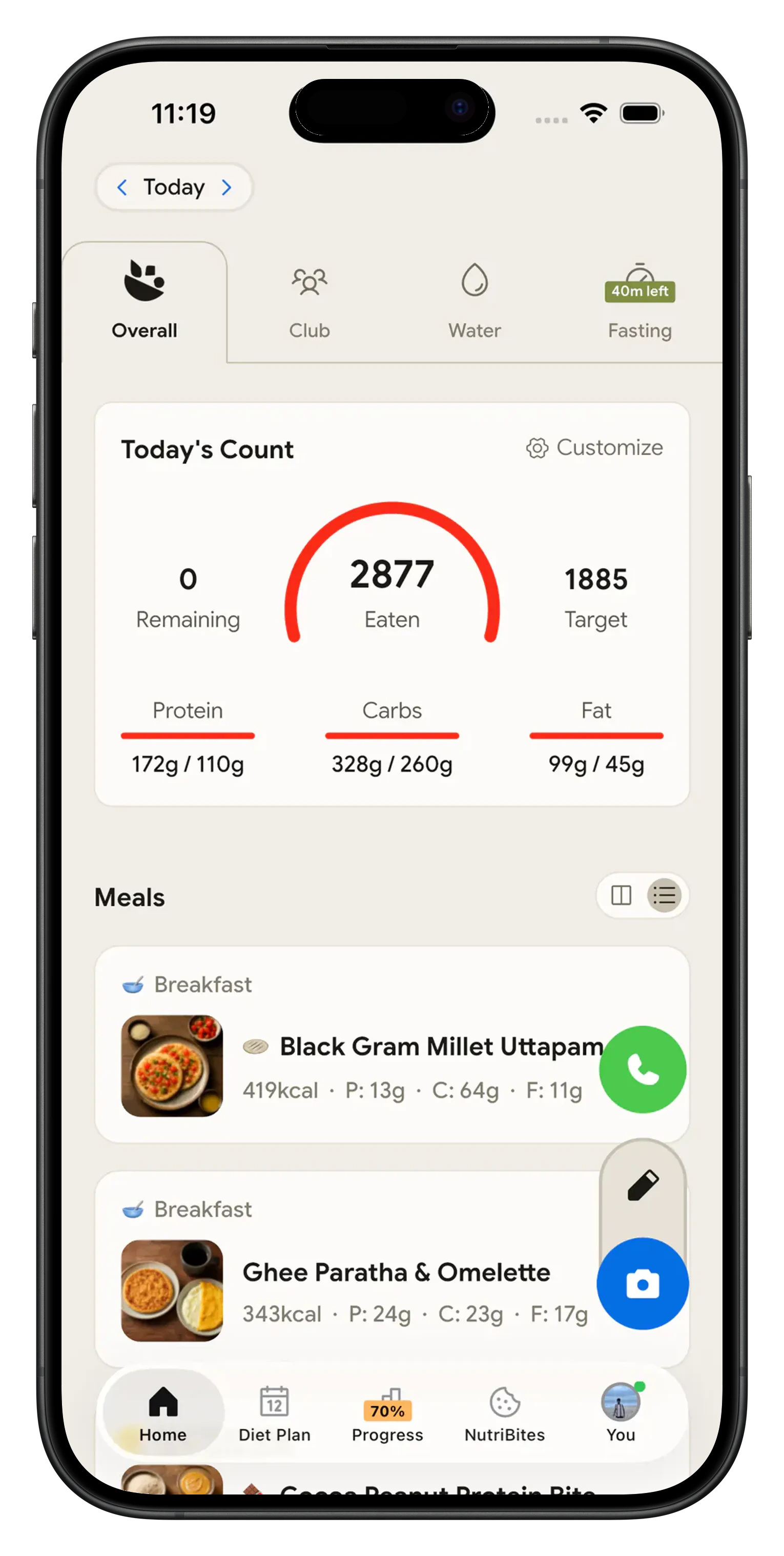
NutriScan runs your fast and your food log in the same app. Pick 14:10, 16:8, 18:6, 20:4 or a custom window, tap start, and a ring timer counts down the hours you have left. When the window opens, scan your meal and see what you actually ate. It is a free fasting app in the plain sense: the timer, every plan, the streaks and the full history cost nothing, with no card.

One app for the timer and the food log 🕒
Most people run a fasting timer in one app and a food diary in another, so neither one knows what the other saw. NutriScan puts both on the same home screen: hours fasted and calories eaten end up in one history. That matters most for weight loss, where a 16:8 window will not help if the eating window runs hundreds of calories over your target. Set those targets first with the macro calculator, then let the Fasting tab handle the clock.
What you get free in this fasting app 🆓
The Fasting tab has no card step. Free covers:
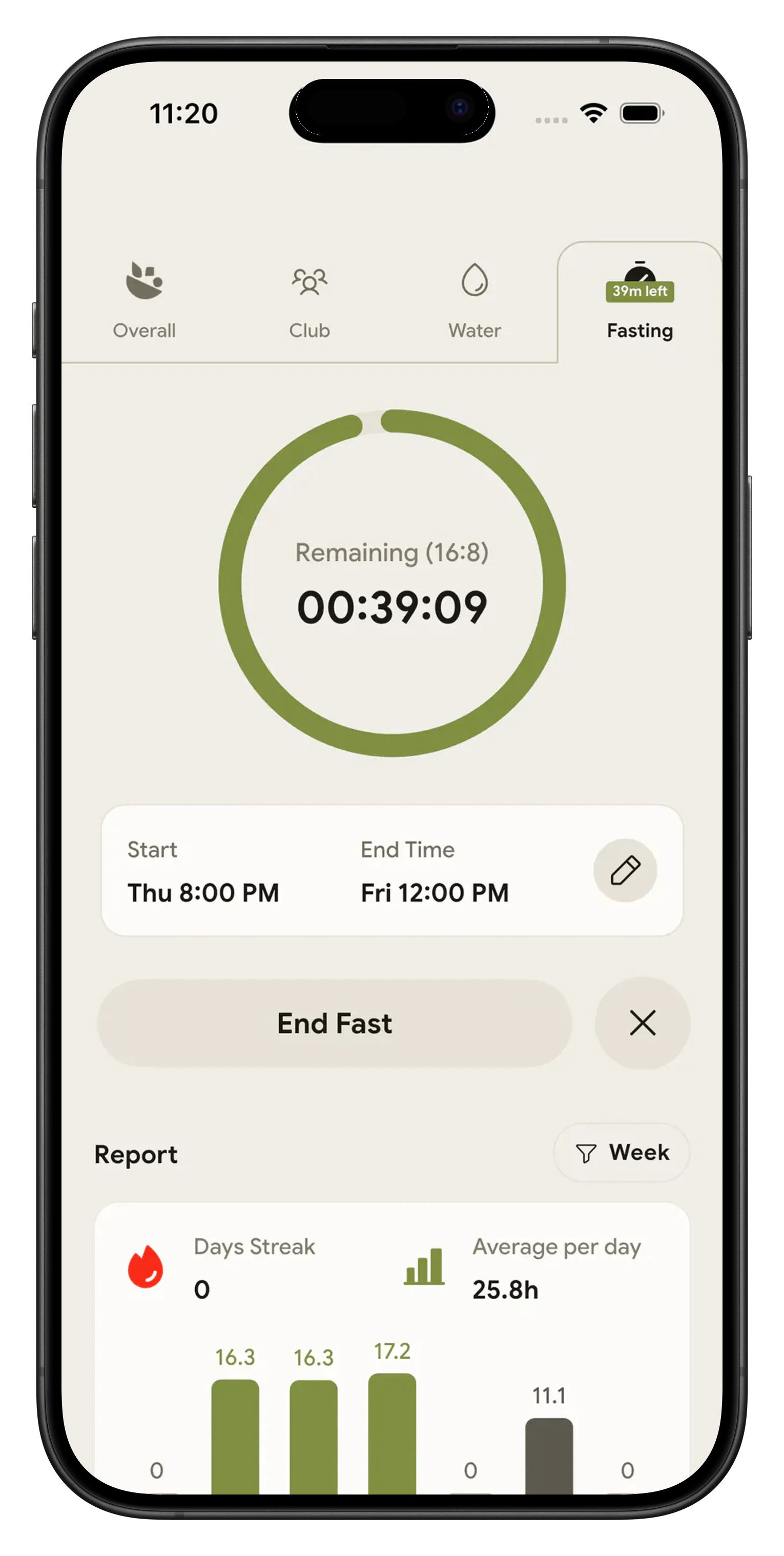
- The ring timer. Start and end a fast by hand, watch the time left count down in hours, minutes and seconds, and keep an eye on the sticky bar that follows you to the Meals tab while a fast runs.
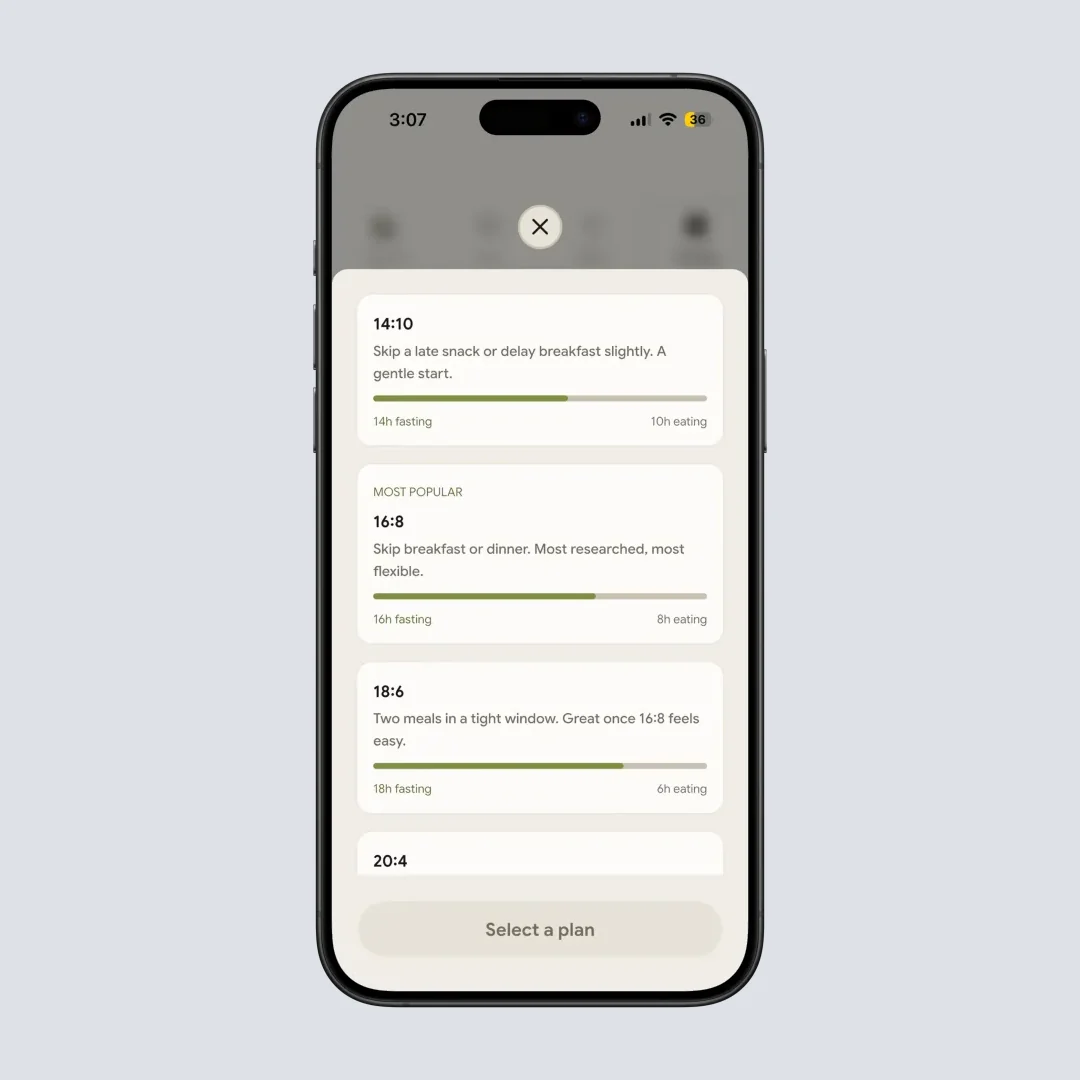
- The plan picker. 14:10, 16:8, 18:6, 20:4 and Custom, with a slider from 1 to 23 hours in one hour steps and up to 3 saved custom plans. 16:8 sits under a Most Popular label.
- Streaks and the weekly chart. Reach 80% of your target and the day still counts. The bar chart runs Monday to Sunday next to your current streak, daily average and weekly total.
- History and export. Every fast is logged by month with a status icon, and the settings gear on the Fasting tab sends the whole record out as a CSV file.
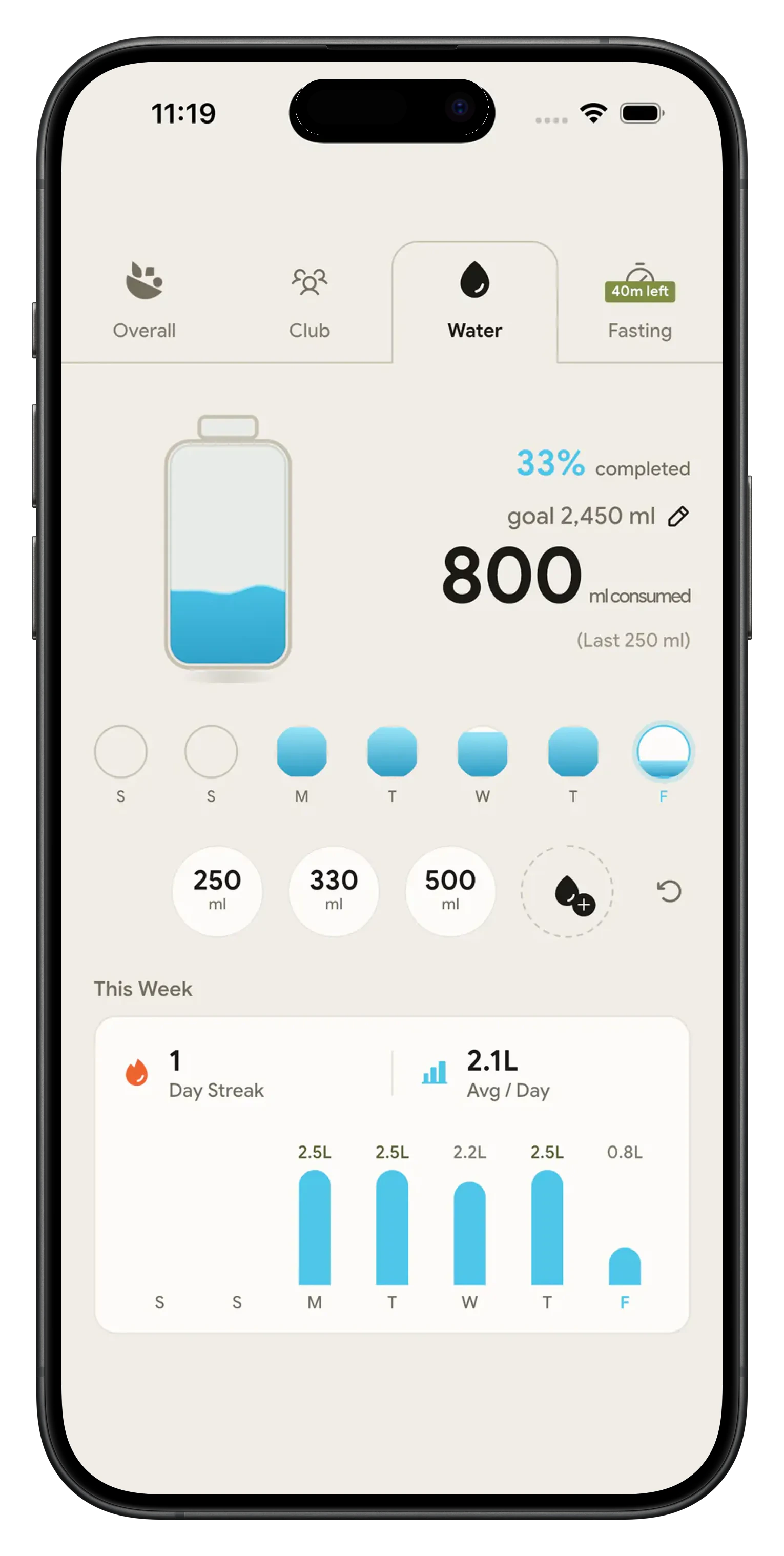
- Water, right next door. The Water tab sits beside Fasting and costs nothing either, so you can track water alongside your fasting window with 250 ml, 330 ml and 500 ml quick chips and a weekly bar chart.
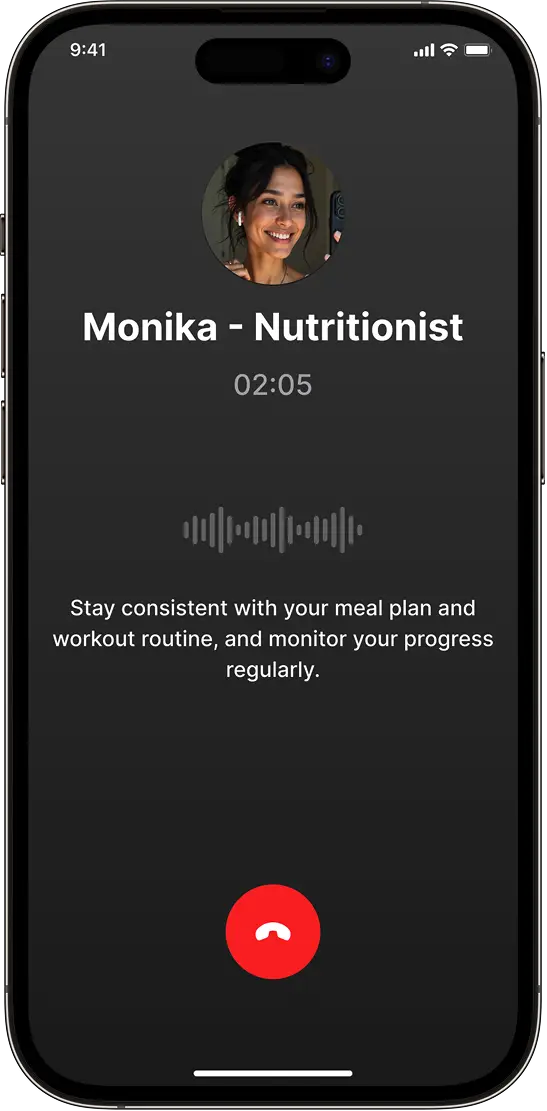
NutriScan sells one thing, Premium. Meal scans go from 5 a week to unlimited, Monika voice calls go from 4 a week to unlimited, and diet plans open up. The fasting side never crosses that line, so a plan you set today keeps running whether you pay or not.
Why most people quit fasting apps 😤
Most fasting apps put the timer behind a trial, so day seven ends at a paywall. NutriScan's Fasting tab stays free, no card. The next problem is two apps for one habit, neither knowing what the other saw. Forget to hit start and you can still fix the start and end time for up to 7 days after. What you eat in the window still decides the result. Harvard Health reported a one-year trial where time-restricted eating lost about 18 pounds and daily calorie restriction about 14, a difference that was not statistically significant.
What the fasting tracker does 🕒
Ring timer with five plans
14:10 for beginners, 16:8 as the default, 18:6, 20:4 for OMAD, plus a custom slider from 1 to 23 hours. Save up to 3 custom plans and switch plans any time, even mid-fast.
Streaks that are fair
Hit 80% of your target and the day still counts. A weekly bar chart shows hours fasted Monday to Sunday, with your current streak, daily average and weekly total.
Three notifications, no spam
A start suggestion 30 minutes after your last logged meal, a halfway nudge, and a finish alert. One suggestion per day, quiet hours 11pm to 6am, each type toggled on its own.
Fasting bar on the meals tab
While a fast is running, a sticky bar shows the time left wherever you are in the app. Tap it to jump back to the timer.
Your data goes where you need it
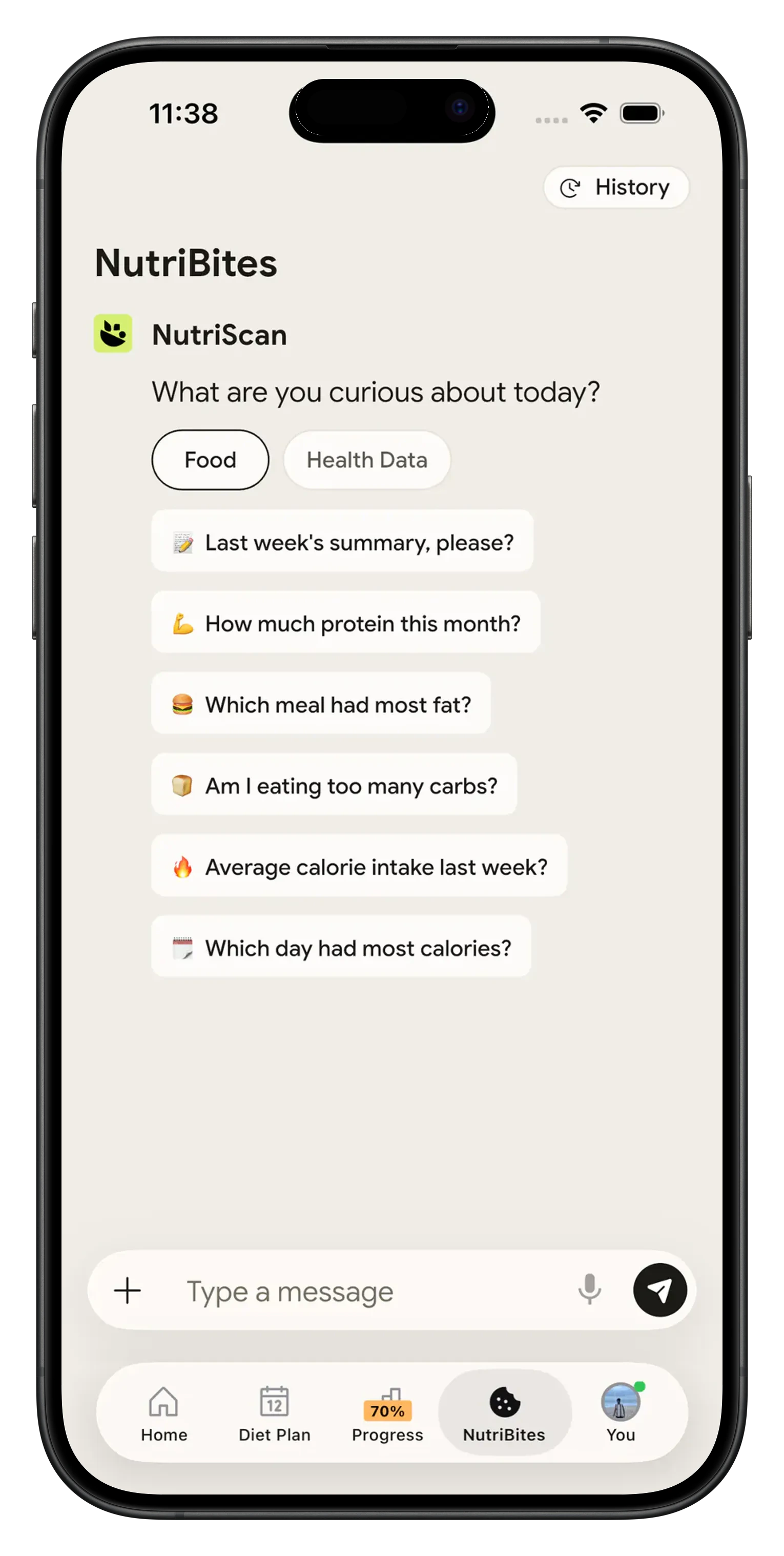
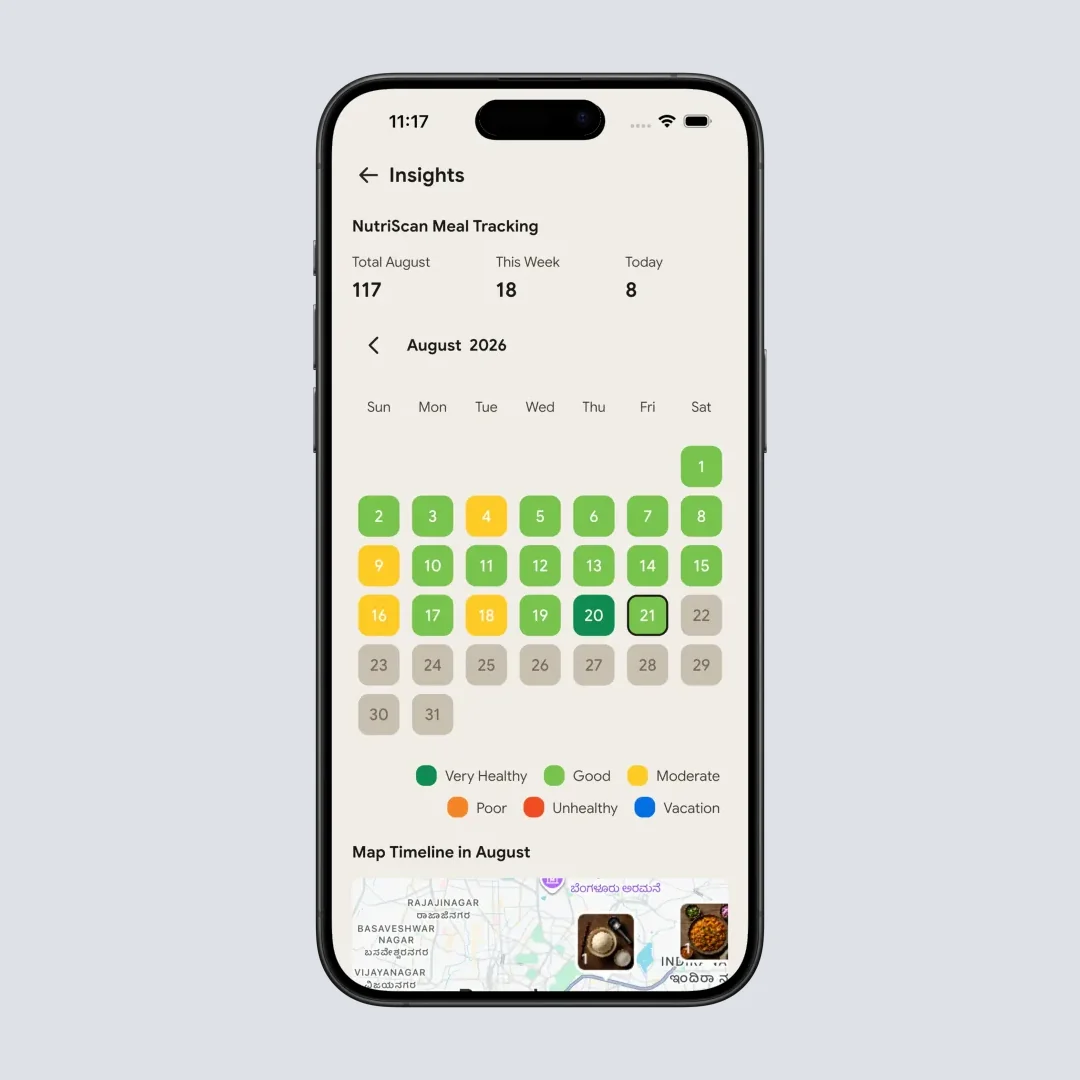
Fasting sessions write to Apple Health and Google Fit, fasting days show as an orange ring on your NutriScore calendar, NutriBites answers questions about your streaks and correlations, and you can export the whole history as CSV. Your fasting data stays private and never appears in the shared food timeline.
How the intermittent fasting tracker app works 🛠️
Pick your plan and tap start
Open the Fasting tab on the home screen and choose 14:10, 16:8, 18:6, 20:4 or a custom window. 16:8 sits under a Most Popular label because it is the most common starting point. Tap Start Fasting and the ring begins filling. No account needed to pick a plan.

Log what you eat when the window opens
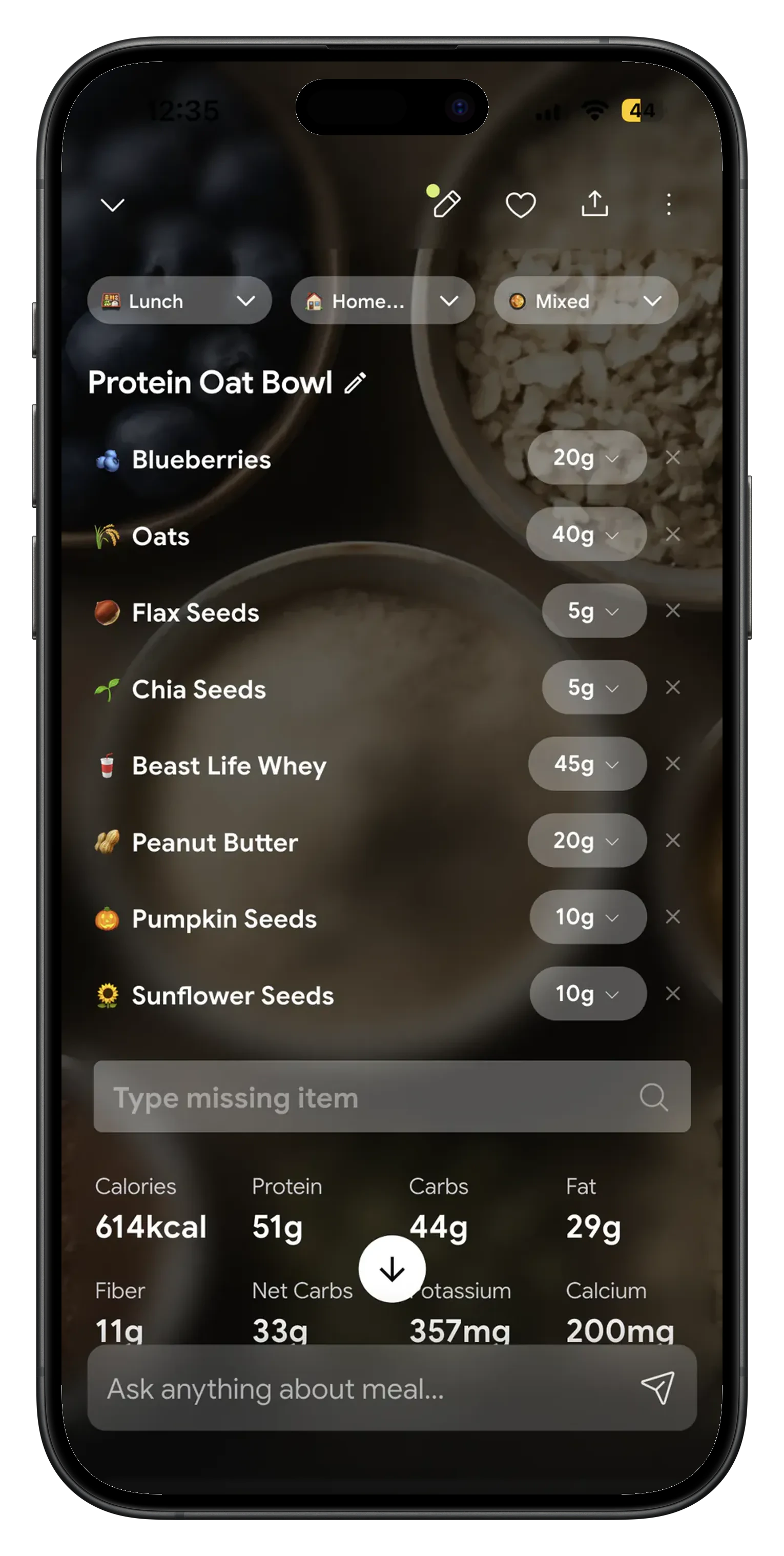
Point your camera at your plate, speak the meal, or type it. NutriScan reads the food and returns calories, protein, carbs, fat and micronutrients. Free accounts get 5 meal scans a week, Premium is unlimited. NutriScan's own accuracy checks put food recognition at 95% for foods our database covers.
Watch the streak and the food together
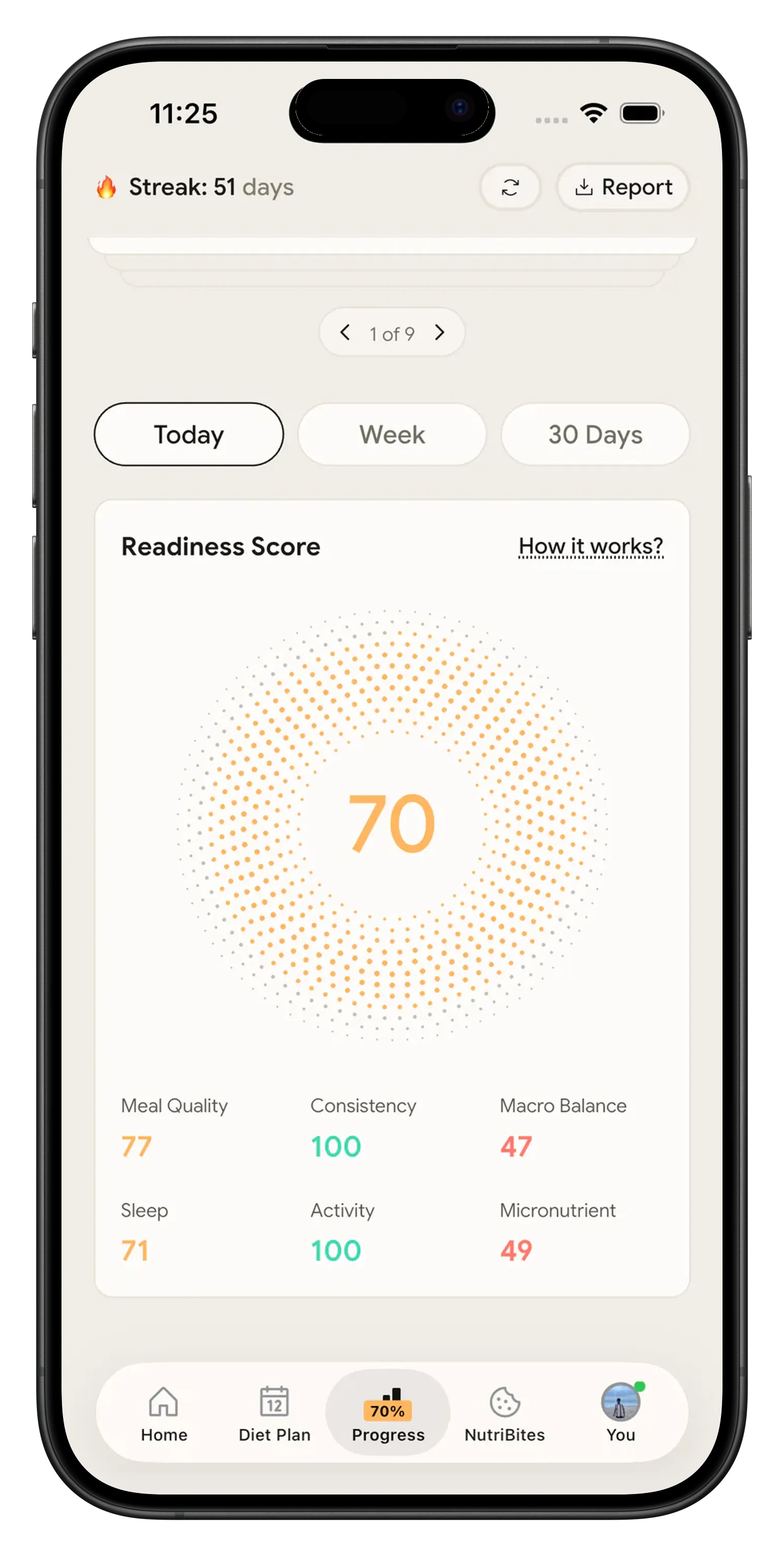
Your weekly chart shows hours fasted per day. The Fasting tab in Insights shows completion rate by month, average duration, longest fast and longest streak. Because meals and fasts sit in one app, you can see how your NutriScore looks on fasting days against the days you skipped.
What people are saying
Real reviews from people tracking their meals with NutriScan.
Finally sticking to a diet plan because of this app 👍🏻
Surprisingly fun to use? Lost 1 kg in 4 days just by logging stuff and keeping my NutriScore green. Still on the free side, will probably grab Premium soon.
You take a photo and seconds later you have your macros and micronutrients. That's basically why I stuck with it.
Translated review
Did some homework before installing and yeah, the photo scan accuracy is legit. NutriScore is solid too. Keep building, this is great.
Translated review
Just started but it looks promising. Big plus that you can try it for free.
Translated review
Finally a calorie counter without ads or upsells every two screens. Photograph the meal, done. Free, simple, exactly what I needed.
Translated review
Found it right when I needed help fixing my eating. Really glad I did.
Solid pick if you want to track calories and stay on a diet plan without overthinking it.
Lost weight using this. The diet plan kept me honest on bad days. People sleep on how much diet actually matters.
Tracks calories, macros, and even the small stuff like micronutrients. If you're trying to build muscle, this is the app to get.
Start your first fast today 📱
Download NutriScan, open the Fasting tab, pick 16:8 and tap start. That is the whole setup. The timer is free, the streak is fair at 80%, and when your window opens you can scan the meal instead of guessing at it.
🚀 What you get on the Fasting tab
Five plans and a custom slider
14:10, 16:8, 18:6, 20:4 or any window from 1 to 23 hours. Keep up to 3 saved custom plans.
Streaks at 80%
Hit 80% of your target and the day still counts, with a weekly bar chart of hours fasted.
Edit a fast you logged late
Fix the start time, and the end time for up to 7 days, so a forgotten tap does not wreck your history.
Health sync and CSV export
Fasts write to Apple Health and Google Fit, and the full history exports as a CSV file.
⭐ Free fasting timer, no card required
NutriScan vs Zero vs Fastic 📊
Every claim below about Zero and Fastic comes from their own websites, checked in August 2026.
| What you get | NutriScan | Zero | Fastic |
|---|---|---|---|
| Fasting plan presets | 14:10, 16:8, 18:6, 20:4 and a custom slider from 1 to 23 hours | Their site shows a timer with 16:8, 20:4 and 36-hour schedule options | Site describes a fasting timer with body status, plan list not shown |
| Cost of the fasting timer | Free for every user | Homepage CTA reads "Download and start your free trial today" | Site calls itself a free fasting app |
| How you get in | Pick a plan on the Fasting tab and start | Download the app | Main CTA is "Take the Quiz" before you reach the app |
| Meal logging | Photo, voice or text. 5 scans a week free, unlimited on Premium | Photo or typed description, protein shown first | AI food scanner listed as a feature |
| Extra nutrition scores | NutriScore per meal and per day | Protein Score out of 100 | Fastic Score |
| Voice AI nutritionist | Monika, spoken conversation. 4 calls a week free, unlimited on Premium | Not stated on their site | NutriChatBot, described as a chat companion |
| Fix a fast you logged late | Edit start and end time for up to 7 days | Not stated on their site | Not stated on their site |
| Export your fasting history | CSV export | Not stated on their site | Not stated on their site |
| What the free tier holds | Timer, all five plans, custom windows, streaks, weekly chart, history, CSV export and water tracking, plus 5 meal scans and 4 Monika calls a week | No free tier described, the homepage CTA points at a free trial | Site calls itself free, the free feature list is not shown |
| Paid plans on offer | Free and Premium, nothing else | Price not published on their site | Price not published on their site |
Frequently Asked Questions ❓
Is the intermittent fasting tracker really free?
Yes. The whole fasting feature is free: the ring timer, all five plans, custom windows, streaks, the weekly chart, fasting history, the Insights tab and CSV export. There is no card required. NutriScan's paid Premium plan covers other parts of the app, such as unlimited meal scans (free accounts get 5 a week), unlimited Monika voice calls (free accounts get 4 a week) and personalized diet plans.
Which fasting plans can I track, and can I set my own?
Five options. 14:10 for a first attempt, 16:8 as the most common schedule, 18:6 once 16:8 feels easy, 20:4 for one meal a day, and Custom with a slider from 1 to 23 hours in one hour steps. The eating window is calculated for you, and you can name a custom plan and keep up to 3 saved. You can change plans whenever you like, including in the middle of a running fast, and the timer recalculates the target.
What happens if I forget to start or end my fast?
You can fix it. Tap the edit icon next to the start time and pick the correct moment, as long as it is not in the future, not more than 24 hours ago, and not before your previous fast ended. Completed fasts can have their end time edited too, for up to 7 days. Editing recalculates duration, ring fill and streak impact, so a late tap does not ruin your history. NutriScan also sends a start suggestion 30 minutes after your last logged meal, so the timer usually starts itself with one tap. A fast never auto-ends: you decide when it stops.
Does fasting connect to my meals and my diet plan?
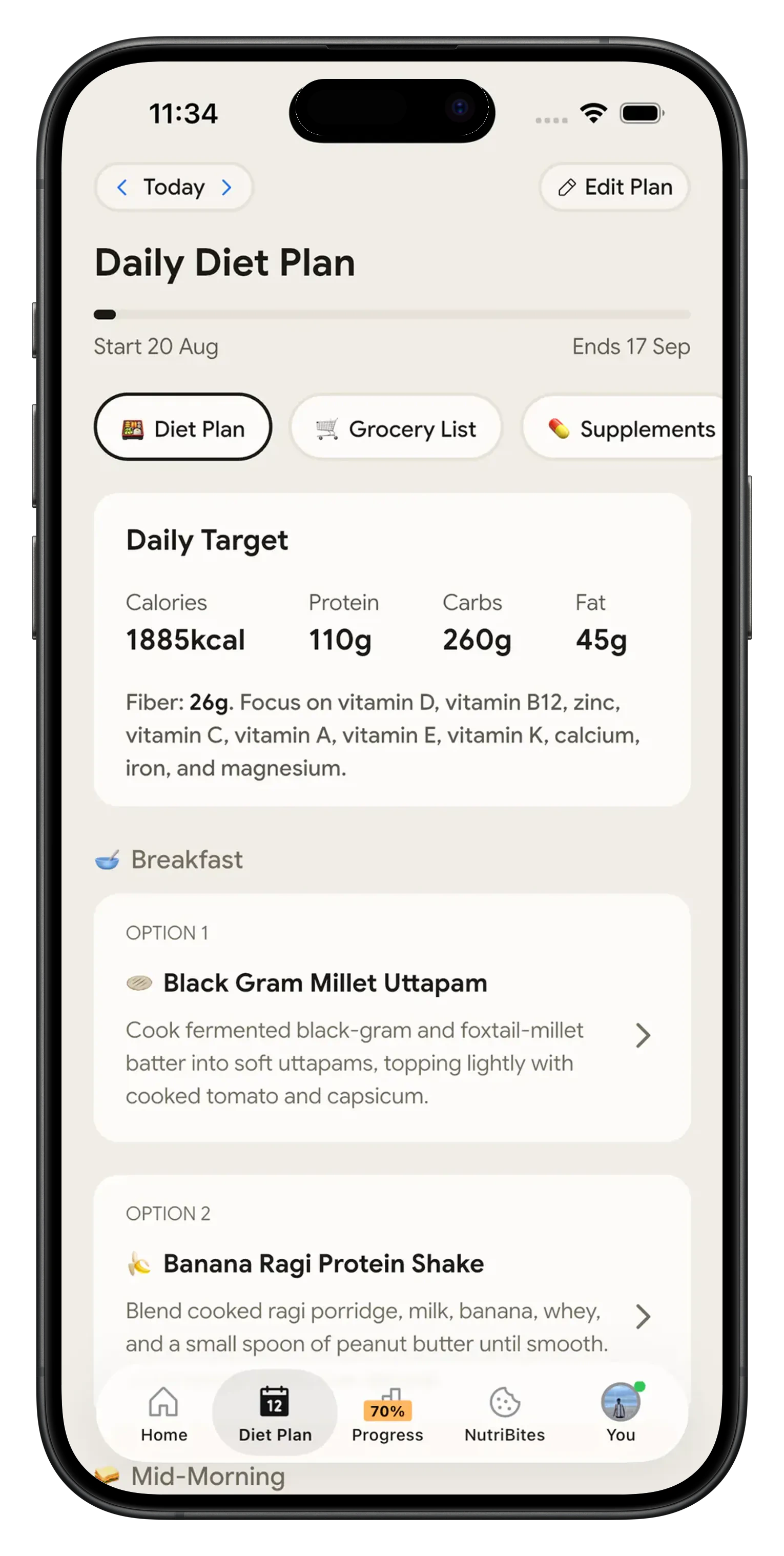
Yes, and that is the point of running both in one app. Fasting days show as an orange ring around the day cell on your NutriScore calendar, so you can see your food quality and your fasting record side by side. NutriBites answers questions like your current streak, completion rate and how your NutriScore compares on fasting versus non-fasting days. Monika, the voice AI nutritionist, can talk through what to eat when your window opens. Premium diet plans give you a 28-day meal plan you can fit inside your eating window. Fasting itself runs independently, so it keeps working if you skip meal logging, turn on vacation mode or never touch the diet plan.
Does it sync with Apple Health and Google Fit, and can I get my data out?
Both. Completed fasts write to Apple Health as a mindful session and to Google Fit as a fasting session, carrying the plan type, target hours, actual hours and completion status. Time edits update the health record, deleting a fast removes it, and sync queues offline until you reconnect. NutriScan can also read your last meal timestamp from Health to time the start suggestion. If you want everything yourself, export your full fasting history as a CSV file from the settings gear on the Fasting tab. The app works without granting Health permission, you just lose the sync.
Discover More Nutrition Tracking Tools
AI Calorie Counter App - Snap a Photo, Get Macros
AI Nutritionist App That Reads Your Logged Meals
Best Protein Supplements for Women
Bulking Meal Plan App That Sets Your Surplus
ChatGPT Calorie Counter Alternative That Keeps the Total
ChatGPT Diet Plan Alternative That Tracks What You Eat
ChatGPT Weight Loss Coach Alternative With a Food Log
Fast Food Calorie Counter App That Reads the Tray
Free Calorie Tracker App with AI Photo Scans | NutriScan
Indian Diet Plan App With Veg and Non Veg Meals
Indian Food Calorie Calculator - Get Instant Nutrition Facts for Desi Meals — 2026
Intermittent Fasting for Women, Timer and Meal Log App
Intermittent Fasting Tracker App - Free Fasting Timer
Macro Tracker App That Fills the Numbers From a Photo
Mediterranean Diet Meal Plan App That Counts the Oil
Micronutrient Tracker App for Vitamins and Minerals
MyFitnessPal Alternative That Stays Free | NutriScan
NutriScore App: A Free Grade on Every Meal | NutriScan
Nutrition Label Scanner App for the Amount You Ate
Second Trimester Protein Guide
Vegetarian Meal Plan App With a Protein Target
Voice Calorie Counter - Speak to Track Meals Hands-Free
Water and Calorie Tracker App - Free Water Log