MyFitnessPal Free Trial 2026: How to Cancel Before You Get Charged
 ChatGPT
  Claude
  AI Mode
  Perplexity
Will MyFitnessPal charge me after the free trial? Short answer: yes, unless you cancel first.
TL;DR - MyFitnessPal Free Trial Cancellation Guide
Trial length: 7 days for Premium+ (all features unlocked)
Auto-charges: Yes, $24.99/mo or $99.99/yr if you do not cancel
Cancel deadline: At least 24 hours before the trial ends
Key rule: Cancel on the same platform where you signed up (Apple, Google, or web)
Safe move: Cancel immediately after signing up and keep using features until the trial expires
IMPORTANT
Your cancellation plan at a glance.
Here is your roadmap so you never get charged by accident.
⏱️ Progress 0/4 - ~0 minutes in - Keep going
⏳ What the trial includes and who qualifies
⏳ How billing and auto-renewal actually work
⏳ Step-by-step cancel on iPhone, Android, and web
🔍 The one-tap trick that guarantees you never pay (revealed near the end)
As a NutriScan nutritionist, I see the same question every week: "Will MyFitnessPal charge me after the free trial?" You are not alone. Research from RevenueCat's State of Subscription Apps report shows that nearly 30% of annual app subscriptions are canceled within the first month, and a large share of those cancellations happen right before the trial ends (RevenueCat 2025). People sign up, forget to cancel, and then see an unexpected charge.
This guide covers exactly what the MyFitnessPal trial includes, how billing works, and step-by-step instructions for canceling on every platform so you stay in control.
🎁 What the MyFitnessPal Free Trial Gives You
The 7-day free trial unlocks all Premium+ features. Here is what you get during those seven days:
Premium+ Trial Features:
- Custom weekly meal planner with 10 diet preferences (low-carb, vegetarian, paleo, keto, Mediterranean, and more)
- 1,500+ goal-friendly recipes
- Grocery app syncing (Instacart, Walmart, Kroger, Amazon Fresh, Whole Foods on iOS)
- Barcode scanning for fast food logging
- Meal Scan - log food by taking a photo
- Voice logging - speak your foods and portions
- Ad-free experience
- Custom macros and calorie goals
- Intermittent fasting tracker
- Downloadable progress reports
- Priority customer support
Who Is Eligible?
You qualify for the free trial if you have never used MyFitnessPal before or if you have never redeemed a trial on your account. Returning users who already used a trial cannot start a new one. This is stated directly on the MyFitnessPal Premium page.
 That moment you realize the free trial auto-renewed and your card got charged
😱 Real-World Examples: What Happens If You Forget
Here are three common situations users run into with the MyFitnessPal trial:
Example 1: The Forgotten Trial
You sign up on Monday, explore the meal planner for a day, then life gets busy. The following Monday, your card gets charged $24.99 (monthly) or $99.99 (annual) depending on the plan you chose. Industry data shows that 44% of subscription cancellations happen within the first 90 days, and most of those are from users who forgot to cancel during the trial window (Churnkey State of Retention 2025).
Example 2: The Wrong Platform Cancel
You signed up through the iPhone app but tried to cancel on the MyFitnessPal website. The website shows no active subscription because Apple handles the billing. Your trial converts to a paid plan because you canceled in the wrong place. MyFitnessPal's official support page states: "You must process a request for cancellation using the same platform on which you originally paid" (MyFitnessPal Support).
Example 3: The "I Deleted the App" Mistake
Many users think deleting the MyFitnessPal app cancels their subscription. It does not. The subscription lives in your Apple ID or Google Play account, not in the app itself. Even if the app icon is gone from your phone, the billing continues until you cancel through your device settings.
IMPORTANT
Checkpoint: here is where you are right now.
Quick status update so you always know the next best move.
⏱️ Progress 1/4 - ~1 minute in - Keep going
✅ What the trial includes (done)
👉 How billing works (you are here)
⏳ Step-by-step cancel on every platform
🧩 One-tap trick to never pay (coming soon)
💳 How MyFitnessPal Trial Billing Actually Works
Understanding the billing rules prevents surprises:
| Detail | What Happens |
|---|---|
| Trial length | 7 days from signup |
| Payment method | Required at signup (credit card or app store) |
| First charge | Day 8 if you do not cancel |
| Cancel deadline | At least 24 hours before the trial ends |
| After canceling | You keep Premium+ features until the trial period expires |
| Auto-renewal | Yes - charges repeat monthly or annually unless canceled |
| Refund policy | Generally non-refundable per MyFitnessPal terms |
The 24-hour rule is important. MyFitnessPal's official support page states: "Your membership or subscription might renew if you don't cancel more than 24 hours before your renewal date" (MyFitnessPal Support).
Key Rule
You must cancel on the same platform where you originally signed up. If you subscribed through the App Store, cancel through Apple. If you subscribed through Google Play, cancel through Google. If you signed up on the website, cancel on the website.

📊 How Trial Charges Compare Across Plans
MyFitnessPal currently offers two paid tiers. Here is what you will be charged after the trial depending on which plan you selected:
| Plan | Monthly Price | Annual Price | Annual Per Month |
|---|---|---|---|
| Premium | $19.99/mo | $79.99/yr | $6.67/mo |
| Premium+ | $24.99/mo | $99.99/yr | $8.34/mo |
The trial defaults to Premium+ (the higher tier). If you want Premium instead, you need to select it separately from the Premium legacy page.
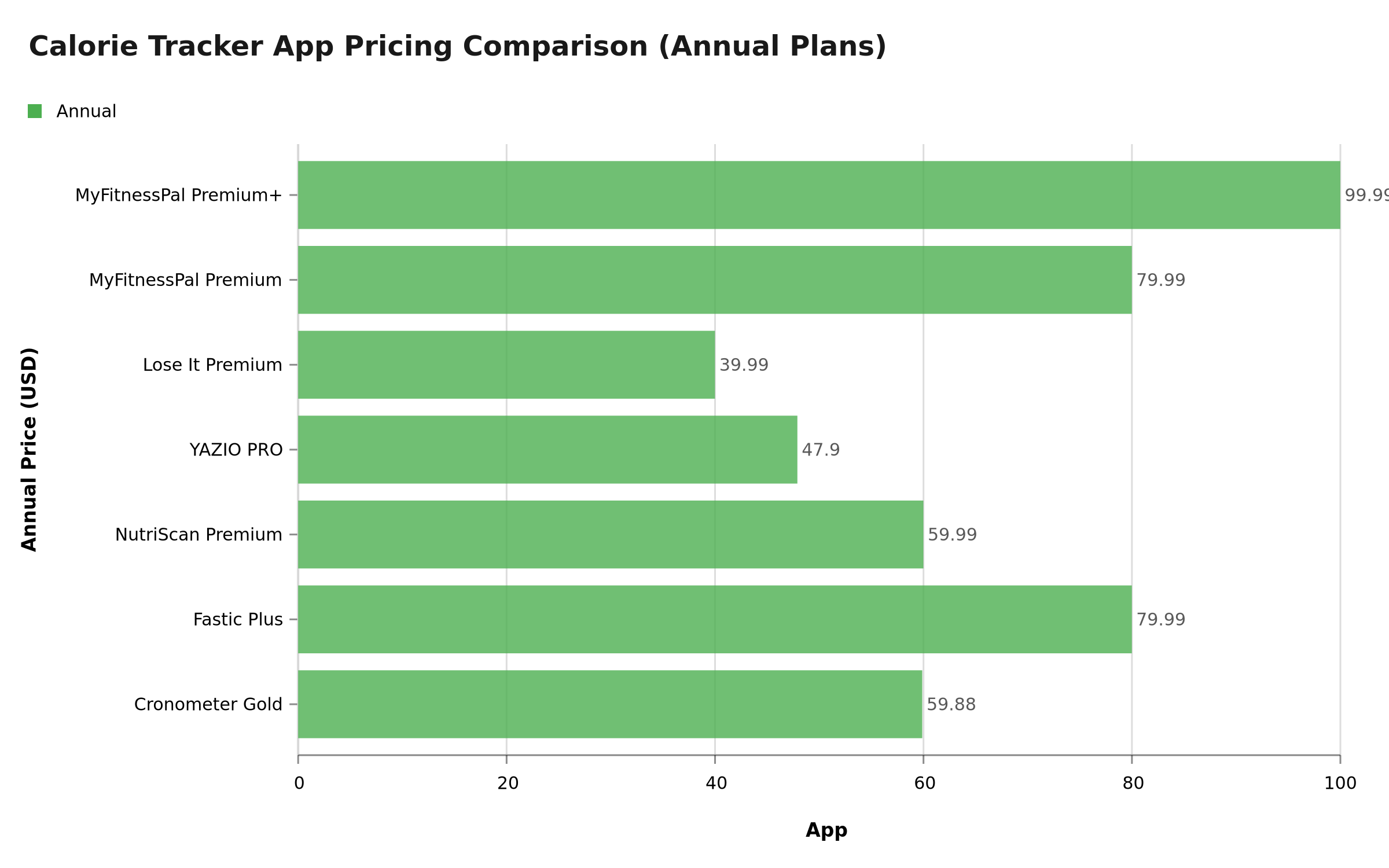 Figure 1: Annual pricing comparison across popular calorie tracking apps - MyFitnessPal Premium+ is among the most expensive
Industry data shows that 46% of users cancel app subscriptions within the first billing cycle (RevenueCat 2025). The most common reasons are insufficient usage (37%) and cost concerns (35%). If you are not sure you will use MyFitnessPal regularly, canceling during the trial is the safest move. For a deeper pricing comparison, see our MyFitnessPal Pricing 2026 guide.
IMPORTANT
Checkpoint: midway progress update.
You are halfway - the cancel steps are next.
⏱️ Progress 2/4 - ~2 minutes in - Keep going
✅ What the trial includes (done)
✅ How billing works (done)
👉 Step-by-step cancel on every platform (current)
⏳ One-tap trick to never pay (next)
📱 How to Cancel MyFitnessPal Free Trial on iPhone (iOS)
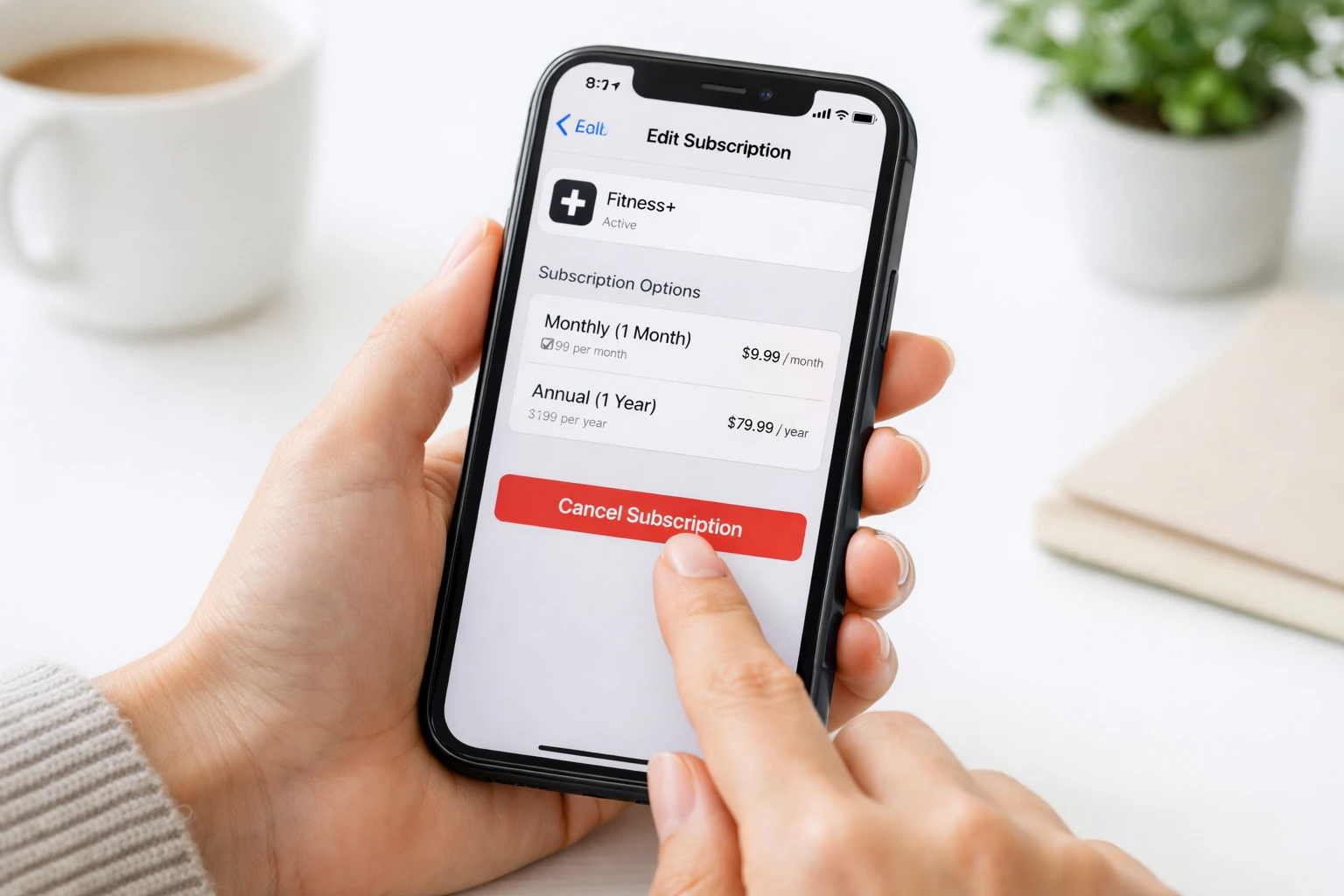 Canceling through your device settings is the only way to stop the auto-renewal
Apple manages all subscriptions purchased through the App Store. You cannot cancel inside the MyFitnessPal app itself.
Step 1: Open the Settings app on your iPhone (the grey gear icon on your home screen).
Step 2: Tap your name at the very top of the Settings screen. This opens your Apple ID settings.
Step 3: Tap Subscriptions. You will see a list of all active and expired subscriptions tied to your Apple ID.
Step 4: Find MyFitnessPal in the Active subscriptions list and tap it.
Step 5: Tap Cancel Subscription (shown in red text). Confirm when prompted.
Step 6: Check the expiration date shown. You will keep Premium+ features until this date, even after canceling.
Refund on iPhone
If you were charged and want a refund, request it directly from Apple at reportaproblem.apple.com, not from MyFitnessPal. Apple typically processes refund requests within 48 hours. You can also call Apple Support at (800) 692-7753.
🤖 How to Cancel MyFitnessPal Free Trial on Android
Google Play handles subscriptions for Android users. You cannot cancel by uninstalling the app.
Step 1: Open the Google Play Store app on your Android phone.
Step 2: Tap your profile picture (top right corner of the screen).
Step 3: Tap Payments & subscriptions from the menu.
Step 4: Tap Subscriptions to see your active list.
Step 5: Find MyFitnessPal and tap it.
Step 6: Tap Cancel subscription at the bottom and follow the confirmation prompts.
Android Tip
Some users report that the "Cancel" button does not appear if you have an ad blocker or VPN active. Try turning them off temporarily if the button is missing.
💻 How to Cancel MyFitnessPal Free Trial on Desktop (Web)
If you signed up directly on myfitnesspal.com, you must cancel there.
Step 1: Go to https://www.myfitnesspal.com and log in.
Step 2: Click My Home in the navigation bar.
Step 3: Click Premium to open your subscription details.
Step 4: Click Subscription Settings in the upper right corner.
Step 5: Change Auto-Renewal from "On" to "Off."
Step 6: Click through the confirmation screens to complete the cancellation.
Your Premium+ features stay active until the end of your current trial or billing period.
🔄 What Happens After You Cancel
Once you cancel, here is what changes and what does not:
What you keep (until trial ends):
- All Premium+ features remain active until the 7-day trial period expires
- Your food diary, weight history, and custom recipes are saved
- Your account stays active
What you lose (after trial expires):
- Meal planner and recipes
- Barcode scanner (moved behind paywall for new accounts)
- Meal Scan photo logging
- Voice logging
- Ad-free experience
- Custom macros (reverts to basic goals)
- Intermittent fasting tracker
What stays forever (free plan):
- Manual food logging with search
- Basic calorie and nutrient tracking
- Community food database
- Weight tracking
- Basic reports
IMPORTANT
Checkpoint: final stretch before the reveal.
One last nudge - the guaranteed no-charge trick is next.
⏱️ Progress 3/4 - ~3 minutes in - Keep going
✅ What the trial includes
✅ How billing works
✅ Step-by-step cancel on every platform
✨ One-tap trick to never pay (about to reveal)
🎯 The One-Tap Trick That Guarantees You Never Pay
You have been patient. This is the simplest approach that removes all risk of an accidental charge:
Cancel immediately after signing up.
That is it. Here is why it works:
- Start the 7-day free trial as normal
- Immediately go to your device settings and cancel the subscription
- You still get full access to all Premium+ features for the entire 7 days
- When the trial expires, you simply revert to the free plan with zero charges
Canceling only stops the next billing charge. Your trial access stays active until the expiration date. This is confirmed by both Apple and Google's subscription policies.
This approach means:
- No calendar reminders needed
- No risk of forgetting
- No last-minute scramble to cancel
- Full 7 days of Premium+ features, completely free
Pro Tip
Take a screenshot of your cancellation confirmation. This serves as proof if you ever need to dispute a charge. Also check your bank statement 3-4 days after the trial ends to confirm no charge went through.
 That feeling when you cancel the trial on Day 1 and still get all 7 days free
IMPORTANT
Recap: everything you completed this round.
You finished the guide - bookmark this for next time.
⏱️ Progress 4/4 - ~4 minutes in - Nicely done
✅ What the trial includes
✅ How billing works
✅ Step-by-step cancel on every platform
✅ One-tap trick to never pay (revealed)

⚠️ Tips and Common Mistakes to Avoid
Smart Tips
Set a calendar reminder on Day 5 - If you did not cancel immediately, this gives you a two-day buffer before the 24-hour cancellation deadline.
Screenshot your signup confirmation - This tells you which platform you used and when the trial ends. It also helps if you need to dispute a charge.
Check your app store subscriptions regularly - Both Apple and Google show all active subscriptions in one place. Review them monthly.
Use the trial intentionally - Plan specific things to test: try the meal planner, scan barcodes, use voice logging, and check whether the macro tracking fits your routine.
Compare before you commit - Use the trial to compare MyFitnessPal with other trackers. If another app fits your workflow better, cancel the MFP trial and switch. For a detailed comparison, see our MyFitnessPal Premium vs Premium+ guide.
Common Mistakes
| Mistake | Why It Happens | Fix |
|---|---|---|
| Canceling on the wrong platform | Apple, Google, and MFP web are separate billing systems | Check your email for the purchase confirmation |
| Thinking "delete app = cancel" | The subscription lives in your app store account | Cancel through device settings, not by uninstalling |
| Waiting until the last minute | The 24-hour rule means late cancellations may not process | Cancel at least 2 days early or use the Day 1 trick |
| Not checking for the charge | Assuming cancellation worked without verifying | Check your bank statement a few days after trial ends |
If You Get Charged by Mistake
- Apple purchases: Request a refund at reportaproblem.apple.com. Apple typically processes requests within 48 hours.
- Google Play purchases: Request a refund through Google Play support. Google allows refund requests within 48 hours of purchase.
- Web purchases: Email [email protected]. Note that MyFitnessPal's terms state payments are generally non-refundable (MyFitnessPal Terms).
🏆 How Other Calorie Trackers Handle Free Trials
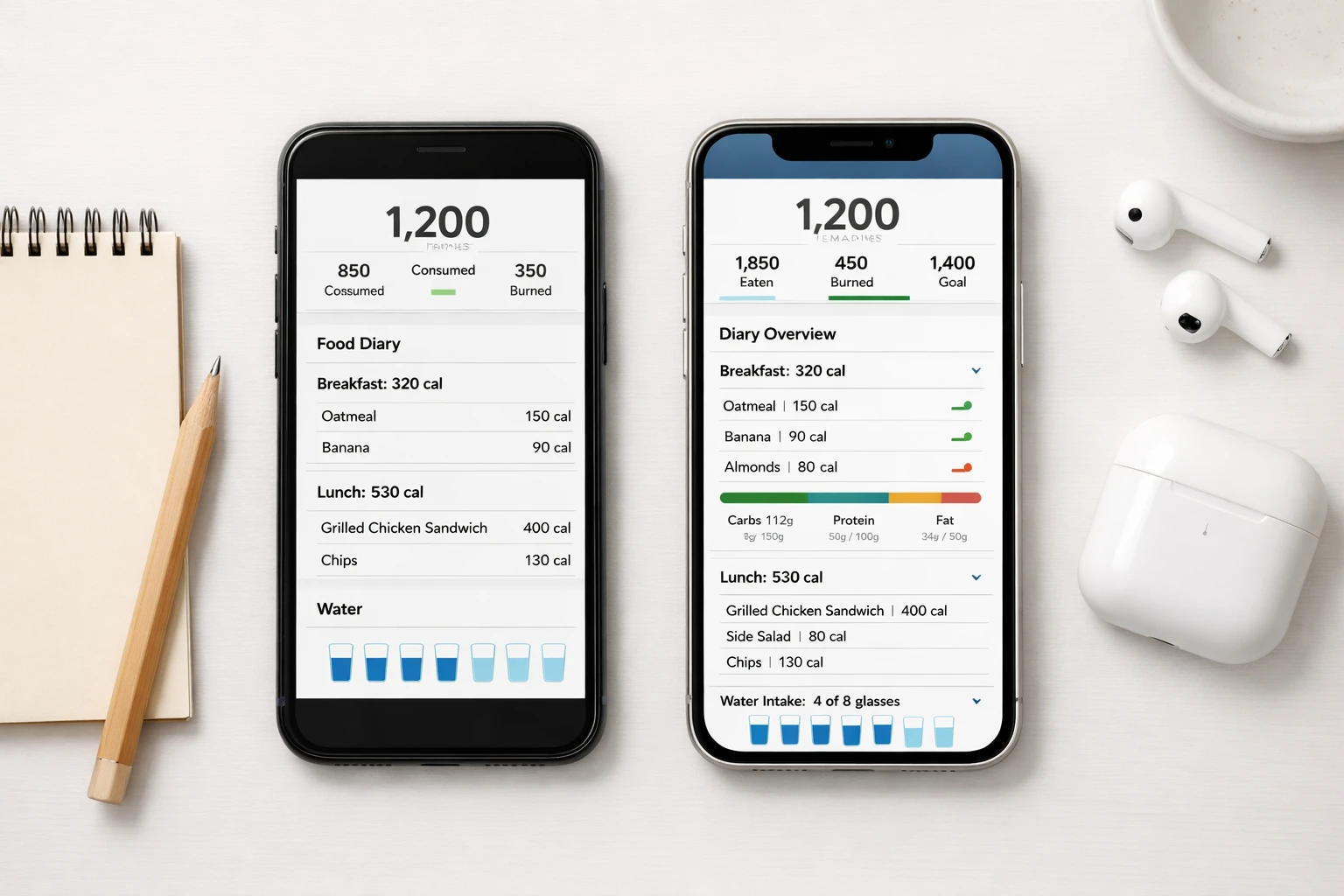 Comparing free trial terms across popular calorie tracking apps
MyFitnessPal is not the only app with a free trial. Here is how competitors compare:
| App | Trial Length | Auto-Charges? | Cancel Process |
|---|---|---|---|
| MyFitnessPal | 7 days | Yes | Apple/Google/Web |
| MacroFactor | 7 days | Yes | Apple/Google |
| Lose It | 7 days | Yes | Apple/Google |
| YAZIO | 7 days | Yes | Apple/Google |
| Cronometer | None (free basic) | N/A | N/A |
| NutriScan | 7 days | Yes | Apple/Google |
| Fastic | 14 days | Yes (Feel Good Guarantee) | Apple/Google |
NutriScan offers a 7-day trial with a straightforward cancellation process. Unlike some apps, NutriScan's free plan includes AI-powered food scanning with no ads, so you get meaningful features even without paying. For more details, see our NutriScan Pricing 2026 guide. If you are evaluating Lose It's trial, check our Lose It 7-Day Free Trial guide. For Fastic trial details, see our Fastic Pricing 2026 guide.
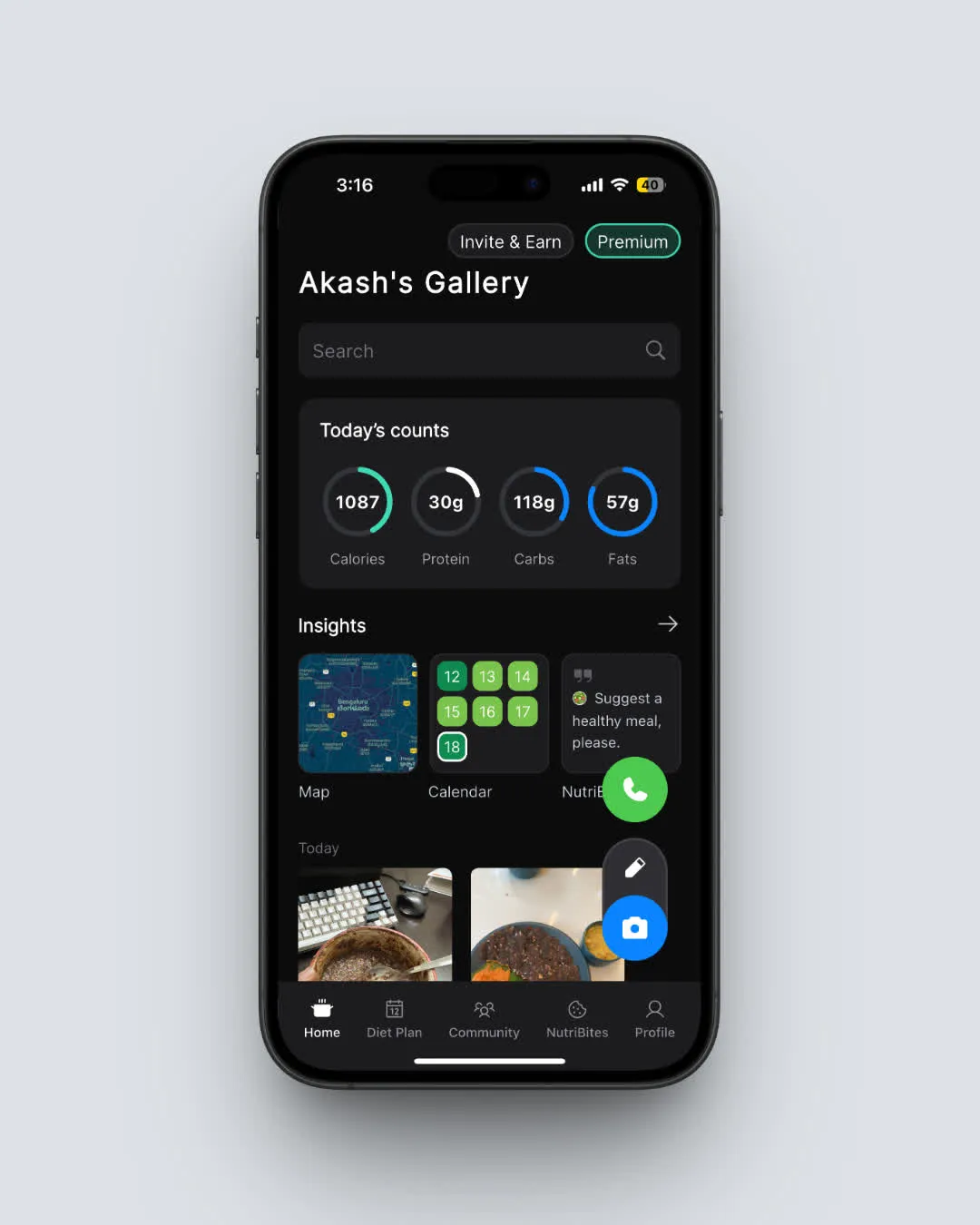 NutriScan's free plan includes AI meal scanning, macro tracking, and daily nutrition insights with no ads (Home > Daily Overview)
❓ Frequently Asked Questions
Q: Does MyFitnessPal charge you after the free trial?
A: Yes. The subscription auto-renews after 7 days. Your payment method will be charged the full price of the plan you selected (Premium at $19.99/mo or $79.99/yr, or Premium+ at $24.99/mo or $99.99/yr) unless you cancel before the trial ends.
Q: Can I get a refund if I forgot to cancel the MyFitnessPal trial?
A: It depends on where you subscribed. Apple users can request a refund at reportaproblem.apple.com. Google Play users can request through the Play Store. MyFitnessPal's own terms state that payments are generally non-refundable, so refunds for web purchases are rare.
Q: Do I lose my food diary data if I cancel?
A: No. Your food diary, weight history, and custom recipes stay on your account. You revert to the free plan, which means you lose Premium features like barcode scanning, meal plans, and ad-free logging, but your data remains intact.
Q: Can I use the free trial more than once?
A: No. MyFitnessPal allows one free trial per account. If you have already used a trial, you cannot start another one. Your Apple ID or Google account is linked to the trial redemption, so creating a new MyFitnessPal login on the same device may not bypass this restriction.
Q: What is the difference between canceling and deleting my account?
A: Canceling stops your subscription from renewing. Your account stays active and you keep using the free plan with basic calorie tracking and food search. Deleting your account permanently removes all your data, including your food diary, weight history, custom recipes, and personal settings. If you just want to stop paying, cancel the subscription, do not delete the account.
Q: Is the free plan still useful after canceling Premium+?
A: Yes. The free plan still lets you search and log foods manually, track calories and basic nutrients, set a calorie goal, and log your weight. You lose barcode scanning, meal plans, voice logging, photo scanning, and the ad-free experience. If you need photo-based food logging without a subscription, apps like NutriScan offer AI scanning as part of their free plan.
✅ Conclusion
The MyFitnessPal free trial gives you 7 days to test Premium+ features, but it will charge you automatically if you do not cancel. The safest approach is to cancel immediately after signing up. You keep full access for the entire trial period, and there is zero risk of an accidental charge. If you decide you want to keep Premium, you can always resubscribe.
For a tracker that gives you AI meal scanning, macro tracking, and personalized diet plans on the free plan with no ads, try NutriScan. You might find you do not need a paid subscription at all.
Use our macro calculator to find your ideal daily targets, or explore our diet plan guide for personalized meal recommendations.