How to Cancel Lose It Subscription or Free Trial
 ChatGPT
  Claude
  AI Mode
  Perplexity
To cancel your Lose It subscription or free trial, go to the store that took your money, not to the Lose It app. Apple Settings on iPhone, the Google Play Store on Android, my.loseit.com if you paid on the web. There is no cancel button inside the app itself.
TL;DR - How to Cancel a Lose It Subscription
- iPhone: Settings > Your Name > Subscriptions > Lose It > Cancel Subscription
- Android: Google Play Store > Profile > Payments & subscriptions > Subscriptions > Lose It > Cancel
- Website: my.loseit.com > Purchases > Cancel Subscription
- Free trial: Cancel on any of the 7 days and you keep Premium until day 7. No charge lands.
- If you miss it: Lose It bills $79.99 for the year, the standard US price as of mid 2026.
- Your data stays: food log, weight history, and account survive the cancellation.
As a NutriScan nutritionist, I help people choose the right calorie tracking app for their goals. And one of the most common questions I hear is not about food logging itself. It is about how to cancel a free trial before the charge hits.
Research shows that people who regularly track their eating habits with an app lose 5% of their body weight faster than people who do not track consistently (Journal of Obesity and Metabolic Syndrome, 2021). Lose It is one of the most popular apps for that purpose, with a 4.8 out of 5 rating from 728,000 App Store reviews and a perfect 5.0 score from Forbes Health. But if you started the free trial and decided the Premium plan is not for you, you need to cancel through the same platform where you signed up. Miss that step and you could be charged $79.99 for the annual plan or more.
This guide covers how to cancel a Lose It subscription or free trial on iPhone, Android, and the Lose It website. It also explains what happens after you cancel, how to get a refund if you were charged, and what you lose when you drop back to the free plan.
 That moment you realize the free trial ends tomorrow
What the Lose It 7-Day Free Trial Includes
The Lose It free trial gives you full access to every Premium feature for 7 days. That means you can test the tools before you commit to paying.
Here is what you get during the trial:
| Feature | Free Plan | Premium (Trial) |
|---|---|---|
| Calorie tracking | Yes | Yes |
| Food database (47M+ foods) | Yes | Yes |
| Barcode scanner (Scan It) | Limited | Full access |
| Photo food logging (Snap It) | No | Yes |
| Voice food logging (Say It) | No | Yes |
| Macro tracking | No | Yes |
| Custom nutrition insights | No | Yes |
| Water intake tracking | No | Yes |
| Blood pressure tracking | No | Yes |
| Meal planning | No | Yes |
| Device sync (Fitbit, Apple Health, Google Fit) | No | Yes |
| Community challenges | Limited | Full access |
The trial auto-renews into a paid subscription when the 7 days end. This is the standard pattern for most calorie tracking apps. A 2021 study found that active engagement with app features like logging meals, reading content, and tracking weight was associated with better weight outcomes (Carey et al., JMIR mHealth and uHealth). So the trial period is designed to get you into those habits before the billing starts.
Lose It Premium Pricing After the Trial
If you do not cancel before the trial ends, you will be charged based on the subscription tier you selected during sign-up.
Prices are standard US prices as of mid 2026 and change by region.
| Plan | Price | Per Month |
|---|---|---|
| Premium annual | $79.99/year | $6.67/month |
| Premium monthly | Not offered | n/a |
| Lifetime | $299.99 one-time | One payment |
| Lifetime, current Premium members | $229.99 one-time | One payment |
Premium is annual only at $79.99 a year, which works out to $6.67 a month. There is no monthly Premium plan, so the trial is the only way to try it before you pay for a full year (Lose It membership tiers and pricing).
Lose It raised Premium from $39.99 to $79.99, and older reviews and roundups still quote the old figure (Updates to Lose It Membership Pricing). At the new price Lose It costs the same per year as MyFitnessPal Premium, so it is no longer the budget choice it used to be.
For the full plan-by-plan breakdown, see our Lose It pricing guide. The Apple App Store listing shows several in-app purchase tiers, so the exact amount you see may depend on a promotional offer or the plan you picked during sign-up.
Lose It Premium is also FSA/HSA eligible, which means you can use pre-tax health spending accounts to pay for your subscription.
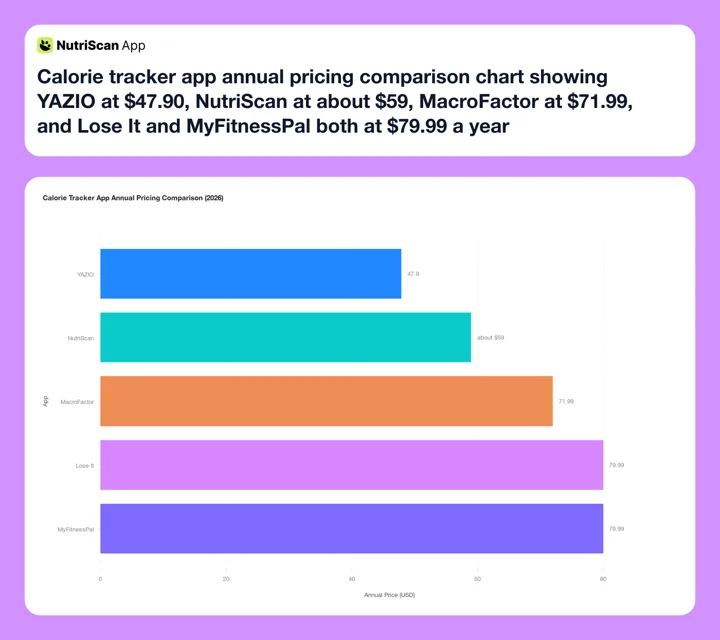 Figure 1: Annual pricing comparison of popular calorie tracking apps in 2026. After the increase to $79.99 a year, Lose It sits at the top of this range alongside MyFitnessPal.
How to Cancel a Lose It Subscription or Free Trial on iPhone
If you signed up through the Apple App Store, you must cancel through Apple. Lose It cannot cancel or refund purchases made through the App Store (Lose It Support).
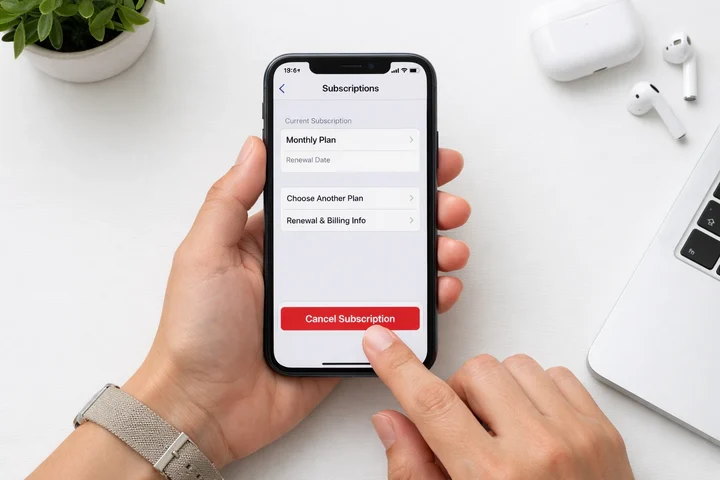 Cancel through your iPhone Settings, not inside the Lose It app
Step 1: Open the Settings app on your iPhone.
Step 2: Tap your name at the top of the screen.
Step 3: Tap Subscriptions.
Step 4: Find and tap Lose It in the subscription list.
Step 5: Tap Cancel Subscription.
Step 6: Tap Confirm on the cancellation confirmation screen.
You can also go directly to the Apple subscription management page by visiting this link on your iPhone. It will open the iTunes Store and take you to the Subscriptions page.
After you cancel, you keep Premium access until the trial period ends. You will not be charged.
How to Check Your Bank Statement
If you are not sure whether you signed up through Apple, check your bank or credit card statement. Apple purchases show as APPLE.COM/BILL or ITUNES.COM/BILL.
For the official Apple guide on managing subscriptions, see Apple Support.
How to Cancel a Lose It Subscription or Free Trial on Android
If you signed up through Google Play, you must cancel through Google Play. Here are the steps:
Step 1: Open the Google Play Store app on your Android device.
Step 2: Tap your profile icon in the top right corner.
Step 3: Tap Payments and subscriptions.
Step 4: Tap Subscriptions.
Step 5: Find and tap Lose It.
Step 6: Tap Cancel subscription.
Step 7: Follow the on-screen instructions to confirm.
After cancellation, you keep Premium features until the trial period ends.
How to Check Your Bank Statement
Google Play purchases show as GOOGLE*LOSE IT on your bank or credit card statement.
For the official Google guide, see Google Play Help.
How to Cancel a Lose It Subscription on LoseIt.com
If you subscribed directly through the Lose It website (not through Apple or Google), follow these steps:
Step 1: Open a web browser and go to my.loseit.com.
Step 2: Sign in with your email and password, or use Sign in with Apple.
Step 3: Click Purchases on the left-hand sidebar.
Step 4: Click Cancel Subscription.
If you do not see a subscription listed on this page, you probably signed up through the App Store or Google Play instead. Check your bank statement to confirm. Website purchases show as LOSE IT! HTTPSWWW.LOSE MA on your statement (Lose It Support).
What Happens After You Cancel
When you cancel the Lose It free trial, two things happen:
- You keep Premium features until the end of your trial period. If you cancel on day 3, you still have Premium access for the remaining 4 days.
- Your account reverts to the free plan after the trial ends. You do not lose your food log data, weight history, or account. You just lose access to Premium features.
Here is what you lose when you drop back to the free plan:
- Photo food logging (Snap It)
- Voice food logging (Say It)
- Full barcode scanner access
- Macro tracking
- Custom nutrition insights
- Device sync with fitness trackers
- Water intake and blood pressure tracking
- Meal planning tools
Your basic calorie tracking, food database access, and weight log stay intact on the free plan. If you are canceling a paid year rather than a trial, our step-by-step guide to canceling Lose It Premium walks through the same three platforms.
Important
Deleting the Lose It app from your phone does not cancel your subscription. The billing continues through Apple or Google until you cancel the subscription itself.
What you lose with Lose It, and what NutriScan gives you free
That list of trial features you are about to drop has a free equivalent on NutriScan.
| Lose It Premium paid feature | NutriScan |
|---|---|
| Photo food logging (Snap It) | Photo food scan, 5 a week on the free plan, unlimited on Premium |
| Macro tracking | Calories, macros and micronutrients on every meal you log, free and unlimited |
| Custom nutrition insights | A NutriScore on every meal, with weekly and monthly trends, free |
| Full barcode scanner access | Barcode scanning on the free plan |
| Meal planning | 28-day diet plans with macros, a grocery list and swaps. This one is Premium in NutriScan too |
Lose It Premium is annual only at $79.99 a year. NutriScan Premium is about $59 a year, and the free plan has no time limit, so nothing switches off when a trial runs out.
How to Get a Refund for Lose It Premium
If you were charged after your trial ended and you want a refund, the process depends on how you purchased. Our refund rules comparison for MyFitnessPal, Lose It, and Lifesum covers what each store will and will not approve.
Refund for Apple App Store Purchases
Lose It cannot issue refunds for purchases made through Apple. You must request a refund directly from Apple:
- Go to reportaproblem.apple.com
- Click "I'd like to" and select "Request a refund"
- Choose the reason for your refund request
- Select the Lose It Premium subscription
- Click Submit
Apple reviews refund requests on a case-by-case basis. There is no guarantee, but requests made within a few days of an unwanted charge are usually approved.
For the official Apple refund guide, see Apple Support.
Refund for Google Play Purchases
You can request a refund through Google Play:
- Open the Google Play Store app
- Tap your profile icon
- Tap Payments and subscriptions
- Tap Budget and history
- Find the Lose It charge and tap it
- Tap Request a refund
Google also reviews these on a case-by-case basis.
Refund for LoseIt.com Purchases
If you purchased directly from Lose It, fill out the refund request form with your account information. The system will show you what refund options are available (Lose It Support).
6 Tips to Avoid Unwanted Charges
1. Set a calendar reminder. As soon as you start the trial, set an alarm for day 5 or 6. This gives you time to decide and cancel before the charge.
2. Cancel early, keep access. You can cancel on day 1 and still use Premium features for the full 7 days. Canceling early does not cut your access short.
3. Check your purchase platform. The number one mistake people make is trying to cancel in the wrong place. If you signed up through Apple, you must cancel through Apple, not through the Lose It app, not through Google Play, and not through the website.
4. Look at your bank statement. If you are not sure where you subscribed, check your statement. Apple shows as APPLE.COM/BILL, Google shows as GOOGLE*LOSE IT, and the website shows as LOSE IT! HTTPSWWW.LOSE MA.
5. Do not just delete the app. Deleting the Lose It app from your phone does not cancel your subscription. The billing continues through Apple or Google until you cancel the subscription itself.
6. Screenshot the confirmation. After you cancel, take a screenshot of the cancellation confirmation. This is useful if you need to dispute a charge later.
 That feeling when you cancel before the charge hits
Lose It Free Trial vs Other Calorie Tracker Trials
How does the Lose It trial compare to other popular calorie tracking apps?
| App | Trial Length | What Happens After |
|---|---|---|
| Lose It | 7 days | Charges $79.99/year (annual plan) |
| MyFitnessPal | 7 days | Charges $79.99/year or $19.99/month |
| Cronometer | No free trial on web | Free Basic tier available |
| YAZIO | 7 days | Charges $47.90/year |
| Fastic | 7-14 days | Charges vary; Feel Good Guarantee for 14-day refund |
| MacroFactor | 7 days | Charges $71.99/year |
| NutriScan | 7 days | Free plan keeps 5 AI scans a week; Premium at about $59/yr |
Seven days is the norm across the category, so no app in this table gives you meaningfully longer to decide (MyFitnessPal Premium). What differs is the price at the end of it. Lose It and MyFitnessPal both land at $79.99 a year, YAZIO at $47.90. If you want a free plan you can keep using after the trial, NutriScan leaves AI photo scanning on the free tier at 5 scans a week. For a wider list of swaps, see our roundup of the best Lose It alternatives.
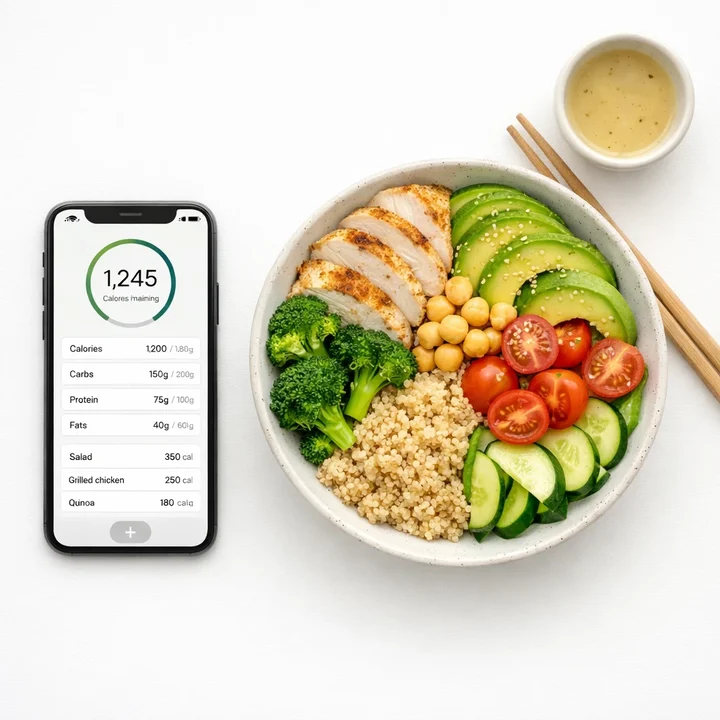 Calorie tracking apps like Lose It and NutriScan help you stay on top of your nutrition goals

Should You Keep Lose It Premium?
Before you cancel, consider whether the Premium features are worth the price for your goals. The decision depends on how you use the app day to day and which tracking features matter most to your routine.
Keep Premium if you:
- Use the barcode scanner daily (Scan It is moving to Premium-only for new accounts)
- Rely on photo or voice food logging (Snap It, Say It)
- Track macros, water, or blood pressure alongside calories
- Want to sync data from a fitness tracker or smartwatch
- Use meal planning and nutrition insights
- Want weekly calorie budget view to balance good and bad days
- Need custom challenges for running, walking, biking, or strength training
Cancel and use the free plan if you:
- Only need basic calorie tracking
- Prefer manual food entry over scanning
- Do not track macros or water
- Are on a tight budget, since $79.99 a year now puts Lose It among the pricier trackers
- Want to try a different app before committing
If you are still weighing it up, we broke down who should actually pay for Lose It Premium feature by feature.
The free plan still gives you access to the 47 million food database, calorie tracking, and weight logging. For many people, that is enough. If you want to figure out your ideal daily calorie and macro targets before choosing an app, try our free macro calculator.
Try NutriScan as an Alternative
If you are looking for a calorie tracker with AI-powered photo scanning on the free plan, NutriScan gives you that plus voice logging with Monika, detailed nutrition breakdowns, and a generous free tier. Download it from the App Store or Google Play.
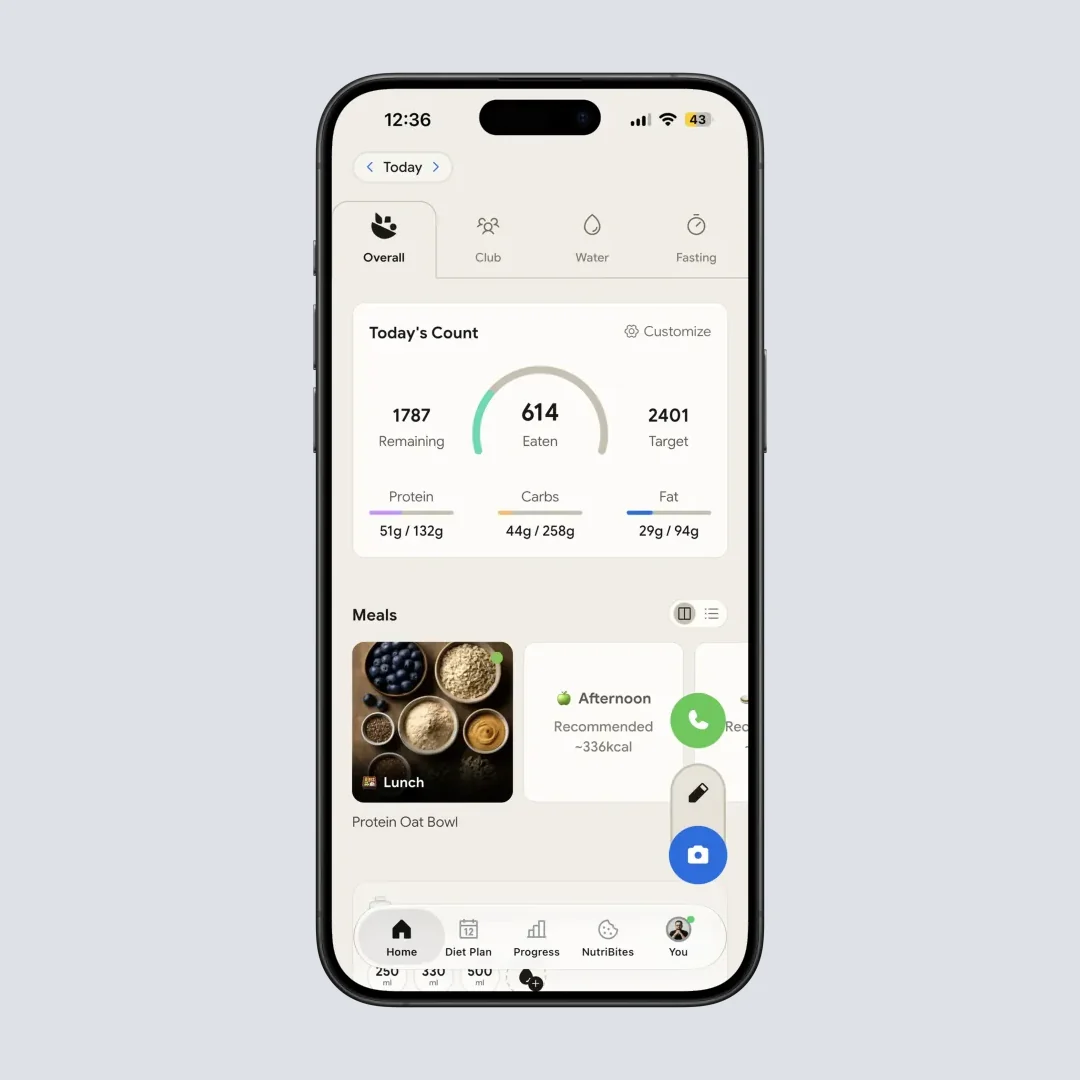

NutriScan offers AI photo scanning and detailed macro tracking even on the free plan
Real User Experiences With the Lose It Trial
Understanding how other people use and cancel the trial can help you make a better decision.
The weekly budget user. One of the features that makes Lose It unique is the weekly calorie budget view. Everyday Health RN reviewer Chaunie Brusie described it this way: "I really appreciate the weekly look at my calorie budget because it helped teach me that even if I had an off day here and there, if I looked at my calories as a weekly budget, I could still achieve my weight loss goals" (Everyday Health). This feature is available on Premium, so if the weekly view helped you stay consistent during the trial, it might be worth keeping.
The confused canceller. A common frustration with Lose It, and many subscription apps, is finding the cancel button. Users on Reddit's r/LoseitApp have reported looking for a cancel option inside the app settings and not finding one. The reason is simple: if you subscribed through Apple or Google, the cancel button is in your device settings, not in the Lose It app itself.
The platform switcher. Some users sign up on one device and try to cancel on another. For example, if you started the trial on your iPhone but later switched to an Android phone, you still need to cancel through Apple. The subscription follows the platform, not the app.
Common Mistakes That Lead to Unexpected Charges
Based on Lose It support articles and user forums, here are the most frequent reasons people get charged after a trial:
Forgetting the trial exists. Most people sign up, use the app for a day or two, then forget about the trial until they see a charge on their statement.
Canceling in the wrong place. Trying to cancel inside the Lose It app, on the wrong app store, or on the Lose It website when the subscription was purchased through Apple.
Assuming deleting the app cancels the subscription. It does not. The billing relationship is between you and Apple, Google, or Lose It directly. The app is separate from the subscription.
Missing the cancellation deadline. Apple and Google process renewals up to 24 hours before the trial end date. If your trial ends on a Tuesday, cancel by Monday at the latest.
Not checking email for the receipt. Apple and Google send email receipts when a charge goes through. Check your inbox and spam folder for confirmation emails from Apple or Google within 24 hours of your trial end date.
FAQ
How do I cancel my Lose It subscription?
Cancel through the store that took your money. On iPhone, open Settings, tap your name, tap Subscriptions, tap Lose It, then tap Cancel Subscription. On Android, open the Google Play Store, tap your profile icon, tap Payments and subscriptions, tap Subscriptions, tap Lose It, then tap Cancel subscription. If you paid on the web, sign in at my.loseit.com, click Purchases, then click Cancel Subscription.
How do I cancel the Lose It free trial?
Same three routes as a paid subscription: Apple Settings, the Google Play Store, or my.loseit.com. Timing is the only difference. Cancel on any of the 7 days and Premium stays on until day 7, so there is no reason to wait. Apple and Google start processing the renewal up to 24 hours before the trial ends, so cancel a full day early rather than on the last morning.
Can I use the Lose It free trial more than once?
No. The 7-day free trial is available only to users who have never subscribed to Lose It Premium before. If you had a trial or subscription in the past, you will not get another free trial.
Will I lose my data if I cancel the free trial?
No. Your food log, weight history, and account data stay intact. You just lose access to Premium features like macro tracking, photo logging, and device sync. You can re-subscribe later and your data will still be there.
Can I cancel my Lose It app subscription from inside the app?
The app itself does not have a cancel button. You must cancel through the platform where you subscribed: Apple Settings, Google Play Store, or the Lose It website at my.loseit.com. This is a common source of confusion. A Reddit thread on r/LoseitApp shows many users have trouble finding the cancel option because they look inside the app instead of in their device settings.
What is the cheapest way to get Lose It Premium?
There is only one Premium plan now: $79.99 a year, or $6.67 a month (Lose It membership tiers and pricing). If you know you will stay, Lifetime at $299.99 pays for itself in under four years, and current Premium members can take it at $229.99, which pays back in under three. Watch for promotional pricing as the App Store occasionally shows discounted tiers. Lose It Premium is also FSA/HSA eligible, so you may be able to pay with pre-tax dollars.
How long does a Lose It refund take?
For Apple purchases, refunds typically process within 5 to 10 business days after Apple approves the request. For direct purchases through the Lose It website, the refund form shows available options immediately. Google Play refunds usually process within 1 to 4 business days.
Do This Before Your Trial Ends
Open the store you signed up with, cancel there, and screenshot the confirmation. That is the whole job, and it takes about 30 seconds. If your trial ends on a Tuesday, do it by Monday, because Apple and Google start processing the renewal up to 24 hours early.
If you still want to track calories after canceling, NutriScan gives you 5 AI photo scans a week on the free plan, plus NutriScore on every meal and full micronutrients at no cost. Our side-by-side of NutriScan and Lose It shows where each one wins.
