Refund Rules: MyFitnessPal vs Lose It vs Lifesum (2026)
 ChatGPT
  Claude
  AI Mode
  Perplexity
Canceled your calorie tracker but still got charged? You are not alone. 🤔
TL;DR - Calorie Tracker Refund Rules Compared
Lose It has the clearest refund process with a dedicated portal at refunds.loseit.com (up to 35 days for web/Google purchases)
Lifesum gives EU-backed 14-day withdrawal rights, but using Premium features during those 14 days can void your refund
MyFitnessPal has no stated refund window and pushes everything to Apple or Google
Platform matters most: Apple reviews case-by-case; Google offers 48-hour auto-refund. The app itself often cannot help with platform purchases
Best defense: Cancel immediately after subscribing if unsure. You keep access until the billing period ends
Nearly 30% of annual app subscriptions get canceled in the first month (RevenueCat State of Subscription Apps 2025). That is a lot of people who paid, tried, and decided the app was not for them. But canceling and getting a refund are two very different things. As a NutriScan nutritionist, I have seen this confusion come up constantly: "I canceled my subscription, so where is my refund?"
The honest answer is that every calorie tracking app handles refunds differently, and the platform you purchased on (Apple, Google, or web) adds another layer of rules. In this guide, I will break down the exact refund policies for three of the most popular calorie trackers so you know what to expect before you ask.
Why Refund Rules for Calorie Tracking Apps Confuse People 🤷
The biggest source of confusion is simple: canceling a subscription does not equal a refund. When you cancel, you stop future charges. You do not automatically get money back for the current billing period.
 That moment when you realize canceling is not the same as getting a refund
A 2024 study on mobile health app usage found that user engagement with mHealth apps diminishes over time, leading to significant dropout rates (PMC 12004308). Many users sign up during a motivation spike, lose interest within weeks, and then want their money back.
Here is what makes calorie tracker refunds uniquely tricky:
- Platform dependency: Your refund path depends on whether you bought through Apple, Google Play, or the app's website. The app developer often cannot help with Apple or Google purchases at all.
- No standard window: Some apps offer 14 days, some offer 35 days, and Apple makes case-by-case decisions with no published guarantee.
- Trial traps: Free trials that auto-convert to paid subscriptions create surprise charges, and refund rules for trial conversions are often stricter.
- Regional laws: EU consumers get a mandatory 14-day withdrawal right from EU-based companies. US consumers rely on platform policies.
Important Distinction
Canceling = stopping future charges. You keep access until the billing period ends. Refunding = getting money back for the current period. This requires a separate request through the correct channel.
MyFitnessPal Refund Policy: What You Actually Get 📱
MyFitnessPal (owned by Francisco Partners) is one of the most subscribed calorie trackers, with Premium at $19.99/month or $79.99/year and Premium+ at $24.99/month or $99.99/year (MyFitnessPal Support). For a full pricing breakdown, see our MyFitnessPal pricing guide.
The Core Rule
MyFitnessPal does not process refunds directly for App Store or Google Play purchases. Their official policy states: "You must process a request for cancellation of your renewal using the same platform on which you originally paid."
For Apple purchases, MFP's support page explicitly says: "It is Apple's policy that all iTunes purchases are managed solely by them. We have no way to access your initial payment information or subscription on our end."
Refund Paths by Platform
| Platform | Refund Contact | Window | Success Rate |
|---|---|---|---|
| Apple App Store | reportaproblem.apple.com | Case-by-case (aim for 14 days) | Moderate: first request usually approved |
| Google Play | Google Play refund form | 48 hours auto-refund, then case-by-case | High within 48 hours |
| Web (myfitnesspal.com) | MFP support via Settings > Subscription | Varies | Low: limited documentation |
What to Know
- Apple does not guarantee refunds. They review each request individually. Your first refund request is usually approved, but repeated requests get denied.
- Google Play offers a 48-hour automatic refund window for subscriptions. After that, you must contact the developer or Google support.
- Web purchases go through MFP directly. Cancel via My Home > Premium > Subscription Settings.
- MFP supports FSA/HSA payments, which have separate reimbursement rules from your health spending account.
- Premium features stay active until the end of your billing period even after canceling.
If you need to cancel first, follow our step-by-step MyFitnessPal cancellation guide.
Lose It Refund Policy: The Dedicated Refund Portal 🏆
Lose It stands out from most calorie trackers because it has a dedicated refund website at refunds.loseit.com (Lose It Cancellations and Refunds). This is unusual. Most nutrition apps just point you to Apple or Google. For pricing context, check our Lose It pricing guide.
Pricing Context
Lose It Premium costs $79.99/year, raised from $39.99 in 2026, and there is no monthly plan (Lose It membership tiers and pricing). The Lifetime plan is $299.99, or $229.99 if you are an active Premium member. Those are standard US prices as of mid 2026 and change by region. A bigger charge is exactly when the refund path below matters. Lose It is owned by Everyday Health Group.
Refund Paths by Platform
| Platform | Refund Contact | Window | Notes |
|---|---|---|---|
| Apple App Store | reportaproblem.apple.com | Case-by-case | Lose It cannot process Apple refunds |
| Google Play / Web | refunds.loseit.com refund form | Up to 35 days (reported) | Fill out form, system shows options |
| Direct (loseit.com) | refunds.loseit.com | Varies | Dedicated refund form available |
What to Know
- For Google Play and web purchases, Lose It has its own refund form that automatically shows what refund options are available based on your account.
- Apple purchases must go through Apple's reportaproblem.apple.com. Lose It explicitly states: "Apple does not permit app developers to provide refunds for purchases made via their platform."
- The dedicated refund portal is a sign of good faith. Most apps make you hunt for refund instructions buried in help articles.
- Lifetime plan refunds follow different rules since it is a one-time purchase, not a recurring subscription.
- Bank statement identifiers help you figure out where you purchased: look for APPLE.COM/BILL, GOOGLE*LOSE IT, or LOSE IT! HTTPSWWW.LOSE on your statement.
Need to cancel Lose It first? See our Lose It cancellation guide.
Lifesum Refund Policy: The 14-Day EU Window 🇪🇺
Lifesum is headquartered in Stockholm, Sweden (Lifesum AB). This matters because EU consumer protection law gives customers a 14-day right of withdrawal from the date of purchase (Lifesum Help Center). Check our Lifesum pricing guide for full plan details.
Pricing Context
Lifesum Premium runs around $29.99/3 months, $49.99/6 months, or $99.99/year, with no monthly option in most markets. Treat those as a range rather than a price list: the App Store carries several annual SKUs at the same time, from about $29.99 to $119.99, and promotional pricing moves the number you are shown. Check the amount on your own receipt before you quote a figure in a refund request.
Refund Paths by Platform
| Platform | Refund Contact | Window | Notes |
|---|---|---|---|
| Apple App Store | Apple Support (getsupport.apple.com) | 14 days | Apple handles it |
| Google Play | Google Play refund instructions | 14 days | Google handles it |
| PayPal | Contact Lifesum support | 14 days | Provide receipt or Purchase ID |
| Website (credit card) | Contact Lifesum support | 14 days | Provide receipt or Purchase ID |
| Paddle | paddle.net refund process | 14 days | For purchases via Instagram/Facebook ads |
| Samsung Galaxy Store | Contact Lifesum support | 14 days | Provide receipt copy |
What to Know
- Lifesum has 6 different purchase platforms (Apple, Google, PayPal, Paddle, Samsung, website). This is more than most apps, and each has a slightly different refund process.
- The 14-day window is firm and comes from EU law, not just goodwill. According to Lifesum's Terms and Conditions: "You have 14 days from the date you receive the confirmation of your subscription via email to withdraw from the contract with Lifesum."
Critical Catch
There is an important exception: "If you consent to have access to the Lifesum Premium services during the withdrawal period, you no longer have the right to withdraw." This means if you actively use the premium features during those 14 days, Lifesum could deny your refund.
- Paddle purchases (from Instagram or Facebook ad signups) surprise many users because they do not realize they bought through a third-party processor.
- Just canceling does not trigger a refund. Lifesum explicitly states: "Just canceling a subscription does not automatically result in a refund, it only avoids a renewal."
For cancellation steps, see our Lifesum cancellation guide.
Side-by-Side Comparison: Who Gives You the Best Refund Deal? ⚖️
| Factor | MyFitnessPal | Lose It | Lifesum |
|---|---|---|---|
| Official refund window | No stated window (platform-dependent) | Up to 35 days (Google/web) | 14 days (EU law) |
| Dedicated refund page | No | Yes (refunds.loseit.com) | No |
| Can app process Apple refunds? | No | No | No |
| Can app process Google refunds? | Limited | Yes (own form) | Limited |
| Web purchase refunds | Via MFP support | Via refund form | Via support (14 days) |
| EU withdrawal right | No (US company) | No (US company) | Yes (Swedish company) |
| FSA/HSA eligible | Yes | Yes | No |
| Usage restriction on refund | No stated restriction | No stated restriction | Yes: using Premium may void refund |
| Refund process clarity | Low | High | Medium |
Winner for refund transparency: Lose It. The dedicated refund portal is the clearest process among the three.
Winner for legal protection: Lifesum. EU withdrawal rights give you a guaranteed 14-day window (with the usage caveat).
Hardest to get a refund from: MyFitnessPal. No stated refund window, no dedicated refund page, and heavy reliance on Apple/Google policies.
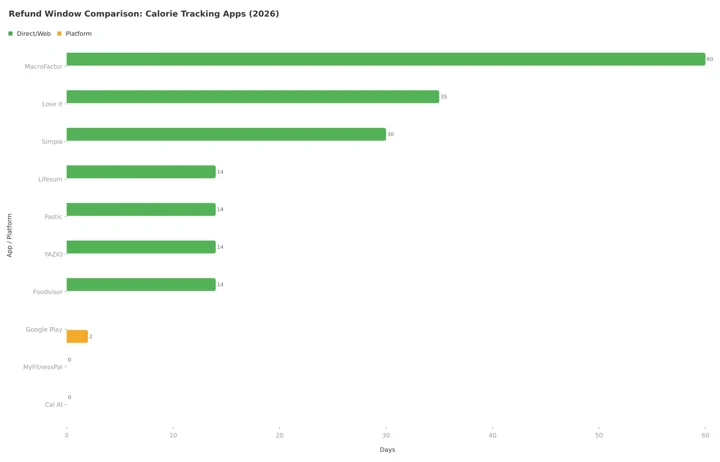 Figure 1: Refund window comparison across calorie tracking apps. MacroFactor leads at 60 days, Lose It gives 35 and Simple 30, while MyFitnessPal and Cal AI offer no direct refund window. The Google Play bar is the 48-hour automatic refund window.
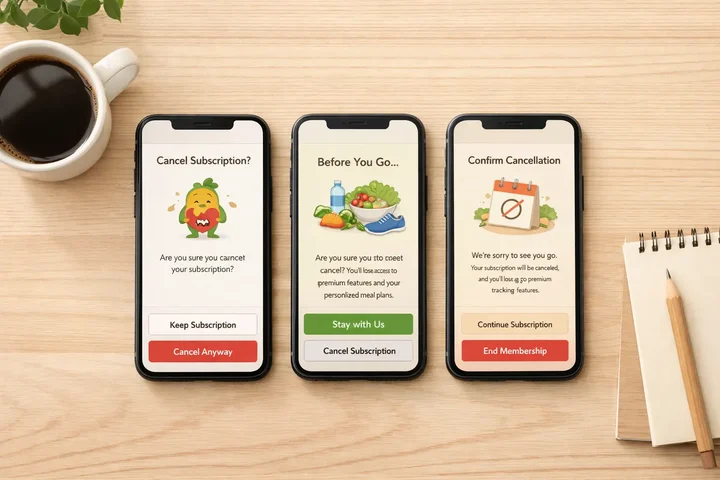 Each app has a different cancellation and refund flow. Knowing which platform you purchased on is the first step.
Getting a refund? What NutriScan gives you free
Refund windows only matter because these apps take the money upfront. Here is what you would be paying for.
| Paid on MyFitnessPal, Lose It or Lifesum | NutriScan |
|---|---|
| Photo logging and full barcode scanning | Photo food scan, 5 a week on the free plan, unlimited on Premium, barcode scanning free |
| Macro tracking and detailed nutrition data | Calories, macros and micronutrients on every meal you log, free and unlimited |
| Food and meal ratings, custom insights | A NutriScore on every meal, with weekly and monthly trends, free |
| Meal plans and recipe libraries | 28-day diet plans with macros, a grocery list and swaps. This one is Premium in NutriScan too |
MyFitnessPal and Lose It are $79.99 a year, Lifesum lists at $99.99. NutriScan Premium is about $59 a year, and the free plan has no time limit, so there is nothing to ask back.
How Apple and Google Refund Policies Override Everything 🍎
No matter which calorie tracker you use, if you purchased through the App Store or Google Play, the platform's refund policy takes priority over the app's own policy.
Apple App Store Refund Rules
- Apple reviews refund requests on a case-by-case basis via reportaproblem.apple.com (Apple Support).
- There is no guaranteed refund window, but requests within 14 days of purchase are more likely to succeed.
- Your first refund request is almost always approved. Repeated requests for the same app or across apps will get scrutinized.
- Approved refunds show up as store credit within 48 hours or on your card statement within 30 days.
- "I forgot to cancel my trial" is a valid reason to request a refund, but Apple is not obligated to approve it.
Google Play Refund Rules
- Google offers a 48-hour automatic refund window for most subscriptions (Google Play Help).
- After 48 hours, you can still request a refund but approval is not guaranteed.
- You can only refund the same app once. If you buy it again, no second refund.
- Google Play refund decisions usually come within 48 hours.
- Some developers (like Lose It) can process Google Play refunds directly through their own systems.
Platform Identification Tip
Check your bank statement to identify where you purchased: APPLE.COM/BILL = Apple, GOOGLE* = Google Play, PADDLE.NET = Paddle (Lifesum ads). This tells you exactly where to submit your refund request.
The Platform Problem
Here is why this matters: if you bought MyFitnessPal Premium through the Apple App Store and want a refund, MyFitnessPal literally cannot help you. They do not have access to your payment information. You must go through Apple. This is not the app being unhelpful. It is how the App Store billing system works.
How Other Calorie Trackers Handle Refunds 📊
For context, here is how other popular apps compare. We have detailed guides for many of these:
| App | Refund Window | Special Policy | Company Location |
|---|---|---|---|
| Cronometer | Platform-dependent | No stated direct refund policy | Canada |
| YAZIO | 14 days (EU law) | EU withdrawal form available | Germany |
| Fastic | 14 days (Feel Good Guarantee) | No-conditions refund, no usage restriction | Germany |
| Foodvisor | 14 days (EU law) | "Satisfied or Refunded" with strict conditions | France |
| Cal AI | Platform-dependent | ToS states "non-refundable" | US |
| BitePal | 48 hours (stores), 30 days (web) | Terms refuse refunds for a forgotten trial | Lithuania |
| Simple | 30 days (website), 7 days (commitment plans) | Commitment plans lock after 7 days | US |
| MacroFactor | 60 days (reported) | Support can process Google Play refunds directly | US |
| NutriScan | Platform-dependent | Simple cancel via in-app button | India |
Best refund policy overall: Fastic's Feel Good Guarantee (14 days, no conditions, no usage restriction). Read our Fastic refund deep-dive.
Most restrictive: Cal AI (ToS explicitly states "non-refundable except as required by law").
Also see our broader fasting app refund rules comparison for more detail on Fastic, YAZIO, Simple, and Noom.
Tips to Protect Yourself Before You Subscribe 🛡️
Screenshot the price screen before you subscribe. Some apps use dynamic pricing (different prices for different users), and you want proof of what you were shown.
Set a calendar reminder for 24 hours before your trial ends. Both Apple and Google require cancellation at least 24 hours before renewal.
Check your bank statement for the billing entity name. This tells you which platform to contact for a refund: APPLE.COM/BILL means Apple, GOOGLE* means Google Play.
Cancel immediately after subscribing if you are unsure. On both Apple and Google, canceling keeps your access until the end of the billing period. You lose nothing by canceling early.
Try the free version first. MyFitnessPal, Lose It, and Lifesum all have free tiers. Use them for at least a week before upgrading. This reduces the chance you will need a refund at all.
Know your regional rights. EU residents get stronger protection from EU-based companies like Lifesum. The US FTC finalized a Click-to-Cancel rule in October 2024, but a US appeals court vacated it in July 2025, so enforcement remains uncertain.
Use annual plans wisely. Annual subscriptions save money but lock you in. If you are not sure, start with a monthly plan even if it costs more per month. Check our cheapest nutrition app comparison to find the best deal.
Step-by-Step: How to Request a Refund Right Now 📋
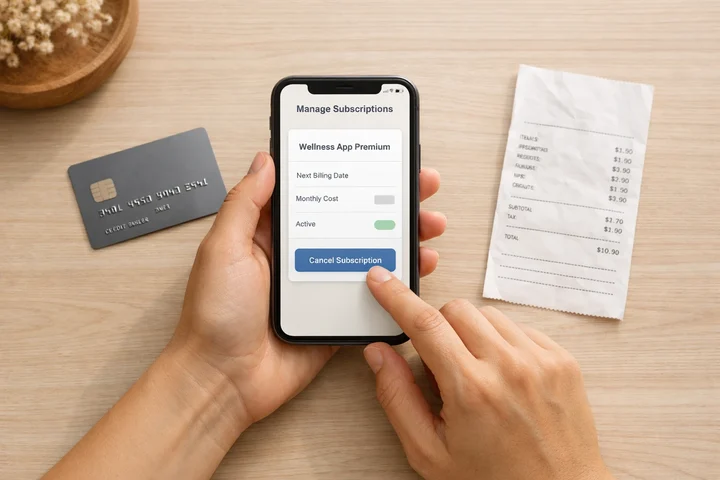 Have your bank statement and purchase confirmation ready before starting the refund process
Step 1: Identify Where You Purchased
Check your email for the original purchase confirmation. Look for emails from Apple, Google Play, PayPal, Paddle, or the app directly. If you cannot find the email, check your bank statement for the billing entity.
Step 2: Go to the Right Refund Page
- Apple purchases: Go to reportaproblem.apple.com. Sign in with your Apple ID. Find the subscription charge. Click "Request a refund."
- Google Play purchases: Open Google Play > tap your profile > Payments & subscriptions > Budget & history. Find the charge and tap "Request a refund."
- Lose It web/Google: Go to refunds.loseit.com and fill out the refund form.
- Lifesum web/PayPal/Samsung: Contact Lifesum support within 14 days with your receipt or Purchase ID.
- MyFitnessPal web: Log in to myfitnesspal.com > My Home > Premium > Subscription Settings.
Step 3: Choose Your Reason
Common valid reasons:
- "I did not intend to purchase this subscription"
- "I was charged after canceling"
- "The app did not work as described"
- "I forgot to cancel a free trial"
Step 4: Submit and Wait
- Apple: Response within 48 hours by email.
- Google Play: Response within 1-4 business days.
- Lose It direct: Response within a few business days via their refund form.
- Lifesum direct: Response within a few business days via support.
Step 5: Check Your Statement
- Apple store credit: Up to 48 hours.
- Credit/debit card: Up to 30 days (Apple) or 5-14 days (Google).
- PayPal: 3-5 business days.

The #1 Mistake That Kills 90% of Refund Requests ❌
Here is the mistake that trips up most people and almost guarantees a denied refund:
Contacting the wrong party.
It sounds obvious, but here is how it plays out:
- You buy MyFitnessPal Premium through the Apple App Store.
- You email MyFitnessPal support asking for a refund.
- MFP responds: "We cannot process Apple purchases."
- By the time you figure out to go to reportaproblem.apple.com, it has been 3 weeks.
- Apple is now less likely to approve because of the delay.
The fix is simple: check your bank statement first. The billing entity name tells you exactly who to contact. Do this before anything else.
| Bank Statement Shows | Contact |
|---|---|
| APPLE.COM/BILL | reportaproblem.apple.com |
| GOOGLE* | Google Play refund form |
| PADDLE.NET | paddle.net (Lifesum via ads) |
| LOSE IT! HTTPSWWW.LOSE | refunds.loseit.com |
| MYFITNESSPAL | myfitnesspal.com support |
| LIFESUM | Lifesum support |
The second most common mistake: waiting too long. Submit your refund request within 48 hours if possible. Google auto-approves within that window, and Apple is far more generous with recent purchases.
 That feeling when your refund request finally gets approved
What the Research Says About Subscription Behavior 📈
Understanding why people request refunds can help you avoid the situation entirely. A 2024 study on willingness to pay for health apps found that many users underestimate how much effort consistent tracking requires before they subscribe (PMC 11064745).
RevenueCat's 2025 industry report found that nearly 30% of annual subscriptions are canceled within the first month (RevenueCat 2025). For health and fitness apps specifically, the dropout pattern is even steeper: most users who will cancel do so in the first two weeks.
A separate study on factors driving mHealth app usage found that perceived usefulness and ease of use are the strongest predictors of continued engagement (PMC 12004308). This suggests that if an app feels complicated or does not deliver visible results quickly, users are more likely to abandon it and seek refunds.
The lesson: try the free version of any calorie tracker for at least 7-14 days before paying. Use a free tool like our macro calculator to understand your baseline needs first. If you can build the habit on the free plan, the paid features will be a genuine upgrade rather than a regretted impulse purchase.
Conclusion: Know the Rules Before You Pay 📝
The refund landscape for calorie tracking apps is fragmented. Your experience depends on three things: which app, which platform you purchased on, and where you live.
Here is the short version:
- Lose It makes refunds easiest with a dedicated portal for non-Apple purchases.
- Lifesum gives EU-backed 14-day protection but can deny refunds if you used Premium features.
- MyFitnessPal has the least clarity, pushing almost everything to Apple or Google.
- Apple and Google have their own rules that override everything else.
The safest approach is to avoid needing a refund in the first place. Use free tiers, set cancel reminders, and do not upgrade until you have proven the habit with at least a week of consistent tracking. Tools like NutriScan keep a free plan (5 AI meal scans a week, NutriScore on every meal, 4 Monika AI calls a week) specifically so you can test before you commit.
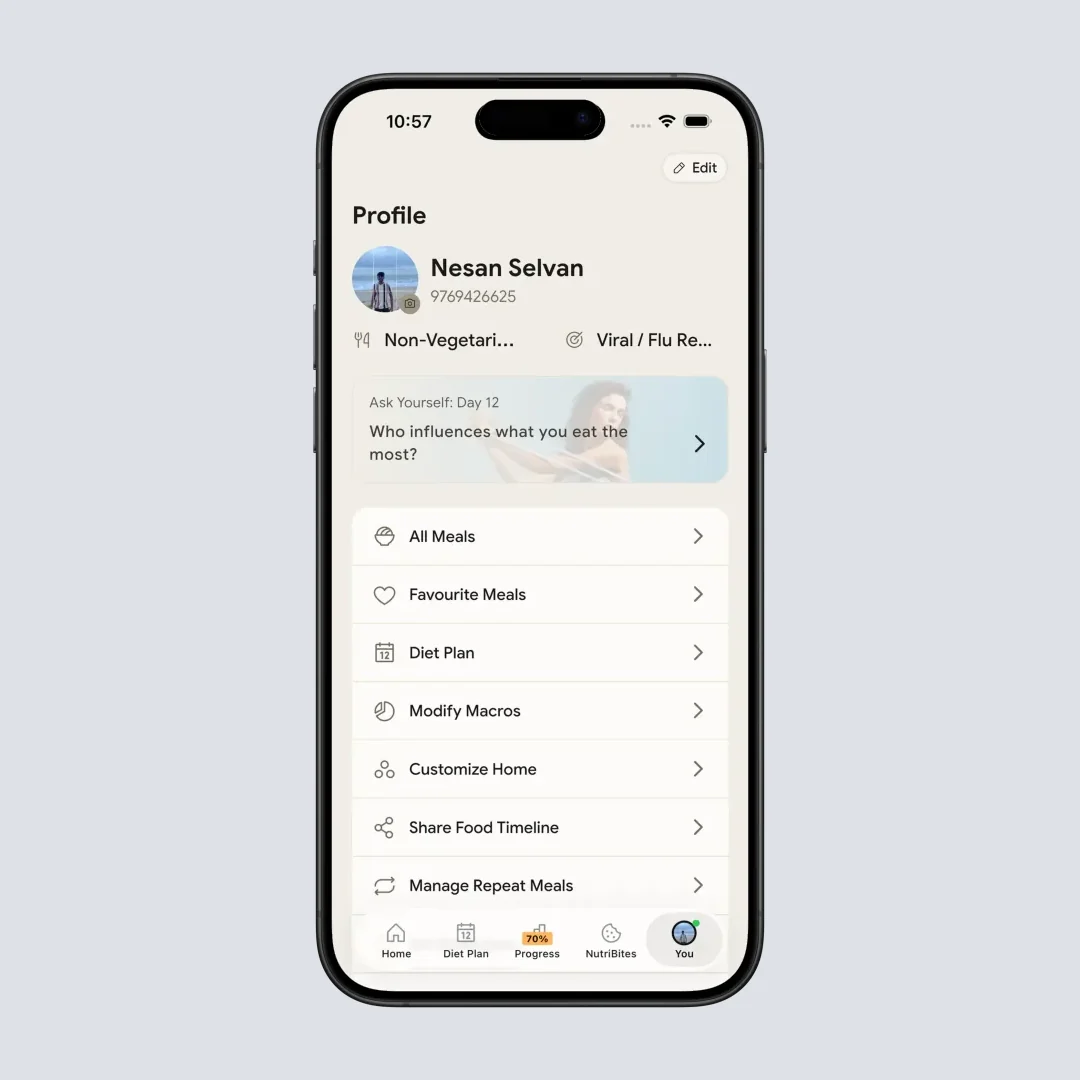
NutriScan keeps subscription management simple. Cancel anytime directly from your profile page (Profile > Manage Subscription).
Frequently Asked Questions ❓
Can I get a refund if I forgot to cancel my free trial?
It depends on the platform. Apple sometimes approves first-time "forgot to cancel" refund requests, but it is not guaranteed. Google Play is less forgiving after the 48-hour window. Your best defense is setting a cancel reminder before the trial ends.
Does canceling my subscription automatically give me a refund?
No. Canceling only stops future charges. You keep access until the end of your current billing period, but no money comes back. To get a refund, you must specifically request one through the correct platform.
What if the app charged me twice?
Double charges are almost always approved for refunds. Screenshot both charges and submit through the platform you purchased on (Apple or Google). Include dates and amounts in your request.
Can I dispute the charge with my bank instead?
You can, but this should be a last resort. Bank chargebacks can get your Apple ID or Google account suspended. Always try the platform's official refund process first.
Are calorie tracker subscriptions FSA/HSA eligible?
MyFitnessPal and Lose It both support FSA/HSA payments. Lifesum does not currently offer this. If you paid with FSA/HSA funds, check with your plan administrator about reimbursement rules for digital health tools. Refund handling may differ from standard credit card refunds.
