How to Cancel Cal AI Subscription on iPhone, Android and Web
 ChatGPT
  Claude
  AI Mode
  Perplexity
As a NutriScan nutritionist I test calorie trackers and their paywalls, and Cal AI's is the one people write to me about. Start here: you cannot cancel a Cal AI subscription inside the Cal AI app. It sits with whoever took the payment. On iPhone, open Settings > your name > Subscriptions > Cal AI > Cancel Subscription. On Android, open Google Play > profile icon > Payments & subscriptions > Subscriptions > Cal AI > Cancel subscription. Do it before day 3 of the free trial ends, because Cal AI then bills the plan you picked at the paywall, most commonly $9.99 a month or $29.99 a year. Those are standard US prices as of August 2026 and they change by region.
WARNING
Cal AI's free trial is only 3 days. If you do not cancel before day 3 ends, your card is charged automatically. This guide covers every platform, plus refunds if the charge already landed.
Cal AI is one of the most downloaded AI food scanners right now. A company spokesperson told CNBC Make It the app had 8.3 million downloads as of July 2025, and its App Store listing shows 4.8 stars from 358,000 ratings. People like the scanner. The billing is the part they write to me about.
 That moment when you realize your free trial is about to expire
Can You Cancel Cal AI Inside the App?
No. There is no cancel button anywhere in the Cal AI app, and deleting the app does nothing to the billing. Cal AI sells its subscription through three separate storefronts, and the cancel switch lives in the one that charged you.
Check your bank or card statement to find which one that is:
- "APPLE.COM/BILL" means the subscription is tied to your Apple ID. Cancel in iPhone Settings.
- "GOOGLE*CAL AI" or similar means it is tied to your Google account. Cancel in the Google Play Store.
- A charge from Cal AI or Viral Development LLC means you bought it on the web. Cancel at calai.app/manage-subscription.
DANGER
Deleting the Cal AI app does NOT cancel your subscription. You must cancel through Apple Settings, Google Play, or the Cal AI website separately.
If you signed up on your iPhone and then try to cancel in Google Play, you will not find the subscription at all. Cancel from the platform you originally subscribed on.
How to Cancel Cal AI Subscription on iPhone
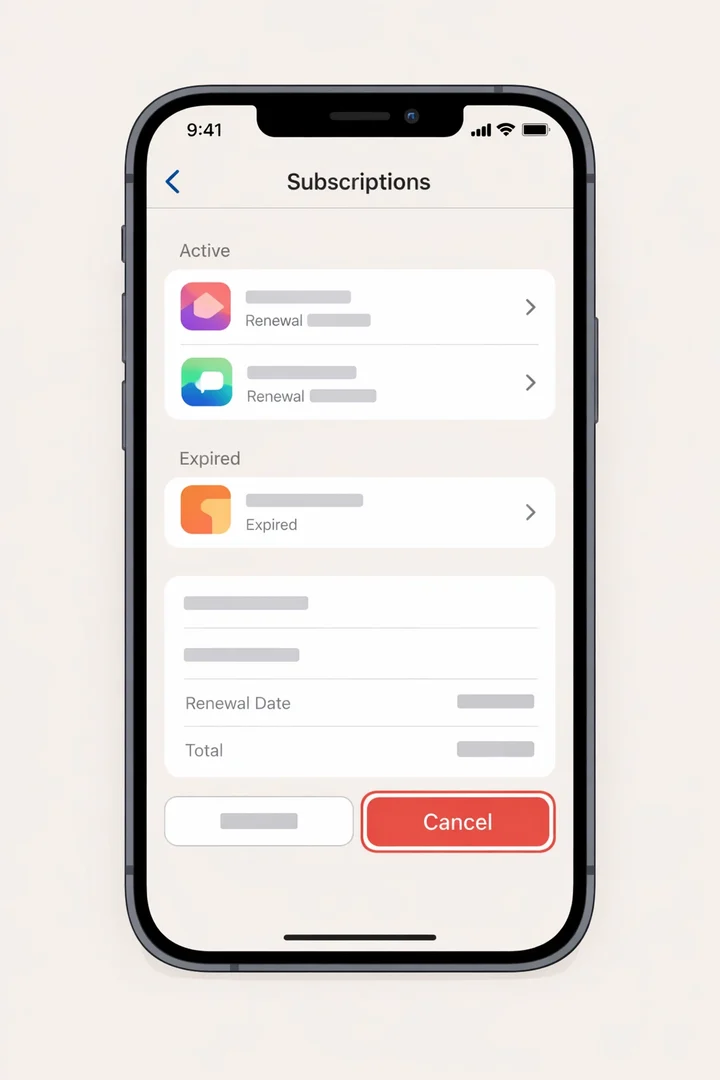 Navigate to your device's subscription settings to find and cancel Cal AI
- Open the Settings app on your iPhone
- Tap your name at the top of the screen (your Apple ID)
- Tap Subscriptions
- Find Cal AI in the list of active subscriptions
- Tap Cancel Subscription (or "Cancel Free Trial" if still in trial)
- Confirm the cancellation when prompted
- You will see "Expires [date]" confirming when access ends
The whole thing takes under a minute, and canceling during the trial does not cut your access short. Apple leaves the app unlocked until the trial date runs out.
How to Cancel Cal AI Subscription on Android
- Open the Google Play Store app
- Tap your profile icon in the top-right corner
- Tap Payments & subscriptions
- Tap Subscriptions
- Find Cal AI in the list
- Tap Cancel subscription
- Follow the prompts and confirm cancellation
Google, like Apple, keeps your trial access alive until the end date after you cancel.
How to Cancel a Cal AI Membership Bought on the Web
Cal AI also sells subscriptions through its own website, and those never appear in Apple or Google settings. If you signed up at calai.app:
- Go to calai.app/manage-subscription
- Enter the email address you used when subscribing
- Click Send to receive a management link
- Follow the link to manage or cancel your subscription
Use the same email address you subscribed with. A different address returns nothing, which is the usual reason people conclude the membership does not exist.
Check That Your Cal AI Cancellation Worked
After canceling, confirm the status:
- iPhone: Go back to Settings > [Your Name] > Subscriptions. Cal AI should now show "Expires [date]" instead of a renewal date.
- Android: In Google Play > Payments & subscriptions > Subscriptions, Cal AI should show "Canceled" with the access end date.
- Web: You should receive a confirmation email from Cal AI at the address you used to subscribe.
WARNING
If you still see an active renewal date after canceling, try the process again or contact platform support. Do not wait until the trial expires to troubleshoot.
What If Cal AI Does Not Appear in Your Subscriptions?
- Check all Apple IDs or Google accounts signed into your device. You may have subscribed under a different account.
- Search your email for "Cal AI" or "Viral Development" to find the original purchase confirmation.
- Check bank statements to identify which platform processed the charge. Look for "APPLE.COM/BILL," "GOOGLE*CALAI," or a direct charge from Viral Development LLC.
- Contact Cal AI support at [email protected] if you cannot find the subscription anywhere. Include your device type, email, and approximate signup date.
How Much Is Cal AI a Month?
Cal AI is most commonly $9.99 a month, and reported monthly prices run from $5.99 to about $19.99 because the app shows different prices to different people. Annual plans land between $19.99 and $49.99. These are standard US prices as of August 2026 and they change by region.
| Plan | Price Range | Notes |
|---|---|---|
| Weekly | ~$2.99 | Shown to some users |
| Monthly | $5.99 - $19.99 | $9.99 most commonly reported, a few users report around $20 |
| Annual | $19.99 - $49.99 (App Store list tops out at $29.99, checked August 23, 2026) | Most common offer |
INFO
Cal AI's App Store listing shows in-app purchases at $2.99, $5.99, $9.99, $19.99 and $29.99, all named some version of "Unlimited", plus a $0.99 Streak Restore. The price you see during onboarding may differ from these listed amounts.
Paid monthly at $9.99, Cal AI costs $119.88 a year, roughly four times the $29.99 annual plan. Our full breakdown of Cal AI pricing by plan walks through every tier and which one you are likely to be shown.
Here is how the trial itself works:
- You download the app for free
- The app walks you through an onboarding quiz about goals, activity, weight, and diet preferences
- Only after completing the quiz do you see the paywall
- You are offered a 3-day free trial that unlocks all features
- If you do not cancel before day 3 ends, your card is charged automatically
Cal AI's Terms of Service state clearly: "Free trials are limited to one per user. If you don't cancel before the trial ends, you will be charged for the subscription."
What you lose with Cal AI, and what NutriScan gives you free
If the 3-day countdown is the reason you are canceling, compare what Cal AI puts behind its paid tiers with what NutriScan leaves free.
| Cal AI paid feature | NutriScan |
|---|---|
| Photo scanning sits inside the paid "Unlimited" tiers, and the free tier after the trial is very limited | Photo food scan, 5 a week on the free plan, unlimited on Premium |
| Price stays hidden until you finish the onboarding quiz | Price is on the store listing before you sign up |
| 3 days to decide before the card is charged | Free plan with no time limit, so there is no countdown |
| Food logging | Unlimited manual logging with calories, macros, micronutrients and a NutriScore per meal |
Cal AI is most commonly $9.99 a month, with annual plans between $19.99 and $49.99. NutriScan Premium is about $59 a year, and the free plan has no time limit.
What Happens When People Forget to Cancel
Here are situations I see repeatedly when testing trial-based apps like Cal AI:
Example 1: The Weekend Downloader. You download Cal AI on Friday night, snap photos of a few meals on Saturday, and by Monday morning the 3-day trial has ended. Your card is charged before you even open the app again. With a 72-hour window, timing matters.
Example 2: The Platform Mismatch. You sign up for Cal AI on your iPhone, then try to cancel through the Cal AI app itself or through Google Play. But the subscription is tied to your Apple ID. You cannot cancel from the wrong platform. You must cancel from where you originally subscribed.
Example 3: The "I Thought I Canceled" User. You tap something in the app that looks like a cancellation, but the actual subscription is managed by Apple or Google, not by Cal AI. Deleting the app does not cancel the subscription. Your charges continue.
Cal AI is not unique here, but its short 3-day window leaves less room for error than apps offering 7-day or 14-day trials.
Why Cal AI's Model Frustrates Users
Cal AI is built by Viral Development LLC. CNBC Make It reported in September 2025 that the app brings in roughly $1.4 million a month in gross profit, after Apple and Google take their cuts, and spends almost $770,000 a month on advertising and marketing.
That revenue model depends heavily on trial-to-paid conversion.
Here are the key friction points:
- Hidden pricing: You cannot see the subscription cost on calai.app or the App Store listing. You must download the app and complete onboarding to see your price.
- Variable pricing: Users report being shown different prices for the same plan. This is likely A/B testing or location-based pricing.
- 3-day trial only: Most competing apps offer 7-day trials (MyFitnessPal, MacroFactor, Lose It). Cal AI's 3-day window is the shortest in the category.
- Payment info required upfront: You must enter payment details before the trial starts. Combined with the short trial window, this increases the risk of accidental charges.
- No free tier after trial: Once the trial ends without payment, the app becomes a basic manual food logger. The AI photo scanning, which is the main feature, requires a subscription.
9 Tips to Protect Yourself From Unwanted Charges
Here are specific, actionable steps to avoid unwanted charges from Cal AI or any trial-based app:
1. Set a calendar reminder immediately. The moment you start the Cal AI trial, set an alarm for 24 hours before it ends. If your trial starts Monday at 3 PM, set a reminder for Wednesday at 3 PM or earlier.
2. Cancel right after signing up. You can cancel the subscription immediately and still use the trial for the remaining days. Apple and Google both let you keep access until the trial period ends even after canceling.
TIP
This is the safest move. Cancel your Cal AI subscription the same day you sign up. You still get the full 3-day trial, and you will never be charged by surprise.
3. Know which platform holds your subscription. Check your bank or credit card statement to identify the charge source:
- "APPLE.COM/BILL" = cancel through Apple Settings
- "GOOGLE*CAL AI" or similar = cancel through Google Play
- Charge from Cal AI directly = cancel at calai.app/manage-subscription
4. Screenshot your trial start date. Take a screenshot of the confirmation screen when you start the trial. This serves as proof if you need to dispute a charge later.
5. Never assume deleting the app cancels the subscription. It does not. Uninstalling Cal AI from your phone leaves the subscription active. You must cancel through your platform's subscription settings.
6. Check for a web subscription separately. Cal AI also sells subscriptions through its website. If you signed up at calai.app, you must cancel at calai.app/manage-subscription using the same email address.
7. Use Apple's "Ask to Buy" or Google's parental controls. If you are setting up Cal AI for a family member or teenager, enable purchase approvals to prevent accidental subscription charges.
8. Try the free version first. Before committing to any trial, check if the app's free features meet your needs. Cal AI's free version is very limited (manual logging only, no AI scanning), but other apps like NutriScan offer AI scanning on their free plans.
9. Check your subscriptions monthly. Make it a habit to review your Apple or Google subscriptions once a month. On iPhone, go to Settings > [Your Name] > Subscriptions. On Android, open Google Play > Profile > Payments & subscriptions.

How Cal AI's Trial Compares to Other Apps
Here is how Cal AI's free trial stacks up against competitors:
| App | Trial Length | Cancel Window | Free Tier After Trial | Pricing Shown Upfront |
|---|---|---|---|---|
| Cal AI | 3 days | 72 hours | Very limited | No (hidden) |
| MyFitnessPal | 7 days | 7 days | Yes (generous) | Yes |
| MacroFactor | 7 days | 7 days | No | Yes |
| Lose It | 7 days | 7 days | Yes (generous) | Yes |
| YAZIO | 7 days (web only) | 7 days | Yes (moderate) | Yes |
| Fastic | 14 days (pay-first) | 14 days | Yes (moderate) | Partially |
| NutriScan | Free plan | n/a | Yes (5 AI scans/week) | Yes |
Cal AI has the shortest trial and is the only app on this list that hides pricing until after onboarding. Most competitors show subscription costs on their App Store listings or websites.
BitePal, another AI photo tracker, runs a similar short trial. A user on Apple's community forum reports a 3-day trial that turned into an annual charge, and BitePal's terms list not knowing "the trial would convert to a subscription" as a reason to refuse a refund. Our BitePal pricing and refund guide covers its rules.
If you are canceling because the scanner missed your meals rather than because of the price, our roundup of Cal AI alternatives compares the photo scanners head to head.
What Research Says About App Trial Practices
Regulators have been looking closely at how subscription apps handle sign-up and cancellation. Here is what two published reviews found.
Over five days in late January 2024, consumer protection authorities from 26 countries examined 642 websites and mobile apps that sell subscriptions. Nearly 76% used at least one possible dark pattern and nearly 67% used more than one, the FTC reported with ICPEN and GPEN. The two most common were sneaking, which hides or delays information that would change a purchase decision, and interface interference, which obscures information or preselects the option that suits the seller.
The FTC's 2022 staff report Bringing Dark Patterns to Light lists "making it difficult for consumers to cancel subscriptions or charges" as one of four common tactics. The example the agency gives is its case against ABCmouse, where the FTC alleged the site made canceling free trials and subscription plans extremely difficult while promising "Easy Cancellation."
Neither review names Cal AI. They do explain why the cancel path is worth learning before you start a 3-day trial rather than after.
 That feeling when you successfully cancel before the charge hits
How to Get a Refund If You Were Charged
If you missed the cancellation window and got charged, here is what to do:
Apple (iPhone) Refund
- Go to reportaproblem.apple.com
- Sign in with your Apple ID
- Find the Cal AI charge in your purchase history
- Select "Request a refund" and choose a reason
- Apple typically responds within 48 hours
Google Play Refund
- Open Google Play Store
- Tap your profile icon > Payments & subscriptions > Budget & history
- Find the Cal AI transaction
- Tap "Report a problem" and select your refund reason
- Or visit play.google.com/store/account/orderhistory
Direct from Cal AI
Cal AI's Terms of Service state: "Subscription fees are non-refundable except as required by law." However, you can try:
- Email [email protected] with your account email, transaction ID, and reason
- Be specific about the issue (e.g., "charged after attempting to cancel during trial")
- If Cal AI denies the refund, escalate through Apple or Google as they have separate refund policies
TIP
Refunds are most likely approved when you canceled during the trial but were still charged, the app did not function as advertised, or it is your first-time refund request. Apple and Google are more lenient with first requests.
Looking for a Transparent Alternative?
If you want an AI calorie tracker that shows pricing upfront and gives you more time to decide, NutriScan lists its pricing openly and includes 5 AI scans a week on its free plan, enough to keep testing the scanner on the meals a database cannot read. You can log meals, see your macros and micronutrients, try the AI food tracker, and use the macro calculator without any hidden costs. If you want the two apps side by side, read the Cal AI vs NutriScan comparison.
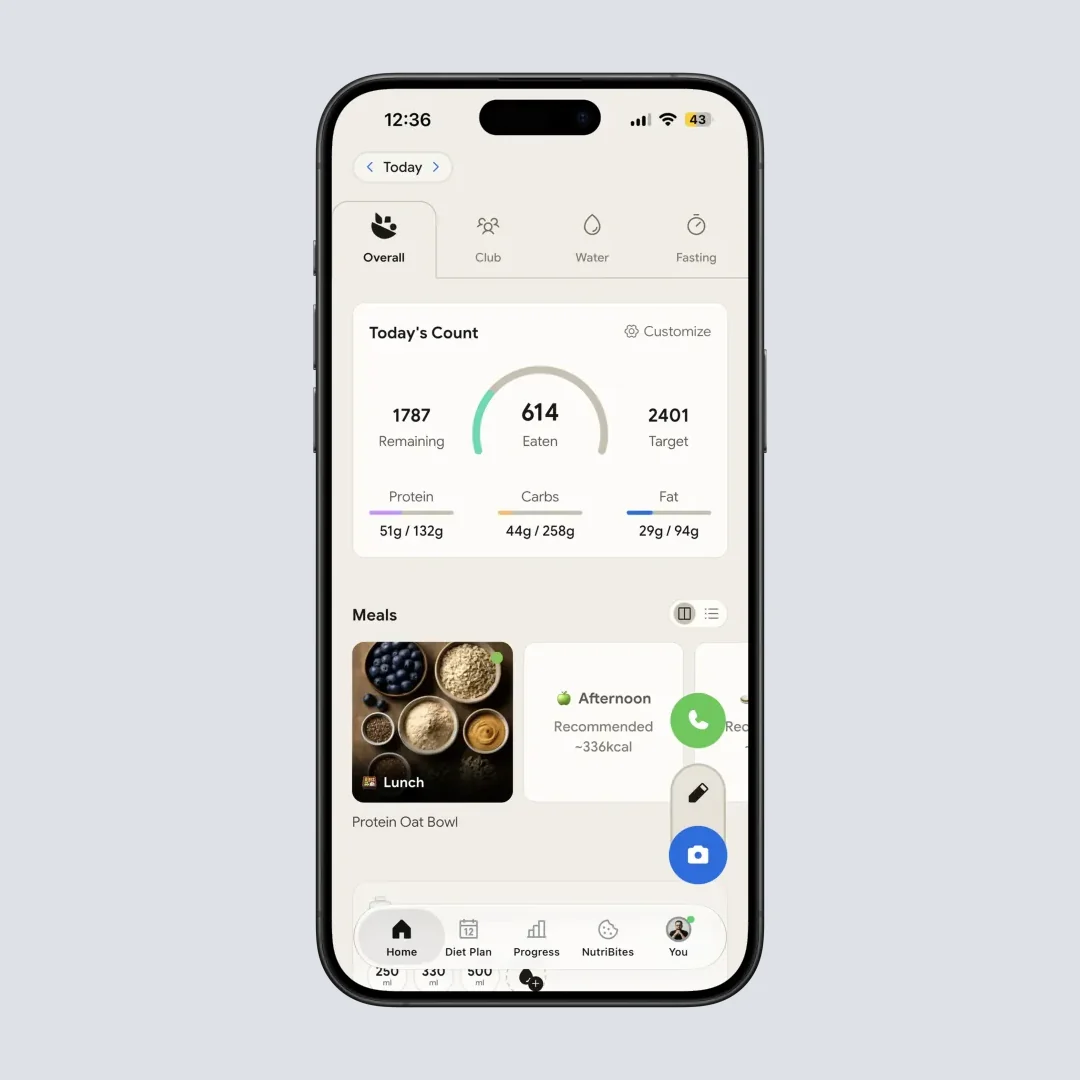
NutriScan Home > Daily Breakdown: Track calories, protein, carbs, fat, fiber, and water at a glance
The same cancel steps apply to Calo, the lookalike app that bills through the stores too; its trial and renewal reports are in is the Calo app free.
Frequently Asked Questions
How do I cancel my Cal AI subscription in the app?
You cannot. The Cal AI app has no cancel button, because the subscription is held by whoever took the payment. Cancel it in Settings > your name > Subscriptions on iPhone, in Google Play > Payments & subscriptions > Subscriptions on Android, or at calai.app/manage-subscription if you bought it on the Cal AI website.
How to cancel a Cal AI subscription on iPhone?
Open Settings, tap your name at the top, tap Subscriptions, tap Cal AI, then tap Cancel Subscription or Cancel Free Trial and confirm. Cal AI should then read "Expires" with a date instead of showing a renewal date. Canceling during the trial keeps your access until the trial runs out.
How do I cancel my Cal AI membership?
Cancel the Cal AI membership wherever you bought it. An APPLE.COM/BILL charge means Apple Settings, a GOOGLE*CALAI charge means the Google Play Store, and a charge from Viral Development LLC means calai.app/manage-subscription. Deleting the app cancels nothing.
How much is Cal AI a month?
Cal AI is most commonly $9.99 a month, with reported monthly prices running from $5.99 to about $19.99 because the app shows different prices to different users. The annual plan is $19.99 to $49.99. These are standard US prices as of August 2026 and they change by region.
How long is the Cal AI free trial?
Cal AI offers a 3-day free trial. You must enter payment information to start it, and if you do not cancel before the 3 days end, your card is charged automatically for the subscription plan you selected during onboarding.
Can I cancel Cal AI and still use the trial?
Yes. If you cancel through Apple Settings or Google Play during the trial period, you keep access to all premium features until the trial expires. Your payment method will not be charged.
Why does Cal AI show different prices to different users?
Cal AI uses dynamic pricing, which means your subscription cost may vary based on your location, device, or how you answered the onboarding questions. This is a marketing practice called A/B pricing. Reported prices range from $2.99 per week to $49.99 per year.
Does deleting the Cal AI app cancel my subscription?
No. Deleting the app from your phone does not cancel the subscription. You must cancel through Apple Settings (iPhone), Google Play Store (Android), or calai.app/manage-subscription (web purchases). Without canceling, charges will continue each billing cycle.
Can I get a refund after Cal AI charges me?
Apple and Google both accept refund requests through their respective platforms. Go to reportaproblem.apple.com for Apple or the Google Play order history page.
Cal AI's own Terms of Service state fees are non-refundable except as required by law, but platform-level refunds may still be approved, especially for first-time requests or if you attempted to cancel during the trial.
Is there a free version of Cal AI after the trial ends?
Technically yes, but it is very limited. Without a subscription, you can only log food manually through search or barcode scanning. The AI photo recognition feature, which is Cal AI's main selling point, requires an active subscription.
How does Cal AI's 3-day trial compare to other apps?
Most competing calorie trackers offer longer trial windows. MacroFactor and Lose It both give 7 days, YAZIO offers 7 days via web, and Fastic provides a 14-day pay-first guarantee.
Cal AI's 3-day window is the shortest in the category, and it is the only major app that hides pricing until after onboarding.
What happens to my data if I cancel Cal AI?
According to Cal AI's Terms of Service, your data is deleted in accordance with their Privacy Policy when you terminate your account. Canceling the subscription stops future charges but does not automatically delete your account or data.
If you want your data removed, you would need to separately request account deletion through the app settings or by contacting [email protected].