Yuka vs Fooducate: Which Food Scanner App Is More Reliable?
 ChatGPT
  Claude
  AI Mode
  Perplexity
 Yuka and Fooducate both grade packaged products from a barcode, and neither reads a plate you cooked at home. Fooducate Pro shows App Store purchases from $1.99 to $89.99 and adds diet filters and premium insights on top of its A to D grade. NutriScan covers the meal side instead: 5 AI photo scans a week free, 4 Monika calls a week, and about $59 a year for Premium.
Last verified: August 23, 2026
| Yuka | Fooducate | NutriScan | |
|---|---|---|---|
| What it reads | Barcode on packaged food | Barcode on packaged food | Photo of the meal |
| Output | Score of 0 to 100 | Grade of A to D | Calories, macros, micronutrients, NutriScore |
| Home-cooked plate | Not covered | Not covered | Covered, with oil and cooking-method prompts |
| Free tier | Free scanning | Free scanning plus calorie count | 5 photo scans and 4 Monika calls a week |
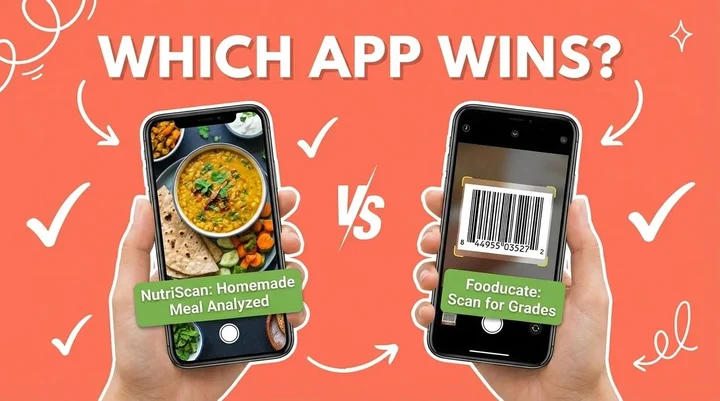
The Yuka app scans a barcode and scores that product from 0 to 100, mostly on its nutrition panel and its additive list. Fooducate scans the same barcode and hands back a letter grade from A to D plus a calorie diary. I kept both on my phone for a week and hit the same wall twice a day: my dal and rice has no barcode, so neither app had anything to say about it. That is the honest answer to which one is more reliable. Both are reliable readers of a label. Neither is a reliable record of what you actually ate.
A 2024 study from the University of Sydney found that manual food-logging apps underestimated energy intake for Asian diets by an average of 1520 kilojoules (Nutrients Journal). That is a large gap if you are trying to lose weight or manage diabetes. Below is what Yuka is good at, what Fooducate is good at, where both stop, and what a photo-based scanner like NutriScan does with the meals they cannot see.
What the Yuka App Actually Does
Yuka launched in France in January 2017 and now scans both food and cosmetics. Point it at a barcode and you get a number out of 100 and a color band, from dark green for excellent down to red for bad.
Yuka publishes how the food score is built. Nutritional quality carries the most weight, drawn from the same panel data behind Nutri-Score. Additives carry the next slice, with individual entries flagged by risk level. Organic certification adds a small bonus. Tap the score and you get the reasoning: too much sugar, a controversial additive, a decent fiber count.
What Yuka does not do is track anything. There is no calorie diary, no macro total, no daily target, no meal history. It rates the product in your hand and stops. The core scanner is free, and Yuka's paid tier adds offline scanning and a searchable product list.
That design is deliberate and it works. Standing in an aisle comparing two brands of peanut butter, Yuka is the fastest tool of the three in this post. Reading the report on a cereal you have eaten for years is genuinely useful. It just answers a different question from "how many calories did I eat today".
Where the Yuka App Falls Short
No meal logging: Scanning ten products across a day tells you nothing about your intake, because Yuka never adds them up.
Barcode or nothing: Fresh produce, restaurant food, street food and anything you cooked are invisible to it.
Coverage is regional: Yuka started in France and only reached the US and Canada in January 2022, so its European coverage has a five-year head start. Outside Europe you hit unrecognized products, and the app then asks you to add the item yourself.
A score is not a portion: A 90/100 snack eaten three times still adds up. Yuka has no way to warn you about that.
Is Fooducate Reliable? What the Grade Actually Measures
Fooducate has been around since 2010 and built its reputation on the same barcode idea. Its Google Play listing advertises over 350,000 product barcodes. The output is a letter grade from A to D, calculated from the nutrition panel with penalties for added sugar, processing and certain ingredients.
Within its own lane, the grade is consistent. Scan the same product twice and you get the same letter, and the app explains the deductions. In a 2019 mHealth analysis of Fooducate's Google Play reviews, 18.5% of reviews called out the value of seeing a food's nutritional make-up (mHealth). Fooducate also does what Yuka refuses to do: it adds your day up into a calorie total and a macro split, and it has a community feed for tips and motivation. Premium adds diet filters for keto, paleo, vegan and similar.
Reliability drops in a few specific places, and the same ones run through that review analysis:
Missing products: Plenty of items are not in the database, and a user-submitted item only appears once the company verifies it, which reviewers said takes a long time.
Preset portions: Portion sizes are limited to fixed options, so logging exactly what you ate is hard.
Home cooking: One reviewer in that analysis said, "I have some difficulty getting accurate info for home cooked meals, but I'm not sure how they could fix this because there's such variety in how people cook." Every ingredient goes in by hand.
A US-shaped database: Reviewers in the same analysis complained that what comes back is tied to US chains like Trader Joe's, with nothing local to them.
Research published in the Journal of Medical Internet Research in 2024 backs the wider pattern. Food recognition and food databases both struggle with mixed dishes and layered foods carrying several ingredients (JMIR). A barcode app never even gets to attempt that dish.
 That moment when you realize you have been logging food wrong
If a barcode grade is all you want, our roundup of the best barcode scanning apps covers the category in more depth, including what each database actually holds.
Fooducate Reviews and Yuka Reviews: The Common Complaints
Read enough store reviews of either app and the same three notes repeat.
The praise is consistent and fair. People like learning why a product scored badly. In the mHealth review analysis, 37% of Fooducate reviewers said the grades and suggested alternatives changed what they chose to eat, and 16% used the app while grocery shopping (mHealth).
The complaints are also consistent. Coverage gaps top the list for both. Yuka scores a product from its label alone, so a low-additive food with a poor nutrition panel can outscore a cleaner one. Fooducate carries ads on the free tier, and reviewers in that analysis called its grades more ideological than scientific. And home cooks say the same thing about both apps: there is nothing to scan for the food they actually make.

Where All Three Apps Stand on Homemade Food
Most of us do not eat pre-packaged food with barcodes. We eat home-cooked meals, street food, and dishes our grandmothers taught us to make. Yuka and Fooducate were both built for a grocery aisle. NutriScan starts from the plate instead.
You photograph the meal. The AI identifies the items and estimates portions, then returns calories, protein, carbs, fat and micronutrients. NutriScan reports about 95% accuracy on calories for foods its database covers (our own figure, not independent), and you can correct any estimate before you save it.
Here is what separates it from the two scanners above:
Photo-based tracking: One picture of dal makhani, biryani or a mixed vegetable curry, no manual searching.
NutriScore on every meal: Each meal gets a NutriScore in one of five bands, from Dark Green to Red, so you get the fast verdict Yuka gives a product, applied to a plate.
Personalized diet plans: Premium generates a 28-day plan around your goal, whether that is weight loss, muscle gain, diabetes management, PCOS or pregnancy.
Monika, the voice AI nutritionist: You can call and ask questions about your meals. Free accounts get 4 calls a week, Premium is unlimited.

NutriScan's photo-based meal logging: snap a picture and get instant nutritional analysis (Home to Camera Icon to Click Picture)
The Context Inputs That Fix Mixed Dishes
Photo recognition has its own failure mode. Research from the University of Sydney shows AI-integrated apps struggle with mixed Asian dishes, and calories for beef pho were overestimated by 49% in some apps (University of Sydney).
NutriScan narrows that by asking for context before it estimates. You pick a food type from 8 tags, including Home Made, Restaurant / Cafe, Street Food and Hotel / Event Buffet. You pick one of 11 cooking methods, from Deep-fried to Steamed to Raw. And you pick one of 4 oil levels: No Oil, Low Oil, Default / Medium Oil, or High Oil. A barcode scanner has no equivalent, because it never has to guess how something was cooked.
Key Insight for Home Cooks
If you cook most of your meals at home, a barcode app is the wrong tool no matter how good its database is. There is no barcode to scan. Photo logging removes that dead end, and consistent logging is what correlates with results.
Real-World Example: Tracking a Day of Eating
Here is what a typical Indian day of eating looks like in each app.
Morning Breakfast: Poha with Peanuts
Yuka: Nothing. No barcode, no entry, no score.
Fooducate: Search for "poha" and hope it exists. Search for "peanuts" separately. Estimate portions by hand.
NutriScan: Photograph the poha. The AI identifies it, estimates the portion, calculates nutrition. Adjust the portion with plus and minus buttons if it looks off.
Lunch: Homemade Roti with Sabzi and Dal
Yuka: Nothing again, unless you scan the atta packet, which tells you about flour rather than lunch.
Fooducate: Log each roti, estimate the sabzi ingredients, identify the dal, and hope every item exists. Most people give up here.
NutriScan: One photo covers the plate. Select Home Made, choose the cooking method, get the breakdown.
Dinner: Restaurant Butter Chicken with Naan
Yuka: Not applicable.
Fooducate: Search "butter chicken" and accept whatever generic entry comes back. Add naan. Accept that the number is off.
NutriScan: Photo of the meal. Select Restaurant / Cafe. Select High Oil. The estimate accounts for restaurant-style cooking.
Diet Planning: The Biggest Difference
Yuka does no meal planning at all. It was never meant to.
Fooducate offers diet tips and insights, and premium adds kickstart programs and recommendations, but it does not build a complete plan. You still decide what to eat.
NutriScan Premium takes your age, gender, height, weight, activity level, food preferences, eating schedule and health goal, then generates a 28-day plan with:
- Daily targets for macros and micronutrients
- Meal recommendations for each of the 6 meal categories, from Breakfast through Bed Time
- Two options per meal slot so you have a choice
- Quick recipes with portion sizes
- A goal-based grocery list
- Lifestyle recommendations
Research from JMIR Formative Research (2023) on AI-powered meal planners found that systems weighing health concerns, nutritional requirements, tastes and preferences together produced healthy, personalized plans that users were generally satisfied with (JMIR Formative Research).
Understanding Your Eating Patterns
Tracking food only pays off if you learn from the data.
Fooducate shows your daily calorie count and macro breakdown, and premium tracks sleep, mood and hunger. Yuka shows you a running list of what you scanned. Neither one interprets it.
NutriScan has NutriBites, a chat over your own meal timeline. It reads your past meals, finds what was different on a bad day, and answers questions like:
- "Why did I feel tired yesterday afternoon?"
- "What did I eat differently on days when I had good energy?"
- "Show me my protein intake trend this week"
The calendar view colors each day by NutriScore, so a month of eating reads at a glance. Meal history is unlimited on both Free and Premium, with no 7-day cap.
 When you finally understand what is causing your afternoon energy crash
Health Condition Support
Yuka has no condition modes. It scores every product the same way for every user.
Fooducate premium includes filters for low-carb and keto, Mediterranean, lower cholesterol, heart health, diabetes-friendly foods, pregnancy and lactation, and PCOS. These are filters over the barcode database, useful for shopping and silent about the rest of your day.
NutriScan asks for your primary goal during onboarding: Weight Loss, Muscle Gain, Diabetes Management, Pregnancy Nutrition, PCOS Support or Viral/Flu Recovery. Diet planning, meal recommendations and insights all follow that choice. With diabetes selected, carbohydrate content gets the attention; with pregnancy selected, folate and iron get flagged. The NutriScan for diabetes page walks through what that looks like day to day.
Important Reminder
No app replaces medical advice. If you have diabetes, PCOS, pregnancy, or other health conditions, always consult your healthcare provider before making dietary changes. Apps should supplement, not replace, professional guidance.
Time Cost: What Decides Whether You Keep Logging
Take a typical day of home cooked meals and count the steps each app asks for. The accuracy debate matters less than this part.
With Fooducate (manual logging):
- Breakfast: search each ingredient, pick the closest preset portion, save
- Lunch: repeat that for every item on the plate, roti, sabzi, dal
- Snacks: another search each time
- Dinner: the most work, since a restaurant dish is either several entries or one generic guess
With NutriScan (photo logging):
- Breakfast: one photo, confirm what it found
- Lunch: one photo plus the food type tag
- Snacks: one photo each
- Dinner: one photo, adjust the portion if it looks off
Yuka sits outside this table because it never asks you to log a meal. It reads the product in your hand and never produces a daily total.
The gap matters because of what it does to consistency. A 2024 study on mobile weight loss apps found that greater engagement with the app was associated with significantly greater weight loss (Obesity Science & Practice). Logging you finish in a couple of taps is a habit you keep. Logging that means a search box for every ingredient is one people abandon.

Pricing and Value Comparison
Prices below are standard US prices as of mid 2026 and change by region.
Yuka Pricing
- Free: unlimited barcode scans for food and cosmetics, full product reports
- Paid tier: adds offline scanning and product search
The paid tier is an annual membership sold at three prices you choose between, and I broke down what each one buys in is Yuka free?.
Fooducate Pricing
- Free version: basic tracking, barcode scanning, food grades, with ads
- Premium: the US App Store listing shows Fooducate Pro in-app purchases from $1.99 up to $89.99, so check the term and price on the purchase screen before you buy
Premium unlocks diet filters, meal analysis, personalized insights and an ad-free experience.
For every store price, the $9.99 a month website bundle and the lifetime deal, see is Fooducate free and what Pro costs.
NutriScan Pricing
- Free: 5 AI meal scans a week, NutriScore on every meal, all micronutrients with no gating, 4 Monika calls a week, unlimited meal history, the fasting timer
- Premium: about $59 a year, adding unlimited scans and calls, the 28-day diet plan, weekly meal-plan suggestions, a goal-based grocery list and supplement recommendations
Five free scans a week is enough to test the scanner on the meals that usually break a food database, your curries, your restaurant plates, your mixed bowls, before you decide whether it is worth paying for.
NutriScan also runs a referral program. You and your friend both get 1 week of Premium when they sign up through your link, 5 referrals gets you 1 month, and 10 referrals gets you 3 months.
Who Should Use Which App?
Choose Yuka If:
- You want a fast verdict on a packaged product while standing in the aisle
- Additives and ingredient quality are what you care about
- You also want cosmetics scanned
- You have no interest in counting calories
Choose Fooducate If:
- You primarily eat packaged foods from US grocery stores
- You want a grade and a calorie diary in one app
- A community feed helps keep you motivated
- You are fine with manual logging and preset portions
Choose NutriScan If:
- You cook most meals at home or eat regional food no Western database carries
- You want a full diet plan rather than a running total
- You prefer photographing a plate to typing ingredients
- You have a specific goal like diabetes management, PCOS or pregnancy nutrition
- You want to ask questions about your own eating history
For a wider look at the photo-scanning category, see our comparison of Cal AI and NutriScan and our list of Foodvisor alternatives. The food scanner app page covers how photo scanning works before you install anything.
5 Ways to Get More Out of Whichever App You Pick
Log every meal, including the bad ones. Consistency beats a perfect but half-finished record.
Check the portion before you save it. As Dr. Juliana Chen from the University of Sydney notes, "It is important to always double-check that the portion size detected matches what you ate" (University of Sydney).
Give the app context. In NutriScan, the food type, cooking method and oil level inputs are what move an estimate from rough to usable. Skipping them wastes the feature.
Review the week, not the day. Look for the pattern behind a run of low scores rather than reacting to one bad lunch.
Use voice when typing is the blocker. Monika answers questions by call, and NutriScan also takes voice input for meals, which beats typing on a phone at a dinner table.
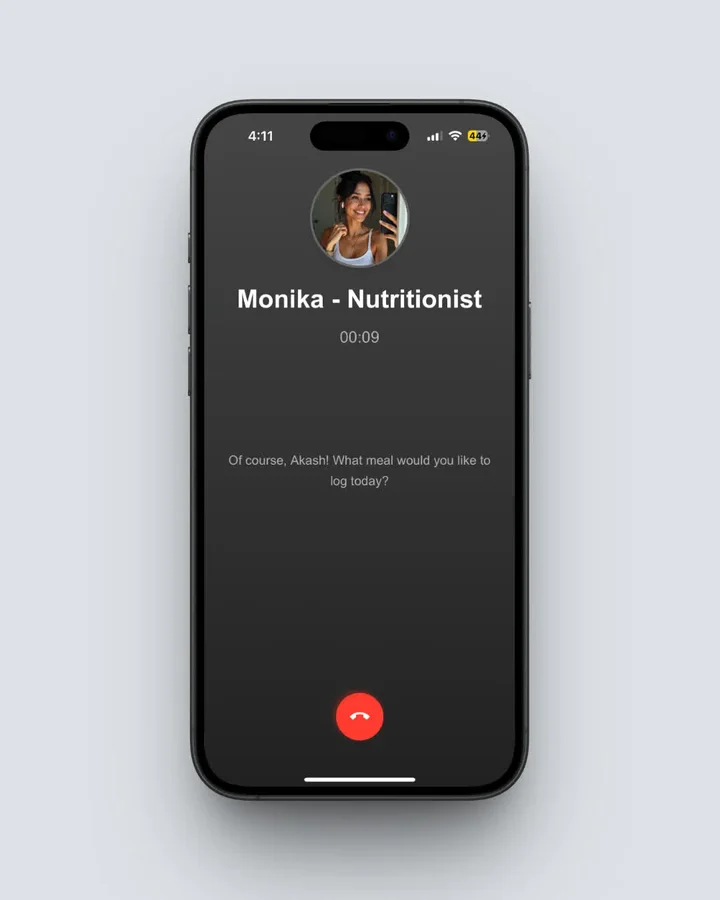 Meet Monika: NutriScan's voice-powered AI nutritionist for hands-free meal logging
My Honest Verdict
Yuka is the better shopping tool. Nothing else gives you a product verdict that fast, the additive reporting is genuinely useful, and the free tier is not crippled. If your question is "should I buy this", Yuka answers it.
Fooducate is the better of the two barcode apps for someone who wants a grade and a calorie total in the same place, and the educational angle it launched with in 2010 still holds up. Its weak spot is everything without a barcode.
Both apps are reliable at the job they were built for and unreliable as a record of your intake, because most of what people eat never passes a scanner. That is the gap NutriScan works in, with photo logging, context tags, and a plan rather than a tally.
If you want the barcode verdict, keep Yuka on your phone. If you want to know what you actually ate, the NutriScan vs Fooducate feature comparison goes deeper on the tracking side, and the free plan is the fastest way to see whether photo logging survives contact with your kitchen.
Frequently Asked Questions
Q1: Is the Yuka app reliable?
A: Yuka is reliable at reading a barcode it already holds and telling you what the label says about additives, sugar, salt and saturated fat. It is not reliable as a measure of how much you ate, because it does not log meals or count calories, and it has nothing to say about a product it has never seen or a plate you cooked yourself.
Q2: Is Fooducate reliable?
A: Fooducate's A to D grade is a proprietary score built on the nutrition panel, so it is consistent for packaged items already in its database of roughly 350,000 barcodes. Reliability drops when the product is missing, when portions do not match a preset, and when the food is home cooked, because you then log every ingredient by hand.
Q3: Yuka vs Fooducate, which app is better?
A: Pick Yuka if you want a fast ingredient and additive verdict while shopping, including cosmetics. Pick Fooducate if you want a grade plus a calorie diary and a community feed. Neither one reads a home cooked meal from a photo, so if most of your food has no barcode you need a photo scanner instead.
Q4: Can Fooducate recognize homemade Indian food?
A: Fooducate relies on a barcode database primarily focused on US packaged products. For homemade Indian food, you would need to manually search and log each ingredient separately. Many regional dishes may not be in the database at all, so you end up creating custom entries, a process users describe as time-consuming.
Q5: How accurate is NutriScan's AI food recognition?
A: NutriScan reports about 95% accuracy on calories for foods its database covers (our own figure, not independent). The app improves on plain image analysis by letting you select food type tags (homemade, restaurant, street food), one of 11 cooking methods, and one of 4 oil levels before it estimates. You can correct any number before saving.
Q6: Do I need a premium subscription to create diet plans?
A: In Fooducate, premium unlocks diet filters and personalized insights, but you still create your own meal plans. Yuka does not build meal plans at all. In NutriScan, Premium includes a 28-day personalized diet plan based on your health profile, goals and preferences, with meal recommendations, recipes and a grocery list.
Q7: Which app is better for diabetes management?
A: NutriScan was designed to support health conditions including diabetes. You select Diabetes as your goal during onboarding, and diet planning, tracking and insights follow that choice. Fooducate offers diabetes-friendly food filters in premium and Yuka offers none, so both stay at the level of a database filter rather than a condition-specific experience.
Q8: Can I use either app offline?
A: All three need a connection for their core job: Fooducate to reach its barcode database, Yuka to look up a product unless you pay for its offline mode, and NutriScan to run image recognition. NutriScan lets you browse meal history and your diet plan offline, but logging a new meal needs a connection.
