NutriScan vs MacroFactor: Complete 2025 Comparison
 ChatGPT
  Claude
  AI Mode
  Perplexity
 MacroFactor is manual logging with a weekly expenditure model, about $11.99 a month or $71.99 a year; NutriScan is photo-first at about $59 a year, with 5 free AI scans a week. MacroFactor suits precise macro coaching that adjusts your targets from weight trend. NutriScan suits mixed and regional meals, and it adds 28-day plans for PCOS, diabetes or pregnancy.
Last verified: August 23, 2026
| NutriScan | MacroFactor | |
|---|---|---|
| Price | about $59 a year | About $11.99 a month or $71.99 a year |
| Logging method | AI photo scan | Manual search and barcode |
| Free photo scans | 5 a week | Not offered |
| Target adjustment | Goal-based diet plan | Weekly, from expenditure model |
| Condition plans | PCOS, diabetes, pregnancy | Not offered |
| Voice AI | Monika | Not offered |
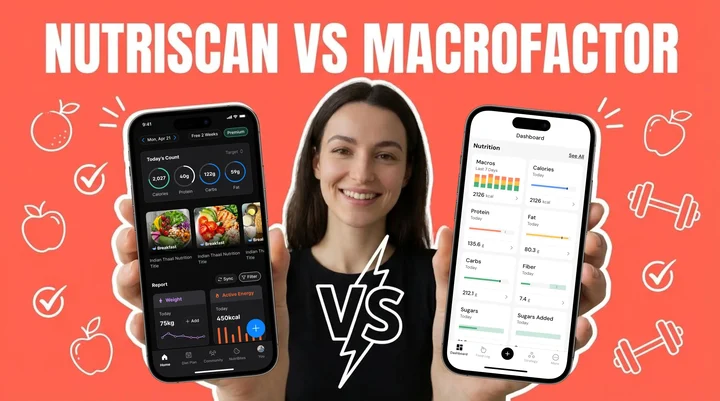
TL;DR - NutriScan vs MacroFactor Comparison
NutriScan excels at: AI photo recognition, health condition support (PCOS, diabetes, pregnancy), international cuisine coverage, voice AI nutritionist (Monika)
MacroFactor excels at: Manual logging speed, verified food database, dynamic energy expenditure calculation, adherence-neutral approach
Best for complex cuisines: NutriScan - recognizes 50+ country cuisines including Indian, Asian, Middle Eastern dishes
Best for bodybuilding: MacroFactor - precise macro tracking with weekly algorithm adjustments
Bottom line: Choose based on your eating style and health goals, not features alone
The Big Question Every Health-Conscious Person Asks
Have you ever stood in front of your plate, wondering exactly how many calories and nutrients you are about to eat? You are not alone. A systematic review found that dietary mobile apps showed a significantly greater decrease in weight of 2.45 kg among users compared to non-app users (Fakih et al., 2019). This tells me one thing clearly - the right nutrition app can genuinely change your health outcomes.
I remember when I first started tracking my meals. It felt like a second job. Searching for each ingredient, estimating portions, trying to figure out whether my grandmother's recipe for dal had 2 tablespoons of ghee or 3. After a week, I gave up. Sound familiar?
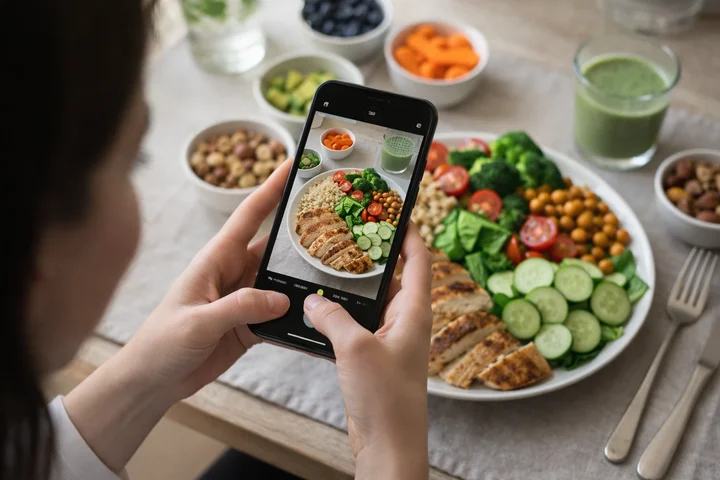 Photo-based tracking makes logging meals as simple as taking a picture
But here is where it gets tricky. With so many nutrition apps available today, choosing between them feels overwhelming. Two apps that come up frequently in my research are NutriScan and MacroFactor. Both promise to help you track your food and reach your health goals. But they work in completely different ways.
 The endless debate: which nutrition app actually fits your lifestyle?
NutriScan uses artificial intelligence to analyze photos of your meals. MacroFactor uses smart algorithms to adjust your macro targets based on manual food logging. Each approach has distinct advantages and limitations that matter depending on who you are and what you eat.
I have spent considerable time testing both apps, reading user reviews, analyzing their features, and understanding the science behind their approaches. In this guide, I am going to share everything I learned so you can make the right choice for your unique situation.
Whether you are trying to lose weight, manage diabetes, handle PCOS symptoms, or simply eat better - this comparison will show you which app actually fits your lifestyle and needs.
Understanding How Each App Works
NutriScan: The AI Photo Recognition Approach
NutriScan takes a completely different approach to food tracking. Instead of manually typing in every food item, you simply take a photo of your meal. The AI analyzes what is on your plate and provides nutritional information within seconds.
Research shows this matters more than you might think. A study published in the Journal of Medical Internet Research found that AI-based food image recognition can achieve accuracy levels comparable to human dietitians, with relative errors ranging from 0.10% to 38.3% for calorie estimation (Shonkoff et al., 2023). The key advantage here is speed and convenience - you are far more likely to consistently track your meals when it takes 5 seconds instead of 5 minutes.
Key NutriScan Features
- AI Photo Recognition: Snap a photo and get instant nutritional breakdown
- Voice AI Nutritionist (Monika): Ask nutrition questions anytime, 24/7
- Health Condition Support: Specialized plans for PCOS, diabetes, pregnancy
- 50+ Country Cuisines: Recognizes Indian, Asian, Middle Eastern, and global foods
- NutriScore Rating: Visual meal quality scoring system
NutriScan works particularly well because it recognizes:
- Home-cooked meals from any country
- Restaurant dishes and street food
- Packaged foods and supplements
- Complex mixed dishes with multiple ingredients
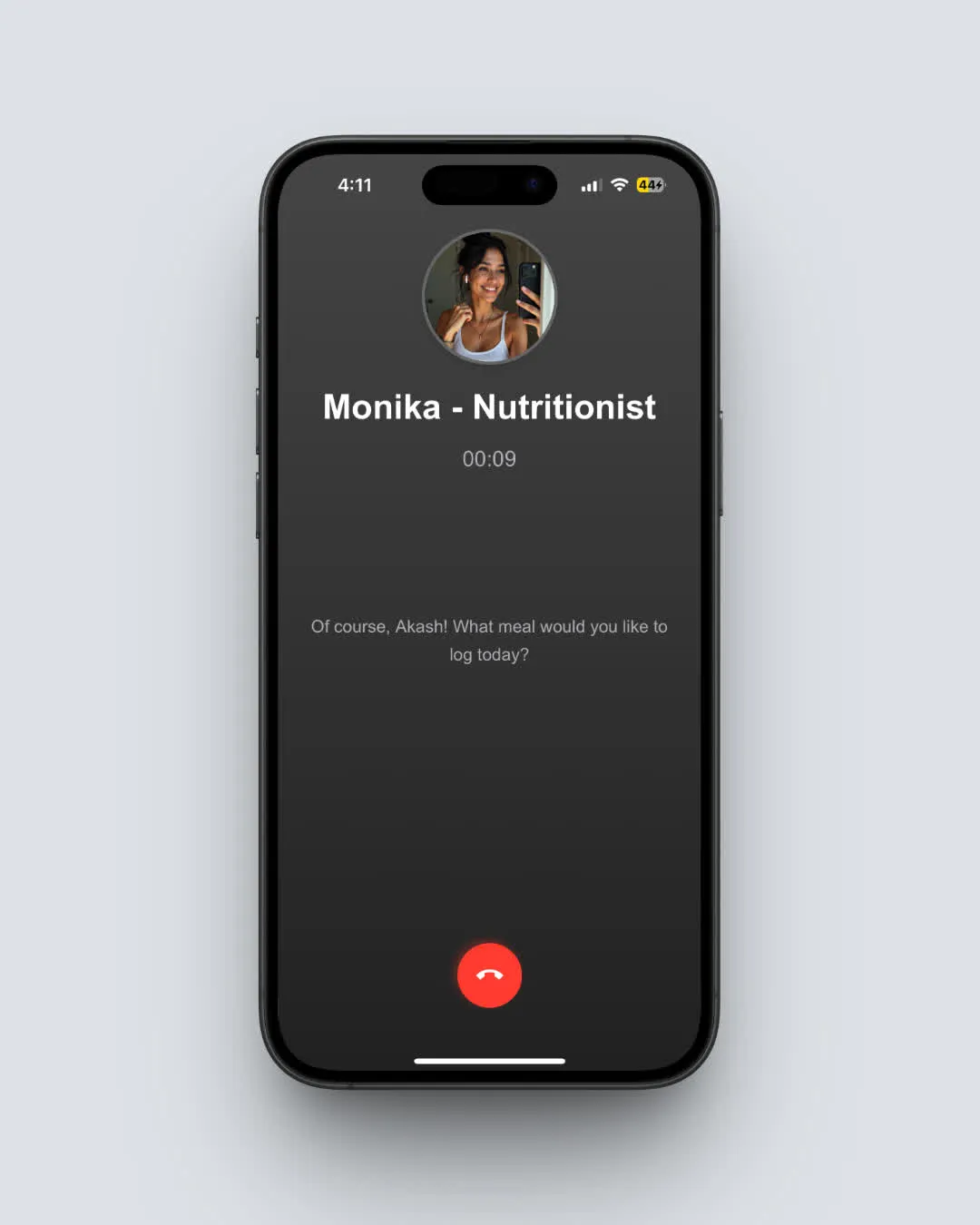
The app also includes a voice AI nutritionist called Monika, who can answer your food-related questions anytime. This is like having a dietitian in your pocket 24/7.

MacroFactor: The Manual Logging With Smart Algorithms
MacroFactor uses a different philosophy. It has built what many consider the fastest manual food logging system on the market. You search for foods, scan barcodes, or enter custom items. The app then tracks your intake against your targets.
What makes MacroFactor special is its "adherence-neutral" approach. The app adjusts your calorie and macro recommendations based on what you actually ate, not what you were supposed to eat. This removes the guilt and shame that many people feel when they miss their targets. I found this particularly refreshing - no red warning numbers making you feel like a failure.
Key MacroFactor Features
- Verified Food Database: Every entry checked for accuracy
- Dynamic Energy Expenditure: Calculates your actual burn rate from weight trends
- Adherence-Neutral Coaching: No guilt when you miss targets
- Fast Manual Logging: Optimized search and barcode scanning
- Weekly Macro Adjustments: Algorithm adapts to your progress
MacroFactor also calculates your energy expenditure dynamically. By tracking your weight changes alongside your food intake, it figures out how many calories your body actually burns - which can be different from generic formulas. This approach is backed by evidence-based fitness research, and the app has won Google Play's Best Everyday Essential award in 2024.
The app also includes a verified food database, which means every entry has been checked for accuracy. This solves a major problem with other apps where user-generated entries often contain errors. When you scan a barcode or search for a food in MacroFactor, you can trust the nutritional information is correct.
However, MacroFactor requires more time investment upfront. You need to weigh your portions and enter each food item. For people with busy schedules or those who eat complex meals, this can become tiring over weeks and months.
Feature Comparison Chart
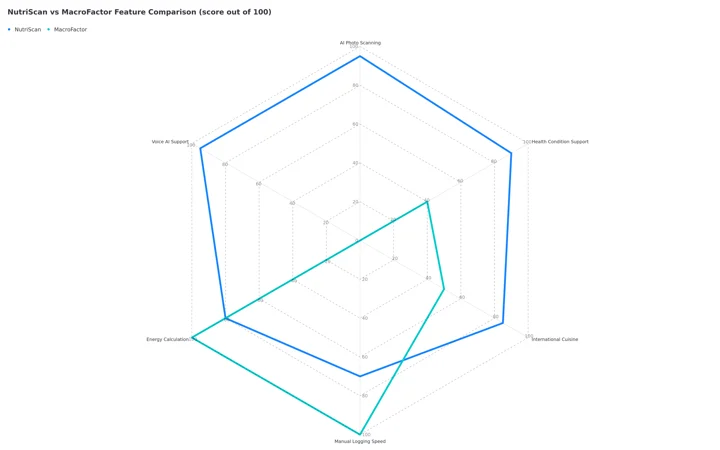 Figure 1: Feature comparison scored out of 100. NutriScan leads on AI photo scanning, voice AI and health condition support. MacroFactor scores 0 on photo scanning and voice because it logs by search and barcode only, and leads on manual logging speed and dynamic energy calculation.

Three Worked Examples: Who Benefits From Each App?
The three situations below are worked examples built from the patterns described above, not individual users.
Example 1: Managing PCOS on a Mostly Indian Diet
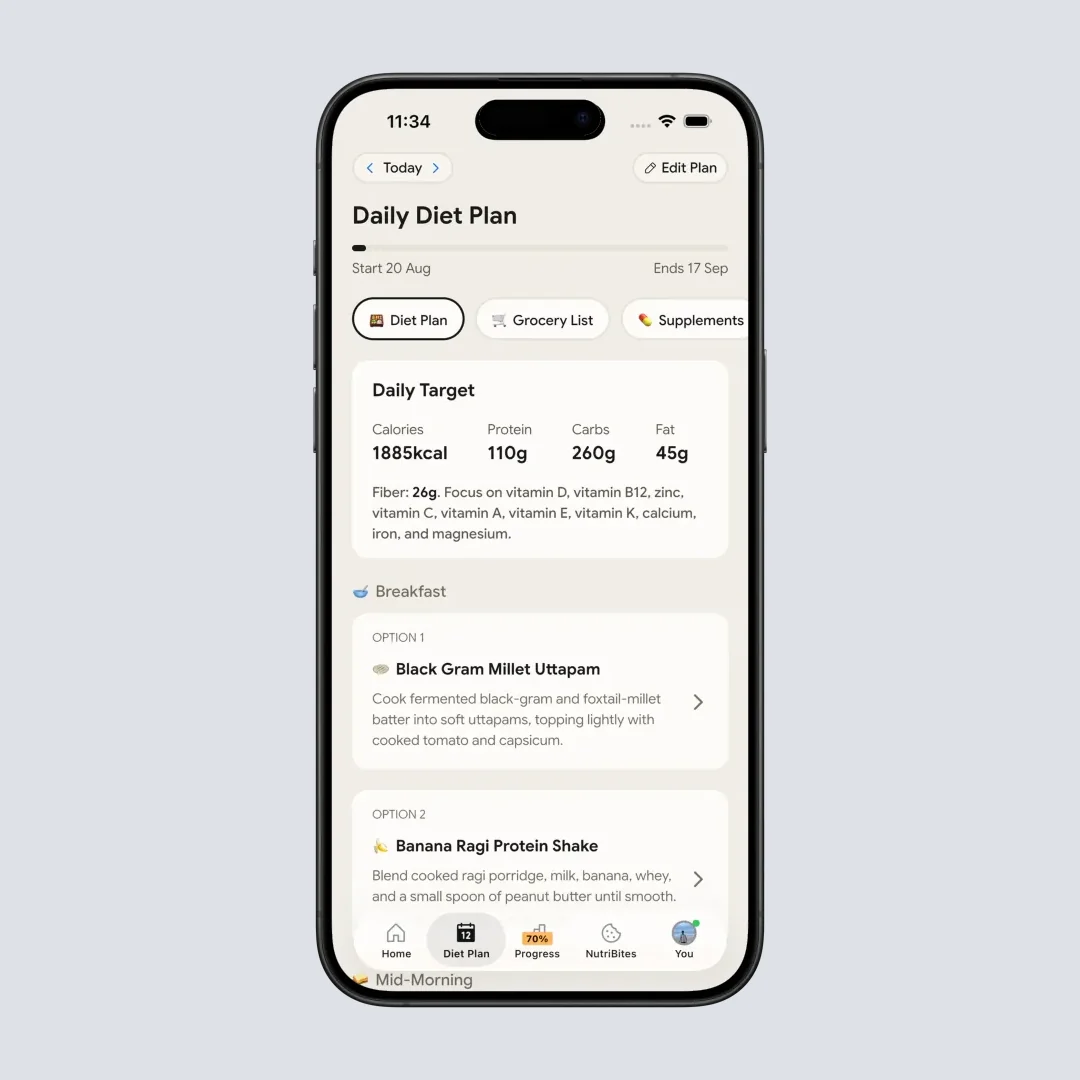
Someone managing PCOS who eats mostly Indian home cooking runs into a database problem first. Dishes like dal tadka, poha, and dosa are largely missing from MacroFactor's database, so each meal turns into 10+ minutes of searching and guessing at portion sizes.
Photo recognition removes that step. Photograph the thali, get the breakdown, move on. NutriScan's PCOS-specific diet plan then shows which foods are driving inflammation, which is the guidance that a doctor saying "eat healthy and exercise" leaves out. Research supports the approach - a randomized controlled trial found that mobile health applications can significantly decrease BMI and improve diet adherence in PCOS patients (Reproductive Health Journal).
Example 2: Building Lean Muscle on a Simple Western Diet
Someone gaining lean muscle without excess fat needs precise macro tracking and a specific protein target. MacroFactor's weekly check-ins adjust calories as metabolism adapts to eating more food.
The verified food database carries the weight here. A diet built on chicken breast, rice, and protein shakes is covered thoroughly, and simple repetitive meal prep gains nothing from AI analysis. The barcode scanner handles packaged protein bars and supplements.
MacroFactor's micronutrient tracking also covers leucine intake for muscle protein synthesis and fiber for digestive health. For a person focused purely on body composition with a simple diet, that is the whole toolkit, without extra features getting in the way.
Example 3: Gestational Diabetes During Pregnancy
Someone diagnosed with gestational diabetes has to watch carbohydrate intake at every single meal, right through the third trimester. MacroFactor has no pregnancy-specific recommendations. NutriScan's pregnancy diet plan, combined with instant carb readings from photo analysis, puts the carb number in front of you at each meal, which is what steady blood sugar management asks for.
Studies support this use case. A scoping review of app-supported lifestyle interventions found that 39% of trials showed significant effects on gestational weight outcomes, highlighting the importance of personalized app-based interventions during pregnancy (Raab et al., 2023).
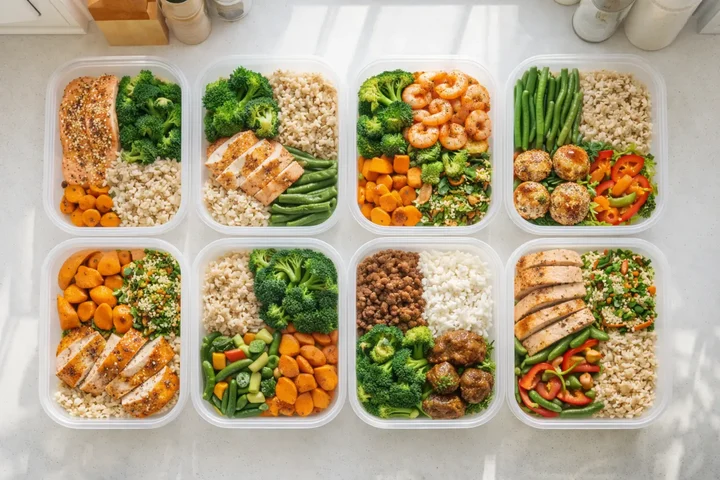 Both apps can handle meal prep - but NutriScan lets you photograph once and copy, while MacroFactor excels at recipe building
Tracking Method Comparison
Interesting Facts About Food Tracking You Should Know
Fact 1: Photo-Based Tracking Increases Consistency
Research from the University of Sydney found that AI-integrated food apps, while needing improvement in accuracy, significantly reduce the burden of tracking - which leads to better long-term adherence (Nutrients Journal). When tracking feels effortless, you actually do it.
Fact 2: Manual Logging Has Hidden Benefits
The act of manually entering foods forces you to think about what you are eating. This cognitive engagement can increase mindfulness and awareness of portion sizes. Some nutrition coaches believe this conscious effort leads to better food choices over time.
Fact 3: Cultural Food Databases Matter Enormously
A key finding from recent research showed that AI nutrition apps often struggle with mixed dishes, particularly Asian cuisine. Calorie estimations for beef pho were overestimated by 49%, while pearl milk tea was underestimated by up to 76% in some apps (ScienceDaily). This makes database coverage a critical factor when choosing an app.
Fact 4: The 80% Rule of Food Tracking
You do not need perfect tracking to see results. Research suggests that consistent tracking for about 80% of your meals provides enough data for meaningful insights. Both apps can achieve this - the question is which one makes reaching that 80% easier for you.
7 Practical Tips for Choosing Between NutriScan and MacroFactor
Tip 1: Consider Your Primary Health Goal
If you are managing a specific health condition like diabetes, PCOS, or pregnancy, NutriScan offers specialized diet plans designed for these situations. MacroFactor excels at general weight loss and muscle gain but does not provide condition-specific guidance. You can explore NutriScan's PCOS-focused features or use our PCOS macro calculator to get started.
Tip 2: Evaluate Your Cuisine Preferences
Do you eat mostly Western foods with clear ingredients? MacroFactor's verified database will serve you well. Do you eat diverse international cuisines, mixed dishes, or street food? NutriScan's AI recognition handles these better because it analyzes visual information rather than relying on text searches.
Tip 3: Test Your Tracking Patience
Be honest with yourself. Will you actually log every ingredient manually? If the answer is "probably not consistently," photo-based tracking removes that friction. If you enjoy the process of detailed logging, MacroFactor's efficient system will feel rewarding.
Tip 4: Think About Long-Term Sustainability
Studies show that nutrition app effectiveness correlates strongly with continued usage (Frontiers in Endocrinology). Choose the app you can see yourself using six months from now, not just next week.
Tip 5: Consider Voice and AI Interaction
Do you want to ask questions about your nutrition? NutriScan's AI nutritionist Monika provides conversational guidance. MacroFactor focuses purely on tracking and does not include chat-based support.
Tip 6: Factor In Your Budget
MacroFactor costs approximately $11.99 per month or $71.99 per year. NutriScan has a free plan, with Premium available when you want more. Calculate the value you would receive from each before committing.
Tip 7: Check Regional Food Support
If you live outside the US, UK, Canada, or Australia, verify that your local foods are well-represented. NutriScan claims to recognize cuisines from over 50 countries. MacroFactor has strong barcode support in specific countries but may have gaps elsewhere.
Step-by-Step Guide: How to Choose the Right App for You
Step 1: Define Your Specific Health Objective
Write down your exact goal. Is it "lose 10 kg," "manage blood sugar," "build muscle," or "eat healthier during pregnancy"? The more specific, the easier this decision becomes. Use our online macro calculator to estimate your daily targets.
For weight loss and muscle gain focused goals, both apps work well. For health condition management, NutriScan's specialized plans give it an advantage.
Step 2: Assess Your Daily Meal Complexity
Look at what you ate yesterday. Count how many meals had more than 5 ingredients. If most of your meals are simple (grilled chicken, rice, vegetables), manual logging is straightforward. If your meals are complex (curries, stews, mixed bowls), AI photo recognition saves significant time.
Step 3: Try Both Apps
Use NutriScan's free plan and MacroFactor's free trial. Use both simultaneously for the same meals. Compare how each handles your specific foods and how long tracking takes.
Step 4: Measure Your Tracking Consistency
After the first week, check your adherence. Which app did you use more consistently? Which felt less like a chore? Consistency predicts results better than any individual feature.
Step 5: Evaluate the Insights You Received
Compare what you learned from each app. NutriScan provides a NutriScore that rates meal quality and detailed meal insights. MacroFactor shows energy expenditure calculations. Which insights feel more useful for your goals?
Step 6: Check Community and Support Features
NutriScan includes community rankings and voice AI support. MacroFactor has active user communities and detailed educational content. Consider which support structure motivates you more.
Step 7: Make Your Decision Based on Lifestyle Fit
Choose the app that fits your actual lifestyle, not your ideal lifestyle. The best app is the one you will actually use every day without it feeling burdensome.
What The Research Says About Nutrition Apps
The science of nutrition app effectiveness has grown substantially. Here is what recent studies reveal.
A systematic review examining dietary mobile apps found that users experienced an average weight loss of 2.45 kg greater than control groups, along with a 2.54 cm reduction in waist circumference (Fakih et al., 2019). This confirms that app-based tracking produces measurable results. The study also found that energy intake decreased by approximately 150 calories per day among app users.
Another study focusing on food tracking app usability found that almost all reviewed apps scored well in usability metrics. The key differentiator was how well apps incorporated behavior change constructs like goal-setting and feedback (Ferrara et al., 2019). Apps that provided positive reinforcement rather than punishment for missing targets showed better long-term adherence.
For AI-powered food recognition specifically, researchers found that modern systems can achieve mean Average Precision scores of approximately 79% for food identification (NYU Tandon). While not perfect, this accuracy level is sufficient for practical nutrition tracking and continues improving rapidly. The research team noted that AI systems work best when users capture clear, well-lit images of their food from above.
Important Research Finding
A study on user perspectives found that diet-tracking apps sometimes fail when they focus too heavily on calorie counting, which can easily become obsessive behavior (Zečević et al., 2021). Apps that emphasize overall meal quality and sustainable habits tend to produce better mental health outcomes alongside physical results.
The research also highlights a critical insight - frequency of app usage correlates strongly with success. More frequent application use was correlated with better results across multiple outcome measures. This means convenience and user experience matter as much as technical features. An app that is slightly less accurate but far easier to use may actually produce better real-world outcomes.

The Decisive Factor Most People Overlook
This is the insight that changes everything.
After all the feature comparisons, database comparisons, and user scenarios - the decisive factor is simpler than you might expect: tracking consistency beats tracking precision every single time.
Here is what the research actually shows. Users who track 80% of their meals with a "good enough" app outperform users who track 40% of their meals with a "perfect" app. The math is straightforward:
- 80% tracking with 85% accuracy = 68% useful data
- 40% tracking with 95% accuracy = 38% useful data
This changes the entire decision framework. Stop asking "which app is more accurate?" Start asking "which app will I actually use every single day?"
For most people eating international cuisines, complex home-cooked meals, or dealing with health conditions like PCOS or diabetes - NutriScan's 5-second photo logging creates dramatically higher consistency than 5-minute manual entry.
For people eating simple, repetitive meals who enjoy the mindfulness of detailed logging - MacroFactor's precision becomes practical because they will actually use it.
The "best" app is not the one with the most features. It is the one that fits your day so well that you forget you are even tracking. That is the decisive factor.
Feature-by-Feature Comparison Table
| Feature | NutriScan | MacroFactor |
|---|---|---|
| Food Logging Method | AI photo recognition + voice + manual | Manual search + barcode scan |
| Health Condition Support | Diabetes, PCOS, Pregnancy, Viral/Flu | General weight/muscle goals |
| Personalized Diet Plans | 28-day customized plans | Weekly macro adjustments |
| Voice AI Assistant | Yes (Monika) | No |
| Meal Quality Score | NutriScore with colors | No dedicated scoring |
| International Cuisine Coverage | 50+ countries claimed | Strong in US/UK/Canada/Australia |
| Energy Expenditure Calculation | Based on goals and activity | Dynamic calculation from weight trends |
| Repeat Meal Feature | Yes, with daily repeat options | Yes, with quick-add features |
| Community Features | Rankings and leaderboard | Active user communities |
| Free Trial | Free plan | 7 days |
Conclusion: Making Your Final Choice
After analyzing both apps extensively, here is my honest assessment.
Choose NutriScan if you:
- Eat diverse international cuisines or complex mixed dishes
- Want to manage specific health conditions like PCOS, diabetes, or pregnancy
- Prefer instant photo-based tracking over manual logging
- Value having an AI nutritionist available for questions
- Need a complete diet plan, not just tracking
Choose MacroFactor if you:
- Eat primarily Western foods with clear ingredient lists
- Focus mainly on weight loss or muscle gain
- Enjoy detailed manual tracking and find it mindful
- Want the most precise energy expenditure calculations
- Prefer a pure tracking tool without diet planning features
Both apps can help you achieve your nutrition goals. The research clearly shows that any consistent tracking method improves outcomes. The best choice is the one that fits your lifestyle so well that you actually use it daily.
 When you find the right app, tracking becomes something you actually enjoy
My recommendation? Start with whichever app matches your eating style and goals. Give it a genuine week of testing. Your experience will tell you everything you need to know.
Your health journey is too important to leave to chance. Pick an app, commit to using it, and let the data guide your decisions. Whether that is NutriScan or MacroFactor, the most important step is starting today.
Related App Comparisons
Looking for more comparisons? Check out these detailed guides:
- NutriScan vs HealthifyMe - Compare NutriScan with HealthifyMe for Indian users and those looking for dietitian support
- NutriScan vs Fooducate - See how NutriScan stacks up against Fooducate for food grade scoring and healthy alternatives
Frequently Asked Questions
Q1: Can NutriScan accurately recognize Indian and Asian foods?
A: Yes, NutriScan is specifically designed to recognize global cuisines including Indian, Chinese, Japanese, Middle Eastern, and other regional foods. The AI model has been trained on diverse food images. Learn more about how our meal scanning works. However, I recommend verifying portion sizes after scanning, especially for complex dishes like biryani or curry bowls. Research shows AI food recognition performs best on individual items and may need adjustment for layered or mixed dishes.
Q2: Does MacroFactor work well for diabetes management?
A: MacroFactor can track carbohydrates which is useful for diabetes. However, it does not provide diabetes-specific recommendations or meal plans. If you need condition-specific guidance, NutriScan offers dedicated diabetes diet plans that consider glycemic impact and meal timing. Try our diabetes macro calculator to estimate your targets. Studies indicate that personalized mobile app interventions can significantly improve glycemic control in diabetic patients (Frontiers in Endocrinology).
Q3: How accurate is photo-based food tracking compared to manual logging?
A: Recent systematic reviews show AI-based dietary assessment methods can achieve relative errors as low as 0.10% for calorie estimation in ideal conditions, though complex meals may have higher variance (Shonkoff et al., 2023). Manual logging accuracy depends entirely on user diligence. For most practical purposes, photo recognition provides sufficient accuracy while significantly reducing user burden - which improves tracking consistency.
Q4: Which app is better for meal prep and batch cooking?
A: MacroFactor has strong recipe and meal copying features that work well for repetitive meal prep. NutriScan also supports copying meals and setting daily repeats. If you eat the same prepared meals throughout the week, both apps handle this efficiently. NutriScan adds the advantage that you can photograph your meal prep once and copy it without re-entering ingredients.
Q5: Can I use both apps together?
A: Yes, some users track with both apps during their initial weeks to compare accuracy and find their preference. However, this approach doubles your tracking effort. I recommend choosing one app after your first couple of weeks and committing fully to it. Research consistently shows that tracking consistency matters more than perfection - using one app well beats using two apps inconsistently.
Ready to transform your nutrition journey? Download NutriScan today and experience the difference AI-powered food tracking can make. Your healthier future starts with a single photo.
