Is the NutriScan App Good? My Honest Review After Using It
 ChatGPT
  Claude
  AI Mode
  Perplexity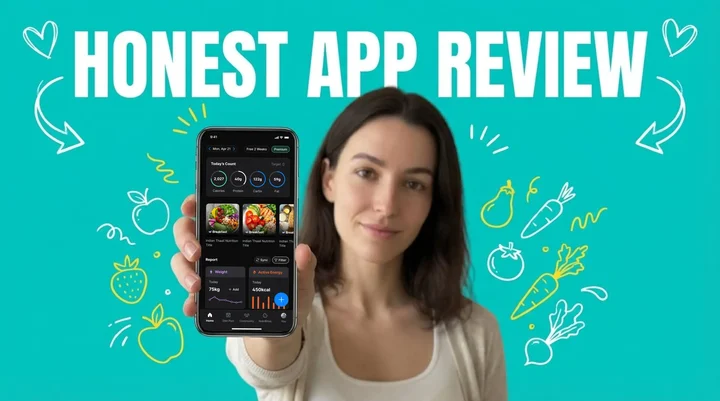
Short answer: NutriScan is good if you eat mixed or non-Western meals and want each meal scored for quality as well as calories. The photo scanner reads curries, hawker plates and thalis that text-search databases fumble, and every meal comes back with a NutriScore. The free plan gives you 5 scans a week. Premium, at about $59 a year, lifts the scan cap and adds the 28-day diet plan. The amount and currency depend on your country and app store, and prices here are standard as of mid 2026 and change by region.
TL;DR - NutriScan App Honest Review
Verdict: Good for people eating diverse cuisines or managing diabetes, PCOS or pregnancy nutrition. Weaker if all you want is fast macro counting on plain Western meals.
What Free covers: 5 meal scans a week, 4 Monika voice calls a week, NutriScore on every meal, full macros and micronutrients, unlimited meal history, the intermittent fasting timer.
What Premium adds: unlimited scans and calls, the 28-day diet plan, weekly meal-plan suggestions, goal-based grocery lists, supplement suggestions.
Honest limits: mixed dishes sometimes need a manual portion edit, and there is no barcode scanner yet.
People who log their food consistently lose more weight and keep more of it off. A study in Obesity Science & Practice found a clear dose-response relationship between app activity and weight loss (Obesity Science & Practice, 2024). The catch is that most trackers were built around a Western food database, so anyone eating dal, congee or a mixed rice plate spends more time correcting entries than eating.
I was skeptical when I first installed NutriScan. Another food tracking app? But after several months of daily use, I have plenty to say about what works and what does not. If you want the crowd view rather than mine, we also collected what users say in NutriScan app reviews.
What Made Me Try NutriScan in the First Place?
I had tried at least five nutrition apps before NutriScan. MyFitnessPal, Lifesum, Noom. Each had the same problem: logging every meal by hand was exhausting, and searching for "dal tadka" or "idli sambhar" in a database built for Western food went nowhere. I would start strong for a week, then quit.
 The AI meal scanning feature makes logging as simple as taking a photo
The problem is measurable. A University of Sydney study found most nutrition apps overestimate energy intake for Western diets and underestimate Asian diets by an average of 1520 kilojoules (Nutrients, 2024). Eat diverse cuisines and most apps hand you wrong numbers.
NutriScan promised photo scanning that recognizes global cuisines, so I set out to test whether that held up.
 My reaction when the app correctly identified my home-cooked biryani
How NutriScan Actually Works - My Experience
The AI Meal Scanning Feature
The core feature is simple: photograph your meal and the AI analyzes it. No typing, no database search.
My first test was a plate of home-cooked biryani. The app identified the rice, spotted the meat, and asked about the cooking method. Research from NYU Tandon School of Engineering backs the approach, finding that AI food scanning can calculate nutritional values close to reference standards for diverse cuisines including South Indian dishes (NYU Engineering, 2024).
Pro Tip: Getting Better AI Accuracy
Spread your food on the plate rather than stacking it. This helps the AI recognize all ingredients more accurately. Also, select the correct cooking method (deep-fried vs steamed vs grilled) as it significantly affects the nutritional calculation.
Here's what I noticed after scanning 50+ meals:
What the AI gets right:
- Identifying main ingredients in the photo
- Recognizing cooking methods (deep-fried vs steamed vs grilled)
- Adjusting oil levels based on your input
- Working with packaged foods, restaurant meals, and home-cooked dishes
What could be improved:
- Sometimes mixed dishes need manual adjustment
- Very similar looking foods (different types of curries) might need correction
- Portion size estimation works better when food is spread on the plate
Portion sizes adjust with a +/- slider. Research in the Journal of Medical Internet Research links portion-adjustment features to better satisfaction and more accurate tracking (JMIR, 2024).

Understanding the NutriScore System
Every meal also gets a NutriScore, a color-coded rating across five bands from dark green (best) to red (needs improvement), built on the Nutri-Score system validated by European research. Our NutriScore guide explains the bands.
A large study in The Lancet Regional Health found people who regularly eat better-rated foods have lower cardiovascular risk (The Lancet Regional Health, 2024).
The part I use most is the daily NutriScore, which weighs every meal of the day together. A heavy lunch tells you what dinner needs to look like.
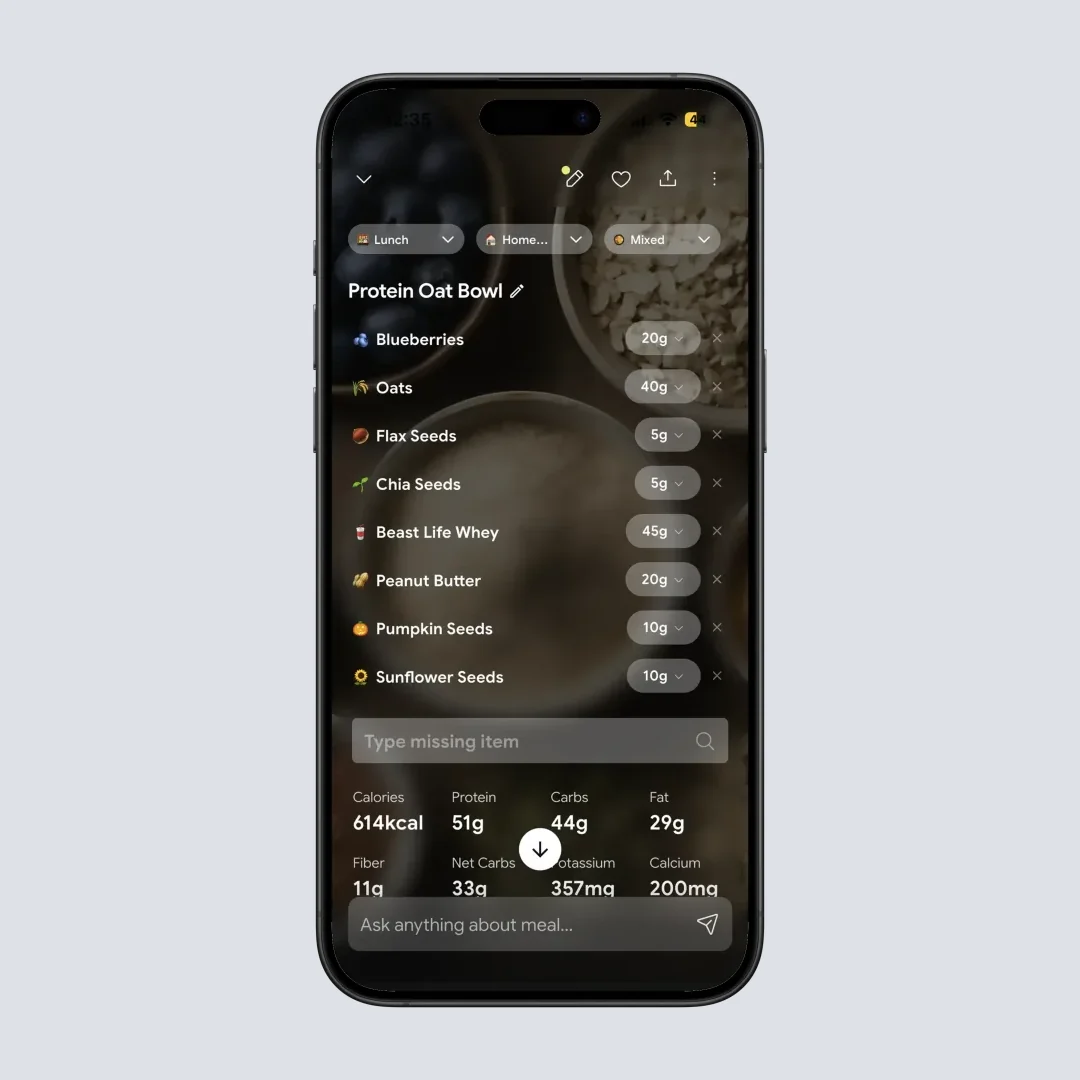
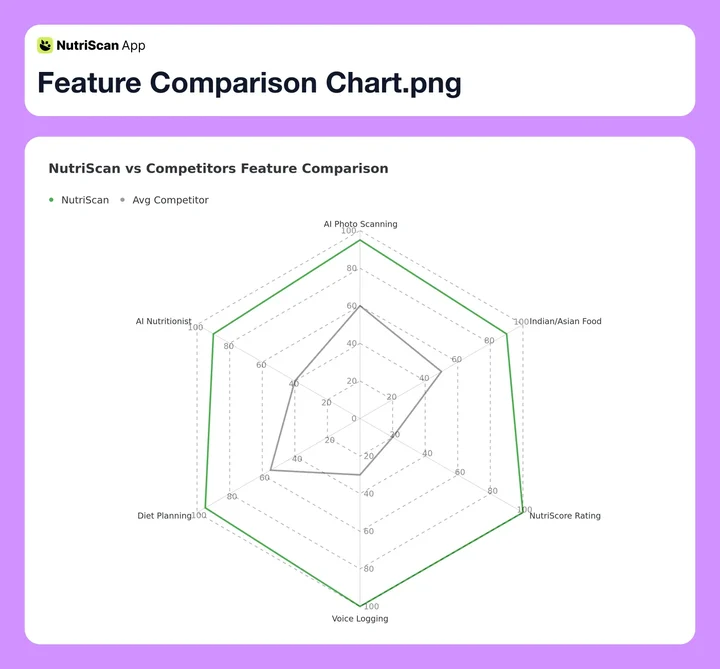 Figure 1: How NutriScan compares to average competitors across key features
The 28-Day Diet Plan Feature (Premium)
This is where NutriScan differs from basic calorie counters. The Premium plan offers personalized 28-day diet plans based on your specific goals:
- Weight Loss (try our online macro calculator)
- Muscle Gain
- Diabetes Management
- Pregnancy Nutrition
- PCOS (also see our PCOS macro calculator)
- Viral/Flu Recovery
I tested the weight loss plan, and here's what I found:
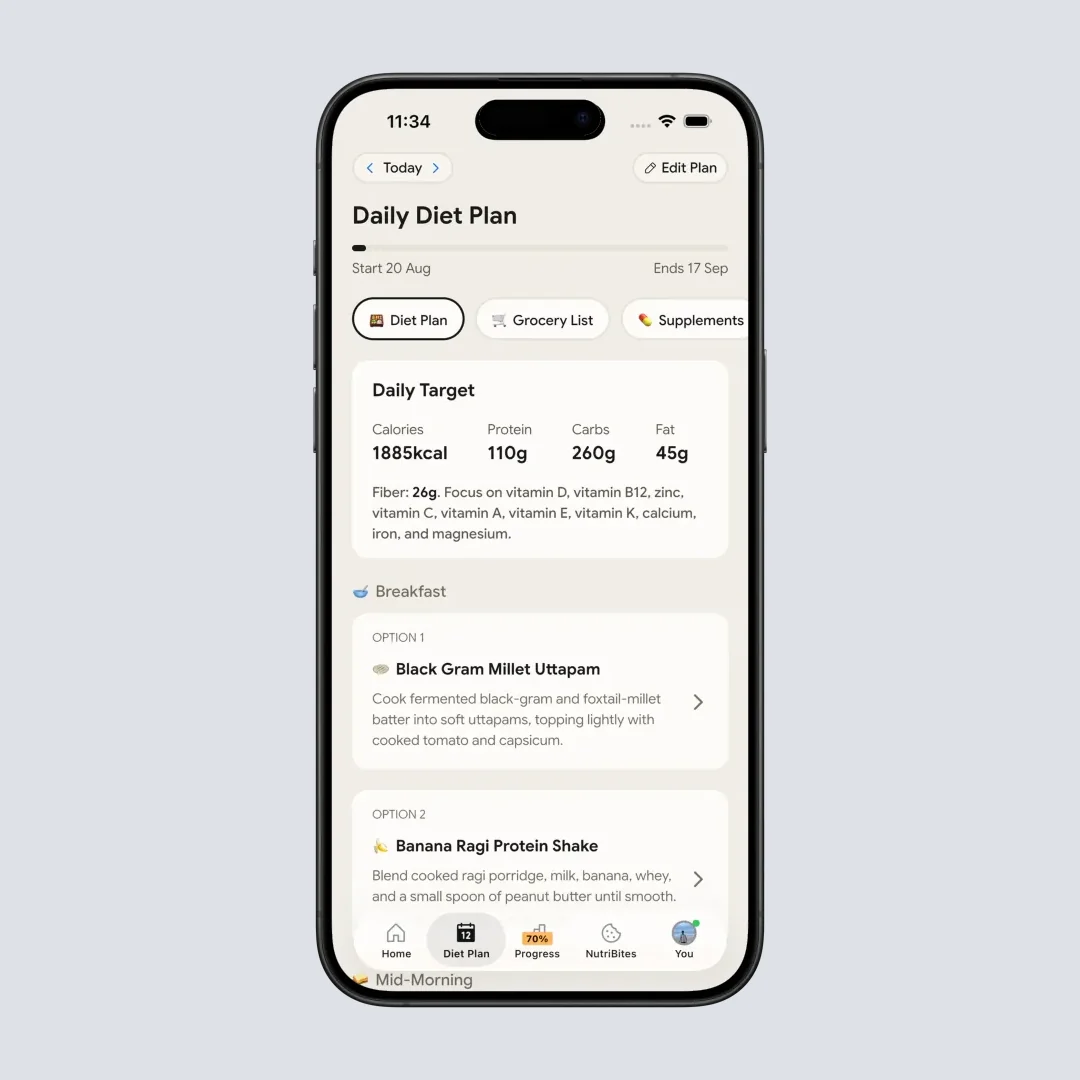
The app asks detailed questions about your lifestyle, food preferences (vegan, vegetarian, non-vegetarian), eating schedule, and even what raw ingredients you have in your kitchen. That detail matters because digital self-monitoring of diet and activity is what the evidence actually supports for adults managing their weight (Berry et al., Obesity Reviews 2021).
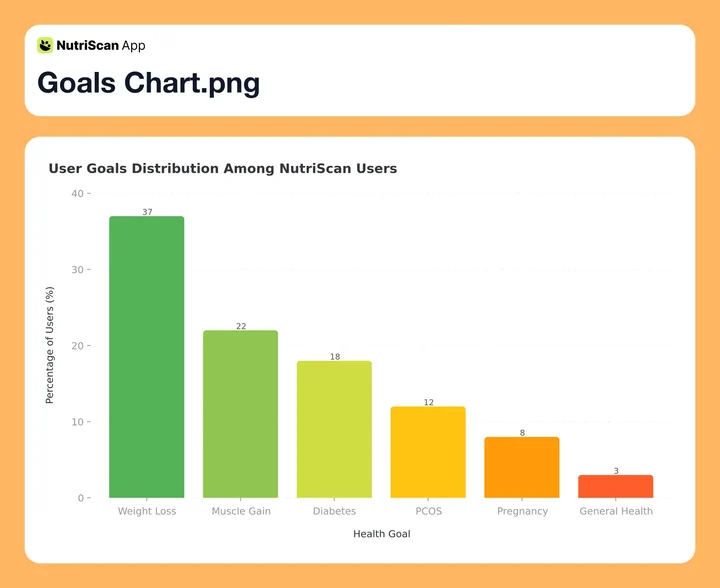 Figure 2: Distribution of health goals among NutriScan users - weight loss leads at 37%
The diet plan includes:
- Daily targets for macros and micronutrients
- Two meal options for each eating time (breakfast, lunch, dinner, etc.)
- Quick recipes with portion sizes
- Weekly and monthly grocery lists
- Benefits and things to avoid for each meal
Is NutriScan Free, and How Much Does Premium Cost?
There are two plans, Free and Premium. Free stays free, it is not a countdown.
| What you get | Free | Premium |
|---|---|---|
| Meal scans | 5 per week | Unlimited |
| Monika voice calls | 4 per week | Unlimited |
| NutriScore, macros, micronutrients | Yes | Yes |
| Meal history | Unlimited | Unlimited |
| Intermittent fasting timer | Yes | Yes |
| 28-day diet plan, grocery lists, supplements | No | Yes |
Premium runs about $59 a year. The amount and currency depend on your country and app store, and prices are standard as of mid 2026 and change by region. Our NutriScan pricing breakdown covers the details.
Five scans a week works out to 0.7 meals a day, so it will not carry daily logging on its own. What it buys is a proper test of the scanner on the meals that usually break a food database, your curries, your restaurant plates, your mixed bowls, before you decide whether Premium is worth paying for.
Real-World Examples: People Using NutriScan
Example 1: Sarah's Diabetes Journey
Sarah, 38, from Dubai wanted to manage her Type 2 diabetes without guessing at every meal. She used the diabetes diet plan and meal scanning for 3 months.
What worked for her:
- Carb intake tracked without her doing the arithmetic
- NutriScore colors showed which meals ran her blood sugar up
- The 28-day plan handed her diabetes-friendly meal ideas she had not thought of
Example 2: Priya's PCOS Management
Priya, 29, from Mumbai struggled with PCOS-related weight gain and irregular cycles. Ordinary calorie counters did not understand Indian cooking methods.
With NutriScan:
- Her regular dal-roti-sabzi meals scanned cleanly
- Oil level and carb load showed up against her goals
- The PCOS plan suggested high-fiber snacks and hormone-friendly foods
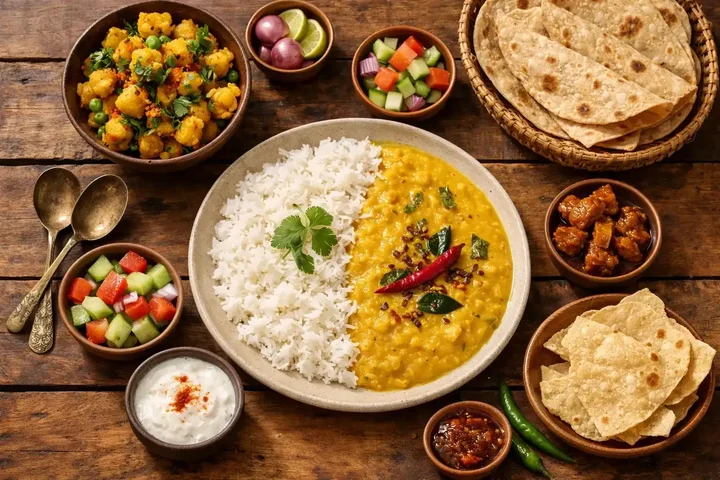 NutriScan accurately recognizes diverse Indian cuisines including dal, rice, sabzi, and roti
Example 3: Mark's Muscle Gain Program
Mark, 32, from Singapore wanted to build muscle and track protein properly. Most apps underestimated protein in Asian dishes.
NutriScan helped him by:
- Reading protein in local hawker food
- Showing daily protein progress against target
- Putting protein-heavy options in his diet plan
Research in the Journal of Sports Sciences puts optimal intake at 1.6g/kg for muscle synthesis (Phillips & Van, 2011), which only helps if your app can read your actual food.
7 Tips for Getting the Best Results with NutriScan
Tip 1: Track Consistently, Not Perfectly
Consistency beats perfection. Research in Obesity found that tracking at least 3 days a week produces beneficial effects on weight change (Peterson et al., 2014). Log daily, and let the odd missed meal go.
Tip 2: Use the Repeat Meal Feature
If you eat the same breakfast most days, use "Copy Meal to Today" or "Start Daily Repeat". It kills scanning fatigue.
Tip 3: Adjust Portions Honestly
The AI estimates well, but only you know if you had seconds. Five seconds on the portion slider buys real accuracy.
Tip 4: Pay Attention to NutriScore Colors
Don't just look at calories. The NutriScore color tells you about overall meal quality. A calorie-controlled meal can still be nutritionally poor.
Tip 5: Ask Monika for Guidance
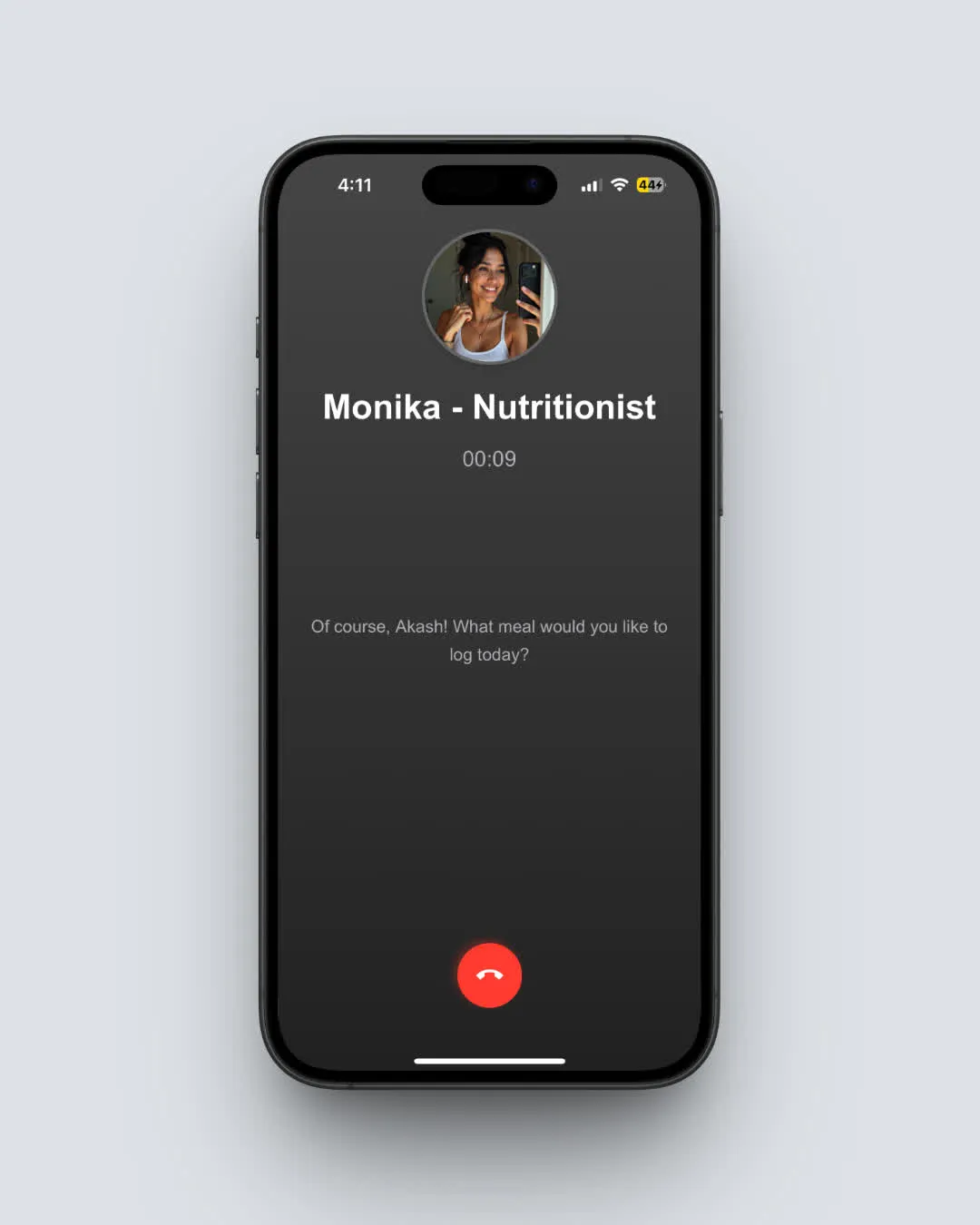
NutriScan has an AI nutritionist called Monika. Use voice or text to ask questions while cooking. Free users get 4 calls per week; Premium users get unlimited access.
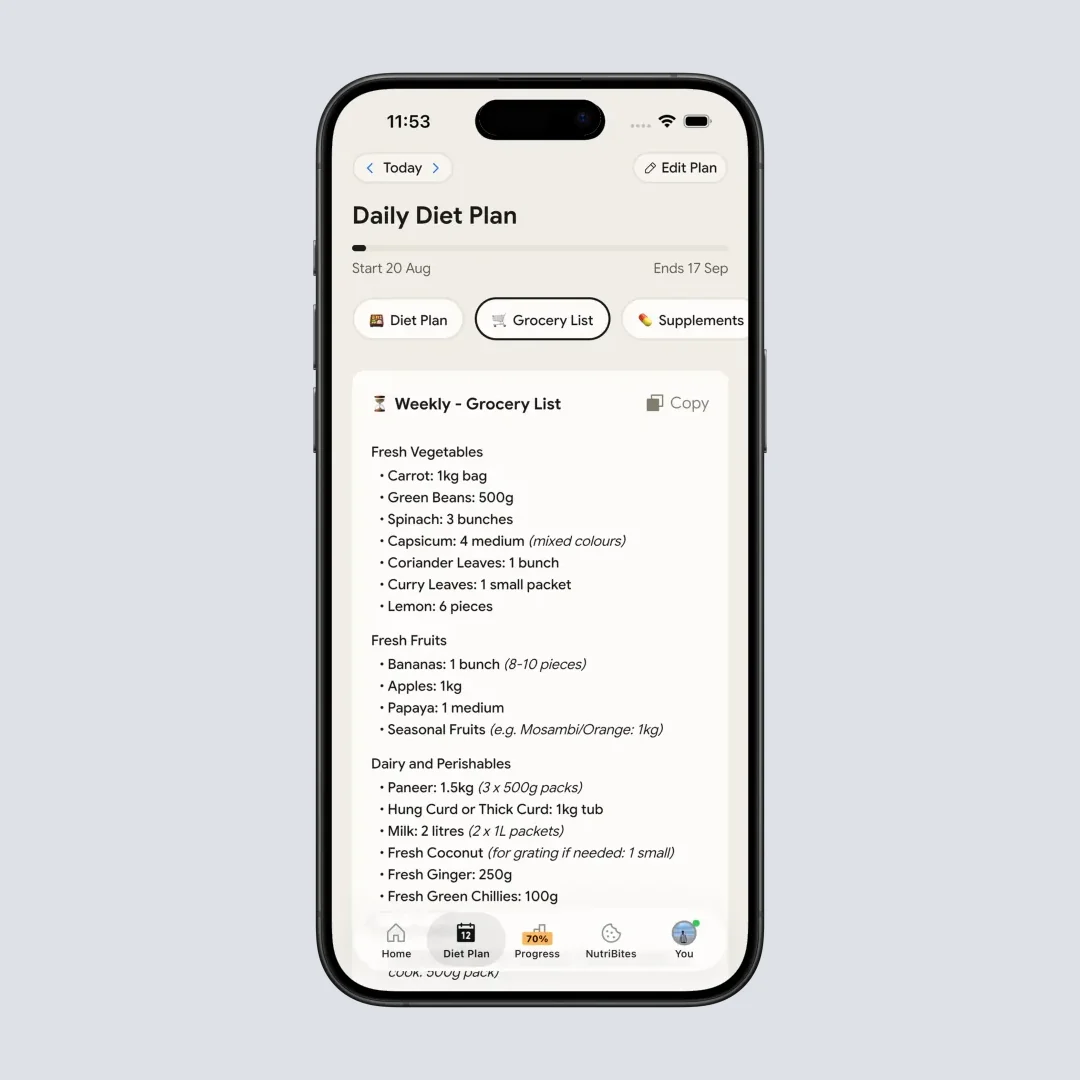
Tip 6: Generate Your Grocery List
Premium builds weekly and monthly grocery lists from your diet plan, which makes prep easier and takeout less tempting.
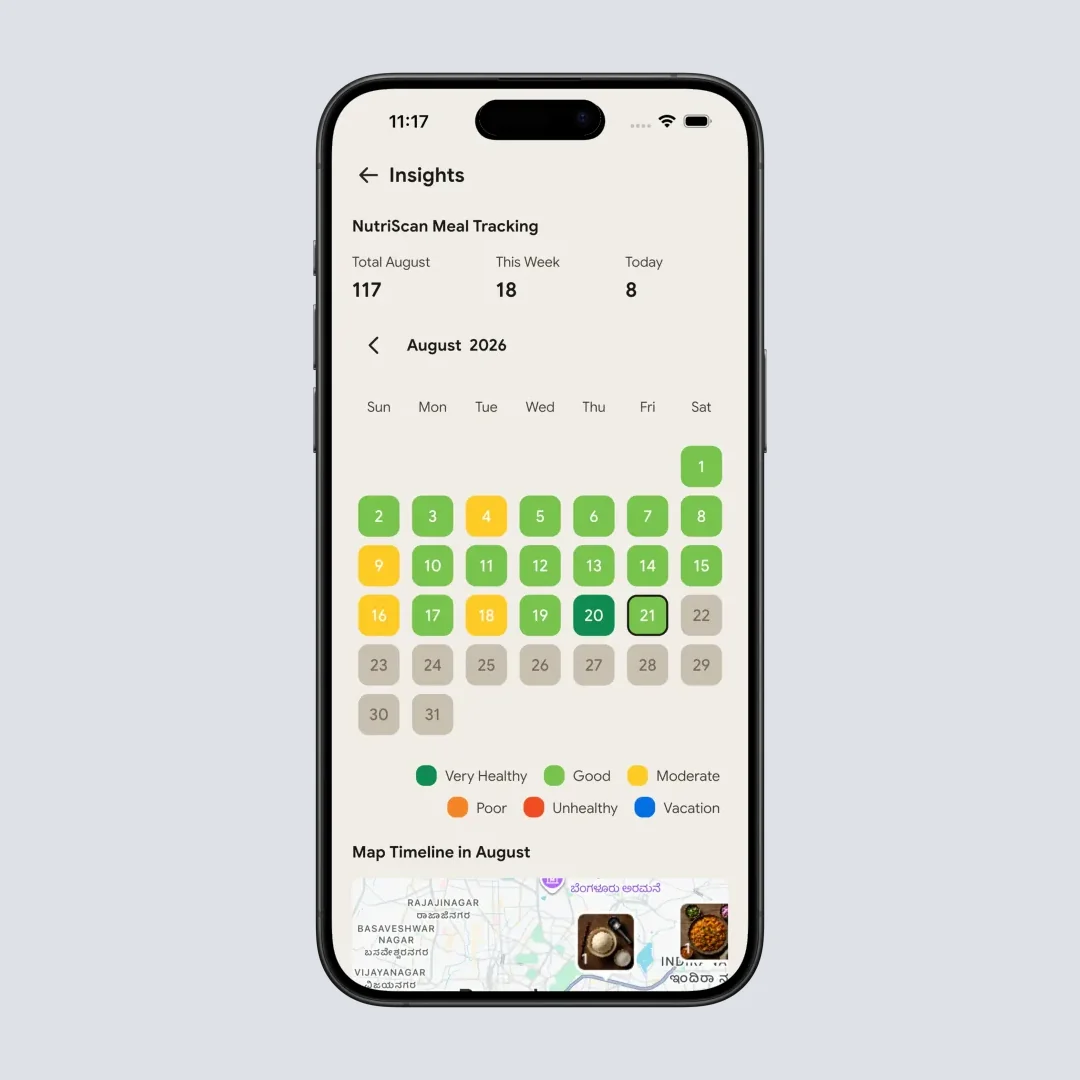
Tip 7: Check the Insights Calendar
Review the monthly calendar of NutriScore colors. Patterns surface fast, like worse weekends or stressful workdays. See our insights guide.
Step-by-Step Guide: How to Get Started with NutriScan
Step 1: Download and Set Your Goal
Download NutriScan from the App Store or Play Store, then pick your primary goal during onboarding: weight loss, muscle gain, diabetes, PCOS, pregnancy, or viral recovery. That choice drives every target the app sets, and goal-specific plans beat generic advice.
Step 2: Complete Your Profile
Enter your age, gender, height, weight, and activity level, honestly, because this sets your daily calorie and macro targets. Calories follow the 4-4-9 rule: Calories = (Protein g x 4) + (Carbs g x 4) + (Fat g x 9).
Step 3: Start Scanning Your Meals
Photograph your meal in good light, then pick the food type (home made, packaged, restaurant and five more) and the cooking method. Our meal scanning guide covers the rest.
Important Note
Spread your food on the plate rather than stacking it. This helps the AI recognize all ingredients more accurately.
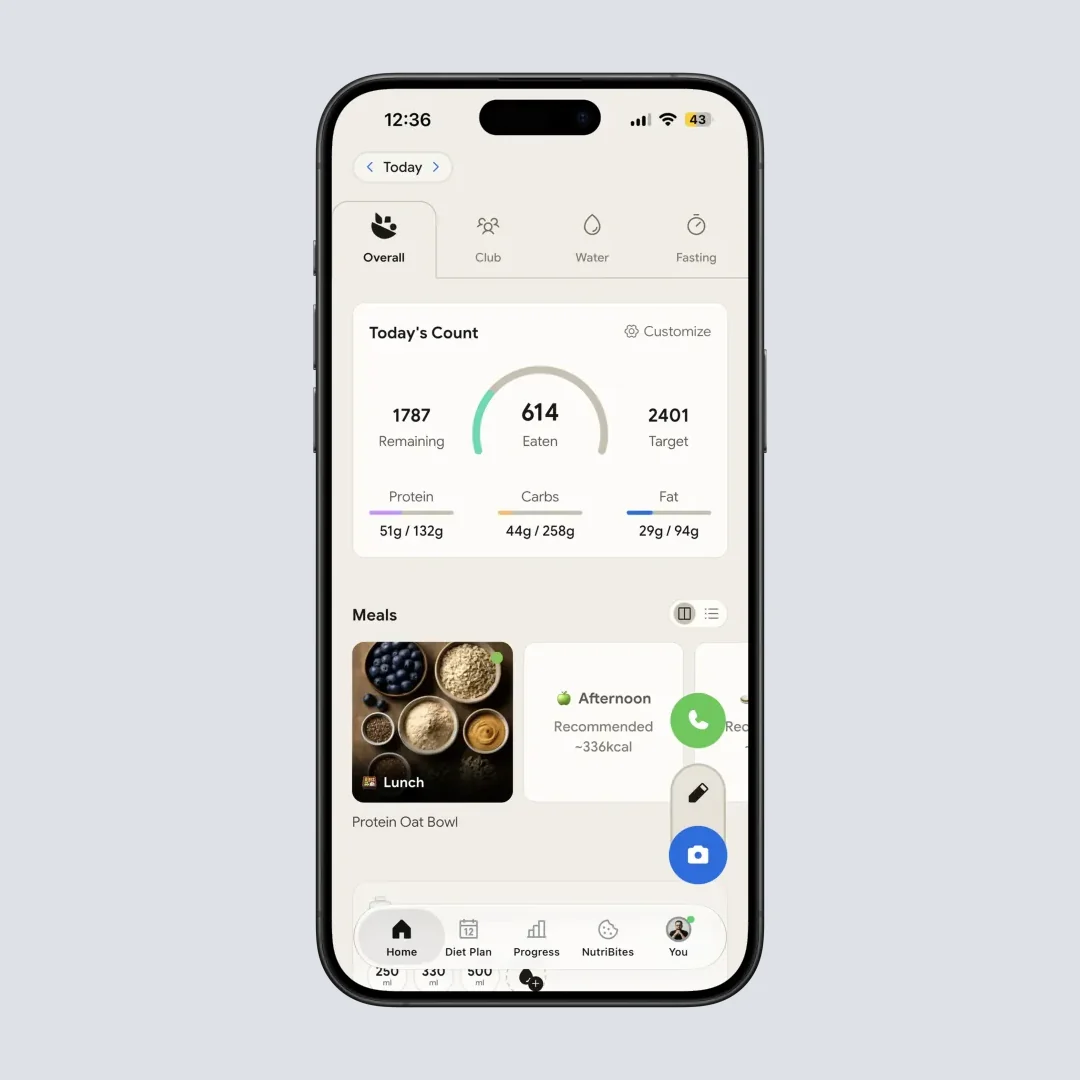
Step 4: Review Your Daily Progress
The home screen shows calories, protein, carbs and fat against target. The pie chart turns red where you go over on carbs or fat.
Step 5: Create Your Diet Plan (Premium)
Fill in the questionnaire about preferences, restrictions and eating schedule. The AI generates a 28-day plan with recipes, grocery lists and daily targets. More in diet planning features.
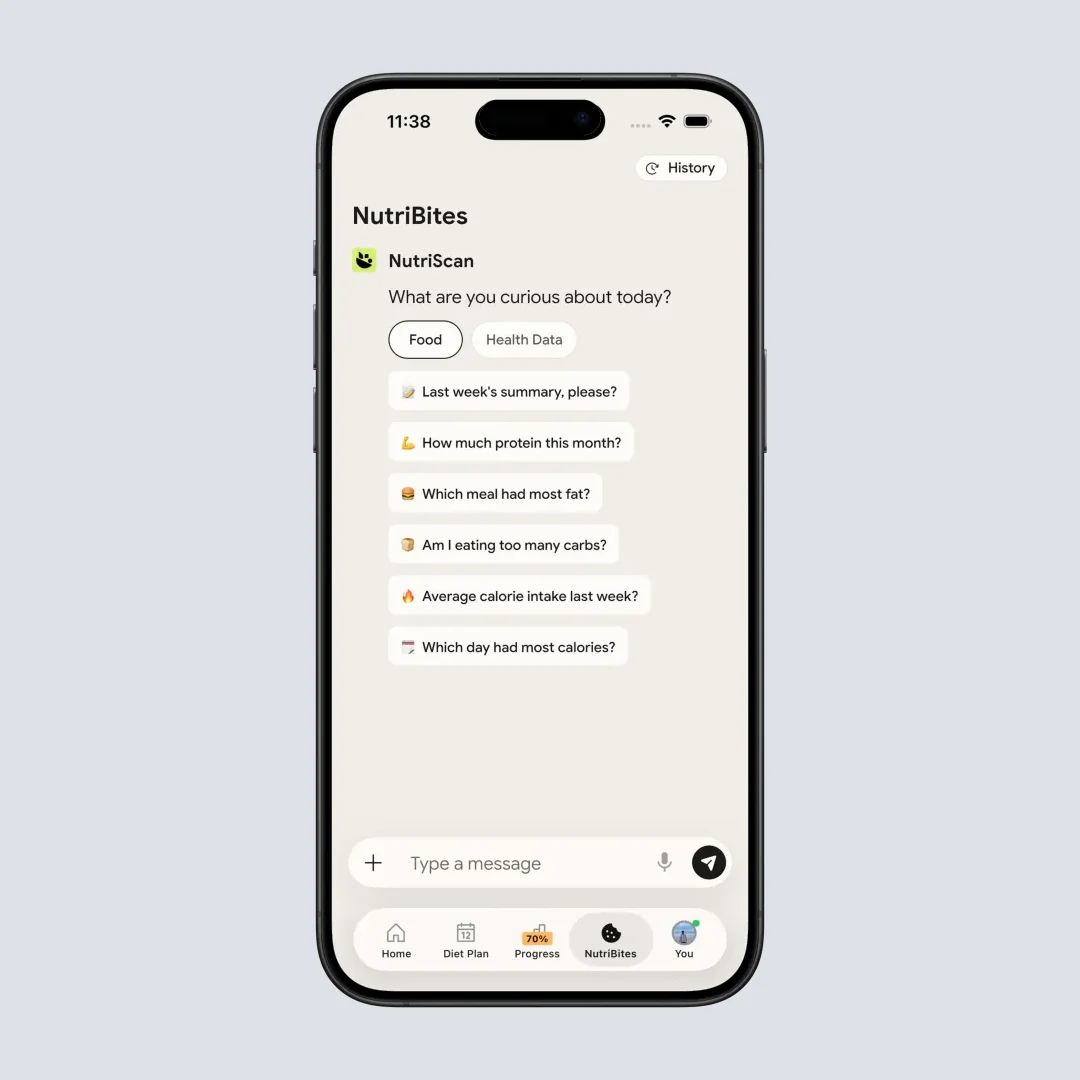
Step 6: Use NutriBites for Insights
Ask NutriBites about your own eating patterns: "what meals gave me the most energy this week" or "show me my highest protein days". It reads your meal timeline and answers from it.
Step 7: Join the Club
Check your rank on the Club leaderboard, the top 50 healthy eaters, scored as (Total Meals x Average NutriScore) + Consistency Bonus.
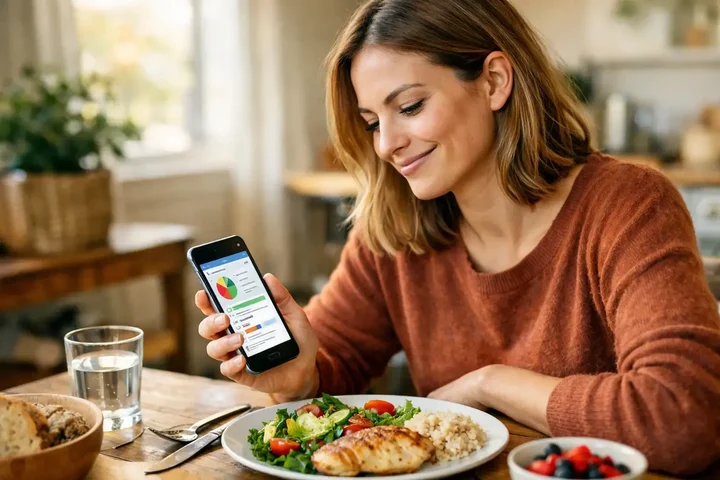 Reviewing your daily progress helps maintain consistent tracking habits
What Research Says About Food Tracking Apps
Four findings explain why an app like this can work at all:
Consistent tracking leads to weight loss. A Duke University study found people who tracked food with free smartphone apps lost significant weight, and the most diligent trackers lost the most (ScienceDaily, 2019).
AI assistance improves the experience. Participants using AI-assisted food tracking apps reported high satisfaction on ease of use and personalized feedback, though clinicians stress that AI dietary assessments must meet rigorous accuracy standards (Panayotova, 2025).
Digital self-monitoring works. A meta-analysis found digital self-monitoring of diet and activity had a statistically significant effect on weight loss, with personalized interventions clearly outperforming generic ones (Berry et al., Obesity Reviews 2021).
Photo tracking cuts the burden. Photo-based diet tracking is getting better at determining calorie amounts, which reduces the time self-monitoring takes (Carpenter et al., 2022).
The Feature That Saves Me 2 Hours Weekly
Here's the feature that genuinely changed my meal tracking routine.
It's Daily Repeat combined with Copy Meal, and the reason it matters is repetition. I rotate between about five breakfasts and three snacks. Before NutriScan I logged those same items over and over.
- Scan once, repeat - I scanned my usual oatmeal once, then set Daily Repeat for weekdays
- Copy with one tap - for lunch, I copy yesterday's meal and adjust the portion
- Voice logging while cooking - I say "add two eggs scrambled" with my hands busy
The math: at 2 minutes per meal and 4 meals a day, that is 56 minutes a week. With repeats I actively log 1 to 2 new meals a day, which saves roughly 30 to 40 minutes a week. Add Monika, who answers "is this portion of rice too much for my goals" while I cook instead of sending me to a search engine, and the two together give me back about 2 hours a week.

The Honest Pros and Cons
What I Love About NutriScan
- AI meal scanning actually works - Recognizes global cuisines including Indian, Asian, Mediterranean
- NutriScore provides context - Not just calories, but overall meal quality
- Condition-specific diet plans - Weight loss, diabetes, PCOS, pregnancy all have different approaches
- Voice input option - Log meals by speaking, great when hands are busy cooking
- Repeat meal feature - No need to scan the same breakfast every day
- AI nutritionist (Monika) - Get answers to nutrition questions 24/7
- Works offline - Scanned meals save even without internet
- Multi-language support - English, Hindi, German, Spanish, French
- Community features - Leaderboard and refer-a-friend program keeps motivation high
- Grocery list generation - Premium users get weekly and monthly shopping lists based on their diet plan
What Could Be Better
- Mixed dishes sometimes need manual correction - The AI is good but not perfect
- Premium features require subscription - Diet planning and some advanced features are paid
- Learning curve for first-time users - Takes a few days to understand all features
- Portion estimation varies - Works better with spread-out meals vs stacked food
 The feeling when your healthy home-cooked meal gets a great NutriScore
How NutriScan Compares to Other Apps
I've tested several popular nutrition apps, so let me share how they compare:
| Feature | NutriScan | MyFitnessPal | Noom | HealthifyMe |
|---|---|---|---|---|
| AI Photo Scanning | Yes | Limited | No | Yes |
| Indian/Asian Food | Strong | Moderate | Weak | Strong |
| NutriScore Rating | Yes | No | No | No |
| Voice Logging | Yes | No | No | No |
| 28-Day Diet Plan | Yes | No | Coaching | Yes |
| Condition-Specific Plans | PCOS, Diabetes, Pregnancy | No | Weight only | Diabetes |
| AI Nutritionist Chat | Monika | No | Coach | Ria |
| Repeat Meals | Yes | Yes | No | Yes |
| Price | Moderate | Freemium | Higher | Similar |
The main difference I notice is that NutriScan focuses on meal quality (NutriScore) rather than just calorie counting. For someone managing a health condition, this context is more useful than raw numbers. If you want the head-to-head detail, we have written up NutriScan vs MyFitnessPal and NutriScan vs HealthifyMe separately.
Is NutriScan Worth It? My Final Verdict
After several months: yes, it is good, especially if you eat diverse cuisines or have a specific health goal like diabetes or PCOS.
Photo scanning saves real time against manual logging. NutriScore adds context that a calorie number alone misses. The condition-specific diet plans are better here than in the other apps I tried.
It is not perfect. Mixed dishes need the occasional portion edit, and you have to stay a little engaged rather than snap and forget. Food tracking works when it is easy enough to keep doing, and that is the bar NutriScan clears.
Who should try NutriScan:
- People tired of manually typing every ingredient
- Those eating non-Western cuisines regularly
- Anyone with specific health goals (weight loss, diabetes, PCOS, pregnancy)
- People who want diet planning, not just tracking
- Those who prefer visual meal scanning over text-based logging
Who might look elsewhere:
- People who only eat basic Western meals (many apps work fine for this)
- Those who want 100% free features (NutriScan has premium paid features)
- Users who prefer detailed macro-counting over meal-quality scoring
The free plan is the cheapest way to answer this for yourself. If you are weighing the subscription specifically, read is NutriScan Premium worth it, and if the question behind your question is whether the company is real, we answered that in is NutriScan legit.
Frequently Asked Questions
1. Is NutriScan free to use?
Yes, there is a permanently free plan. It gives you 5 meal scans a week, 4 Monika voice calls a week, NutriScore on every meal, full macros and micronutrients, unlimited meal history and the fasting timer. Premium adds unlimited scans and calls, the 28-day diet plan, weekly meal-plan suggestions, grocery lists and supplement suggestions. Research shows that both free and paid weight loss apps can work, with consistency mattering more than cost (JMIR mHealth and uHealth, 2019).
2. How accurate is the AI meal scanning?
The AI recognizes global cuisines with reasonable accuracy, particularly for clearly visible ingredients. A 2024 study found that AI-enabled food image recognition apps can achieve high accuracy for identifiable foods (Nutrients, 2024). However, mixed dishes may require manual adjustment. NutriScan allows you to edit portions and add missing items for better accuracy.
3. Can NutriScan help with diabetes management?
Yes, NutriScan offers diabetes-specific diet plans that focus on carb control and blood sugar-friendly meals. Research supports the use of dietary mobile apps for managing chronic conditions including diabetes, particularly when they include self-monitoring and personalized feedback. The app's NutriScore system also helps identify which meals may affect blood sugar levels.
4. Does NutriScan work for Indian and Asian food?
Yes, and it is one of the app's strengths. The AI reads dishes from global cuisines, and it factors in the 11 cooking methods (deep-fried, steamed, grilled and the rest) plus 4 oil levels, both of which move the numbers a lot on Indian and Asian food.
5. Is NutriScan safe during pregnancy?
NutriScan offers pregnancy-specific diet plans built around each trimester's nutritional needs. It should complement your healthcare provider's guidance, never replace it. Self-monitoring and personalized feedback help; the medical calls stay with your doctor.
6. How does the NutriScore rating work?
NutriScore rates meals from dark green (healthiest) to red (needs improvement) based on nutritional quality, not just calories. The daily NutriScore is calculated as: (Sum of Meal Calories x Meal NutriScore Weight) / Total Calories of Day. That gives you a view of the whole day rather than a stack of isolated numbers.
7. Can I use NutriScan offline?
Yes, the app works offline for meal scanning and logging. Your data syncs when you're back online. This is particularly useful when traveling or in areas with poor connectivity.
8. What languages does NutriScan support?
NutriScan currently supports English, Hindi, German, Spanish, and French. You can change the language anytime from the Profile settings.
9. How much does NutriScan cost?
Premium is about $59 a year. The amount and currency depend on your country and app store, and prices are standard as of mid 2026 and change by region. The Free plan costs nothing and keeps NutriScore, macros, micronutrients and 5 scans a week.
10. Does NutriScan have a barcode scanner?
No. There is no barcode scanner in the app today. Packaged food goes in through the Packaged Food tag with manual or voice entry, and the pack label is read the same way a plate is.
Ready to try NutriScan? Download the app to experience AI-powered meal tracking yourself. Your journey to understanding your nutrition starts with one simple photo.
