Lose It vs FatSecret 2026: Which Free Plan Gives More?
 ChatGPT
  Claude
  AI Mode
  Perplexity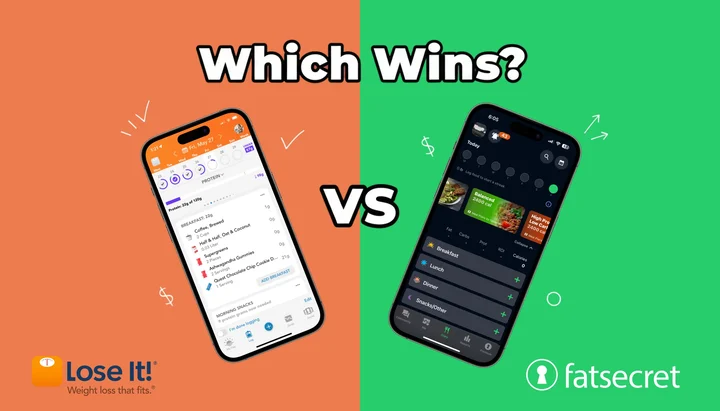
What if the better free tracker is the one your phone already nudges you to open? 🤔
TL;DR - Lose It vs FatSecret Free Plans 2026
- More free features: FatSecret (free barcode scan, macro reporting, weekly review, recipe tools)
- Cleaner design and onboarding: Lose It
- Free barcode scanner: FatSecret only (Lose It paywalls Scan It for new accounts)
- Recipe builder: FatSecret (unlimited) vs Lose It (10-recipe cap)
- Gamification and streaks: Lose It (none on FatSecret)
- Web access: FatSecret only
- Photo logging: available in paid tiers; free allowances vary by store and account
- Premium price: app-store offers vary; compare the current offer before upgrading
A 2025 umbrella review of 11 systematic reviews, covering 261 primary studies and 62,407 participants, found that mobile app interventions produced a mean weight reduction of 1.32 kg against controls (Couto and de Almeida, 2025). The app you choose matters less than whether you keep using it. But if you refuse to pay for a tracker, your two best options are Lose It and FatSecret. Both have free tiers, but they work very differently. This comparison breaks down every free feature so you can pick the one that fits your habits.
NutriScan publishes this post, and we make a competing app. This comparison is based on published features and reviews, not sponsorship from either app.
 Two free trackers, two very different philosophies. Which one matches your routine?
1. The Short Answer
FatSecret gives you more features for free. Lose It gives you a better experience for free. If you want unlimited macro tracking, nutrient reports, and recipe building at zero cost, FatSecret wins. If you want clean design, flexible weekly calorie budgets, and gamification that keeps you logging, Lose It wins. Neither app charges you for basic calorie tracking.
2. Free Feature Comparison Table
This table covers every major feature available without paying. Data is current as of May 2026.
| Feature | Lose It Free | FatSecret Free |
|---|---|---|
| Food database size | Very large global database | High-quality food and nutrition database |
| Database type | Mixed (verified + user-submitted) | Branded, barcode, and user-created foods |
| Barcode scanner | Premium only (new accounts) | Yes, free |
| Photo AI logging | Premium Snap It feature | Premium Smart Food Scan feature |
| Voice logging | Premium only (Say It) | Premium only (Smart Assistant) |
| Set calorie goal | Yes | Yes |
| Macro/nutrition viewing | Basic free view; advanced in Premium | Macro reporting included |
| Per-meal macro view | Premium only | Yes, free |
| Nutrient reports | Premium only | Yes, free |
| Weekly summaries | Premium only | Yes, free |
| Weight trend graph | Yes | Yes |
| Recipe builder | 10 recipe limit | Unlimited |
| Custom foods | Yes | Yes |
| Saved meals | Yes | Yes |
| Water tracking | Yes | Yes |
| Exercise tracking | Yes | Yes |
| Community features | Limited (Premium for challenges) | Full forums, free |
| Apple Health sync | Yes | Yes |
| Google Fit sync | Yes | Yes |
| Web version | No | Yes |
| Ads | Banner + upsell prompts | Banner + native ads |
| Premium price | Varies by offer and store | Monthly, quarterly, and annual app-store offers |
3. Database: Size vs Accuracy
Both companies publish their own database figure, and neither uses the same definition of "food item." The counts also move over time, so treat them as marketing numbers rather than audited ones.
Lose It advertises a global food database of 56 million-plus items and recipes on its own App Store listing. That pool includes user-submitted entries, restaurant items, and regional brand variations, so duplicates are common. Search "chicken breast" and you will see dozens of results with different calorie counts. FatSecret goes the other way: its Platform API page advertises more than 2.3 million food items across 58-plus countries and states that 100 percent of items are verified.
FatSecret's database is smaller than Lose It's broad search pool, but it is strong for packaged foods, barcode scans, and standard nutrition-label data. For restaurant meals and home-cooked dishes, both apps share similar accuracy challenges.
Winner: Depends on your diet. If you eat at many US restaurants and need broad coverage, Lose It's larger database helps. If you eat mostly home-cooked food and packaged items, FatSecret's fully verified catalog is the safer bet.
4. Barcode Scanning: The Biggest Free Tier Difference
This is the single most important difference between the two free plans.
FatSecret includes a free barcode scanner. You pick up a packaged food, scan it, and log it. No payment required. FatSecret's Platform API page claims more than 90 percent barcode coverage globally across 58-plus countries.
Lose It lists the Scan It barcode scanner under PREMIUM PLAN FEATURES on its own App Store listing, next to photo meal logging and AI voice entry. Sign up today and you need Premium to scan. If you have an older account that still scans without paying, hold on to it.
For users who log packaged foods regularly, this paywall is a significant limitation.
 One scan replaces a text search, a results list, and a portion guess. That is why barcode access is the headline gap between these two free tiers.
Winner: FatSecret. Free barcode scanning is a major advantage for daily use.
5. Macro Tracking and Nutrient Reports
Both apps let you set calorie goals and all three macro goals (protein, carbs, fat) on the free tier. If you want to dial in your starting split before installing anything, our free online macro calculator gives you target grams in under a minute.
The difference is in what you can see after logging.
FatSecret gives free users per-meal macro breakdowns, nutrient reports, and weekly summaries. You can see how your protein was distributed across breakfast, lunch, and dinner. You can review a week of data in chart form. You can check 13 nutrients including fiber, sodium, cholesterol, and fat subtypes.
Lose It locks per-meal macros, nutrient reports, and weekly summaries behind Premium. On the free tier, you see daily calorie and macro totals, but you cannot review patterns over time or check nutrient details beyond the basics.
Winner: FatSecret. More data visibility means better feedback for free users.
6. Recipe Builder and Custom Foods
Both apps let you create custom food entries. The difference is in recipes.
FatSecret's recipe builder is unlimited on the free tier. You add ingredients, specify portions, and the app calculates nutrition for the full recipe and per serving. You can save as many recipes as you want and reuse them whenever you cook the same meal.
Lose It limits free users to 10 saved recipes. If you cook at home regularly and make different meals each week, you will hit this limit within two weeks. After that, you must delete old recipes to save new ones or upgrade to Premium.
Winner: FatSecret. Unlimited recipe building is a strong advantage for home cooks.
7. User Interface and Design
Lose It has one of the cleanest interfaces in the calorie tracking category. The food diary uses color-coded rings that fill as you log meals. The onboarding process guides new users through goal setting with clear visuals. Navigation is intuitive, and the app feels modern.
FatSecret's interface is functional but outdated. Navigation works, but the visual presentation of data lacks the polish of Lose It, Lifesum, or MyFitnessPal. A 2026 GAYA review calls the navigation dated compared to AI-powered trackers and notes that "outdated interface" is one of the most common criticisms in App Store reviews (GAYA, 2026).
For first-time trackers, this matters more than most people expect. An app that feels pleasant to use gets opened more often. A 2026 scoping review of 68 studies on calorie-counting apps lists user-friendly design, personalization, and automation among the most cited acceptability factors, with technical issues, limited food databases, and manual entry among the barriers (Dugas et al., 2026).
Winner: Lose It. Significantly better design and onboarding experience.

A clean daily breakdown matters more than feature count when you log every day. NutriScan's free home screen shows the same calorie-plus-macro view at zero cost.
8. Gamification and Motivation
Lose It is built around gamification. Streaks track consecutive logging days. Badges reward milestones. Weekly challenges add social accountability. Flexible weekly calorie budgets let you allocate higher-calorie days for social events while staying on track for the week.
FatSecret has no gamification system. No streaks, no badges, no challenges. The app is purely functional: log food, review data, repeat. Community forums provide peer support, but the engagement model is passive.
For users who respond well to streaks and accountability, Lose It's approach gives them something FatSecret does not offer at all. For users who find gamification annoying or anxiety-inducing (especially around broken streaks), FatSecret's simpler approach is actually a strength.
Winner: Lose It (for most users). Streaks and challenges give you a reason to open the app on a day you would otherwise skip.
9. Photo Logging
Both apps offer photo logging, but current free allowances are account and offer dependent.
Lose It offers Snap It photo logging in Premium. The AI identifies foods and estimates calories. Accuracy is moderate for single-item foods and weaker for mixed dishes.
FatSecret offers Smart Food Scan in Premium. It identifies foods from a photo and estimates calories and nutrition, but it still needs review for mixed dishes and portion-heavy meals.
Neither app is the best fit if you want photo-first logging as the main workflow. Both still push you toward text search or barcode scanning for most entries. For context, NutriScan's free plan gives 5 AI photo scans per week with a meal-scan flow that crops the plate before analysis. See how the meal scan guide walks through the workflow.

Home > Camera Icon > Crop Picture. Photo logging quality depends on the crop step before the AI runs.
Winner: Tie. Both offer photo tools, but neither free plan should be chosen solely for unlimited photo logging.
10. Platform Availability
Lose It is available on iOS and Android. There is no web version. If you want to log food from a desktop computer, you cannot do it with Lose It's free tier.
FatSecret is available on iOS, Android, and the web at fatsecret.com. The web version provides full diary management, food searches, recipe creation, and community access from a desktop browser. Data syncs across all platforms.
For users who split time between phone and computer, FatSecret's web access is a meaningful advantage.
Winner: FatSecret. Web access adds genuine flexibility.
11. Ads and Upsell Pressure
Both free apps show ads. The experience differs.
Lose It shows banner ads on main screens and moderate upsell prompts encouraging Premium upgrades. The ads are less aggressive than MyFitnessPal but present throughout the logging flow.
FatSecret shows banner ads and native ads woven into the interface. The ad placement is present but less disruptive to the core logging workflow. Upsell prompts for FatSecret Premium are occasional rather than persistent.
Neither experience is ad-free. If ads significantly bother you, both apps offer paid tiers that remove them.
Winner: Slight edge to FatSecret. Less upsell pressure overall.
12. Real-World Scenarios: Who Should Pick Which App
Scenario A: College Student on a Budget
You eat a mix of cafeteria food, packaged snacks, and the occasional home-cooked meal. You scan barcodes on everything from protein bars to frozen dinners. You have no budget for app subscriptions.
Pick FatSecret. Free barcode scanning and unlimited recipe building cover your daily routine. The web version lets you log from your laptop between classes.
Scenario B: Busy Professional Tracking Macros
You eat at restaurants 3 to 4 times per week and prep meals on Sunday. You want to see how your protein distributes across meals and review weekly trends.
Pick FatSecret. Per-meal macro breakdowns and weekly summaries are free. You can save all your meal prep recipes without a 10-recipe limit.
Scenario C: First-Time Tracker Who Needs Motivation
You have never tracked calories before and want an app that feels encouraging, not clinical. You respond well to streaks and visual progress indicators.
Pick Lose It. The onboarding is the best in the category. Color-coded rings, streaks, and weekly challenges will keep you engaged through the difficult first month.
13. Tips for Getting the Most From Either Free App
Log before you eat, not after. Both apps work better when you plan meals in advance. Search for foods and build your diary during meal prep, not hours later when memory fades.
Use the "recent foods" shortcut. Both Lose It and FatSecret surface recently logged items at the top of your food search. If you eat similar meals most days, this turns most entries into two taps.
Verify database entries for your staple foods. Cross-check the calorie count of your 10 most-eaten foods against the USDA FoodData Central database (USDA FDC). Fix or create custom entries for any food that is off by more than 10 percent. This one-time effort improves accuracy for every future log.
On FatSecret, use the web version for recipe building. Typing ingredients on a keyboard is significantly faster than on a phone. Build your recipes on desktop and they sync to the app automatically.
On Lose It, protect your streak. If you know you will miss a full logging day, log at least one meal to keep the streak alive. Partial logging is better than a broken streak that kills motivation.
Turn off non-essential notifications. Both apps send push notifications that can feel nagging. Keep meal reminders if they help, but disable marketing and upsell notifications in your phone's settings.
Export your data periodically. FatSecret allows data export from the web version. If you ever switch apps, having a record of your food history helps you rebuild your routine faster.
Pro tip - Pair a tracker with a coach
A free tracker gives you data. A coach turns data into next steps. NutriScan's NutriBites AI coaching reads your logs and suggests tweaks (more protein at breakfast, swap dessert for fruit twice a week) on the free plan. Pair either Lose It or FatSecret with a coaching layer to close the feedback loop. See NutriBites for how the suggestions are generated.

14. Research: What Studies Say About Free vs Paid Tracking
The hard part is not picking a tracker, it is still logging in week 12. A 2026 scoping review of 68 studies on calorie-counting apps measured that decay. Self-monitoring with MyFitnessPal fell from 5.4 to 1.4 days per week between weeks 4 and 12, and Lose It use dropped to about 4 days per week by the end of 12 weeks (Dugas et al., 2026).
A 2025 study in the Journal of Human Nutrition and Dietetics tested how closely two free apps match a reference database. Two raters entered 43 three-day food records from Canadian endurance athletes into MyFitnessPal and Cronometer, then compared both against the Canadian Nutrient File. MyFitnessPal showed poor validity for total energy, carbohydrates, protein, cholesterol, sugar, and fiber, and the authors point to its many unverified consumer entries as a likely cause. Cronometer, whose database is curated, matched the reference well for every nutrient except fiber and vitamins A and D (Morello et al., 2025).
These findings support two conclusions. First, a free app that you use consistently will outperform a paid app that you abandon after the trial ends. Second, database accuracy matters for users who need precise nutrient tracking, especially for medical conditions like diabetes or kidney disease. If you fall into the second group, our diabetes macro calculator is built for that use case.
15. Head-to-Head Scorecard
| Category | Winner |
|---|---|
| Free features overall | FatSecret |
| Food database size | Lose It |
| Database accuracy | FatSecret |
| Barcode scanning (free) | FatSecret |
| Photo logging (free) | Lose It |
| Macro tracking depth | FatSecret |
| Recipe builder | FatSecret |
| Reports and summaries | FatSecret |
| User interface | Lose It |
| Gamification | Lose It |
| Web access | FatSecret |
| Ad experience | FatSecret |
Final tally: FatSecret wins 8 categories. Lose It wins 4 categories.
Related: Lose It pricing 2026: free vs Premium, FatSecret Premium: worth it in 2026?, MyFitnessPal vs FatSecret 2026.
16. The 60-Second Pick Test
Use this shortcut to decide in under a minute.
Answer these five quick prompts. Most "FatSecret" answers means FatSecret. Most "Lose It" answers means Lose It. Tied? Default to FatSecret on cost, Lose It on consistency.
Step 1: Check your main logging method. Scan packaged foods most days? FatSecret (free barcode scanner). Mostly restaurants and home meals you search by name? Lose It is fine.
Step 2: Evaluate your cooking habits. Save more than 10 recipes? FatSecret (unlimited). Repeat the same 5 to 8 meals? Either works.
Step 3: Consider your data needs. Want weekly nutrient reports and per-meal macro breakdowns for free? FatSecret. Happy with daily totals only? Either works.
Step 4: Test the interface. Will an outdated design make you skip days? Lose It. Functional design is fine? FatSecret.
Step 5: Check your motivation style. Streaks, badges, challenges? Lose It. Plain data, no game mechanics? FatSecret.
That is the 60-second test. Most readers land 3-to-2 in one direction, which is enough to commit.
17. Where NutriScan Fits
Both Lose It and FatSecret are solid free options, but neither includes AI photo scanning on the free tier, personalized meal suggestions, or a referral program that earns you free Premium time. NutriScan offers 5 free scans per week on its free plan, enough to test the scanner on the dishes a food database reads worst, plus NutriBites AI coaching and 4 Monika voice calls a week. If you try both free apps and want more, NutriScan's free tier is worth testing alongside them. See NutriScore for how scans are graded and Diet Plan for AI meal suggestions.
18. Conclusion
FatSecret gives you one of the most useful free calorie-tracking experiences in 2026. Free barcode scanning, macro reporting, weekly review, recipe tools, and web access add up to a genuinely usable tool at zero cost. The trade-off is an older interface that may reduce your motivation to log consistently.
Lose It gives you fewer free power features but wraps them in one of the best design and gamification systems in the category. Streaks, badges, and a clean visual interface keep many users logging longer than they would with a plain tracker. The trade-off is paying for Premium to unlock barcode scanning for new accounts, advanced macro/health tracking, and deeper reports.
If money is the deciding factor, pick FatSecret. If motivation and design matter more to you, pick Lose It. Both are better than not tracking at all. If neither fits, see the best Lose It alternatives and best FatSecret alternatives. And if you want AI scanning plus coaching on a free plan, try NutriScan alongside whichever one you choose.
FAQ
Is FatSecret really 100 percent free?
Yes. All core tracking features are available without payment. There is no premium paywall on the food diary, barcode scanner, macro tracking, recipe builder, or community forums. FatSecret makes money through in-app ads. Premium (pricing varies by app-store offer) removes ads and adds Smart Food Scan (AI photo logging) and Smart Assistant (voice logging), but core features remain free (GAYA, 2026).
Is the Lose It barcode scanner still free?
Not on a new account. Lose It lists the Scan It barcode scanner under PREMIUM PLAN FEATURES on its own App Store listing (Lose It! on the App Store). If you have an older account that still scans without paying, keep it.
Which app has the more accurate food database?
FatSecret's Platform API page advertises more than 2.3 million food items and states that 100 percent of them are verified. Lose It advertises 56 million-plus items and recipes on its App Store listing, a far larger pool that includes user-submitted entries. For packaged foods scanned by barcode, both apps read the same product labels.
Can I use both apps at the same time?
Yes, but it adds complexity without clear benefit. A better approach is to try each app for one full week of normal eating. After two weeks, you will know which logging workflow feels more natural and sustainable.
Which free calorie tracker is best for weight loss?
A 2025 umbrella review of 11 systematic reviews (261 primary studies, 62,407 participants) found that mobile app interventions produced a mean weight reduction of 1.32 kg against controls (Couto and de Almeida, 2025). Both Lose It and FatSecret support effective calorie tracking on their free tiers. The best choice is the one you will actually use every day. If barcode scanning and data depth matter most, choose FatSecret. If design and motivation features matter most, choose Lose It.
Does FatSecret track micronutrients?
FatSecret tracks 13 nutrients on the free tier: calories, total fat, saturated fat, polyunsaturated fat, monounsaturated fat, trans fat, cholesterol, sodium, carbohydrates, fiber, sugar, protein, and potassium. This covers the standard US nutrition label but does not include vitamins, minerals beyond potassium, or other micronutrients. For detailed micronutrient tracking, Cronometer is a better free option.
Can I switch from Lose It to FatSecret without losing my data?
Lose It allows CSV data export through its website. However, custom foods and saved recipes do not transfer between apps. Most users starting a new app begin fresh rather than importing old data. If you switch, spend 10 minutes re-creating your 10 most-eaten custom foods in the new app to minimize the adjustment period.
How does NutriScan compare to Lose It and FatSecret on the free plan?
NutriScan's free plan includes 5 AI photo scans per week and NutriBites AI coaching, neither of which Lose It or FatSecret offer for free. Lose It wins on gamification and design; FatSecret wins on free macros, reports, and barcode access. NutriScan focuses on AI scanning and personalized coaching at zero cost on the free tier.