Carbon vs Lose It 2026: Which One Fits Weight Loss Better?
 ChatGPT
  Claude
  AI Mode
  Perplexity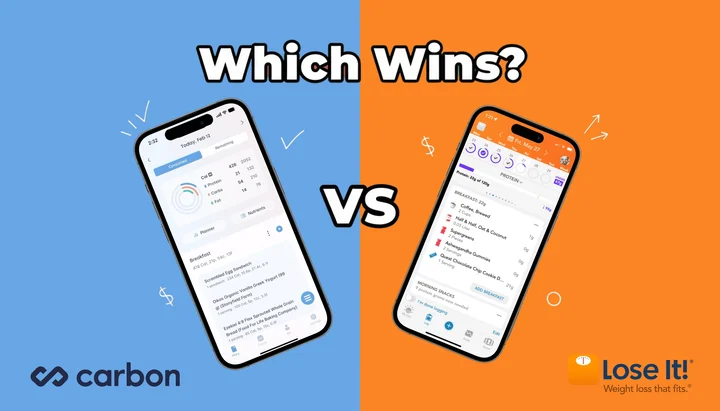
What if the "better" app is the one your honest logging habit forces you to pick? 🤔
TL;DR - Carbon vs Lose It 2026
- Adaptive coaching winner: Carbon (weekly macro adjustments by algorithm)
- Free tier winner: Lose It (full calorie tracking; Carbon has none)
- Annual price winner: Lose It (usually lower annual offers than Carbon)
- Macro depth winner: Carbon (core feature) vs Lose It (Premium only, no auto-adjust)
- Logging flexibility winner: Lose It (skip days, no penalty)
- Goal mode breadth winner: Carbon (fat loss, muscle gain, maintenance, reverse diet)
- Photo and voice logging winner: Lose It (Snap It and Say It)
- Medical-spend account note: check your FSA/HSA administrator before assuming either app qualifies
As a NutriScan nutritionist, I get asked this question more often than you might expect. Carbon and Lose It both help people lose weight, but they do it in completely different ways. In a 2024 study of 53,482 app users published in Obesity Science and Practice, the people who logged on more days lost more weight: a 10% increase in in-app activity was associated with 0.69 kg more weight loss at 52 weeks (Huntriss et al., 2024). The app you stick with is the one that works.
 Coaching or tracking: which side does your routine actually live on?
1. One App Coaches, the Other Tracks - Know the Difference Before You Pay
Carbon Diet Coach is a paid macro coaching app created by Dr. Layne Norton, a PhD in nutritional sciences, and Keith Kraker, a registered dietitian. Official US pricing runs from $8.33 to $11.99 per month depending on plan length, and Carbon advertises a 14-day free trial. You set a goal, answer a few questions, and the app tells you exactly how many grams of protein, carbs, and fat to eat each day. Every week, it checks your progress and adjusts your targets. If you do not follow the plan, it will not adjust. Carbon is strict by design.
Lose It is a calorie-counting app made by FitNow, now owned by Everyday Health. It has a generous free version that covers basic calorie tracking, a food database, and daily budgets. Premium is $79.99 per year with no monthly plan (Lose It membership tiers and pricing), and adds features like barcode scanning, macro tracking, voice logging, and custom insights. Lose It gives you a calorie target and lets you decide how to hit it. It does not tell you what to eat or adjust your plan automatically.
That is the core split. Carbon acts like a coach. Lose It acts like a tracker. The rest of this comparison breaks down what that means for your daily routine, your wallet, and your weight loss results.
2. Pricing: What You Pay and What You Get
Price is the fastest way to narrow down your choice. Here is a side-by-side look at what each app charges in 2026.
| Plan | Carbon | Lose It |
|---|---|---|
| Free version | No | Yes (basic calorie tracking) |
| Monthly | $11.99/mo | Not available |
| 6-month | $59.99 ($9.99/mo) | Not available |
| Annual | $99.99 ($8.33/mo) | $79.99 ($6.67/mo) |
| Lifetime | Not available | $299.99, or $229.99 for current Premium members |
| Free trial | 14 days advertised | 7 days |
Prices are standard US prices as of mid 2026 and change by region. For the full breakdown of each app's tiers, see our Carbon Diet Coach pricing guide and Lose It pricing: free vs Premium.
Carbon costs $99.99 per year on its annual plan. Lose It Premium is $79.99 per year, auto-renewing, with no monthly option, and a lifetime purchase at $299.99 that drops to $229.99 if you already pay for Premium (Lose It membership tiers and pricing). Lose It raised the annual price from $39.99, so the gap between the two apps is now $20 a year, not $60.
If budget matters, Lose It still wins, though the win is now about the free tier rather than the Premium price. You can use Lose It for free and still track calories, log meals, and monitor your weight. Carbon has no free tier at all. Every feature requires a paid subscription from day one.
Carbon gives you a full year of automated macro coaching for $99.99. Lose It gives you a year of tracking for $79.99, or nothing at all if the free tier covers you. Both cost far less than ongoing one-on-one coaching from a person, but they serve different needs.
Carbon's developer is Reform LLC. Lose It's developer is FitNow. Carbon shows about 8,000 App Store ratings at a 4.8 average (Carbon on the App Store). Lose It shows about 773,000 ratings, also at 4.8 (Lose It on the App Store). The gap in volume shows how much larger Lose It's user base is.

3. Real-World Examples: Who Uses Each App and Why
These two apps attract different kinds of users. The three sketches below are composite examples rather than real users, but each one shows the routine an app is built for.
The structured dieter. Take a bikini competition prep: you need exact macro targets that change as your body adapts. Carbon fits because it adjusts your macros every week off your weigh-ins. You do not have to guess how much protein to eat during a cut, the app calculates it and holds you to it. One Carbon App Store reviewer wrote: "I have used the app for a month now and have seen better weight loss results than I have ever seen before. I love that it adjusts based on my results throughout the week" (Carbon App Store reviews).
The busy parent. Take a parent who wants to lose 20 pounds and has no interest in weighing every gram of chicken. Lose It fits: set an 1,800-calorie daily budget, scan barcodes at lunch, and use the higher-calorie day feature on weekends so eating out with the family does not blow the week. No macro tracking required. A Lose It reviewer described that arc: "I started using it about 10 years ago and it helped me lose about 40 pounds in the first year. It just made me very conscious of what I ate" (Lose It App Store reviews).
The returning tracker. Take someone who tries Carbon for three months and finds the weekly check-ins stressful. Miss two days of logging and the app cannot adjust the targets accurately, which feels like falling behind. Lose It lets you log when you feel like it and still see your weekly calorie trend, and that flexibility is what keeps some people going. Another Carbon reviewer noted the same tension: "I noticed it was setting my calories too low after my first week... It's a good app, pretty easy to log... It would also be nice if it had a recipe section" (Carbon App Store reviews).
These are common patterns. Carbon works best when you can commit to logging every day and following the plan. Lose It works best when you want a flexible tool that adapts to your life instead of the other way around.
4. Features That Matter: A Side-by-Side Breakdown
Here is what each app offers in terms of day-to-day features. Some overlap, but the differences are significant.
| Feature | Carbon | Lose It |
|---|---|---|
| Calorie tracking | Yes | Yes |
| Macro tracking (protein, carbs, fat) | Yes (core feature) | Yes (Premium only) |
| Adaptive macro coaching | Yes (weekly adjustments) | No |
| Food database size | Large | Very large (user-submitted + verified) |
| Barcode scanner | Yes | Yes (Premium) |
| Photo meal logging (Snap It) | No | Yes (Premium) |
| Voice meal logging (Say It) | No | Yes (Premium) |
| Intermittent fasting timer | No | Yes |
| Recipe logging | Basic | Yes (custom recipes with URL import) |
| Body measurement tracking | Weight only | Weight, waist, chest, and more |
| Exercise tracking | No | Yes (manual + device sync) |
| Apple Health sync | Yes | Yes |
| Google Fit sync | Yes | Yes |
| Weekly check-ins | Yes (mandatory for coaching) | No |
| Goal modes | 4 (fat loss, muscle gain, maintenance, reverse diet) | 1 (weight loss with adjustable pace) |
| Higher-calorie days | No | Yes (calorie banking) |
| Custom insights | No | Yes (Premium, pattern detection) |
| Community features | No | Yes (groups and challenges) |
| Desktop/web access | No | Yes |
| FSA/HSA use | Check administrator | Check administrator |
Carbon focuses on one thing: telling you exactly what to eat in terms of macros and adjusting that plan every week. It does not try to do exercise tracking, community features, or intermittent fasting. It is a coaching tool, not an everything tracker.
Lose It covers more ground. Photo logging with Snap It, voice logging with Say It, barcode scanning, exercise syncing, intermittent fasting, community challenges, and body measurement tracking all live inside one app. It is a general-purpose weight loss tool with broad appeal. Chaunie Brusie, the registered nurse who tested Lose It for Everyday Health, called the food database "my favorite feature of Lose It" and wrote that it "basically took all the effort out of logging my food" (Everyday Health review).
Pro tip - medical-spend accounts
Do not assume either subscription is automatically FSA/HSA eligible. In the United States, weight-loss programs often require a diagnosed medical condition and a letter of medical necessity. Check your plan administrator before treating either subscription as reimbursable.
5. Coaching Style: How Each App Handles Your Progress
This is where the two apps diverge the most.
Carbon's approach: Follow the plan, get adjusted.
Carbon uses a proprietary algorithm to set your daily macros. When you first sign up, you enter your weight, goal, activity level, and diet history. The app calculates your starting calories and macro split across protein, carbs, and fat. Then, every week, you do a check-in. You report your weight, and the app looks at your trend. If you are losing too fast, it adds calories. If you are stalled, it cuts them. If you were not adherent, meaning you did not hit your targets most days, it keeps your plan the same because it cannot trust the data.
This is how a human coach works, at a fraction of what one-on-one coaching costs, and Carbon charges $8.33 per month on its annual plan. But it requires your full cooperation. If you skip logging for three days, the weekly check-in becomes unreliable, and the coaching loses its value.
Carbon offers four goal modes that matter for different types of users:
- Fat loss - the most common mode, where the app sets a calorie deficit and adjusts weekly
- Muscle gain - sets calories above maintenance to support training
- Maintenance - holds your weight steady after a cut or bulk
- Reverse diet - gradually increases your calories after a long deficit to restore metabolic rate without rapid fat regain
Reverse dieting is rare among nutrition apps. MacroFactor is one of the few others that supports it as a built-in mode. If you are coming off a competition prep or an extended calorie deficit, Carbon's reverse diet mode is a genuine differentiator.
Lose It's approach: Give you the budget, let you decide.
Lose It sets a daily calorie target based on your weight, height, age, activity level, and goal pace. You can choose to lose 0.5, 1, 1.5, or 2 pounds per week. The app warns you if you set the pace too aggressively and will not let you go below 1,500 calories per day.
From there, it is your call. You log what you eat, and the app shows you where you stand. There are no mandatory weekly check-ins, no macro enforcement, and no consequence for missing a day. The app provides optional insights (Premium only) that detect patterns in your eating. For example, it might notice that your high-protein days are also your days with the lowest total calories and flag that as a positive trend.
Lose It also lets you build in higher-calorie days. You can bank calories across the week, so if you eat 200 fewer calories on Monday and Tuesday, you can add 400 extra calories on Saturday. This feature helps people who eat more on weekends without feeling like they failed. Chaunie Brusie, the RN who reviewed Lose It for Everyday Health, wrote: "I appreciated the weekly look at my calorie budget because it helped teach me that even if I had an off day here and there, my weekly budget showed I could still achieve my goal" (Everyday Health review).
A 2025 study testing personalized behavioral weight loss found that 74% of participants who received tailored approaches achieved at least 5% weight loss at 12 weeks (Carpenter et al., 2025). Both Carbon's adaptive coaching and Lose It's flexible tracking can support personalized approaches, but they do it through very different mechanisms.
6. Tips for Choosing the Right App
Here are seven practical questions to help you decide.
1. Do you want the app to tell you what to eat, or do you want to figure it out yourself? If you want clear instructions like "eat 180g protein, 220g carbs, 65g fat today", choose Carbon. If you prefer a calorie budget and the freedom to fill it however you like, choose Lose It.
2. Are you willing to log every single day? Carbon's coaching depends on consistent data. If you skip days, the algorithm cannot adjust accurately. Lose It works fine even if you log three days out of seven. It still shows your weekly trend and does not penalize gaps.
3. Do you need a free option? Carbon has no free version. Lose It has a free plan that covers basic calorie tracking, weight logging, and access to the food database. If you are not ready to pay, Lose It is your only choice here.
4. Are you tracking macros or just calories? Carbon is built entirely around macros. Every feature revolves around hitting your protein, carbs, and fat targets. Lose It tracks macros too, but only in the Premium version, and it does not enforce them or adjust them for you. If you want help planning macros from scratch, our free online macro calculator gives you a starting split in under a minute.
5. Do you care about exercise tracking inside the same app? Carbon does not track exercise. Lose It lets you log workouts manually or sync with a smartwatch. It can also add burned calories back to your daily budget if you choose. If you want food and fitness in one place, Lose It handles both.
6. Are you doing a reverse diet or a competition prep? Carbon is one of the few apps that supports reverse dieting as a built-in goal mode. Lose It does not have this feature. If you are coming off a long calorie deficit and want to gradually increase intake, Carbon is the better tool for that specific need.
7. Do you want community features and social accountability? Lose It has groups, challenges, and a social feed. Carbon has none. If group accountability matters to you, Lose It offers that and Carbon does not.
7. Step-by-Step: How to Pick Your App in 5 Minutes
Follow these steps to make a decision without overthinking it.
Step 1: Define your primary goal. Write down one sentence: "I want to lose weight, build muscle, maintain, or reverse diet." If your goal is reverse dieting or muscle gain with specific macro targets, skip to Step 4. Otherwise, continue to Step 2.
Step 2: Check your budget. If you want to start free, download Lose It. Premium is $79.99 a year if you upgrade later. If you are ready to pay $8.33 to $11.99 per month from the start, continue to Step 3.
Step 3: Assess your logging commitment. Be honest with yourself. Can you log every meal, every day, for at least 12 weeks? If yes, Carbon's weekly coaching will give you the most precise results. If you know you will skip days or log inconsistently, Lose It's flexible approach will keep you in the habit without punishing gaps.
Step 4: Check for specific features you need. Need voice logging? Lose It. Need a fasting timer? Lose It. Need a reverse diet mode? Carbon. Need exercise tracking inside the same app? Lose It. Need adaptive macro coaching that adjusts weekly? Carbon. Need FSA/HSA reimbursement? Check your plan administrator before assuming either app qualifies.
Step 5: Start the trial or free version. Lose It has a permanent free tier and a 7-day Premium trial. Carbon advertises a 14-day free trial. Download the one that matches your answers above and give it at least two full weeks before making a final judgment.
8. What the Research Says About App-Based Weight Loss
The science supports both approaches, tracking and coaching, as effective for weight loss. The key factor is not which app you use. It is how consistently you use it.
A 2025 study published in Obesity found that participants using a mobile health app achieved clinically meaningful weight loss of 9.54 kg (about 21 pounds) over 48 weeks. The study emphasized that self-monitoring, logging what you eat, is the behavior most strongly linked to success, regardless of the specific app used (PMC12680900, 2025).
Another 2025 study on a 24-week mobile app coaching program found significant improvements in body weight, BMI, and triglyceride levels among participants who completed the full program (PMC12459734, 2025). This supports Carbon's coaching model, where regular check-ins and macro adjustments help users stay on track over extended periods.
A 2024 Cochrane review of mobile health interventions for weight management found modest but consistent weight reduction across studies that used calorie-tracking apps (Cochrane, 2024). The review noted that apps with structured feedback loops tended to show slightly better outcomes than passive tracking alone.
A 2025 review in the Journal of Medical Internet Research examined mobile apps for improving health parameters in healthy adults and found that nutrition tracking apps were among the most effective tools for supporting behavior change related to diet (PMC12810950, 2025).
The common thread across all of these studies is adherence. People who log consistently lose more weight than people who log sporadically, regardless of whether they use a coaching app or a tracking app. Choose the app you will actually open every day.
 Adherence beats algorithms: the app you open daily is the one that works.

9. The 60-Second Decision Shortcut
Use this shortcut to decide in under a minute. Answer these three questions out loud:
- Free or paid from day one? Free or "let me try first" ➡️ Lose It. Paid and committed ➡️ continue.
- Will I log every single day? Yes, daily without fail ➡️ Carbon. Honestly no, I'll skip days ➡️ Lose It.
- Do I want the app to adjust my plan, or do I want to adjust it myself? App adjusts weekly ➡️ Carbon. I'll handle adjustments and want photo or voice logging ➡️ Lose It.
If you answered "free", "I'll skip days", or "I'll handle it" to any of the three, Lose It wins. If you answered "paid", "daily", and "app adjusts" across the board, Carbon is your match. There is no middle ground in this test, which is exactly why it works in under a minute.
Why it works: each question maps to a non-negotiable in real usage. Pricing is the hardest commitment. More logging days tracked with more weight loss in the 53,482-user app study above (Huntriss et al., 2024). Adaptive coaching is Carbon's single biggest differentiator. Knock those three out and the rest of the comparison falls into place.
10. NutriScan as a Middle-Ground Option
If neither extreme fits, NutriScan sits between the two and adds photo-first logging.

Home > Daily Breakdown: calories, macros, and NutriScore at a glance

Home > Camera Icon > Crop Picture: AI scans the plate and returns calories and macros
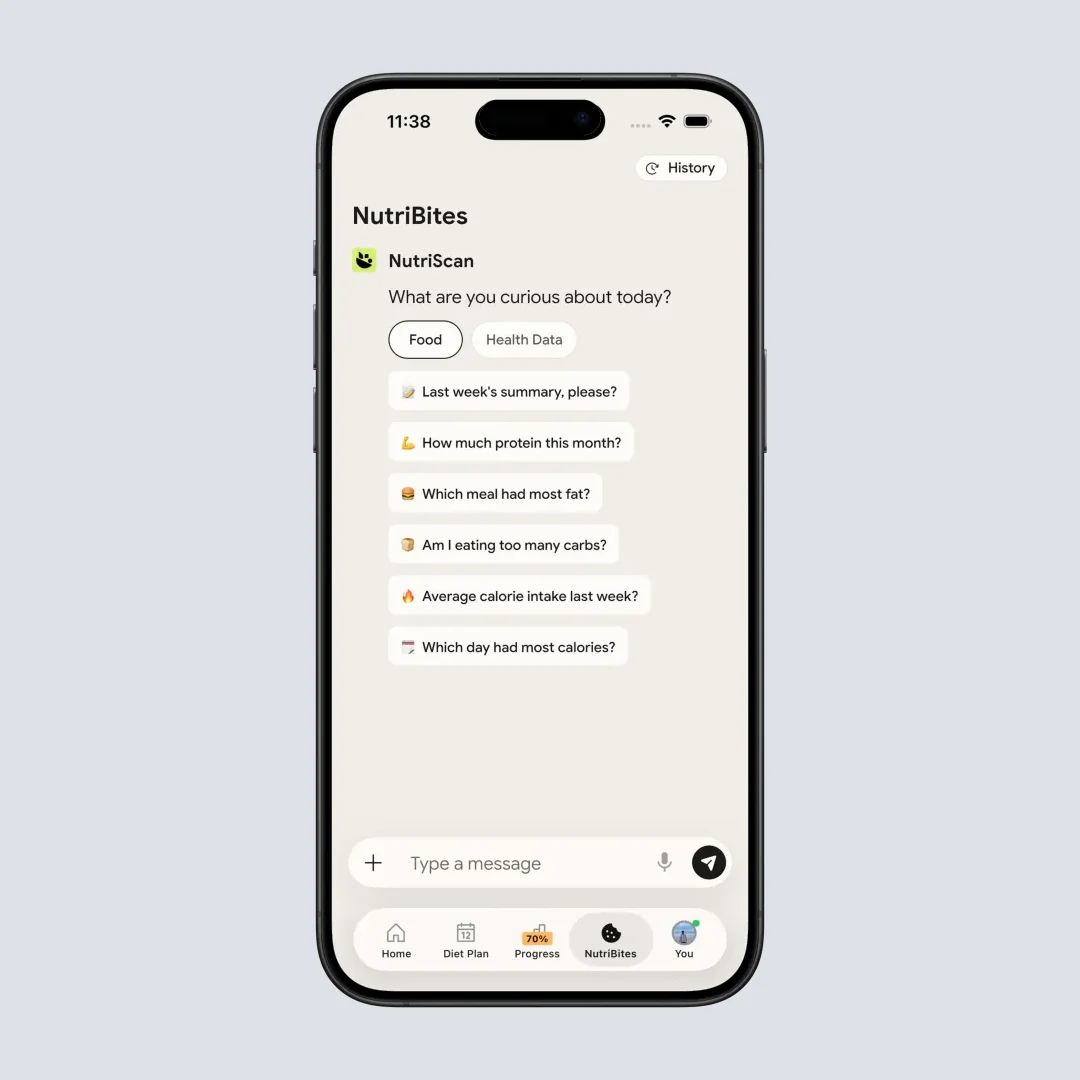
NutriBites: "what to eat next" suggestions based on your day so far
NutriScan's free plan includes 5 AI scans per week and NutriBites AI coaching. Five is a test allowance rather than a full week of logging, so spend them on the plates a food database cannot read. Paid pricing varies by region, so check the app for the current offer before comparing annual costs. NutriScan does not offer Carbon-style adaptive macro coaching, but it provides "what to eat next" suggestions based on your daily intake, and the insights view shows weekly trends similar to Lose It's pattern detection.
11. Final Verdict: Carbon for Coaching, Lose It for Flexibility
Both Carbon and Lose It can help you lose weight. They just ask different things from you. If neither fits, our best Carbon alternatives and best Lose It alternatives roundups cover the rest of the field.
Choose Carbon if:
- You want the app to set and adjust your macros every week
- You are disciplined enough to log every day without exceptions
- You are doing a competition prep, reverse diet, or structured cut
- You do not need an ongoing free version
- You prefer a focused tool over an all-in-one app
- You understand macros and want a coach, not a tracker
Choose Lose It if:
- You want a free option that still works well for basic tracking
- You prefer calorie tracking over strict macro targets
- You want photo logging, voice logging, and barcode scanning in one app
- You like the idea of higher-calorie days and weekly calorie banking
- You want community features, exercise tracking, and body measurements
- You log inconsistently and need an app that does not punish gaps
- You want broader tracking features beyond macros
If you are still undecided, try Lose It first. It is free, it has a 7-day Premium trial, and it covers the basics well. If you find after a few weeks that you want more structure, weekly adjustments, specific macro targets, and a coaching-style experience, switch to Carbon. Many users try the general tracker first and upgrade to the coaching app once they know they can stick with daily logging.
Health check before any deficit
Anyone with diabetes, pregnancy, an eating disorder history, or daily medication should talk to a clinician before starting an aggressive calorie deficit, no matter which app handles the math.
And if you want an app that combines photo-based meal scanning with simple calorie and macro tracking, NutriScan offers AI-powered food logging with a free plan that includes 5 scans per week and NutriBites AI coaching. Check in-app pricing for the current paid offer in your region.
12. Frequently Asked Questions ❓
Q: Is Carbon Diet Coach free?
A: No. Carbon has no ongoing free version. Official US pricing is $11.99 per month, $59.99 for 6 months, or $99.99 per year, and Carbon advertises a 14-day free trial in its pricing flow. You can cancel through your App Store or Google Play subscription settings.
Q: Does Lose It track macros?
A: Yes. Lose It supports basic calorie, food, weight, exercise, and macro/nutrition viewing on the free plan. Premium unlocks more advanced macro and health tracking, barcode scanning for new accounts, Snap It photo logging, and AI voice logging. Lose It does not adjust your macro targets automatically based on progress.
Q: Can Carbon help with muscle gain, not just weight loss?
A: Yes. Carbon offers four goal modes: fat loss, muscle gain, maintenance, and reverse diet. The muscle gain mode sets your calories above maintenance and adjusts your macros to support training. It increases your intake gradually and monitors your weight trend to prevent excessive fat gain during a bulk. This makes Carbon useful for both cutting and bulking phases, which is why it is popular among bodybuilders and strength athletes.
Q: Does Lose It work with Apple Watch?
A: Yes. Lose It syncs with Apple Health and can pull exercise data from Apple Watch. You can also use the Lose It Apple Watch companion app for quick food logging and checking your daily calorie budget from your wrist. Carbon syncs with Apple Health for weight data but does not have a standalone Apple Watch app for food logging.
Q: Which app is better for beginners?
A: Lose It is better for beginners. The free version lets you start immediately without spending money. The interface focuses on one clear number, your daily calorie budget, and you just try to stay under it. Carbon assumes you already understand macros (protein, carbs, fat) and are ready to follow a structured plan with weekly check-ins. If you are new to tracking, start with Lose It and consider Carbon once you are comfortable with the basics and ready for a more guided approach.
Q: How do Carbon and Lose It compare to NutriScan?
A: NutriScan sits between the two in terms of approach. It offers AI-powered photo scanning for quick meal logging, plus calorie and macro tracking. NutriScan's free plan includes 5 AI scans per week and NutriBites AI coaching suggestions. Paid pricing varies by region, so compare the current in-app offer against Carbon and Lose It before subscribing.
Q: Can I use FSA or HSA funds for either app?
A: Do not assume either app is automatically eligible. In the United States, weight-loss programs may require a diagnosed medical condition and a letter of medical necessity. Check your FSA or HSA administrator before paying.