Carbon vs MyFitnessPal 2026: Coaching vs Tracking
 ChatGPT
  Claude
  AI Mode
  Perplexity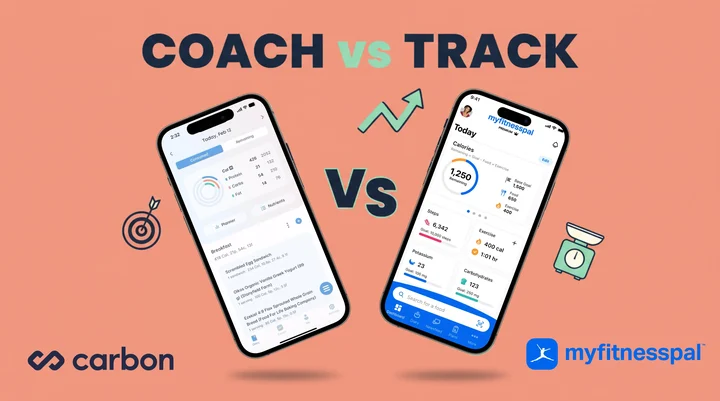
As a NutriScan nutritionist, I get asked this question constantly: "Should I use Carbon or MyFitnessPal?" A 2025 umbrella review and meta-analysis found that mobile app interventions produced a significant reduction in body weight (MD = -1.32 kg), while web-based approaches showed inconclusive results (Couto & de Almeida, 2025). The harder question is which kind of app: one that coaches you, or one that lets you track freely. That distinction shapes everything else.
TL;DR - Carbon vs MyFitnessPal 2026
- Who Carbon is for: Experienced trackers who want adaptive macro coaching ($99.99 per year, no free tier)
- Who MyFitnessPal is for: Beginners and flexible loggers who need a huge food database (free tier + $79.99 to $99.99 per year for Premium)
- Key trade-off: Carbon decides for you, MyFitnessPal lets you decide
- Database: Carbon verified but smaller, MyFitnessPal 20M+ items but user-submitted
- Best test: Try MyFitnessPal free for a week, then run Carbon for a week before locking in
1. The Core Difference You Need to Know
Carbon Diet Coach is a macro coaching app. It sets your calorie and macro targets, monitors your weekly progress, and adjusts those targets automatically based on your results. You follow the plan, and the algorithm adapts.
MyFitnessPal is a calorie and macro tracking app. It gives you a food diary with one of the largest food databases available, and you decide how to use the data. You set your own targets, adjust them when you want, and track at your own pace.
Both apps have barcode scanners. Both let you log meals. But the philosophy behind each one is fundamentally different. Carbon tells you what to eat. MyFitnessPal lets you record what you ate. That difference shapes everything else about the experience.
 Logging is the shared habit. The split is whether the app coaches you or just records what you ate.
2. Pricing Side by Side
Here is what each app costs in 2026.
Carbon Diet Coach:
- Monthly: $11.99 per month
- Six months: $59.99 ($10.00 per month, saves 17%)
- Annual: $99.99 ($8.33 per month, saves 30%)
- Free tier: None. Carbon is paid-only from day one.
MyFitnessPal:
- Free: Basic calorie tracking with ads, no barcode scanner
- Premium: $19.99 per month or $79.99 per year ($6.67 per month)
- Premium+: $24.99 per month or $99.99 per year ($8.33 per month)
The annual comparison is close. Carbon at $99.99 per year costs the same as MyFitnessPal Premium+ and $20 more than MyFitnessPal Premium. But Carbon has no free option at all, while MyFitnessPal lets you start tracking without paying anything.
If budget is your priority, MyFitnessPal Premium at $79.99 per year is the cheapest path to full-featured macro tracking between these two apps. If you want coaching built in, Carbon's $99.99 per year is the only option.
| Feature | Carbon ($99.99/yr) | MyFitnessPal Premium ($79.99/yr) | MyFitnessPal Premium+ ($99.99/yr) |
|---|---|---|---|
| Adaptive macro coaching | Yes | No | No |
| Barcode scanner | Yes | Yes | Yes |
| Custom macro targets | Yes | Yes | Yes |
| Food database size | Verified, smaller | 20M+ items, user-submitted | 20M+ items, user-submitted |
| Meal planning | No | No | Yes (1,500+ recipes) |
| Voice logging | No | Yes | Yes |
| Desktop/web access | No | Yes | Yes |
| Free tier | No | Yes (limited) | Yes (limited) |
| Calorie planner (weekly) | Yes | No | No |
| Reverse diet mode | Yes | No | No |

3. Three Example Scenarios: Two Apps, Three Users
Example A (composite): Marcus, 31, bodybuilder in a cutting phase. Marcus has tracked macros before but keeps stalling after 8 weeks. He follows his plan for a while, then his weight stops dropping. He does not know whether to reduce calories or adjust his carbs. He picks Carbon because the weekly check-in system automatically detects the plateau and lowers his targets by a small amount. He does not have to guess.
Example B (composite): Priya, 28, busy professional starting her first cut. Priya has never tracked macros. She wants to learn what is in her food and build awareness. She picks MyFitnessPal because the free version lets her start logging right away, the database has almost everything she eats (including restaurant meals and packaged Indian snacks), and she can upgrade to Premium later if she wants barcode scanning. She is not ready for rigid weekly check-ins yet.
Example C (composite): James, 40, former MyFitnessPal user who wants more structure. James used MyFitnessPal for two years. He knows how to log food, but he keeps adjusting his targets randomly. Some weeks he eats 1,800 calories, other weeks 2,400. He switches to Carbon because he needs the app to hold him to a plan and make the adjustments for him. The coaching algorithm removes the guesswork that was stalling his progress.
These three scenarios show when each app works best. Carbon is stronger when you already know how to track and need structured coaching. MyFitnessPal is stronger when you need flexibility, a huge food database, or a free starting point.
If you want to see what your starting numbers should look like before you commit to either app, run them through our free macro calculator first.
4. The Coaching Algorithm: How Carbon Adjusts Your Macros
Carbon's core feature is its adaptive coaching algorithm, created by Dr. Layne Norton (PhD in Nutritional Sciences) and Keith Kraker (Registered Dietitian). Here is how it works in practice.
Step 1: Setup. You enter your stats (height, weight, body fat estimate, activity level) and choose a goal: fat loss, muscle gain, weight maintenance, or reverse dieting. Carbon calculates your starting calories and macros.
Step 2: Weekly check-in. Each week, you log your weight and the app compares your actual results to your targets. If you are losing weight faster than expected, it may raise calories slightly. If progress has stalled, it lowers them.
Step 3: Macro adjustments. The app adjusts protein, carbs, and fat independently. It does not just cut total calories. It shifts the macro split based on your goal mode and progress trend.
Step 4: Adherence matters. This is the key difference from MacroFactor (another coaching app). Carbon requires you to actually follow the plan. If you do not hit your targets consistently, the algorithm has less data to work with and the adjustments become less accurate. Dr. Marc Morris, CSCS, writes that users who have run both apps found Carbon "more dependent on adherence and planning," and concludes it suits "someone who is ready to track on their own, without the accountability of a human coach, but still appreciates some rigidity" (Dr. Marc Method).
A 2025 study on app-based dietary self-monitoring confirmed this pattern: participants with higher adherence to diet, physical activity, and weight self-monitoring had greater odds of achieving 5 percent or more weight loss (Burke et al., 2025). Carbon's design assumes you will be consistent. If you are, the coaching works well. If you are not, the app will not adapt properly.
Carbon's official blog compares its approach to a smart GPS: "If you miss a turn or hit a delay, it automatically reroutes you to keep you moving toward your goal" (Carbon Blog, 2025). The analogy is accurate for consistent users. For inconsistent loggers, the GPS has no signal.
Pro tip
Before you sit down for the weekly check-in, log a 7-day average weight (one reading every morning, same conditions). A single Sunday weigh-in can swing 1 to 2 lbs from sodium or sleep. Averaging gives Carbon's algorithm cleaner data to work with.

Manual confirmation matters: NutriScan's tagging step (Home > Camera Icon > Crop Picture) is the same idea behind Carbon's adherence-first coaching: cleaner inputs make better outputs.
5. MyFitnessPal's Strengths: Database, Flexibility, and Ecosystem
MyFitnessPal does not coach you. But it gives you tools that Carbon does not offer.
The largest food database. MyFitnessPal lists over 20 million foods on its own site (MyFitnessPal), including restaurant chains, regional brands, and user-submitted entries. The downside is accuracy. Since anyone can add foods, some entries have wrong calorie or macro values. The upside is coverage. If you eat it, MyFitnessPal probably has it. Carbon's database is smaller but verified, meaning every entry has been checked for accuracy. Carbon's own comparison page states that MyFitnessPal "includes many unverified user entries" while Carbon provides "verified food data" (Carbon Blog, 2025).
Voice logging. MyFitnessPal Premium lets you say "I had two eggs and toast with butter" and the app logs it. Carbon does not have voice input.
Meal Scan. MyFitnessPal added AI-powered photo scanning for meals. You take a picture of your plate and the app identifies foods. Carbon does not offer this feature.
Desktop and web access. MyFitnessPal works on your phone and computer. Carbon is mobile-only.
Social features. MyFitnessPal lets you add friends, share food diaries, and copy meals from other users. This is useful for nutrition coaches who want to review client logs. Dr. Marc Morris's app roundup lists "Zero community" among Carbon's weaknesses (Dr. Marc Method).
Meal planning (Premium+). MyFitnessPal Premium+ includes a meal planner with 1,500+ recipes, grocery lists, and budget/time filters. Carbon has recipe creation and sharing but no structured meal planning system.
FSA/HSA eligibility. MyFitnessPal qualifies for FSA and HSA spending. Carbon is not listed as FSA/HSA eligible.
Intermittent fasting tracker. MyFitnessPal Premium includes a built-in fasting timer. Carbon does not include fasting features.
For people who eat out frequently, travel for work, or need to log unusual foods quickly, MyFitnessPal's database size and input flexibility give it a clear advantage.
Heads up about user-submitted data
MyFitnessPal's free database lets anyone add foods. If you log a meal and the calories look off (e.g., 1 cup of rice showing 80 kcal), check whether the entry has a verified green check. Unverified entries can swing your daily totals by hundreds of calories.
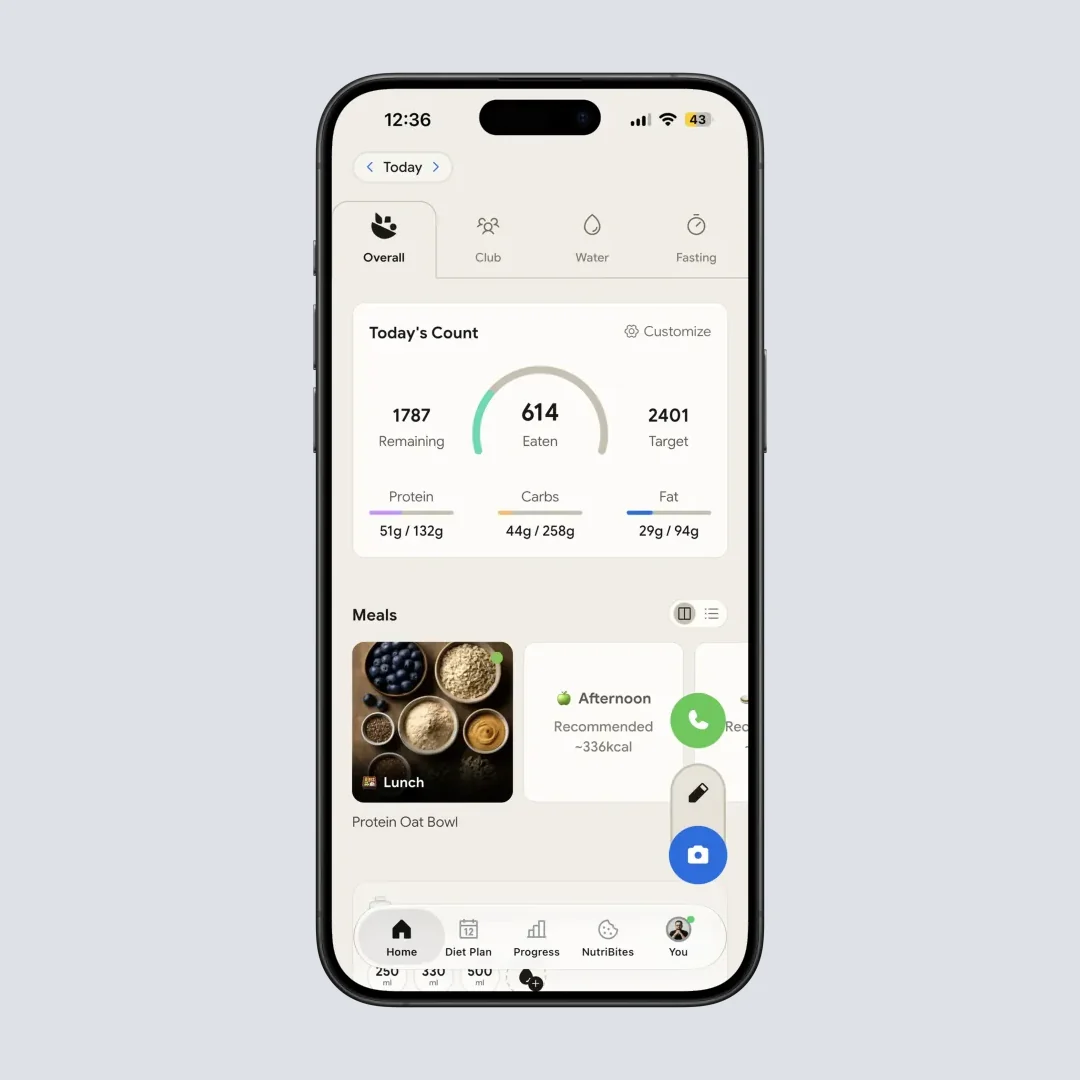
Daily breakdown view: this is the kind of "did I hit my targets" feedback both Carbon and MyFitnessPal try to surface. Path: Home > Overview tab.
6. Seven Tips for Choosing the Right App
Tip 1: Pick Carbon if you already know how to track macros. Carbon assumes you understand what macros are and how to weigh food. The onboarding is fast, but there is no tutorial teaching you what protein or carbs are. If you are a beginner, start with MyFitnessPal's free version first.
Tip 2: Pick MyFitnessPal if you need a free starting point. Carbon has no free tier. MyFitnessPal's free version is limited (no barcode scanner, ads, basic features), but it lets you build the habit of logging before you spend money.
Tip 3: Pick Carbon if you want the app to make the decisions. If you tend to second-guess your calorie targets or change them too often, Carbon removes that problem. The algorithm decides for you based on your weekly check-in data.
Tip 4: Pick MyFitnessPal if you eat out often. The database size difference matters most when you are logging restaurant meals, takeout, or regional foods. MyFitnessPal will almost always have the entry. Carbon may require you to create it manually.
Tip 5: Pick Carbon if you are cutting or reverse dieting. Carbon's four goal modes (fat loss, muscle gain, maintenance, reverse diet) are specifically designed for body composition goals. The reverse diet mode is uncommon among tracking apps and is especially useful after a prolonged calorie deficit.
Tip 6: Pick MyFitnessPal Premium+ if you want meal planning. Carbon does not generate meal plans. MyFitnessPal Premium+ creates weekly plans with recipes and grocery lists based on your macro targets, dietary preferences, and time constraints.
Tip 7: Use the Calorie Planner if you pick Carbon. Carbon's Calorie Planner lets you shift calories between days within a week. Planning a date night or a big Saturday brunch? Move 200-300 calories from lighter days to the event day. MyFitnessPal does not have this weekly flexibility feature.
7. Step-by-Step: How to Decide Between Carbon and MyFitnessPal
Step 1: Define your goal. Write down your primary goal in one sentence. "Lose 10 pounds in 3 months." "Build muscle over the next 6 months." "Learn what is in my food." If your goal includes a specific body composition outcome and a timeline, Carbon is better suited. If your goal is general awareness or learning, MyFitnessPal is better suited.
Step 2: Assess your tracking experience. Have you tracked macros before? Do you know how to weigh food on a scale? Do you understand the difference between protein, carbs, and fat targets? If yes to all three, Carbon's coaching will make sense immediately. If no to any, start with MyFitnessPal.
Step 3: Check your consistency. Be honest about how often you log meals. Carbon needs at least 5-6 days of logging per week to make accurate adjustments. If you typically log 3-4 days, MyFitnessPal is more forgiving because it does not depend on your data to generate coaching recommendations.
Step 4: Evaluate your food variety. If 80 percent of your meals are home-cooked with simple ingredients, Carbon's verified database will cover most of what you need. If you eat out regularly, order delivery, or eat a wide variety of packaged foods from different countries, MyFitnessPal's larger database will save you time.
Step 5: Consider your budget. If you want to start free, MyFitnessPal is the only option. If you are willing to pay, compare Carbon at $99.99 per year vs MyFitnessPal Premium at $79.99 per year. The $20 difference buys you adaptive coaching, verified data, and weekly macro adjustments. That works out to about $1.67 per month extra.
Step 6: Test for two weeks. Download both apps. Use MyFitnessPal free for one week to build your logging habit. Then start a Carbon subscription for the second week to experience the coaching. Compare how each app feels in your daily routine. Which one did you open more often? Which one helped you make better food choices? Keep the one that fits your behavior.
If you have a specific health condition shaping your macros (PCOS or diabetes), our PCOS macro calculator and diabetes macro calculator build the targets first so neither app starts you on the wrong numbers.
8. What the Research Says About Coaching vs Tracking
The coaching-vs-tracking debate has data behind it.
Pujia and colleagues pooled app trials for the Journal of Medical Internet Research and found one window where app-based interventions beat controls: programs running 4 to 6 months (8 studies, 1,466 participants, SMD -0.33, 95% CI -0.48 to -0.17). Results at 3 months and at 9 to 12 months were not statistically significant (Pujia et al., 2025). Carbon's weekly adjustment system qualifies as a personalized feedback loop. MyFitnessPal's standard tracking does not, unless you count the nutrient summary screens as passive feedback.
The same authors pinned those flat results on missing personalization: most of the apps they reviewed "lack personalization, while better results are achieved by apps that incorporate some form of customization," and they point to one trial with personalized feedback that produced close to a 5 kg reduction at 6 months. That is the argument for a coaching app like Carbon. It is also its ceiling, since an algorithm adjusting your macros earns its keep while you are actively changing weight. After you reach maintenance, the value of weekly adjustments naturally decreases.
A separate 2025 randomized controlled trial found that higher adherence to self-monitoring of diet, physical activity, and weight was associated with greater odds of achieving clinically meaningful weight loss of 5 percent or more (Burke et al., 2025). Both Carbon and MyFitnessPal benefit from consistent use, but Carbon's coaching specifically degrades without it. If you only log sporadically, MyFitnessPal's passive tracking approach loses less value than Carbon's active coaching approach.
Garage Gym Reviews rated MyFitnessPal 4.42 out of 5 in their 2026 review, tested by Sydney Lappe, a Registered Dietitian who has used it on and off for about five years. The review noted that the "monthly subscription is costly" and the "free version doesn't allow barcode scanning" as the two main drawbacks (GGR, 2026). Carbon holds a 4.8 out of 5 rating on the US App Store across roughly 8,000 ratings, with users consistently praising the coaching feature. One reviewer wrote: "The coach feature is just like a real coach telling me each week what my calories and macros need to be at to reach my goal" (App Store).
 Consistency is the hidden variable. Either app can deliver results if you actually log daily.
9. Tips for Getting the Most Out of Either App
If you decide which one fits, these habits work for both:
- Log meals right after eating. Real-time logging beats end-of-day logging for accuracy in both apps.
- Weigh food for the first two weeks. A digital kitchen scale removes "eyeball" guessing. Once you have calibrated your portions, you can switch to volume measures.
- Build a Quick Add list of repeat meals. Both apps let you save meals or copy from yesterday. The more your week repeats, the less you retype.
- Pick verified database entries first. In MyFitnessPal, look for the green check mark. In Carbon, this is automatic. User-submitted MyFitnessPal entries can be off by hundreds of calories.
- Sync wearables for activity context. Apple Health (both apps) or Fitbit/Garmin (MyFitnessPal only) feeds in steps and exercise so the calorie target adjusts automatically.
- Recheck your settings monthly. Goals shift. Activity drops in winter or jumps in summer. Both apps quietly assume your settings are still correct unless you update them.
10. The 60-Second Fit Test That Decides It For You
This is the four-question test that ends the "Carbon or MyFitnessPal" loop in under a minute. Run it before you tap Subscribe.
Have I tracked macros for at least 30 days before, with food weighed on a scale? Yes ➡️ Carbon is on the table. No ➡️ start with MyFitnessPal free first. Carbon's onboarding skips the "what is a macro" lesson.
Will I log at least 5 days per week for the next 8 weeks? Yes ➡️ Carbon's coaching has signal to work with. No ➡️ MyFitnessPal. Carbon's algorithm needs adherence to give useful adjustments.
Do 80 percent of my meals come from home-cooked, common foods? Yes ➡️ Carbon's verified database will cover you. No (lots of restaurant or regional items) ➡️ MyFitnessPal's 20M+ database saves time.
Do I want the app to decide my targets, or do I want to set them myself? Decide for me ➡️ Carbon. Set them myself ➡️ MyFitnessPal Premium with custom macros.
If you scored "Carbon" on three or more, the $99.99 per year is worth it. If MyFitnessPal won three or more, save the $20 a year and use the free or Premium tier instead.
11. Conclusion: Which App Wins?
Neither app wins for everyone. Here is the simplest way to decide.
Choose Carbon if:
- You have tracked macros before and want the app to adjust targets for you
- You are in an active fat loss, muscle gain, or reverse diet phase
- You are consistent enough to log 5 or more days per week
- You do not need social features, desktop access, or meal planning
- You value verified food data over database size
- You are comfortable paying from day one (no free tier)
Choose MyFitnessPal if:
- You are new to tracking and want to learn without paying
- You need the largest food database for restaurants, packaged foods, and regional items
- You want voice logging, meal scanning, or desktop access
- You want meal planning with grocery lists (Premium+)
- You prefer to set and adjust your own targets at your own pace
- You need FSA/HSA eligibility for your subscription
Both apps help you lose weight when used consistently. Couto and de Almeida report that goal setting and consistent self-monitoring are the behavioral pieces that make these tools work (Couto & de Almeida, 2025). Whether an algorithm adjusts your macros or you do it yourself, the person who logs their food consistently will get better results than the person who picks the "perfect" app but stops using it after two weeks.
If you want an alternative that combines AI photo scanning with macro tracking at a lower price point, NutriScan offers both for about $59 a year with a 7-day free trial.
Frequently Asked Questions
Q: Does Carbon have a free version or free trial?
A: No. Carbon is a paid-only app. The cheapest option is the annual plan at $99.99 per year ($8.33 per month). There is no free trial listed on the App Store or Google Play as of 2026. MyFitnessPal offers a free version with basic calorie tracking, though the barcode scanner requires a Premium subscription ($79.99 per year).
Q: Can I set custom macro targets in both apps?
A: Yes, but the process differs. In MyFitnessPal Premium, you manually set your protein, carbs, and fat percentages or gram targets. In Carbon, you choose a goal mode (fat loss, muscle gain, maintenance, or reverse diet) and the algorithm sets your targets based on your stats and progress. You can override Carbon's recommendations in some modes, but the app is designed to manage targets for you.
Q: Which app has more accurate food data?
A: Carbon uses a verified food database where every entry is checked for accuracy. MyFitnessPal has a much larger database (20 million+ items) but relies heavily on user-submitted entries, which can contain errors. If accuracy is your priority and you eat mostly common foods, Carbon's verified data is more reliable. If you need coverage for unusual, regional, or restaurant foods, MyFitnessPal's larger database is more practical.
Q: Is Carbon better for bodybuilders?
A: Carbon was built with body composition goals in mind. The app was created by Dr. Layne Norton, a natural bodybuilding champion with a PhD in Nutritional Sciences, and Keith Kraker, a Registered Dietitian. The four goal modes (fat loss, muscle gain, maintenance, reverse diet) and the adherence-based coaching system are designed for people pursuing structured body composition changes. MyFitnessPal can achieve similar results, but you have to manage the adjustments yourself or follow a coach's external guidance.
Q: Can I use both apps at the same time?
A: You can, but most people find it unnecessary and time-consuming. One approach is to use MyFitnessPal as your primary food diary (for its database size and voice logging) and manually enter your daily totals into Carbon for coaching adjustments. However, this doubles the logging effort. A simpler approach is to pick one app based on your current goal and switch later if your needs change.
Q: How does Carbon compare to MacroFactor?
A: Both are coaching apps, but they differ in philosophy. Carbon requires adherence to make accurate adjustments. If you do not follow the plan, the coaching suffers. MacroFactor makes its "calculations and adjustments based on what happened on a weekly basis, not what you were planning on doing," so it adapts whether or not you hit your targets (Dr. Marc Method). MacroFactor costs $71.99 per year (cheaper than Carbon's $99.99 per year) and includes micronutrient tracking. Carbon has a Calorie Planner for weekly flexibility and four explicit goal modes including reverse dieting. If you want strict structure, Carbon fits better. If you want coaching that adapts even when you go off-plan, MacroFactor may be the better match.
Q: Which app is better for weight loss specifically?
A: Both apps support weight loss, but through different mechanisms. Carbon actively manages your calorie deficit by adjusting targets weekly based on your weigh-ins. MyFitnessPal gives you a static calorie target that you manage yourself. Pujia et al. found that apps built around plain logging moved weight very little, while apps adding personalized feedback did better (Pujia et al., 2025), which favors Carbon's approach. But the pooled effect of app use overall is modest, 1.32 kg against control in a 2025 umbrella review (Couto & de Almeida, 2025), and consistency matters far more than which app you choose. Pick the app you will actually use every day.
