Foodvisor Review: Is Premium Worth It? Price, AI Scan, Verdict
 ChatGPT
  Claude
  AI Mode
  Perplexity
 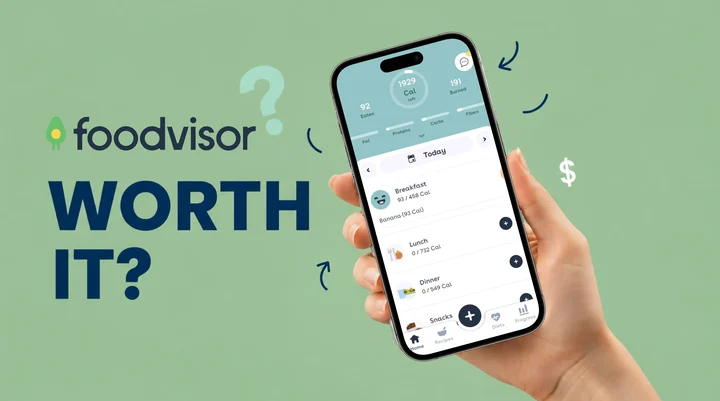 Photo by Igor Miske on Unsplash
As a NutriScan nutritionist, I get asked about Foodvisor at least twice a week, so here is the short answer. Foodvisor Premium starts at $14.99 a month, the cheapest of three monthly SKUs Apple lists at once ($14.99, $29.99, $39.99), or $83.99 a year, about $6.99 a month on the annual plan. Prices are standard US prices as of mid 2026 and change by region. It is worth paying for if you want macro and fiber tracking, 500+ daily lessons and 300+ recipes in one app. Skip it if you came for the in-app dietitian chat, which Foodvisor removed, or if you wear a Fitbit or Garmin, because the app syncs only with Apple Health. There is no free trial, so run the free version for a week first.
The AI photo scanner is the reason most people consider paying, and it is also the part that needs the most babysitting. A 2024 study in Nutrients tested seven apps with AI food image recognition and found accuracy ranged from 46% to 97% for identifying the foods on a plate (Li et al., 2024). I spent weeks comparing the free and paid versions, reading user reviews, and checking what changed this year. Here is the full breakdown.
TL;DR - Foodvisor Premium 2026 Review
- Who it's for: Calorie trackers who want macro tracking, daily nutrition lessons, and a recipe library bundled into one app
- Cost in 2026: $14.99 per month or $83.99 per year (about $6.99 per month, a 53% saving)
- Skip it if: You need human dietitian coaching (removed), Fitbit or Garmin syncing (not supported), or struggle with color-coded "good vs bad" food labels
- Pick it if: You want a polished interface, fiber tracking, 500+ daily lessons, and 300+ recipes in one paid app
- No free trial: You cannot test Premium before paying. Try the free version for a week first
What Is Foodvisor and What Does It Promise?
Foodvisor is a nutrition app built by a startup based in France. It launched in 2018 and is available on both iOS and Android. The app promises to help you lose weight, build muscle, or maintain your current body composition through calorie tracking, macro monitoring, and daily wellness lessons.
The core selling point is the AI photo scanner. You snap a picture of your plate, and the app identifies the food items, estimates portion sizes, and returns calorie and nutrient data. Foodvisor also offers barcode scanning, voice logging, a quick-add text feature, hydration tracking, and a library of over 300 recipes.
The app is available in more than 20 languages, including English, Spanish, German, French, Japanese, Korean, and Portuguese. That global reach is one reason it has over 15 million downloads across both app stores.
The real question is whether Premium delivers enough over the free version to justify the cost. Here is what each tier gives you.
 Snapping plate photos is the headline Foodvisor feature, but accuracy still depends on the dish.
Foodvisor Free vs Premium: What Do You Actually Get?
The free version of Foodvisor gives you basic calorie tracking, barcode scanning, and limited access to the food database. You can log meals manually and see a simple breakdown of your daily calories.
The Premium plan adds significantly more:
| Feature | Free | Premium |
|---|---|---|
| Calorie tracking | Yes | Yes |
| Barcode scanning | Yes | Yes |
| AI photo scanning | Limited | Full access |
| Macro tracking (protein, fat, carbs) | No | Yes |
| Fiber tracking | No | Yes |
| Micronutrient breakdown | No | Yes (vitamins, minerals) |
| Daily wellness lessons | Limited | 500+ lessons |
| Recipes | Limited | 300+ recipes |
| Meal planning | No | Weekly meal planner |
| Voice logging | No | Yes |
| Quick-add text logging | No | Yes |
| Hydration tracking | Basic | Full tracking with goals |
| Custom calorie and macro goals | No | Yes |
| Activity syncing (Apple Health) | No | Yes |
The gap between free and Premium is large. If you only want a basic calorie counter, the free version works. But if you want macro tracking, fiber data, or the full AI scanner, you need to pay.
How Much Does Foodvisor Premium Cost in 2026?
Foodvisor offers two subscription options:
- Monthly: $14.99 per month
- Annual: $83.99 per year (about $6.99 per month)
The annual plan saves you roughly 53% compared to paying month by month. Our Foodvisor pricing breakdown goes tier by tier if you want the full free vs Premium split. There is no free trial for the Premium subscription. You can use the free version for as long as you want, but there is no way to test Premium features before you pay (Garage Gym Reviews, 2026).
For context, here is how Foodvisor compares to similar apps:
| App | Monthly Price | Annual Price (per month) |
|---|---|---|
| Foodvisor Premium | $14.99 | $6.99 |
| MyFitnessPal Premium | $19.99 | $6.67 |
| Noom | $17.00+ | Varies by plan |
| YAZIO PRO | $9.99 | $4.17 |
| Lose It Premium | No monthly plan | $6.67 |
| Lifesum Premium | $14.99 | $4.17 |
Prices are standard US prices as of mid 2026 and change by region. Lifesum runs frequent regional promotions, so the figure above is a mid-2026 average.
Foodvisor sits in the mid-range. Its annual price is close to MyFitnessPal and runs about $4 a year above Lose It, which raised Premium from $39.99 to $79.99 in 2026 (Lose It membership tiers and pricing). If pure price is your priority, YAZIO PRO at $4.17 per month is the cheapest paid plan in this table, and our Lose It Premium review explains why that app no longer competes on price.

The AI Photo Scanner: Does It Work Well Enough?
The AI food photo scanner is Foodvisor's headline feature. You take a picture of your plate, and the app tries to identify every food item, estimate the serving size, and calculate calories and macros.
In early versions, this feature was unreliable. Multiple reviewers reported that the scanner could not recognize common foods or confused similar-looking items. A certified nutrition coach who tested the app in 2023 found that the scanner struggled with mixed dishes and could not detect hidden ingredients like cooking oils or butter (Garage Gym Reviews, 2026).
Foodvisor has since updated the feature with a new AI algorithm and a dedicated U.S. food database. The company says accuracy has improved significantly. However, independent testing tells a mixed story.
A 2024 study comparing seven AI-enabled food tracking apps found wide variation in photo recognition accuracy. MyFitnessPal scored 97%, Fastic 92% and HealthifyMe 90%, while Lose It! and FatSecret each scored 46%, the lowest of the seven (Li et al., 2024). Foodvisor was not individually tested in that study, but the findings show that AI food recognition is still an evolving technology across the industry.
A separate 2025 systematic review in the British Journal of Nutrition pooled 13 studies of AI-based dietary assessment and called the methods promising and valid for energy and macronutrients, but rated their validity for micronutrients moderate to low, largely because of how uneven the underlying food databases are (Cofre et al., 2025).
If you want to see how a scanner handles the same plate without a paywall in front of macros, our AI food tracker page walks through NutriScan's version of the flow. In practice, barcode scanning remains the most accurate way to log food in Foodvisor. The photo scanner is a convenient shortcut, but you should expect to manually correct entries for mixed meals, homemade dishes, and anything without a clear visual profile.
Pro tip
For mixed bowls and homemade dishes, take the photo first and then immediately edit the entry. Re-checking portion size and adding hidden ingredients (oil, dressing, butter) within 10 seconds is faster than reconstructing the meal from memory that night.

NutriScan's scan-and-crop flow: Home > Camera Icon > Crop Picture - similar idea to Foodvisor's scanner, but you confirm portions before logging.
Dietitian Access: What Happened to the Coaching Feature?
One of Foodvisor's biggest selling points used to be access to registered dietitians through an in-app chat. Premium subscribers could message a nutrition professional for personalized guidance on their diet.
This feature is no longer available. Foodvisor removed the dietitian coaching option from its Premium subscription (Garage Gym Reviews, 2026). The company's website still mentions "access to a team of dietitians," which creates confusion. But current Premium subscribers do not get one-on-one coaching from a real human nutritionist.
This is a significant change. If you are considering Foodvisor specifically for dietitian access, you will not get it with the current plan. The app now relies on automated daily lessons and AI-generated suggestions instead of real human guidance.
For comparison, some apps that still offer human coaching include:
- Noom - health coaches available on paid plans
- HealthifyMe - AI coach (Ria) plus optional human dietitian plans
- Foodvisor - previously offered, now removed
If one-on-one nutrition coaching is important to you, Foodvisor is not the right choice in 2026. We rounded up the apps that still put a human dietitian in the chat window in our guide to the best Foodvisor alternatives.
Daily Lessons and Educational Content
Even without dietitian access, Foodvisor offers a large library of educational content. The app includes over 500 daily wellness lessons that cover topics like portion control, meal timing, hydration, sleep habits, and stress management.
Each day, the app serves you two to three short lessons based on your goals and profile. You can browse additional articles and lessons in the Coach tab. The content is bite-sized and easy to read, which makes it accessible for beginners.
A registered dietitian who reviewed the app noted that while the lessons are generally helpful, some of the nutritional advice can be oversimplified. For example, the app flags both fresh blueberries and a margarita with "high sugar content" without distinguishing between naturally occurring sugar and added sugar (Food and Health Communications). That kind of simplification can mislead users who are trying to make informed choices.
The recipe library includes over 300 options with nutrition information, preparation time, and difficulty ratings. Recipes are organized by meal type, but there is no search-by-ingredient feature, which makes finding specific recipes harder than it should be.
Foodvisor's lesson library is a genuine advantage over simpler calorie counters that offer no educational component.
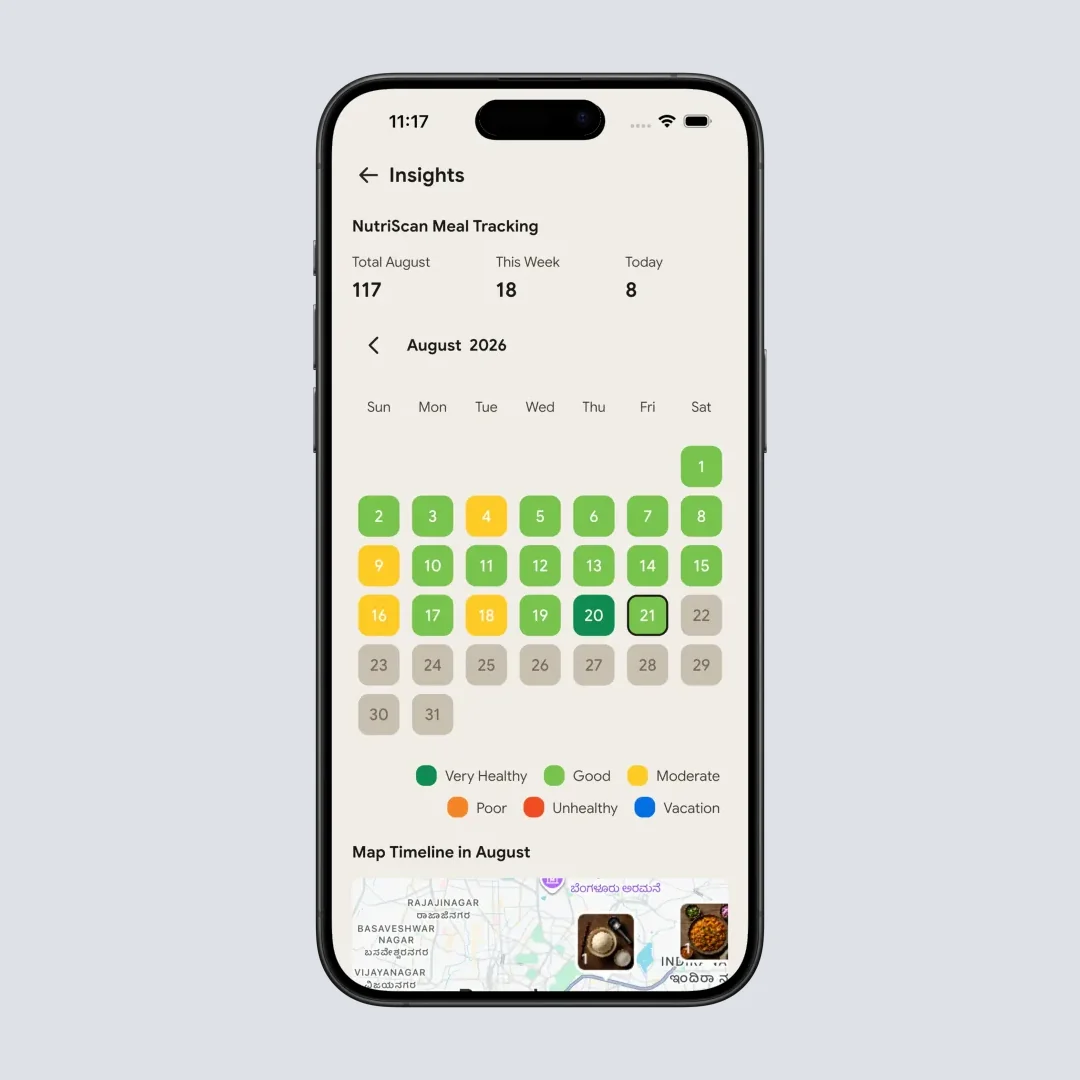
Daily insights view: this is the kind of pattern tracking you want alongside Foodvisor's lessons. Path: Profile > Insights > Calendar.
The Color-Coding Problem
Foodvisor uses a color-coded system to categorize foods. Every food item gets labeled as green, yellow, orange, or red based on how "healthy" the app considers it. Green foods have a smiley face emoji, while red foods show a frowning, angry face.
This approach is similar to what Noom uses, and nutrition professionals have raised concerns about it. Registered dietitian Destini Moody has said that color-coding foods can "promote an unhealthy relationship with food and avoidance of foods we get joy from" (Garage Gym Reviews, 2026).
The system implies that some foods are inherently "bad," which goes against modern nutrition science. Most dietitians agree that all foods can fit into a balanced diet. Labeling a food with an angry face can trigger guilt, shame, or avoidance, especially in people with a history of disordered eating or restrictive tendencies.
Heads up
If you have ever struggled with your relationship with food, this feature could be more harmful than helpful. Foodvisor does not offer an option to turn off the color-coding or the emoticons.
For users who read it as a rough guideline rather than a rule, the color-coding is a quick visual reference. Know it is there before you subscribe.
Foodvisor Reviews: What Real Users Say About the App
Foodvisor has solid overall ratings on both app stores:
- Apple App Store: 4.6 out of 5 stars
- Google Play Store: 4.7 out of 5 stars
Despite these high numbers, individual reviews tell a more nuanced story. Common praise includes:
- Easy-to-use interface with clean design
- Helpful macro tracking dashboard
- Good variety of recipes and educational content
- Barcode scanning works reliably
Common complaints include:
- AI photo scanner still misidentifies foods
- Large number of duplicate or inaccurate user-submitted food entries
- No integration with Fitbit, Garmin, or Strava (only Apple Health)
- Difficulty getting refunds after accidental Premium sign-ups
- Some users felt the app did not match what the website advertised
One Google Play reviewer wrote: "Accountability has never been easier. This app allows me to track my meals, activity, and water intake. Great recipe suggestions." Another gave 3 stars and noted: "The free version of MyFitnessPal works better. Better real coaching would lead me to want to pay in the future" (Garage Gym Reviews, 2026).
The pattern is clear: users who want a straightforward calorie and macro tracker tend to be happy. Users who expected accurate AI scanning or human coaching tend to be disappointed.
Step-by-Step: How to Decide If Foodvisor Is Worth It for You
Here is a five-step process to figure out whether Foodvisor Premium fits your needs.
Step 1: Define your primary goal. Are you tracking calories for weight loss? Monitoring macros for fitness? Looking for nutrition coaching? Write down your top priority.
Step 2: Test the free version for one week. Log your meals using barcode scanning and manual entry. See if the food database has the items you eat regularly. Check if the interface feels comfortable.
Step 3: Compare with free alternatives. Apps like MyFitnessPal, FatSecret, and Cronometer offer free versions with solid macro tracking. If the free version of another app meets your needs, you may not need to pay for Foodvisor Premium.
Step 4: Check your deal-breakers. Do you need Fitbit or Garmin syncing? Foodvisor does not support those. Do you want human coaching? Foodvisor no longer offers it. Do you struggle with food guilt? The color-coding system may not work for you.
Step 5: If you decide to subscribe, start with the annual plan. At $6.99 per month it is 53% cheaper than paying monthly.
If you want to plan your protein, fat, and carb targets before you commit to any tracker, run them through our free macro calculator first - that way you know exactly what numbers your app needs to support.

Tips for Getting the Most Out of Foodvisor
If you decide Foodvisor is the right fit, here are practical ways to maximize your experience.
- Set custom macro goals in your profile. The default goals the app assigns during setup may not match your specific needs. Adjust protein, fat, and carb targets based on your goals.
- Pay attention to fiber tracking. Most adults fall short of the recommended 25-30 grams of fiber per day. Foodvisor is one of the few apps that tracks fiber prominently, so use it.
- Read the daily lessons consistently. The educational content is one of Foodvisor's best features. Even if you already know the basics, the lessons can reinforce good habits over time.
- Sync with Apple Health for activity data. If you use an Apple Watch or iPhone, connecting to Apple Health pulls in your activity automatically. This saves time and gives you a more complete daily picture.
- Log meals right after eating. Waiting until the end of the day makes it harder to remember portions and ingredients. Logging in real time improves accuracy.
 Consistency wins. The app is just a tool. The daily logging habit is what changes your numbers.
How Foodvisor Compares to Other "Worth It" Options
Here is how Foodvisor stacks up against similar apps.
| Feature | Foodvisor | MyFitnessPal | YAZIO | Lose It | NutriScan |
|---|---|---|---|---|---|
| AI photo scanning | Yes (improved) | Yes | Limited | No | Yes |
| Macro tracking | Premium | Premium | PRO | Premium | Free + Premium |
| Fiber tracking | Premium | Premium | PRO | No | Yes |
| Human coaching | Removed | No | No | No | No |
| Daily lessons | 500+ | No | Limited | No | Tips included |
| Recipes | 300+ | No | PRO | No | Suggestions |
| Annual price/mo | $6.99 | $6.67 | $4.17 | $6.67 | $5.00 ($59.99/yr) |
| Wearable sync | Apple Health only | Wide support | Wide support | Wide support | Apple Health |
NutriScan prices are standard US prices as of mid 2026 and change by region.
Foodvisor's strengths are its educational content and recipe library. Its weaknesses are limited wearable support and the removal of human coaching. If you primarily want accurate tracking with wide device compatibility, MyFitnessPal or Lose It may be better choices. If you want AI photo scanning with meal suggestions, NutriScan offers a similar experience at a competitive price.
The 60-Second Fit Test That Decides It For You
Run this before you tap Subscribe:
- Open the free version and search 5 foods you ate this week. If 4 out of 5 return clean, accurate entries from verified brands (not user-submitted duplicates), the database covers your habits. If not, Premium will not fix the data quality problem.
- Try to log one full day for free. Snap your meals, scan barcodes, add manual entries. Note where the app blocks you (no macros, no fiber, locked features). Those friction points are exactly what you would be paying $6.99 a month to remove.
- Check your wearable. Apple Watch or iPhone? You're fine. Fitbit, Garmin, Whoop, Oura, or Strava? Foodvisor cannot sync. Skip it.
- Score your "must have" list. Write down the three things you most want from a paid tracker. If two or more are: meal plans, custom macros, lesson content, fiber tracking - Foodvisor Premium earns its $6.99. If your top three are: human coach, multi-device sync, judgment-free food labels - it's a hard no.
Four checks, one minute, and you will know before you tap Subscribe instead of 30 days after.
Is Foodvisor Worth It? My Verdict
Foodvisor Premium is worth it for a specific type of user: someone who wants calorie and macro tracking combined with nutrition education, recipes, and meal planning, and who does not need human coaching or wearable integration beyond Apple Health.
The annual plan at $6.99 per month offers reasonable value, especially if you take advantage of the daily lessons and recipe library. The AI photo scanner has improved but is not yet reliable enough to be your only logging method.
Foodvisor is not worth it if you need dietitian access (the feature was removed), if you use a Fitbit or Garmin (no syncing), or if color-coded food labeling triggers negative feelings about eating.
Before subscribing, test the free version for at least a week. Compare it with free alternatives. And if you do subscribe, choose the annual plan to get the best price.
If you want a free tracker with AI photo scanning, voice logging, and Monika, our voice AI nutritionist, give NutriScan a try. The free plan runs 5 meal scans and 4 Monika calls a week, and macros and micronutrients are free on every meal.
Frequently Asked Questions
Q: Is Foodvisor Premium worth paying for?
A: It depends on your needs. If you want macro tracking, daily wellness lessons, and a recipe library, the annual plan at $6.99 per month offers decent value. If you only need basic calorie counting, the free version or a free alternative like FatSecret may be enough. The AI photo scanner is improving but still needs manual corrections for many meals.
Q: Does Foodvisor still have dietitian access?
A: No. Foodvisor previously offered in-app chat with registered dietitians as part of the Premium plan, but this feature has been removed. The app now relies on automated lessons and AI-based suggestions. If human coaching is important to you, consider alternatives like Noom or HealthifyMe.
Q: How accurate is the Foodvisor AI photo scanner?
A: The scanner has improved with a new algorithm and U.S. food database, but it still struggles with mixed dishes, homemade meals, and hidden ingredients like oils or sauces. A 2024 study found wide variation in AI food recognition across apps, with accuracy ranging from 46% to 97% depending on the app (Li et al., 2024). Barcode scanning remains more reliable for accurate logging.
Q: Is there a free trial for Foodvisor Premium?
A: No. Foodvisor does not offer a free trial for its Premium subscription. You can use the free version indefinitely, but there is no way to test Premium features before paying. If you subscribe, the annual plan at $83.99 per year is the best value option.
Q: Foodvisor avis: is the French version of the app different?
A: No. Foodvisor is built by a French company and ships in more than 20 languages, so the French app has the same AI photo scanner, the same lessons, and the same missing dietitian chat as the English one. The difference is the price tag: the French App Store lists Premium in euros, so the local figure will not match the US dollar prices in this review.
Q: What apps are similar to Foodvisor but cheaper?
A: YAZIO PRO costs about $4.17 per month on an annual plan and offers calorie tracking, fasting tools, and recipes. FatSecret offers a strong free plan with no Premium required for basic tracking. Lose It Premium is barely cheaper than Foodvisor now: $79.99 a year, about $6.67 per month, with no monthly plan (Lose It membership tiers and pricing). Each has trade-offs in features compared to Foodvisor's lesson library and recipe collection.
Q: Can Foodvisor sync with Fitbit or Garmin?
A: No. Foodvisor only supports Apple Health on iOS. There is no native integration with Fitbit, Garmin, Whoop, Oura, or Strava. If you rely on a non-Apple wearable for activity tracking, Foodvisor's nutrition data will sit in a separate silo from your workout data.
Q: Can I get a refund if I subscribe by accident?
A: Refunds go through the app store, not Foodvisor directly. On iOS, request a refund at reportaproblem.apple.com. On Android, open Google Play, find the subscription, and tap Refund within 48 hours of purchase. Some users have reported difficulty getting refunds after this window, so cancel quickly if you change your mind. Our step-by-step guide to canceling Foodvisor Premium covers all three cancel paths.
