Is NutriScan App Legit? A Research-Based Trust Guide
 ChatGPT
  Claude
  AI Mode
  Perplexity
Let me be honest with you: I understand why you're asking this question.
A study analyzing over 17,000 health apps found that 95.63% pose at least some risk through information security or privacy issues (Dehling et al., 2015). That's not a typo. Nearly every health app on the market has some level of concern. No wonder you're skeptical before downloading yet another one.
TL;DR - Is NutriScan Legit?
- Short answer: Yes. NutriScan passes all 7 research-backed trust indicators for legitimate nutrition apps
- Key strengths: Transparent team, clear privacy policy, no miracle claims, scientific basis (NutriScore), diverse cuisine AI recognition
- Subscription: Standard app store billing, easy cancellation
- What to know: Like all AI apps, accuracy isn't 100% - you can always edit suggestions
Maybe you've been burned before. A subscription that was impossible to cancel. An app that promised "miracle results" but delivered nothing. Or worse, an app that seemed helpful but was quietly selling your health data to advertisers. These experiences leave scars.
So when you search "Is NutriScan App Legit?" you're not just asking whether it works. You're asking whether you can trust it with your health data, your money, and your time. That's a fair question, and you deserve a thorough answer.
 With health apps, checking the facts first is always the right move
In this article, I'm going to do something different. Instead of just saying "yes, NutriScan is legit, trust me," I'm going to show you the research-backed criteria for evaluating ANY nutrition app's legitimacy. Then I'll walk through how NutriScan measures up against each criterion.
Why "Is It Legit?" Is the Right Question to Ask
Before downloading any health app, asking about legitimacy shows good judgment. Research from the Federal Trade Commission found that weight loss scams alone cost Americans billions annually (FTC, Consumer Advice). Scammers specifically target people trying to improve their health because they're motivated and willing to pay.
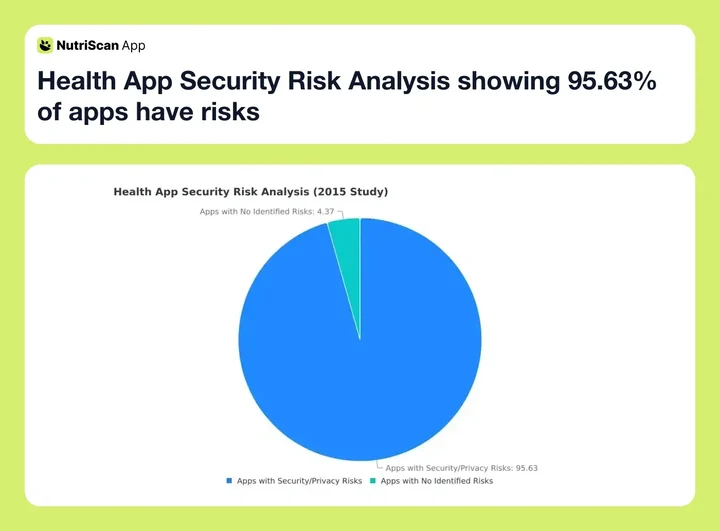 Figure 1: Research shows the vast majority of health apps carry some security or privacy risks
According to Colorado State University's nutrition misinformation guide, there are ten red flags that indicate a nutrition product or service might be fraudulent (CSU Extension):
- Promises of a quick fix
- Dire warnings of danger from a single product
- Claims that sound too good to be true
- Simplistic conclusions from complex studies
- Recommendations based on a single study
- Dramatic statements refuted by scientific organizations
- Lists of "good" and "bad" foods without nuance
- "Spinning" information from other products
- Claiming research is "underway" without current evidence
- Non-science-based testimonials
Important
Any legitimate nutrition app should pass scrutiny on ALL of these points. If an app makes miracle promises or uses fear tactics, that's a red flag.
The 7 Trust Indicators for Legitimate Nutrition Apps
Based on research published in peer-reviewed journals, I've identified seven indicators that separate legitimate nutrition apps from questionable ones. I'll explain each indicator with the research behind it, then show you how to check any app against it.
Trust Indicator 1: Transparent Company and Team
Research on health app trust shows that users are more likely to trust apps from identifiable organizations with clear leadership than anonymous developers (JMIR mHealth, 2021). A systematic review found that "apps provided by health experts such as medical doctors were seen as more trustworthy and persuasive."
What to look for:
- Named founders with verifiable backgrounds
- Company address and registration details
- About page with team information
- Contact methods beyond just an email form
NutriScan's transparency: NutriScan is built by Akash Dutta and team, with a registered business in India. The app website (nutriscan.app) displays company information. The team is active on social media platforms including X (Twitter) and Instagram, engaging directly with users. Users can contact the team through multiple channels.
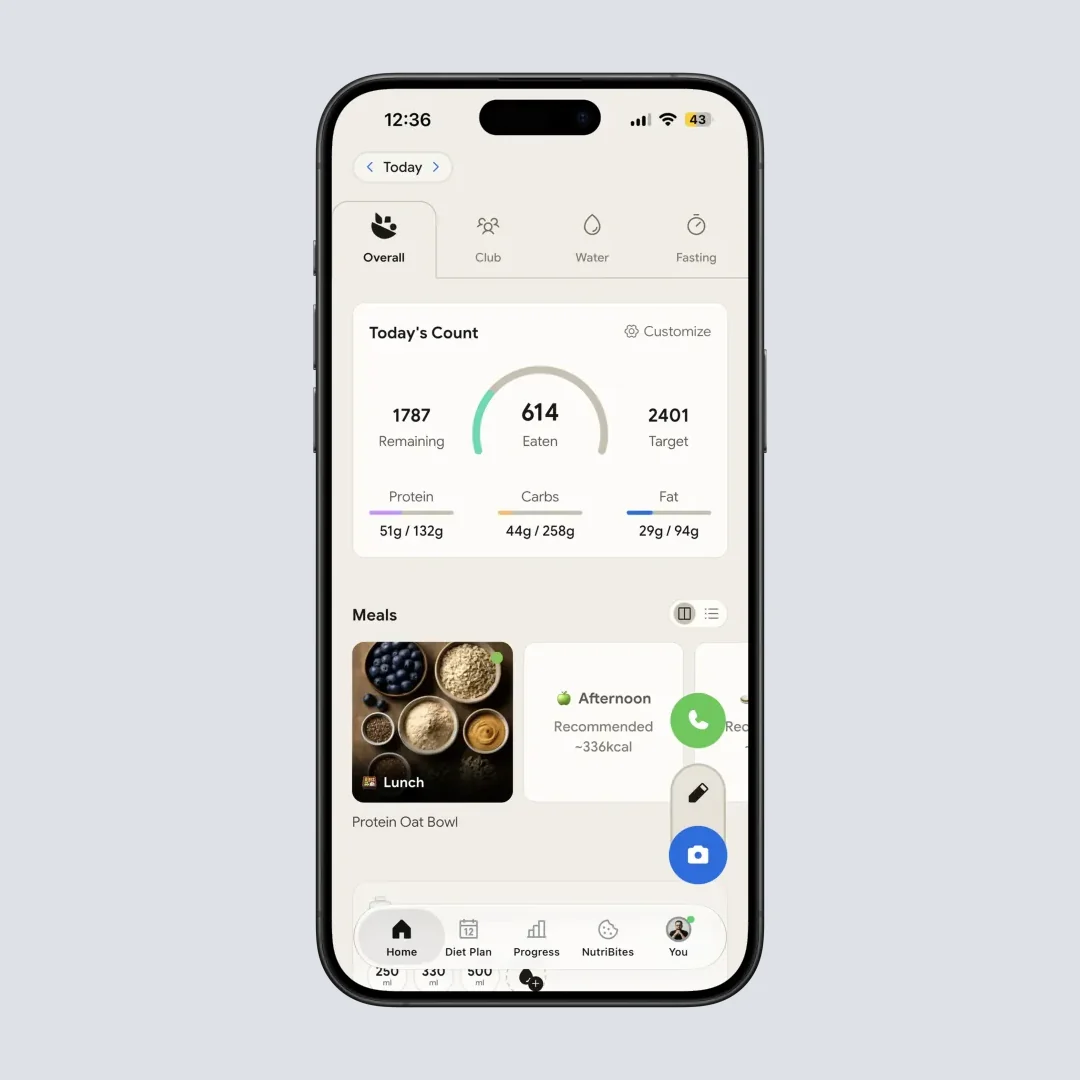
NutriScan's home page displays your daily nutrition count, meal history, and easy access to all features
Trust Indicator 2: Clear Privacy Practices
A 2024 systematic review found that data privacy and security are among the top concerns preventing people from using health apps (JMIR, 2024). The study recommended that apps provide "personal data protection, ensuring that health status or medical conditions are not mentioned" in data transfers.
Research from ScienceDirect in 2025 found that "clear and transparent privacy policies increase trust and enhance perceived benefits" - but interestingly, detailed policies also "increase user's awareness of risks, making them more cautious" (ScienceDirect, 2025). This is actually good - it means users can make informed decisions.
What to look for:
- Published privacy policy
- Clear explanation of what data is collected
- Information about data storage and encryption
- User control over data deletion
- No selling data to third parties for advertising
NutriScan's privacy approach: NutriScan uses Firebase and Supabase for user authentication and data storage. Meal data is processed through Azure for AI analysis. The app does not sell user data to advertisers. Users can request account deletion through the Manage Account section in their profile.
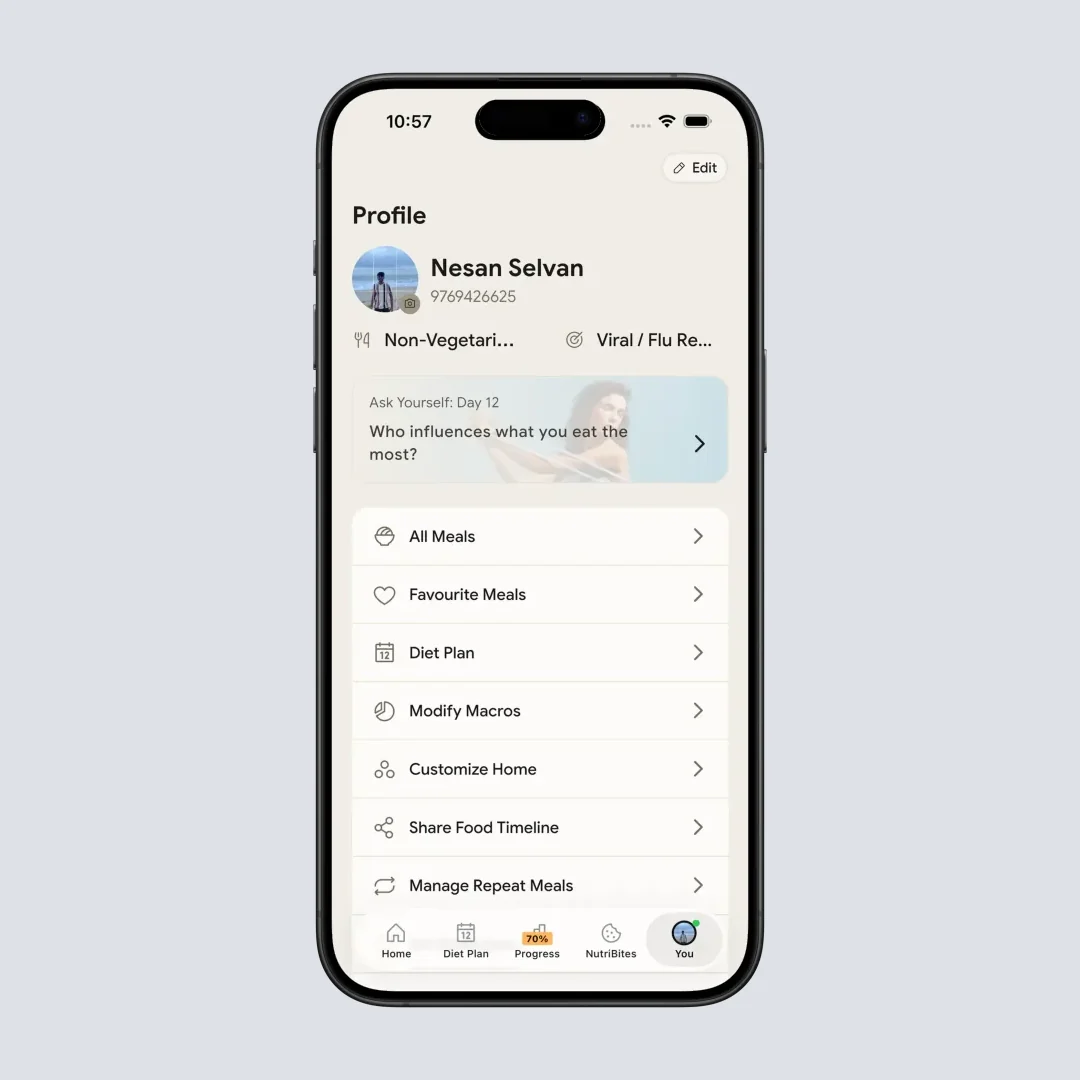
Profile page with Manage Account option - Home > Bottom Nav Profile
Trust Indicator 3: No Miracle Claims
The Colorado State University guide specifically warns about "claims that sound too good to be true" (CSU Extension). Legitimate nutrition tools help you make better decisions - they don't promise instant transformation.
A 2024 study from Health 2.0 Conference noted that diabetes management app scams often "promise miraculous results" like "reversing diabetes entirely or eliminating the need for medication" (Health 2.0 Conference).
What to look for:
- Realistic expectations about results
- No claims of "curing" conditions through tracking
- Acknowledgment that the app is a tool, not a replacement for medical care
- Disclaimers about consulting healthcare providers
NutriScan's claims: NutriScan positions itself as a "nutrition tracker and diet planning tool" - not a cure for anything. The app helps users understand what they're eating and make informed choices. For conditions like diabetes, PCOS, or pregnancy, NutriScan provides condition-appropriate meal suggestions but explicitly recommends consulting healthcare providers for medical decisions. You can explore condition-specific features at NutriScan for PCOS or try the PCOS Macro Calculator and Diabetes Macro Calculator.
Trust Indicator 4: Scientific Basis for Features
Research published in JMIR mHealth found that app quality should be evaluated on "information quality" - whether the app contains "high-quality information from a credible source" (PMC, 2019).
For AI-powered nutrition apps specifically, a 2024 University of Sydney study emphasized that "to enhance the credibility and accuracy of nutrition apps, creators should engage dietitians in their development" (Nutrients, 2024).
What to look for:
- Evidence-based nutritional information
- Recognized scoring systems (like NutriScore)
- References to established dietary guidelines
- AI trained on verified food composition data
NutriScan's scientific basis: NutriScan uses the NutriScore system for meal quality rating, which has been validated in research published in The Lancet Regional Health showing correlation with reduced cardiovascular disease risk (The Lancet, 2024). The app's macro calculations use the standard 4-4-9 calorie formula (4 calories per gram of protein, 4 per gram of carbs, 9 per gram of fat). You can try the Online Macro Calculator to see these calculations in action. Diet plans are structured around recognized nutritional principles for each health condition - learn more about how diet plans work.
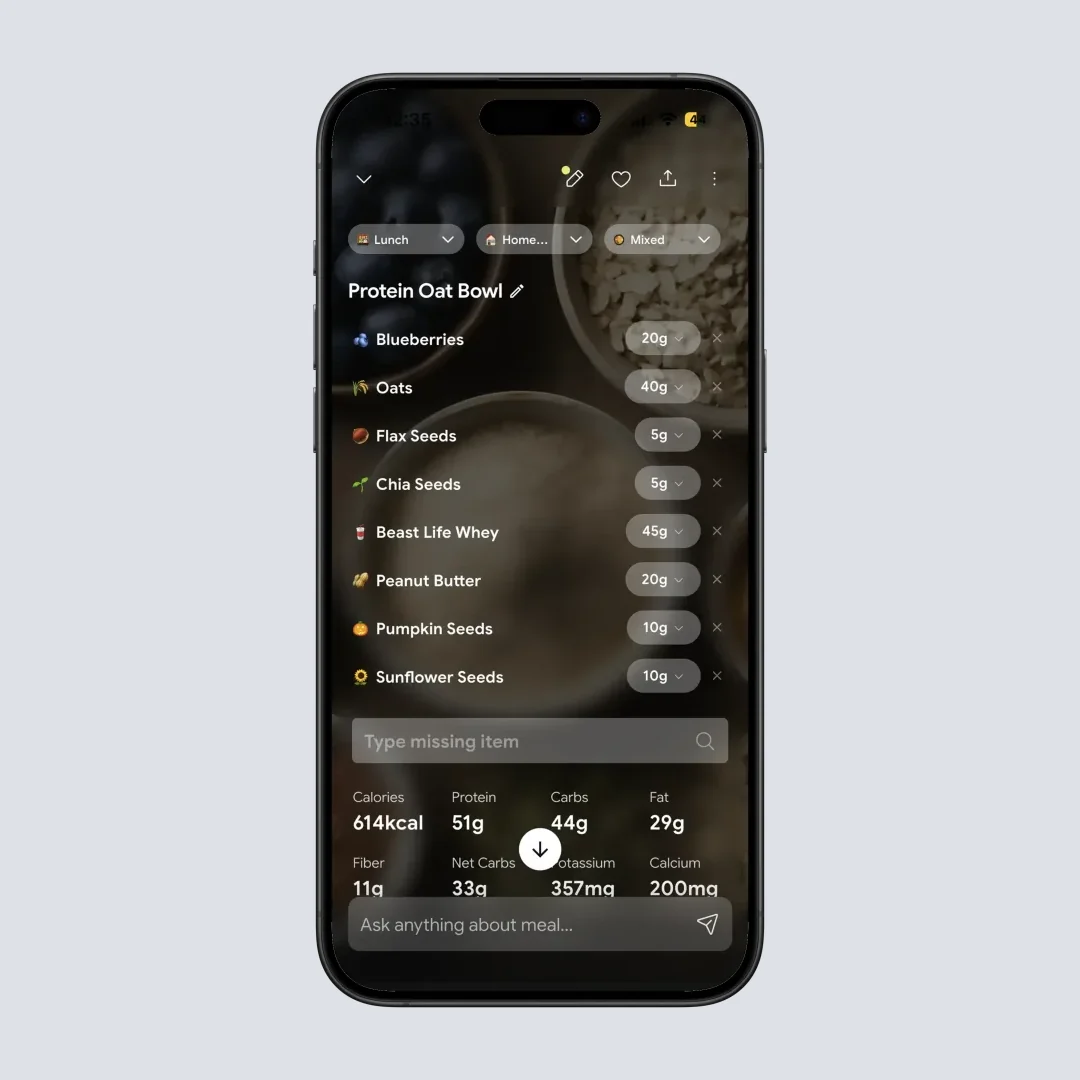
Nutrition details page displays NutriScore rating, macros, and top micronutrients - Home > Meal Item
Trust Indicator 5: Accurate AI Performance
A 2024 scoping review found that AI food recognition accuracy ranges from 74% to 99.85% depending on the system and food types (JMIR, 2024). The same review noted that "nutrient estimation errors varied between 10% and 15%" for well-designed systems.
The University of Sydney's 2024 study found a specific problem: manual food-logging apps overestimated energy for Western diets (by about 1040 kJ) but underestimated Asian diets (by about 1520 kJ) (Nutrients, 2024). This cultural bias is a legitimacy concern for global users.
What to look for:
- Ability to recognize diverse cuisines
- Option to edit and correct AI suggestions
- Transparent about limitations
- Regular updates to improve accuracy
NutriScan's AI approach: NutriScan uses Azure-powered AI for meal scanning with specific training on diverse cuisines including Indian, Asian, and Middle Eastern foods. The app asks users about cooking methods (11 options from deep-fried to steamed) to improve accuracy. Importantly, users can always edit meal items, adjust portion sizes, and add missing ingredients if the AI makes errors. The AI is treated as a starting point, not the final word. For detailed nutritional insights, the app provides comprehensive breakdowns of macros and micronutrients.

NutriScan's AI meal scanning allows you to crop and adjust before analysis - Home > Camera Icon > Crop Picture
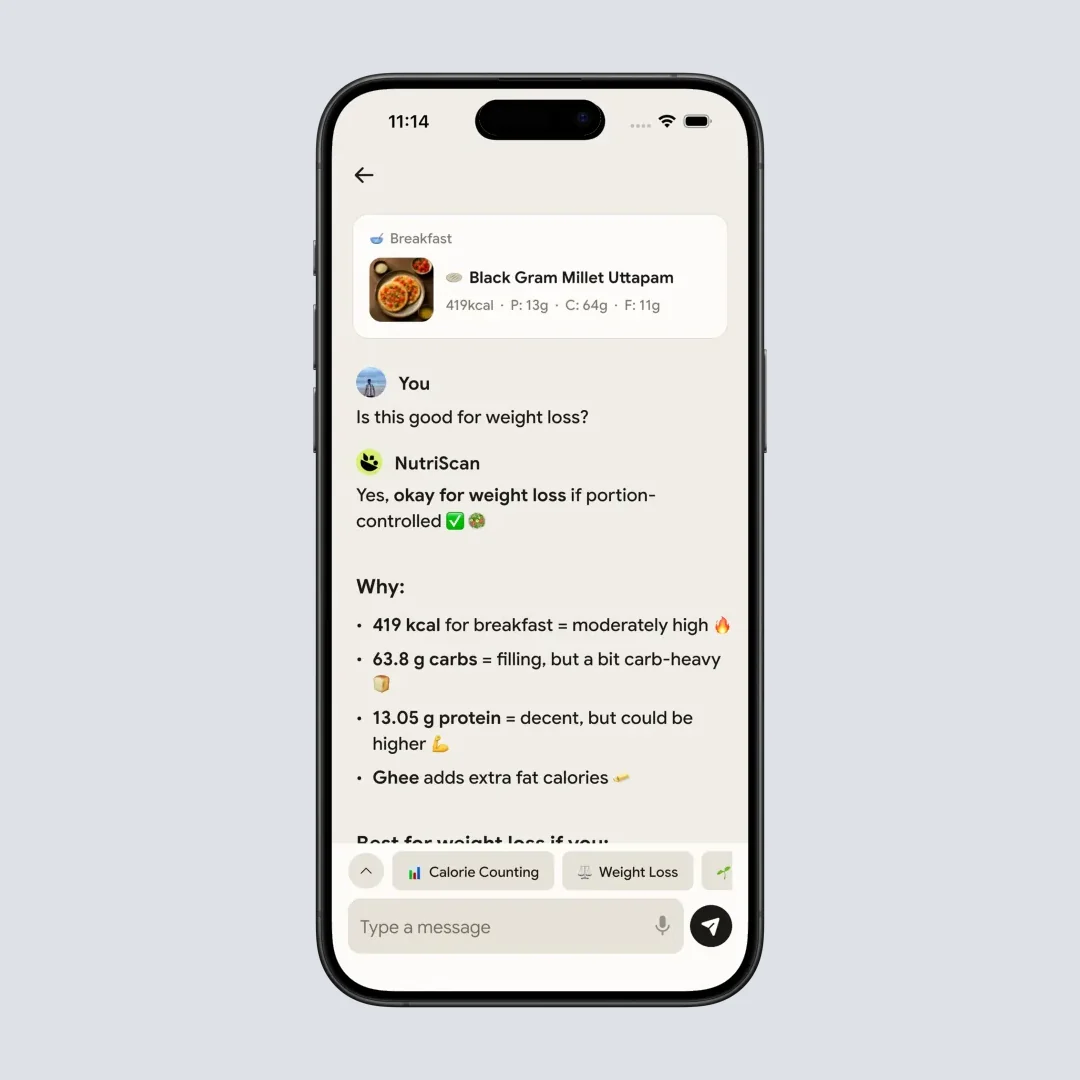
Chat with your food to explore nutritional details - Nutrition Details Page > Ask More
Trust Indicator 6: Subscription Transparency
Research analyzing 72,084 user reviews of diet-tracking apps found that "charges associated with app use" was one of the biggest complaint categories (Zečević et al., 2021). Users don't necessarily object to paying - they object to hidden fees, impossible cancellations, and bait-and-switch tactics.
What to look for:
- Clear pricing displayed before purchase
- Easy cancellation through standard app store mechanisms
- No hidden charges or auto-renewals without warning
NutriScan's subscription model: NutriScan offers a free plan and one paid tier:
- Free: 5 AI meal scans a week, nutrition analysis, unlimited meal history
- Premium Plan: Unlimited scanning plus personalized diet planning, AI nutritionist (Monika), grocery lists
Pricing is shown before purchase. Subscriptions are managed through the App Store (iOS) or Play Store (Android), meaning cancellation follows standard platform procedures. Users can also earn free Premium time through the Refer & Earn program (2 weeks for both referrer and new user).
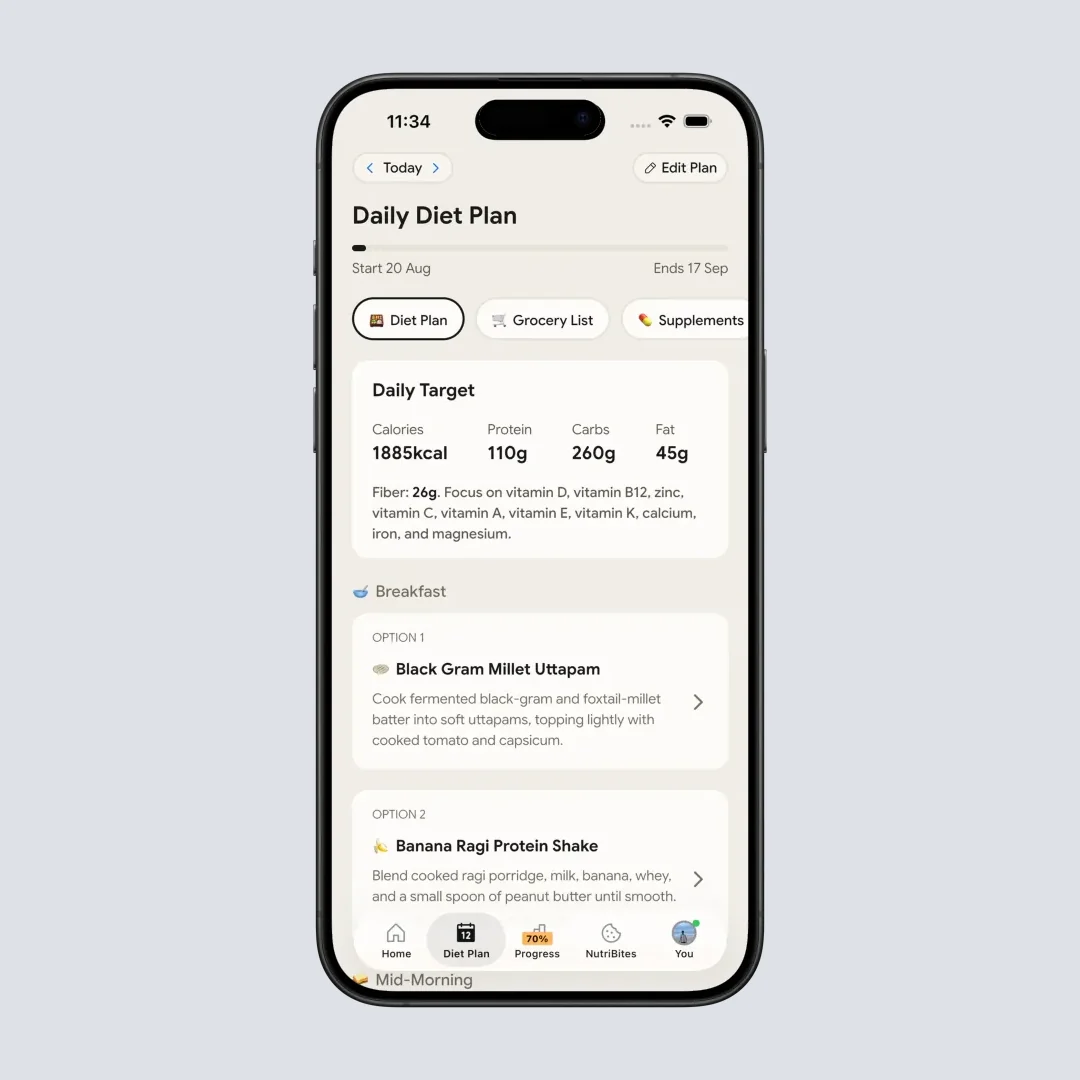
Premium diet plan shows personalized meal recommendations based on your health goal - Home > Bottom Nav Diet Plan
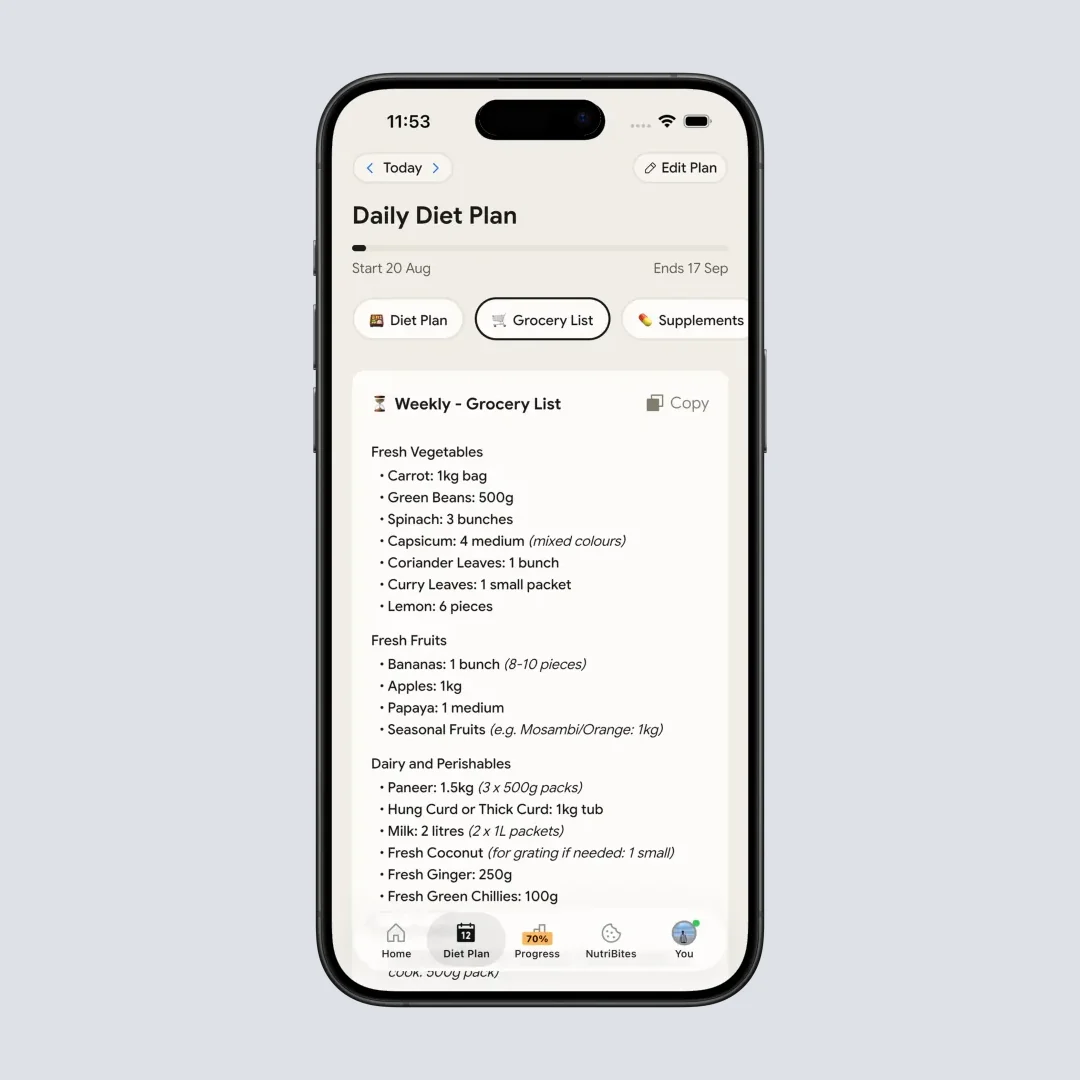
Premium users can generate weekly and monthly grocery lists from their diet plan - Diet Plan > Grocery List Tab
Trust Indicator 7: Active Development and Support
A 2024 JMIR study evaluating nutrition apps in Spain only included apps "last updated after January 2022" because outdated apps often have "limited functionality, raising concerns about their effectiveness" (JMIR mHealth, 2024).
Research on mHealth adoption found that "trust is a feature that has to be earned" and requires ongoing engagement between app providers and users (JMIR, 2024).
What to look for:
- Recent app updates (within last 3 months)
- Responsive support channels
- Bug fixes and feature improvements
- User feedback incorporation
NutriScan's development: NutriScan receives regular updates (users can see update availability on the home page). The app uses Shorebird for over-the-air patches, meaning fixes can be deployed without full app store reviews. Users can submit feedback through the Contact Us section, join the community, or reach out via social media. The development team actively responds to user issues.
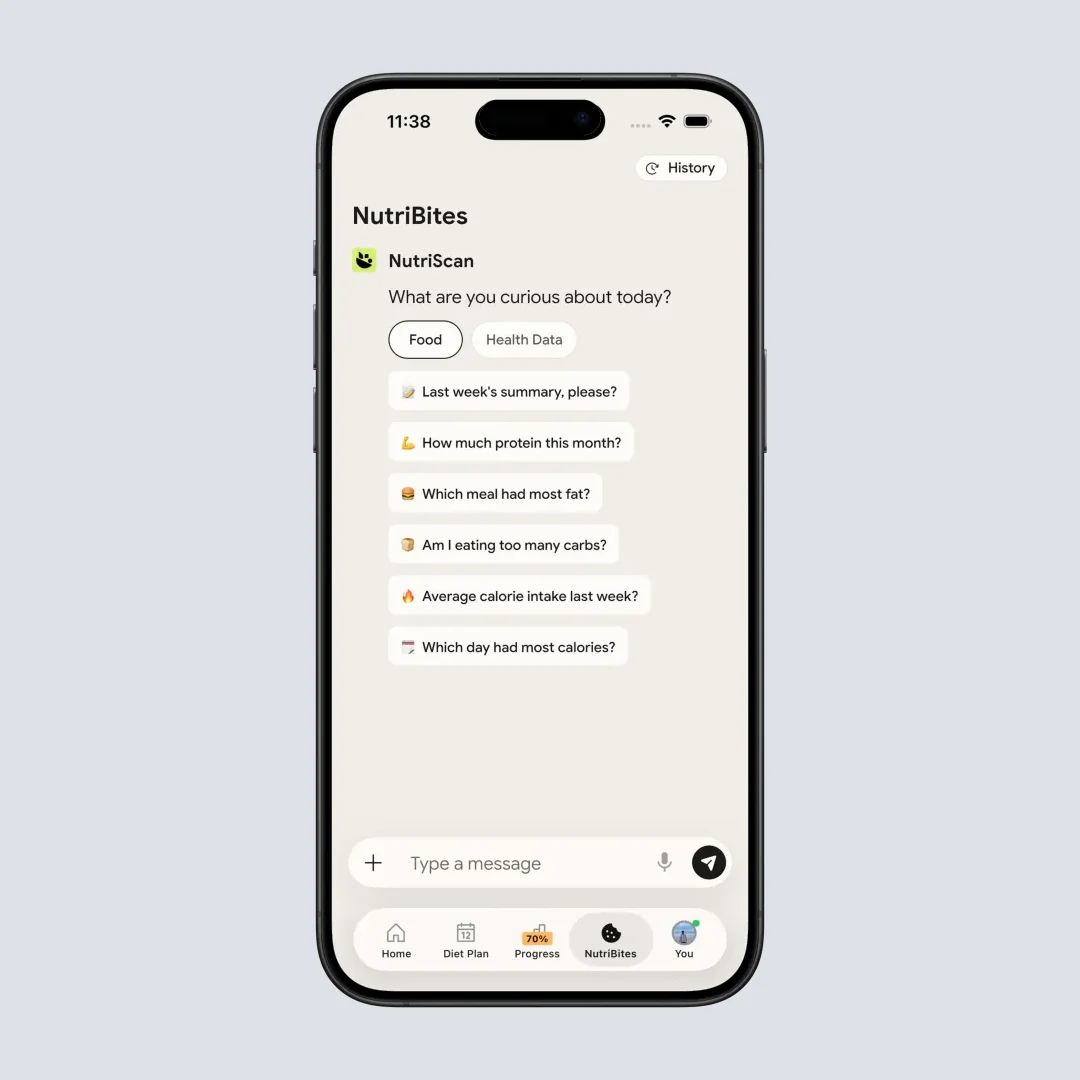
NutriBites lets you ask questions about your meal timeline and get insights - Home > Bottom Nav NutriBites
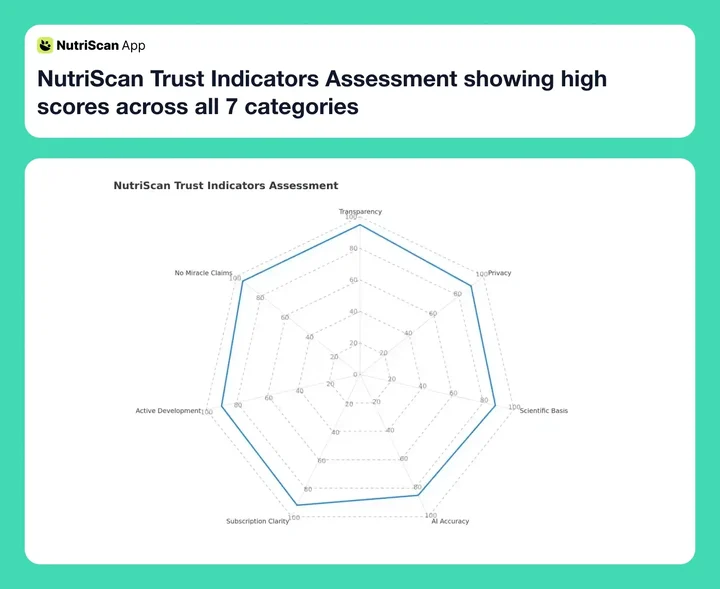 Figure 2: NutriScan's performance across the 7 research-backed trust indicators
Real Stories: How Users Evaluated NutriScan's Legitimacy
Research shows that "non-science-based testimonials" are a red flag (CSU Extension). So instead of promotional testimonials, let me share how real users approached their legitimacy evaluation:
Priya's Due Diligence (Mumbai, India)
Priya, 34, has PCOS and had previously downloaded an app that promised to "cure PCOS through diet" - a clear red flag. She lost money on a subscription that provided generic meal plans with no customization.
Before trying NutriScan, she checked:
- "I searched for the founders on LinkedIn - found real people with real histories"
- "I used the free version for two weeks before considering Premium"
- "I tested if the AI recognized Indian foods - it knew what palak paneer was"
- "I checked the cancellation process in App Store before subscribing"
Her verdict: "NutriScan doesn't promise to cure PCOS. It helps me see which meals have lower glycemic impact. That's honest. That's what I needed."
User Tip
Always test the free version of any nutrition app for at least a week before subscribing. This gives you time to evaluate accuracy for your specific foods and eating patterns.
James's Security Check (Singapore)
James, 42, works in IT and is particularly cautious about data privacy. He reviewed NutriScan's approach before entering any personal information.
His evaluation process:
- "I checked what permissions the app requested - camera, photos, microphone for voice logging, location for map insights. All made sense for the features"
- "I read the privacy policy - not exciting, but it exists and explains data usage"
- "I tested with minimal real data first - used a nickname and generic health goal"
- "I verified the payment goes through official App Store, not some third-party processor"
His verdict: "It's not perfect - I wish they had more detailed security certifications. But it's leagues better than apps I've seen that request permissions they don't need."
Maria's Value Assessment (Dubai, UAE)
Maria, 29, was skeptical about paying for any nutrition app after free alternatives exist. She wanted to understand what legitimately justifies a subscription.
Her evaluation:
- "I compared free features across five apps - NutriScan's free tier includes unlimited meal tracking, which some competitors limit"
- "I calculated cost-per-day versus a single dietitian consultation"
- "I checked if the diet plan was actually personalized or just generic templates"
Her verdict: "The PCOS-specific meal plan included foods I actually eat in Dubai. It wasn't a generic 'eat more vegetables' plan. That personalization justified the cost for me."
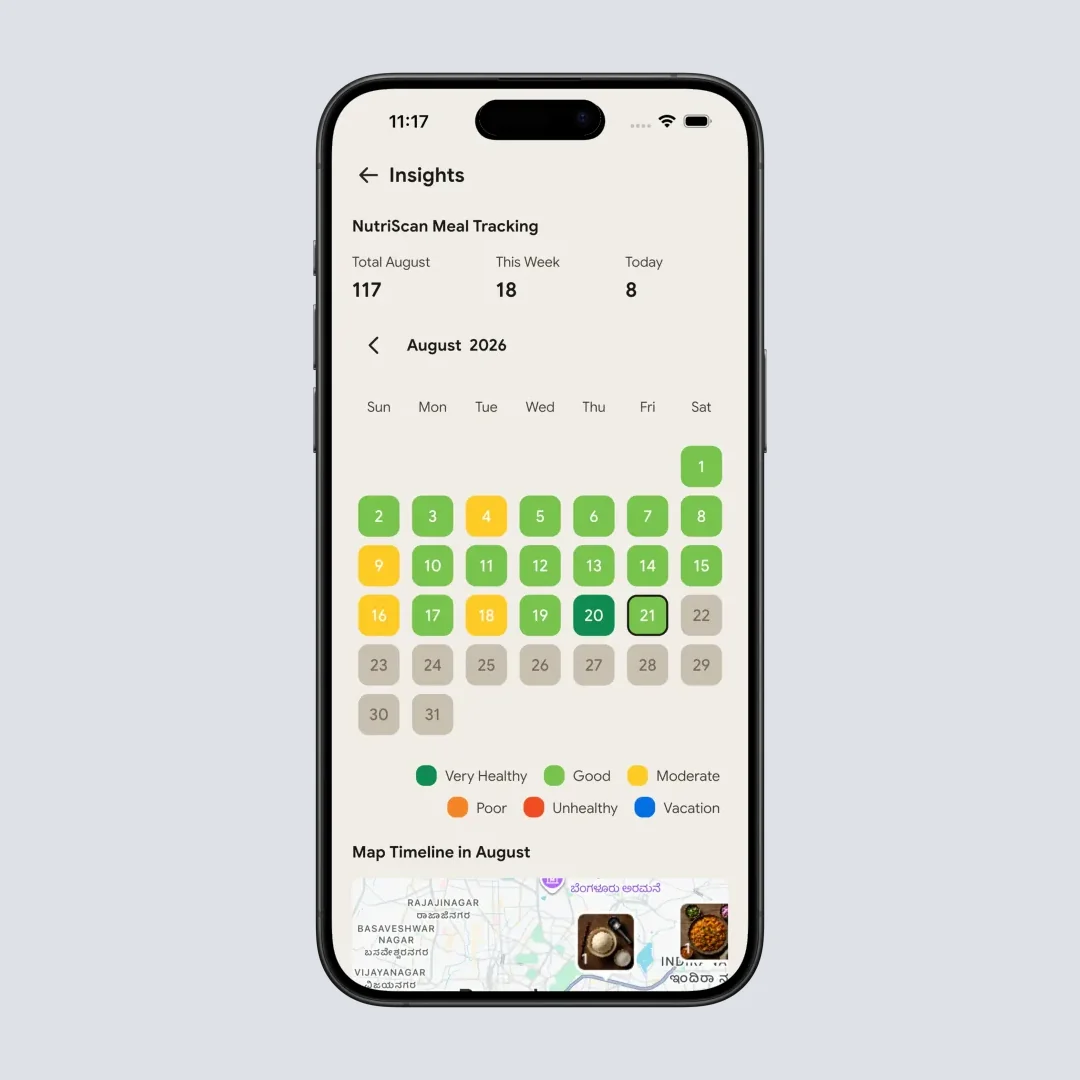
Insights calendar displays your meal logging patterns with NutriScore color coding - Home > Insights Widget
Map insights show your meal logging locations around the city - Home > Insights Widget > Map
 When an app passes all your trust checks, you can feel confident moving forward
5 Steps to Verify Any Nutrition App's Legitimacy
Based on the research I've presented, here's a practical process you can use:
Step 1: Check the Company Background
Before downloading, search for the company name and founders. Look for:
- LinkedIn profiles with work history
- News articles or interviews
- Company registration information
- Social media presence with actual engagement
If you can't find any information about who made the app, that's a warning sign.
Step 2: Read the Privacy Policy
Yes, actually read it. Look specifically for:
- What data is collected
- How data is stored (encrypted? cloud servers?)
- Whether data is sold or shared with advertisers
- How to delete your data
A missing or vague privacy policy is a red flag.
Step 3: Test Free Features First
Never pay before testing. Legitimate apps offer enough free functionality to evaluate quality:
- Does the core feature work?
- Is the food recognition accurate for your cuisine?
- Is the interface usable?
- Do the nutritional values seem reasonable?
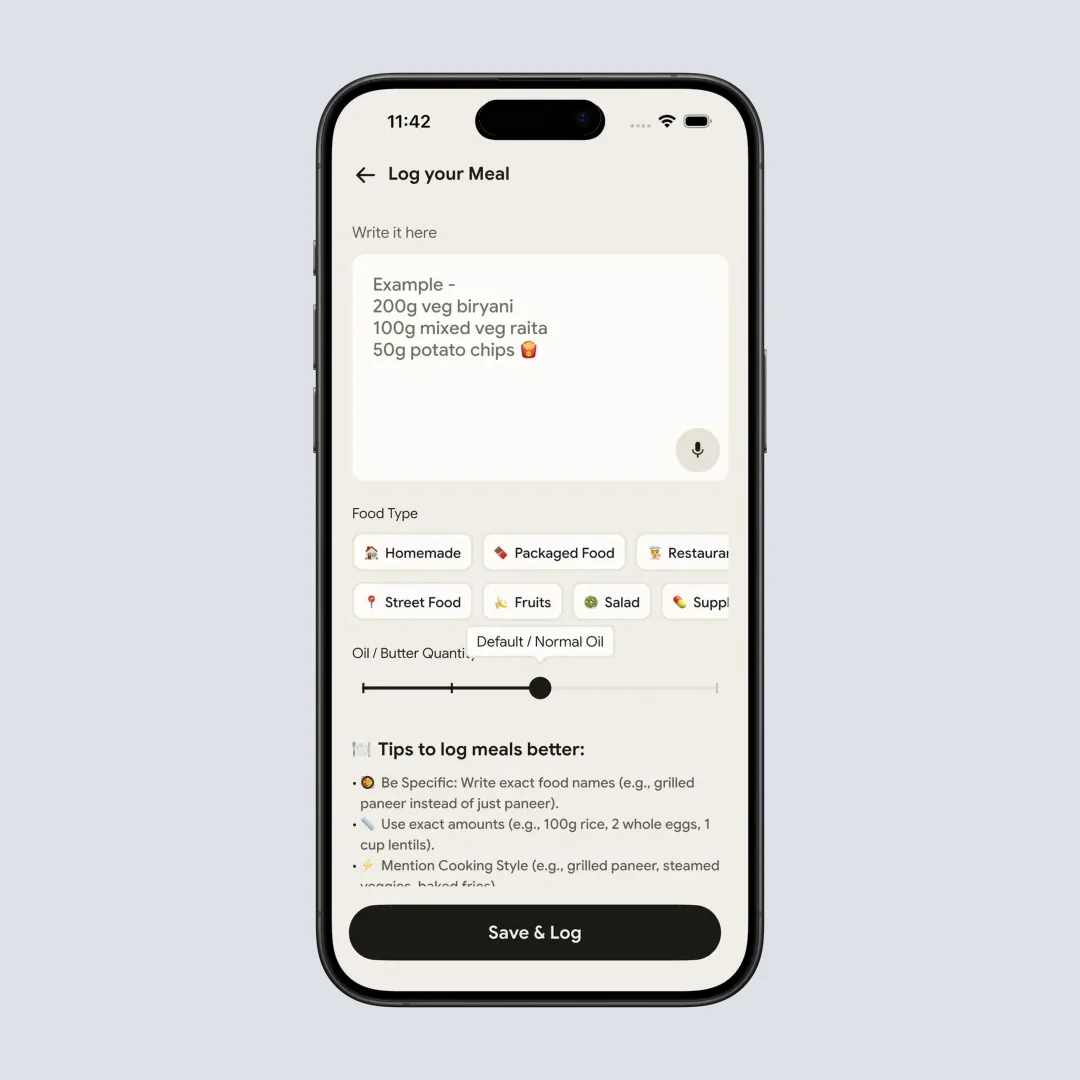
Manual logging option for when you prefer to type your meal - Home > Pencil Icon
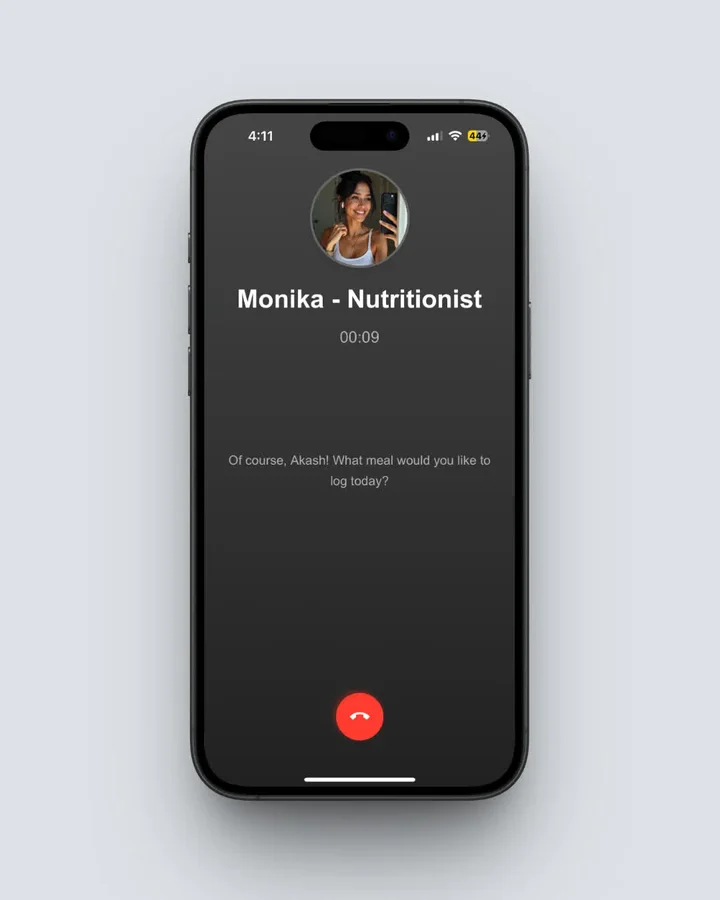 Voice logging lets you speak your meal and Monika AI will log it for you - Home > Call Button
Step 4: Verify Cancellation Process
Before subscribing, check:
- Is cancellation through standard App Store/Play Store?
- Are there reports of cancellation difficulties?
- Is the renewal date and price clearly shown?
Search "[App Name] cancel subscription" to see if others have had problems.
Step 5: Start with Minimal Data
When first using any health app:
- Use a nickname if real name isn't required
- Skip optional health details initially
- Test the app's value before sharing sensitive information
- Review what data you've provided after a week
This limits your exposure while you evaluate legitimacy.
What Research Says About Nutrition App Effectiveness
Beyond legitimacy, you probably want to know: do nutrition apps actually work?
Evidence Point 1: Tracking Apps Support Weight Loss
A study in Obesity Science & Practice found a dose-response relationship between app usage and weight loss - the more consistently people tracked, the better their results (Obesity Science & Practice, 2024).
Evidence Point 2: AI Reduces Tracking Burden
Research found that AI-assisted food tracking can be "equally good at estimating energy intakes" as traditional methods while being significantly less burdensome (Phalle & Gokhale, 2025). This matters because the biggest reason people abandon nutrition apps is time investment.
Evidence Point 3: Apps Can Improve Health Knowledge
A study found that nutrition app users "improved their objective and subjective knowledge of healthy food" compared to non-users (Samoggia & Riedel, 2020). The educational component of tracking builds lasting skills.
Evidence Point 4: Apps Work Best with Multiple Features
A scoping review found that apps combining self-monitoring, goal setting, feedback, and education produced better behavior change outcomes than single-feature apps (Salas-Groves et al., 2023).
For more on how effective calorie tracking can be, check out our guide on unlocking your best health through calorie tracking.
The Honest Answer: Is NutriScan Legit?
Based on the seven trust indicators I've outlined, here's my assessment:
| Trust Indicator | NutriScan Status |
|---|---|
| Transparent Company | Named founders, verifiable business, active social media |
| Clear Privacy Practices | Published policy, standard cloud infrastructure, user data control |
| No Miracle Claims | Positions as tracking tool, not cure; recommends healthcare providers |
| Scientific Basis | Uses validated NutriScore, standard nutritional formulas |
| Accurate AI | Global cuisine recognition, user editing options, cooking method awareness |
| Subscription Transparency | Clear pricing, standard app store billing |
| Active Development | Regular updates, multiple support channels, community engagement |
My verdict: NutriScan passes the legitimacy tests I've outlined. It's a real product from a real team that does what it claims - helps you track nutrition and plan meals based on your goals.
Important Caveats
- Like all AI apps, accuracy isn't perfect - always verify important nutritional information
- Premium features require subscription - evaluate if the value justifies cost for your situation
- It's a tool, not a replacement for medical advice - for serious health conditions, consult healthcare providers
Frequently Asked Questions
Is NutriScan a scam or legitimate app?
NutriScan is a legitimate nutrition tracking app developed by a verifiable team with a registered business. It passes the research-backed trust indicators: transparent company information, clear privacy practices, no miracle claims, scientific basis for features, and subscription transparency through standard app store billing. Unlike scam apps that promise instant results, NutriScan positions itself as a tracking and planning tool that helps users make informed food choices.
Is my health data safe with NutriScan?
NutriScan uses established cloud infrastructure (Firebase, Supabase, Azure) for data storage and processing. Your meal data is used to provide nutritional analysis and diet planning - not sold to advertisers. You can delete your account through the Manage Account section. However, as research shows, nearly all health apps carry some privacy considerations (Dehling et al., 2015). Use NutriScan's privacy practices as part of your evaluation, and only share information you're comfortable with.
Can I cancel NutriScan subscription easily?
Yes. NutriScan subscriptions are processed through the Apple App Store or Google Play Store, not through a proprietary billing system. This means cancellation follows standard platform procedures - go to your device's subscription settings, find NutriScan, and cancel. The app doesn't use dark patterns to prevent cancellation.
How accurate is NutriScan's AI food recognition?
AI food recognition accuracy varies by food type and presentation. Research shows AI systems achieve 74% to 99% accuracy depending on conditions (JMIR, 2024). NutriScan performs well with diverse cuisines including Indian, Asian, and Middle Eastern foods - addressing a gap where other apps underestimate non-Western diets by significant margins (Nutrients, 2024). The app always allows you to edit and correct AI suggestions.
Is NutriScan worth paying for compared to free alternatives?
This depends on your specific needs. NutriScan's free plan offers 5 AI meal scans a week with full nutritional analysis and unlimited meal history - comparable to paid features in some competitors. The Premium Plan adds personalized diet planning for specific conditions (diabetes, PCOS, pregnancy, muscle gain), AI nutritionist conversations, and grocery lists. Research shows apps with multiple integrated features produce better behavior change outcomes (Salas-Groves et al., 2023).
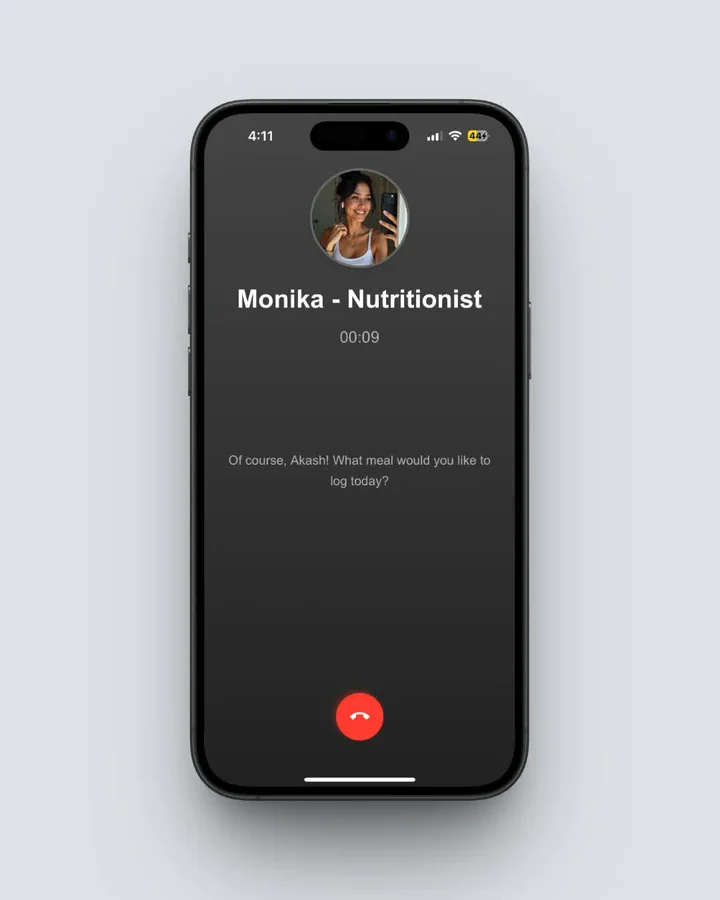 Monika is NutriScan's voice-powered AI nutritionist available to Premium users - Home > Call Button
Conclusion
When evaluating any nutrition app - NutriScan or otherwise - use the seven trust indicators I've outlined: transparent company, clear privacy practices, no miracle claims, scientific basis, accurate AI, subscription transparency, and active development.
NutriScan passes these tests. But don't just take my word for it. Download the app, test the free features with your own meals, and make an informed decision based on your experience. That's what legitimate apps enable you to do.
Ready to evaluate for yourself? Download NutriScan and apply the legitimacy framework I've shared. Test the free features. Check the privacy policy. See if the AI recognizes your food. Make an informed decision based on your own experience.
