Carbon vs MacroFactor: Which Macro Coach Wins for Cutting?
 ChatGPT
  Claude
  AI Mode
  Perplexity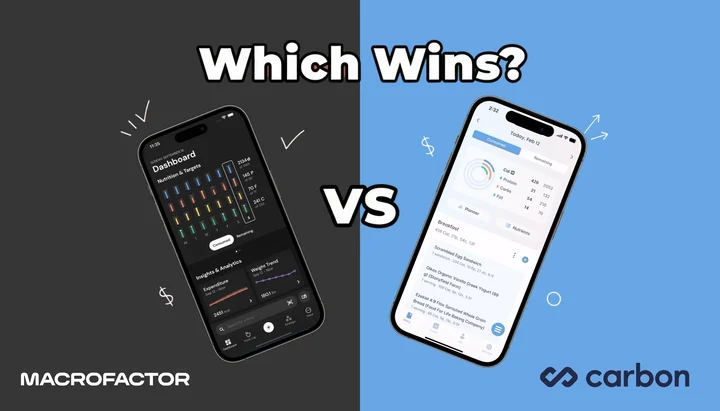
Carbon vs MacroFactor for a cut comes down to one rule. MacroFactor adjusts your targets from what you actually ate and how your weight trends, even when you miss your macros. Carbon Diet Coach holds your targets steady until you report that you hit them. For most people cutting, MacroFactor wins, and it is the cheaper of the two at $71.99 a year against Carbon's $99.99 (US prices as of mid 2026, and they change by region). Carbon is the better buy if you weigh every gram and hit your macros seven days a week. Below is the 10-category head-to-head, four real cutting scenarios, and a 60-second test that picks for you.
TL;DR - Carbon vs MacroFactor for Cutting
- Who MacroFactor is for: Real-world cutters who miss macros sometimes and want the app to adapt anyway ($71.99/year, 7-day free trial)
- Who Carbon is for: Disciplined trackers who hit targets weekly and want strict structure ($99.99/year, 14-day free trial)
- Key trade-off: MacroFactor uses your data even when you go off-plan; Carbon needs adherence to adjust
- Database: MacroFactor verified searchable database with NCC-backed common-food micronutrients; Carbon verified via FatSecret, macros only
- Best test: Run MacroFactor's 7-day free trial first, then commit annually to whichever style fits how you actually eat
- Prices: Every figure below is the standard US price as of mid 2026 and changes by region
NutriScan publishes this post, and we make a competing app. This post compares both apps across 10 categories using published features and prices. A 2025 meta-analysis of 29 randomized controlled trials found that mobile app-based dietary interventions led to a mean weight reduction of 1.45 kg compared to controls (PubMed 40829125). The app you choose to track your macros during a cut can directly affect your consistency, and consistency is the single strongest predictor of results. Here is how they compare for a cut.
1. Carbon vs MacroFactor: What Each App Does and Who Built It
MacroFactor
MacroFactor is a macro tracking app developed by Stronger By Science Technologies LLC. The lead creator is Greg Nuckols, a world-record powerlifter and co-founder of the MASS research review. Dr. Eric Trexler, a researcher with a PhD in human movement science, co-developed the app's algorithms.
The app uses an expenditure estimation algorithm (currently version 3) that learns from your daily food logs and body weight entries. Within about two weeks of consistent logging, the algorithm builds a model of your actual energy expenditure, not just a formula estimate. It then sets and adjusts your calorie and macro targets automatically.
MacroFactor gives users three coaching modes:
- Coached - the app controls all target updates
- Collaborative - the app suggests changes, but you can override them
- Manual - you set your own targets (useful if you work with an external coach)
The app also introduced the concept of a "calorie floor", the minimum safe intake below which it will not push your deficit, even if your rate of loss stalls. This is a meaningful safety feature during aggressive cuts.
Pricing (standard US prices as of mid 2026, and they change by region): $11.99/month, $47.99 for 6 months ($7.99/month), or $71.99/year ($5.99/month). A 7-day free trial is available. A Workouts bundle at $89.99/year includes the separate MacroFactor Workouts app. We broke the value question down separately in Is MacroFactor Worth It in 2026.
Ratings: App Store 4.8/5 (12,000+ ratings). Google Play 4.6/5 (1,800+ reviews).
Carbon Diet Coach
Carbon Diet Coach is a macro tracking app created by Dr. Layne Norton (PhD in nutritional sciences) and Keith Kraker (registered dietitian, BS in nutrition and dietetics). Norton is well known in the bodybuilding and powerlifting communities.
The app uses a single coaching model. After you set your goal (fat loss, muscle gain, maintenance, or reverse diet), Carbon calculates your starting targets. Each week, the app runs a check-in where you report your weight and confirm whether you hit your targets. If you were adherent, Carbon uses your data to decide whether to adjust. If you were not adherent, the app keeps your targets the same and asks you to try again.
Carbon also includes a weekly calorie planner that lets you distribute your daily calorie goals across the week, higher calories on training days, lower on rest days, while keeping your weekly average on target. This is a feature that Reddit users switching from Carbon to MacroFactor frequently mention missing (Reddit r/MacroFactor).
Pricing (standard US prices as of mid 2026, and they change by region): $11.99/month, $59.99 for 6 months ($9.99/month), or $99.99/year ($8.33/month). A 14-day free trial is advertised on Carbon's official pricing flow. The tier-by-tier version lives in Carbon Diet Coach Pricing 2026.
Ratings: App Store 4.8/5 (5,500+ ratings). Google Play 4.7/5 (2,100+ reviews).
 Logging is the shared habit. The split is whether the app adapts to your actual intake or holds the line until you prove adherence.
2. MacroFactor vs Carbon Diet Coach: 10 Categories Head to Head
2.1 Coaching Philosophy During a Cut
This is the single biggest difference between the two apps.
MacroFactor treats your actual intake as data, not as a pass-fail test. If you consistently eat 2,200 calories instead of your 2,000-calorie target, the app sees that pattern and factors it into your expenditure estimate. It adjusts your targets based on what you prove you can do, not what it initially calculated. FeastGood, in a 10-category comparison by certified trainer Philip Stefanov, found that MacroFactor won 7 out of 10 categories against Carbon (FeastGood).
Carbon Diet Coach takes a stricter approach. If you report that you did not hit your targets during the weekly check-in, the app will not adjust anything. The logic is straightforward: the app cannot evaluate whether the plan is working if you did not follow the plan. This mirrors how a strict human coach would operate.
For cutting: MacroFactor's flexible model works better for people who struggle with perfect adherence during a calorie deficit. Carbon's strict model works better for disciplined trackers who want a clear system with no ambiguity.
2.2 Food Database
MacroFactor uses a verified food database with verified searchable foods, barcode coverage, and NCC-backed common-food micronutrient data. Each entry includes detailed nutritional data: calories, macronutrients, amino acid profiles, fiber, vitamins, and minerals. Entries are checked for accuracy before they appear in the database.
Carbon Diet Coach uses the FatSecret food database. It includes calories and macronutrient breakdowns for each entry, along with brand-specific products. The data is comprehensive but does not include micronutrient details.
Winner: MacroFactor. The verified database reduces logging errors during a cut, when accuracy matters most. A 2025 umbrella review of 11 systematic reviews covering 62,407 participants found that consistent dietary self-monitoring was the strongest behavioral predictor of weight loss success (Couto & de, 2025). Accurate data makes that monitoring more useful.
2.3 Tracking Capabilities
MacroFactor tracks: calories, macronutrients, micronutrients (vitamins and minerals), fiber, body weight, body fat percentage, body measurements, progress photos, weight trends, and physical activity.
Carbon Diet Coach tracks: calories, macronutrients, body weight, body fat percentage, and lean body mass.
Winner: MacroFactor. During a cut, tracking body measurements and progress photos alongside scale weight gives a clearer picture of fat loss versus muscle loss. This matters more than the scale number alone.
2.4 Calorie and Macro Recommendations
Both apps start with similar questionnaires about age, gender, body size, activity level, and goals. Both provide reasonable initial targets.
The difference is in weekly adjustments. MacroFactor updates targets continuously based on your intake data and weight trend. If your weight stalls, it recognizes the plateau and adjusts. If your weight drops faster than expected, it slows the deficit to protect muscle mass.
Carbon's weekly check-in is binary. Adherent? The app evaluates and may adjust. Not adherent? No changes. This means a user who hits their targets 5 out of 7 days but reports "not adherent" will get no adjustment, even if the data would justify one.
Winner: MacroFactor. The continuous adjustment model is more responsive during a cut, where metabolic adaptation can shift your needs week to week.
Pro tip
On either app, weigh yourself every morning under the same conditions (post-bathroom, pre-water, no clothes). A single check-in weight can swing 1 to 2 kg from sodium or sleep. A 7-day average is the only signal both algorithms can use cleanly.

Daily breakdown view: this is the kind of "did I hit my targets" feedback both MacroFactor and Carbon try to surface. Path: Home > Overview tab.
2.5 Customization Options
MacroFactor lets you customize:
- Calorie and macro targets
- Rate of weight loss or gain (you pick the pace)
- Weekly calorie distribution (higher on training days, lower on rest days)
- Preferred protein intake
- Coaching mode (coached, collaborative, or manual)
Carbon Diet Coach lets you customize your calorie and macro targets, and its weekly planner feature allows daily calorie distribution across the week.
Winner: MacroFactor. The combination of coaching modes, rate-of-loss settings, and per-day calorie distribution gives more control during a cut. Carbon's weekly planner is useful but limited to calorie redistribution.
2.6 Logging Speed
Both apps are fast food loggers. MacroFactor is frequently cited as the fastest macro tracker on the market, with features like quick-add, recent foods, and copy-meal functions that reduce logging to a few taps.
Carbon Diet Coach is also efficient. The interface is clean and minimal, with a straightforward search-and-log flow. It does one thing well without extra screens slowing you down.
Winner: Tie. Both apps log food quickly. Carbon's simplicity is an advantage for users who find feature-rich apps distracting.

Clean inputs matter: NutriScan's tagging step (Home > Camera Icon > Crop Picture) mirrors the verified-database advantage both MacroFactor and Carbon lean on.
2.7 Educational Value
MacroFactor introduces concepts like the "calorie floor", explains how expenditure estimates change over time, and shows users their estimated TDEE alongside actual intake on charts. The Stronger By Science blog and MASS research review back up the in-app concepts with published content.
Carbon Diet Coach teaches through use; you learn about calorie density and macronutrient distribution of foods as you log. Norton also publishes extensive educational content through BioLayne, including videos on metabolic adaptation, reverse dieting, and contest prep. The app itself is minimal on in-app explanations.
Winner: MacroFactor for in-app education. Carbon users benefit from Norton's external content, but the app itself does less hand-holding.
2.8 Recipe and Meal Storage
Neither app has a shared or public recipe database. Both let you save custom recipes with ingredients and portions for personal reuse.
Winner: Tie.
2.9 Pricing and Value
| Plan | MacroFactor | Carbon Diet Coach |
|---|---|---|
| Monthly | $11.99 | $11.99 |
| 6-month | $47.99 ($7.99/mo) | $59.99 ($9.99/mo) |
| Annual | $71.99 ($5.99/mo) | $99.99 ($8.33/mo) |
| Free trial | 7 days | 14 days |
All figures are standard US prices as of mid 2026 and change by region. Annual cost difference: MacroFactor saves $28 per year ($71.99 vs $99.99).
Winner: MacroFactor, slightly. Both apps let you trial before committing. MacroFactor is cheaper annually; Carbon costs more but includes a stricter coaching model and weekly planner.
2.10 App Store Ratings and Reviews
| Platform | MacroFactor | Carbon Diet Coach |
|---|---|---|
| App Store | 4.8/5 (12,000+ ratings) | 4.8/5 (5,500+ ratings) |
| Google Play | 4.6/5 (1,800+ reviews) | 4.7/5 (2,100+ reviews) |
Carbon has been on the market longer and has a slightly higher average on Google Play. MacroFactor now exceeds Carbon on total App Store ratings by more than double.
Winner: Tie. Both apps are highly rated. MacroFactor's recent growth in review volume suggests strong momentum.

3. Carbon Diet Coach vs MacroFactor in Four Cutting Scenarios
3.1 The Weekend Overshooter
You hit your macros Monday through Friday but go over on weekends. In MacroFactor, the app sees your full weekly pattern and adjusts your expenditure estimate accordingly. Your targets shift to account for your real behavior. In Carbon, you report "not adherent" at the weekly check-in and get the same targets back. You never find out if your plan is actually working because the app cannot evaluate incomplete adherence.
3.2 The Disciplined Bodybuilder
You prep meals every Sunday, weigh every gram, and hit your targets within 5g on every macro, every day. Carbon's strict model is built for you. The weekly check-in is a quick "yes, I was adherent," and the app adjusts precisely based on your weight trend. MacroFactor works just as well here, but its flexibility is a feature you do not need. Carbon's weekly planner feature is especially useful for carb cycling around training days during contest prep.
3.3 The Busy Professional
You travel twice a month, eat restaurant meals without exact portions, and sometimes forget to log lunch. MacroFactor handles gaps better because it uses trend data and does not require perfect adherence to make adjustments. Carbon's weekly check-in becomes frustrating because you are stuck reporting "not adherent" during travel weeks. A 2025 study on self-monitoring adherence found that higher consistency with dietary logging was associated with greater odds of achieving 5 percent or more weight loss, but partial logging still provided measurable benefit compared to no logging (Burke et al., 2025).
3.4 The Reverse Dieter
You finished your cut and want to bring calories back up without regaining fat. Both apps support reverse dieting. Carbon has a dedicated "reverse diet" goal mode that increases calories gradually each week. MacroFactor handles this through its coached mode by detecting that your weight has stabilized and gradually increasing targets. Both work well for this phase.
Watch the rebound
After a long cut, hunger hormones (ghrelin, leptin) take weeks to normalize. Whichever app you pick, plan a 4 to 8 week reverse instead of jumping straight to maintenance. A sharp calorie bounce is the most common reason cuts get undone in the first month after.
If you want clean starting numbers before either app decides for you, run them through our free macro calculator first.
4. Seven Tips for Getting the Most Out of Either App
Set your rate of loss between 0.5 percent and 1 percent of body weight per week. Both apps support this range. Going faster increases the risk of muscle loss. Going slower than 0.5 percent extends the cut without meaningful benefit for most people.
Log every day, even imperfectly. A 2025 systematic review found that mobile app users who logged food consistently, even with some inaccuracies, achieved better dietary outcomes than those who logged sporadically (Curtin et al., 2025). Partial data beats no data in both apps.
Weigh yourself daily and let the app smooth the trend. Both apps use multi-day weight averages. Daily fluctuations from water, sodium, and digestion can swing 1 to 2 kg. The trend line is what matters for making coaching decisions.
In MacroFactor, start with Coached mode. Switch to Collaborative only after you understand how the algorithm adjusts your targets. Manual mode is for users who already work with a human coach or have years of dieting experience.
In Carbon, be honest about adherence. Reporting "adherent" when you were not tricks the algorithm into making adjustments based on bad data. The app works best when you are truthful at each weekly check-in.
Set protein at 1.6 to 2.2 g/kg of body weight. Both apps let you set protein targets. During a cut, higher protein protects muscle mass. The International Society of Sports Nutrition recommends this range during energy restriction to preserve lean body mass.
Use weekly calorie distribution if available. In MacroFactor, adjust your calorie targets for training versus rest days. In Carbon, use the weekly planner to distribute daily targets across the week. This keeps workout performance higher without increasing your weekly average.
If you have a specific health condition shaping your macros (PCOS or diabetes), our PCOS macro calculator and diabetes macro calculator build the targets first so neither app starts you on the wrong numbers.
5. Step-by-Step: How to Set Up a Cut in Each App
5.1 MacroFactor Setup
- Download MacroFactor and start the 7-day free trial.
- Complete the onboarding questionnaire (age, gender, body size, activity level, fitness experience).
- Select "Weight Loss" as your goal and set your desired rate of loss (0.5 to 1 percent of body weight per week).
- Set your preferred protein intake (1.6 to 2.2 g/kg is a good starting range for cutting).
- Choose "Coached" mode to let the algorithm manage your targets automatically.
- Log your food and body weight daily for at least 14 days before evaluating results. The expenditure algorithm needs this data to calibrate accurately.
- After 2 weeks, check your weight trend chart. If progress matches your target rate, stay the course. If not, the app will have already started adjusting your targets.
5.2 Carbon Diet Coach Setup
- Download Carbon Diet Coach and purchase a subscription (14-day free trial advertised).
- Complete the onboarding questionnaire (age, gender, body size, activity level).
- Select "Fat Loss" as your goal. The app will calculate your starting calorie and macro targets.
- Open the weekly planner and distribute calories across the week if you train on specific days.
- Log your food daily and aim to hit your targets as closely as possible.
- At your first weekly check-in, report your weight and whether you were adherent to your targets.
- If you were adherent and the app does not adjust, your current rate of progress is on track. If you were not adherent, focus on hitting targets for the full next week before expecting adjustments.
6. What the Research Says About Macro Tracking and Cutting
The evidence for app-based dietary tracking continues to grow. A 2025 umbrella review covering 11 systematic reviews and 62,407 participants found that mobile and web-based interventions produced statistically significant weight loss compared to standard care, though the clinical significance varied by intervention design and engagement levels (Couto & de, 2025).
A separate 2025 systematic review examined whether mobile apps could promote sustainable dietary changes in adults. The review found that apps with personalized feedback and goal-setting features, the kind both MacroFactor and Carbon provide, produced better adherence than apps that only logged food passively (Curtin et al., 2025).
For cutting specifically, a 2025 study on adherence patterns found that participants who logged their diet and physical activity most consistently had the greatest odds of achieving clinically meaningful weight loss, defined as 5 percent or more of starting body weight, within 6 months (Burke et al., 2025).
A 2025 systematic review of mobile health apps in healthy adults found that apps improve multiple health parameters when used consistently, with nutrition-focused apps showing the strongest effects on body composition outcomes (Leuzzi et al., 2026).
Both MacroFactor and Carbon support consistent tracking. The question is not whether tracking macros during a cut works, the research says it does. The question is which app's coaching model keeps you tracking longer.
 Consistency is the hidden variable. Either app can deliver results if you actually log daily.

7. How Other Macro Apps Compare
MacroFactor and Carbon are the two most popular dedicated macro coaching apps, but they are not the only options for a cut.
MyFitnessPal Premium ($19.99/month or $79.99/year) has the largest food database with over 20 million entries, but it does not adjust your targets based on progress. You set your macros manually and track against them. It works well for experienced dieters who know their numbers and just need a logger. For a side-by-side, see our Carbon vs MyFitnessPal 2026 breakdown.
Cronometer Gold ($10.99/month or $59.99/year) tracks 84 nutrients and other compounds alongside macros, making it the best choice for people who want deep nutritional detail. However, it has no adaptive coaching algorithm; you set your own targets.
RP Diet Coach (formerly RP Diet App) offers structured meal templates and a coaching algorithm similar to Carbon's adherence-based model. It is popular in the CrossFit and bodybuilding communities but is more rigid than either MacroFactor or Carbon in food selection flexibility. It costs $19.99 a month or $99.99 a year; see is RP Diet Coach free for the trial and refund rules.
NutriScan (free plan with 5 scans/week and region-dependent paid plans) takes a different approach entirely. Instead of manual macro logging, you photograph your meals and the AI estimates calories and macronutrients. It is faster to log but less precise for gram-level macro tracking during a strict cut.
If you lift or compete and want a third app in the mix, we ran the same comparison with MyFitnessPal added in Carbon vs MacroFactor vs MyFitnessPal for athletes. For a wider field, the best macro tracker for cutting ranks eight of them.
For most people choosing between apps specifically designed for macro coaching during a cut, MacroFactor and Carbon remain the top two options.
8. The 60-Second Fit Test That Decides It For You
This is the four-question test that ends the "MacroFactor or Carbon" loop in under a minute. Run it before you tap Subscribe.
In a typical week, do I hit my macros within 100 calories every single day? Yes ➡️ Carbon is on the table. Its strict adherence model rewards consistency. No ➡️ MacroFactor. Its expenditure model uses your real intake, even when you go over.
Do I want the app to silently adapt around my slip-ups, or do I want a coach who flags them? Adapt silently ➡️ MacroFactor. Flag them ➡️ Carbon's weekly check-in is built for this.
Will my cut last under 6 weeks, or longer? Under 6 ➡️ MacroFactor. Its algorithm starts adjusting inside 14 days. Longer ➡️ either works, but Carbon's structured reverse-diet mode plus weekly planner pulls ahead.
Do I want to track micronutrients and body measurements, or just calories and macros? Micronutrients/measurements ➡️ MacroFactor. Macros only ➡️ Carbon's leaner UI removes the noise.
If you scored "MacroFactor" on three or more, the $71.99 per year plus free trial is the obvious move. If Carbon won three or more, the $99.99 per year buys the strict structure you actually need. The reason this works: you are matching the app to your actual behavior before you subscribe, instead of buying the app that sounds best on a feature checklist.
9. Conclusion: Carbon vs MacroFactor, Which Wins for Cutting?
MacroFactor wins for most people doing a cut in 2026. Its flexible coaching model, verified food database, micronutrient tracking, progress photos, calorie floor safety feature, and lower annual price give it an edge across the categories that matter during a calorie deficit.
Carbon Diet Coach wins for disciplined trackers who want a strict, focused system. If you hit your macros consistently and prefer a clear "follow the plan" approach with weekly check-ins, Carbon's model is built for you. Its weekly calorie planner and reverse diet mode are strong features for bodybuilders and athletes who cycle between cutting and building phases.
Here is the quick decision guide:
| Choose MacroFactor if... | Choose Carbon if... |
|---|---|
| You sometimes miss your macro targets | You hit your targets consistently |
| You want multiple coaching modes | You prefer one clear coaching system |
| You track micronutrients and measurements | You only need macros and body weight |
| You want the lower annual price ($71.99) | You want the stricter weekly-coach structure and the weekly planner |
| You want a calorie floor safety feature | You want a dedicated reverse diet mode |
Both MacroFactor and Carbon are legitimate tools for a successful cut. Pick the one that matches how you actually eat, not how you wish you ate.
If you want an alternative that combines AI photo scanning with macro tracking, NutriScan offers 5 free scans a week and paid plans that vary by region. Our calorie deficit diet guide covers the deficit math both apps run for you.
Frequently Asked Questions
Q: Can I switch from Carbon to MacroFactor mid-cut?
A: Yes. Download MacroFactor, start the free trial, and manually enter your current calorie and macro targets in Manual or Collaborative mode. Log for 2 weeks so the algorithm can calibrate your expenditure estimate, then switch to Coached mode. You will not lose progress by switching apps, but you will need to re-enter your custom foods and saved recipes.
Q: Does Carbon Diet Coach ever adjust targets if I am not fully adherent?
A: No. Carbon requires you to report adherence at the weekly check-in. If you report that you did not hit your targets, the app keeps your current targets and asks you to try again the following week. This is by design, the app cannot evaluate whether the plan is working unless you followed it. MacroFactor, by contrast, uses your actual intake data regardless of self-reported adherence.
Q: Which app is better for a short 4-week mini-cut?
A: MacroFactor has an advantage here because its algorithm begins adjusting within 2 weeks of consistent logging. Carbon's weekly check-in model is slower to respond, which means you may not get meaningful target adjustments during a short cut. For a 4-week mini-cut, MacroFactor's faster feedback loop gives you more useful data sooner.
Q: Do either of these apps sync with Apple Health or Google Fit?
A: MacroFactor integrates with Apple Health for weight and activity data and also connects with Fitbit devices. Carbon Diet Coach asks about your activity level during onboarding but does not have direct integrations with Apple Health or Google Fit for automatic data syncing. Neither app has a dedicated smartwatch app for quick-add logging from your wrist.
Q: Is $72 to $100 per year worth it compared to free apps like MyFitnessPal?
A: For serious cutting, yes. Free apps like MyFitnessPal provide calorie and macro tracking but do not adjust your targets based on your progress. A 2025 systematic review found that app-based interventions with adaptive feedback and personalized goals produced significantly better outcomes than static tracking tools (Leuzzi et al., 2026). Both MacroFactor and Carbon provide that adaptive coaching, which is the main reason to pay for either app over a free tracker.
Q: Do I need a macro calculator before I start Carbon or MacroFactor?
A: No. Both apps set your starting calorie and macro targets from their own onboarding questionnaire, and both then adjust from your logged data. Running a free macro calculator first is still worth 60 seconds as a sanity check. If the app opens you 400 calories away from a reasonable starting point, you lose two weeks before the algorithm corrects it. Our free macro calculator gives you that reference number, and the PCOS macro calculator and diabetes macro calculator adjust it if a condition shapes your targets.
Q: What is MacroFactor's calorie floor and why does it matter on a cut?
A: The calorie floor is a minimum intake threshold below which MacroFactor will refuse to push your deficit, even if weight loss stalls. It exists to protect users from aggressive, unsafe deficits during long cuts. Carbon does not have an explicit calorie floor, so you (or your coach) carry that responsibility.