MyFitnessPal Premium vs Premium+ 2026: Which Plan Is the Better Buy?
 ChatGPT
  Claude
  AI Mode
  Perplexity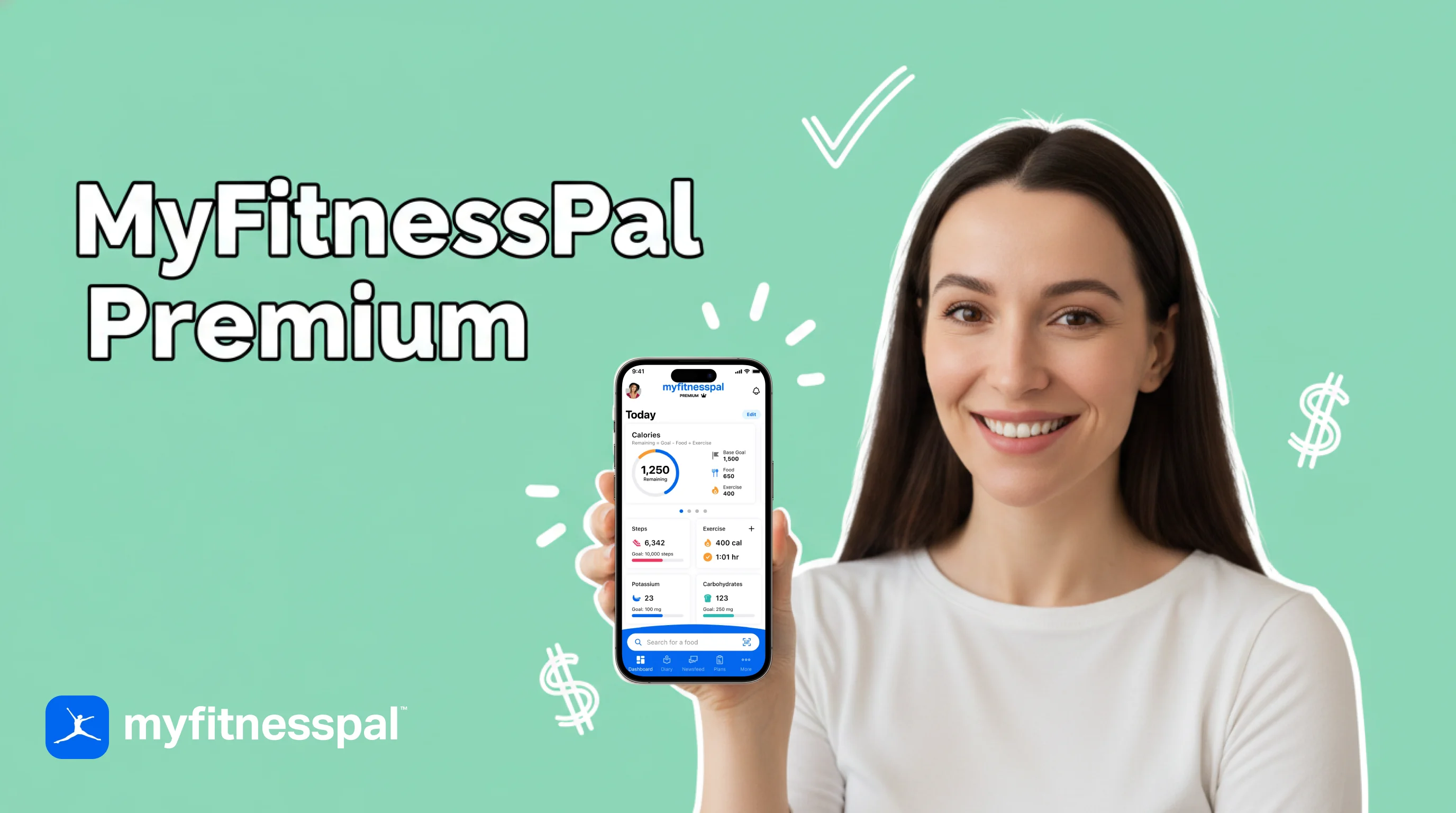
As a NutriScan nutritionist, I get this question constantly: "I already pay for MyFitnessPal Premium - should I upgrade to Premium+?" A 2025 meta-analysis of 29 randomized controlled trials found that mobile app-based nutrition interventions reduced body weight by 1.45 kg, BMI by 0.35 kg/m², and waist circumference by 1.98 cm (Li et al., 2025). The tool matters less than how consistently you use it - but Premium and Premium+ are not the same tool, and the $20 gap between them is worth understanding before you spend.
TL;DR - MyFitnessPal Premium vs Premium+ 2026
- The only real difference: Premium+ adds the Meal Planner (1,500+ recipes, grocery lists, Instacart/Walmart+ delivery). Everything else is identical.
- Premium ($79.99/yr or $19.99/mo): Barcode, voice logging, custom macros by gram, fasting tracker, food insights, ad-free.
- Premium+ ($99.99/yr or $24.99/mo): All of Premium plus the Meal Planner system and grocery delivery integration.
- Real cost gap on annual: $20/year, or $1.67/month.
- Verdict: Skip Premium+ unless you will meal plan at least twice a month. Stay on Premium if you already know what to eat.
Quick Verdict: The $20 Question 💵
MyFitnessPal split its paid tier in two in 2024. Premium costs $79.99 per year. Premium+ costs $99.99 per year. That is a $20 annual gap, or roughly $1.67 per month on the annual plan. On the monthly plan, the gap widens to $5 per month, or $60 a year.
The feature gap is narrow but specific: Premium+ adds a Meal Planner with automated grocery lists and delivery integration. Everything else - barcode scanning, voice logging, macro tracking, ad-free logging - comes with both plans.
If you already plan your meals or want to start, Premium+ pays for itself fast. If you eat the same prepped meals every week and just need to track them, standard Premium is the better buy.
| Question | Answer |
|---|---|
| Does Premium+ include everything in Premium? | Yes |
| Is the Meal Planner the only Premium+ exclusive? | Yes |
| Annual price difference? | $20/yr ($1.67/mo) |
| Monthly price difference? | $5/mo ($60/yr) |
| Worth upgrading if I do not meal plan? | No |
| Worth upgrading if I meal plan weekly? | Yes |
 That "okay, the answer is obvious now" moment after the cost math lands.
What Premium Includes (and Why Most Users Start Here) 🧰
Premium is the core paid experience. It unlocks every tracking feature the free version restricts, and for most users, it covers everything they need.
Here is the full list of Premium features:
- Ad-free logging - no banner ads or interstitials while you track meals
- Barcode scanner - scan packaged foods to log nutrition data instantly
- Meal Scan - use your phone camera to identify foods on your plate
- Voice logging ("Say It") - say what you ate and the app logs it
- Multi-day logging - log meals for past or future days
- Custom macros by gram - set protein, carbs, and fat targets in grams instead of percentages
- Intermittent fasting tracker - set fasting windows and track eating periods
- Food analysis and insights - eating pattern breakdowns over time
- Progress reports - weekly and monthly nutrition summaries
- Priority customer support - faster responses from the MFP support team
Premium costs $19.99 per month or $79.99 per year. The annual plan works out to $6.67 per month - a 67% saving over monthly billing. A one-month free trial is often available for new users.
Why Barcode Scanning Alone Drives Most Upgrades
The barcode scanner is the single most common reason free users go paid. MyFitnessPal moved this feature behind the paywall in 2023, and the app's database of 20+ million food items almost always returns a match when you scan (MyFitnessPal). Scanning takes 3 seconds. Manually typing "Chobani Greek Yogurt Vanilla 5.3 oz" into the search bar takes 15-20 seconds and often surfaces duplicate entries with different calorie counts.
Why Custom Macros by Gram Matter for Structured Diets
The free version only lets you set macros as percentages, which is fine for casual tracking but useless if your coach or dietitian gives you targets like 150g protein, 200g carbs, 60g fat. Premium lets you enter those exact gram numbers directly - no math, no rounding errors.
If you already know your macros, do not pay for Premium+
The Meal Planner does not understand custom macro splits as precisely as a human coach would. If you have specific gram targets from a dietitian, standard Premium plus manual tracking is more accurate than letting the planner build your week.
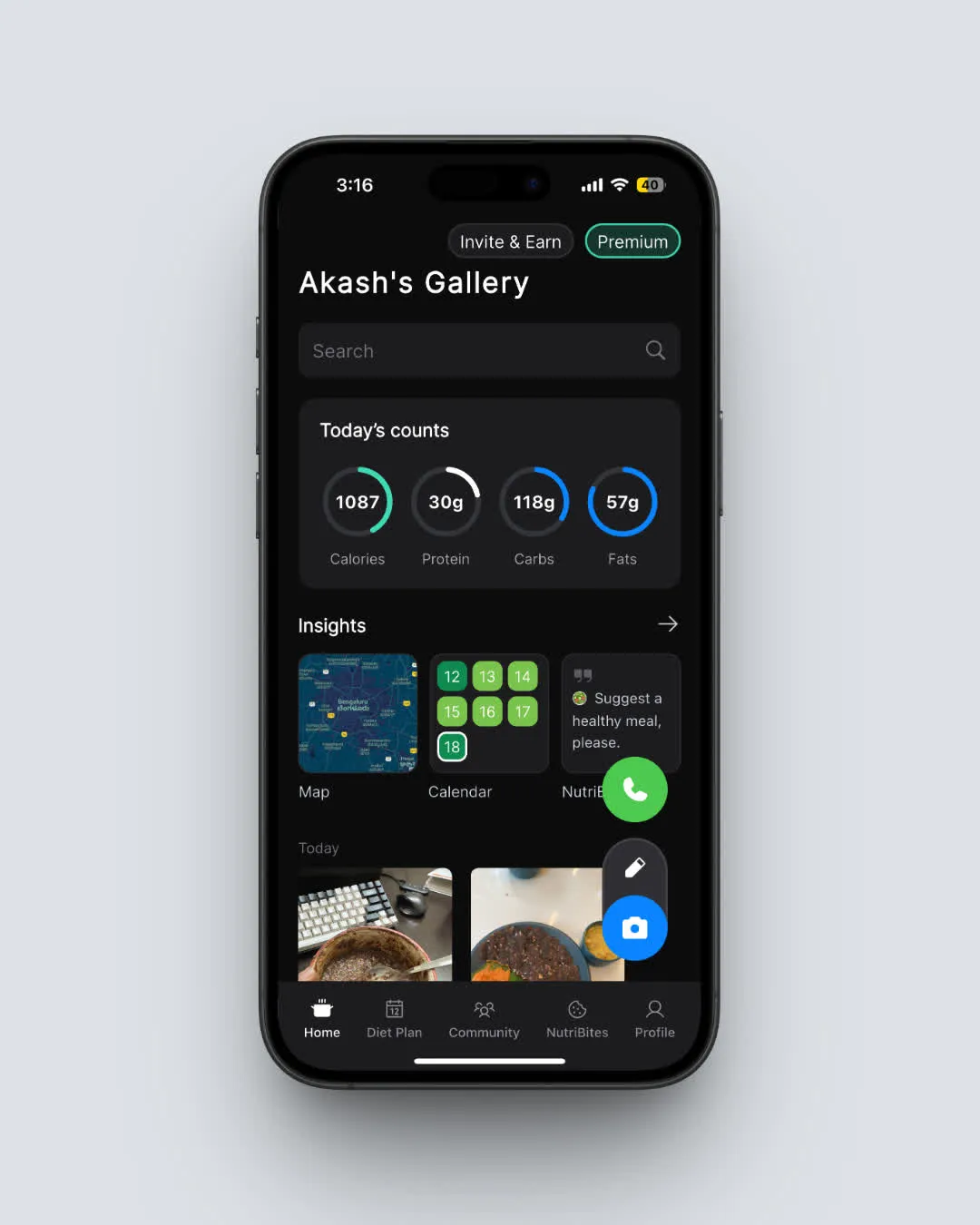 NutriScan's daily breakdown - macros, calories, and scan history on one Home screen. Both MFP Premium and Premium+ show similar daily totals; the difference is what you do with them.
What Premium+ Adds: The Meal Planner System 🍽️
Premium+ includes every feature in Premium, plus one major addition: the Meal Planner system. MyFitnessPal launched this as a Premium+ exclusive in April 2025 (MyFitnessPal Blog, 2025).
The Meal Planner bundle includes:
- Custom meal plans - generated from your calorie and macro goals, dietary approach, cuisine preferences, budget, cooking time, and family size
- 1,500+ recipes - searchable and filterable by diet type, meal, and ingredient
- Automated grocery lists - categorized by section (produce, dairy, meat, pantry) and built from your weekly plan
- Grocery delivery integration - sync to Instacart or Walmart+ and order from inside the app
- Recipe and grocery list sharing - send plans and lists to family or housemates
- Automatic meal plan logging - meals from your plan log to your diary in a few taps
- Time and budget options - set how long you have to cook and how much you want to spend
- Leftover management - tell the planner you want leftovers and it adjusts portions
- Pantry feature - exclude items you already have from your grocery list
Premium+ costs $24.99 per month or $99.99 per year. The annual plan works out to $8.33 per month. The Meal Planner supports 10 dietary approaches: Balanced, Flexitarian, Keto, Low-Carb, Mediterranean, Paleo, Pescatarian, Vegan, Vegetarian, and Whole-Food Focus (Garage Gym Reviews, 2026).
What People Actually Say About the Meal Planner
Reddit users on r/Myfitnesspal share mixed opinions about the upgrade. One user wrote: "I love it for the meal planning and grocery list. I love that I can tell it my calorie and protein goals and it will tailor meals to me." Another noted the upgrade makes sense "if you want to participate in incentive programs requiring Premium Plus status" or "can get cash back or a reduced subscription price" through employer wellness benefits.
On the MyFitnessPal blog, member testimonials highlight the planner's practical value:
- Marilyn B.: "We are definitely saving a lot! Our food budget is nearly half of what we used to spend."
- Sharon M.: "I used AI chat to suggest meals, but there are no pictures, recipes, or nutritional breakdown. MyFitnessPal Meal Planner was a fabulous visual experience and easy to use."
CNET's hands-on review noted the Meal Planner "pleasantly surprised" them with how well it customized recipes and integrated with grocery delivery, making the Premium+ tier feel justified for users who actually meal plan weekly (CNET).
If you cannot picture using the planner, do not upgrade
The fastest way to waste $20/year is to upgrade to Premium+ "just in case" and never open the Meal Planner tab. Start with Premium, see if you wish you had a meal plan, and upgrade later.

Cost Math: What the $20 Actually Buys 📊
Here is the side-by-side cost ladder.
| Plan | Monthly | Annual | Per Day (annual) | Vs Free |
|---|---|---|---|---|
| Free | $0 | $0 | $0 | - |
| Premium | $19.99 | $79.99 | $0.22 | +$79.99 |
| Premium+ | $24.99 | $99.99 | $0.27 | +$99.99 |
The monthly gap between Premium and Premium+ ($5) is three times the annual gap ($1.67/mo). If you choose monthly billing, the upgrade costs $60 extra a year. If you choose annual billing, it costs $20 extra a year.
For a full breakdown of MyFitnessPal tiers, see our MyFitnessPal pricing 2026 guide.
Three Real-World Profiles: When Premium+ Pays Off (and When It Does Not)
Not every user needs the Meal Planner. Here are three profiles that show where each plan makes more sense.
Profile 1: Sam, The Macro Tracker (Premium is enough)
Sam is a 28-year-old who lifts weights four days a week. He already knows what to eat and preps the same six meals on Sundays: chicken, rice, broccoli, eggs, oats, Greek yogurt. He needs barcode scanning, custom macro targets, and multi-day logging. He does not need someone to tell him what to cook. Premium at $6.67/month covers everything Sam uses. Premium+ would sit unused.
Profile 2: Priya, The Busy Parent (Premium+ saves time)
Priya works full-time and cooks for a family of four. She spends 45 minutes every Sunday deciding what to make for the week, then another 30 minutes building a grocery list. With Premium+ Meal Planner, she sets her calorie goal, picks "Mediterranean" and "under 30 minutes," and gets a full week of dinners with a categorized grocery list she sends straight to Instacart. The $1.67/month saves her over an hour each week.
Profile 3: Jordan, The New Tracker (Premium first, decide later)
Jordan just started tracking calories for the first time. He is still learning how to read nutrition labels and log meals consistently. The Meal Planner would add complexity he does not need yet. Premium gives him barcode scanning, voice logging, and macro tracking - enough to build a habit. He can upgrade to Premium+ later if meal planning becomes a goal.
 The "okay, that's me - I'm a Sam, not a Priya" moment most people land on.
Full Feature Side-by-Side Table
| Feature | Free | Premium ($79.99/yr) | Premium+ ($99.99/yr) |
|---|---|---|---|
| Manual food logging | ✅ | ✅ | ✅ |
| Food database (20M+ items) | ✅ | ✅ | ✅ |
| Calorie tracking | ✅ | ✅ | ✅ |
| Community forums | ✅ | ✅ | ✅ |
| Ad-free experience | ❌ | ✅ | ✅ |
| Barcode scanner | ❌ | ✅ | ✅ |
| Meal Scan (photo) | ❌ | ✅ | ✅ |
| Voice logging | ❌ | ✅ | ✅ |
| Multi-day logging | ❌ | ✅ | ✅ |
| Custom macros by gram | ❌ | ✅ | ✅ |
| Intermittent fasting tracker | ❌ | ✅ | ✅ |
| Food analysis and insights | ❌ | ✅ | ✅ |
| Progress reports | ❌ | ✅ | ✅ |
| Priority support | ❌ | ✅ | ✅ |
| Meal Planner | ❌ | ❌ | ✅ |
| 1,500+ recipes | ❌ | ❌ | ✅ |
| Automated grocery lists | ❌ | ❌ | ✅ |
| Grocery delivery (Instacart/Walmart+) | ❌ | ❌ | ✅ |
| Recipe and list sharing | ❌ | ❌ | ✅ |
| Automatic meal plan logging | ❌ | ❌ | ✅ |
| Budget and time options | ❌ | ❌ | ✅ |
| Monthly cost (annual billing) | $0 | $6.67 | $8.33 |
| Monthly cost (monthly billing) | $0 | $19.99 | $24.99 |
The 14 shared features cover every tracking need most users have. The 7 Premium+ exclusives all belong to the Meal Planner system.
How Premium and Premium+ Compare to Other Apps
MyFitnessPal is not the only option. Here is how its two paid tiers stack up against competitors in the same price range.
| App | Annual Price | Meal Planner | Grocery Lists | Photo Logging | Custom Macros |
|---|---|---|---|---|---|
| MFP Premium | $79.99/yr | ❌ | ❌ | ✅ | ✅ |
| MFP Premium+ | $99.99/yr | ✅ | ✅ | ✅ | ✅ |
| MacroFactor | $71.99/yr | ❌ | ❌ | ✅ | ✅ |
| Cronometer Gold | $49.99/yr | ❌ | ❌ | ❌ | ✅ |
| Lose It Premium | $39.99/yr | ❌ | ❌ | ✅ | ✅ |
| YAZIO PRO | $47.90/yr | Limited | ❌ | ✅ | ✅ |
| Eat This Much | $60/yr | ✅ | ✅ | ❌ | ✅ |
| FatSecret Premium | $59.99/yr | ❌ | ❌ | ✅ | ✅ |
| NutriScan Premium | $59.99/yr | ❌ | ❌ | ✅ | ✅ |
MFP Premium+ is the most expensive annual plan among mainstream calorie trackers. But it is also the only one combining photo logging, voice logging, custom macros, meal planning, and grocery delivery integration in a single app. If you use all of those, $99.99 is competitive. If you only need tracking, several alternatives cost less.
What the Research Says About Meal Planning and Tracking 🔬
The science supports both tracking and meal planning as strategies for weight management, but they work through different mechanisms.
A 2025 scoping review covering a decade of calorie counting app research (2013-2024) found that 78% of studies targeted adults with overweight or obesity, and the most common designs were randomized controlled trials (34%) and cohort studies (24%) (Dugas et al., 2026). Calorie tracking apps like MyFitnessPal have a strong evidence base for weight management.
A 2024 Cochrane systematic review of mobile health interventions for adolescents and adults with overweight or obesity found that the evidence remains incomplete due to high variability in app features (Metzendorf et al., 2024). Translation: picking the right plan for your habits matters more than picking the most expensive one.
A 2024 observational study on mobile app usage and weight loss confirmed that consistent engagement with tracking features - not just downloading the app - predicted better outcomes (Mobile App Effectiveness, 2024). This is the Premium vs Premium+ decision in one sentence: the best plan is the one you actually use.
Meal planning specifically has been linked to better diet quality and lower food costs. People who cook at home more frequently consume more fruits, vegetables, and whole grains and have lower body fat (MyFitnessPal Blog, 2025). The Meal Planner is designed to remove the planning and shopping friction that pushes people toward takeout.
Tips and Tricks: Getting Maximum Value From Either Plan 💡
- Start with the annual plan. Monthly costs $19.99 (Premium) or $24.99 (Premium+). Annual cuts your cost by ~67%. If you plan to use the app for more than 4 months, annual wins.
- Use the free trial first. MyFitnessPal frequently offers a one-month free trial of Premium or Premium+. Try Premium+ during the trial to test the Meal Planner. If you do not use it, downgrade to Premium before the trial ends.
- Check your employer benefits. Some companies reimburse wellness app subscriptions or offer discounted Premium+ access through health incentive programs. Check your HR portal.
- Check FSA/HSA eligibility. MyFitnessPal Premium and Premium+ may qualify as FSA or HSA eligible expenses, depending on your plan. You could pay with pre-tax dollars.
- Use the pantry feature (Premium+ only). Before generating a grocery list, update your pantry. This prevents the app from adding items you already have.
- Rate recipes to improve recommendations. The Meal Planner learns from your ratings. The more you rate, the better future plans match your taste.
- Share grocery lists with your household. If someone else does the shopping, share the categorized list directly from the app instead of texting individual items.
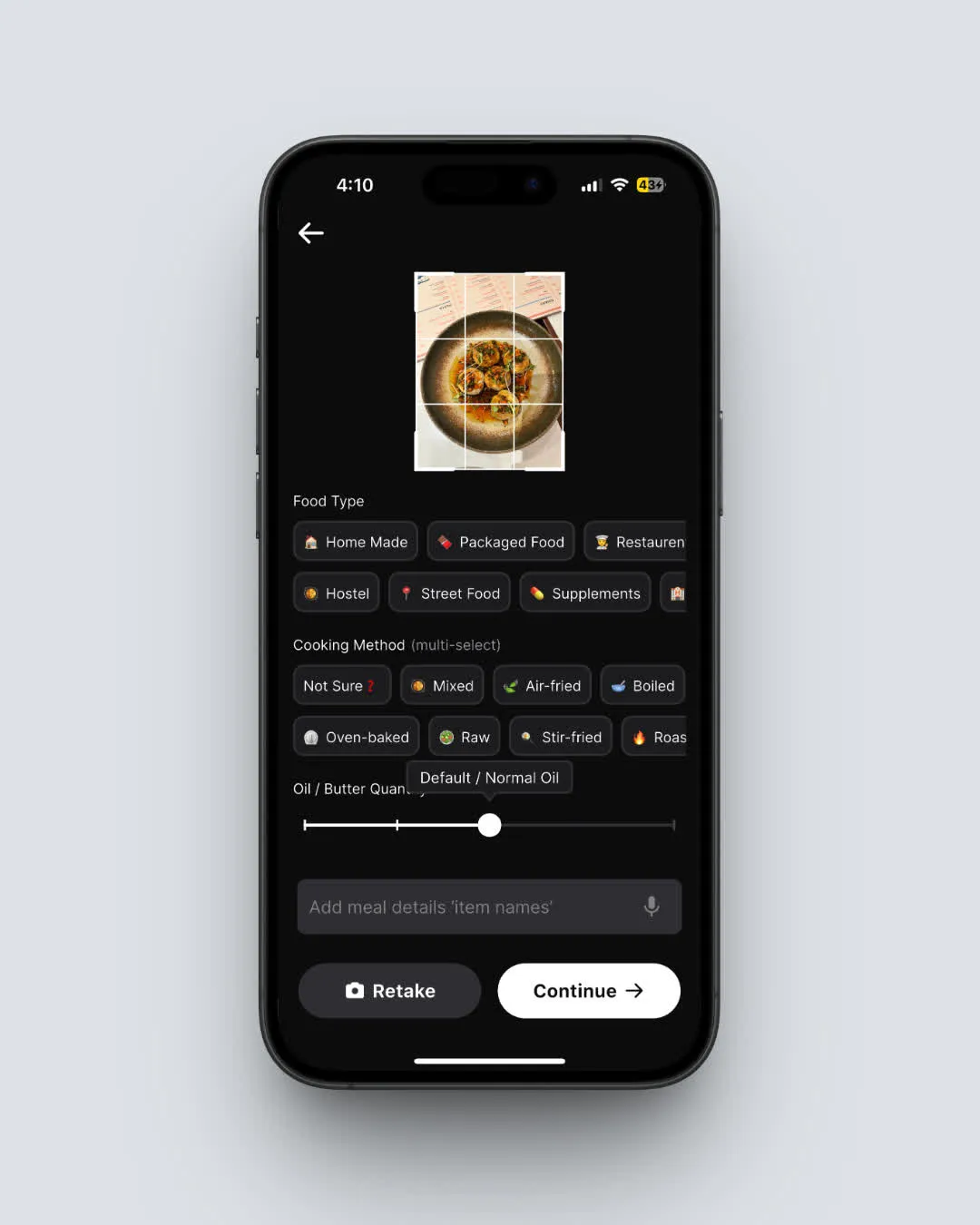 NutriScan: Home > Camera Icon > Crop Picture. Photo logging is the default flow, not a Premium add-on - useful context if you are price-shopping calorie trackers.
Step-by-Step: How to Decide Between Premium and Premium+ 📋
Follow these five steps to figure out which plan fits you.
Step 1: Check what you actually use. Open MyFitnessPal and look at your activity from the past two weeks. Do you log meals daily? Use barcode scanning? Check your macro breakdown? If you are not logging consistently yet, Premium is the right starting point.
Step 2: Ask yourself one question - do you meal plan? If you already plan your meals for the week or want to start, Premium+ adds structure and saves time. If you eat whatever is available and log it after the fact, the Meal Planner will go unused.
Step 3: Calculate the real cost difference. On the annual plan, the gap is $1.67/month. On the monthly plan, it is $5/month. If $1.67/month feels trivial and you will use the Meal Planner at least twice a month, Premium+ is worth trying.
Step 4: Test during a free trial. Start with Premium+ if a trial is available. Use the Meal Planner for at least two full weeks. Generate grocery lists, try the recipes, and log meals from the plan. If you use it regularly, keep Premium+. If not, switch to Premium before the trial ends.
Step 5: Review after 30 days. After your first month, check how often you opened the Meal Planner. If the answer is zero, you are paying $20 per year for a feature you do not use. Downgrade to Premium and save the difference.

The 30-Day Downgrade Trick That Saves $20/Year ✨
Here is the one thing most reviews skip when comparing MFP Premium and Premium+.
Most Premium+ subscribers never open the Meal Planner after the first week. It is not because the planner is bad - it is because meal planning is a habit, not a feature. If you do not already have the habit, the planner sits untouched and you pay $20/year for nothing.
The trick is a 4-step "30-day downgrade audit" anyone can run:
- Start on Premium+ during a free trial (or upgrade for one month if no trial is available).
- Open the Meal Planner on a calendar reminder twice a week for the first 4 weeks. Generate a plan, build a grocery list, log at least one planned meal.
- Count your Meal Planner opens. Did you open it 8+ times in 30 days? Keep Premium+. Did you open it 0-3 times? Downgrade to Premium immediately.
- Repeat the audit every 3 months. Habits drift. If you stopped using the planner, downgrade right away.
Why it works: the $20/year only pays off if you use the Meal Planner regularly. The audit forces an honest count instead of "I'll get to it next week."
The MyFitnessPal app makes downgrades straightforward through Settings ➡️ Subscription, and the change takes effect at the next billing cycle - so there is no penalty for switching tiers.
Pro tip - cancel the upsell loop
After downgrading, MyFitnessPal often re-promotes Premium+ inside the app. Set a calendar reminder for one month before your renewal date. That way you decide on your own time, not theirs.
App Store Ratings and User Sentiment
MyFitnessPal holds a 4.7 out of 5 rating on the Apple App Store from over 2.1 million reviews. On Google Play, it has 4.4 out of 5 from more than 2.76 million reviews. Common praise includes the intuitive interface, extensive food database, and barcode scanning. Common complaints include the paywall on features that used to be free and occasional app crashes during logging.
Garage Gym Reviews rated MyFitnessPal 4.42 out of 5 overall. Their registered dietitian tester, Sydney Lappe, called the app "one of the most intuitive apps out there" and noted that the Meal Planner adds real value for Premium+ subscribers who want grocery delivery integration (Garage Gym Reviews, 2026).
How NutriScan Compares to Either MFP Tier
Both MyFitnessPal Premium and Premium+ keep barcode and text search as the primary logging methods. NutriScan takes a different approach with AI photo scanning as the default way to log meals.
You take a photo of your plate and the app estimates calories and macros in seconds. The free plan includes 15 photo scans per week plus NutriBites AI tips. If you want to compare all three options, check our NutriScan pricing guide.
For long-term macro planning, our macro calculator gives you a target before you even download a tracker.
Conclusion: Which Plan Should You Choose?
The decision comes down to one feature: the Meal Planner.
If you already know what to eat and just need to track it, Premium at $79.99/year gives you every tracking tool MyFitnessPal offers - barcode scanning, voice logging, custom macros, fasting tracker, progress reports, ad-free. For most users focused on logging and accountability, this is the right plan.
If you want someone (or something) to tell you what to cook, generate a shopping list, and connect that list to grocery delivery, Premium+ at $99.99/year adds real value. The $1.67/month difference on annual is small enough to pay for itself if you use the Meal Planner even twice a month.
The wrong choice is paying for Premium+ and never opening the Meal Planner. Start with a free trial if one is available, test the feature for two weeks, and decide based on your actual usage. 🌟
Track your meals consistently with whichever plan you choose, and you are already ahead of most people. If you want to compare even more options, try NutriScan's free photo-based food scanner to see how AI logging fits into your routine.
Frequently Asked Questions ❓
Q: Can I switch from Premium to Premium+ (or back) at any time?
A: Yes. You can upgrade from Premium to Premium+ at any time through the app or website. The price difference is prorated for the remaining time on your current billing cycle. You can also downgrade from Premium+ to Premium, though the change takes effect at the end of your current billing period.
Q: Does Premium+ include everything in Premium?
A: Yes. Premium+ includes every feature available in Premium, plus the Meal Planner system (meal plans, recipes, grocery lists, delivery integration, and sharing). There is no feature in Premium that is missing from Premium+.
Q: Is the Meal Planner available on the web version?
A: The Meal Planner is primarily designed for the mobile app (iOS and Android). Some features may be accessible through myfitnesspal.com, but the full experience - including grocery delivery integration - works best on mobile.
Q: Can I use the Meal Planner for a specific diet like keto or vegan?
A: Yes. The Meal Planner supports 10 dietary approaches: Balanced, Flexitarian, Keto, Low-Carb, Mediterranean, Paleo, Pescatarian, Vegan, Vegetarian, and Whole-Food Focus. You can also set allergy restrictions and cuisine preferences.
Q: Is the $20 annual difference worth it if I only meal plan occasionally?
A: It depends on how you define "occasionally." If you use the Meal Planner two or more times per month, the $1.67 monthly cost adds up to less than a single takeout meal saved. If you use it less than once a month, you are paying for a feature that sits idle. Try the free trial first and track real usage before committing.
Q: Does MyFitnessPal offer student or military discounts?
A: MyFitnessPal does not currently offer dedicated student or military discount codes. However, some employer wellness programs and health insurance plans reimburse or subsidize Premium+ subscriptions. Check with your benefits provider. FSA and HSA funds may also cover the cost.
Q: How does MFP Premium+ compare to standalone meal planning apps?
A: The closest standalone competitor is Eat This Much ($60/year), which focuses entirely on meal planning and grocery lists. MFP Premium+ costs $40 more but includes full calorie and macro tracking, barcode scanning, voice logging, and a 20-million-item food database. If you want tracking and planning in one app, MFP Premium+ is the more complete package. If you only need planning, a standalone app may cost less.
Q: Will the Meal Planner respect my custom gram macros?
A: Partly. The planner uses your calorie and protein targets as primary guardrails and adjusts carb and fat totals around them. It works well for ±10% accuracy versus your target. If you need exact grams to the unit (e.g., bodybuilding cuts), Premium with manual tracking is more precise.