Cal AI vs Foodvisor 2026: Photo Scan vs Coaching App
 ChatGPT
  Claude
  AI Mode
  Perplexity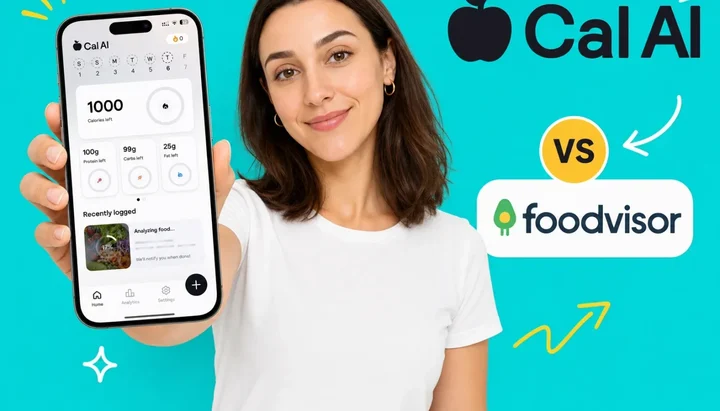
Both Cal AI and Foodvisor use AI photo recognition as their core feature. Both let you snap a plate and get a calorie count. But they are solving completely different problems - and choosing the wrong one for your situation will frustrate you within a week.
A 2025 study published in Nutrients put 114 real meal photographs through ChatGPT-4 and found a mean absolute percentage difference of 26.9% across 16 nutrients, with agreement on meal weight good for small meals and poor for medium and large ones. Weight came out too low in 76.3% of the 114 photographs (O'Hara et al., 2025). That is the general baseline for reading a plate from a picture, and it matters when evaluating either app. Neither is a laboratory instrument, and the gap between them is smaller than their marketing suggests. What differs most is the experience built around the scan.
TL;DR - Cal AI vs Foodvisor 2026
- Speed: both sell the scan as the fast part. Cal AI markets a "3-second photo" against "15+ minutes" of manual logging; Foodvisor markets "your meals in 5 seconds flat". Neither publishes a measured time.
- Coaching: Foodvisor has 500+ daily nutrition lessons and a personalized program. Cal AI publishes no coaching curriculum. Related: Foodvisor pricing 2026 and Cal AI pricing 2026.
- Pricing: neither is fixed. Cal AI's US App Store carried ten in-app purchases at once, subscriptions from $2.99 to $29.99, and shows no price until onboarding is done. Foodvisor's carried a similar spread, $14.99 to $89.99, and its help center says outright that it cannot give a universal price.
- Free tier: Foodvisor free is manual food-diary logging only. Cal AI's free plan excludes photo scan results.
- The shared gap: neither app publishes an oil-level or cooking-method prompt, which matters for any oil-heavy cuisine. See the meal scan guide for an alternative that accounts for oil.
IMPORTANT
Your Cal AI vs Foodvisor comparison at a glance.
Five things this review covers, in order. One of them is a weakness both apps share - and it matters especially if you cook with oil.
⏱️ Progress 0/5 - ~0 minutes in - Keep going
⏳ Step 1: How each app is built and what it is trying to do
⏳ Step 2: Photo scan accuracy and what the research actually shows
⏳ Step 3: What you actually pay in 2026 (pricing is not what it seems)
⏳ Step 4: Extra features beyond the photo scan
🔍 The hidden weakness both apps share - and the scanning trick that fixes it (revealed near the end)
Quick Verdict 📋
Prices are standard US prices as of mid 2026 and change by region. Both apps run promotional pricing, so the SKU you are shown may not be the one below.
| Cal AI | Foodvisor | |
|---|---|---|
| Best for | Fast casual logging, simple meals | Nutrition education, coaching seekers |
| Free tier | Photo scan results need a subscription | Manual food-diary logging only |
| Free trial | 3 days, started through your app store | 14 days via the referral program |
| Monthly price | No SKU is labeled monthly; $2.99, $5.99, $9.99 and $19.99 all live | $14.99, $29.99 or $39.99 depending on the SKU served |
| Annual price | No published price; SKUs top out at $29.99 | $23.99 to $89.99 listed, including an $83.99 annual tier |
| Pricing shown before signup? | No, hidden until onboarding finishes | No, the help center sends you to the app or a website account |
| Photo scan speed | Markets a "3-second photo", no measured figure published | Markets "5 seconds flat", no measured figure published |
| Coaching lessons | None published | 500+ daily nutrition lessons |
| Personalized program | No | Yes |
| App Store rating | 4.8/5, 350K ratings | 4.6/5, 17K ratings |
| Play Store rating | 4.6/5, 272K reviews | 4.7/5, 188K reviews |
| Developer | Viral Development LLC on the App Store, Improvement Tech LLC on Play; owned by MyFitnessPal since late 2025 | Foodvisor, a Paris company |
Store ratings checked 7 August 2026.
Choose Cal AI if you eat mostly simple, clearly visible meals and want logging stripped down to a photo and nothing else.
Choose Foodvisor if you want to understand why you eat the way you do, not just track numbers.
 Which scan approach actually works for your meals?
What Cal AI Is Built to Do 🚀
Cal AI launched in May 2024 and grew through TikTok content showing how fast the scan worked next to manual database entry. Zach Yadegari cofounded it while still in high school, and by mid 2026 it had 10 million users and $30 million in annual revenue. MyFitnessPal, the incumbent most comparisons treat as Cal AI's opposite number, acquired it in late 2025 (Business Insider, June 2026). They are now the same company.
The design goal is minimal taps and fast results. Cal AI's Play listing sells it as "BEFORE: Spending 15+ minutes logging meals, guessing portions, getting frustrated. AFTER: 3-second photo, accurate calorie count, and back to living your life" (Google Play). No Cal AI page publishes a measured scan time, so treat the 3 seconds as marketing, not a benchmark. There is no oil level selection and no cuisine prompt. The app names the food, estimates calories and macros, and adds it to your log. You can edit the estimate, but the default is to accept and move on.
What Cal AI includes:
- Streak and gamification system for consistent logging
- Public Groups for accountability
- Personalized AI suggestions on your progress
- Apple Watch sync for activity data
- Food log export as a PDF
- Barcode scanning for packaged foods
Cal AI publishes no coaching curriculum. Its site lists four things: photo logging, database search, progress tracking with AI suggestions, and water and exercise logging. The value it sells is speed. If you would quit logging because it takes three minutes a meal, Cal AI is the one-tap alternative.
The pricing model is unusual. Cal AI shows no price before you finish a multi-step onboarding quiz, and its App Store listing carries ten in-app purchases at once. Different users see different figures, and Cal AI has not published why.
IMPORTANT
Checkpoint: 1 of 5 complete.
Quick status so you always know where you are.
⏱️ Progress 1/5 - ~1 minute in - Keep going
✅ Step 1: How each app is built (done)
👉 Step 2: Photo scan accuracy and what the research actually shows (you are here)
⏳ Step 3: What you actually pay in 2026
⏳ Step 4: Extra features beyond the photo scan
🧩 The hidden weakness both apps share (coming soon)
What Foodvisor Is Built to Do 🧠
Foodvisor launched in 2015 in France (Startup Savant) and has spent a decade building around habit formation rather than quick logging. It is a Paris company, so its privacy policy is written to EU rules, and the app runs in 20 languages.
The photo scan works the way Cal AI's does. Foodvisor sells a single shot, not a careful one: "LOG YOUR MEALS IN 5 SECONDS FLAT ... Take a photo of your meal: AI identifies everything instantly." It also supports voice logging, barcode scanning and manual text search.
What Foodvisor adds around the scan:
- Daily coaching lessons on nutrition habits, portion awareness, meal timing and food choice. Foodvisor calls them daily courses and publishes no count; Garage Gym Reviews counted more than 500, served two or three a day
- Personalized nutrition program based on your goals and food preferences
- Hundreds of healthy recipes included with Premium access
- Plant-a-seed gamification (2026) - grow a virtual plant as you log meals and stay hydrated
- Micronutrient breakdown showing vitamins and minerals per meal, gated to Premium as "full meal analysis"
- Unlimited workout sessions in Premium
Foodvisor's internal data claims users lose an average of 15.83 lb in 3 months, from an internal study of 4,419 participants in January 2026. The same footnote gives the cohort's average BMI as 34.72, which is obese class I, so the figure describes a heavier starting population than a typical reader. The methodology is not independently published. Treat it as marketing data rather than peer-reviewed evidence.
Color-Coded Food Labels
A 2026 review by Garage Gym Reviews describes Foodvisor's color system labeling foods red, orange, yellow or green, with a smiley face on green foods and an angry face on red ones. The reviewer's objection is about the effect on the user, not on the food: "this can be harmful to those with a history of or a tendency to engage in disordered eating behaviors" (Garage Gym Reviews, 2026).
Photo Scan Accuracy: How They Compare 📊
Both apps use AI photo recognition. Neither is precise on complex meals - accuracy varies by meal type, lighting, portion size, and food category.
A 2025 systematic review of 13 studies concluded AI dietary assessment is promising and reasonably valid for calories and macros, with four studies showing correlation coefficients above 0.8 on calories. The weak spot it names is micronutrients, where estimates varied too widely to generalise, and it rated 61.5% of the studies at moderate risk of bias (Cofre et al., 2025).
No lab has published a head to head accuracy test of these two apps, so any per-app percentage you find online is somebody's estimate rather than a measurement. Treat the ones that circulate on review blogs accordingly.
What the peer-reviewed work does establish is the shape of the error. The Nutrients study above recorded 93% precision on identifying what was in the picture against a 26.9% mean absolute percentage difference on the nutrient numbers, and weight underestimated in 87 of 114 photographs (O'Hara et al., 2025). AI photo scanning names your food well and sizes it badly, and both apps here sit inside that band.
Neither company publishes where its coverage is strongest, so anyone telling you Cal AI is better on American plates and Foodvisor on European ones is guessing. The one sourced statement points the other way: Garage Gym Reviews reports Foodvisor "recently updated the food photography feature, adding a U.S. database". What holds for both is that neither handles a stew, a curry or a stir-fry well, because most of the uncertainty in those meals is oil, and oil does not show up in a photograph.
Real user accuracy complaints:
Cal AI App Store reviews flag barcode scanning errors. One user reported a single slice of bread showing 3,000mg sodium against a 290mg label, another reported "8,000 calories" for a small bowl of popcorn that resolved on a retake (App Store). A Google Play reviewer reports calories "always undercounted", with 60kcal returned for 260kcal of grapes and meat estimated about 50% low against a scale (Google Play).
Foodvisor's photo scan has the same failure mode in independent hands-on testing: rice read as couscous, asparagus read as green beans, and repeat photos of the same meal returning different suggestions (FeastGood). Voice logging gets positive marks for convenience.
The shared weakness: neither app publishes an oil-level or cooking-method prompt. For curries, stir-fries, sauteed vegetables and fried rice, where the oil is a large share of the calories and none of the picture, both apps will underestimate consistently. More on this near the end.
Pricing: What You Actually Pay in 2026 💰
IMPORTANT
Checkpoint: halfway through.
You are past the accuracy and product comparisons - pricing is the decision point for most people.
⏱️ Progress 2/5 - ~3 minutes in - Keep going
✅ Step 1: How each app is built (done)
✅ Step 2: Photo scan accuracy and what the research actually shows (done)
👉 Step 3: What you actually pay in 2026 (you are here)
⏳ Step 4: Extra features beyond the photo scan
🧩 The hidden weakness both apps share (coming soon)
 Both apps make you finish onboarding before a price appears.
Prices are standard US prices as of mid 2026 and change by region. Neither app publishes a price on its own website, so the table below is what the US App Store listed on 7 August 2026, not a rate card.
| Cal AI | Foodvisor | |
|---|---|---|
| Live SKUs | Ten in-app purchases, nine of them subscriptions | Eleven Premium SKUs |
| Range | $2.99 to $29.99, plus $0.99 Streak Restore | $14.99 to $89.99 |
| Monthly | Not labeled; $2.99, $5.99, $9.99 and $19.99 all live | $14.99, $29.99 and $39.99, all named "1 month of Foodvisor" |
| Longer terms | Not labeled; $29.99 is the ceiling | $23.99 and $83.99 Premium, $59.99 and $89.99 for 3 months |
| Trial SKUs | None on the listing | Two, at $59.99 and $71.99 |
Apple labels none of Cal AI's SKUs with a billing term, so its floor is $2.99, its ceiling $29.99, and there is no way to know from the outside which you will be offered. Cal AI also sells a family plan, confirmed in its FAQ, but publishes no price for it.
The biggest complaint about Cal AI in reviews is that the price stays hidden until the onboarding questionnaire is done. One Google Play reviewer put it directly: "Not upfront about pricing. They only told me about pricing after I've entered all my info and created an account" (Google Play). Cal AI has not published why different users see different figures.
Its trial is 3 days (calai.app) and starts through your app store, so whether a card is collected depends on your platform and region. Refunds follow whichever store you bought from: "Purchases and subscriptions are processed through third-party platforms such as the Apple App Store and Google Play Store. Their terms govern payment processing, renewals, and refunds" (Cal AI terms).
Foodvisor is no more predictable, whatever most write-ups say. Its help center states that the displayed price depends on your country, your platform and any promotion running, "which is why we cannot provide a fixed universal price", and that the only way to see your number is to open the app or create a website account (Foodvisor help center). Garage Gym Reviews notes the app puts a ten-minute questionnaire in front of you first. The "Cal AI hides its price, Foodvisor is upfront" framing does not survive either vendor's own pages.
Foodvisor does have a trial: 14 days through its referral program, followed by a 3-month subscription. The free version is narrower than usually reported, described by the help center in one sentence as letting you "track your food intake by manually logging meals into the food diary" (Is Foodvisor free?). Photo analysis, courses, recipes and the program are Premium, and "no ads" is listed as a Premium benefit too.
Direct cost comparison:
- Cal AI's ceiling ($29.99) sits below Foodvisor's $83.99 annual tier, so the widest plausible gap is about $54 a year
- Both floors are far lower, and neither vendor says who gets them
- If you use Foodvisor's lessons, program and recipes, that annual tier buys a product Cal AI does not sell at any price
Neither price is predictable. Budget against the top of each range, not the bottom.
What Each App Adds Beyond the Scan 🔍
IMPORTANT
Checkpoint: almost at the reveal.
One section left before the thing that matters most for real-world tracking.
⏱️ Progress 3/5 - ~4 minutes in - Keep going
✅ Step 1: How each app is built (done)
✅ Step 2: Photo scan accuracy and what the research actually shows (done)
✅ Step 3: What you actually pay in 2026 (done)
👉 Step 4: Extra features beyond the photo scan (you are here)
✨ The hidden weakness both apps share (about to reveal)
Cal AI extras:
- Streaks - break the chain, pay $0.99 to restore
- Groups for social accountability
- Personalized AI suggestions on your progress
- Apple Watch activity sync, plus Apple Health
- PDF log export
Cal AI is lean by design. The missing features are not oversights. They follow from the pitch on its own store listing, 15 minutes of manual logging replaced by one photo, with nothing else allowed to slow that down.
Foodvisor extras:
- 500+ daily coaching lessons (nutrition science, habit formation, portion awareness)
- Personalized nutrition program that adapts as you log
- Hundreds of recipes filtered by your goals
- Micronutrient breakdown (vitamins and minerals per meal), Premium only
- Plant-a-seed visual gamification (2026)
- Unlimited workout logging
Whether the coaching layer is worth it depends on how long you keep using either app, and the research on that is more cautious than app marketing suggests. A 2022 review of intermittent fasting and metabolic health concluded there have not been enough long-term comparative studies to say one dietary protocol beats another over time, and the trial it summarizes makes the point about people rather than protocols: alternate-day fasting matched daily calorie restriction on weight loss, but 38% of the fasting group dropped out against 29% on daily restriction (Vasim et al., 2022). The protocol was not the variable. Sticking with it was. Cal AI's speed serves that by removing reasons to quit. Foodvisor's coaching serves it by giving you reasons to stay.
The Hidden Weakness Both Apps Share - and How to Fix It 🧩
IMPORTANT
This is the part most comparison reviews skip entirely.
Both Cal AI and Foodvisor have the same blind spot. If this affects your meals, neither app will give you reliable numbers.
⏱️ Progress 4/5 - ~5 minutes in - Almost done
Neither Cal AI nor Foodvisor publishes an oil-level or cooking-method prompt. Cal AI's flow is a photo and a depth-sensor volume estimate; Foodvisor's five input modes are photo, voice, text, barcode and favourites. Neither asks what went into the pan. For how a scanner that does ask compares, see Cal AI vs NutriScan and NutriScan vs Foodvisor.
That sounds minor. It is not.
Cooking oil runs about 884 calories per 100g, so a single US tablespoon is roughly 120 calories (USDA FoodData Central). That tablespoon of mustard oil in your dal is 120 calories no photo will ever show, because it exists between the ingredients rather than on the surface. Two tablespoons in a curry is 240. AI models see the dish. They cannot see how much ghee went in before plating.
The same gap applies to:
- Stir-fried Chinese or Thai dishes, where wok cooking uses high oil volume
- Sauteed vegetables: 100ml of olive oil is about 91.5g, so roughly 810 calories shared across the pan
- Deep-fried anything, where crust absorption is invisible to AI
- Baked goods, where butter is embedded in the structure
Both Cal AI and Foodvisor will undercount these meals every time. This is not a bug in either app. It is a structural limitation of AI photo estimation without an oil prompt.
What Actually Fixes This
NutriScan addresses the oil gap directly. Before finalising each photo scan estimate, it asks for oil level (No Oil, Low Oil, Default / Medium Oil, High Oil) and cooking method, from a list of 11 including deep-fried, air-fried, steamed and grilled, then adjusts the calorie total accordingly.
The point is not a fixed number of calories saved. It is that you get to tell the estimate how much fat went into the pan, which is the one thing a photograph cannot show it.
The free plan includes 5 photo scans a week, which is enough to test the oil prompt on the exact dishes both apps undercount, and the 7-day trial starts through your app store: Try NutriScan's meal scan.

NutriScan's meal scan: crop, confirm, and get an oil-adjusted calorie count - Home > Camera Icon > Take Photo > Crop Picture
Who Should Use Which App 🎯
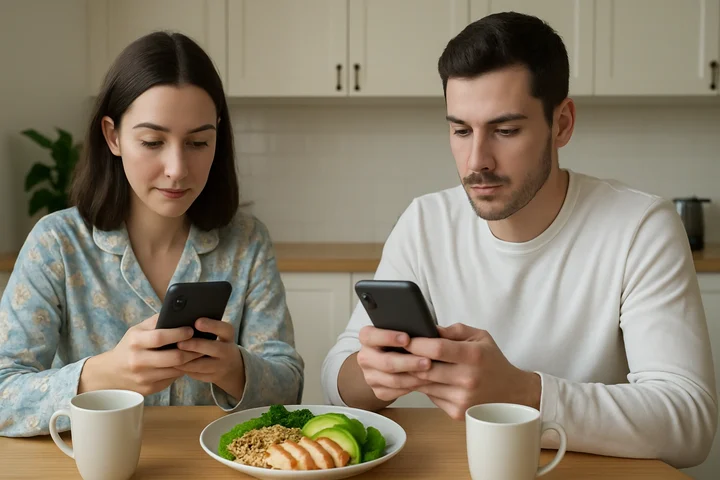 Picking the right app comes down to one question: do you want speed or understanding?
Cal AI makes sense if:
- You eat mostly simple, clearly identifiable meals - salads, grilled protein, bowls, fruit
- You tried a database-first tracker and quit because searching took too long
- Your main goal is calorie awareness without needing to understand the nutrition science
- Streaks and groups are the kind of thing that keeps you logging
- You are willing to sit through onboarding before you find out what it costs
Foodvisor makes sense if:
- You want to learn about nutrition while tracking, not just collect calorie numbers
- You prefer a structured daily habit system over a streaks-and-snap approach
- Micronutrient detail per meal matters to you and you will pay for it
- You can get the 14-day referral trial from someone already using it
- A higher annual price, up to the $83.99 tier, is acceptable for a more complete coaching experience
Neither app fits well if:
- You eat a lot of complex mixed dishes, curries, or anything with significant cooking oil - both apps underestimate these categories consistently
- You need micronutrient depth - Cronometer tracks up to 84 nutrients free and 95 on Gold, which is a different order of detail from either app here
- You want a free tier you can actually test the photo scan on - Cal AI's listing says scan analysis results require a subscription, and Foodvisor's free version is manual diary logging
- You want to dial in your calorie and macro targets first - use the free macro calculator to know your numbers before choosing a tracking app
IMPORTANT
Recap: everything this review covered.
Save this if you need to make the decision later.
⏱️ Progress 5/5 - ~6 minutes in - Nicely done
✅ Step 1: How each app is built - Cal AI = speed, Foodvisor = coaching
✅ Step 2: Photo scan accuracy - both sit in the same error band, and neither sees oil
✅ Step 3: Pricing - neither is fixed, both hide the number until you are inside the app
✅ Step 4: Extra features - Cal AI stays lean, Foodvisor wraps lessons and program around the scan
✅ The shared weakness revealed - neither app prompts for oil, NutriScan does
Frequently Asked Questions ❓
Is Cal AI more accurate than Foodvisor for photo scanning?
No independent lab has published a head to head test, so there is no honest accuracy percentage for either app. The peer-reviewed work tested ChatGPT-4 on 114 meal photographs: 93% precision on naming the food, a 26.9% mean absolute percentage difference on the nutrient numbers, and weight underestimated in 76.3% of photographs (O'Hara et al., 2025). Cal AI reviews report barcode and portion errors; hands-on testing found Foodvisor returning different answers for repeat photos of the same plate. Neither company publishes where its coverage is strongest.
Does Foodvisor have a free trial?
Yes, through its referral program: 14 days free, then a 3-month subscription (Foodvisor help center), plus two trial-priced Premium SKUs on the App Store listing. There is no self-serve trial button, and photo analysis is Premium either way.
How does Cal AI's pricing work?
No price appears until onboarding is done, and the US App Store listing carried ten in-app purchases at once on 7 August 2026, nine of them subscriptions from $2.99 to $29.99, none labeled with a billing term (App Store). Cal AI publishes no price on its own website, and has not said why figures differ between users.
Which app is cheaper per year?
Neither publishes a fixed annual price. On August 2026 SKUs, Cal AI tops out at $29.99 and Foodvisor's longer terms run $23.99 to $89.99, so Cal AI's ceiling is lower. Foodvisor's help center says outright it cannot give a universal price.
Can I use Foodvisor without paying anything?
Yes, but the free version is one feature. Foodvisor's help center describes it in a single sentence: it lets you track your food intake by manually logging meals into the food diary (Is Foodvisor free?). Photo analysis, courses, recipes, the program and even "no ads" are Premium.
Do either app work for tracking mixed dishes and curries?
Both struggle. AI photo recognition underestimates layered curries, oil-heavy preparations and dishes where components are not visually distinct, and neither app publishes an oil-level or cooking-method prompt. Where cooking fat is a large share of the total, an app that asks how much oil went in beats one that only reads the surface of the plate.
Bottom Line
Cal AI and Foodvisor both work for the meals they were designed for. Cal AI is the right choice if you eat mostly simple, photographable food and want logging to stay out of your way. Foodvisor is the right choice if you want a coaching layer around the same scan and do not primarily eat oil-heavy food.
Drop one idea before you decide: that one of them is priced honestly and the other is not. Neither publishes a price on its website, both put a questionnaire in front of the paywall, and between them they had more than twenty live SKUs in August 2026.
For everything in between, mixed dishes, curries, stir-fries, anything where oil is embedded in the cooking process, the more useful feature is an oil prompt, which neither app includes. That is the gap NutriScan was built to fill, with a meal scan designed for complex, multi-ingredient dishes.
If you cook at home, it is worth testing that before you commit to a tracker that only reads the surface of the plate.