How to Switch From MyFitnessPal to MacroFactor: What Transfers
 ChatGPT
  Claude
  AI Mode
  Perplexity
MacroFactor does not import a MyFitnessPal food diary. Your history comes out of MyFitnessPal as three files you keep yourself, your custom foods and recipes get rebuilt by hand, and your calorie target is recalculated from scratch by MacroFactor's own algorithm over two to three weeks of consistent logging. Export while Premium is still active, then build fresh.
TL;DR - Switching From MyFitnessPal to MacroFactor
Transfers as a file: Your logged history, exported from MyFitnessPal by email. Export is Premium-only, so do it before you cancel.
MacroFactor imports: Daily calorie and macro totals via Apple Health or Google Health Connect. Not individual foods, meals, or your food library.
You rebuild: Custom foods, recipes, favorites, each one the first time you eat it.
Starts from zero: Your calorie target. The expenditure estimate updates from day three and settles after two to three weeks.
The rule that matters: Nutrition on 6 of 7 days, weigh in at least weekly, never leave a half-logged day in the app.
NutriScan publishes this post, and we make a competing app. The first two weeks are the risky part of switching food tracking apps. A study of 90 adults using app-based food logging found that the number of weeks people logged consistently, defined as recording intake on at least three days per week, was significantly associated with the weight they lost over eight weeks (Payne et al., 2022, Obesity Science & Practice). Participants averaged 4.4 consistent weeks out of 8, and logged on about half of all days. Consistency was the variable that mattered, not the app.
That finding sets the real risk of switching. The days you spend fiddling with a new app are days you are not logging properly, and MacroFactor needs those early days more than MyFitnessPal ever did. Losing a file is the smaller problem.
This guide covers the whole move: how to get your MyFitnessPal data out before you cancel, what MacroFactor will and will not accept, how to rebuild your custom foods quickly, and what to expect from MacroFactor's calorie recommendations in your first three weeks.
IMPORTANT
Your switching plan at a glance.
A quick roadmap so you know what to do tonight and what to leave for week three.
⏱️ Progress 0/4 • ~0 minutes in • Keep going
⏳ Step 1: Get your data out of MyFitnessPal before you cancel
⏳ Step 2: Set up MacroFactor without misleading its algorithm
⏳ Step 3: Log through the three-week calibration window
🔍 The one habit that quietly wrecks week one for switchers (revealed near the end)
Start With the Honest Version of "Keep Your Data" 📦
Three separate things live inside a food tracking app, and people call all three "my data".
1. Your archive. Every day you logged, with calories, macronutrients, and dates. This is history. You can take a copy of it out of MyFitnessPal.
2. Your building blocks. Custom foods you created, recipes you built, meals you saved, and the favorites list that makes logging fast. This is what actually saves you time each day.
3. Your numbers. Your calorie goal, macro split, and weight history.
Only the first one moves as a file, and it moves to your own device, not into MacroFactor. MacroFactor does not import a MyFitnessPal food diary. Your building blocks get rebuilt by hand. Your numbers get recalculated from scratch by MacroFactor's own algorithm, on purpose, and that is the single most important thing to understand before you start.
 Moving apps is like moving house: the boxes come with you, the furniture layout does not.
What MacroFactor Actually Imports (and What It Does Not) 🔄
MacroFactor does support nutrition syncing, which is why this gets confusing. The company's own help documentation is specific about the limit. Through integrations, MacroFactor can pull in nutrition data logged elsewhere, but the data lands on your Nutrition page rather than your food log timeline. In their words, MacroFactor "is importing daily calorie and macronutrient data, but not specific foods or meals within a given day" (MacroFactor Help).
That single sentence decides your whole plan. A synced day gives MacroFactor a total. It does not give you a searchable record of the meal you ate on a Tuesday last March, and it does not populate your food library.
The integrations themselves live under More then Integrations, and currently cover Apple Health and Google Health Connect, with Fitbit support now deprecated (MacroFactor Help: Integrations). There is no MyFitnessPal file upload. So the plan is simple: get your history out of MyFitnessPal for your own records, then build fresh inside MacroFactor.
MacroFactor also ranks its data sources in a fixed order, manual entries first, then its own food log, then Apple Health, then Google Health Connect, so anything you log directly outranks anything synced in.
Step 1: Export Your MyFitnessPal Data Before You Cancel 📤
Do this first, while your subscription is still active. MyFitnessPal's file export is a Premium feature, and the export article says so (MyFitnessPal Help). If you cancel first and then try to export, you may find the button gone.
The steps, from the same support article:
- Open the MyFitnessPal app.
- Tap the More menu.
- Select Nutrition.
- Tap Export.
- Tap Date Range and choose your dates.
- Tap Export My Information.
You choose the date range for each export. Set it to cover everything, starting from the day you first signed up. If you are unsure of your start date, pick a date well before it. An oversized range costs you nothing.
The files arrive by email rather than as an instant download, so check the inbox linked to your MyFitnessPal account, and check the spam folder if nothing lands.
What Is Inside the Three Files
MyFitnessPal produces three separate files, and each one holds a different slice of your history:
| File | What it holds |
|---|---|
| Your Nutrition | Calories, macronutrients, micronutrients, and timestamps for logged foods, summarized by meal, plus any food notes |
| Your Progress | Logged measurements including weight, neck, waist, and hip entries |
| Your Exercise | Workouts, step counts, daily calorie burns from a tracker, and exercise notes |
The Nutrition file is the valuable one. It carries timestamps and micronutrients, which means it is a genuine record and not a weekly summary. Open it in any spreadsheet program and you have a permanent copy of your eating history that no subscription change can take away.
What the files do not contain is a re-importable version of your custom foods and recipes. You get the numbers you logged, not a package another app can unpack, which is why the rebuild step below matters. If you want to see how other trackers handle this, we compared the export options across nutrition apps.
IMPORTANT
Checkpoint: here's where you are right now.
Your history is safe in your inbox. Now the part that saves you hours later.
⏱️ Progress 1/4 • ~3 minutes in • Keep going
✅ Step 1: Get your data out of MyFitnessPal (done)
👉 Step 2: Set up MacroFactor without misleading its algorithm (you're here)
⏳ Step 3: Log through the three-week calibration window
🧩 The one habit that quietly wrecks week one (coming soon)

Step 2: Save Your Favorites List Before You Delete Anything 📝
This is the step people regret skipping. Before you stop opening MyFitnessPal, spend fifteen minutes doing something unglamorous.
Open your MyFitnessPal food diary and look at the last two weeks. Write down, in a note on your phone, every food you logged more than twice. The list is usually short, and it covers most of what a person actually eats. Alongside each item, note the brand, the exact serving size you used, and the calories.
Then open your recipes and screenshot each one, ingredient list and quantities included. Recipes are the most painful thing to lose because they took the most effort to build and they are the hardest to reconstruct from memory.
That note is your migration file. Manual and unimpressive, it saves more time in MacroFactor than the CSV export ever will.
Step 3: Set Up MacroFactor Without Misleading the Algorithm ⚙️
MacroFactor calculates your energy expenditure from two inputs: your weight trend and your logged calorie intake. The help documentation is blunt about what it needs from you, listing "1) consistent, accurate weight data, and 2) consistent, accurate nutrition data" (MacroFactor Help).
During onboarding, MacroFactor asks for your details and produces a starting expenditure estimate. This first number is a prediction, not a measurement, and it is meant to be temporary. Two rules for this stage:
Do not enter your MyFitnessPal calorie goal as your target. Your old goal came from a different formula and possibly from months of manual adjustments. Let MacroFactor start from its own estimate and correct itself.
Do not inflate your activity level. People coming from another app often pick a higher activity setting because their old app gave them a bigger number. A high starting estimate does not stay wrong forever, but it does mean the app spends your first two weeks walking a number down instead of refining it.
IMPORTANT
Checkpoint: midway progress update.
Setup is done. Everything from here is about the first three weeks.
⏱️ Progress 2/4 • ~5 minutes in • Keep going
✅ Step 1: Get your data out of MyFitnessPal (done)
✅ Step 2: Set up MacroFactor honestly (done)
👉 Step 3: Log through the three-week calibration window (current)
🧩 The one habit that quietly wrecks week one (next)
Step 4: Understand the Three-Week Calibration Window 📅
This is where switchers get impatient, so it helps to know the published timeline.
MacroFactor's algorithms begin updating their expenditure estimate on the third day after you start using the app (MacroFactor: Algorithm Accuracy). The help center says that when you log consistently and accurately, it takes roughly two to three weeks to settle on a good expenditure estimate, and after that, notable changes are picked up within one to two weeks. The algorithms consider around three weeks of data at a time (MacroFactor Help).
An early wobble is normal and documented. If the starting estimate was too high, your expenditure figure may drift down, undershoot slightly, then ease back up. MacroFactor describes these overshoots as generally in the range of 50 to 150 calories, smoothing out after three to four weeks of consistent logging (MacroFactor Help).
For context on where it lands, MacroFactor published its own accuracy analysis using data from 748 challenge participants: after three to four weeks of consistent use, expenditure estimation errors typically fell within 60 to 240 calories, with a median of 135 calories over a 30-day period (MacroFactor: Algorithm Accuracy). That is the company reporting on its own product, so treat it as a stated design target rather than independent validation. The useful takeaway is the shape of the timeline, not the decimal places.
Step 5: Log at the Frequency the Algorithm Requires 📊
MacroFactor asks for more logging discipline than MyFitnessPal did, because the coaching depends on it. Their documented thresholds for continuous expenditure updates are nutrition data on at least six of every seven days, and weight data at least once per seven-day period, with daily tracking of both described as ideal (MacroFactor Help).
For weigh-ins specifically, the help center advises measuring at least three times per week, spread evenly across the week, if daily is not realistic (MacroFactor Help: weight logging frequency).
 Same scale, same time, same conditions. The algorithm reads the trend, not one morning.
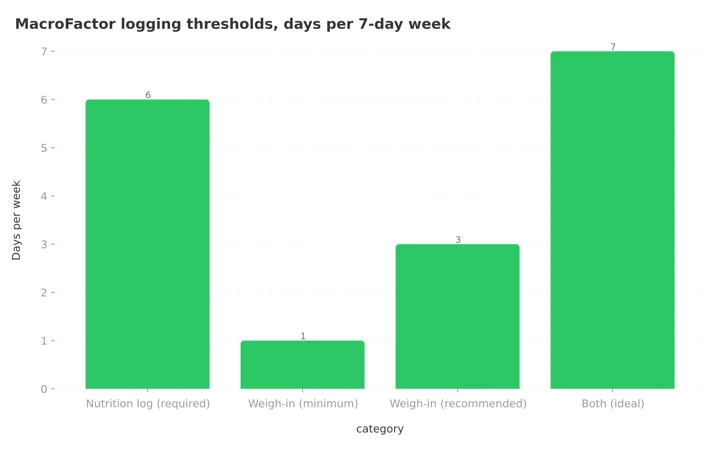 Figure 1: MacroFactor's documented logging thresholds. Nutrition is the strict one at 6 of 7 days; the scale has more slack.
There is an asymmetry worth knowing, and Figure 1 shows why. MacroFactor says a missing weigh-in is cheap to estimate around, because yesterday's weight sits predictably between the day before and today. A missing food day is expensive, because nothing can reasonably fill it in. Skipping the scale for a day is fine. Skipping the food log is not.
Rebuild Your Food Library Fast 🧱
Now use that note you made in Step 2. MacroFactor keeps five logging methods inside one interface, so you can scan a barcode for one item, search for the next, and create a custom food for a third without leaving the screen (MacroFactor Help: How to Log Food).
Three tools do the rebuilding work:
Barcode and label scanner. Barcode scanning pulls a matching food from the database. If your item is not in there, the label scanner reads the nutrition panel directly, which is far faster than typing values by hand (MacroFactor Help: Label Scanner).
Custom foods. Create a custom food and tap "Create & Add" to save it and log it in the same action, so rebuilding your library happens while you eat rather than as a separate chore (MacroFactor Help: Create a Custom Food).
Recipes. Tap the plus button, choose New Recipe, name it, set the number of servings, and add your ingredients from the screenshots you took (MacroFactor Help: Create a Recipe). Recipes can also be imported from a link, which saves typing for anything you originally copied from a website.
Do not try to rebuild everything on day one. Rebuild each item the first time you eat it. After two weeks of normal eating you will have reconstructed almost your entire library without ever sitting down to a data entry session.
IMPORTANT
Checkpoint: final stretch before the reveal.
You know the timeline and the thresholds. One habit undoes both.
⏱️ Progress 3/4 • ~8 minutes in • Keep going
✅ Step 1: Get your data out of MyFitnessPal
✅ Step 2: Set up MacroFactor honestly
✅ Step 3: Log through the three-week calibration window
✨ The one habit that quietly wrecks week one (about to reveal)
The Habit That Quietly Breaks Week One 🚨
It is the half-logged day. You open the app at breakfast, log two items, get busy, and never come back. The day sits there looking like you ate 400 calories.
MacroFactor's documentation calls it "critically important" to delete partially logged days, because a half-finished day reads to the algorithm as a very low calorie day, and it will pull your expenditure estimate in the wrong direction (MacroFactor Help). One such day in a three-week window is enough to hand you a calorie target that is lower than it should be, and the target is the whole reason you switched.
Their guidance on unlogged days is worth applying from day one:
- A rough estimate beats a blank day. If you ate a large uncertain meal, guess high rather than leaving it empty.
- A completely blank day tells the algorithm nothing at all, which is better than a wrong low number but worse than a rough guess.
- Use the quick-add function on days you cannot track properly.
- Delete partial days retroactively from the habits page.
New switchers produce the most partial days, because they are still learning the interface. A 30-second check each evening, asking "did I finish today or should I delete it", protects three weeks of calibration.
Six Tips for the First Month 💡
- Export before you cancel. The export is behind Premium. Get the files while you are still paying, then cancel (how to cancel MyFitnessPal before you are charged).
- Run both apps for one week. Log in MacroFactor as your primary and keep MyFitnessPal installed as a reference for serving sizes you cannot remember. Delete it after.
- Weigh yourself the same way every time. Morning, after the bathroom, before eating. Consistent conditions make the weight trend cleaner, which makes your calorie target more stable.
- Do not judge the app in week one. The first expenditure number is a starting guess that the algorithm is designed to correct. Give it until week three before you decide whether the recommendations are sensible.
- Take the free trial seriously. MacroFactor is a paid-only app with a trial period, so plan to log properly during the trial or you will be evaluating an algorithm that has not had a chance to calibrate (MacroFactor free trial guide).
- Keep the exported files somewhere permanent. Cloud storage, not your phone's downloads folder.

What You Will Miss From MyFitnessPal 🤔
Being honest about this makes the switch easier, because you will notice these gaps in week one and wonder if you made a mistake.
Database size. MyFitnessPal's food database is enormous, built over many years of user submissions. MacroFactor's is smaller and more curated. The trade is fewer junk entries against fewer obscure regional foods. For a fuller comparison of the two, we covered it separately in our MacroFactor vs MyFitnessPal breakdown.
Your streak. There is no way to carry a logging streak across apps, and this bothers people more than they expect. Treat the reset as a fresh count rather than a loss.
Friends and community features. MyFitnessPal has social elements MacroFactor does not attempt to match. If your consistency depends on a friend seeing your diary, the switch will cost you something real, and you should replace that support before you move.
Free access. MyFitnessPal has a free tier. MacroFactor does not, which is why the decision to switch is also a spending decision. We looked at whether it earns the price in our MacroFactor value review.
What the Research Says About the Switch Window 🔬
The evidence on food tracking keeps pointing at the same variable, and it is not the app you choose.
A retrospective study of 1,359 MyFitnessPal users found that 48.5% achieved clinically significant weight loss, defined as 5% or more of body weight, and that each additional daily app interaction increased the odds of reaching that threshold by 8% (Wang et al., 2026, Nutrients). Engagement, measured in ordinary daily actions, was the predictor.
That study is about MyFitnessPal, so the app people are leaving works when they use it. The case for switching rests on structure: automatic weekly target adjustments may make you more likely to keep logging.
The Payne data adds the failure mode. Participants who logged consistently, at three or more days a week, lost more weight, but they only averaged 4.4 consistent weeks out of eight. Consistency erodes, and it erodes fastest during disruption. A switch is a disruption. Which is why the goal for your first month is unbroken data, not perfect data.
There is one more reason to keep your exported files. Dropout from health apps is common rather than exceptional. A 2020 systematic review and meta-analysis of 17 studies of app-based interventions for chronic disease put the pooled dropout rate at 43%, with a 95% confidence interval of 29 to 57 (Meyerowitz-Katz et al., 2020, JMIR). If MacroFactor does not suit you, you will want your history, and you will want it in a file you already hold.
Where NutriScan Fits in This Decision 📱
If you are moving to MacroFactor because you want algorithmic macro coaching that adjusts your targets from your own results, MacroFactor is the right destination and this guide is the whole answer. NutriScan does not do that job, and it will not import your MyFitnessPal history either. No app in this category will.
If you are leaving MyFitnessPal for a different reason, that manual searching and serving-size fiddling has worn you down, then the destination question is still open. NutriScan's approach is photo-based meal scanning with a NutriScore for food quality, voice input for adding missed items, and diet plans, which is a different route to the same goal of a log you actually keep. NutriScan has no barcode scanner, so packaged-food heavy eaters are better served elsewhere. We put the two side by side in NutriScan vs MyFitnessPal.
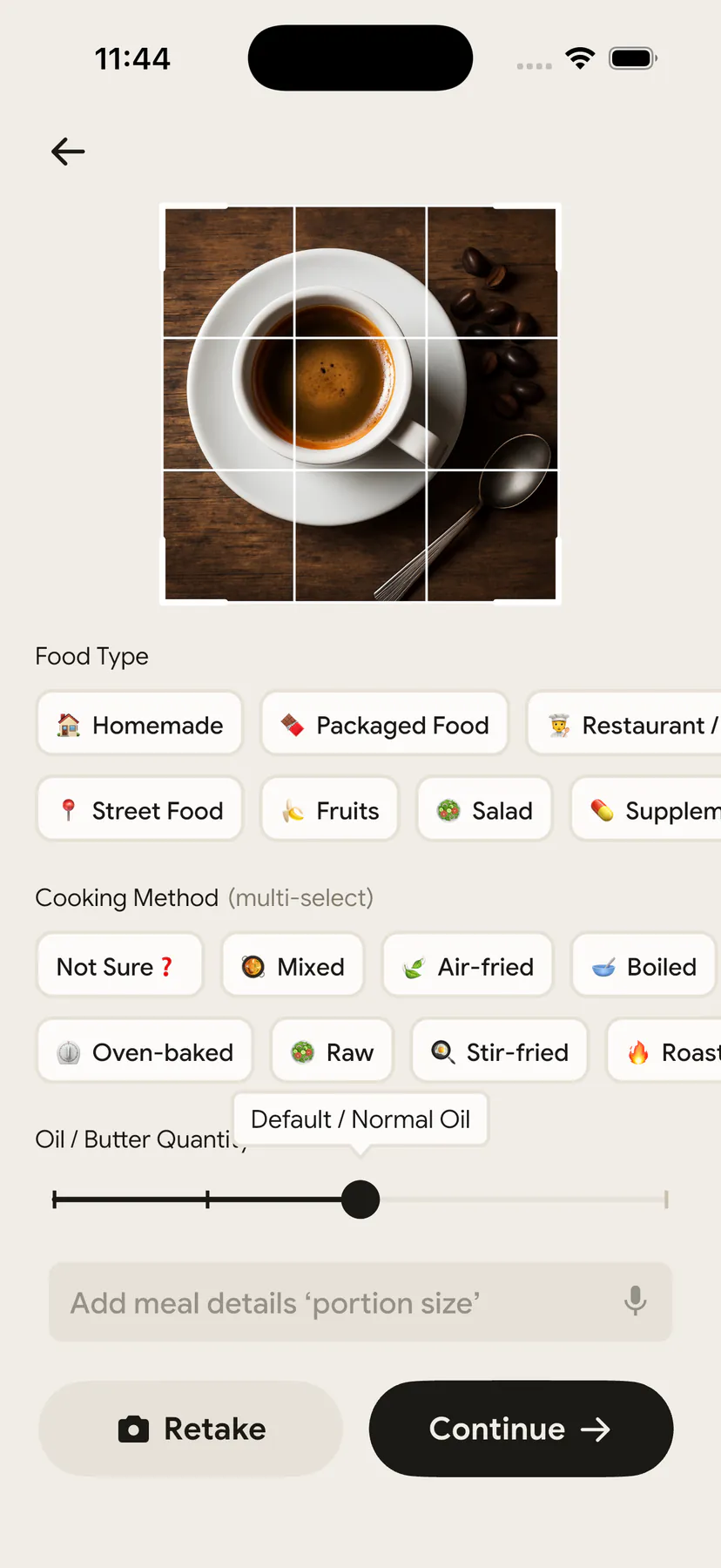
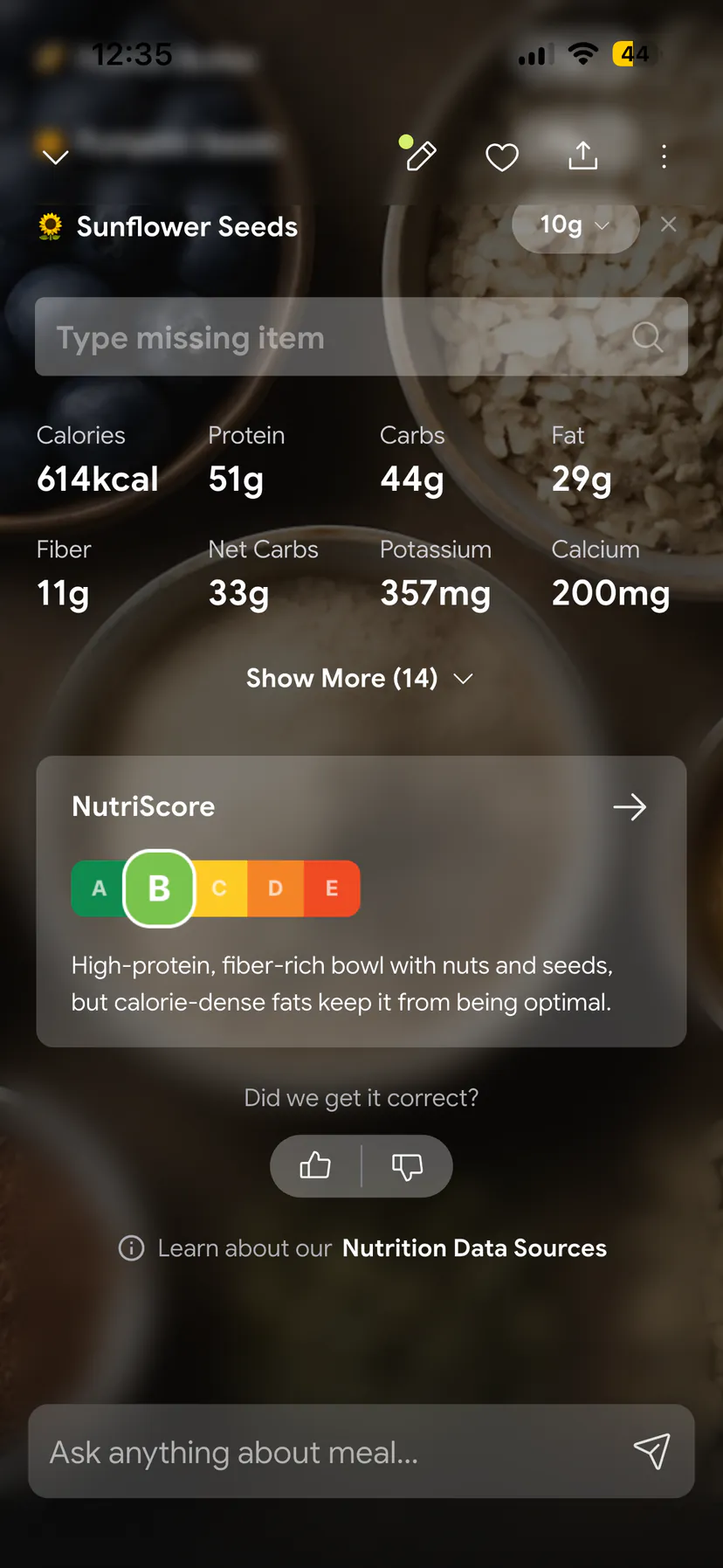
On data, we hold ourselves to what we ask of others. Fasting data exports as a CSV inside the app, and a full copy of your data is available on request in JSON or CSV under our privacy policy.
IMPORTANT
Recap: everything you completed this round.
You finished the run. Save this for the evening you actually make the move.
⏱️ Progress 4/4 • ~11 minutes in • Nicely done
✅ Step 1: Export from MyFitnessPal while Premium is active ➡️ note your 20-40 repeat foods ➡️ screenshot recipes
✅ Step 2: Onboard MacroFactor with honest activity and no imported calorie goal
✅ Step 3: Nutrition 6 of 7 days, weigh-ins 3 times a week, judge nothing before week three
✅ The week-one habit: never leave a half-logged day in place, quick-add or delete it (revealed)
If micronutrients, not algorithmic targets, are the reason you are leaving, the MyFitnessPal to Cronometer switch follows the same export-first sequence with a different destination. If the ads are what pushed you out, the MyFitnessPal to MyNetDiary switch lands on a free tier with no ads at all. If you just want a simpler calorie budget, the MyFitnessPal to Lose It switch does the same, and if a ready-made weekly menu is the draw, so does the MyFitnessPal to Lifesum switch.
Conclusion
The move from MyFitnessPal to MacroFactor is straightforward once you accept the honest version of it. Your archive comes out as three files you keep yourself. Your food library is rebuilt as you eat, over about two weeks. Your calorie target is not transferred at all, because MacroFactor calculates it from your own weight trend and intake, and it needs two to three weeks of consistent logging to get there.
Sequence it properly and the whole thing costs you one careful evening and one patient month. Export while you are still paying, note your repeat foods, log almost every day, weigh at least three times a week, delete any half-finished days, and ignore the calorie number until week three.
If you are still deciding where to land rather than how to get there, track a few weeks with NutriScan and see whether photo-based logging holds your attention better than searching a database. The best tracker remains the one you are still opening in March.
Frequently Asked Questions
Can I import my MyFitnessPal food diary into MacroFactor? No. MacroFactor's integrations import daily calorie and macronutrient totals to your Nutrition page, not the specific foods or meals inside a day, and there is no MyFitnessPal file upload. Export your MyFitnessPal history for your own records and start a fresh log in MacroFactor.
Do I need MyFitnessPal Premium to export my data? Yes. MyFitnessPal's file export is documented as a Premium feature, so run the export before you cancel your subscription. The export produces separate nutrition, progress, and exercise files, delivered by email.
How long does MacroFactor take to work out my real calorie needs? Its algorithms start updating on the third day, and MacroFactor says it takes about two to three weeks of consistent logging to settle on a good expenditure estimate, with things smoothing out by three to four weeks. Early movement in the number is expected.
How often do I need to log for MacroFactor to keep adjusting? MacroFactor's documented thresholds for continuous updates are nutrition on at least six of every seven days and weight at least once per seven-day period. Daily logging of both is ideal, and three evenly spread weigh-ins per week is the practical minimum they recommend.
Should I keep MyFitnessPal installed after switching? Keep it for about a week as a reference for serving sizes and recipes you did not screenshot, then remove it. Running two food logs in parallel long-term splits your attention and usually ends with neither one being complete.
This article is for general information and is not medical advice. Speak with a qualified healthcare professional before making significant changes to your diet, particularly if you have an existing health condition.