Foodvisor Reviews: Is It Free, and How It Compares to NutriScan
 ChatGPT
  Claude
  AI Mode
  Perplexity
 Foodvisor is free to download and the free tier never expires, but it gives you zero photo scans, and Premium is $14.99 a month or $83.99 a year with no trial. NutriScan's free plan includes 5 AI photo scans a week with NutriScore, macros and micronutrients on every meal. NutriScan Premium is about $59 a year with a 7-day trial.
Last verified: August 23, 2026
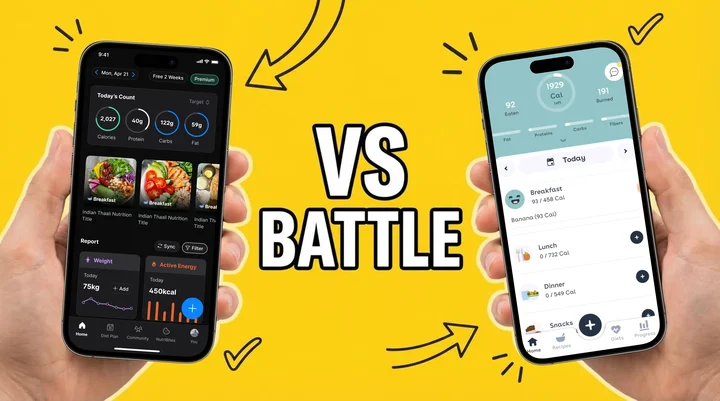
Foodvisor reviews all land on the same split. The app logs Western food quickly and its daily lessons are genuinely good, but the AI photo scan that people install it for sits behind Premium at $14.99 a month or $83.99 a year. Those are standard US prices as of August 2026 and they change by region.
TL;DR: the short version of every Foodvisor review
• Is Foodvisor free: Yes, and the free tier lasts as long as you want. It covers manual food search, calorie and macro totals, weight and water logging, and Apple Health or Google Fit sync. It gives you zero photo scans.
• Price: Foodvisor Premium is $14.99 a month or $83.99 a year, about $6.99 a month annually, with no free trial. NutriScan Premium is about $59 a year with a 7-day trial. US prices as of August 2026.
• AI accuracy: Foodvisor tested at 87% in the JMIR app comparison. NutriScan asks for cooking method and oil level before it scores a plate, which is where mixed home-cooked dishes usually go wrong.
• Free plans compared: Foodvisor 0 photo scans a week. NutriScan 5 photo scans a week, with NutriScore, full macros and micronutrients on every meal.
• Best for: Foodvisor if you eat mostly Western packaged and restaurant food and want structured daily lessons. NutriScan if you eat home-cooked or regional meals, or you are tracking around diabetes, PCOS or pregnancy.
Foodvisor is free to download and the free tier never expires, but it gives you zero photo scans. Manual food search, calorie and macro totals, weight and water logging and health-app sync are included. The scanner, the 500+ daily lessons and the recipe library all sit behind Premium at $14.99 a month or $83.99 a year, US prices as of August 2026. NutriScan's free plan runs the other way round: 5 AI photo scans a week, plus NutriScore, full macros and micronutrients on every meal, at no cost. That single difference decides the choice for most people who compare the two.
I've been in the health and nutrition space for years, watching countless apps come and go. Below is what a week with each one actually looks like: recognition accuracy, diet planning, health-condition support, price, and what other reviewers keep flagging. If you only want the money side, our Foodvisor pricing breakdown goes tier by tier, and the standalone Foodvisor review covers whether Premium earns its keep on its own.
Research in Obesity Science and Practice found that engagement drives weight-loss results: the more consistently you log, the more weight comes off. So the app you keep opening beats the one that scores better on paper.
Is Foodvisor Free? What the Free Plan Actually Gives You 🆓
Foodvisor keeps a free tier you can use forever, confirmed in Foodvisor's own help center. What it withholds is the scanner.
Free on Foodvisor:
- Manual food search and logging
- Calories, macros and fiber totals
- Weight, water and body measurement logging
- Apple Health and Google Fit sync
Premium only on Foodvisor:
- The AI photo scan, the feature the app is known for
- 500+ daily coaching lessons
- The full recipe library and structured programs
- Detailed micronutrient breakdowns
Premium costs $14.99 a month or $83.99 a year, about $6.99 a month on the annual plan. Standard US prices as of August 2026, and they change by region. There is no Premium trial, so the monthly plan is the cheapest way to test the scanner before committing.
| Free plan | Foodvisor | NutriScan |
|---|---|---|
| AI photo scans | 0 | 5 a week |
| Macros (calories, protein, carbs, fat) | Yes | Yes |
| Micronutrients | Premium | Yes, no gating |
| Meal quality score | Color labels | NutriScore on every meal |
| Meal history | Unlimited | Unlimited |
| Voice AI nutritionist | No | Monika, 4 calls a week |
| Intermittent fasting timer | No | Yes |
What 5 free scans a week is actually for
Five free scans a week is 0.7 meals a day, so it does not cover daily logging. What it does buy is a proper test on the meals that usually break a food database, your curries, your restaurant plates, your mixed bowls, before you decide whether the prompts are worth paying for.
If neither free plan works for you, the best Foodvisor alternatives roundup covers apps with more generous free tiers, and our food scanner app page explains what a scanner should do before you pay for one.
The Real Problem Both Apps Are Trying to Solve 🎯
Manual food logging is genuinely painful, and that is what kills most tracking habits. A systematic review in the journal Nutrients found that most food tracking apps fail because they require too much manual effort, leading to high dropout rates. The study evaluated 80 popular food tracking apps and found that only 3 could automatically recognize food items from images.
Both NutriScan and Foodvisor use AI-powered image recognition to solve this problem. But how they solve it - and what they offer beyond basic calorie counting - is where things get interesting.
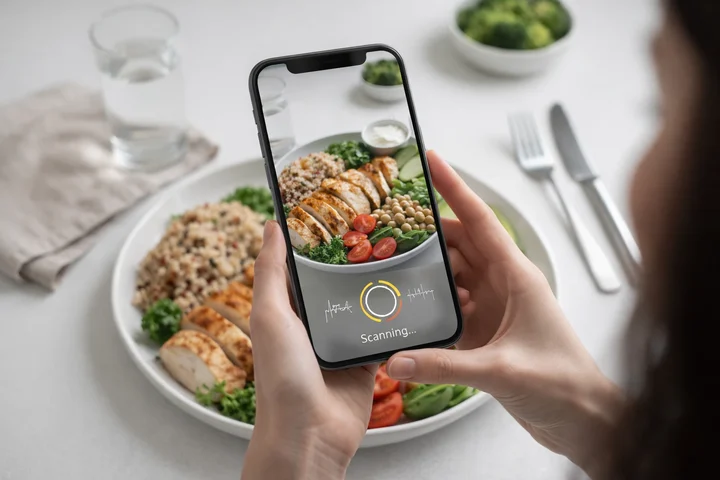 AI-powered food scanning eliminates the tedious manual logging that causes most users to quit

A Quick Look at Both Apps 📱
Foodvisor is a French startup that launched in 2015. It's been featured as Apple's "App of the Day" and offers food photo recognition, barcode scanning, personalized nutrition plans, and 500+ daily coaching lessons on its Premium subscription. Available in over 20 languages with 1.8+ million downloads worldwide. The in-app dietitian chat it built its name on is no longer there: testing through 2026 found the feature gone from the app while the marketing still hinted at it, which our NutriScan vs Foodvisor scan-versus-coaching breakdown goes through in detail.
NutriScan App was built specifically to address gaps in existing nutrition trackers. Beyond basic meal tracking, it focuses on understanding eating patterns, detecting what's causing health issues (like bloating, low energy, or food reactions), and creating diet plans for specific health goals including weight loss, diabetes management, PCOS, pregnancy nutrition, and muscle building.
Feature-by-Feature Comparison ⚖️
1. AI Food Recognition Accuracy
Research in JMIR mHealth and uHealth tested several AI-enabled food image recognition apps and found that accuracy varied widely - from 87% to 97% depending on the app and food type. Foodvisor achieved 87% accuracy in this study. Accuracy drops significantly for mixed dishes and culturally specific foods.
| Feature | Foodvisor | NutriScan |
|---|---|---|
| Image Recognition | Deep learning, simple foods | AI + cooking method detection |
| Portion Estimation | Often needs manual correction | Adjustable portion slider |
| Cooking Methods | Not supported | 11 options (fried, steamed, grilled, etc.) |
| Oil Level | Not tracked | Adjustable slider |
| Regional Foods | European/US focus | Global coverage, strong on regional cuisines |
| Voice Input | Recently added | Available |
| Barcode Scanning | Yes | No, AI photo recognition instead |
Why Cooking Method Matters
A steamed vegetable has very different calories than the same vegetable when deep-fried. The same portion of chicken can vary by hundreds of calories depending on whether it was grilled, fried, or baked. This level of detail matters when you're trying to hit specific calorie targets.
2. Diet Planning Capabilities 🍽️
This is where the two apps differ significantly.
Foodvisor offers:
- Generic personalized nutrition plans
- Recipes curated by nutrition experts
- 500+ daily wellness lessons and educational content
- Structured programs for weight loss and general health
NutriScan offers:
- Diet plans for specific health conditions (Weight Loss, Muscle Gain, Diabetes, PCOS, Pregnancy, Viral Recovery)
- Location, lifestyle, and regional food preference consideration
- Weekly and monthly grocery lists from your diet plan
- Meal recipes with portion sizes and benefits explained
- Supplement recommendations based on goals
- Diet plan renewal every 28 days with modification options
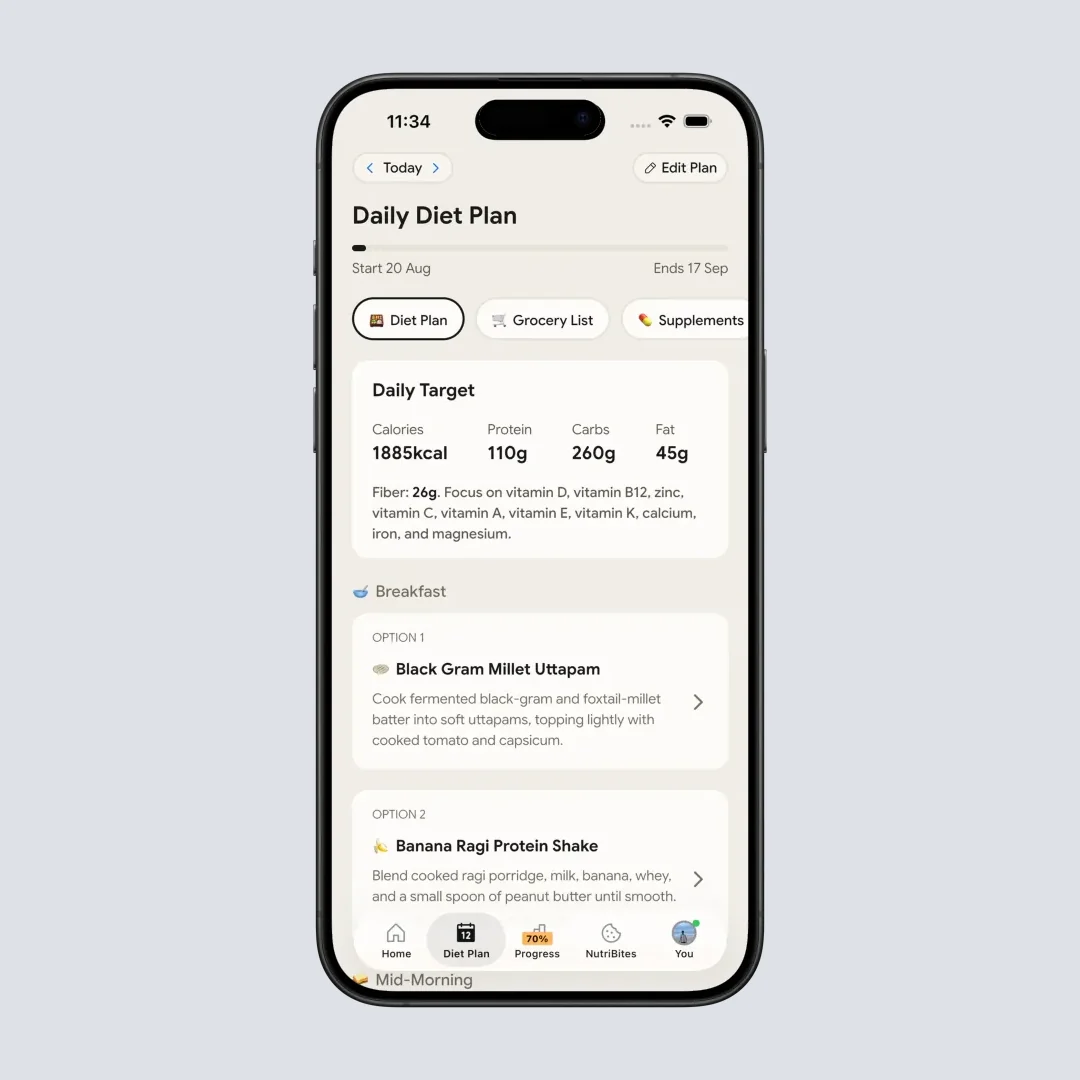
NutriScan's diet plan feature creates personalized meal schedules based on your specific health goals
Research in Nutrients found that AI-generated personalized diet plans can significantly improve weight loss outcomes - with users losing an average of 2.8 kg more compared to traditional approaches. The key is personalization based on individual health conditions, not just calorie targets.
3. Understanding Your Eating Patterns 📊
Most nutrition apps just track what you eat. But do they tell you WHY you're feeling tired, bloated, or unwell?
Foodvisor:
- Tracks calories, macros, fiber, hydration, body weight
- Color-coding (red, orange, yellow, green) to categorize foods
- Basic progress tracking and statistics
- Graphs and visual reports
NutriScan:
- NutriBites feature - an AI chatbot that analyzes your meal timeline
- Pattern identification: "What did I eat differently on days I felt bloated?"
- Meal insights based on location (map view)
- Calendar view with NutriScore colors showing eating quality over time
- Ask any question about your eating habits and get data-driven answers
 Figuring out why you feel tired after certain meals can be puzzling - NutriBites helps connect the dots
The pattern detection is genuinely useful. When you're feeling off, being able to ask "what was different about my meals this week?" and getting an actual answer based on your data makes a real difference.
4. Health Condition Support 💊
This is perhaps the biggest difference between the two apps.
Foodvisor focuses primarily on:
- Weight management and general healthy eating
- Fitness program integration
- Activity and workout tracking
- Educational lessons rather than condition-specific plans
NutriScan offers specific goal options:
- 🏃 Weight Loss
- 💪 Muscle Gain
- 💊 Diabetes Management
- 🌸 PCOS
- 🤰 Pregnancy Nutrition
- 🤒 Viral/Flu Recovery
A systematic review in Nutrients found that AI-driven personalized nutrition interventions showed significant improvements in glycemic control, metabolic health, and gastrointestinal symptoms when customized to specific health conditions. Generic calorie counting simply doesn't work as well for people managing specific conditions.
Important for Health Condition Users
If you're managing PCOS, you need attention to insulin resistance. Pregnancy nutrition involves folate, iron, and avoiding certain foods. Diabetes management requires carb counting and meal timing. A one-size-fits-all approach cannot address these different requirements effectively.
5. Language and Regional Food Support 🌍
| Aspect | Foodvisor | NutriScan |
|---|---|---|
| Languages | 20+ including European and Asian | English, German, Spanish, French, Hindi |
| Food Database | European/US-centric | Strong regional/Indian focus |
| Cooking Methods | Western standard | Cultural cooking methods supported |
| Home-Cooked Meals | Basic support | Built for home-cooked meals |
If you eat a lot of regional or home-cooked food, this matters more than you might think. An app that doesn't recognize your daily meals is an app you'll stop using. Research shows that nutrition apps often underestimate energy for Asian diets because their databases are built on Western foods.
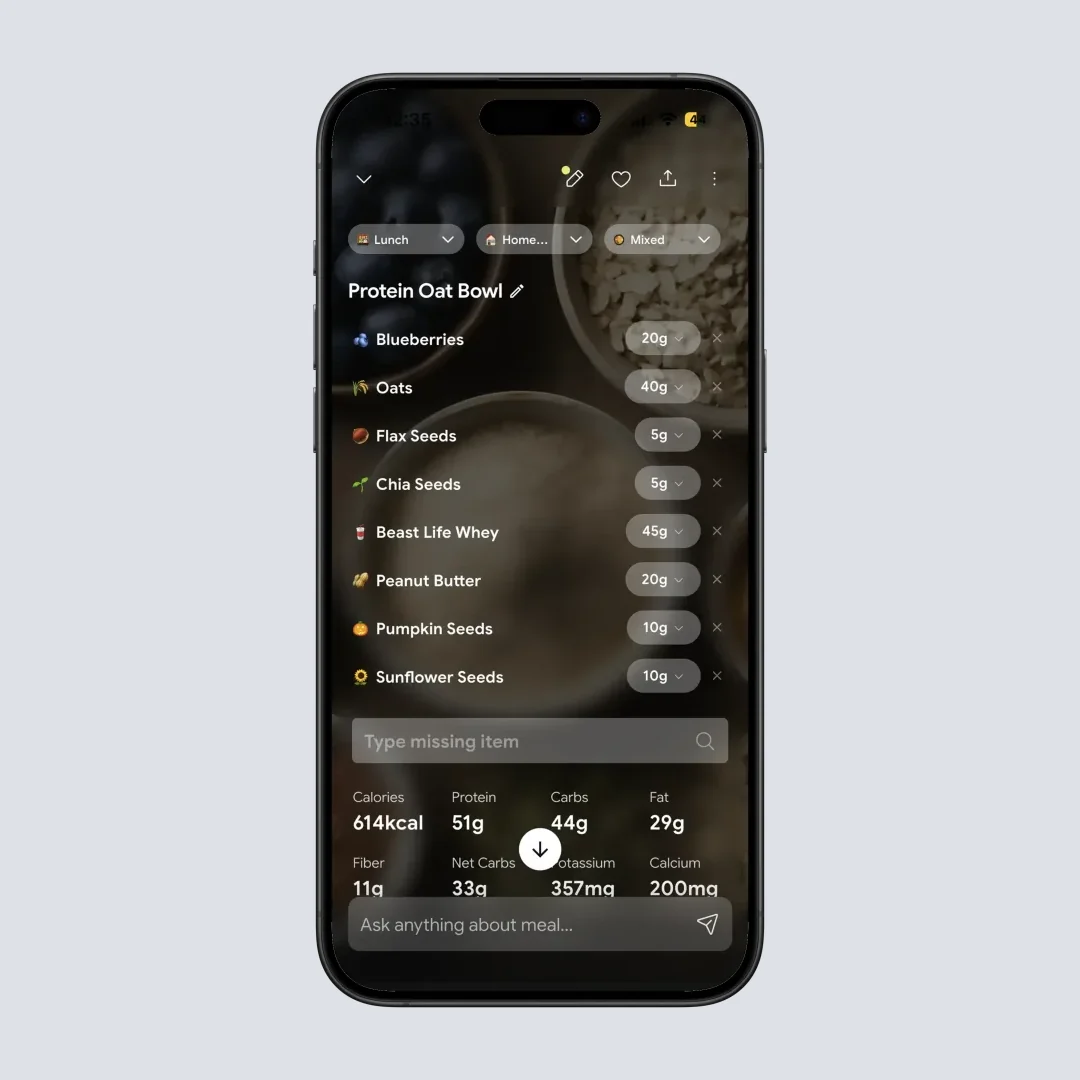
NutriScan recognizes regional and home-cooked meals with cooking method selection for accurate tracking
6. Pricing Comparison 💰
| Plan | Foodvisor | NutriScan |
|---|---|---|
| Free | Manual logging only, 0 photo scans | 5 AI meal scans a week |
| Monthly | $14.99/month | Premium is annual only |
| Annual | $83.99/year (about $6.99/month) | Premium about $59/yr |
| Free Trial | None | 7 days |
| Referral Program | Not available | 1 week free per referral |
Prices are standard US prices as of August 2026 and change by region. Foodvisor runs about 40% more a year than NutriScan Premium and has no trial, so the only way to test its scanner is to pay for a month. NutriScan's 7-day trial starts through your app store; whether a card is collected depends on your platform and region. If you do subscribe to Foodvisor and change your mind, we have a step-by-step guide on how to cancel Foodvisor Premium.
The Feature That Predicts If You'll Stick With Tracking 🎯
Research in the journal Obesity shows that understanding eating patterns leads to better long-term weight management than just counting calories. Technology is the easy part. The app that keeps you logging is the one that helps you understand why you eat what you eat.
Accuracy, price and feature lists matter less than one thing: whether the app makes you curious about your own patterns.
Foodvisor approaches this through color-coding foods and its daily lessons. You see red and green labels and get a short lesson each day.
NutriScan approaches this through NutriBites - letting you ask questions like:
- "What did I eat differently on days I felt bloated?"
- "Show me my eating pattern on weekends vs weekdays"
- "What's my average NutriScore when I eat out?"
 That moment when you finally understand why certain foods make you feel certain ways
Asking the question is what keeps people logging. When you become curious about your own data, you keep coming back. When you just see numbers, you eventually stop caring.
93.6% of users in AI nutrition studies reported satisfaction when they received personalized, pattern-based guidance. Higher adherence was directly associated with better health benefits.
A better test than a feature list
Install both, log the meals you actually eat for a week, then check which app you opened without being reminded. That's the one you'll still be using in March.
Foodvisor Reviews: What Real Users Keep Saying 👥
Pull up Foodvisor reviews on the App Store, Reddit and the big review sites and the same points repeat.
Common Foodvisor complaints:
- Portion size estimation often needs manual correction
- Database has inconsistent nutritional information
- Syncing issues with non-Apple fitness trackers
- Recipe input process is complicated
- The in-app dietitian chat older reviews praised is no longer in the app
Common Foodvisor praise:
- Photo recognition saves time once you are on Premium
- The 500+ daily lessons are well-organized
- Clean user interface
- The free tier never expires, so nothing forces a decision
NutriScan users particularly like:
- Cooking method selection for accurate calories
- Diet planning for specific health conditions
- Pattern detection through NutriBites chatbot
- Regional food recognition for Indian cuisine
- Voice AI assistant (Monika) for hands-free questions

7 Tips for Choosing the Right Nutrition App 💡
Tip 1: Choose Based on Your Specific Health Goal If managing diabetes, PCOS, or pregnancy, choose an app with dedicated support for that condition. Check out our PCOS macro calculator or diabetes macro calculator to understand your specific needs.
Tip 2: Consider Your Food Culture If you eat regional or cultural foods, pick an app with a database that recognizes those foods.
Tip 3: Test the Free Version First Foodvisor has no Premium trial, so run its free tier for a week and pay for one month if you want the scanner. NutriScan gives 7 days of Premium plus 5 free scans a week after that.
Tip 4: Look at More Than Calorie Counting Choose an app that helps you understand the "why" behind your eating habits.
Tip 5: Check How It Handles Cooking Methods A steamed fish and fried fish have vastly different calorie counts.
Tip 6: Consider Long-Term Sustainability Pick an app with features that keep you engaged after initial novelty wears off.
Tip 7: Think About Community Support Apps with community features and progress sharing tend to have higher retention rates.
My Foodvisor Review Verdict: Which App to Pick 🎯
Choose Foodvisor if:
- You want structured daily lessons and a guided curriculum
- You primarily eat Western or European foods
- You need extensive language support (20+ languages)
- Basic calorie and macro tracking is sufficient
- You prefer a more established app with larger user base
Choose NutriScan if:
- You're managing a specific health condition (diabetes, PCOS, pregnancy)
- You want diet planning matched to your exact health goals
- You eat regional, cultural, or home-cooked foods regularly
- You want to understand patterns in your eating
- You need grocery lists generated from your diet plan
- Accurate tracking of cooking methods matters to you
What to Do This Week 📝
Run Foodvisor's free tier for seven days and log the meals you genuinely eat. If everything you log is packaged or Western restaurant food and you enjoy the daily lessons, pay the $14.99 and keep going.
If the app keeps guessing wrong on your home-cooked plates, or you are tracking around diabetes, PCOS or pregnancy, install NutriScan instead and spend your 5 free weekly scans on the dishes that broke Foodvisor. Curries, mixed bowls, restaurant thalis. Then check whether the cooking method and oil prompts moved the numbers closer to what you expected.
Seven days of real meals answers this faster than any comparison table, this one included.
Frequently Asked Questions ❓
Q: Is Foodvisor free?
A: Partly. Foodvisor is free to download and its free tier lasts as long as you want, covering manual food search, calorie and macro totals, weight and water logging, and Apple Health or Google Fit sync. The AI photo scan, the daily lessons and the recipe library are Premium only, from $14.99 a month, the cheapest of three concurrent monthly SKUs, or $83.99 a year in US pricing as of August 2026. NutriScan's free plan includes 5 AI photo scans a week.
Q: What do Foodvisor reviews agree on?
A: Reviewers consistently praise the clean interface, the daily lessons and how fast photo logging is once you pay. The recurring complaints are portion sizes that need manual correction, inconsistent database entries, sync problems with non-Apple wearables, and the removal of the in-app dietitian chat the app was known for.
Q: Is the food advisor app the same as Foodvisor?
A: Yes. People searching for food advisor app reviews are almost always looking for Foodvisor, the French photo-based calorie tracker launched in 2015. There is no separate app called Food Advisor in the major app stores, so the reviews you find under either spelling describe the same product.
Q: Is NutriScan more accurate than Foodvisor for calorie counting?
A: Both apps use AI for food recognition. Foodvisor reports 87% accuracy. NutriScan's cooking method detection and oil level adjustment can make estimates more accurate for home-cooked meals where preparation varies significantly.
Q: Can Foodvisor or NutriScan help with diabetes management?
A: NutriScan has specific diet planning for diabetes as one of its core health goal options, creating meal plans and grocery lists for blood sugar management. Foodvisor provides general nutrition tracking and daily lessons, but its in-app dietitian chat has been removed, so there is no human to ask inside the app.
Q: Which app is better for Indian or regional food?
A: NutriScan covers global cuisines and is strong on regional dishes, including Indian and Asian foods. It includes Hindi language support and recognizes local cooking methods and dishes. Foodvisor has a more European and Western-centric database.
Q: How much do NutriScan and Foodvisor cost?
A: Foodvisor Premium costs $14.99 a month or $83.99 a year, about $6.99 a month annually, and there is no free trial. NutriScan runs two plans, Free and Premium, with Premium at about $59 a year and a 7-day trial. Both are standard US prices as of August 2026 and change by region. NutriScan also has an Invite & Earn program giving both sides 1 week of Premium per successful referral.
Q: Will these apps actually help me lose weight?
A: Research shows 42% of active app users lost 5% or more of their body weight over 52 weeks, with more frequent usage correlating with greater weight loss. Regular use does the work, so pick whichever app you will still open in month three.
Q: Does NutriScan work with fitness trackers?
A: Yes, NutriScan syncs with Apple Health and Google Fit for comprehensive health tracking including steps, active energy, sleep, and weight data.
Q: Can I try both apps before deciding?
A: Yes, with one caveat. Foodvisor has no Premium trial, so you can only test its free tier for as long as you like or pay $14.99 for a month to try the scanner. NutriScan gives 7 days of Premium and then 5 free scans a week. Test both with your actual meals to see which one recognizes your food better.
Q: What's the NutriScore feature in NutriScan?
A: NutriScore is a science-based scoring system that evaluates overall meal quality without judgment-based color labeling of individual foods. It focuses on nutritional value rather than making you feel guilty about specific food choices. Learn more in our NutriScore guide.
